How I Found a JWT Signature Verification Flaw Vulnerability | by
The author investigated a username-change endpoint to see whether the server verified the signature on the JWT sent in the Authorization header. The text only says the behaviour raised a concern and never confirms that an unsigned or modified token was actually accepted, so no concrete exploit is demonstrated.
 Published on medium.com
Cybersecurity
The full write-up lives on its author's site
It belongs to its author, so we link to it rather than copy it. The other two tabs are our own rewrites, checked against it.
Context
JSON Web Tokens are widely used to carry authentication state between a client and a server. A JWT has three parts, a header, a payload and a signature, separated by dots. The header describes the token, including its signing algorithm. The payload carries claims such as a user identifier, issuer or expiry. The signature is what lets the receiving server confirm that the token has not been modified and was signed with an accepted key.
The rule that matters here is simple: a server must never trust a JWT without properly verifying its signature. Base64URL encoding is not encryption, so anyone holding a token can decode the header and payload and read the claims.
The feature under test was a username-change function. The application exposed this endpoint:
POST /api/user/change-username
The request carried a JWT in the Authorization header:
Authorization: Bearer <JWT>
The question I wanted answered was whether the server would reject a token whose signature was missing or whose contents had been modified, before it performed any authenticated action.
Setup
I logged in with a normal test account and opened the username-change functionality. I used Burp Suite to capture the corresponding HTTP request and sent it to Repeater for controlled testing. Testing of this kind should only be performed on accounts and systems you own or are explicitly authorised to assess.
Finding it
While testing the username-change endpoint, I investigated whether the application correctly validated the JWT supplied with the request. The behaviour raised a serious security concern: if an application accepts unsigned or modified tokens, an attacker may be able to manipulate trusted identity information.
A secure implementation verifies the signature before doing anything with the claims. Changing a claim such as sub or user_id invalidates the original signature, and the server should reject the modified token. If instead the server decodes the token and trusts its payload without verifying the signature, it may accept identity information that was never authenticated. That is the kind of gap worth testing for.
Exploitation
Step 1: Capture the request
I logged in with a normal test account, opened the username-change functionality, captured the request in Burp Suite and sent it to Repeater. This gave me a stable request to modify, with the JWT in the Authorization header as shown above.
Step 2: Inspect the JWT
I examined the token structure and identified its header and payload, to understand which claims it contained and how the application might be using them. Since the header and payload are only Base64URL encoded, they can be decoded and read by anyone holding the token.
Step 3: Test signature validation
I investigated whether the server required a valid signature. A properly implemented authentication system must reject unsigned tokens and tokens whose signed contents have been changed. Testing should be performed only on accounts and systems you own or are explicitly authorised to assess.
Step 4: Observe the server's response
I checked whether the application rejected the request or continued processing it. A successful response on its own is not enough to establish a vulnerability. The important question is whether the server performed an authenticated action despite receiving an invalid token.
Step 5: Verify the security impact
The next step is to establish which identity the server actually uses when processing the request. That means checking the result against the authorised test account and confirming whether the application enforced account ownership. Any claim of cross-account access or account takeover needs clear, reproducible evidence.
Root cause
A possible mistake is that the application decodes the JWT and trusts its payload without verifying the signature, so claims such as sub or user_id may be treated as authenticated identity even though nothing established their authenticity. A username-change endpoint that relies on a user identifier from the token to decide which account to update will then process a request using an identity supplied by the requester rather than a verified one. The exact impact depends on how the application handles authentication and account ownership.
Impact
The severity of a JWT signature-verification flaw depends on what an attacker can actually accomplish.
- Authentication bypass. If the application accepts unsigned JWTs as valid credentials, a requester may be able to bypass the intended authentication mechanism. This is particularly serious when the server treats claims in the token as trusted identity information.
- Unauthorised account changes. A username-change endpoint should let a user modify only their own account, unless a properly authorised administrative action is intended. If the application relies on unverified identity claims, that ownership check may become ineffective.
- Privilege escalation. Some applications store role-related claims in JWTs. If the server accepts modified claims without validating the signature and independently enforcing permissions, an attacker may be able to influence authorisation decisions. Changing a claim to
admindoes not automatically grant administrative access; the impact must be verified against the application's actual authorisation logic. - Potential account takeover. This may be the most serious outcome, but a JWT validation flaw does not automatically prove that a victim's account can be taken over. That conclusion requires evidence that an unauthorised person can gain control of another account or perform equivalent privileged actions. It also depends on whether the application uses the affected username in account recovery, authentication or other security-sensitive workflows.
Severity should follow the demonstrated impact rather than the vulnerability name. A verification weakness that permits unauthorised access to sensitive functions may warrant High; a confirmed authentication bypass affecting accounts or administrative functions could be more severe. Two CVSS 3.1 scenarios illustrate the range:
| Rating | Vector |
|---|---|
| CVSS 8.8, High | AV:N/AC:L/PR:L/UI:N/S:U/C:H/I:H/A:H |
| CVSS 9.8, Critical | AV:N/AC:L/PR:N/UI:N/S:U/C:H/I:H/A:H |
Both assume substantial confidentiality, integrity and availability impacts. They are illustrative, not final ratings for this finding; the correct score depends on the privileges required and the impact actually demonstrated.
Relevant classifications:
- CWE-347: Improper Verification of Cryptographic Signature
- CWE-345: Insufficient Verification of Data Authenticity
- OWASP Top 10 2021: A07, Identification and Authentication Failures
- OWASP API Security Top 10 2023: API2, Broken Authentication
CWE-347 is the closest fit when the application fails to verify a cryptographic signature that should establish the token's authenticity.
Fix
- Always verify the signature. Every protected request must undergo server-side JWT signature verification, and tokens with missing, invalid or incorrectly formatted signatures must be rejected.
- Reject unsupported algorithms. Configure the accepted algorithms explicitly on the server and do not blindly trust the algorithm named in the token header. In particular, unsigned tokens using
alg: nonemust not be accepted as authenticated credentials. - Enforce authorisation separately. A valid JWT does not mean a user can perform every action. For a username change, derive the authenticated identity from a verified token or trusted session and confirm that the user is authorised to modify the requested account. Permissions belong on the server, not in client-controlled claims.
The broader lesson is that decoding a JWT is not the same as validating it. A token can look valid, carry reasonable claims and be correctly formatted while still being untrustworthy. When reporting this class of issue, document the original request, the invalid-token behaviour, the server's response and the exact impact you were able to reproduce.
- Strip the signature. Send the token with the signature segment removed or emptied. A positive result is a 2xx response and a state change on the account, not just a 200 with an error body.
- Modify a claim. Change
suboruser_idin the payload and re-encode it without re-signing. A positive result is the server acting on the modified identity, confirmed by checking which account was actually changed. alg: none. Set the header algorithm tononeand drop the signature. A positive result is the token being accepted as an authenticated credential.- Algorithm confusion. Re-sign the token with a different algorithm than the one the server expects, for example using a public key as an HMAC secret. A positive result is acceptance of a token the server should have rejected.
- Cross-account ownership. With a valid token for your own account, point the request at another account's identifier. A positive result is the change being applied to the other account, which demonstrates the missing ownership check rather than only the missing signature check.
- Role claims. Modify a role or permission claim and call an administrative function. A positive result is the function executing, which shows authorisation is being taken from the token rather than enforced server-side.
In each case, confirm the effect against the authorised test account before claiming impact, and test only within the scope of an authorised assessment.
What happened, in plain words
A security researcher was testing a website feature that lets a logged-in user change their username. Websites like this usually keep you logged in by giving your browser a small piece of text called a token, which the browser sends back with every request. The token is meant to prove who you are. The researcher wanted to know one thing: does the website actually check that the token is genuine, or does it just read the name written inside it and believe it?
If the website only reads the name and never checks the token's signature (a kind of tamper-proof seal), then anyone who can edit the token could pretend to be someone else. That is the flaw the researcher set out to look for. This article walks through the idea from scratch, explains the request that was tested, and shows how developers should fix it.
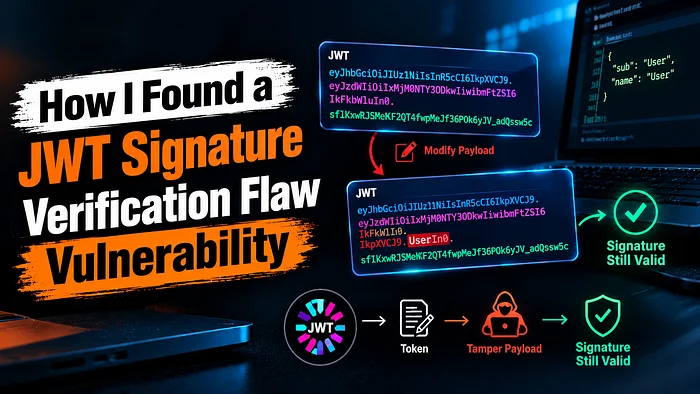
The image above is described in the article as AI generated.
What is a JWT?
A JSON Web Token, or JWT (people say "jot"), is a small piece of text that a website gives to your browser after you log in. Your browser then sends it back with each request so the website can recognise you without asking for your password every time.
Think of it like a cloakroom ticket. When you hand in your coat, you get a ticket with a number on it. Later you show the ticket and get your coat back. The ticket does not contain your coat; it just identifies which coat is yours. A JWT works the same way: it identifies which user is making a request.
A JWT has three parts, separated by dots:
- Header: a small block of information about the token itself, including which signing algorithm was used.
- Payload: the claims, which are pieces of information such as a user identifier, who issued the token, or when it expires.
- Signature: a value that lets the receiving server confirm the token has not been changed and was signed with a key the server accepts.
One detail matters a lot: the header and payload are only Base64URL encoded, not encrypted. Encoding is like writing something in a different alphabet so it fits neatly in a text field; it does not hide anything. Anyone holding the token can decode the header and payload and read the claims. That is why you should never put secrets such as passwords inside a JWT.
Where the testing started
The feature under test was a username-change function. The application exposed this endpoint:
POST /api/user/change-username
Let us break that down for someone new to this.
- API stands for Application Programming Interface. It is the part of a website that the browser (or an app) talks to behind the scenes. When you click a button, your browser sends a message to the API, and the API does the work and sends back an answer. Think of the API as a waiter: you tell the waiter what you want, the waiter goes to the kitchen, and brings back your food. You never walk into the kitchen yourself.
- Endpoint is the address of one specific job the API can do.
/api/user/change-usernameis the address for the job "change this user's username". - POST is the type of request. It means "I am sending some data for you to act on". A GET request is more like "please show me this page". A POST is more like "please do this thing".
The request carried a JWT in the Authorization header:
Authorization: Bearer <JWT>
Line by line:
- Authorization is the name of an HTTP header. Headers are extra pieces of information attached to a request, like the label on an envelope. This particular header is where the browser tells the server "here is proof of who I am".
- Bearer is a keyword that means "whoever is carrying this token is the user". It is like a festival wristband: whoever is wearing it gets in, no questions asked. That is exactly why the token must be checked carefully.
- <JWT> is a placeholder for the actual token text. In a real request, the long string of letters and dots would appear here.
The question the researcher wanted answered was simple: would the server reject a token whose signature was missing or whose contents had been modified, before it performed any authenticated action? In plain words: does the website check the seal on the envelope before it acts on the letter inside?
Setting up the test
The researcher logged in with a normal test account and opened the username-change functionality. They used a tool called Burp Suite to capture the corresponding HTTP request and sent it to a part of Burp called Repeater for controlled testing.
What are these tools?
- Burp Suite is a program that sits between your browser and a website, like a postbox with a glass window. It lets you see every request your browser sends and every response the website sends back. Security testers use it to inspect and change requests before they reach the server.
- Repeater is a feature inside Burp that lets you take one captured request and send it again and again, changing one small thing each time. It is like having a photocopy of a letter and editing a single word before posting it again.
Testing of this kind should only be done on accounts and systems the researcher owns or is explicitly authorised to assess. This is important: you should only ever do this kind of testing on systems you own or have explicit permission to test.
Finding the issue
While testing the username-change endpoint, the researcher investigated whether the application correctly validated the JWT supplied with the request. The behaviour raised a serious security concern: if an application accepts unsigned or modified tokens, an attacker may be able to manipulate trusted identity information.
A secure implementation verifies the signature before doing anything with the claims. Changing a claim such as sub or user_id invalidates the original signature, and the server should reject the modified token. If instead the server decodes the token and trusts its payload without verifying the signature, it may accept identity information that was never authenticated. That is the gap the researcher was looking for.
What are sub and user_id? They are claims, which are named pieces of information inside the payload. sub is short for subject, meaning the user the token is about. user_id is a more descriptive name for the same idea. If the server reads one of these and believes it without checking the signature, then anyone who can edit the token can change which user the server thinks is making the request.
How the investigation was carried out
Step 1: Capture the request
The researcher logged in with a normal test account, opened the username-change functionality, captured the request in Burp Suite and sent it to Repeater. This gave a stable request to modify, with the JWT in the Authorization header as shown above.
Why this step matters: you cannot test a request until you have a copy of it. Capturing the request is like taking a photo of a form before you fill it in differently. Repeater lets you resend that exact request with small changes, so you can compare what happens.
Step 2: Inspect the JWT
The researcher examined the token structure and identified its header and payload, to understand which claims it contained and how the application might be using them. Since the header and payload are only Base64URL encoded, they can be decoded and read by anyone holding the token.
Why this step matters: before you can test whether the server trusts a claim, you need to know which claims exist. Reading the payload tells you what the server might be looking at, such as a user identifier or a role.
Step 3: Test signature validation
The researcher investigated whether the server required a valid signature. A properly implemented authentication system must reject unsigned tokens and tokens whose signed contents have been changed. Testing should be performed only against accounts and systems the researcher owns or is explicitly authorised to assess.
Why this step matters: this is the heart of the test. If you remove the signature or change a claim and the server still accepts the token, the server is not checking the seal. If the server rejects it, the check is working.
Step 4: Observe the server's response
The researcher checked whether the application rejected the request or continued processing it. A successful response on its own is not enough to establish a vulnerability. The important question is whether the server performed an authenticated action despite receiving an invalid token.
Why this step matters: a website can reply "OK" to many things without actually doing anything. What you need to see is whether the action really happened, for example whether the username actually changed. A polite error message wrapped in a success code is not a vulnerability.
Step 5: Verify the security impact
The next step is to establish which identity the server actually uses when processing the request. That means checking the result against the authorised test account and confirming whether the application enforced account ownership. Any claim of cross-account access or account takeover needs clear, reproducible evidence.
Why this step matters: finding that a token was accepted is only half the story. You also need to know whose account was affected. If the change landed on your own test account, the impact is limited. If it landed on another account, that is much more serious. Reproducible evidence means someone else can follow your steps and see the same result.
Root cause
A possible mistake is that the application decodes the JWT and trusts its payload without verifying the signature, so claims such as sub or user_id may be treated as authenticated identity even though nothing established their authenticity. A username-change endpoint that relies on a user identifier from the token to decide which account to update will then process a request using an identity supplied by the requester rather than a verified one. The exact impact depends on how the application handles authentication and account ownership.
In everyday terms: the cloakroom attendant reads the number on your ticket but never checks whether the ticket is genuine. Anyone who can print a ticket with a different number can walk away with someone else's coat.
Why this matters: the impact
The severity of a JWT signature-verification flaw depends on what an attacker can actually accomplish.
- Authentication bypass. If the application accepts unsigned JWTs as valid credentials, a requester may be able to bypass the intended authentication mechanism. This is particularly serious when the server treats claims in the token as trusted identity information. In plain words: the website may let someone in without a real login.
- Unauthorised account changes. A username-change endpoint should let a user modify only their own account, unless a properly authorised administrative action is intended. If the application relies on unverified identity claims, that ownership check may become ineffective. In plain words: someone might be able to change another person's username.
- Privilege escalation. Some applications store role-related claims in JWTs. If the server accepts modified claims without validating the signature and independently enforcing permissions, an attacker may be able to influence authorisation decisions. Changing a claim to
admindoes not automatically grant administrative access; the impact must be verified against the application's actual authorisation logic. In plain words: editing the word "user" to "admin" in the token is not enough on its own; you have to check whether the website actually gives admin powers as a result. - Potential account takeover. This may be the most serious outcome, but a JWT validation flaw does not automatically prove that a victim's account can be taken over. That conclusion requires evidence that an unauthorised person can gain control of another account or perform equivalent privileged actions. It also depends on whether the application uses the affected username in account recovery, authentication or other security-sensitive workflows. In plain words: taking over someone's account is the worst case, but you need proof, not just a suspicion.
Severity should follow the demonstrated impact rather than the vulnerability name. A verification weakness that permits unauthorised access to sensitive functions may warrant High; a confirmed authentication bypass affecting accounts or administrative functions could be more severe. Two CVSS 3.1 scenarios illustrate the range:
| Rating | Vector |
|---|---|
| CVSS 8.8, High | AV:N/AC:L/PR:L/UI:N/S:U/C:H/I:H/A:H |
| CVSS 9.8, Critical | AV:N/AC:L/PR:N/UI:N/S:U/C:H/I:H/A:H |
What is CVSS? It is a scoring system for security flaws. Each letter pair in the vector describes one aspect of the flaw, such as whether it can be exploited over the network, whether the attacker needs an account, and how much damage it can do. You do not need to memorise the letters to understand the point: the same kind of flaw can be High or Critical depending on what an attacker can actually achieve. Both scores above assume substantial confidentiality, integrity and availability impacts. They are illustrative, not final ratings for this finding; the correct score depends on the privileges required and the impact actually demonstrated.
Relevant classifications:
- CWE-347: Improper Verification of Cryptographic Signature
- CWE-345: Insufficient Verification of Data Authenticity
- OWASP Top 10 2021: A07, Identification and Authentication Failures
- OWASP API Security Top 10 2023: API2, Broken Authentication
What are these? CWE is a catalogue of known weakness types, like a dictionary of mistakes. OWASP is a community project that publishes lists of the most common security problems. CWE-347 is the closest fit when the application fails to verify a cryptographic signature that should establish the token's authenticity.
How developers can fix this
- Always verify the signature. Every protected request must undergo server-side JWT signature verification, and tokens with missing, invalid or incorrectly formatted signatures must be rejected. In plain words: check the seal on every envelope before reading the letter.
- Reject unsupported algorithms. Configure the accepted algorithms explicitly on the server and do not blindly trust the algorithm named in the token header. In particular, unsigned tokens using
alg: nonemust not be accepted as authenticated credentials. In plain words: do not let the sender choose how the token is checked. The server decides. - Enforce authorisation separately. A valid JWT does not mean a user can perform every action. For a username change, derive the authenticated identity from a verified token or trusted session and confirm that the user is authorised to modify the requested account. Permissions belong on the server, not in client-controlled claims. In plain words: even with a genuine ticket, the attendant should still check that the coat belongs to you.
The broader lesson is that decoding a JWT is not the same as validating it. A token can look valid, carry reasonable claims and be correctly formatted while still being untrustworthy. When reporting this class of issue, document the original request, the invalid-token behaviour, the server's response and the exact impact you were able to reproduce.
Once you understand the basic idea, there are several variations to try. Each one tests a slightly different way the server might be trusting the token too much.
- Strip the signature. Send the token with the signature segment removed or emptied. A positive result is a 2xx response and a state change on the account, not just a 200 with an error body. In plain words: remove the seal and see if the letter is still accepted. A 2xx response is an HTTP status code meaning success; but you must also see that something actually changed.
- Modify a claim. Change
suboruser_idin the payload and re-encode it without re-signing. A positive result is the server acting on the modified identity, confirmed by checking which account was actually changed. In plain words: change the name on the ticket and see whose coat you get. alg: none. Set the header algorithm tononeand drop the signature. A positive result is the token being accepted as an authenticated credential. In plain words: tell the server "this token has no seal" and see if it still lets you in.- Algorithm confusion. Re-sign the token with a different algorithm than the one the server expects, for example using a public key as an HMAC secret. A positive result is acceptance of a token the server should have rejected. In plain words: use the wrong kind of stamp and see if the server notices.
- Cross-account ownership. With a valid token for your own account, point the request at another account's identifier. A positive result is the change being applied to the other account, which demonstrates the missing ownership check rather than only the missing signature check. In plain words: use your own ticket but ask for someone else's coat.
- Role claims. Modify a role or permission claim and call an administrative function. A positive result is the function executing, which shows authorisation is being taken from the token rather than enforced server-side. In plain words: write "manager" on your ticket and see if you get the manager's office.
In each case, confirm the effect against the authorised test account before claiming impact, and test only within the scope of an authorised assessment.
Glossary
- API: the part of a website or app that handles requests behind the scenes, like a waiter taking orders to the kitchen.
- Authentication: the process of proving who you are, usually by logging in.
- Authorisation: the process of deciding what a logged-in user is allowed to do.
- Base64URL: a way of encoding text so it can travel safely in a URL or header. It is not encryption; anyone can decode it.
- Bearer token: a token where possession alone is treated as proof of identity, like a festival wristband.
- Burp Suite: a tool that sits between your browser and a website so you can inspect and modify requests.
- Claim: a named piece of information inside a JWT payload, such as a user identifier or role.
- CVSS: a scoring system that rates the severity of a security flaw.
- CWE: a catalogue of known weakness types.
- Endpoint: the address of one specific job an API can do.
- Header (HTTP): extra information attached to a request or response, like a label on an envelope.
- Header (JWT): the first part of a JWT, describing the token and its signing algorithm.
- HMAC: a way of signing data using a shared secret key.
- HTTP: the language browsers and websites use to talk to each other.
- JWT (JSON Web Token): a small text token used to carry identity information between a browser and a server.
- OWASP: a community project that publishes lists of common security problems.
- Payload: the middle part of a JWT, containing the claims.
- POST: an HTTP request type used to send data for the server to act on.
- Privilege escalation: gaining more permissions than you should have.
- Repeater: a Burp Suite feature that lets you resend a captured request with changes.
- Signature: the part of a JWT that proves it has not been tampered with.
- Token: a piece of text used to prove identity or carry state between requests.
- 2xx response: an HTTP status code meaning the server accepted and processed the request.