How I Prevented a Mass Data Breach - $15,000 bounty - @bxmbn
An endpoint that issued authentication cookies for any order ID used a single static mailId as a security key, allowing an attacker to obtain cookies for any order and then view its details. This could expose sensitive information of up to 3 million people.

In July 2023, I received an invite of a significant bug bounty program, with massive assets in-scope, my approach mirrored what I typically do when testing such extensive programs — searching for old endpoints using specific Google Dorks.
The full write-up lives on its author's site
It belongs to its author, so we link to it rather than copy it. The other two tabs are our own rewrites, checked against it.
Context
In July 2023 I was invited to a large bug bounty program with a very broad scope. The target in this write-up is a web application reachable under privateprogram.com, with a subdomain dedicated to storing user orders. Orders are addressed by an orderId and viewed through an endpoint under /webapp/wcs/stores/servlet/, which is the classic WebSphere Commerce servlet layout. The order view page is the feature that normally lets a customer see their own order: payment method, contract PDF, billing and shipping address, email address, phone number, first and last name.
Setup
No accounts, roles or special tooling were needed. The whole approach relied on two public sources: Google search with dorks, and the Wayback Machine. The only precondition was that the program's scope was wide enough to include the order subdomain, and that old URLs for it had been indexed or archived.
Finding it
With a scope this large, my approach mirrored what I usually do on extensive programs: search for old endpoints using specific Google Dorks.
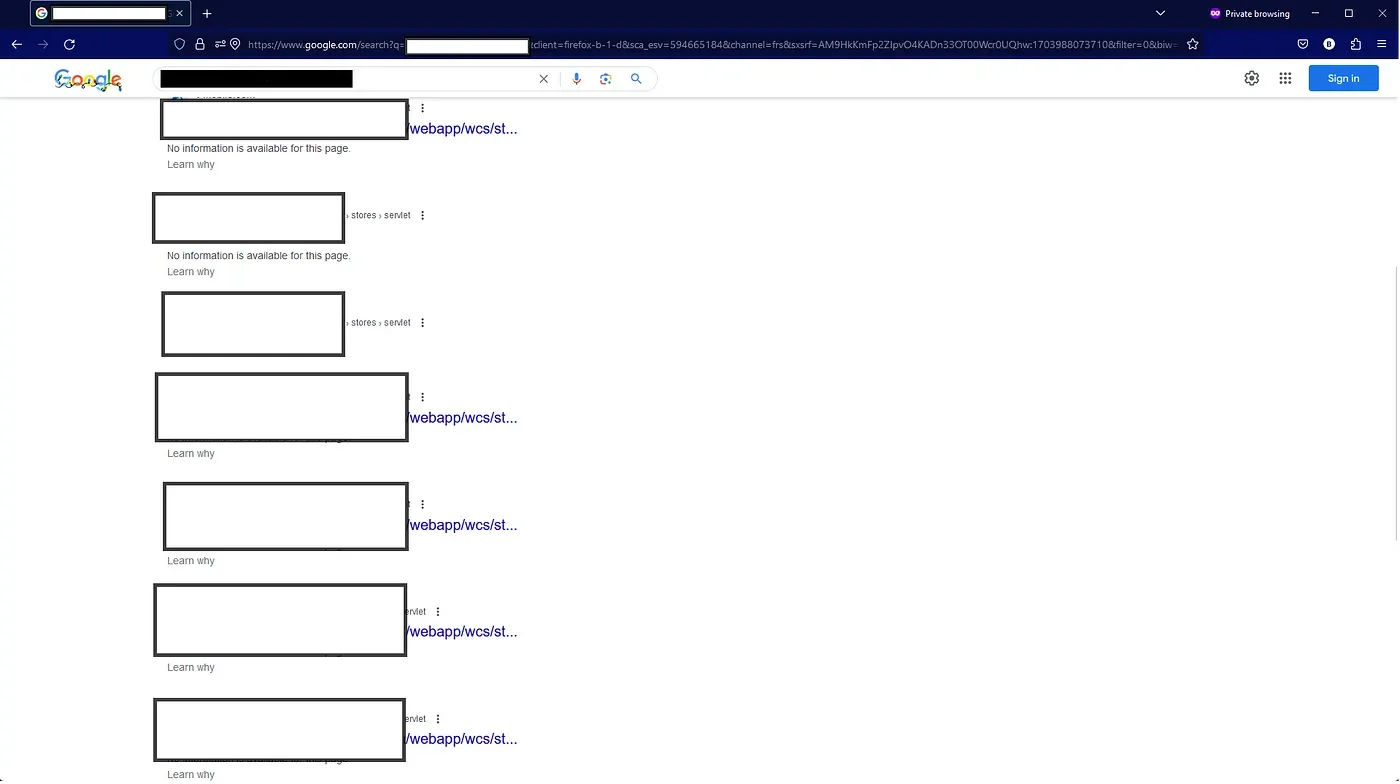
The dork I used was:
site:privateprogram.com/webapp/*
After digging and experimenting with various dorks, I found a subdomain dedicated to storing user orders, with an order view URL of this shape:
https://orders.privateprogram.com/webapp/wcs/stores/servlet/OrderView?orderId=002233893
I visited it and got a forbidden error. That was expected without a session, so I saved the host for later and turned to the Wayback Machine to look for more endpoints.
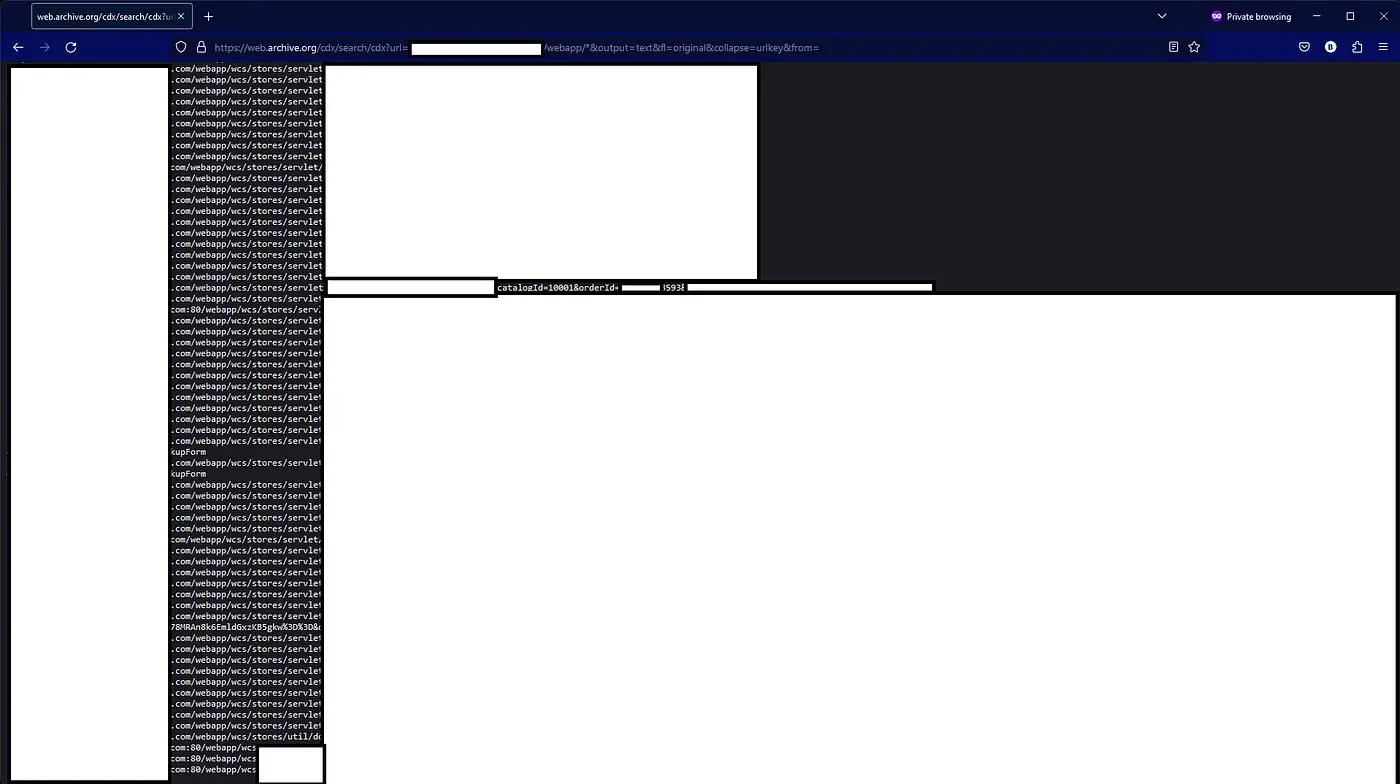
The Wayback CDX query I used was:
http://web.archive.org/cdx/search/cdx?url=orders.privateprogram.com/webapp/*&output=text&fl=original&collapse=urlkey&from=-
This lists archived original URLs under the path, collapsing duplicates by URL key. Among the results was a new and interesting endpoint:
https://orders.privateprogram.com/webapp/wcs/stores/servlet/MailOid?orderId=003163553&mailId=a1c156c4–6c4a-4bf9–9a17–2c5bvcdf6ec1
Unlike OrderView, this one takes both an orderId and a mailId.
Exploitation
Step 1: request the mail endpoint and watch the response headers
I requested the MailOid URL and received a 200 Ok response, but the body was a blank page. Inspecting the response, I noticed the server was setting cookies on every request:
HTTP/1.1 200 Ok......Set-Cookie:WC_PERSISTENT*=*************************Set-Cookie:WC_AUTHENTICATION_*=***********************Set-Cookie:WC_USERACTIVITY_*=*************************......
If you are familiar with these cookies, you know they are authentication cookies. The blank body is irrelevant: the interesting part is the Set-Cookie headers, which establish an authenticated session context on the client.
Step 2: use the cookies against the order view
With those cookies set, I tried to view order 003163553 through the ordinary order view endpoint:
https://orders.privateprogram.com/webapp/wcs/stores/servlet/OrderView?orderId=003163553
It worked. I gained access to that order. The OrderView endpoint that had returned a forbidden error earlier now served the order, purely because the session cookies obtained from MailOid were present.
Step 3: test whether the mailId is tied to a single order
I speculated that the mailId might serve as a security key for accessing orders. To test the theory, I attempted the same exploit with another orderId I had found during the earlier Google dorking, order 002233893, and managed to access it as well:
https://orders.privateprogram.com/webapp/wcs/stores/servlet/OrderView?orderId=002233893
So the mailId was not bound to the order it was issued for. While it apparently tries to act as a security key, it works as the security key for all orders and will grant access to any order as long as it is valid and present when requesting:
https://orders.privateprogram.com/webapp/wcs/stores/servlet/MailOid?orderId=<anyorder>&mailId=a1c156c4–6c4a-4bf9–9a17–2c5bvcdf6ec1
Step 4: the full sequence for an arbitrary order
To summarise, if I wanted to access, say, orderId 002143893, my first step would be to request the following in order to obtain the cookies for that specific order:
https://orders.privateprogram.com/webapp/wcs/stores/servlet/MailOid?orderId=002143893&mailId=a1c156c4–6c4a-4bf9–9a17–2c5bvcdf6ec1
I get a blank response, but the server provides the cookies for that specific order:
HTTP/1.1 200 Ok......Set-Cookie:WC_PERSISTENT*=*************************Set-Cookie:WC_AUTHENTICATION_*=***********************Set-Cookie:WC_USERACTIVITY_*=*************************......
Now that I have the cookies, I can access order 002143893:
https://orders.privateprogram.com/webapp/wcs/stores/servlet/OrderView?orderId=002143893
The two requests are all it takes: MailOid mints a session for the requested order, and OrderView then renders it.
Root cause
The design mistake is that the mailId is treated as a global secret rather than a per-order one. MailOid accepts any orderId together with the same mailId and, instead of checking that the mailId belongs to that order, issues authentication cookies scoped to the requested order. The OrderView endpoint then trusts those cookies and serves the order. The mailId value was also discoverable, since it appeared in an archived URL. The existing access control on OrderView (the forbidden error I first saw) is bypassed because the session it checks is one the application itself hands out through MailOid.
Impact
This vulnerability could have allowed an attacker to access anyone's order, comprising sensitive details such as Payment Method, Contract PDF, Billing & Shipping Address, Email Address, Phone Number, First and Last Names, potentially exposing information of 3 Million People. The only conditions are a valid mailId and an orderId to request; the orderId values used here were found through Google dorking. After the security team investigation, they believed this vulnerability was never exploited.
Fix
The report does not describe the code change that was made. The timeline records the issue as fixed on July 24th 2023, the same day the maximum critical bounty plus a bonus was awarded.
Timeline
| Event | Date |
|---|---|
| Reported | July 19th 2023 |
| Triaged | July 20th 2023 |
| Max Critical Bounty + Bonus Awarded | July 24th 2023 |
| Fixed | July 24th 2023 |
Variants to test
- Mail or notification links with an identifier parameter. Look for endpoints that take an
orderId,invoiceId,ticketIdor similar alongside a token such asmailId,hashorkey. A positive result is that the same token works with a different object identifier and the response sets session cookies or returns the object. - Token reuse across objects. Take a token from one legitimate link and replay it against several identifiers you own or have found. A positive result is any response that differs from the forbidden or error case for the other identifiers.
- Cookie minting endpoints. Watch
Set-Cookieon every response, especially on endpoints that return blank bodies. A positive result is authentication cookies being issued for an object you do not own. - Archived URLs as a source of tokens. Run CDX queries for the host and path, as above, and collect parameters that look like per-message identifiers. A positive result is a token that still validates and can be replayed.
- Dork-driven endpoint discovery. Use
site:dorks against the application path to find old servlet or API endpoints that are still live. A positive result is an endpoint that responds differently from the public, unauthenticated case.
What happened, in plain words
Imagine a shop that keeps a folder for every customer's order. Each folder has a number on it, the order number, and the shop's staff can look up any folder by that number. Normally you can only see your own folder, because the shop checks who you are before handing it over. In this story, the researcher found a second, forgotten door into the same building: a link that was meant to be sent by email about one specific order. That link handed out a visitor badge (a login cookie) for whichever order number you asked for, and the badge was accepted at the normal front desk too. The result was that anyone who knew an order number could read that order: the payment method, the contract PDF, the billing and shipping address, the email address, the phone number, and the customer's first and last name. The report says information of 3 million people could potentially have been exposed.
The bug class here is called IDOR, short for Insecure Direct Object Reference. In plain terms: the application lets you name an object directly (here, by its orderId) and does not properly check that you are allowed to see that particular object. It is like a hotel that gives you a key card for room 101, but the same key card also opens room 102, 103 and every other room, as long as you know the room number.
This write-up walks through exactly how the researcher found the forgotten door, why it worked, and what the two requests were that opened any order.
The background: what a bug bounty program is
A bug bounty program is an arrangement where a company invites independent researchers to look for security problems in its systems and pays them for reporting what they find, instead of the company only hearing about problems when someone abuses them. The company publishes a scope: the list of websites, subdomains and features that are fair game. Here the scope was very large, with many assets in scope.
The researcher, Kevin (@bxmbn), was invited to this program in July 2023. The target described in the report is a web application reachable under privateprogram.com, and in particular a subdomain dedicated to storing user orders.
A subdomain is a name that sits in front of the main domain, like orders.privateprogram.com versus www.privateprogram.com. Companies often split their systems this way: the shop on one name, the order history on another, the help centre on a third. Each subdomain can be a separate application with its own behaviour, which is why researchers look at all of them.
The feature being attacked: the order view page
The order view page is the page a customer sees when they want to look at one of their past orders. According to the report, an order page can contain:
- the payment method,
- a contract PDF,
- the billing and shipping address,
- the email address,
- the phone number,
- the first and last name.
That is a lot of personal data in one place, which is why a flaw that lets you see other people's orders matters.
Orders are addressed by an orderId, a number that identifies one order. In the URLs in this report the numbers look like 002233893, 003163553 and 002143893: nine digits, starting with zeros. They can also be collected from search engines, which becomes important later.
The pages are served from a path under /webapp/wcs/stores/servlet/. You do not need to know WebSphere to follow along; what matters is that the path is long and predictable, and that the last part of the URL names a specific piece of server code (a servlet) that handles the request.
A servlet is a small program running on a web server that produces a response for a particular kind of request. Think of it as a named counter in a large office: you walk up to the counter called OrderView and ask for an order, and the clerk behind it fetches the file.
The setup: no accounts, no special tools
The whole approach relied on two public sources: Google search with dorks, and the Wayback Machine. The whole approach relied on two public sources:
- Google search with dorks.
- The Wayback Machine.
A Google dork is a search query that uses Google's advanced operators to find very specific things. The most useful one here is site:, which restricts results to one website. So site:example.com means "only show me pages from example.com". Adding a path narrows it further.
Why would a researcher search Google instead of just browsing the site? Because search engines have spent years crawling the web, including pages that the site owners have since forgotten about, renamed, or stopped linking to. Old pages often still exist on the server even when nothing on the current site points to them. They are the digital equivalent of a door at the back of a building that nobody uses any more but that was never bricked up.
The Wayback Machine is a public archive run by the Internet Archive that stores snapshots of web pages over time. If a page existed in 2015 and was deleted in 2018, the Wayback Machine may still have a copy of what it looked like. For a security researcher, this is gold: archived URLs show endpoints and parameters that used to exist, and those endpoints are often still live on the server even though the public site no longer links to them.
Finding it: the Google dork
With a scope this large, the researcher's approach mirrored what they usually do on extensive programs: search for old endpoints using specific Google Dorks.
The image shows the dork used: site:privateprogram.com/webapp/*.
The dork used was:
site:privateprogram.com/webapp/*
Line by line:
site:tells Google to return only results from the domain that follows.privateprogram.comis the domain being searched. In the report the real name is replaced by this placeholder./webapp/*restricts results to URLs whose path starts with/webapp/. The*is a wildcard meaning "anything after this point".
So the whole query means: "show me every indexed page on privateprogram.com whose address begins with /webapp/". Because the order pages live under /webapp/wcs/stores/servlet/, this dork is a direct way to surface them.
After digging and experimenting with various dorks, the researcher found a subdomain dedicated to storing user orders, with an order view URL of this shape:
https://orders.privateprogram.com/webapp/wcs/stores/servlet/OrderView?orderId=002233893
Line by line:
https://is the secure web protocol. Thesmeans the traffic is encrypted between your browser and the server.orders.privateprogram.comis the subdomain that stores user orders./webapp/wcs/stores/servlet/is the path to the server-side code that handles the request.OrderViewis the name of the servlet being called. The name is a strong hint: this is the page that shows an order.?starts the query string, the part of the URL that carries parameters.orderId=002233893is one parameter: the nameorderIdand the value002233893. This is the order number being requested.
A parameter is a named value passed in a URL (or in a form, or in a request body) that the server uses to decide what to do. In a URL, parameters come after the ? and are separated by &. They are like the fields on a paper form: the field name is on the left of the =, the value you filled in is on the right.
The researcher visited that URL and got a forbidden error. That was expected without a session. A session is the server's memory of who you are across multiple requests. When you log in, the server gives your browser a small piece of data (usually a cookie) that it can recognise on the next request, so it knows it is still you. Without a session, the server has no idea who you are, so it refuses to show an order. That is the correct behaviour.
So the researcher saved the host for later and turned to the Wayback Machine to look for more endpoints. The reasoning: if the current site only exposes OrderView, maybe older versions of the site exposed other servlets on the same host, and those might still be live.
Finding it: the Wayback Machine
The image shows the CDX query URL used against the Wayback Machine.
The Wayback CDX query used was:
http://web.archive.org/cdx/search/cdx?url=orders.privateprogram.com/webapp/*&output=text&fl=original&collapse=urlkey&from=-
This is a URL, not a search box, so let us break it down piece by piece.
http://web.archive.org/cdx/search/cdxis the address of the Wayback Machine's CDX server. CDX is the index behind the archive: it is a big list of every URL the archive has ever captured, with timestamps. Asking the CDX server a question is like asking a librarian for the card catalogue rather than for the books themselves.?starts the query string, exactly as in the order URL above.url=orders.privateprogram.com/webapp/*says which URLs to look for. The*is a wildcard, so this means "every archived URL on the orders subdomain whose path starts with/webapp/".&output=textasks for the answer in plain text rather than in a structured format like JSON or XML. Plain text is easier to read and to copy into other tools.&fl=originalstands for "field list" and asks for only one field:original, which is the original URL as it was captured. Without this, the CDX server would return many columns (timestamp, status code, mime type, and so on) and the output would be noisier.&collapse=urlkeytells the archive to collapse duplicates. The same URL may have been captured dozens of times over the years;collapse=urlkeykeeps only one row per distinct URL, so the list is much shorter and easier to scan.&from=-is a date filter. The-means "no lower bound", so results from any date are included.
Put together, the query asks: "give me a plain-text list of every distinct URL the archive has ever captured on orders.privateprogram.com under /webapp/, from any date".
Among the results was a new and interesting endpoint:
https://orders.privateprogram.com/webapp/wcs/stores/servlet/MailOid?orderId=003163553&mailId=a1c156c4–6c4a-4bf9–9a17–2c5bvcdf6ec1
Line by line:
- The host and path are the same as before:
orders.privateprogram.com/webapp/wcs/stores/servlet/. MailOidis a different servlet fromOrderView. The name suggests it is the endpoint behind a link that is sent by email about an order. "Mail" plus "Oid" (object identifier) fits that reading.orderId=003163553is the order number, same idea as before.&separates the two parameters.mailId=a1c156c4–6c4a-4bf9–9a17–2c5bvcdf6ec1is a second parameter. Its value looks like a long random string, the kind of thing that is generated per message so that each email link is unique. Its value looks like a long random string.
Unlike OrderView, this endpoint takes both an orderId and a mailId. That difference is the clue. If OrderView only needs an order number, and MailOid needs an order number plus a random-looking string, then MailOid is probably doing some kind of check with that string. The question the researcher wanted to answer was: what kind of check, and can it be fooled?
Exploitation, step 1: request the mail endpoint and watch the response headers
The researcher requested the MailOid URL and received a 200 Ok response, but the body was a blank page.
A status code is a three-digit number the server sends back to say how the request went. 200 means "OK, here is your response". 403 means "forbidden, you are not allowed". 404 means "not found". The earlier OrderView request had returned a forbidden error, so the server was refusing it. The MailOid request returned 200, so the server was accepting it, even though the page itself was empty.
A blank page looks like a dead end, but the researcher inspected the response and noticed the server was setting cookies on every request:
HTTP/1.1 200 Ok......Set-Cookie:WC_PERSISTENT*=*************************Set-Cookie:WC_AUTHENTICATION_*=***********************Set-Cookie:WC_USERACTIVITY_*=*************************......
Line by line:
HTTP/1.1 200 Okis the status line: the protocol version, the status code, and a short human-readable reason. This is the first line of every HTTP response.......represents other response headers that the report has elided. Headers are the metadata of a response: things like the content type, the length, and, crucially here, cookies.Set-Cookie:WC_PERSISTENT*=...is a header that tells the browser to store a cookie namedWC_PERSISTENT*. The*is a wildcard in the report's redaction, meaning the real name has a suffix that has been hidden. The value is shown as asterisks because it is a secret.Set-Cookie:WC_AUTHENTICATION_*=...is another cookie, and the name is a strong hint: authentication means "proving who you are".Set-Cookie:WC_USERACTIVITY_*=...is a third cookie, likely tracking the user's activity or session.......again stands for further headers.
A cookie is a small piece of text that a server asks a browser to store and to send back on every subsequent request to the same site. It is how a website remembers you between page loads. When you log in, the server sets a cookie; on your next click, your browser sends that cookie back, and the server recognises you. Cookies are like a wristband at an event: you get it at the entrance, and every door you walk through checks it instead of asking for your ID again.
An authentication cookie is a cookie whose only job is to prove who you are. If someone else gets a copy of it, they can act as you until it expires. That is why the report redacts the values.
The blank body is irrelevant. The interesting part is the Set-Cookie headers, which establish an authenticated session context on the client. In other words: the server was handing out wristbands, even though the page it returned was empty.
Why does this matter? Because the earlier OrderView request had been refused for lack of a session. If MailOid hands out a session, then maybe that session can be used on OrderView.
Exploitation, step 2: use the cookies against the order view
With those cookies set, the researcher tried to view order 003163553 through the ordinary order view endpoint:
https://orders.privateprogram.com/webapp/wcs/stores/servlet/OrderView?orderId=003163553
Line by line:
- This is the same
OrderViewservlet that returned a forbidden error earlier. orderId=003163553is the same order number that was in theMailOidURL in the previous step.- The difference from before is not in the URL. It is in the browser: the cookies set by
MailOidare now stored, and the browser sends them automatically with this request.
It worked. The researcher gained access to that order. The OrderView endpoint that had returned a forbidden error earlier now served the order, purely because the session cookies obtained from MailOid were present.
This is the key moment. The server's access control on OrderView was not broken in itself: it correctly refused a request with no session. The problem is that MailOid was willing to create a session for an order, and OrderView trusted that session. The front desk was doing its job; the back door was handing out valid badges.
Exploitation, step 3: test whether the mailId is tied to a single order
At this point the researcher had a working session for one order. The next question was whether the mailId was tied to that one order, or whether it worked for any order.
The researcher speculated that the mailId might serve as a security key for accessing orders. To test the theory, they attempted the same exploit with another orderId found during the earlier Google dorking, order 002233893, and managed to access it as well:
https://orders.privateprogram.com/webapp/wcs/stores/servlet/OrderView?orderId=002233893
Line by line:
- Same
OrderViewservlet. orderId=002233893is the order number from the very first URL found through Google dorking, the one that had returned a forbidden error at the start.- The cookies in the browser are still the ones minted by
MailOidfor order003163553.
It worked. So the mailId was not bound to the order it was issued for. While it apparently tries to act as a security key, it works as the security key for all orders and will grant access to any order as long as it is valid and present when requesting:
https://orders.privateprogram.com/webapp/wcs/stores/servlet/MailOid?orderId=<anyorder>&mailId=a1c156c4–6c4a-4bf9–9a17–2c5bvcdf6ec1
Line by line:
MailOidis the servlet that mints the session.orderId=<anyorder>is a placeholder: you put any order number you like here. The angle brackets are not part of the URL; they mark the spot where a value goes.mailId=a1c156c4–6c4a-4bf9–9a17–2c5bvcdf6ec1is the samemailIdvalue that was found in the archived URL. It is not a secret that belongs to one order; it is a single value that the server accepts for every order.
This is the heart of the bug. A security key (sometimes called a token) is a value that is supposed to be hard to guess and to be tied to one specific thing, so that presenting it proves you are entitled to that thing. A password reset link works this way: the link contains a long random token, and only the person who received the email has it. Here, the mailId looks like such a token, but it is not tied to any order. It is a master key, not a room key.
Exploitation, step 4: the full sequence for an arbitrary order
To summarise, if the researcher wanted to access, say, orderId 002143893, the first step would be to request the following in order to obtain the cookies for that specific order:
https://orders.privateprogram.com/webapp/wcs/stores/servlet/MailOid?orderId=002143893&mailId=a1c156c4–6c4a-4bf9–9a17–2c5bvcdf6ec1
Line by line:
orderId=002143893is the target order number. Any number works here; this one is just an example.mailId=a1c156c4–6c4a-4bf9–9a17–2c5bvcdf6ec1is the same value as before.
The response is blank, but the server provides the cookies for that specific order:
HTTP/1.1 200 Ok......Set-Cookie:WC_PERSISTENT*=*************************Set-Cookie:WC_AUTHENTICATION_*=***********************Set-Cookie:WC_USERACTIVITY_*=*************************......
Line by line:
HTTP/1.1 200 Okis the status line: the request succeeded.- The three
Set-Cookieheaders are the same three cookies as before, but now they are scoped to order002143893because that is theorderIdthat was requested. - The asterisks hide the actual values, which are secrets.
Now that the cookies are in the browser, the researcher can access order 002143893:
https://orders.privateprogram.com/webapp/wcs/stores/servlet/OrderView?orderId=002143893
Line by line:
OrderViewis the servlet that renders an order.orderId=002143893is the same order number as in theMailOidrequest just before.- The browser sends the cookies automatically, so the server sees a session that it believes belongs to that order.
The two requests are all it takes: MailOid mints a session for the requested order, and OrderView then renders it. There is no password, no email verification, no second factor. Just two URLs, one of which was found in a public archive.
Why it worked: the root cause
The design mistake is that the mailId is treated as a global secret rather than a per-order one. MailOid accepts any orderId together with the same mailId and, instead of checking that the mailId belongs to that order, issues authentication cookies scoped to the requested order. The OrderView endpoint then trusts those cookies and serves the order.
The mailId value is also discoverable, since it appeared in an archived URL, so it is not a secret at all. The existing access control on OrderView (the forbidden error seen at the start) is bypassed because the session it checks is one the application itself hands out through MailOid.
A useful way to think about it: the application has two doors. The front door (OrderView) checks your badge. The back door (MailOid) prints badges. The bug is that the badge printer does not check whether you are entitled to the badge you are asking for, and the front door trusts any badge the printer produced. Fixing the front door alone would not help, because the badge is genuine. The printer has to stop printing badges for rooms you do not own.
Impact
This vulnerability could have allowed an attacker to access anyone's order, comprising sensitive details such as Payment Method, Contract PDF, Billing & Shipping Address, Email Address, Phone Number, First and Last Names, potentially exposing information of 3 Million People.
The only conditions are a valid mailId and an orderId to request. The orderId values are guessable in format and were themselves found through Google dorking, so an attacker would not need any special access to start enumerating. The mailId was found through the Wayback Machine.
After the security team investigation, they believed this vulnerability was never exploited.
The fix
The report does not describe the code change that was made. The timeline records the issue as fixed on July 24th 2023, the same day the maximum critical bounty plus a bonus was awarded.
In plain terms: the badge printer should check that the badge you are asking for is actually yours, and each badge should work once and then stop working. If someone finds an old badge in an archive, it should be useless.
Timeline
| Event | Date |
|---|---|
| Reported | July 19th 2023 |
| Triaged | July 20th 2023 |
| Max Critical Bounty + Bonus Awarded | July 24th 2023 |
| Fixed | July 24th 2023 |
Reported means the researcher sent the write-up to the program. Triaged means the program's security team reviewed it and confirmed it was a real issue worth working on. Max Critical Bounty + Bonus Awarded means the program paid the highest severity tier plus an extra bonus. Fixed means the problem was closed on the server.
The whole cycle took five days.
Variants to test
If you want to look for similar bugs on programs you are allowed to test, these are the patterns to try. Each one is a variation on the same idea: a token that is supposed to be tied to one object, but is not.
- Mail or notification links with an identifier parameter. Look for endpoints that take an
orderId,invoiceId,ticketIdor similar alongside a token such asmailId,hashorkey. A positive result is that the same token works with a different object identifier and the response sets session cookies or returns the object. - Token reuse across objects. Take a token from one legitimate link and replay it against several identifiers you own or have found. A positive result is any response that differs from the forbidden or error case for the other identifiers.
- Cookie minting endpoints. Watch
Set-Cookieon every response, especially on endpoints that return blank bodies. A positive result is authentication cookies being issued for an object you do not own. - Archived URLs as a source of tokens. Run CDX queries for the host and path, as above, and collect parameters that look like per-message identifiers. A positive result is a token that still validates and can be replayed.
- Dork-driven endpoint discovery. Use
site:dorks against the application path to find old servlet or API endpoints that are still live. A positive result is an endpoint that responds differently from the public, unauthenticated case.
An API (Application Programming Interface) is a way for one piece of software to talk to another. In web terms, it usually means a URL that returns data (often in JSON) rather than a full web page. APIs are worth testing because they often have the same access-control logic as the pages but are less visible, so bugs can survive there longer.
Glossary
- API: Application Programming Interface; a way for software to talk to software, often a URL that returns data rather than a web page.
- Authentication: proving who you are, usually by logging in.
- Authentication cookie: a cookie whose only job is to prove who you are on subsequent requests.
- Bug bounty program: an arrangement where a company pays independent researchers for reporting security problems in its systems.
- CDX server: the index behind the Wayback Machine; a service that lists every URL the archive has captured.
- Cookie: a small piece of text a server asks a browser to store and send back on later requests, used to remember you between page loads.
- Dork: a search query that uses advanced operators (like
site:) to find very specific pages. - Endpoint: a specific URL on a server that does a specific thing.
- Header: metadata sent with an HTTP request or response, such as the content type or a cookie.
- HTTP: the protocol browsers and servers use to exchange requests and responses.
- IDOR: Insecure Direct Object Reference; a bug where the application lets you name an object directly (like an order number) without properly checking that you are allowed to see it.
- Parameter: a named value passed in a URL, form or request body, used by the server to decide what to do.
- Query string: the part of a URL after the
?, carrying parameters separated by&. - Scope: the list of systems a bug bounty program allows researchers to test.
- Security key / token: a value that is supposed to be hard to guess and tied to one specific thing, so that presenting it proves entitlement.
- Servlet: a small program on a web server that produces a response for a particular kind of request.
- Session: the server's memory of who you are across multiple requests, usually maintained with a cookie.
- Set-Cookie: the response header a server uses to ask the browser to store a cookie.
- Status code: a three-digit number in an HTTP response saying how the request went (200 OK, 403 forbidden, 404 not found, and so on).
- Subdomain: a name in front of the main domain, like
orders.example.comversuswww.example.com. - Triaged: reviewed and confirmed by the program's security team as a real issue.
- Wayback Machine: a public archive of web pages run by the Internet Archive, useful for finding old URLs and parameters.
- WebSphere Commerce: an IBM e-commerce platform; its URLs commonly contain
/webapp/wcs/stores/servlet/. - Wildcard (
*): a symbol meaning "anything here", used in dorks and in CDX queries.



