How to look for JS files Vulnerability for fun and profit?
The researcher found that JavaScript source map files were publicly accessible and contained sensitive information about newly created company profiles and recent bidders. An attacker could download these files to obtain user data.
 Published on medium.com
Hey Folks, It’s been a while I was away from Bug Hunting. These days I got some chances to focus on hunting again.
The full write-up lives on its author's site
It belongs to its author, so we link to it rather than copy it. The other two tabs are our own rewrites, checked against it.
Context
The target was an old private program on HackerOne, referred to in the write-up as xyz.com. Only the program's main domain was in scope: subdomains and mobile apps were explicitly out of scope. The domain had already been worked over by many researchers across a three-year period, so the obvious surface had been picked clean.
The feature that mattered was the site's JavaScript. The application shipped bundled .js files, and some of those bundles were accompanied by source map references.
Setup
The researcher had private invitations on HackerOne and chose this program from them. No special accounts were needed to begin: the initial work was passive, reading the JavaScript served by the main domain. A new company account was created later, because the interesting requests were the ones tied to company profile creation and to placing a bid.
The tools used were:
- LinkFinder, written by GerbenJavado, to discover endpoints inside JavaScript files.
- https://www.prettifyjs.net to beautify minified JavaScript, with the beautified output then taken into Notepad for reading.
- The JSON Beautifier Burp extension from the Burp BApp Store, recommended at the end of the write-up for reading JSON responses: https://portswigger.net/bappstore/[redacted].
Finding it
After a few hours of surfing the main domain with nothing to show for it, the researcher turned to the JavaScript files. LinkFinder was run against the target, but it produced nothing useful this time.

Running LinkFinder against the target
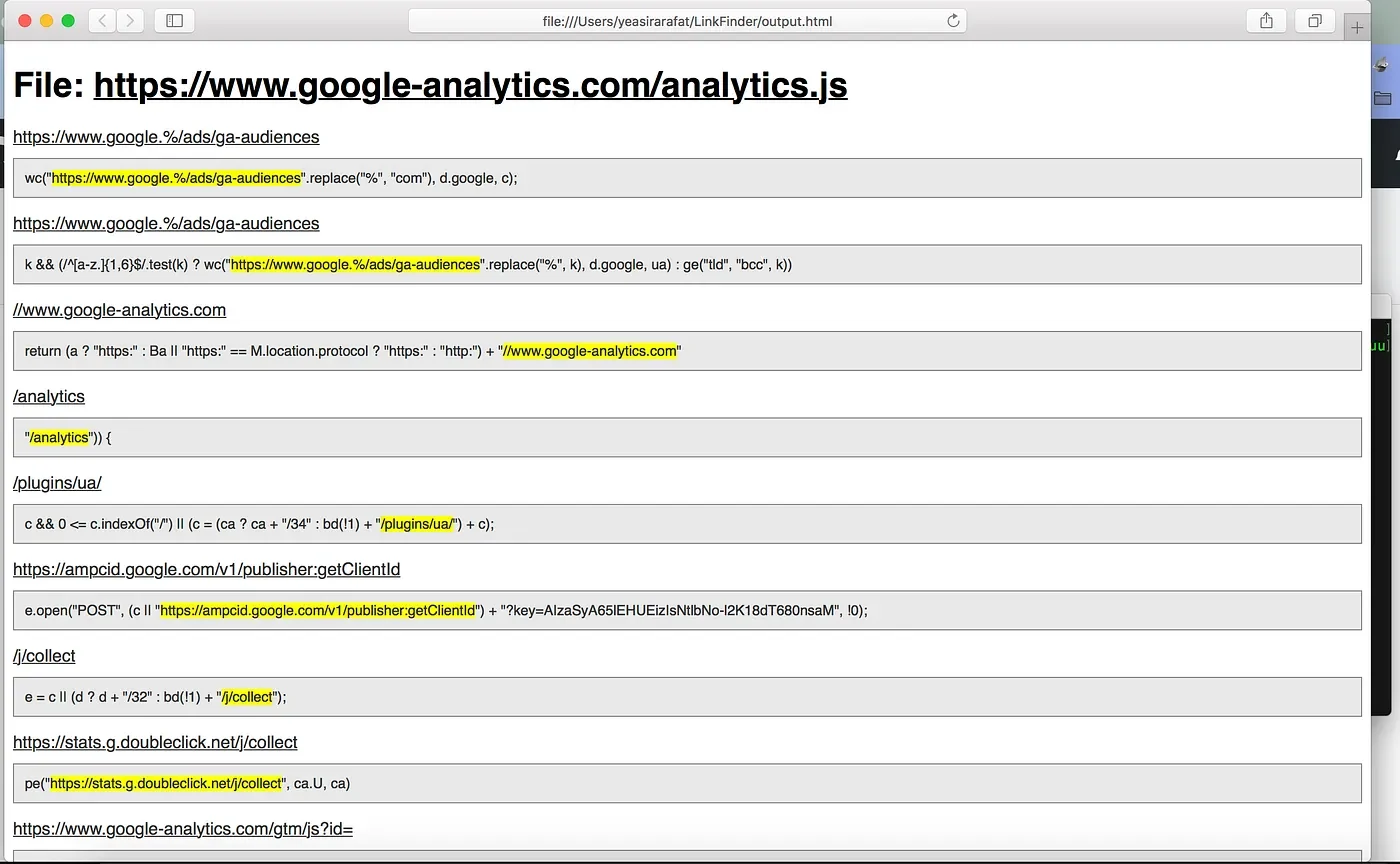
Output result of LinkFinder
With the automated approach exhausted, the work became manual. The starting point was the source code of pages that load .js files. Most sites ship common bundles such as main.js and app.js, so both were collected. Beautifying them revealed nothing useful on its own.
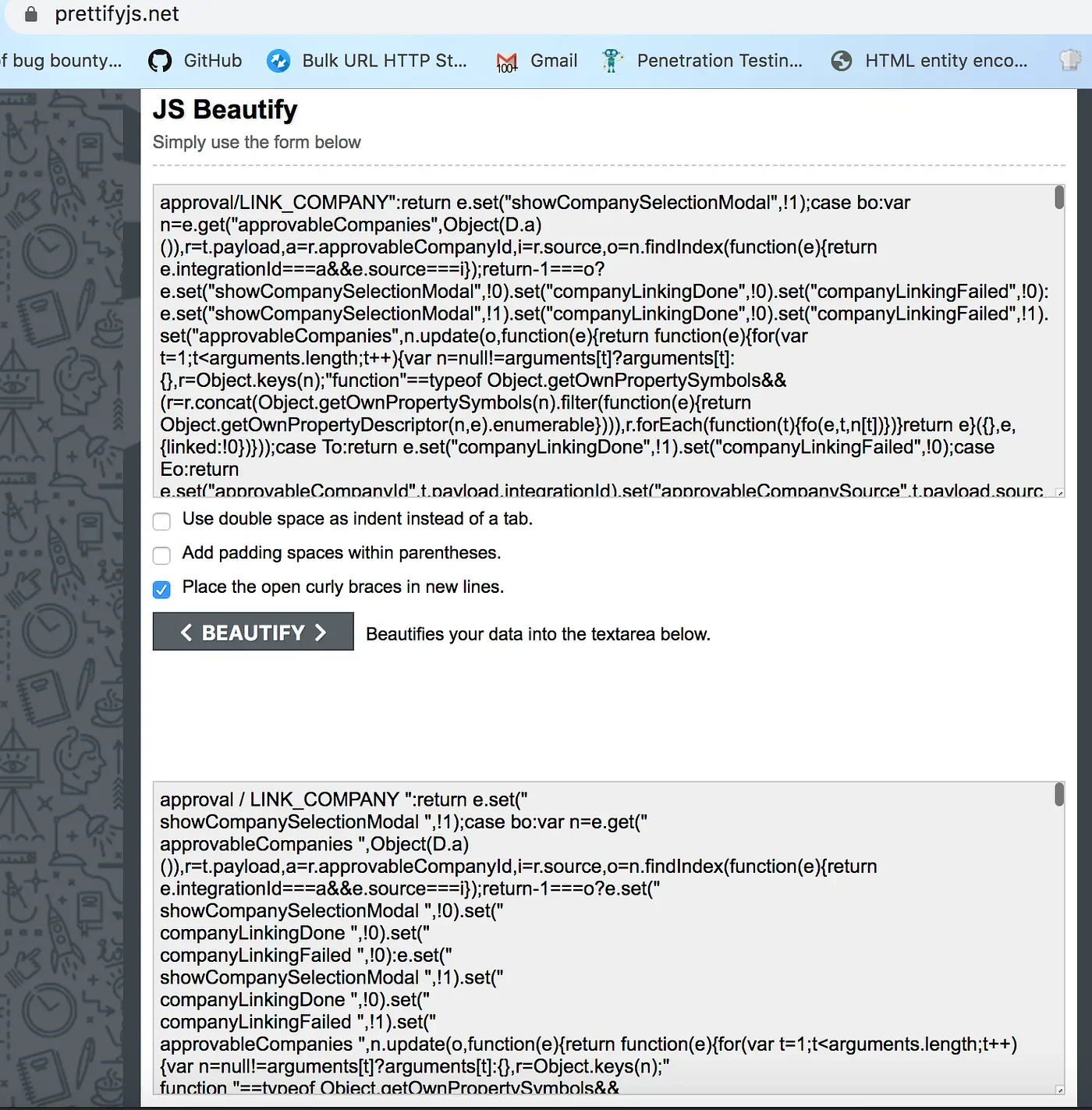
Beautifying the js files
The next step was to look at every JavaScript file loaded after each request the application made: signup and profile information, updating information, and placing a bid. While doing this with a newly created company account, the researcher noticed a path declared inside a JavaScript file:
//# sourceMappingURL=app.js.map
That reference had already been seen while digging through main.js. It pointed into the site's dist directory, where the file is hosted, in a form like:
https://xyz.com/dist/main.js
On the requests for placing a bid and for the newly created company profile, the JavaScript files carried source map references of their own:
//# sourceMappingURL=seller-join.js.map//# sourceMappingURL=done.js.map
Exploitation
Step 1: Turn the source map reference into a URL
The sourceMappingURL comment gives a path relative to the JavaScript file that contains it. Because the bundles live under /dist, the map files sit next to them. Replacing the mapping reference with the main domain link produced:
https://xyz.com/dist/seller-join.js.maphttps://xyz.com/dist/company-account/done.js.map
Step 2: Download the map files
Both files were downloadable. The .js files contained information about newly created company profiles and about the user who had placed a bid recently.
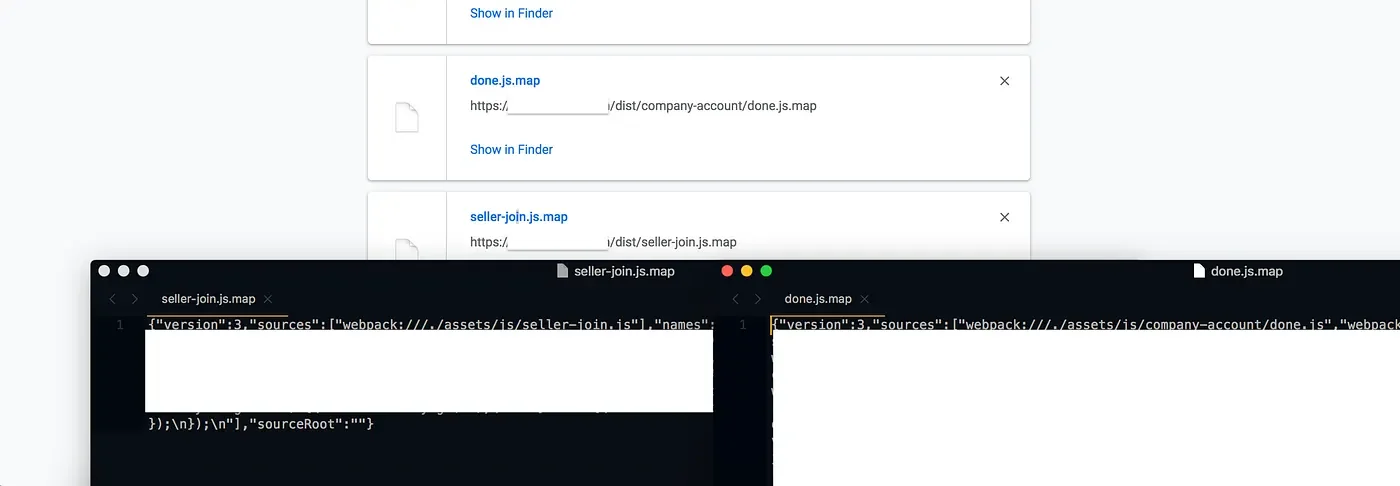
Download information
Step 3: Report
After confirming the vulnerability, the researcher filed a report with the program. The issue was fixed within three hours and the team awarded it.
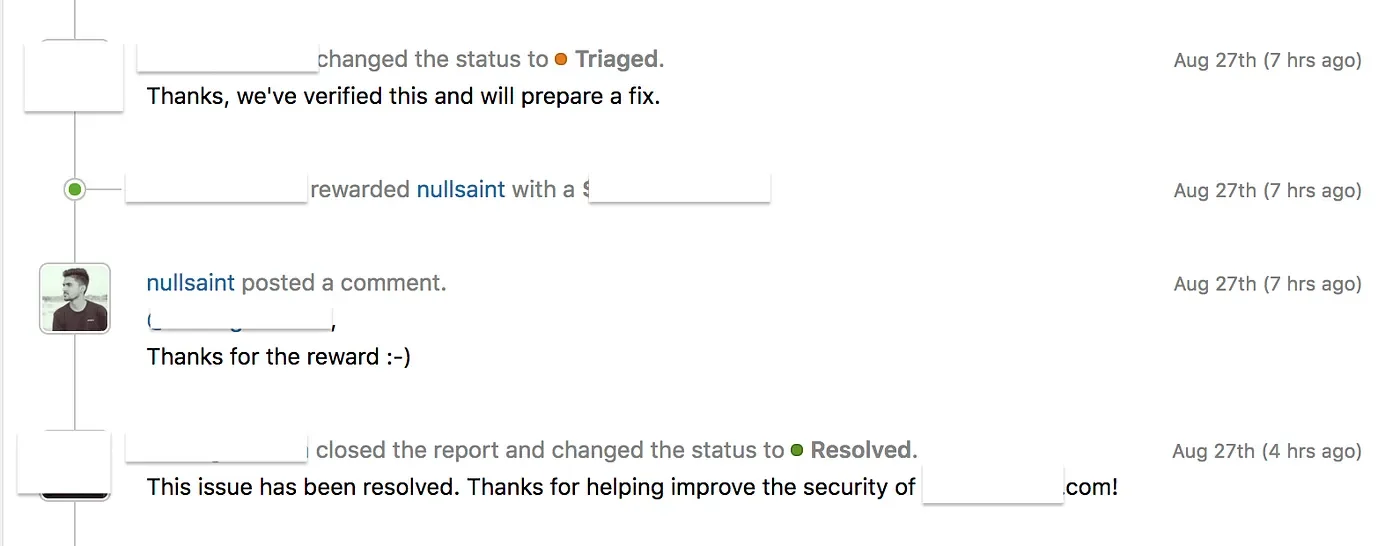
Proof
Root cause
Source maps are generated at build time and referenced from the shipped bundle through the sourceMappingURL comment. The report does not describe any server configuration, so the exact reason the maps were reachable is not stated; the practical cause is that the build output included the maps and nothing blocked access to them.
The sensitive content here is not only source code. The .js files contained data about newly created company profiles and about the user who placed a bid, so the material reachable included application data, not just logic.
Impact
A reader of the site's JavaScript could follow the sourceMappingURL references and download the map files; the .js files contained newly created company profile information and the user who placed a bid recently. The report does not enumerate which fields were exposed or how many records were affected. The scope was limited to the main domain, since subdomains and mobile apps were out of scope.
Fix
The program fixed the issue within three hours of the report. The write-up does not say what change was made, so whether the maps were removed from the deployment, blocked at the server, or something else was done is not stated.
Variants to test
- Grep every bundle for
sourceMappingURL. Fetch each.jsthe application loads and search for the comment. A positive result is a reference such as//# sourceMappingURL=app.js.map; resolve it relative to the bundle's directory and request it. - Check the
distdirectory directly. Bundles served from a build directory often sit beside their maps. A positive result is a200on a.mapfile next to the bundle. - Walk the authenticated flows. Sign up, create a company profile, update details, place a bid, and record every
.jsloaded after each request. A positive result is a map reference that appears only on those pages, as happened withseller-join.js.mapanddone.js.maphere. - Search the beautified bundles for sensitive keywords. The write-up recommends
username,userID,email,token,auth_key,passwordandcredentialson.jsfiles. A positive result is a hardcoded value or an endpoint that returns data the page does not otherwise show. - Read JSON responses with a beautifier. The JSON Beautifier Burp extension is suggested for making responses readable while tracing what each request actually returns.
Keep your eyes open and try to understand what actually happens behind the request.
Yeasir Arafat
What happened, in plain words
A security researcher spent some time hunting for bugs on a private bug bounty program on HackerOne, a platform where companies invite researchers to test their systems and pay for problems they find. The program is called xyz.com in the write-up. Only the main website was allowed to be tested: subdomains (like shop.xyz.com) and mobile apps were off limits. The site had already been tested by many researchers over three years, so the easy problems had been found and fixed. After a few hours of clicking around, the researcher had found nothing.
So the researcher changed approach and started reading the JavaScript files that the website sends to every visitor's browser. JavaScript is the programming language that makes web pages interactive, and the files that contain it are plain text that anyone can download and read. Inside those files, the researcher found references to extra files called source maps. Source maps are normally a developer convenience: they let a browser's developer tools show the original, readable code behind the compressed code that is actually shipped. But if the map files are left on the public server, anyone can download them, not just developers. The JavaScript files contained information about newly created company profiles and about the user who had recently placed a bid.
The researcher reported it, and the program fixed the issue within three hours and awarded the report.
Background: what the pieces are
Before walking through the steps, here are the ideas you need. Each one is explained from zero.
What a bug bounty program is
A bug bounty program is an arrangement where a company says: if you find a security problem in our systems and tell us privately, we will fix it and pay you a reward (the bounty). HackerOne is a website that hosts many such programs. Some are public (anyone can join) and some are private (you need an invitation). The researcher here had private invitations and picked this one.
What "in scope" means
Every program publishes a scope: the list of things you are allowed to test. Here, only the main domain was in scope. Subdomains and mobile apps were out of scope, meaning testing them would be against the rules. This matters because a researcher must stay inside the lines even when a nearby system looks interesting.
What JavaScript files are, and why they matter
When you open a web page, your browser downloads several kinds of files: HTML (the structure), CSS (the styling) and JavaScript (the behaviour). JavaScript files are ordinary text. You can open them in your browser's developer tools or download them with your browser and read them in any text editor. Because the browser must be able to read them, the server cannot hide them from you. That makes them a good place to look for clues about how a site works.
What minified code is, and what beautifying means
To make pages load faster, companies shrink their JavaScript before publishing it. This is called minification: spaces, line breaks and comments are removed, and variable names are shortened. The result is a single enormous line of dense text that is very hard for a human to read. Beautifying is the reverse: a tool re-inserts line breaks and indentation so the code becomes readable again. It does not recover the original names, but it makes the structure visible.
What a source map is
A source map is a file that maps the minified code back to the original code the developers wrote. Browsers use it so that when a developer opens the developer tools and looks at an error, they see the original file and line number instead of the compressed version. The link between a JavaScript file and its map is a comment at the end of the JavaScript file that looks like //# sourceMappingURL=app.js.map. The name after the equals sign is the map file.
A useful comparison: imagine a company publishes a recipe book in a shortened pocket edition, and at the back of each page prints a note saying "full original recipe available in cabinet 12." If cabinet 12 is unlocked and in the lobby, the pocket edition is not protecting anything.
What an endpoint is
An endpoint is a specific address on a server that does something when you send a request to it, for example https://xyz.com/api/profile to fetch a profile or https://xyz.com/api/bid to place a bid. Websites are built from many endpoints, and finding one that returns more data than it should is a common goal in security testing.
What a token or cookie is
When you log in, the server needs a way to recognise you on the next request. It usually gives your browser a small piece of text called a session cookie or token, which your browser sends back with every request. If someone else gets that value, they can pretend to be you. That is why tokens and passwords are sensitive, and why finding them in a public file is a problem.
What "information disclosure" means
Information disclosure is the security weakness where a system reveals data to someone who should not have it. It does not necessarily involve breaking in or changing anything; simply being able to read something private is enough. Here, the private thing was information about company profiles and about a user who placed a bid.
The setup
The researcher had private invitations on HackerOne and chose this program from them. No special access was needed to start: the first work was passive, just reading the JavaScript that the main domain already sends to every visitor. Later, a new company account was created, because the interesting requests were the ones tied to creating a company profile and to placing a bid.
The tools used were:
- LinkFinder, written by GerbenJavado, a tool that scans JavaScript files and pulls out endpoint addresses found inside them.
- https://www.prettifyjs.net, an online tool that beautifies minified JavaScript. The beautified output was then pasted into Notepad for reading.
- The JSON Beautifier Burp extension from the Burp BApp Store, recommended at the end of the write-up for making JSON responses readable: https://portswigger.net/bappstore/[redacted]. Burp is a tool that sits between your browser and the server so you can see and edit every request; the extension just formats the JSON so it is easier to read.
Finding it
After a few hours of surfing the main domain with nothing to show for it, the researcher turned to the JavaScript files.

Trying to get deep inside
The first attempt was automated. LinkFinder was run against the target, but this time it produced nothing useful.
Running LinkFinder against the target
Output result of LinkFinder
With the automated approach exhausted, the work became manual. The starting point was the source code of pages that load .js files. Most sites ship common bundles with names like main.js and app.js, so both were collected. Beautifying them revealed nothing useful on its own.
Beautifying the js files
The next step was to look at every JavaScript file loaded after each request the application made: signing up, viewing profile information, updating information, and placing a bid. The reasoning is that different pages load different scripts, and a script that only appears after a particular action may contain clues about that action. While doing this with a newly created company account, the researcher noticed a path declared inside a JavaScript file:
//# sourceMappingURL=app.js.map
What this line means, piece by piece:
//marks the rest of the line as a comment, so the browser ignores it when running the code.# sourceMappingURL=is a fixed marker that developer tools look for.app.js.mapis the name of the map file that belongs to this JavaScript file.
That reference had already been seen while digging through main.js. It pointed into the site's dist directory, where the file is hosted, in a form like:
https://xyz.com/dist/main.js
What this line means:
https://xyz.comis the main domain./dist/is a folder name.distis short for "distribution": the folder where the build output that gets published is placed.main.jsis the JavaScript file itself.
On the requests for placing a bid and for the newly created company profile, the JavaScript files carried source map references of their own:
//# sourceMappingURL=seller-join.js.map//# sourceMappingURL=done.js.map
What this line means:
- There are two source map comments run together on one line, because the minified file has no line breaks.
- The first points to
seller-join.js.map, a map for a script named after joining as a seller. - The second points to
done.js.map, a map for a script named after a completed action.
Exploitation
Step 1: Turn the source map reference into a URL
The sourceMappingURL comment gives a path relative to the JavaScript file that contains it. Because the bundles live under /dist, the map files sit next to them. Replacing the mapping reference with the main domain link produced:
https://xyz.com/dist/seller-join.js.maphttps://xyz.com/dist/company-account/done.js.map
What this line means:
https://xyz.com/dist/seller-join.js.mapis the full address of the first map file, built by putting the domain and thedistfolder in front of the file name from the comment.https://xyz.com/dist/company-account/done.js.mapis the full address of the second map file. Here the path includes an extra folder,company-account, which came from where that script was loaded.- The two addresses appear joined together in the write-up because they were written one after the other; in practice each is a separate URL to open.
The reason for doing this is simple: the comment only gives a file name, not a full address. To download the file, you need the full address, so you combine what you know about the site's folder layout with the name from the comment.
Step 2: Download the map files
Both files were downloadable. The .js files contained information about newly created company profiles and about the user who had placed a bid recently.
Download information
In other words, the JavaScript files did not just reveal source code. They revealed data: details of company profiles that had just been created, and details of the user who had recently placed a bid. That is what made this an information disclosure rather than a curiosity.
Step 3: Report
After confirming the vulnerability, the researcher filed a report with the program. The issue was fixed within three hours and the team awarded it.
Proof
Why it worked
Source maps are generated when the site is built and referenced from the published JavaScript file through the sourceMappingURL comment. The write-up does not describe the server configuration, so the exact reason the maps were reachable is not stated; the practical cause is that the build output included the maps and nothing blocked access to them.
The sensitive content here is not only source code. The .js files contained data about newly created company profiles and about the user who placed a bid, so the material reachable included application data, not just logic.
What the impact was
Anyone reading the site's JavaScript could follow the sourceMappingURL references and download the map files; the .js files contained newly created company profile information and the user who placed a bid recently. The write-up does not list which fields were exposed or how many records were affected. The scope was limited to the main domain, since subdomains and mobile apps were out of scope.
How it was fixed
The program fixed the issue within three hours of the report. The write-up does not say what change was made, so whether the maps were removed from the deployment, blocked at the server, or something else was done is not stated.
Things to try yourself
- Search every JavaScript file for
sourceMappingURL. Download each.jsthe application loads and look for the comment. A hit looks like//# sourceMappingURL=app.js.map; turn it into a full address relative to the folder the JavaScript file came from and request it. - Look in the
distfolder directly. JavaScript files served from a build folder often sit beside their maps. A hit is a200response (success) on a.mapfile next to the JavaScript file. - Walk through the logged-in flows. Sign up, create a company profile, update details, place a bid, and note every
.jsloaded after each request. A hit is a map reference that appears only on those pages, as happened withseller-join.js.mapanddone.js.maphere. - Search the beautified files for sensitive keywords. The write-up recommends looking for
username,userID,email,token,auth_key,passwordandcredentialsin.jsfiles. A hit is a hardcoded value or an endpoint that returns data the page does not otherwise show. - Read JSON responses with a beautifier. The JSON Beautifier Burp extension is suggested for making responses readable while tracing what each request actually returns.
Keep your eyes open and try to understand what actually happens behind the request.
Yeasir Arafat
Glossary
- Bug bounty program: an arrangement where a company pays researchers who privately report security problems in its systems.
- HackerOne: a platform that hosts bug bounty programs and handles reports between researchers and companies.
- Private program: a program you can only join with an invitation, rather than one open to everyone.
- Scope: the list of systems a program allows you to test; anything outside it is out of scope.
- Subdomain: a prefix on a domain, such as
shop.xyz.comunderxyz.com. - JavaScript: the programming language that makes web pages interactive; it is delivered to the browser as plain text files.
- Minification: shrinking code before publishing by removing spaces, line breaks and comments and shortening names.
- Beautifying: reformatting minified code with line breaks and indentation so a human can read it.
sourceMappingURL: the comment in a JavaScript file that names its source map file.distdirectory: short for "distribution"; the folder where a site's build output, including JavaScript files, is published.- Endpoint: a specific address on a server that performs an action when a request is sent to it.
- Request: a message your browser sends to a server asking for a page, a file or an action.
- Response: the message the server sends back, which may include a status code such as
200for success. 200: the HTTP status code meaning the request succeeded and the content was returned.- Session cookie / token: a short piece of text a server gives your browser after login so it can recognise you on later requests; it must be kept secret.
- Information disclosure: a weakness where a system reveals data to someone who should not have it.
- LinkFinder: a tool that scans JavaScript files and extracts endpoint addresses found inside them.
- Burp: a tool that sits between your browser and a server so you can inspect and edit requests and responses.
- Burp BApp Store: the built-in catalogue of extensions for Burp.
- JSON: a text format for structured data, commonly used by web servers to send information back to a page.
- JSON Beautifier: a tool or extension that formats JSON with indentation so it is easier to read.
- Notepad: a basic text editor included with Windows, used here simply to read beautified code.
- Unauthenticated: without logging in; anyone can do it.