I paid 0 euros for a 666 euro box of candy: a coupon stacking bug in Intigriti’s October challenge
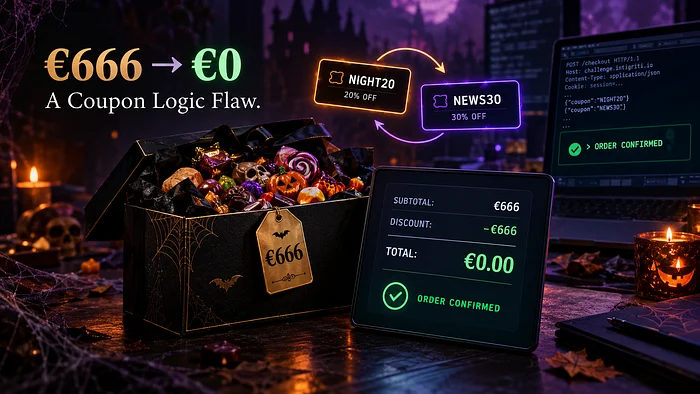
A shop's coupon endpoint only rejected a code when it matched the most recently applied code, so alternating two different codes let each be applied repeatedly. An attacker could stack discounts past 100% and check out a 666 euro item for nothing.

Ctf
The full write-up lives on its author's site
It belongs to its author, so we link to it rather than copy it. The other two tabs are our own rewrites, checked against it.
Context
Intigriti's October 2026 challenge was a Halloween shop served at /challenge on the challenge domain, https://challenge-1026.challenges.intigriti.io/challenge. It sells five ordinary sweets priced between 8.90 and 14.90 euros, plus one special item, "The Midnight Collection", at 666 euros, marked "Only one available". The home page hints that the box is available until midnight or until somebody claims it.
Every session starts with 66 euros of store credit, and a banner advertises a promo code, NIGHT20, for 20% off the Midnight Collection. The cart page adds a constraint: once an item is in the bag it cannot be removed, so every experiment costs a session. The goal, visible in the front-end JavaScript, is a successful checkout whose response contains a flag: the receipt modal displays it whenever the checkout response includes one.
The shop front end is a thin layer over a JSON API. app.js exposes the whole surface:
GET /api/sessionGET /api/productsGET /api/cartPOST /api/cart/items {"productId": "…"}POST /api/cart/coupon {"code": "…"}POST /api/cart/coupon/remove {"code": "…"}POST /api/newsletter {"email": "…"}POST /api/checkout
Setup
A session is created with GET /api/session, and each session comes with 66 euros of credit. The researcher used Burp to capture and replay requests, and a fresh session for each experiment because items cannot be removed from the cart. All amounts are handled in cents by the API.
Finding it
Before looking for anything clever, the researcher tried the coupons the way a normal customer would.
NIGHT20takes 20% off. Applying it a second time returns409 coupon_already_applied. The lowercase version gets the same answer, so the check ignores case.- The second code is hidden. Requesting
NEWS30before subscribing returns "Join the newsletter to reveal this code". Subscribing through the footer form reveals it. There is no email verification, made-up addresses work every time, and the code only works in the session that subscribed. - With both codes applied, the discounts add up: 33,300 off a 66,600 subtotal, exactly 50%. Guessed codes (
FREE,WELCOME,HALLOWEEN,MIDNIGHT) were rejected as unrecognised.
That left a total of about 333 euros against 66 euros of credit, nowhere near enough. The box needed roughly 90% off.
What changed the picture was the object the cart returns for each promotion:
{"code": "NIGHT20", "percent": 20, "amount": 13320, "count": 1}
A count. And in app.js, the cart view appends " x 3" to the promotion line whenever the count is above 1. A code can only be applied once, yet the server tracks how many times it was applied and the front end is already built to display it. Either that is dead code, or there is a way to push the number higher.
Every duplicate test so far had sent the same code twice in a row. The hypothesis: perhaps the server only remembers the last code used.
One aside before the exploitation. The first attempt to add the vault to the cart came back with an HTML error page:
501 Unsupported method ('{"productId":"citrus-loops"}POST')
The researcher had sent midnight-vault, not citrus-loops, and a later request died the same way with a junk product ID that had never been typed. The guess, explicitly only a guess, is that other people were hitting the same challenge and the backend sometimes leaves part of a request body unread on a connection shared between users, so leftover bytes land in front of the next request line. It had nothing to do with the solution; a 501 like this just needs the request sent again.
Exploitation
Everything below was captured in Burp, one request after the other, with no parallel requests. Responses are shortened: boilerplate headers are removed and the product object inside items is cut, since it is the same every time.
Step 1. Start a session
GET /api/session HTTP/1.1Host: challenge-1026.challenges.intigriti.ioHTTP/2 200 OKSet-Cookie: [redacted] Path=/Content-Type: application/json; charset=utf-8{"ok":true,"credit":6600}
The session cookie is issued and the account is credited with 6,600 cents (66 euros).
Step 2. Subscribe to the newsletter to reveal NEWS30
The subscription returns the hidden code directly in the response, with no verification step.
Step 3. Put the Midnight Collection in the bag
POST /api/cart/items HTTP/1.1Host: challenge-1026.challenges.intigriti.ioCookie: [redacted] application/jsonContent-Length: 30{"productId":"midnight-vault"}HTTP/2 200 OKContent-Type: application/json; charset=utf-8{"ok":true,"message":"The Midnight Collection added to your bag.","cart":{"items":[{"id":"midnight-vault", … ,"price":66600,"quantity":1,"lineTotal":66600}],"itemCount":1,"subtotal":66600,"discount":0,"total":66600,"credit":6600,"canCheckout":false,"promotions":[]}}
The internal product ID is midnight-vault. The subtotal is 66,600 cents, the discount is 0, and canCheckout is false.
Step 4. Apply NIGHT20 (normal behaviour)
POST /api/cart/coupon HTTP/1.1Host: challenge-1026.challenges.intigriti.ioCookie: [redacted] application/jsonContent-Length: 18{"code":"NIGHT20"}HTTP/2 200 OKContent-Type: application/json; charset=utf-8{"ok":true,"message":"20% promotion applied.","cart":{"items":[ … ],"itemCount":1,"subtotal":66600,"discount":13320,"total":53280,"credit":6600,"canCheckout":false,"promotions":[{"code":"NIGHT20","percent":20,"amount":13320,"count":1}]}}
The discount is 13,320 cents and the promotion entry shows count: 1.
Step 5. Send the exact same request again
The server refuses the duplicate, as it should.
Step 6. Put the other code in between
NEWS30 goes through and the discount reaches 33,300 cents, 50% of the subtotal.
Step 7. NIGHT20 again
This is the request that was rejected in step 5, and this time it is accepted. The NIGHT20 entry now shows count: 2 and its amount has doubled to 26,640 cents.
Step 8. NEWS30 once more
Two of each is 2 x 20% + 2 x 30% = 100%. The total is 0 and canCheckout is true.
Step 9. Check out
POST /api/checkout HTTP/1.1Host: challenge-1026.challenges.intigriti.ioCookie: [redacted] application/jsonContent-Length: 2{}HTTP/2 200 OKContent-Type: application/json; charset=utf-8{"ok":true,"receipt":{"orderId":"BLE-FFD5D79F59","paid":0,"credit":6600,"message":"Your order is confirmed and being prepared.","flag":"[redacted]"}}
paid is 0, and the 66 euros of credit is still sitting there untouched.
The only requests that matter for the bypass are the four coupon calls in the order NIGHT20, NEWS30, NIGHT20, NEWS30. Each cycle through the two codes adds 50% to the discount, and nothing stops you from going around again.
Mapping the check
A few more sequences on fresh sessions show exactly when the 409 appears. A is NIGHT20 and B is NEWS30:
A A A 200, 409, 409A A B A 200, 409, 200, 200A B B 200, 200, 409A B A A 200, 200, 200, 409A B A B A B 200, 200, 200, 200, 200, 200
The pattern is the same every time. A coupon is rejected when it is identical to the one applied just before it, and accepted in every other case. Whatever else is in the cart does not matter.
Why a parallel burst is not the explanation
Firing both codes from several threads at the same time produces a messy mix of 200s and 409s and different counts on every run. That looks like a classic race on the "already applied" check, and it is an easy theory to believe. It is also wrong. The sequential run above needs no concurrency at all. The 409s in a parallel burst are just two copies of the same code that happened to land back to back, and the 200s are the cases where the codes alternated.
Root cause
The server code was never seen, so this is inference from behaviour. The coupon endpoint appears to compare the incoming code with the most recently applied one, instead of checking whether the code is anywhere in the cart. If they match, it answers 409. If not, it adds the promotion, or bumps the count if the code is already there.
The cap on the discount hid the problem. Instead of a negative total or an error, the total just bottomed out at 0 and the cart looked valid.
Impact
In the challenge, the impact is a confirmed order for the 666 euro item with paid: 0 and the store credit untouched, which yields the flag.
Fix
Check the incoming code against the whole set of applied codes, so a second application of the same code fails no matter what came in between. The server should also recompute the discount at checkout from the distinct codes and reject any cart where a code has a count above 1.
Variants to test
- Alternating two codes. Apply code A, then B, then A again. A positive result is a 200 on the second A with its
countincremented.
What happened, in plain words
A shop was selling a box of Halloween candy for 666 euros. The person writing this had 66 euros of store credit. By the end, they had a confirmed order for the box, a receipt showing they paid 0, and the 66 euros of credit still untouched.
The trick was a bug in how the shop handled discount codes (also called coupons or promo codes). The shop was supposed to let each code be used only once. But it only checked whether the new code was the same as the last code you had just used. So if you used code A, then code B, then code A again, the second A looked different from the last one (B), and the shop accepted it. Doing that a few times stacked the discounts until the price hit zero.
This kind of bug is called coupon stacking: applying the same discount more than once, or combining discounts in a way the shop did not intend, so the final price is lower than it should be.
This was a capture-the-flag (CTF) challenge, which is a deliberately built, safe target made for people to practise finding bugs. The goal was to get a "flag", a secret string that proves you solved it. The flag appears on the receipt when the checkout succeeds.
The setup
The target was a Halloween shop at /challenge on the challenge domain:
https://challenge-1026.challenges.intigriti.io/challenge
A path is the part after the domain that points to a specific page, here /challenge. So the full address above is the shop's front page.
The shop sells five ordinary sweets priced between 8.90 and 14.90 euros, plus one special item: "The Midnight Collection", at 666 euros, marked "Only one available". The home page hints that the box is available until midnight or until somebody claims it.
Every session starts with 66 euros of store credit. A session is the shop's way of remembering who you are between requests. When you first visit, the server gives your browser a small piece of data called a cookie, and the browser sends it back with every later request so the server can tell your requests apart from everyone else's. Store credit is money the shop has put on your account, which you can spend at checkout.
A banner at the top advertises a promo code, NIGHT20, for 20% off the Midnight Collection. A promo code is a short word you type at checkout to get a discount.
The cart page adds a twist: once something is in the bag, it cannot be removed. That made every experiment a bit expensive, so the researcher used a fresh session each time. A cart (or bag) is the list of items you intend to buy.
The shop's front end is a thin layer over a JSON API. Let me unpack that. A front end is what you see in the browser: the pages, buttons and pictures. An API (application programming interface) is the set of behind-the-scenes addresses the front end talks to in order to get and change data. Think of a restaurant: the menu and the waiter are the front end, and the kitchen is the API. You do not walk into the kitchen yourself; you ask the waiter, and the waiter passes your order to the kitchen.
JSON is a simple text format for structured data, made of names and values in curly braces, like {"code": "NIGHT20"}. It is how the API sends information back and forth.
The file app.js is the shop's JavaScript, the code that runs in your browser and makes the page interactive. Reading it shows the whole API surface, meaning every address the front end can call:
GET /api/sessionGET /api/productsGET /api/cartPOST /api/cart/items {"productId": "…"}POST /api/cart/coupon {"code": "…"}POST /api/cart/coupon/remove {"code": "…"}POST /api/newsletter {"email": "…"}POST /api/checkout
Line by line, in plain words:
GET /api/sessionasks the server to start a session. GET means "give me something".GET /api/productsasks for the list of products for sale.GET /api/cartasks what is currently in your cart.POST /api/cart/items {"productId": "…"}adds an item to the cart. POST means "here is some data, do something with it". TheproductIdis the item's internal name.POST /api/cart/coupon {"code": "…"}applies a promo code to the cart.POST /api/cart/coupon/remove {"code": "…"}removes a promo code from the cart.POST /api/newsletter {"email": "…"}signs you up to the newsletter, which is a mailing list.POST /api/checkoutturns the cart into an order.
One detail in the JavaScript stood out right away. The receipt modal shows a flag whenever the checkout response contains one. A modal is a pop-up box on the page. So the goal was a successful checkout of the right item, and the only real obstacle was the price.
A weird error before I even started
My first attempt to add the vault to the cart came back with an HTML error page:
501 Unsupported method ('{"productId":"citrus-loops"}POST')
HTML is the language web pages are written in, so an HTML error page is a normal web page telling you something went wrong. 501 is an HTTP status code, a number the server sends to say how a request went. HTTP is the protocol browsers and servers use to talk. 501 means "I do not support this method", where a method is the verb of a request, like GET or POST.
I had sent midnight-vault, not citrus-loops. A few minutes later another request died the same way, this time with a junk product ID I had never typed either.
My guess, and it is only a guess, is that other people were hammering the same challenge and the backend sometimes leaves part of a request body unread on a connection shared between users, so the leftover bytes land in front of the next request line. The backend is the server-side part that does the real work. A request body is the data sent along with a POST request, such as the product ID. A connection is the open channel between your browser and the server. If the server does not finish reading one request's body before the next request arrives on the same channel, the leftover text can end up glued to the front of the next request, which is why a product ID I never typed appeared in the error.
It had nothing to do with the solution. If you replay the requests below and one of them dies with a 501 like this, just send it again.
Why I was stuck at 50%
Before looking for anything clever, I tried the coupons the way a normal customer would.
NIGHT20 takes 20% off. Apply it again and you get 409 coupon_already_applied. 409 is another HTTP status code, meaning "conflict", and coupon_already_applied is the server's own error name for "you already used this code". The lowercase version gets the same answer, so the check ignores case. Case here means upper or lower case letters: night20 and NIGHT20 are treated as the same code.
The second code is hidden. Trying NEWS30 straight away returns "Join the newsletter to reveal this code". Subscribing through the footer form hands it over. There is no email verification, I typed made-up addresses and got the code every time, and it only works in the session that subscribed. Email verification would mean the shop sends a link to your email and you have to click it to prove the address is real. Here it does not bother.
With both codes in the cart the discounts add up: 33,300 off a 66,600 subtotal (everything is in cents), so exactly 50%. A subtotal is the price of the items before any discount. The API works in cents to avoid rounding problems with decimals: 66,600 cents is 666 euros. A few guessed codes (FREE, WELCOME, HALLOWEEN, MIDNIGHT) were rejected as unrecognised.
That left me at about 333 euros against 66 euros of credit, which is nowhere near enough. The box needed roughly 90% off.
The field that should not exist
Then I went back to what the cart sends for each promotion:
{"code": "NIGHT20", "percent": 20, "amount": 13320, "count": 1}
A promotion here is a discount entry in the cart. The object above says: the code is NIGHT20, it is worth 20 percent, it takes off 13,320 cents, and it has been applied count 1 time.
A count. And in app.js, the cart view appends " x 3" to the promotion line whenever the count is above 1. So the page is already built to show "NIGHT20 x 3" if the count ever reaches 3.
A code can only be applied once, yet the server tracks how many times it was applied, and the front end is already built to show it. Either that is dead code, or there is a way to push the number higher. Dead code means code that is present but never actually used.
Look at how I had tested duplicates so far. Every time, I sent the same code twice in a row. What if the server only remembers the last code I used?
The proof, one request at a time
Everything below was captured in Burp, one request after the other. Burp (Burp Suite) is a tool that sits between your browser and the server so you can see every request and response, and change and resend them. No parallel requests are involved, meaning nothing was sent at the same time as anything else. I shortened the responses: the boilerplate headers are gone, and the product object inside items is cut, since it is the same every time. Headers are the extra lines at the top of a request or response carrying details like the host name and content type.
Step 1. Start a session
GET /api/session HTTP/1.1Host: challenge-1026.challenges.intigriti.ioHTTP/2 200 OKSet-Cookie: [redacted] Path=/Content-Type: application/json; charset=utf-8{"ok":true,"credit":6600}
Line by line:
GET /api/session HTTP/1.1is the request line: use the GET method on the session address, speaking version 1.1 of HTTP.Host: challenge-1026.challenges.intigriti.iotells the server which site the request is for. One server can host many sites, so it needs to know which one you want.HTTP/2 200 OKis the start of the response: the server speaks HTTP version 2, and200 OKmeans the request succeeded.Set-Cookie: [redacted] Path=/is the server handing your browser a session cookie. ThePath=/part says the cookie applies to the whole site.Content-Type: application/json; charset=utf-8says the response body is JSON text.{"ok":true,"credit":6600}is the body: the request worked, and the account has 6,600 cents (66 euros) of credit.
Why this step: every experiment needs a session, and a fresh one gives a clean cart and a fresh 66 euros.
Step 2. Subscribe to the newsletter to reveal NEWS30
Line by line:
POST /api/newsletter HTTP/1.1sends data to the newsletter address.- `Cookie: [redacted] sends back the session cookie from step 1, so the server knows this is the same visitor.
Content-Type: application/jsonsays the body is JSON.Content-Length: 25says the body is 25 bytes long, so the server knows where it ends.{"email":"[redacted]"}is the body: the email address being signed up.- The response
200 OKcarries{"ok":true,"code":"NEWS30","message":"Your first-order code is ready."}: the subscription worked and the hidden code is handed over directly.
Why this step: the second code is not shown anywhere until you subscribe, and the subscription returns it with no verification.
Step 3. Put the Midnight Collection in the bag
POST /api/cart/items HTTP/1.1Host: challenge-1026.challenges.intigriti.ioCookie: [redacted] application/jsonContent-Length: 30{"productId":"midnight-vault"}HTTP/2 200 OKContent-Type: application/json; charset=utf-8{"ok":true,"message":"The Midnight Collection added to your bag.","cart":{"items":[{"id":"midnight-vault", … ,"price":66600,"quantity":1,"lineTotal":66600}],"itemCount":1,"subtotal":66600,"discount":0,"total":66600,"credit":6600,"canCheckout":false,"promotions":[]}}
Line by line:
POST /api/cart/itemsadds an item to the cart.- The cookie identifies the session, and the body
{"productId":"midnight-vault"}names the item by its internal ID,midnight-vault. - The response says the item was added. Inside
cart,itemslists what is in the bag: the item'sid, itspriceof 66,600 cents,quantity1, andlineTotal66,600 cents (price times quantity). itemCountis 1,subtotalis 66,600,discountis 0,totalis 66,600, andcreditis 6,600.canCheckoutisfalse.promotionsis an empty list, because no code has been applied.
Why this step: the goal item has to be in the cart before any discount can apply to it. The internal ID midnight-vault is what the API expects, even though the page calls it "The Midnight Collection".
Step 4. Apply NIGHT20. This is the normal, expected behaviour.
POST /api/cart/coupon HTTP/1.1Host: challenge-1026.challenges.intigriti.ioCookie: [redacted] application/jsonContent-Length: 18{"code":"NIGHT20"}HTTP/2 200 OKContent-Type: application/json; charset=utf-8{"ok":true,"message":"20% promotion applied.","cart":{"items":[ … ],"itemCount":1,"subtotal":66600,"discount":13320,"total":53280,"credit":6600,"canCheckout":false,"promotions":[{"code":"NIGHT20","percent":20,"amount":13320,"count":1}]}}
Line by line:
POST /api/cart/couponapplies a code, and the body{"code":"NIGHT20"}names it.- The response says "20% promotion applied". The
discountis now 13,320 cents, which is 20% of 66,600, and thetotaldrops to 53,280 cents. canCheckoutis stillfalse.promotionsnow has one entry:NIGHT20, 20 percent, 13,320 cents off,count1.
Why this step: this is what a normal customer does, and it shows the code working correctly once.
Step 5. Send the exact same request again. The server refuses, as it should.
Line by line:
- The request is identical to step 4.
- The response is
409 Conflict, and the body says"ok":falsewith the errorcoupon_already_appliedand the message "Coupon already applied."
Why this step: this is the protection working. It proves the shop does try to stop the same code being used twice, which is what makes the later bypass interesting.
Step 6. Now put the other code in between. NEWS30 goes through.
Line by line:
- The body is
{"code":"NEWS30"}, the second code. - The response says "30% promotion applied". The
discountis now 33,300 cents, which is 13,320 plus 19,980, exactly 50% of the subtotal. Thetotalis 33,300. promotionsnow lists both codes, each withcount1.
Why this step: this is the setup for the trick. The next request will ask for NIGHT20 again, and the question is whether the server remembers that NIGHT20 is already in the cart.
Step 7. NIGHT20 again. This is the request that was rejected in step 5, and this time it is accepted. The count goes to 2.
Line by line:
- The body is
{"code":"NIGHT20"}, the same code that was refused in step 5. - This time the response is
200 OK, "20% promotion applied". - The
NIGHT20entry now showscount2 and itsamounthas doubled to 26,640 cents. Thediscountis 46,620 and thetotalis 19,980. canCheckoutis stillfalse.
Why this step: this is the bug. The server only compared NIGHT20 with the code applied just before it, which was NEWS30, so it did not notice that NIGHT20 was already in the cart.
Step 8. NEWS30 once more. Two of each is 2 x 20% + 2 x 30% = 100%.
Line by line:
- The body is
{"code":"NEWS30"}, the same code that was applied in step 6. - The response is
200 OK, and theNEWS30entry now showscount2 withamount39,960 cents. - The
discountis 66,600, the whole subtotal, and thetotalis 0. canCheckoutis nowtrue.
The total is 0 and canCheckout is true.
Why this step: two applications of each code add up to 100%, which is enough to make the box free.
Step 9. Check out
POST /api/checkout HTTP/1.1Host: challenge-1026.challenges.intigriti.ioCookie: [redacted] application/jsonContent-Length: 2{}HTTP/2 200 OKContent-Type: application/json; charset=utf-8{"ok":true,"receipt":{"orderId":"BLE-FFD5D79F59","paid":0,"credit":6600,"message":"Your order is confirmed and being prepared.","flag":"[redacted]"}}
Line by line:
- The body is
{}, an empty JSON object, because the cart already holds everything the server needs. - The response is
200 OKwith areceipt. orderIdis the order's reference number,paidis 0, andcreditis still 6,600, meaning the credit was never spent.messagesays the order is confirmed and being prepared.flagis the secret string that proves the challenge was solved.
Paid is 0, and the 66 euros of credit is still sitting there untouched.
The only requests that matter for the bypass are the four coupon calls in the order NIGHT20, NEWS30, NIGHT20, NEWS30. Each cycle through the two codes adds 50% to the discount, and nothing stops you from going around again.
What the server is actually checking
I ran a few more sequences on fresh sessions to see exactly when the 409 appears. A is NIGHT20 and B is NEWS30:
A A A 200, 409, 409A A B A 200, 409, 200, 200A B B 200, 200, 409A B A A 200, 200, 200, 409A B A B A B 200, 200, 200, 200, 200, 200
Line by line, each line is a sequence of codes sent one after another, followed by the status code each request got back:
A A Agives200, 409, 409: the first A works, the second A is refused because it matches the last code, and the third A is refused for the same reason.A A B Agives200, 409, 200, 200: the second A is refused, but after B, the next A is accepted.A B Bgives200, 200, 409: the second B is refused because it matches the B just before it.A B A Agives200, 200, 200, 409: the second A in a row is refused.A B A B A Bgives six 200s: alternating codes are always accepted.
The pattern is the same every time. A coupon is rejected when it is identical to the one applied just before it, and accepted in every other case. Whatever else is in the cart does not matter.
A parallel burst looks like a race condition, but it is not one
If you fire both codes at the server from several threads at the same time, you get a messy mix of 200s and 409s and different counts on every run. A thread is one line of work inside a program; sending from several threads means several requests are in flight at once. A race condition is a bug where the result depends on which of two things happens first, often because two actions check and change the same data at the same time. That looks like a classic race on the "already applied" check, and it is an easy theory to believe. It is also wrong. The sequential run above needs no concurrency at all. Concurrency means doing several things at the same time. The 409s in a parallel burst are just two copies of the same code that happened to land back to back, and the 200s are the cases where the codes alternated.
Why it works, and the fix
I never saw the server code, so this is inference from the behaviour. The coupon endpoint seems to compare the incoming code with the most recently applied one, instead of checking whether the code is anywhere in the cart. If they match, it answers 409. If not, it adds the promotion, or bumps the count if the code is already there.
The fix is to check against the whole set of applied codes, so a second application of the same code fails no matter what came in between. The server should also recompute the discount at checkout from the distinct codes and reject any cart where a code has a count above 1.
The cap on the discount hid the problem. Instead of a negative total or an error, the total just bottomed out at 0 and the cart looked valid.
Glossary
- API: the set of behind-the-scenes addresses a website's front end uses to get and change data, like a kitchen behind a restaurant's menu.
- Backend: the server-side part of a site that does the real work.
- Burp (Burp Suite): a tool that sits between browser and server so you can see, change and resend requests.
- Cart (bag): the list of items you intend to buy.
- Case: whether letters are upper or lower case; a check that ignores case treats
night20andNIGHT20as the same. - Cents: hundredths of a euro; the API works in cents to avoid decimal rounding, so 66,600 cents is 666 euros.
- Concurrency: doing several things at the same time.
- Connection: the open channel between your browser and the server.
- Cookie: a small piece of data the server gives your browser and the browser sends back with later requests, so the server can recognise your session.
- Coupon stacking: applying the same discount more than once, or combining discounts in unintended ways, to get a lower price than the shop intended.
- CTF (capture the flag): a deliberately built, safe target made for practising security skills, where success is finding a secret string called a flag.
- Dead code: code that is present but never actually used.
- Domain: the part of a web address that names the site, like
example.com. - Email verification: a step where the shop sends a link to your email and you must click it to prove the address is real.
- Flag: the secret string that proves a CTF challenge was solved.
- Front end: what you see in the browser: pages, buttons and pictures.
- GET: an HTTP method meaning "give me something".
- Headers: extra lines at the top of a request or response carrying details like host name and content type.
- HTML: the language web pages are written in.
- HTTP: the protocol browsers and servers use to talk.
- JSON: a simple text format for structured data, made of names and values in curly braces.
- Method: the verb of an HTTP request, such as GET or POST.
- Modal: a pop-up box on a page.
- Path: the part of a web address after the domain that points to a specific page.
- POST: an HTTP method meaning "here is some data, do something with it".
- Promo code (coupon): a short word you type at checkout to get a discount.
- Promotion: a discount entry in the cart, with a code, a percentage, an amount and a count.
- Race condition: a bug where the result depends on which of two things happens first, often because two actions check and change the same data at the same time.
- Request body: the data sent along with a POST request.
- Session: the shop's way of remembering who you are between requests, usually via a cookie.
- Subtotal: the price of the items before any discount.
- Thread: one line of work inside a program; several threads mean several requests in flight at once.
- 200 OK: HTTP status code meaning the request succeeded.
- 409 Conflict: HTTP status code meaning the request conflicts with the current state, here that the coupon was already applied.
- 501: HTTP status code meaning the server does not support the request method.