Information Disclosure through Signup Endpoint
The signup endpoint returned the victim's first name, last name and phone number in the server request body when an attacker submitted a registered email with a random password. An attacker could therefore obtain personal details of any registered user without authentication.
 Published on orthonviper.medium.com
Hello everyone, Hope you all are having a good day! Today’s Writeup explains how I was able to fetch any registered users FirstName, LastName and Phone number details through signup end-point, which ideally should not happen as per Targets workflow.
The full write-up lives on its author's site
It belongs to its author, so we link to it rather than copy it. The other two tabs are our own rewrites, checked against it.
Context
The target was a Bugcrowd program whose domain the researcher refers to only as <redacted>.com. The scope was narrow, so he went straight to the signup flow and started testing its functionality. The feature at the centre of the report is the account creation form: a new user supplies an email address, and the site checks in the background whether that email is already registered before letting the user continue.
Normally, when the email is already taken, the site refuses to create a second account and asks the user to log in with the existing password instead. The report shows that the signup request itself carried more than the email and password, and that the extra fields were populated from the existing account.
Setup
- A Bugcrowd program with a limited scope; the researcher went directly to the signup page.
- Two browser sessions: browser-1 for the victim account, browser-2 for the attacker.
- Burp Suite to intercept and inspect the signup request.
- A victim account created with email
<redacted>@gmail.comand passwordPass123!. - No special role or privilege was needed: the attacker only needs access to the public signup form.
Finding it
The researcher created an account, landed on the dashboard, and found a couple of low severity (P4) issues. While looking for something better, he recalled a write-up he had read a week earlier about signup forms that fail to validate properly: if an attacker signs up with an already registered victim's email and supplies a new password, the existing account's password is changed, leading to full account takeover. He logged out and went to the create account page to test the same idea.
On that page the user first supplies an email address.
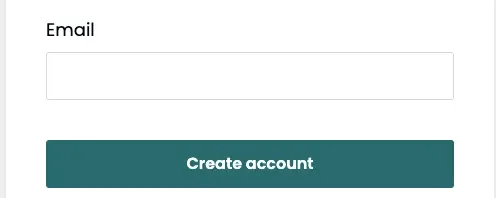
The site analyses in the background whether the email is registered. When he entered a registered email, he got this error:
You already have a <redacted> account. Please continue by entering your <redacted> password below.
So the takeover idea did not apply here. Instead of stopping, he decided to look at the server request. He set up Burp Suite, signed up again with the same email and a random password, and inspected the request body:
{"email":"<Victims_Email>","password":"Randompas","verifyPassword":"Randompas","firstName":"<firstname of victim>","lastName":"<lastname of victim>","phoneNumber":"<victims phonenumber>"}
The body contains the victim's first name, last name and phone number, even though the attacker only typed the email address and a random password. The request body carried data belonging to the existing account.
Exploitation
Step 1: create the victim account
In browser-1, create a new account with email <redacted>@gmail.com and password Pass123!.
Step 2: start a signup with the victim's email
In browser-2, open the signup form and enter the registered email <redacted>@gmail.com.
Step 3: observe the error
The site responds with:
You already have a <redacted> account. Please continue by entering your <redacted> password below.
This is the expected behaviour and does not by itself reveal anything.
Step 4: submit a random password and capture the request
Since the attacker does not know the password, enter a random one and capture the request in Burp Suite.
Step 5: read the request body
The captured body is the one shown above: email holds the victim's address, password and verifyPassword hold the random value, and firstName, lastName and phoneNumber hold the victim's details. The attacker can therefore read the first name, last name and phone number of any registered user by submitting that user's email address to the signup endpoint.
Root cause
The request body for a registered email contained the existing account's profile fields. The page showed the duplicate-email message, yet the captured request body still held the populated fields. The report does not describe the server-side code, so the exact mechanism is likely a lookup that fills the signup model with existing user data before the duplicate-email check rejects the request.
The duplicate-email message appeared in the browser, but the captured request body still held the account data. The report does not say whether rate limiting or any other control was present.
Impact
An attacker can fetch the first name, last name and phone number of any registered user, given that user's email address. According to the site's workflow this should not happen.
Fix
The obvious fix is for the signup endpoint to stop returning profile fields for an email that is already registered, and to respond with the same generic duplicate-email message regardless of the account's contents.
Variants to test
- Submit a registered email to signup, registration, password reset and invitation endpoints, and inspect the full response body rather than the rendered page. A positive result is any field belonging to the existing account (name, phone, address, user ID) appearing in the response.
- Compare the response for a registered email with the response for an unregistered one. A positive result is a structural difference that reveals whether an account exists, beyond the intended message.
- Try the same submission with the password fields omitted or malformed. A positive result is the profile fields still being returned when validation should have rejected the request.
- Check whether the leaked fields can be chained, for example a user ID that feeds another endpoint. A positive result is an identifier in the signup response that resolves to further data about the account.
What happened, in plain words
A security researcher was testing a website that lets people create accounts. He found that the signup request for a registered email carried the first name, last name and phone number of the person who owned that email. So if you knew someone's email address, you could type it into the signup form and the captured request body would contain their personal details. This is called information disclosure: the site reveals information it should keep private.
The researcher found this on a bug bounty program hosted by Bugcrowd. A bug bounty program is a scheme where companies invite independent researchers to look for security problems in their systems and report them, often for a reward. The domain is referred to only as <redacted>.com.
The feature at the centre of the report is the account creation form. When you sign up, you type an email address, and the site checks in the background whether that email is already registered. Normally, if the email is taken, the site refuses to create a second account and asks you to log in with your existing password instead. But the researcher discovered that the signup request itself carried more than the email and password: it also included the existing account's first name, last name and phone number.
Setting up
To follow along, you need:
- A Bugcrowd program with a limited scope. Scope means the list of websites and features the researcher is allowed to test. Here the scope was narrow, so the researcher went straight to the signup page.
- Two browser sessions: one for the victim account (browser-1) and one for the attacker (browser-2). Think of them as two separate people using two different computers, or two different private browsing windows on the same computer.
- Burp Suite, a tool that sits between your browser and the website and lets you see and change the requests your browser sends. A request is simply the message your browser sends to a website when you click a button or load a page.
- A victim account created with email
<redacted>@gmail.comand passwordPass123!. - No special role or privilege was needed: the attacker only needs access to the public signup form. In other words, anyone on the internet could do this.
Finding it
The researcher created an account, landed on the dashboard, and found a couple of low severity issues. Severity is a way of ranking how serious a bug is; P4 is the lowest level on Bugcrowd's scale. While looking for something better, he recalled a write-up he had read a week earlier. A write-up is a public report where a researcher explains a bug they found. That earlier write-up was about signup forms that fail to validate properly: if an attacker signs up with an already registered victim's email and supplies a new password, the existing account's password is changed, leading to full account takeover. Account takeover means the attacker gains control of someone else's account.
He logged out and went to the create account page to test the same idea. On that page the user first supplies an email address.
The image shows the signup form where the user enters an email address. The site analyses in the background whether the email is registered. When he entered a registered email, he got this error:
You already have a <redacted> account. Please continue by entering your <redacted> password below.
This message tells the user that an account with that email already exists and asks them to log in with their existing password. So the takeover idea did not apply here: the site did not let him set a new password for the existing account. Instead of stopping, he decided to look at the server request. He set up Burp Suite, signed up again with the same email and a random password, and inspected the request body. The request body is the part of the request that carries the data you typed, such as your email and password.
{"email":"<Victims_Email>","password":"Randompas","verifyPassword":"Randompas","firstName":"<firstname of victim>","lastName":"<lastname of victim>","phoneNumber":"<victims phonenumber>"}
Let us break this down line by line. The body is written in JSON, a common format for sending data between a browser and a server. It is a set of key-value pairs, like a form with labels and filled-in boxes.
"email":"<Victims_Email>"is the email address the attacker typed. Here it is the victim's email."password":"Randompas"is the password the attacker typed. It is random because the attacker does not know the real password."verifyPassword":"Randompas"is a second copy of the password, used by the site to check that the two match."firstName":"<firstname of victim>"is the victim's first name. The attacker never typed this."lastName":"<lastname of victim>"is the victim's last name. The attacker never typed this."phoneNumber":"<victims phonenumber>"is the victim's phone number. The attacker never typed this.
The body contains the victim's first name, last name and phone number, even though the attacker only typed the email address and a random password. The request body carried data belonging to the existing account. An endpoint is a specific address on a website that performs a particular function, like a counter in a shop where you ask for a specific service.
Exploitation
Step 1: create the victim account
In browser-1, create a new account with email <redacted>@gmail.com and password Pass123!.
This step simulates a real user signing up. The researcher needs a victim account to test against.
Step 2: start a signup with the victim's email
In browser-2, open the signup form and enter the registered email <redacted>@gmail.com.
This is what an attacker would do: pretend to sign up using someone else's email address.
Step 3: observe the error
The site responds with:
You already have a <redacted> account. Please continue by entering your <redacted> password below.
This is the expected behaviour and does not by itself reveal anything. The site is telling the user that the email is already registered, which is normal.
Step 4: submit a random password and capture the request
Since the attacker does not know the password, enter a random one and capture the request in Burp Suite. Capturing means using Burp Suite to pause the request before it reaches the server, so you can read and modify it.
Step 5: read the request body
The captured body is the one shown above: email holds the victim's address, password and verifyPassword hold the random value, and firstName, lastName and phoneNumber hold the victim's details. The attacker can therefore read the first name, last name and phone number of any registered user by submitting that user's email address to the signup endpoint.
Root cause
The request body for a registered email contained the existing account's profile fields. The page showed the duplicate-email message, yet the captured request body still held the populated fields. Client-side means what happens in your browser; server-side means what happens on the website's computer. The report does not describe the server-side code, so the exact mechanism is likely a lookup that fills the signup model with existing user data before the duplicate-email check rejects the request.
The duplicate-email message appeared in the browser, but the captured request body still held the account data. The report does not say whether rate limiting or any other control was present. Rate limiting is a technique to slow down repeated requests, like a bouncer who only lets a certain number of people into a club per minute.
Impact
An attacker can fetch the first name, last name and phone number of any registered user, given that user's email address. According to the site's workflow this should not happen.
Fix
The obvious fix is for the signup endpoint to stop returning profile fields for an email that is already registered, and to respond with the same generic duplicate-email message regardless of the account's contents.
Variants to test
- Submit a registered email to signup, registration, password reset and invitation endpoints, and inspect the full response body rather than the rendered page. A positive result is any field belonging to the existing account (name, phone, address, user ID) appearing in the response.
- Compare the response for a registered email with the response for an unregistered one. A positive result is a structural difference that reveals whether an account exists, beyond the intended message.
- Try the same submission with the password fields omitted or malformed. A positive result is the profile fields still being returned when validation should have rejected the request.
- Check whether the leaked fields can be chained, for example a user ID that feeds another endpoint. A positive result is an identifier in the signup response that resolves to further data about the account.
Glossary
- Bug bounty program: A scheme where companies invite independent researchers to find and report security problems, often for a reward.
- Scope: The list of websites and features a researcher is allowed to test.
- Signup flow: The series of pages and requests a user goes through to create an account.
- Endpoint: A specific address on a website that performs a particular function, like a counter in a shop.
- Request: The message your browser sends to a website when you click a button or load a page.
- Request body: The part of a request that carries the data you typed, such as your email and password.
- Response: The message a website sends back to your browser after a request.
- Burp Suite: A tool that sits between your browser and the website and lets you see and change requests.
- JSON: A common format for sending data between a browser and a server, using key-value pairs.
- Client-side: What happens in your browser.
- Server-side: What happens on the website's computer.
- Information disclosure: A security problem where a site reveals information it should keep private.
- Account takeover: A security problem where an attacker gains control of someone else's account.
- Severity: A way of ranking how serious a bug is; P4 is the lowest level on Bugcrowd's scale.
- Rate limiting: A technique to slow down repeated requests, like a bouncer who only lets a certain number of people into a club per minute.
- Write-up: A public report where a researcher explains a bug they found.