localhost Is Blocked. But What About localhost.?
The URL-safety check in Satori, used by the bundled @vercel/og renderer in Next.js, compared hostnames as plain strings and did not strip the trailing DNS root dot, so a hostname such as localhost. was not recognised as loopback. An attacker who controls an image URL passed to ImageResponse could therefore make the server fetch a loopback or internal service and, in some cases, see the response inlined into the generated image.

medium.com
Published on medium.com
Cybersecurity
The full write-up lives on its author's site
It belongs to its author, so we link to it rather than copy it. The other two tabs are our own rewrites, checked against it.
Context
Next.js ships a bundled copy of @vercel/og, the renderer behind ImageResponse, which in turn uses Satori to turn HTML and CSS into an image. When an application passes an image URL into that renderer, the server fetches the URL itself. That makes the renderer a server-side request sink, and the library therefore carries a URL-safety validator intended to stop it fetching from dangerous destinations such as loopback and private addresses.
The write-up examines that validator in the version of Satori vendored into Next.js. The question it asks is narrow: does the validator classify hostnames correctly, or can a different string representation of the same local destination get past it?
Setup
The researcher worked from source-code analysis of the URL-safety validation in Satori, as used by the bundled @vercel/og renderer in Next.js. The tested environment was:
Component     Version
Next.js       16.4.3
@vercel/og    1.0.1
Satori        0.29.0
Two reproductions were built. The first was a local loopback-only HTTP service used to compare how the renderer handled different representations of the same local destination. The second was a local Next.js 16.4.3 application with an App Router route handler using ImageResponse, which forwarded an image URL to the renderer, run in production mode.
Everything ran on researcher-controlled local infrastructure. No Vercel-hosted service or customer infrastructure was contacted.
Finding it
The validator's hostname handling looked like this:
let host = url.hostname.toLowerCase();
if (host.startsWith('[') && host.endsWith(']')) {
  host = host.slice(1, -1);
}
if (host === 'localhost' || host.endsWith('.localhost')) {
  return true;
}
if (host.endsWith('.local')) {
  return true;
}
The check is a literal string comparison against localhost, .localhost and .local. It never normalises the trailing DNS root dot before classifying the hostname. The researcher confirmed the difference in representation directly:
new URL('http://localhost.:3000/').hostname;
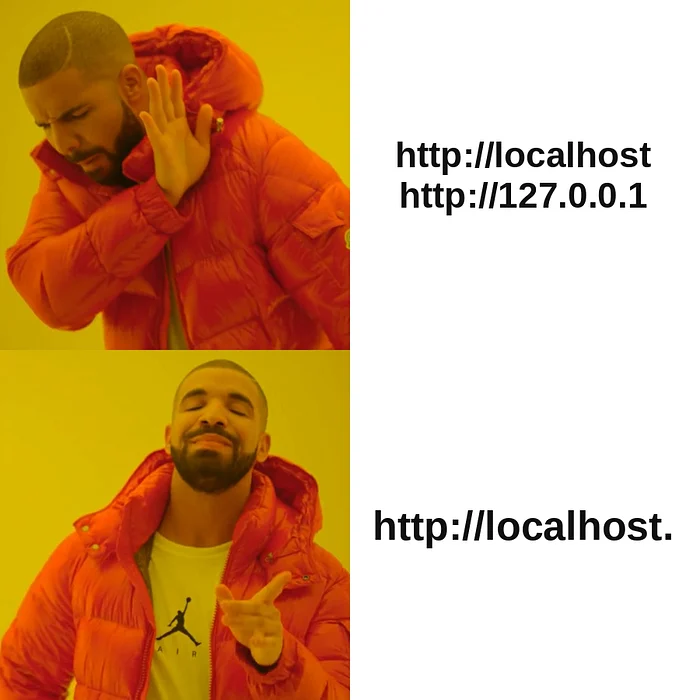
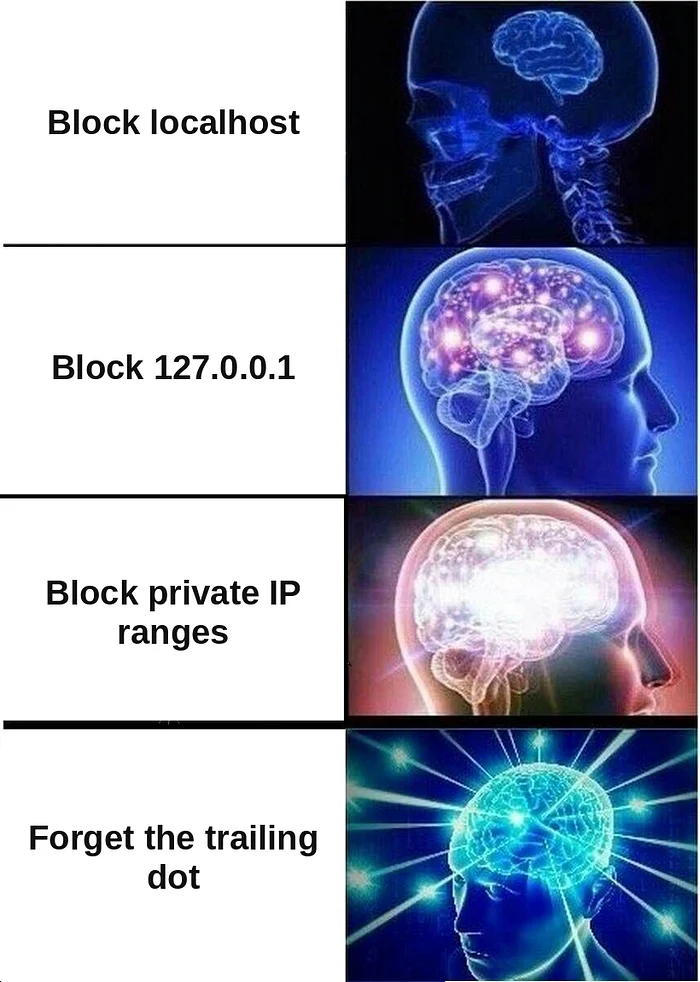
localhost. and localhost are different strings, so the trailing-dot form slips past the classification in the tested version. The guard blocks localhost and sees nothing wrong with localhost..
Exploitation
Step 1: compare representations against a loopback listener
The researcher ran a loopback-only HTTP service and fed the renderer several representations of the same local destination. The comparison table in the write-up is:
Input                        Result
http:
http:
http:
The reproduction output was:
[blocked-v4]   Image source resolves to a blocked address
[plain-localhost] Image source resolves to a blocked address
[trailing-dot] RENDERED bytes=296  newServerHits=1
The IPv4 literal and the plain localhost form were both rejected as blocked addresses. The trailing-dot form was rendered, produced 296 bytes, and incremented the loopback listener's hit counter by one. The listener confirmed that the request actually reached it: the URL passed the security check and hit the local service.
Step 2: reproduce through a real Next.js route
A unit-level test was not the end of it. The researcher built a local Next.js 16.4.3 app with an App Router route handler using ImageResponse that forwarded an image URL to the renderer, and ran it in production mode. The three requests and their results were:
GET /og?src=[redacted]   -> Blocked
GET /og?src=localhost    -> Blocked
GET /og?src=localhost.   -> HTTP 200 image/png
The first two inputs were rejected by the validator. The trailing-dot input returned an HTTP 200 with an image/png body. The internal service returned an SVG with a magenta canary, and the generated PNG contained that same canary, which showed the full local data flow:
attacker-controlled image URL
        |
     Next.js route
        |
     ImageResponse
        |
     Satori image fetch
        |
     local HTTP service
        |
     SVG response
        |
     generated PNG
Because Satori inlines SVG, some internal responses can also be made observable through the generated image.
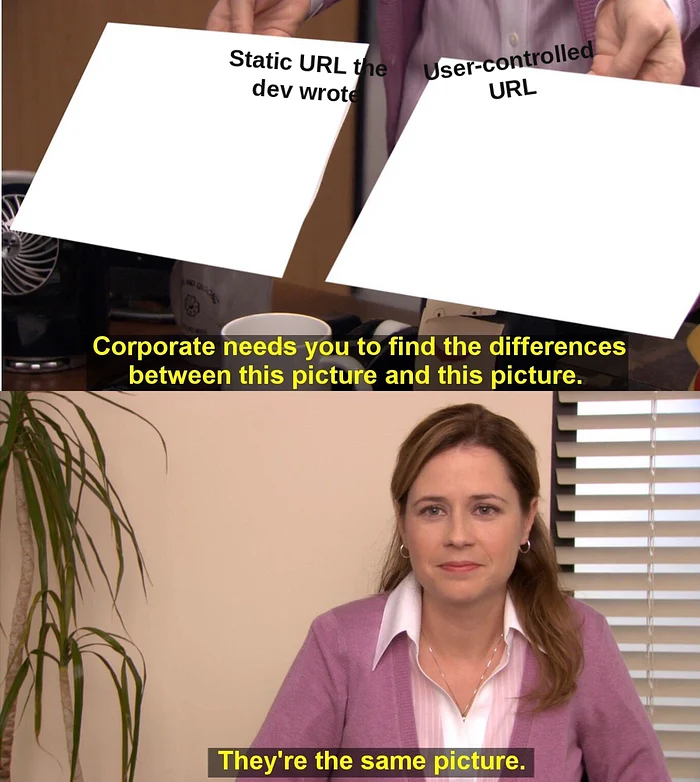
Root cause
The mistake is that the validator classifies a hostname by comparing raw strings without first normalising it. The trailing DNS root dot is a valid part of a fully qualified hostname, and localhost. resolves to the same destination as localhost, but the string comparison sees a different value and returns false. The existing defences did not stop it because the check is a literal equality and suffix test on the lower-cased hostname, with no canonicalisation step before it.
A second gap exists in the same guard as shipped in Next.js. The guard runs exactly once, on the initial URL, and then calls fetch(t) with no redirect option, which defaults to redirect: "follow":
typeof window > "u" && Ms(t);
   let r = fetch(t).then(...);
A hostname that passes the check can therefore still return a 3xx that redirects the server to a blocked destination, and nothing re-validates the new hop. Satori 0.29.1 added redirect: "manual" and real DNS resolution for exactly this reason, but that hardening is not in the copy Next.js ships.
The researcher also checked whether the vendored copy had been updated. As of November 12, 2026, the latest Next.js, 16.4.6, and even 16.5.0-canary.49, still bundled its own vendored copy of @vercel/og pinned to Satori 0.29.0. Unpacking the published npm tarball and reading the compiled guard showed it still classifying the hostname with a plain lower-case string check and never stripping the trailing dot:
function Xu(A){
  let e; try { e = new URL(A); } catch { return true; }
  if (e.protocol !== "http:" && e.protocol !== "https:") return true;
  let t = e.hostname.toLowerCase();
  return t === "localhost"
      || t.endsWith(".localhost")
      || t.endsWith(".local") ? true :  false;
}
Same bug, same trailing dot, three months after the upstream fix. The public fix exists; Next.js had simply not bumped its vendored dependency.
Impact
An application that passes attacker-controlled image URLs into ImageResponse may let an attacker influence server-side requests. Depending on the network position of the server, those requests can reach loopback services, internal HTTP services, or other private resources.
The important limit is that not every Next.js app is automatically vulnerable. The app has to expose an image-fetching sink that accepts attacker-controlled input. That distinction matters when judging real-world exploitability.
Fix
The upstream fix was simple. Satori 0.29.1 added trailing-dot normalisation:
let host = url.hostname
  .toLowerCase()
  .replace(/\.+$/, '');
With this, localhost. becomes localhost before classification, which closes the representation bypass. Satori 0.29.1 also added redirect: "manual" and real DNS resolution to address the redirect gap.
The upstream references given are Satori PR #777, the Satori 0.29.1 release, and Next.js PR #97276.
The researcher notes that Next.js had not yet bumped its vendored dependency at the time of writing. The defensive measures recommended alongside the fix are: normalise hostnames before validation, validate the resolved IP, guard against redirects to blocked destinations, consider DNS rebinding and connect-time IP pinning, add regression tests for odd hostname forms, and apply network-level egress restrictions.
Variants to test
- Other trailing-dot forms. Try
localhost.,foo.localhost.,[redacted].and similar against any hostname blocklist. A positive result is a request that reaches the local or internal service while the plain form is rejected. - Case and encoding variations. Mix upper and lower case, and try percent-encoded or otherwise non-canonical hostname forms. A positive result is a hostname that resolves to a blocked destination but is classified as safe.
- Redirect chains. Point the sink at a hostname that passes validation and returns a 3xx to a blocked destination. A positive result is the server following the redirect and fetching the blocked target, with no re-validation of the new hop.
- DNS rebinding. Use a hostname that resolves to a public address at validation time and to a loopback or private address at fetch time. A positive result is a request reaching the internal destination.
- Vendored dependency drift. Check whether the framework bundles its own copy of the library and which version it pins, rather than trusting the standalone package version. A positive result is a bundled copy that still contains the unpatched guard.
- Response observability. Where the sink renders fetched content, such as SVG inlining, check whether internal responses appear in the generated output. A positive result is internal content visible in the produced image.
Disclosure
The finding was submitted through HackerOne as report #4147141 and closed as a duplicate of #3979006. The researcher frames it as an independently reproduced technical investigation rather than a claim of a new accepted Vercel vulnerability: not every technically valid finding is a unique accepted vulnerability, and sometimes the root cause is already known or the dependency already has a fix.


The lessons drawn are that string comparison is not security validation, that filters need edge-case testing beyond localhost and [redacted], that library-level testing is only the start and showing the issue through a real app route is stronger evidence, that a library bug does not mean every app using it is exploitable, and that duplicate status should be documented honestly.
What happened, in plain words
A researcher found a small hole in a security check inside Next.js, a very popular tool for building websites. The check is supposed to stop the server from fetching images from dangerous places, such as the server's own machine. The hole is a single dot at the end of a web address. The address localhost is blocked, but localhost. is not, and both point to the same place. The researcher proved this with a small local test and then with a local Next.js app, and reported it. The report was closed as a duplicate of an earlier one, and Satori 0.29.1 added a fix, but the copy that Next.js ships had not been updated at the time of writing.
This article walks through the whole story from zero. You only need to know how to use a browser and a computer. Every technical word is explained where it first appears, and there is a glossary at the end.
1. The beginning: security filters have trust issues
The researcher starts with a comparison. Imagine you are building a security guard. You tell the guard: "Never allow localhost inside. It is dangerous."
Someone arrives as localhost. Guard: BLOCKED. Another arrives as [redacted]. Guard: BLOCKED. Everything looks perfect.
Then someone arrives as localhost. and the guard says: "I don't see any problem here. Welcome!"
That is essentially the behaviour the researcher investigated in Next.js's bundled image-rendering. Sometimes a vulnerability does not need a complicated payload. Sometimes all it needs is a dot.
A few words before we go further:
- localhost is the name a computer uses for itself. When a program on a server asks for
localhost, it is talking to the same machine, not to the internet. That is why security checks usually block it: a server should not be tricked into talking to itself or to services that only exist on its own machine. - [redacted] is the numeric form of the same idea. It is an IP address, which is the number a computer uses to find another computer on a network.
[redacted]always means "this machine". - A payload is the part of an attack that actually does the damage, for example a specially crafted piece of text sent to a program. Here the payload is just a dot.
2. A little background: what is SSRF?
Server-Side Request Forgery (SSRF) happens when an attacker can influence a server into making requests to destinations that should not be reachable. An application accepts an image URL, the server downloads it. Normal, until the URL points at an internal service instead of a public image.
The server might then reach loopback services, internal HTTP endpoints, private network resources, or other internal infrastructure. That is why anything fetching a user-controlled URL needs strong destination validation.
Let us unpack that slowly, because SSRF is the heart of the story.
- A server is a computer somewhere that runs a website and answers requests from browsers. When you open a page, your browser asks a server for it.
- A request is a message one computer sends to another asking for something, such as a page or an image.
- A URL is a web address, like
https://example.com/cat.png. It has parts: the scheme (https), the hostname (example.com), and often a path (/cat.png). - Server-side means the action happens on the server, not in your browser. This matters because the server sits inside a private network that you, from outside, cannot reach directly.
- SSRF is when an attacker makes the server send a request on their behalf. The attacker cannot reach the internal network, but the server can. So the attacker tricks the server into being their messenger.
- A loopback service is a service listening only on the machine itself, reachable through
localhostor[redacted]. It is not meant to be reachable from outside. - An endpoint is a specific address on a server that does something, for example
/ogon a website. Think of it as a particular counter in a large building. - Validation means checking input before using it. Destination validation means checking where a request is about to go before sending it.
An everyday comparison: imagine a hotel receptionist who will fetch anything a guest asks for. Normally the guest asks for a newspaper from the shop across the street. But a clever guest asks the receptionist to fetch a document from the hotel manager's office, which guests cannot enter. The receptionist has the keys, so they walk in and bring the document out. That is SSRF: the person with access is tricked into using it for someone else.
3. Where the issue was found
During source-code analysis the researcher looked at the URL-safety validation in Satori, used by the bundled @vercel/og renderer in Next.js. The tested environment was:
Component     Version
Next.js       16.4.3
@vercel/og    1.0.1
Satori        0.29.0
Line by line:
- Component / Version are the two column headings of a small table.
- Next.js 16.4.3 is the version of Next.js being tested. Next.js is a framework, meaning a collection of ready-made tools that developers use to build websites. Version numbers like 16.4.3 identify a specific release, the way an edition number identifies a printing of a book.
- @vercel/og 1.0.1 is a package that Next.js includes. A package is a bundle of code written by someone else that your project reuses. The
@vercel/part is a namespace, like a surname, showing who publishes it. "og" stands for Open Graph, a way of producing a preview image for a link. - Satori 0.29.0 is another package, used by
@vercel/og. Satori's job is to turn HTML and CSS into an image. HTML is the language web pages are written in, and CSS is the language that describes how they look. So Satori takes a description of a page and paints it into a picture. - Bundled means the package is copied inside Next.js rather than installed separately. This detail becomes important later: a fix in the standalone package does not automatically reach the copy inside Next.js.
- Source-code analysis means reading the actual code that a program is made of, rather than only poking at the running program from outside.
The logic was meant to stop image fetching from dangerous destinations, including localhost and private addresses. But the way it classified hostnames turned out to be interesting: it checked the hostname literally.
Why start here? Because the researcher wanted to know whether the safety check actually does what it claims. Reading the code is the fastest way to find out how a check decides, and therefore how it might be fooled.
4. The actual finding: meet localhost.
The hostname-checking logic looked like this:
let host = url.hostname.toLowerCase();
Line by line:
let host = ...creates a variable calledhost, which is a named box that holds a value. Here the box will hold the hostname.url.hostnametakes a URL object and reads its hostname, the part that names the destination, such aslocalhostinhttp://localhost:3000/..toLowerCase()converts the text to all lower case, soLOCALHOSTbecomeslocalhost. This is a sensible first step, because hostnames are not case-sensitive.
Then the classification:
if (host.startsWith('[') && host.endsWith(']')) {
  host = host.slice(1, -1);
}
if (host === 'localhost' || host.endsWith('.localhost')) {
  return true;
}
if (host.endsWith('.local')) {
  return true;
}
Line by line:
if (host.startsWith('[') && host.endsWith(']'))checks whether the hostname begins with[and ends with]. Square brackets are used around numeric addresses in a newer format called IPv6. The&&means both conditions must be true.host = host.slice(1, -1);removes the first and last character, that is, the brackets.slice(1, -1)means "from position 1 up to, but not including, the last position".if (host === 'localhost' || host.endsWith('.localhost'))checks whether the hostname is exactlylocalhost, or ends with.localhost. The||means either condition is enough.===means "is exactly equal to".return true;means "yes, this is a blocked destination".if (host.endsWith('.local'))checks whether the hostname ends with.local, a suffix often used for names on a local network.- The second
return true;blocks those too.
At a glance it looks reasonable. But consider:
new URL('http://localhost.:3000/').hostname;
Line by line:
new URL(...)builds a URL object from the text inside the brackets, using the browser's or runtime's built-in URL parser.'http://localhost.:3000/'is the address being parsed.httpis the scheme,localhost.is the hostname,3000is the port (a numbered door on a machine), and/is the path..hostnamereads back just the hostname part, which islocalhost.with the dot.
The validator checks for localhost, but never normalises the trailing DNS root dot first. localhost. and localhost are different strings, so the trailing-dot form slips past the classification in the tested version.
Two ideas need explaining here.
- DNS is the internet's phone book. It translates names people can read, like
example.com, into IP addresses computers use. A DNS root dot is the dot at the very end of a fully written name. The full name of a machine can be written with a final dot, as inlocalhost., and it means the same machine aslocalhost. It is like writing a postal address with a full stop at the end: the post office still delivers it to the same house. - Normalising means rewriting input into one standard form before comparing it. For example, trimming spaces or removing a trailing dot. If you compare raw text without normalising, two spellings of the same thing look different to the computer.
An everyday comparison: a bouncer has a list of banned names. "Alex" is on the list. Someone shows a passport that says "Alex." with a full stop. The bouncer reads the letters, sees they do not match the list exactly, and lets the person in. Same person, different spelling, and the check fails.
5. Reproducing the behaviour
The researcher built a local reproduction with a loopback-only HTTP service and compared how the renderer handled different representations of the same local destination:
Input                        Result
http:
http:
http:
The reproduction output was:
[blocked-v4]   Image source resolves to a blocked address
[plain-localhost] Image source resolves to a blocked address
[trailing-dot] RENDERED bytes=296  newServerHits=1
Line by line:
- A local reproduction means a small test built on the researcher's own computer, not on someone else's system. This is the safe way to study a bug.
- A loopback-only HTTP service is a tiny web server that listens only on the machine itself. HTTP is the protocol browsers and servers use to exchange pages and images. "Loopback-only" means it cannot be reached from another computer.
- Representations are different spellings of the same destination.
[redacted],localhostandlocalhost.all lead to the same place. - In the output,
[blocked-v4]is the label for the numeric IPv4 form, and the message says the image source resolves to a blocked address. Resolves means the name was turned into an address, as the phone book does. [plain-localhost]is the label for the plainlocalhostform, also blocked.[trailing-dot]is the label forlocalhost..RENDEREDmeans the renderer went ahead and produced an image.bytes=296is the size of the produced image, 296 bytes.newServerHits=1is the loopback listener's hit counter, and the listener confirmed the request reached it.
The loopback listener confirmed the request actually reached it. The URL passed the security check and hit the local service.
Why do this step? Because reading code tells you what you think will happen, but running it tells you what actually happens. A comparison of three spellings of the same destination, with a listener counting contacts, is direct evidence: two were refused, one got through and was actually served.
6. Beyond a direct library test
The researcher did not want to stop at a unit-level test, so they built a local Next.js 16.4.3 app with an App Router route handler using ImageResponse that forwarded an image URL to the renderer, then ran it in production mode:
GET /og?src=[redacted]   -> Blocked
GET /og?src=localhost    -> Blocked
GET /og?src=localhost.   -> HTTP 200 image/png
Line by line:
- A unit-level test tests one small piece of code in isolation. It is useful, but it does not prove that a real application is affected.
- An App Router route handler is a piece of a Next.js app that answers requests for a particular address. App Router is the part of Next.js that organises pages and routes.
ImageResponseis the feature that builds an image on the server and sends it back. It is the "sink" here: the place where a URL from outside ends up being fetched.- Production mode means running the app the way it would run for real users, rather than in a development mode that may behave differently.
GET /og?src=[redacted]is a request for the path/ogwith a parametersrcset to[redacted]. A parameter is a named value attached to a URL after a?, like a note handed to the counter staff.GETis the HTTP method used to ask for something.-> Blockedmeans the app refused to fetch that source.- The second line does the same with
localhost, also blocked. - The third line uses
localhost.and getsHTTP 200 image/png. HTTP 200 is the status code meaning "OK, here is your content". image/png is the type of the returned content, a PNG picture.
The internal service returned an SVG with a magenta canary, and the generated PNG contained that same canary. That showed the full local data flow:
attacker-controlled image URL
        |
     Next.js route
        |
     ImageResponse
        |
     Satori image fetch
        |
     local HTTP service
        |
     SVG response
        |
     generated PNG
Line by line:
- SVG is a picture format written as text, describing shapes and colours. PNG is an ordinary picture file format.
- A canary here is a distinctive marker placed in the internal response so the researcher can see whether it appears in the final image. The word comes from canaries in coal mines: a visible signal that something got through. The canary was magenta, an easy colour to spot.
- The diagram reads top to bottom: an image URL controlled by an attacker enters a Next.js route, goes to
ImageResponse, then to Satori's image fetch, reaches the local HTTP service, which answers with an SVG, and the result is a generated PNG.
Everything was run on the researcher's own local infrastructure. No Vercel-hosted service or customer infrastructure was contacted.
Why build the second test? Because a bug in a library only matters if a real app can be made to trigger it. Showing the same result through an actual route, in production mode, with a visible marker travelling from the internal service into the returned image, is much stronger evidence than a test of one function.
7. Why it matters
An app that passes attacker-controlled image URLs into ImageResponse may let an attacker influence server-side requests, and depending on the network position reach loopback services, internal HTTP services, or other private resources. Satori inlining SVG can also make some internal responses observable through the generated image.
- Attacker-controlled means the value comes from someone outside, so it cannot be trusted.
- Inlining means putting the content of one file directly inside another, rather than linking to it. Because Satori inlines SVG, the internal response can end up drawn into the generated picture, so the attacker may see it rather than merely cause a blind request.
- Network position means where the server sits and what it can reach. A server deep inside a company network can reach more internal things than one on the public internet.
But an important limit: not every Next.js app is automatically vulnerable. The app has to expose an image-fetching sink that accepts attacker-controlled input. That distinction matters when judging real-world exploitability.
In plain words: the bug is in a tool, but the tool only causes harm if a website uses it in a particular way, namely by letting visitors supply the image URL. Many sites do not. This is the difference between "a dangerous ingredient exists" and "this particular kitchen serves it to strangers".
8. The fix: normalise before validating
The upstream fix was simple. Satori 0.29.1 added trailing-dot normalization:
let host = url.hostname
  .toLowerCase()
  .replace(/\.+$/, '');
Line by line:
let host = url.hostnamestarts with the hostname, as before..toLowerCase()makes it all lower case, as before..replace(/\.+$/, '')removes trailing dots. The part between the slashes is a regular expression, a pattern for matching text.\.means a literal dot,+means "one or more of them", and$means "at the end of the text". The second argument, the empty string'', is what replaces the match, so the dots are deleted.
So localhost. becomes localhost before classification, which closes the representation bypass. Good defensive measures also include: normalise hostnames before validation, validate the resolved IP, guard against redirects to blocked destinations, consider DNS rebinding and connect-time IP pinning, add regression tests for odd hostname forms, and apply network-level egress restrictions.
Some of those terms:
- Upstream means the original project that publishes the library, as opposed to a copy bundled inside another project.
- Validating the resolved IP means checking the actual numeric address the name leads to, not only the name.
- A redirect is a server's answer saying "the thing you want is over there", with a new address. A 3xx status code means a redirect.
- DNS rebinding is a trick where a name leads to a harmless address when checked and to a dangerous one when actually used, like a shop that changes its address between the inspection and the delivery.
- Connect-time IP pinning means deciding the address once and using that same address for the actual connection, so it cannot change in between.
- Regression tests are tests that make sure a fixed bug stays fixed.
- Egress restrictions are network rules limiting where a server is allowed to send outgoing traffic.
Upstream references: Satori PR #777, Satori 0.29.1 release, Next.js PR #97276. A PR (pull request) is a proposed change to a code project, which others can review before it is merged.
8½. Wait, is it still alive? A check made later
The upstream Satori fix shipped in 0.29.1 back in August 2026, and the standalone @vercel/og now pulls Satori 0.33.5. So you would assume Next.js is patched by now.
It is not. As of November 12, 2026, the latest Next.js, 16.4.6, and even 16.5.0-canary.49, still bundles its own vendored copy of @vercel/og pinned to Satori 0.29.0. The researcher unpacked the published npm tarball and read the compiled guard. It still classifies the hostname with a plain lower-case string check and never strips the trailing dot:
function Xu(A){
  let e; try { e = new URL(A); } catch { return true; }
  if (e.protocol !== "http:" && e.protocol !== "https:") return true;
  let t = e.hostname.toLowerCase();
  return t === "localhost"
      || t.endsWith(".localhost")
      || t.endsWith(".local") ? true :  false;
}
Line by line:
- Pinned means locked to one exact version.
- npm is the main package registry for JavaScript, a public library of reusable code. A tarball is a single archive file containing a package, like a zipped folder. Compiled means translated from the code people write into the form the computer runs.
function Xu(A){defines a function namedXuthat takes one input,A, the URL.let e; try { e = new URL(A); } catch { return true; }tries to parse the URL. If parsing fails, thecatchblock runs and returnstrue, meaning "blocked".if (e.protocol !== "http:" && e.protocol !== "https:") return true;blocks anything that is not plain HTTP or HTTPS. HTTPS is HTTP with encryption.!==means "is not equal to".let t = e.hostname.toLowerCase();takes the hostname and lower-cases it.return t === "localhost" || t.endsWith(".localhost") || t.endsWith(".local") ? true : false;returnstrueif the hostname is exactlylocalhost, ends with.localhost, or ends with.local, andfalseotherwise. The? true : falseis a compact if-then-else.
Same bug, same trailing dot, three months later. The public fix exists; Next.js simply has not bumped its vendored dependency.
There is also a second gap in the same guard. It runs exactly once, on the initial URL, and then calls fetch(t) with no redirect option, which defaults to redirect: "follow":
typeof window > "u" && Ms(t);
   let r = fetch(t).then(...);
Line by line:
typeof window > "u"is a compressed way of checking that there is no browserwindowobject, meaning the code is running on a server rather than in a browser. The comparison is a trick produced by minification, the process of shortening code to save space.&& Ms(t)means: if that is true, callMs(t).let r = fetch(t).then(...)then fetches the URL. fetch is the built-in function for making a request..then(...)means "when the answer arrives, do the next thing".- No redirect option is given, so the default applies:
redirect: "follow", meaning the request will follow any redirect it is given.
So a hostname that passes the check can still return a 3xx that redirects the server to a blocked destination, and nothing re-validates the new hop. Satori 0.29.1 added redirect: "manual" and real DNS resolution for exactly this reason, but that hardening is not in the copy Next.js ships.
redirect: "manual"means "do not follow redirects automatically; hand them back to me so I can inspect them".- Real DNS resolution means actually looking up the address a name leads to, instead of trusting the name.
- Hardening means making something more resistant to attack.
Why check again months later? Because a fix in one place does not help if the software people actually install still contains the old copy. This is the difference between "the manufacturer recalled the part" and "the part is still in the box on the shelf".
9. The disclosure journey
The finding was submitted through HackerOne as report #4147141. It was closed as a duplicate of #3979006. That is part of research too: not every technically valid finding is a unique accepted vulnerability. Sometimes it was already reported, the root cause is known, or the dependency already has a fix.
So this is best understood as an independently reproduced technical investigation, not a claim of a new accepted Vercel vulnerability.
- HackerOne is a platform where security researchers report bugs to companies. A report is the write-up of a finding submitted there, with a number to identify it.
- A duplicate means someone else already reported the same issue. The platform closes the newer report and points to the earlier one.
- Disclosure is the process of telling the people responsible about a bug, and later telling the public.
- Independently reproduced means the researcher found and demonstrated the issue on their own, without copying someone else's steps.
Why mention this at all? Because honesty about status matters. A finding can be technically correct and still not be new. Saying so plainly is part of doing research well.
10. What was learned
- String comparison is not security validation. Normalise a hostname before you classify it. Comparing raw text is like checking a face against a written description: small differences fool it.
- Security filters need edge-case testing. Testing only
localhostand[redacted]is not enough. Edge cases are the unusual inputs at the boundaries, such as a trailing dot. - Library-level testing is only the start. Showing it through a real app route is stronger evidence.
- Understand the sink. A library bug does not mean every app using it is exploitable. The sink is the place where outside input finally gets used, and it has to accept that input for harm to occur.
- Document duplicate status honestly. Reproduction and novelty are different things. Being able to reproduce a bug and being the first to find it are separate achievements.
Final thoughts
The researcher started on SSRF protections and ended up staring at one character. Not a payload, not an exploit chain, just localhost., a tiny dot that exposed a gap in hostname normalization. Sometimes security research is about complex bugs, and sometimes it is about remembering that even a dot deserves a review.
Disclosure note: this was submitted as HackerOne #4147141 and closed as a duplicate of #3979006. All tests described here were run locally on researcher-controlled infrastructure. No live Vercel customer infrastructure was tested.
Glossary
- [redacted]: the numeric IP address that always means "this machine".
- 3xx: an HTTP status code family meaning a redirect, telling the client to look elsewhere.
- API: a defined way for one program to ask another for something, like a service counter with agreed requests.
- App Router: the part of Next.js that organises pages and the handlers that answer requests.
- Attacker-controlled: coming from an outside person, so not trusted.
- Bundled: copied inside another project rather than installed separately.
- Canary: a distinctive marker placed in a response so you can see whether it travels through to the final output.
- Compiled: translated from human-written code into the form the computer runs.
- Connect-time IP pinning: deciding the numeric address once and using that same address for the actual connection.
- CSS: the language that describes how a web page looks.
- DNS: the internet's phone book, translating readable names into IP addresses.
- DNS rebinding: a trick where a name leads to a harmless address when checked and a dangerous one when used.
- DNS root dot: the dot at the end of a fully written hostname;
localhost.andlocalhostmean the same machine. - Duplicate: a report of an issue that someone else already reported.
- Edge case: an unusual input at the boundary of normal behaviour.
- Egress restrictions: network rules limiting where a server may send outgoing traffic.
- Endpoint: a specific address on a server that does something.
- fetch: the built-in function for making a request to a URL.
- GET: the HTTP method used to ask for something.
- Hardening: making something more resistant to attack.
- Hostname: the name part of a URL, such as
localhostorexample.com. - HTML: the language web pages are written in.
- HTTP: the protocol browsers and servers use to exchange pages and images.
- HTTP 200: the status code meaning "OK, here is your content".
- HTTPS: HTTP with encryption.
- ImageResponse: the Next.js feature that builds an image on the server and sends it back.
- Inlining: putting the content of one file directly inside another rather than linking to it.
- IP address: the number a computer uses to find another computer on a network.
- IPv4 / IPv6: two formats for IP addresses; IPv6 addresses are written inside square brackets in URLs.
- Library: a collection of reusable code that other programs use.
- localhost: the name a computer uses for itself.
- Loopback service: a service reachable only from the machine itself.
- Minification: shortening code to save space, which can make it hard to read.
- Next.js: a popular framework for building websites.
- Normalising: rewriting input into one standard form before comparing it.
- npm: the main public registry of JavaScript packages.
- Package: a bundle of code written by someone else that a project reuses.
- Parameter: a named value attached to a URL after a
?. - Payload: the part of an attack that actually does the damage.
- Pinned: locked to one exact version.
- PNG: an ordinary picture file format.
- Port: a numbered door on a machine that a service listens on.
- PR (pull request): a proposed change to a code project, reviewed before merging.
- Production mode: running an app the way it runs for real users.
- Redirect: a server's answer saying the thing you want is at another address.
- Regression test: a test that makes sure a fixed bug stays fixed.
- Regular expression: a pattern for matching text.
- Request: a message one computer sends to another asking for something.
- Resolve: turn a name into an IP address.
- Route handler: the part of an app that answers requests for a particular address.
- Satori: a package that turns HTML and CSS into an image.
- Server: a computer that runs a website and answers requests.
- Server-side: happening on the server, not in your browser.
- Sink: the place where outside input finally gets used, such as an image fetch.
- Source-code analysis: reading the code a program is made of.
- SSRF (Server-Side Request Forgery): tricking a server into making requests to destinations the attacker cannot reach.
- SVG: a picture format written as text describing shapes and colours.
- Tarball: a single archive file containing a package.
- Unit-level test: a test of one small piece of code in isolation.
- Upstream: the original project that publishes a library.
- URL: a web address.
- Validation: checking input before using it.
- Vendored: a copy of someone else's code kept inside a project.
- Vulnerability: a weakness in software that can be used to cause harm.



