SSRF leads to access AWS metadata.
A proxy endpoint accepted a user-supplied URL and fetched it server-side without restricting internal addresses. By pointing it at the AWS metadata IP, the attacker could download instance metadata.
 Published on infosecwriteups.com
Hi Mates, I am Akash Patil (@skypatil98) from India. I am in the bug bounty field from the last 2.5 years.
The full write-up lives on its author's site
It belongs to its author, so we link to it rather than copy it. The other two tabs are our own rewrites, checked against it.
Context
Akash Patil (@skypatil98) found this issue on a private program, so the target is referred to throughout as reducted.com. The feature involved is a proxy endpoint that takes a URL in a query parameter and fetches it on the server's behalf:
reducted.com/gadgets/proxy/?url=
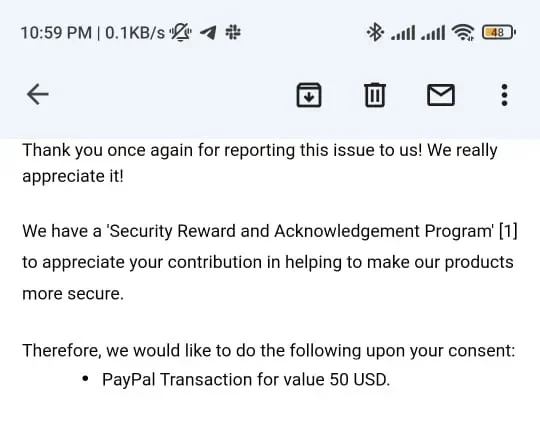
The researcher does not describe what the proxy is meant to do in normal use beyond fetching a URL supplied by the client. The report was disclosed on 27 August 2022 and paid a bounty of 50.00 USD.
Setup
The work was done with Burp Suite. The researcher reviewed every request in the Burp HTTP history and used Burp's search function to look for parameters that commonly accept a URL or a file path:
url={target}file={target}filename={target}top 25 params
That search surfaced the url= parameter on the proxy endpoint above. No accounts, roles or special preconditions are mentioned.
Finding it
The url= parameter on /gadgets/proxy/ takes a URL for the server to fetch. A parameter that makes the server issue a request to an address chosen by the client is the classic shape of server-side request forgery, so the researcher worked through a series of payloads to see how far the server could be pushed: redirects, script schemes, local file schemes and finally internal addresses.
Exploitation
Step 1: open redirect attempt
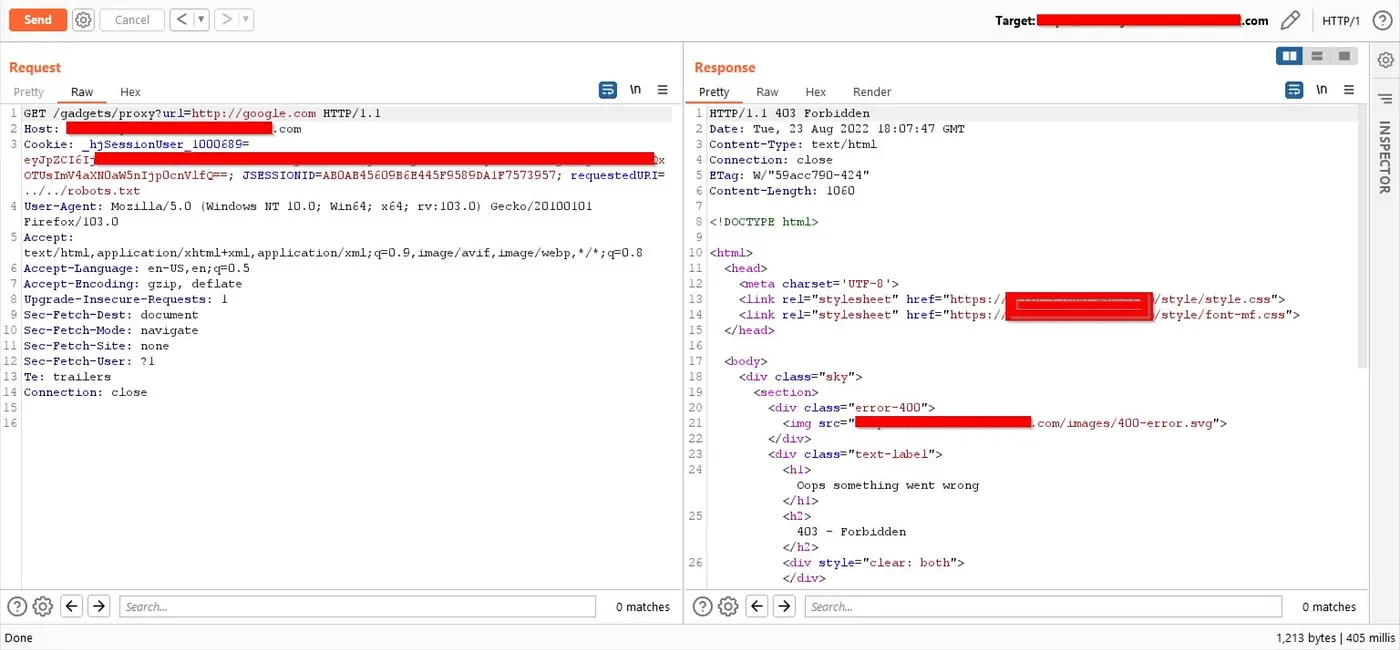
The first idea was to use the proxy as an open redirect:
https://reducted.com/gadgets/proxy/?url=https://evil.com
This failed. The server returned an error instead of redirecting.
Step 2: XSS attempts
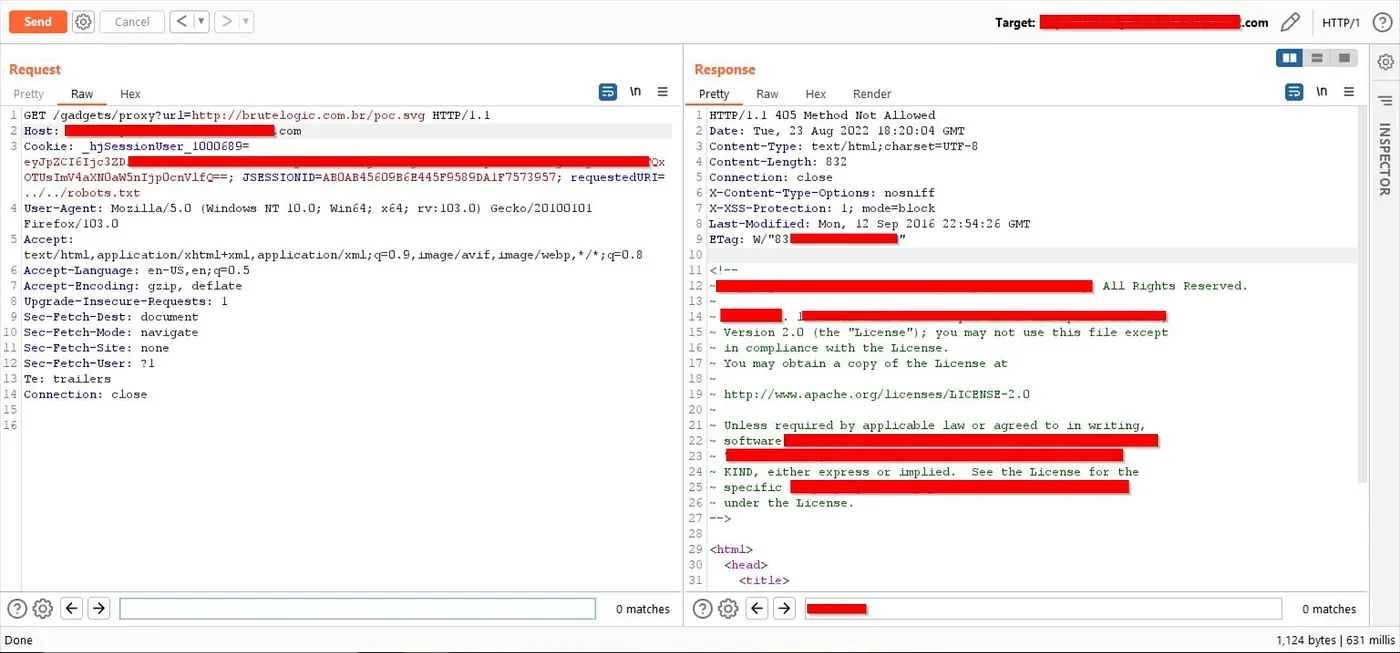
The next attempts tried to get script execution through the proxy, using javascript: and remote payload URLs:
These also failed. The response was an error stating Method Not Allowed.
Step 3: local file inclusion attempts
The researcher then tried to read local files through the proxy:
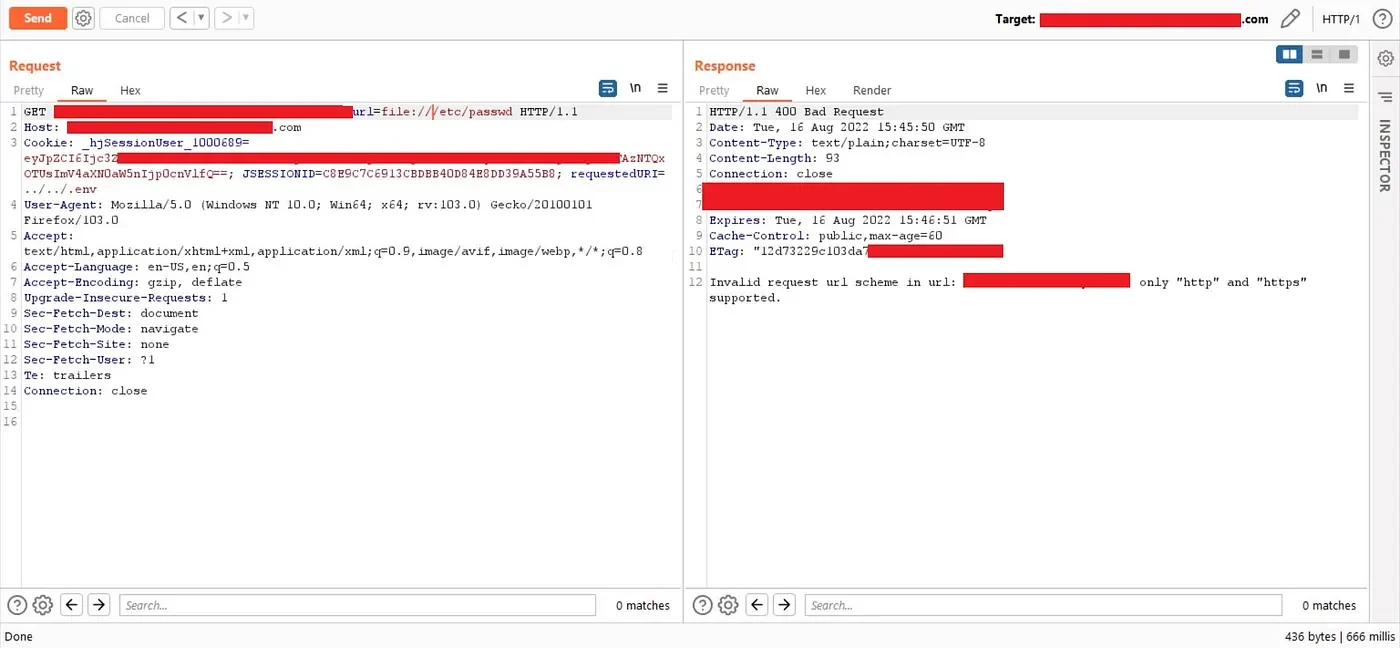
https://reducted.com/gadgets/proxy/?url=file:///etc/passwd
This failed with an error saying the URL schema is only HTTP or HTTPS.
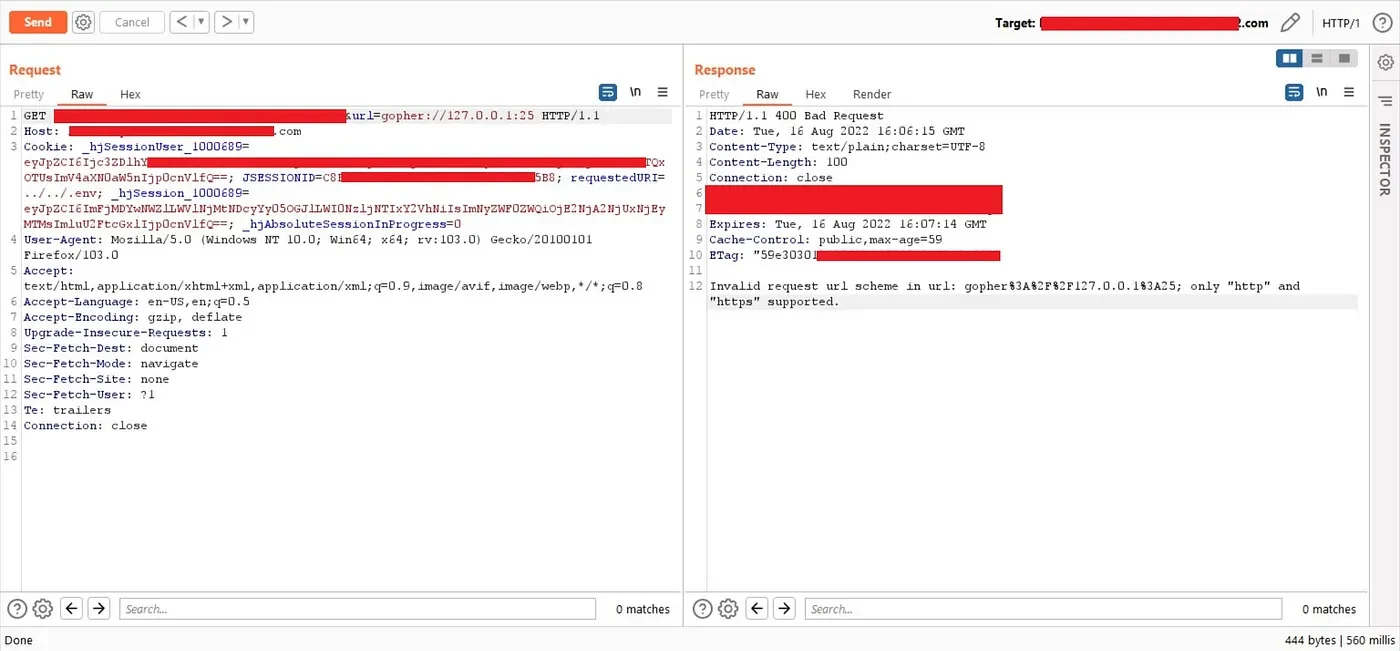
Other schemes were tried in the same way, to read internal resources and make the server perform actions: file:///, dict://, ftp:// and gopher://. All of them failed.
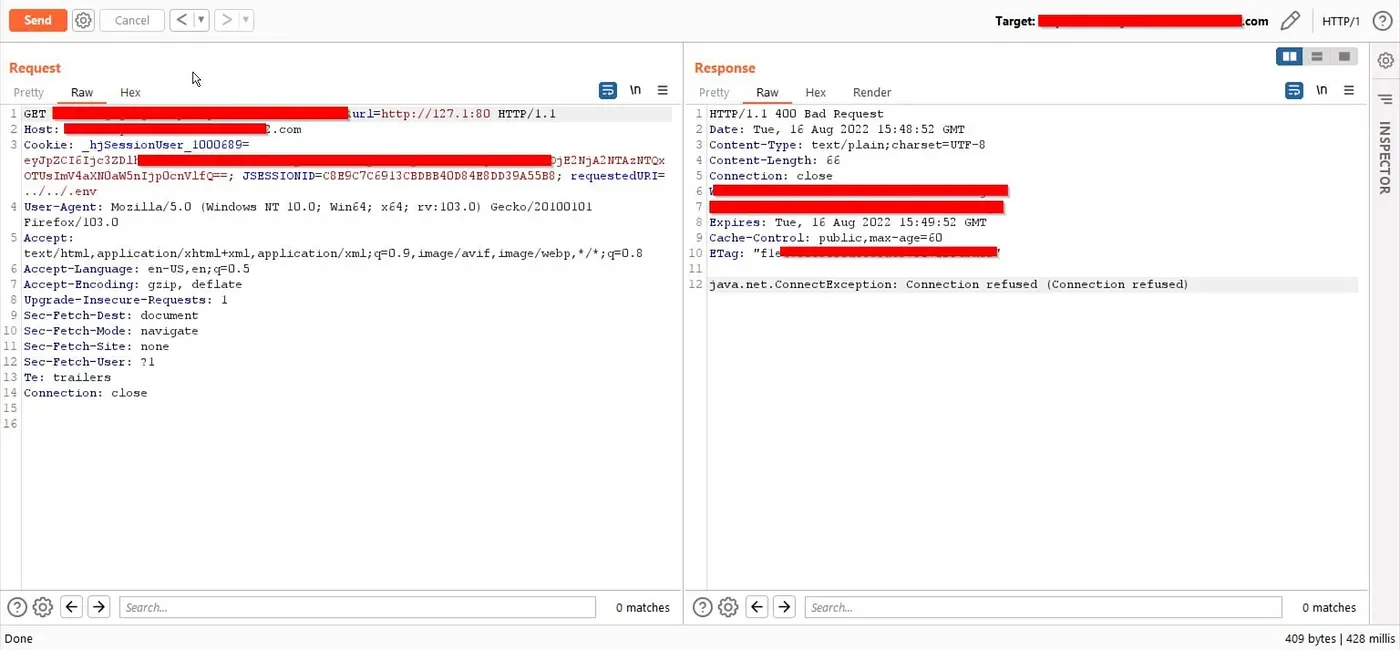
Visiting the proxy URL directly did not load content either. A simple text file was reflected and downloaded, but it contained nothing.
Step 4: reading AWS metadata
After trying many other things without a result, the researcher remembered the AWS metadata address and replaced the url parameter with it as a hit-and-try:

The crafted request was:
https://reducted.com/gadgets/proxy/?url=http://[redacted]/latest/meta-data
[redacted] is the link-local address the instance metadata service listens on, and /latest/meta-data is the path that lists the metadata categories available to the instance. Because the request is made from the server, it reaches an address that is not routable from the public internet.
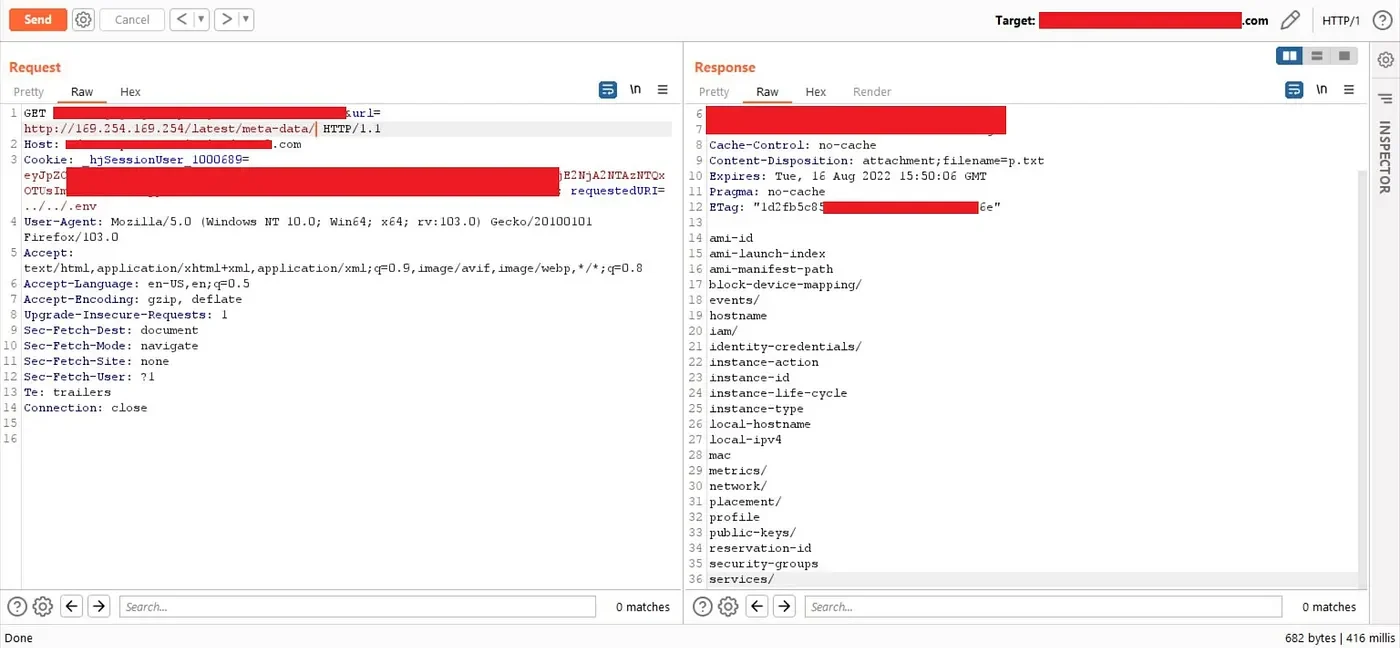
The response was downloaded as a reducted.txt file. Opening it showed the AWS metadata listing.
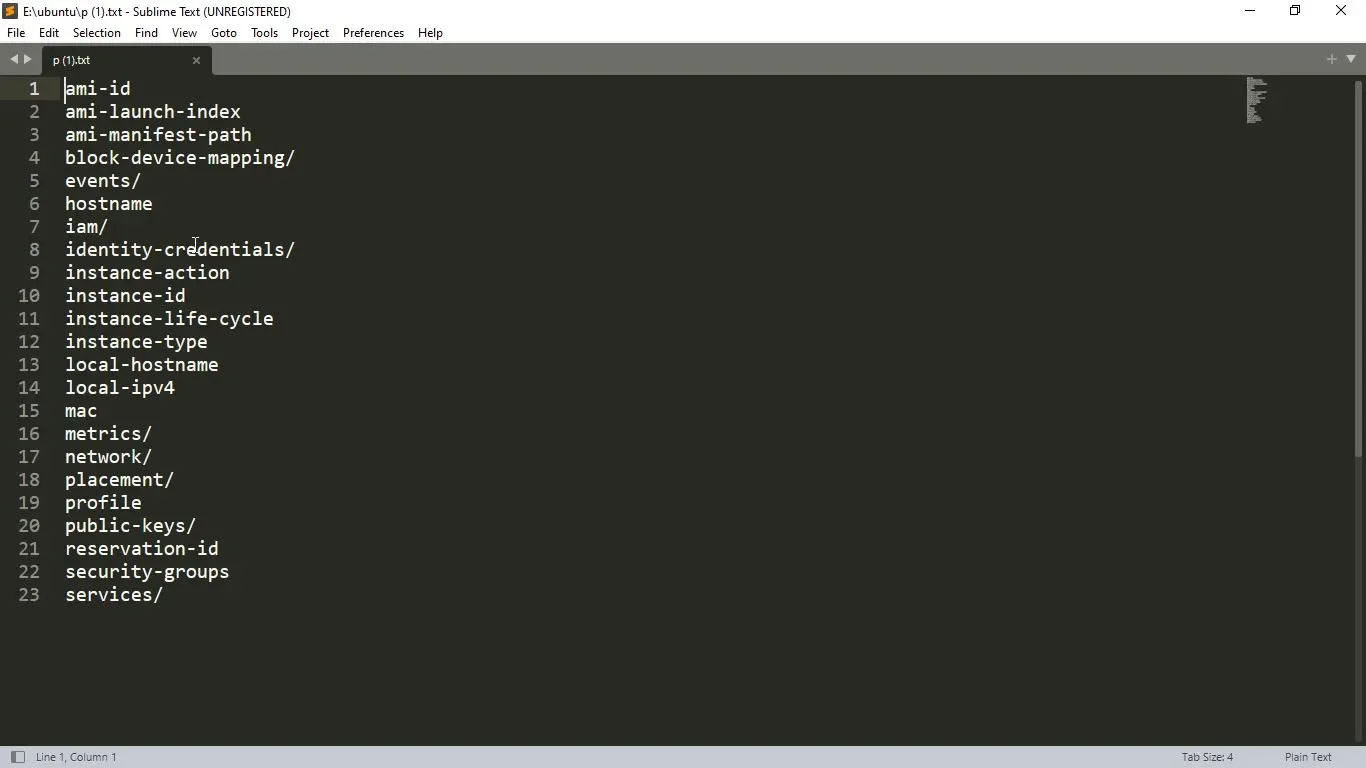
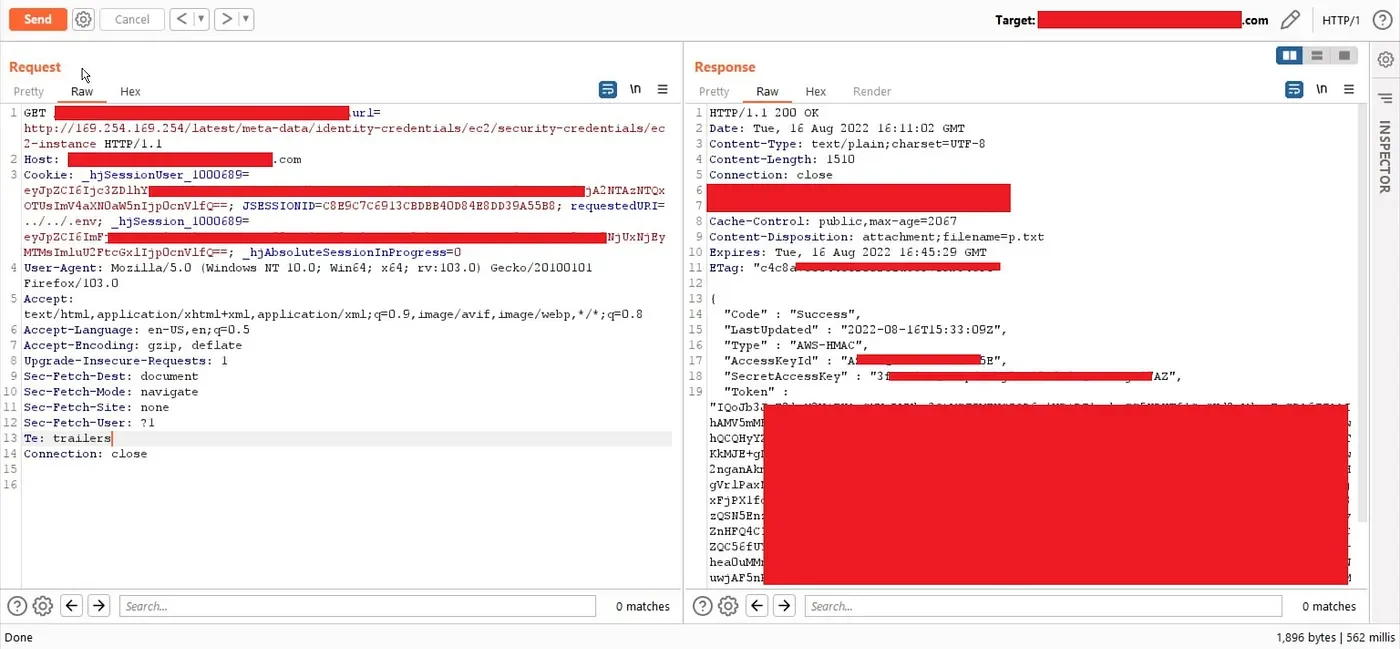
The screenshot is captioned AWS Metadata and shows the contents returned by the metadata service.
Root cause
The proxy fetches whatever URL the client supplies without restricting the destination to external, expected hosts. The scheme check that rejected file://, dict://, ftp:// and gopher:// only limits which protocols can be used; it does nothing about where an HTTP request can go, so http://[redacted]/... passes the same validation as any public URL. The report does not include the server-side code, so the exact implementation is not shown. The absence of a destination allowlist, and of any block on link-local or internal addresses, is what allowed the request to reach the metadata service.
Impact
An attacker who can reach the proxy endpoint can make the server issue HTTP requests to internal addresses. In this case that exposed the AWS instance metadata, which can contain information about the instance and, depending on the instance's configuration and IAM role, credentials. The report demonstrates reading the metadata listing only; it does not show retrieval of credentials or any further escalation.
Fix
The report lists the following mitigations:
- Whitelists and DNS Resolution
- Input Validation
- Response Handling
- Disable Unused URL Schemas
- Authentication on Internal Services
In practice this means restricting the proxy to an allowlist of permitted destinations, resolving and validating the host before the request is made so that internal and link-local addresses are refused, limiting which URL schemes are accepted, controlling what the proxy returns to the client, and requiring authentication on internal services such as the metadata endpoint.
Variants to test
On other targets with a URL-accepting parameter, the same sequence is worth repeating:
- Supply an external URL and watch for a redirect or a fetched body. A positive result is the server returning content from the supplied host rather than an error.
- Supply
javascript:and remote payload URLs. A positive result is the payload being reflected or executed in a browser context. - Supply
file:///etc/passwd,dict://,ftp://andgopher://. A positive result is file contents or protocol interaction coming back in the response. - Supply
http://[redacted]/latest/meta-data. A positive result is a listing of metadata categories in the response or in a downloaded file, as happened here.
After seeing the bounty amount, the researcher's reaction was captured in the final image.

What happened, in plain words
A security researcher, Akash Patil (@skypatil98), found a bug on a website whose name he is not allowed to reveal, so throughout his write-up he calls it reducted.com. The bug was in a small feature that lets the website fetch another web page for you. You give it a web address, and the website's own computer goes and gets that page. This kind of feature is often called a proxy, because it fetches things on your behalf, like a friend picking up a parcel for you.
The problem was that the website did not stop the proxy from being pointed at an internal address. The researcher pointed it not at a normal public website, but at a special address that only exists inside the company's own network, the address Amazon Web Services (AWS) uses to hand out information about the server it is running on. The website obediently fetched that internal page and handed it back. That is a class of bug called Server-Side Request Forgery, or SSRF: you trick a server into making a request you were never supposed to be able to make yourself.
The report was published on 27 August 2022 and the researcher was paid a bounty of 50.00 USD.
What is SSRF?
Before the technical part, a quick explanation of the idea, because everything else depends on it.
Normally, when you type an address into your browser, your computer makes the request. The website you are visiting just sends you the page. In an SSRF attack, the situation is reversed: you ask a website to make a request for you, from its computer. That matters because the website's computer sits inside a private network. It can reach machines that you, sitting at home on the internet, cannot reach at all.
A useful comparison: imagine you are outside a building and cannot get in. But there is a receptionist inside who will fetch anything you ask for. You ask the receptionist to go into a locked room and read out what is written on the whiteboard. The receptionist has permission to enter; you do not. SSRF is exactly that: you borrow the server's position inside the network.
What can an attacker do with this? According to the researcher's own description, they may be able to read server configuration such as AWS metadata, connect to internal services like databases that speak HTTP, or send requests to internal services that were never meant to be exposed to the outside world. He links to a longer explanation of SSRF for anyone who wants to go deeper.
For this article, the target will be called reducted.com, because the program name cannot be disclosed.
Finding the feature to attack
Before attacking anything, the researcher needed to find a place where the website accepts a web address from the user. He did this by recording all the traffic between his browser and the website using a tool called Burp Suite. Burp Suite is a program that sits between your browser and the website and lets you see, pause and change every request and response. Think of it as a transparent pipe with a window in it: everything still flows, but you can watch it.
He then used Burp's search function to look through all those recorded requests for parameter names that commonly hold a URL or a file path. A parameter is the part of a web address after the question mark that carries extra information, like the q in a search URL. The search terms he used were:
url={target}file={target}filename={target}top 25 params
Line by line, in plain words:
url={target}: look for any request containing a parameter calledurlwhose value is some address.file={target}: look for a parameter calledfilewhose value is a file name or path.filename={target}: the same idea, with the parameter namedfilename.top 25 params: a reference to a well-known list of the 25 most commonly used parameter names, which is a handy checklist of names worth searching for.
This search turned up a parameter called url= on an endpoint that looked like this:
reducted.com/gadgets/proxy/?url=
An endpoint is simply a specific address on a website that does a specific job, like a particular counter in a shop. This one is called gadgets/proxy/, and the name tells you its job: it is a proxy, a fetcher. You give it a url and it goes and gets that page for you. That is precisely the shape of feature that can suffer from SSRF, because the server is making a request to an address that the user chooses.
Trying to break it, step by step
The researcher did not jump straight to the winning trick. He worked through a series of ideas, each testing a different way the proxy might misbehave. This is normal and worth understanding: each failed attempt tells you something about how the server is built, and narrows down what might work.
Step 1: trying to turn it into an open redirect
The first idea was an open redirect. A redirect is when a website tells your browser "the page you want is actually over there, go to this other address instead". An open redirect is one where the website will redirect you to any address an attacker supplies. That is useful to attackers because a link that starts with a trusted company name can end up sending victims to a malicious site, which helps with phishing.
The URL he tried was:
https://reducted.com/gadgets/proxy/?url=https://evil.com
What this says, piece by piece:
https://reducted.com/gadgets/proxy/: the proxy endpoint on the target site.?url=: the parameter the proxy reads.https://evil.com: the address he wants the server to fetch, a placeholder domain standing in for an attacker-controlled site.
The hope was that the server would fetch evil.com and then bounce the visitor there. It did not work: the server returned an error instead of redirecting.
Step 2: trying to get script execution (XSS)
The next idea was XSS, or Cross-Site Scripting. XSS is when an attacker manages to get their own JavaScript code to run inside another person's browser while that person is on the victim website. JavaScript is the programming language that web pages use to be interactive. If an attacker can run their JavaScript on a trusted site, they can do things like read the victim's session, steal data, or act as the victim.
He tried three variations:
Line by line:
- The first line uses
javascript:as the address. That is a special kind of link that tells a browser "run the code that follows" rather than "go to a page".alert(1)is the classic harmless test: it pops up a box saying 1. If that ran, it would prove code execution. - The second line points at
http://14.rs. - The third line points at
http://brutelogic.com.br/poc.svg.
All three failed. The server responded with an error saying Method Not Allowed.
"Method Not Allowed" is an HTTP status message. HTTP is the language browsers and servers use to talk. Every request has a method, which says what kind of action you want: GET means "give me this page", POST means "here is some data, process it". The server was saying: for this kind of request, that method is not permitted here. In practice, the proxy was not going to run scripts for him.
Step 3: trying to read local files (LFI)
The next idea was LFI, or Local File Inclusion. That means tricking the server into reading a file from its own disk and showing it to you. On a Linux server, /etc/passwd is a classic file to try, because it lists the system's user accounts and is readable by everyone on the machine. If you can read it, you have proven you can read files you should not be able to see.
He tried:
https://reducted.com/gadgets/proxy/?url=file:///etc/passwd
Here file:/// is a URL scheme. A scheme is the first part of an address, before the ://, that says what kind of resource it is: http and https are web pages, file is a file on the local disk. The idea was to make the proxy read a local file instead of fetching a web page.
This failed with an error saying the URL schema is only HTTP or HTTPS. In other words, the proxy had a check: it would only accept web addresses, not file addresses.
He then tried other schemes in the same way, to see if any of them could read internal resources or make the server perform actions: file:///, dict://, ftp:// and gopher://. All of them failed.
A quick note on those schemes, since they are less familiar: dict:// is an old dictionary protocol, ftp:// is file transfer, and gopher:// is an even older way of fetching documents. Researchers try them because some servers allow more schemes than they realise, and some of these can be abused to send crafted data to internal services. Here, none of them got through.
He also visited the proxy URL directly in a browser. It did not load any content. A simple text file was reflected back and downloaded, but it contained nothing. A simple text file was reflected and downloaded, but it contained nothing.
Step 4: reading the AWS metadata
After trying many other things without a result, the researcher remembered a special address used by Amazon Web Services, and tried it as a long shot.
A little background is needed here. When you rent a server from a cloud provider like AWS, that server is called an instance. AWS runs a small internal service on every instance that hands out information about the instance itself: its ID, its network settings, and sometimes temporary credentials. This is called the instance metadata service. It listens on a special address, [redacted], which is a link-local address. Link-local means it only works inside the local network segment; it is not reachable from the public internet. That is exactly why it is interesting for SSRF: you cannot reach it from home, but the server can reach it from inside.
He crafted the request like this:
https://reducted.com/gadgets/proxy/?url=http://[redacted]/latest/meta-data
Line by line:
https://reducted.com/gadgets/proxy/: the same proxy endpoint as before.?url=: the parameter that tells the proxy what to fetch.http://[redacted]: the magic internal address of the AWS metadata service. Note it ishttp, nothttps, which matters because the proxy's earlier check only allowed HTTP or HTTPS, and this passes that check./latest/meta-data: the path on that service that lists the categories of metadata available. Think of it as the index page of the metadata service.
Because the request is made by the server, from inside the network, it reaches an address that you and I cannot reach from the public internet. The proxy's scheme check did not stop it, because http is an allowed scheme. The check was about how to fetch, not where to fetch from.
The response came back as a downloaded file called reducted.txt. Opening it showed the AWS metadata listing.
The screenshot is captioned AWS Metadata and shows the contents returned by the metadata service: the list of metadata categories the instance exposes.
Why it worked
The root cause is simple to state: the proxy fetched whatever address the user gave it, without checking that the address was an external, expected one. The scheme check that rejected file://, dict://, ftp:// and gopher:// only limits which protocols can be used. It does nothing about where an HTTP request can go. So http://[redacted]/... passed the same validation as any ordinary public web address.
The report does not include the server-side code, so we cannot see the exact implementation. What we can say is that there was no allowlist of permitted destinations, and no block on link-local or internal addresses, and that is what let the request reach the metadata service.
What the impact was
An attacker who can reach the proxy endpoint can make the server send HTTP requests to internal addresses. In this case that exposed the AWS instance metadata. Metadata can contain information about the instance and, depending on how the instance is configured and what permissions its IAM role has, temporary credentials. (IAM is AWS's system for controlling who can do what; a role is a set of permissions attached to a server.)
It is important to be precise about what was demonstrated: the researcher read the metadata listing. The report does not show retrieval of credentials or any further escalation. So the impact is real but bounded by what was actually proven.
How to fix it
The report lists five mitigations:
- Whitelists and DNS Resolution
- Input Validation
- Response Handling
- Disable Unused URL Schemas
- Authentication on Internal Services
In plain words, each of these means:
- Whitelists and DNS Resolution: only allow the proxy to fetch from a list of approved destinations, and resolve the hostname to an IP address first so you can check the real destination before making the request. Otherwise an attacker can use a hostname that looks fine but points at an internal address.
- Input Validation: check the input carefully and reject anything that does not look like a normal external URL.
- Response Handling: control what the proxy sends back to the user, so that even if something internal is fetched, it is not simply handed over.
- Disable Unused URL Schemas: if the proxy only needs HTTP and HTTPS, turn off everything else, so
file://,gopher://and friends cannot be used at all. - Authentication on Internal Services: require authentication on internal services such as the metadata endpoint, so that even a request from inside the network is not automatically trusted.
The report does not say which of these the program actually implemented.
How to look for the same bug elsewhere
On other targets with a parameter that accepts a URL, the same sequence is worth repeating. Each step tests a different possibility, and a failure at one step tells you something about the server.
- Supply an external URL and watch for a redirect or a fetched body. A positive result is the server returning content from the supplied host rather than an error.
- Supply
javascript:and remote payload URLs. A positive result is the payload being reflected or executed in a browser context. - Supply
file:///etc/passwd,dict://,ftp://andgopher://. A positive result is file contents or protocol interaction coming back in the response. - Supply
http://[redacted]/latest/meta-data. A positive result is a listing of metadata categories in the response or in a downloaded file, as happened here.
After seeing the bounty amount, the researcher's reaction was captured in the final image.
Glossary
- SSRF (Server-Side Request Forgery): a bug where an attacker makes a server send a request to an address the attacker chooses, often to reach internal systems the attacker cannot reach directly.
- Proxy: a feature or service that fetches something on your behalf, like a friend collecting a parcel for you.
- Endpoint: a specific address on a website that performs a specific job.
- Parameter: the part of a web address after the question mark that carries extra information, such as
?url=.... - Burp Suite: a tool that sits between your browser and a website so you can see, pause and change every request and response.
- HTTP history: Burp's record of every request and response that passed through it.
- Open redirect: a redirect that will send a visitor to any address an attacker supplies, often used in phishing.
- Redirect: when a website tells your browser to go to a different address instead.
- XSS (Cross-Site Scripting): a bug where an attacker gets their own JavaScript to run in another person's browser on a trusted site.
- JavaScript: the programming language web pages use to be interactive.
javascript:scheme: a special kind of link that tells a browser to run the code that follows rather than go to a page.- SVG: an image file format that can contain script, which is why researchers try it for XSS.
- LFI (Local File Inclusion): a bug where an attacker tricks a server into reading a file from its own disk and showing it.
/etc/passwd: a classic Linux file listing user accounts, often used as a test target for LFI.- URL scheme: the first part of an address before
://, such ashttp,https,file,ftp,gopherordict, which says what kind of resource it is. - HTTP method: the part of a request that says what action you want, such as
GET(give me this page) orPOST(here is data, process it). - Method Not Allowed: an HTTP error meaning the server does not permit that method for that address.
- AWS (Amazon Web Services): a cloud provider that rents out servers.
- Instance: a single rented server running in a cloud provider.
- Instance metadata service: a small internal service on a cloud instance that hands out information about the instance, sometimes including temporary credentials.
[redacted]: the link-local address the AWS instance metadata service listens on.- Link-local address: an address that only works inside the local network segment and is not reachable from the public internet.
- IAM: AWS's system for controlling who can do what; a role is a set of permissions attached to a server.
- Allowlist: a list of things that are explicitly permitted, with everything else refused.
- DNS resolution: turning a hostname like
example.cominto an IP address, which you must do before you can check where a request will really go. - Input validation: checking user input carefully and rejecting anything that does not look right.
- Bounty: a payment made to a researcher for reporting a security bug responsibly.



