The $0 Exploit: Account Takeover via a Single HTTP Redirect
The login flow returned a redirect URL over plain HTTP that carried the session ticket as URL parameters, so anyone able to observe the traffic could read the ticket. Because the ticket was static and replayable for up to 24 hours, an attacker who captured it could mint a valid session cookie and take over the account without a password.

medium.com
Published on medium.com
Cybersecurity
The full write-up lives on its author's site
It belongs to its author, so we link to it rather than copy it. The other two tabs are our own rewrites, checked against it.
Context
The target is a platform whose login flow is split between two hosts: an authentication server that receives credentials, and a separate "gateway" host that mints the actual session cookie. The vendor is not named; the report was accepted through their bug bounty program and the issue has been fixed. The affected accounts were tied to connected smart-camera and IoT hardware.
The flow is a common SSO handoff pattern:
- The user submits credentials to the authentication server over HTTPS.
- That server does not set the session cookie itself. It responds with a redirect URL pointing at the gateway host, with the session credentials embedded as URL parameters:
au(an authentication token),s(a signature) andc(a client identifier). - The browser follows the redirect to the gateway, which reads the parameters and mints the session cookie.
Splitting "who you are" from "what you can access" across domains is not wrong in principle. The defect was in step 2.
Setup
The researcher tested only against their own test account, using two independent HTTP clients with empty cookie jars, and never touched another user's session. The tooling was curl. No exploit kits or zero-days were involved.
Finding it
On the surface the flow looked sound: HTTPS on the login page, standard cookies, ordinary SSO redirects. The weak link was that the redirect URL in step 2 used http:// instead of https://. That single scheme choice means the redirect URL, which carries the entire session as a bearer credential, travels across the network in plaintext.
The report's caption for the diagram above is: "Just passing the entire authenticated session in plaintext URL parameters. What could go wrong?"
Anyone positioned to observe that traffic can read the au, s and c values off the wire: a hostile access point, a compromised router, a malicious proxy, or an ISP-level observer. No cracking, brute force or malware on the victim's device is needed.
Exploitation
Step 1: observe the login response
A simplified, illustrative version of the login response looked like this:
POST https://auth.example.com/doLogin

{
  "redirectUrl": "http://gateway.example.com/overseasLogin/auth?au=AbC123...&s=Xy9Z...&c=001"
}
The redirectUrl value packages the whole session as a bearer credential and points at http://, so it is sent in plaintext. The au, s and c parameters are the authentication token, the signature and the client identifier that the gateway will exchange for a cookie.
Step 2: test whether the ticket is replayable
The key question was whether the token is single-use, whether it expires almost immediately, and whether it is bound to an IP or device. To test safely, the researcher replayed the exact same captured URL twice from two unrelated HTTP clients, each with a fresh, empty cookie jar:
# Client A — fresh, empty cookie jar
curl -sv \
  "http://gateway.example.com/overseasLogin/auth?au=AbC123...&s=Xy9Z...&c=001"
# Client B — a second, completely independent empty cookie jar
curl -sv --cookie-jar clientB.txt \
  "http://gateway.example.com/overseasLogin/auth?au=AbC123...&s=Xy9Z...&c=001"
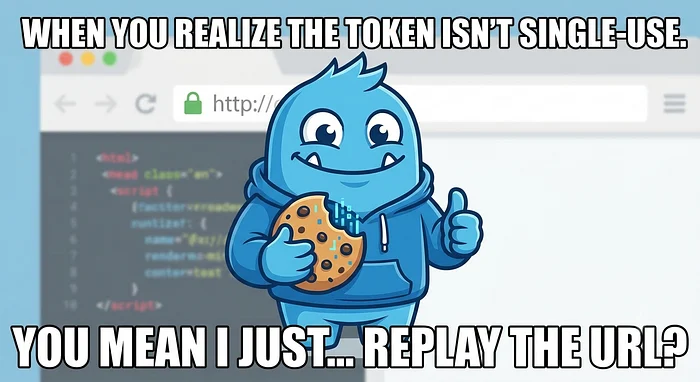
If the ticket were a one-time nonce, the second client should have received a 403. Instead, both requests returned an identical, valid session cookie:
< HTTP/1.1 308 Permanent Redirect
< HTTP/2 303
< set-cookie: SESSION_ID=<32-hex>; Path=/; Domain=example.com; Max-Age=86400; HttpOnly
Same token in, same cookie out, from any client. That confirmed the ticket was a static, replayable bearer credential rather than a one-time-use nonce. Whoever holds the URL is the account for up to 24 hours, given the Max-Age=86400 on the cookie, with no password required.
Step 3: use the cookie against an authenticated endpoint
Using the replayed session cookie against an authenticated endpoint returned the account's real profile data:
{
  "userId": "1029384756",
  "userName": "testuser",
  "visitor": false,
  "email": "[redacted]"
}
The anonymous baseline before login was "visitor": true, "email": null. The difference is unambiguous: an attacker who intercepted nothing but a single plaintext redirect went from no identity at all to a fully authenticated account, including personally identifiable information.
Root cause
The design error is that the authentication server emits an http:// redirect URL for a request that carries authentication material. The ticket in the URL is a bearer credential, so anyone who can read the plaintext request can replay it. HTTPS on the initial credential submission does not help, because the handoff to the gateway happens over a separate, plaintext hop.
Three configuration weaknesses compounded it:
- No
Secureflag on the session cookie. Even after the redirect landed on HTTPS, the resulting cookie could still be sent over any future plaintext request to the domain. - No
SameSiteattribute. This widens the cookie's exposure to cross-site request scenarios. - A 24-hour token lifetime with no binding to device, browser or IP. A short-lived, device-bound ticket would have shrunk the attack window from a full day, from anywhere, to a few seconds, from the same network.

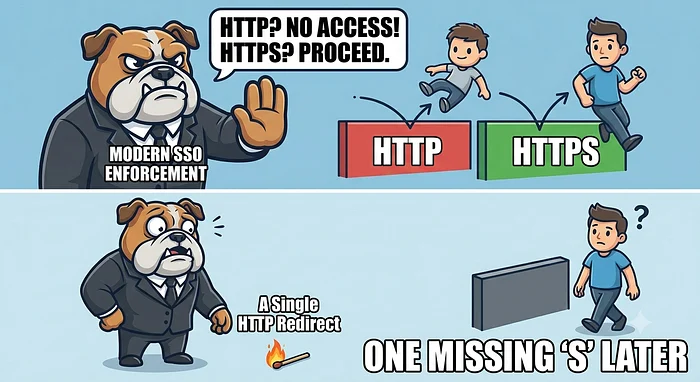
Each weakness is minor on its own. Together they turned a single missing "s" in a URL scheme into a same-day, no-password account takeover.
Impact
An attacker who can observe the plaintext redirect obtains the au, s and c values and can exchange them for a valid session cookie from any client, for up to 24 hours. The replayed cookie gives full authenticated access to the account, including profile data and PII. Because the affected accounts were tied to connected smart-camera and IoT hardware, the blast radius extended toward physical-privacy risk such as device access and camera feeds, not just profile disclosure.
The report names observers who could read the plaintext redirect: a hostile access point, a compromised router, a malicious proxy or an ISP-level observer.
Fix
The vendor fixed the issue. The general playbook for anyone building a similar SSO handoff:
- Never emit an
http://redirect URL for anything carrying auth material. Enforce HTTPS at every hop of the login flow, not just the initial credential submission. - Make the ticket single-use and short-lived. Ideally, exchange it server-to-server rather than passing it through a client-visible, replayable URL at all.
- Set
Secureand an appropriateSameSiteon every authentication cookie. - Enable HSTS on all SSO and auth hosts so browsers refuse to downgrade to plaintext even if a bad link slips through.
- Validate and allowlist any
returnUrl-style redirect target to prevent it from being abused for open-redirect or token-leak chaining.

The question to ask when auditing an SSO flow is not just whether the login page is on HTTPS, but whether every single redirect and token in the flow stays on HTTPS end to end, with no exceptions. An attacker only needs one exception.
Variants to test
- Scheme of every redirect in the chain. Walk each hop of a login or SSO handoff and check the scheme of every
Locationheader and every URL embedded in a JSON or HTML response. A positive result is anyhttp://URL that carries a token, ticket, signature or session identifier. - Replay the ticket from a second client. Capture the redirect URL and request it twice from two independent clients with empty cookie jars. A positive result is two valid session cookies for the same account from the same ticket.
- Check ticket lifetime and binding. Replay the ticket after a delay, from a different IP or user agent, and observe whether it is still accepted. A positive result is acceptance after the expected single-use window or from an unrelated network.
- Inspect cookie attributes. Look at
Set-Cookieon the minted session for missingSecureandSameSite. A positive result is a session cookie withoutSecureon an HTTPS-only flow, or without anySameSiteattribute. - Check HSTS on auth and gateway hosts. Request the hosts over plain HTTP and look for a
Strict-Transport-Securityheader. A positive result is its absence, which leaves room for downgrade. - Probe
returnUrl-style parameters. Supply an external or plaintext target and see whether the server accepts it. A positive result is a redirect to an unvalidated host or scheme, which can chain into token leakage.
What happened, in plain words
A company ran a login system split across two different web servers. You typed your password into the first one, and that server then handed you off to the second one, which gave you the thing that actually keeps you logged in. The handoff was done by sending your browser to a web address that contained your whole logged-in session written into the address itself. That address started with http:// instead of https://, which means it travelled across the internet unencrypted, like a postcard rather than a sealed letter. Anyone who could watch that traffic could copy the address and open it themselves, with no password, for up to 24 hours. The researcher proved this on their own test account, the company fixed it, and the report was accepted through their bug bounty programme.
This article walks through the same story for someone who has never done security work. Every technical idea is explained where it first appears, and every command and response from the report is shown exactly as it was written, followed by a plain-language explanation of each line.
The setup: a "hybrid" login flow
The image above is a diagram from the write-up, captioned: "Just passing the entire authenticated session in plaintext URL parameters. What could go wrong?"
Before the details, three ideas you need.
A server is a computer somewhere else that answers requests from your browser. When you open a website, your browser asks a server for a page and the server sends it back.
A cookie is a small piece of text that a server asks your browser to store and to send back with every later request to that site. It is how a website remembers that you are logged in. Think of it as a wristband you get at a festival gate: you show it once, and after that the staff let you in and out without checking your ID again. If someone copies your wristband, they get in too.
A token is a similar idea but usually lives in a web address or a request rather than in a cookie. It is a string of characters that stands in for proof of identity. A bearer credential is a token where simply holding it is enough: no extra check, no secret question, whoever has it is treated as the owner. The name comes from the idea that the bearer of the token is the account.
SSO, short for single sign-on, is a way of logging in once and being recognised by several separate services. Many companies use it so that one login server handles "who you are" and other systems handle "what you can access".
The flow in this report works in three steps:
-
You send your username and password to an authentication server over HTTPS. HTTPS is the encrypted version of the web's normal protocol, HTTP. With HTTPS, the traffic between your browser and the server is scrambled so that someone watching the network sees gibberish. With plain HTTP, they see everything.
-
That authentication server does not give you the login cookie itself. Instead it replies with a redirect: an instruction to your browser saying "now go to this other address instead". The address it sends you to is on a separate "gateway" server, and the session details are written into that address as URL parameters. URL parameters are the pieces after a question mark in a web address, like
?colour=blue&size=large. Here they wereau(an authentication token),s(a signature) andc(a client identifier). -
Your browser follows the redirect to the gateway. The gateway reads those parameters and creates the real session cookie, the wristband that keeps you logged in.
Splitting the job between two servers is not a bad idea in itself. The problem was in step 2: the redirect address used http:// instead of https://.
Why one http:// redirect breaks everything
Here is a simplified, illustrative version of what the login response looked like, exactly as it appears in the report:
POST https://auth.example.com/doLogin

{
  "redirectUrl": "http://gateway.example.com/overseasLogin/auth?au=AbC123...&s=Xy9Z...&c=001"
}
Line by line:
POST https://auth.example.com/doLoginis the request your browser sends when you submit the login form.POSTmeans "I am sending data to the server". The address is on the authentication server, over HTTPS, so this first step is encrypted.- The block underneath is the server's reply, written in JSON. JSON is just a text format for structured data, a bit like a very strict shopping list with labels.
"redirectUrl"is the label for the address the server wants your browser to go to next."http://gateway.example.com/overseasLogin/auth?au=AbC123...&s=Xy9Z...&c=001"is that address. Notice it starts withhttp://, nothttps://. Everything after the question mark is the session:auis the authentication token,sis the signature, andcis the client identifier. The...shows that the real values were longer and have been shortened for the write-up.
That redirectUrl value is the whole session, packaged as a bearer credential, about to travel across the network in plaintext. The report compares it to writing the shape of your house key on a postcard and mailing it, instead of handing over a key.
Anyone in a position to watch that traffic can simply read the au, s and c values off the wire. That includes a hostile Wi-Fi access point in a coffee shop, a compromised router, a malicious proxy, or an observer at your internet provider. No cracking, no brute force, no malware on the victim's device. Just eyes and a packet sniffer, which is a program that records network traffic.
Proving it is a real bearer credential, not a one-time nonce
The important follow-up question in any research like this is whether the token is single-use, whether it expires within seconds, and whether it is tied to your IP address or device. A nonce is a value meant to be used exactly once, so that a copy is useless. If the answer to all three questions is no, you do not have a theoretical issue, you have a skeleton key.
To test this safely, the researcher used only their own test account, from two independent clients with empty cookie jars, and never touched another user's session. A cookie jar is the file where a tool stores cookies between requests, like a browser's cookie storage. Starting empty means the second client has no prior login of its own, so if it gets a valid session, that session can only have come from the URL.
The tool used was curl, a command-line program that sends web requests and prints the responses. The first request:
# Client A — fresh, empty cookie jar
curl -sv \
  "http://gateway.example.com/overseasLogin/auth?au=AbC123...&s=Xy9Z...&c=001"
Line by line:
- The
#line is a comment, a note for humans that the computer ignores. It says this is Client A, with a fresh, empty cookie jar. curlis the program being run.-stells curl to be quiet about progress meters, so the output is easier to read.-vmeans verbose: show the full request and response, including the headers. Headers are the labelled lines that travel with every web request and response, carrying details like the type of content and any cookies.- The backslash
\at the end of a line means "this command continues on the next line". It is only there for readability. - The quoted address is the exact URL captured from the redirect. It points at the gateway over
http://, with theau,sandcvalues in the parameters.
The second request:
# Client B — a second, completely independent empty cookie jar
curl -sv --cookie-jar clientB.txt \
  "http://gateway.example.com/overseasLogin/auth?au=AbC123...&s=Xy9Z...&c=001"
Line by line:
- The comment marks this as Client B, a second, completely independent empty cookie jar.
curl -svis the same as before.--cookie-jar clientB.txttells curl to save any cookies it receives into a file calledclientB.txt.- The address is identical to Client A's, character for character. That is the whole point: the same captured URL is being replayed from a different client.
The image above is a meme from the write-up, captioned: "Replaying the same URL from two different clients is basically this."
If the ticket were a one-time nonce, Client B should have received a polite refusal, an HTTP 403. HTTP status codes are three-digit numbers servers use to describe the result: 200 means fine, 403 means forbidden, 404 means not found. Instead, both requests came back with an identical, valid session cookie:
< HTTP/1.1 308 Permanent Redirect
< HTTP/2 303
< set-cookie: SESSION_ID=<32-hex>; Path=/; Domain=example.com; Max-Age=86400; HttpOnly
Line by line:
- The
<at the start of each line marks it as part of the server's response, as opposed to the request. < HTTP/1.1 308 Permanent Redirectis a response using version 1.1 of the HTTP protocol, with status 308.< HTTP/2 303is a response using HTTP version 2, with status 303.< set-cookie: SESSION_ID=<32-hex>; Path=/; Domain=example.com; Max-Age=86400; HttpOnlyis the server handing over the login cookie.SESSION_IDis the cookie's name.<32-hex>stands for the session identifier value.Path=/means the cookie applies to the whole site.Domain=example.comsays which domain it belongs to.Max-Age=86400means it stays valid for 86,400 seconds, which is 24 hours.HttpOnlymeans JavaScript running in the page cannot read the cookie, which protects it from some kinds of theft.
Same token in, same cookie out, every time, from any client. That confirmed the ticket was a static, replayable bearer credential, not a one-time-use nonce. Whoever holds the URL is the account, for up to 24 hours, with no password required.
Turning it into full account takeover
A stolen cookie is only as interesting as what it unlocks. Using the replayed session cookie against an authenticated endpoint returned the account's real profile data. An endpoint is a specific address on a server that does one job, like returning your profile. "Authenticated" means it only answers if you present a valid session.
{
  "userId": "1029384756",
  "userName": "testuser",
  "visitor": false,
  "email": "[redacted]"
}
Line by line:
"userId": "1029384756"is the account's internal identifier."userName": "testuser"is the account's display name."visitor": falsemeans the server does not consider this request anonymous. A visitor is an unauthenticated user."email": "[redacted]"is the account's email address, which is personally identifiable information, or PII: data that can identify a real person.
Compare that to the anonymous baseline before login, which was "visitor": true, "email": null. null means no value at all. The before and after is unambiguous: an attacker who intercepted nothing but a single plaintext redirect went from no identity at all to a fully authenticated account, including PII.
In this particular case, the affected accounts were tied to connected smart-camera and IoT hardware. IoT stands for the Internet of Things: everyday devices such as cameras and sensors that connect to the internet. So the blast radius, meaning how much damage the bug could cause, was not just "someone can see your profile". It extended toward physical-privacy risk, such as device access and camera feeds.
Compounding factors
The image above is a meme from the write-up, captioned: "When a minor configuration error meets another minor configuration error, and they decide to become a critical vulnerability."
Three smaller issues made this worse than a simple "should have used HTTPS".
- No
Secureflag on the session cookie. TheSecureflag is an instruction on a cookie saying "only ever send me over HTTPS". Without it, even after the redirect landed on HTTPS, the resulting cookie could still legally be sent over any future plaintext request to the domain. - No
SameSiteattribute.SameSitecontrols whether a cookie is sent when a request comes from a different website. Without it, the cookie's exposure to cross-site request scenarios is wider. A cross-site request is one made from one website to another, which is how some attacks trick your browser into acting on your behalf. - A 24-hour token lifetime with no binding to device, browser or IP. A short-lived ticket tied to one device would have shrunk the attack window from a full day, from anywhere, to a few seconds, from the same network.
Each of these is minor on its own. Stacked together, they turned a single missing "s" in a URL scheme into a same-day, no-password account takeover.
The fix
The vendor fixed the issue. The general playbook for anyone building a similar SSO handoff:
- Never emit an
http://redirect URL for anything carrying auth material. Enforce HTTPS at every hop of the login flow, not just the initial credential submission. - Make the ticket single-use and short-lived. Ideally, exchange it server-to-server rather than passing it through a client-visible, replayable URL at all. Server-to-server means the two servers talk to each other directly, so the ticket never appears in your browser's address bar where it can be copied.
- Set
Secureand an appropriateSameSiteon every authentication cookie. - Enable HSTS on all SSO and auth hosts so browsers refuse to downgrade to plaintext even if a bad link slips through. HSTS, or HTTP Strict Transport Security, is a header a server sends telling browsers "always use HTTPS with me, never plain HTTP".
- Validate and allowlist any
returnUrl-style redirect target to prevent it from being abused for open-redirect or token-leak chaining. AreturnUrlparameter is a "where should I send you after login" address. An open redirect is when a site will send you to any address an attacker supplies, which can be used to bounce people to fake pages or leak tokens.
The takeaway
This was not a cryptographic break, a zero-day, or a clever bypass of a hardened defence. A zero-day is a previously unknown flaw with no fix available yet. It was one redirect that forgot the "s" in https, arguably the cheapest keystroke in web security and arguably the most expensive one to skip. Many high-severity web vulnerabilities do not come from adversaries outsmarting brilliant engineering. They come from one inconsistent assumption in an otherwise solid system.
If you are building or auditing an SSO flow, the question worth asking is not just "is my login page on HTTPS?" It is: does every single redirect and token in this flow stay on HTTPS, end to end, with no exceptions? An attacker only needs one exception.
The image above is a meme from the write-up, captioned: "Seriously, enable HSTS. Don't leave the door unlocked."
Variants to test
Each one describes what to look at and what a positive result looks like.
- Scheme of every redirect in the chain. Walk each hop of a login or SSO handoff and check the scheme of every
Locationheader and every URL embedded in a JSON or HTML response. The scheme is thehttporhttpspart at the start of an address, and theLocationheader is where a redirect tells the browser to go. A positive result is anyhttp://URL that carries a token, ticket, signature or session identifier. - Replay the ticket from a second client. Capture the redirect URL and request it twice from two independent clients with empty cookie jars. A positive result is two valid session cookies for the same account from the same ticket.
- Check ticket lifetime and binding. Replay the ticket after a delay, from a different IP or user agent, and observe whether it is still accepted. A user agent is the text your browser sends to identify itself. A positive result is acceptance after the expected single-use window or from an unrelated network.
- Inspect cookie attributes. Look at
Set-Cookieon the minted session for missingSecureandSameSite. A positive result is a session cookie withoutSecureon an HTTPS-only flow, or without anySameSiteattribute. - Check HSTS on auth and gateway hosts. Request the hosts over plain HTTP and look for a
Strict-Transport-Securityheader. A positive result is its absence, which leaves room for a downgrade, meaning a fall back to plain HTTP. - Probe
returnUrl-style parameters. Supply an external or plaintext target and see whether the server accepts it. A positive result is a redirect to an unvalidated host or scheme, which can chain into token leakage.
Glossary
- API: a defined way for one piece of software to ask another for something, like a service counter with specific forms to fill in.
- Authentication server: the server that receives your username and password and confirms who you are.
- Bearer credential: a token where simply holding it grants access, with no further proof needed.
- Blast radius: how much damage a flaw can cause, and how many people or systems it can reach.
- Cookie: a small piece of text a site asks your browser to store and send back, commonly used to remember that you are logged in.
- Cookie jar: the file or storage where a tool or browser keeps cookies between requests.
- Cross-site request: a request made from one website to another, which can be abused to act on your behalf.
curl: a command-line program for sending web requests and printing the responses.- Endpoint: a specific address on a server that performs one job, such as returning your profile.
- Gateway: in this flow, the separate server that reads the session parameters and creates the login cookie.
- Header: a labelled line sent with a web request or response carrying details such as content type or cookies.
- HSTS (HTTP Strict Transport Security): a header telling browsers to always use HTTPS with a site and never plain HTTP.
- HTTP: the basic language browsers and servers use to exchange requests and responses, unencrypted.
- HTTPS: HTTP with encryption, so anyone watching the network sees scrambled data instead of the contents.
- HTTP status code: a three-digit number in a response describing the result, such as 200 for success or 403 for forbidden.
HttpOnly: a cookie setting that stops JavaScript in the page from reading the cookie.- IoT (Internet of Things): everyday devices such as cameras and sensors that connect to the internet.
- JSON: a text format for structured data, made of labels and values.
Locationheader: the header in a redirect response that says which address to go to next.Max-Age: a cookie setting giving its lifetime in seconds.- Nonce: a value meant to be used exactly once, so that a copy is useless.
- Open redirect: a flaw where a site will send you to any address an attacker supplies.
- Packet sniffer: a program that records network traffic so it can be read.
- PII (personally identifiable information): data that can identify a real person, such as an email address.
- Plaintext: data sent without encryption, readable by anyone who can see the traffic.
- Redirect: an instruction from a server telling your browser to go to a different address.
returnUrl: a parameter holding the address to send you to after login.SameSite: a cookie setting controlling whether the cookie is sent on requests coming from other websites.Secureflag: a cookie setting saying the cookie may only be sent over HTTPS.- Server: a computer elsewhere that answers requests from your browser.
- Session: the state of being logged in, represented by a cookie or token.
- Single sign-on (SSO): logging in once and being recognised by several separate services.
- Skeleton key: a key that opens every lock; here, a credential that grants full access to an account.
- Token: a string of characters that stands in for proof of identity.
- URL parameter: a piece of data in a web address after the question mark, such as
?colour=blue. - User agent: the text a browser sends to identify itself.
- Zero-day: a previously unknown flaw with no fix available yet.



