Unauthorized access to all user information leaks
An exposed JavaMelody monitoring page on a console subdomain listed user session identifiers, and the author could reuse a captured session ID as their own cookie to view other users' sensitive information. The access log only showed the current day by default, so setting the time filter to all revealed many more sessions and endpoints.

Now is the Mid-Autumn Festival in China. I returned to school from school.
The full write-up lives on its author's site
It belongs to its author, so we link to it rather than copy it. The other two tabs are our own rewrites, checked against it.
Context
This is a short write-up of two related findings on a target the author refers to only as redacted.com. The site had five subdomains, with only ports 80 and 443 open. The author focused on two of them:
api.redacted.comconsole.redacted.com
By name, one is the API site and the other is the management site. Both returned 404 NOT FOUND when opened directly, so the author went looking for hidden paths.
What both findings have in common is a JavaMelody monitoring system exposed on the two hosts. JavaMelody is a Java application monitoring tool that collects request statistics, sessions, errors and system information, and serves them through a web interface. The author had not encountered it before and spent time exploring what it exposes.
Setup
The work started from the outside, with only the two hostnames and a shell script for reconnaissance. The tools mentioned are:
- A personal shell script for reconnaissance, shown in the write-up as
Recon.sh. - Censys, used to look for additional information about the hosts.
- WFUZZ, used for directory brute forcing on both hosts.
The author thanks TomNomNom and Behrouz Sadeghipour for sharing and for their help.
Finding it
Reconnaissance produced very little: five subdomains, ports 80 and 443 only, and almost nothing from Censys. Along the way the author also found a logic flaw that led to an account takeover, but did not submit it because it was not interesting enough in their view.
With both hosts returning 404, the author ran WFUZZ for directory brute forcing. On api.redacted.com the brute force returned a result that led to the JavaMelody monitoring system.

Exploring the monitoring interface leaked some endpoints, but nothing sensitive beyond system information.

A further page in the same interface did leak sensitive information, including an access key. That access key allowed the author to log in to an account, but it was only a one-time access record, so getting more required finding another point. The author then wondered whether the same monitoring system existed on console.redacted.com.

Exploitation
Step 1: the same monitoring system on the console host
Visiting console.redacted.com/monitoring gave the same result as on the API host. The author started searching around again.
Step 2: an endpoint that redirects to the admin login
An endpoint that calculates a user's transaction amount was found first. Requesting it redirected the author to the administrator login page, so that path was a dead end.
Step 3: the sessions view
The next find was the page:

This view lists sessions recorded by the monitoring system, including session IDs. The author guessed that one of the listed session IDs belonged to an administrator, wrote that session into their own cookie, and requested the endpoint from step 2 again. This time the request returned sensitive user information.
Step 4: the time filter
A new problem appeared: the endpoint record in the access log disappeared. The author reasoned about it, took a coffee break, and came back to find the error and other information had been refreshed. Looking at the top of the page, the author found a time filter. The view only records the access log of the current day by default, so setting the time to ALL revealed more information: more sessions, more errors and more endpoints.
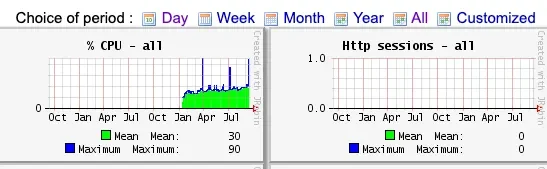
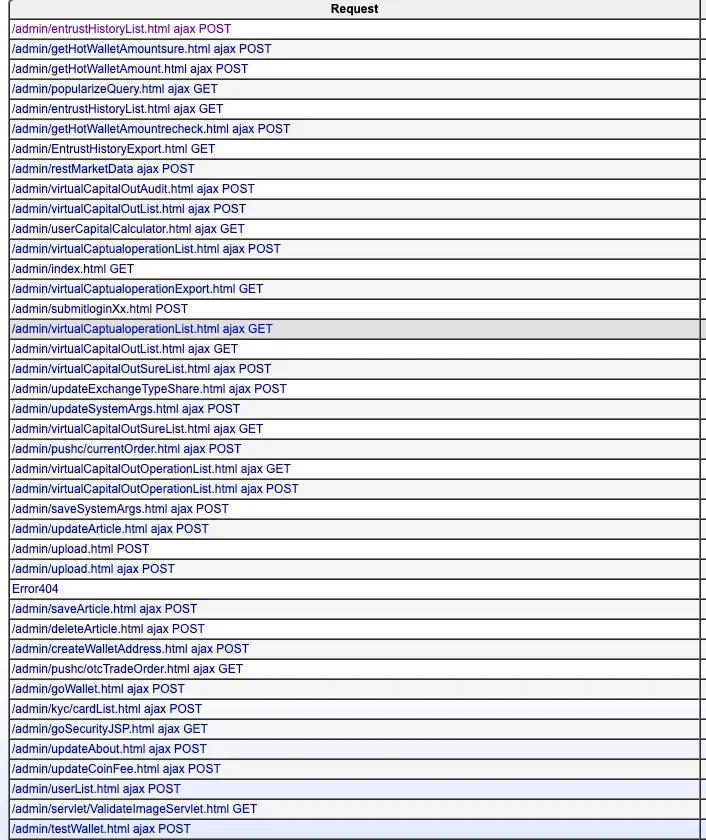
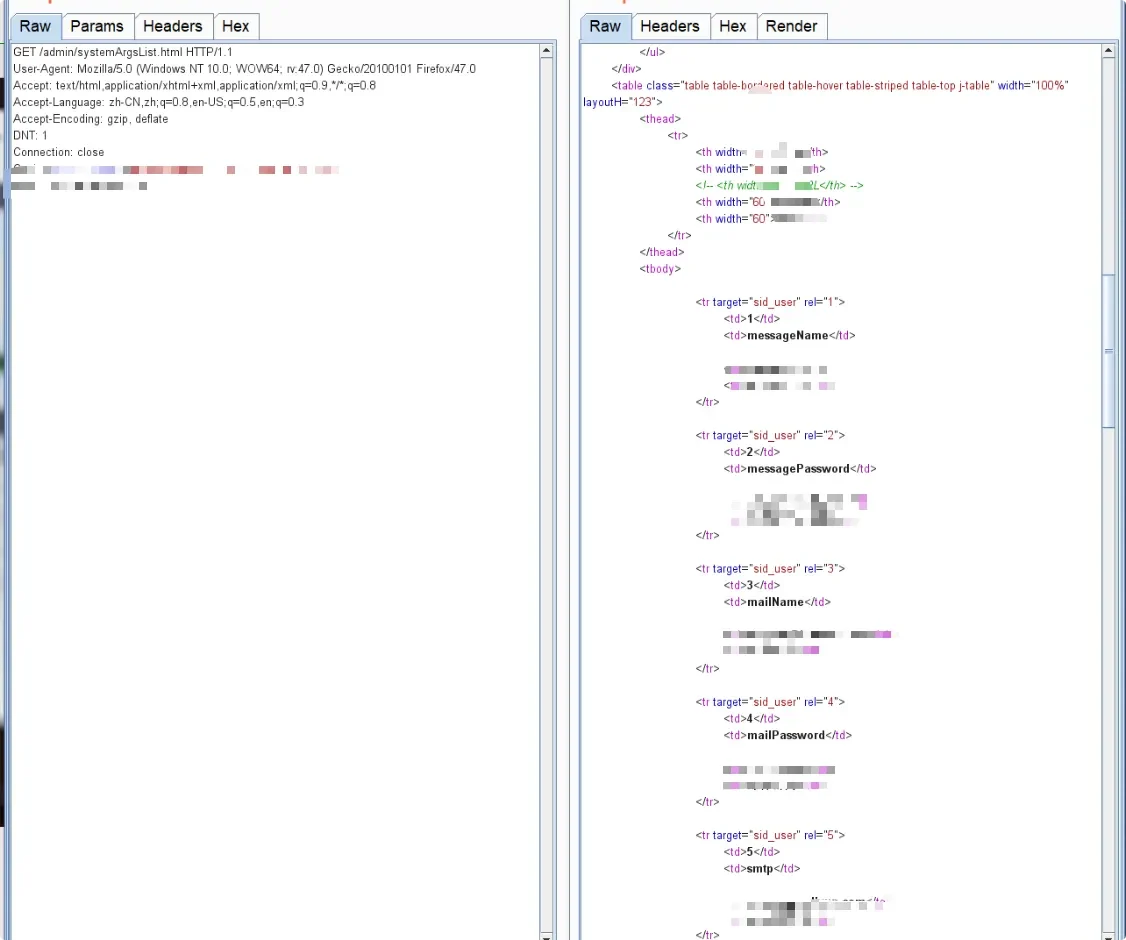
With the full time range selected, the author considered the finding a critical vulnerability.
Root cause
Likely the JavaMelody monitoring interface was deployed on both hosts without authentication, and it exposes a sessions view that includes session identifiers. Anyone who can reach /monitoring can read those identifiers and replay them as their own cookie. Because the monitoring view is not restricted to administrators, the session IDs of privileged users end up in a page reachable by anyone.
The access log view is scoped to the current day by default, which hides older records until the time filter is changed to ALL. That is a display default, not an access control, so it does not limit what an unauthenticated visitor can retrieve.
Impact
An unauthenticated attacker who can reach the monitoring interface on either host can:
- Read system information and internal endpoints.
- Read sensitive records including an access key, which in this case allowed logging in to an account, though only for a one-time access record.
- Read session IDs from the sessions view and replay an administrator session to reach endpoints that otherwise redirect to the administrator login page, obtaining sensitive user information.
The access key exposure was limited to a single access record, so further access required finding additional points. The session replay depended on a valid session being present in the monitoring view at the time of reading.
Fix
The report does not describe what was changed. The measures that would address the issue are to put the JavaMelody interface behind authentication and restrict it to trusted networks or administrators, and to stop exposing session identifiers in any monitoring view reachable without authorisation.
Variants to test
- Request
/monitoringon every host in scope and look for a JavaMelody interface. A positive result is a monitoring page that loads without authentication. - Open the sessions view (
?part=sessions) and check whether session IDs are listed. A positive result is a list of session identifiers you can copy into your own cookie. - Change the time filter to ALL and compare the number of sessions, errors and endpoints with the default view. A positive result is a much larger set of records, including older sessions.
- Replay a listed session ID as a cookie against endpoints that redirect to a login page. A positive result is a response containing user data instead of a redirect.
- Check other monitoring views for credentials or keys, such as access keys. A positive result is any secret that authenticates to another system.
What happened, in plain words
A security researcher spent a holiday looking at a website (called redacted.com here) and found that a monitoring tool used by the site's operators was left open to anyone on the internet. That tool, called JavaMelody, is meant to help the site's own staff see how their servers are behaving. Because it was not protected, it showed the researcher things it should never have shown to a stranger: internal addresses, system details, an access key, and, most importantly, a list of session IDs. A session ID is the short code a website gives your browser after you log in so it can recognise you on the next page. If someone else gets your session ID, they can pretend to be you. The researcher copied an administrator's session ID into their own browser and was able to see sensitive user information. This is a classic information disclosure problem: information that should be private is visible to people who should not see it.
The write-up is written for people who already know the jargon. This version explains every step from zero, assuming you can use a browser and nothing more.
The setup: what the researcher started with
The researcher had a target website, redacted.com, and knew it had five subdomains. A subdomain is a smaller name that sits in front of the main domain, like shop.example.com next to example.com. Only two network ports were open on those hosts: port 80 and port 443. A port is like a numbered door on a computer; port 80 is the usual door for unencrypted web traffic (HTTP) and port 443 is the usual door for encrypted web traffic (HTTPS). The researcher also looked the hosts up on Censys, a search engine for internet-connected devices, and found very little.
Two subdomains were chosen for a closer look:
api.redacted.comconsole.redacted.com
An API (Application Programming Interface) is the part of a website that other software talks to, rather than the part a human clicks on. A console is usually the management side, where staff log in to run things. So by name, one host is for programs and the other is for administrators.
Both hosts returned 404 NOT FOUND when opened directly. A 404 is the standard web response for "there is nothing at this address". That does not mean the site is empty; it often means the interesting pages are at addresses you have not guessed yet. So the researcher went looking for hidden paths.
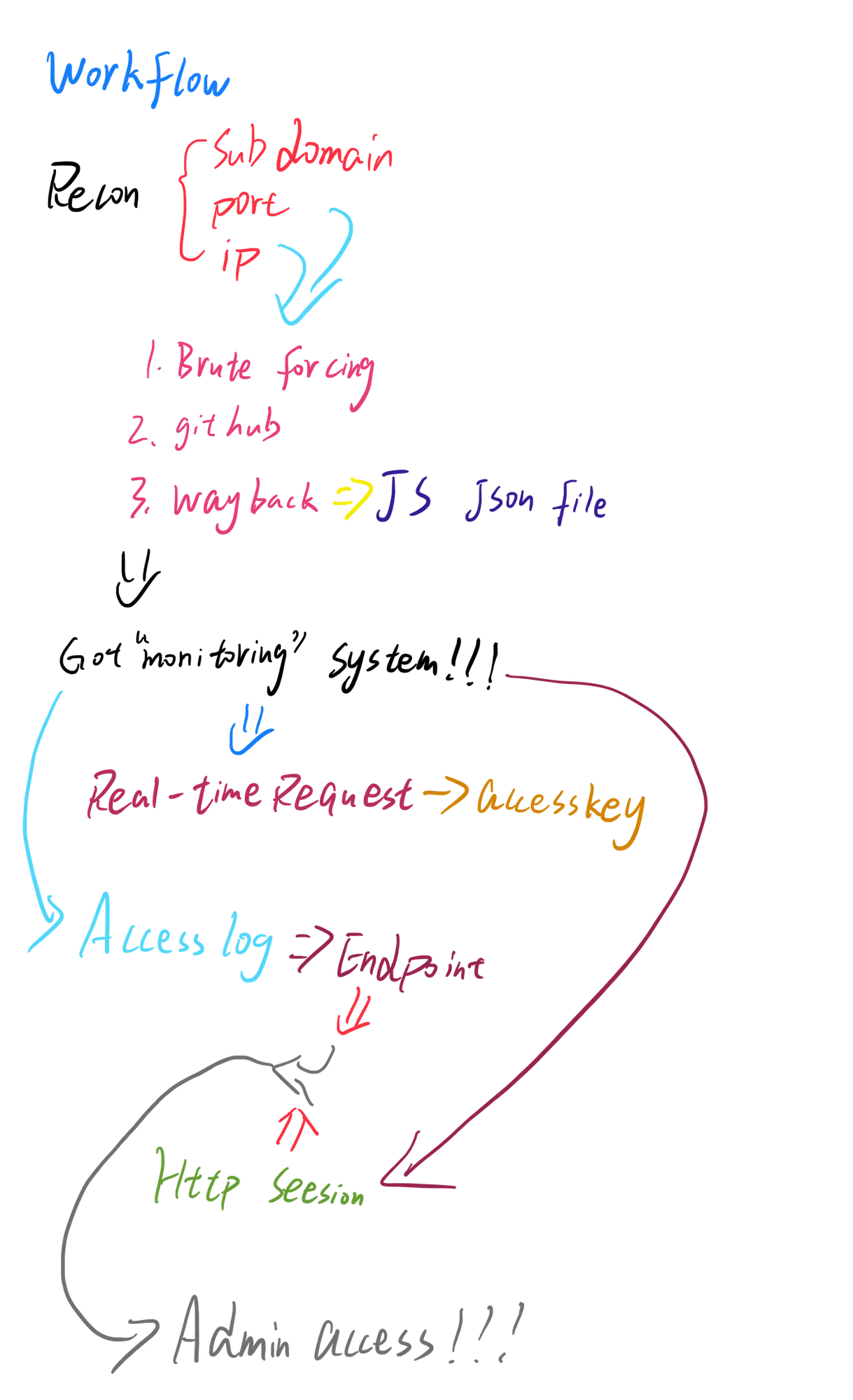
The image above is captioned Workflow.
Reconnaissance: looking around before touching anything
Reconnaissance (recon) is the information-gathering phase. Before trying to find a weakness, you map out what exists: which names resolve, which ports answer, which pages load. The researcher used a personal shell script for this. A shell script is a text file of commands that a computer runs in order, like a recipe. The researcher notes the script is not well written but still useful.
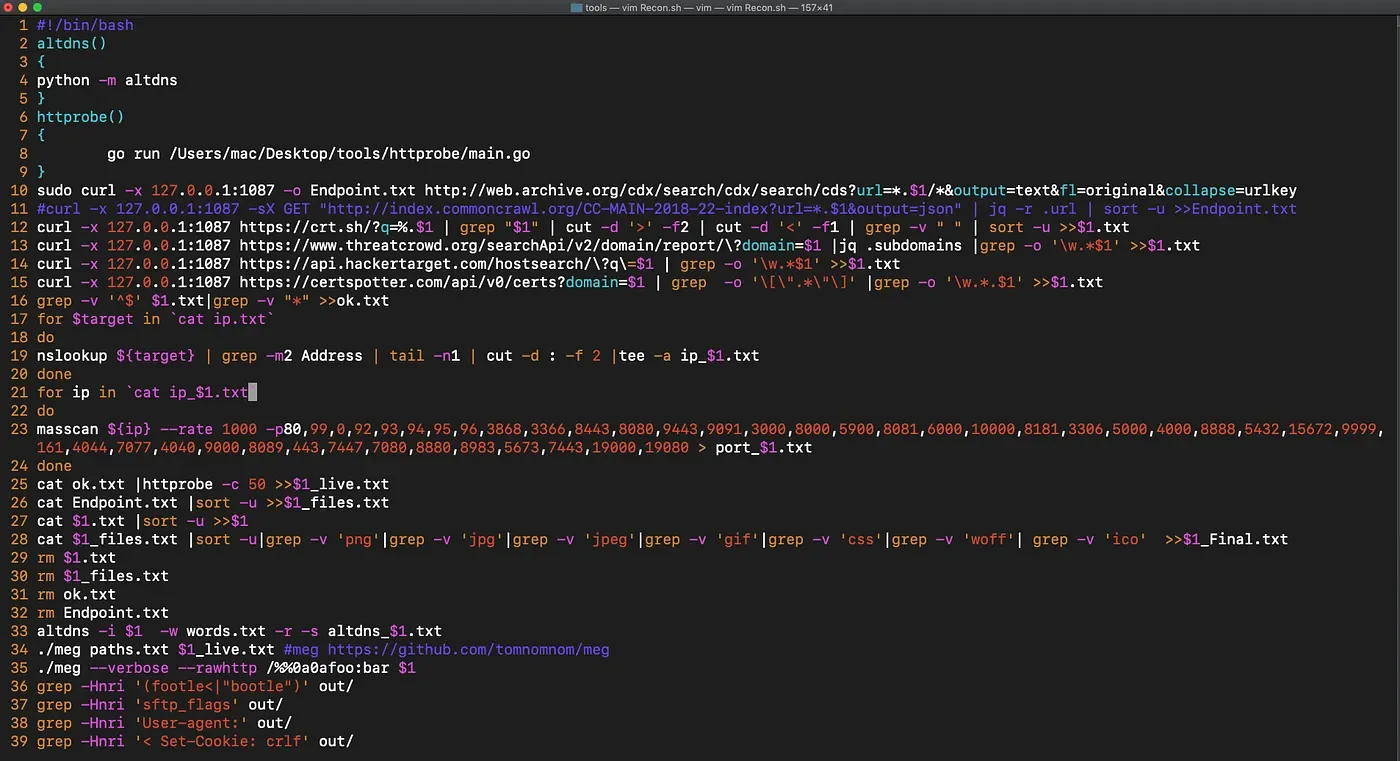
The image is captioned Recon.sh.
The researcher thanks TomNomNom and Behrouz Sadeghipour for sharing and for their help.
Recon produced very little: five subdomains, only ports 80 and 443, and almost nothing from Censys. Along the way the researcher also found a logic flaw that led to an account takeover. A logic flaw is a mistake in how a site's rules are applied, rather than a bug in the code itself, and an account takeover means getting control of someone else's account. The researcher did not submit that finding because it was not interesting enough in their view. That is a judgement call, not a rule; in a real programme you would normally report it.
With both hosts returning 404, the researcher ran WFUZZ. WFUZZ is a tool that tries a long list of common directory and file names against a website and reports which ones answer. It is like trying every key on a big keyring to see which one opens a door. On api.redacted.com the brute force returned a result that led to the JavaMelody monitoring system.
What JavaMelody is and why it matters
JavaMelody is a monitoring tool for Java applications. It collects statistics about requests, sessions, errors and system information, and serves them through a web interface. Think of it as a dashboard in the back office of a shop: useful for the manager, not something you leave facing the street. If it is reachable without a login, anyone who finds the address can read the dashboard.
The researcher had not seen JavaMelody before and spent time exploring what it exposes. Exploring the monitoring interface leaked some endpoints. An endpoint is a specific address on a server that does one job, like a counter in a shop that handles one kind of request. The endpoints found here were not sensitive beyond system information.
A further page in the same interface did leak sensitive information, including an access key. An access key is a long secret string that a program uses to prove its identity to another service, much like a password but usually for software rather than a person. That access key allowed the researcher to log in to an account, but it was only a one-time access record, so getting more required finding another point. The researcher then wondered whether the same monitoring system existed on console.redacted.com.
Exploitation: turning the exposure into access
Step 1: the same monitoring system on the console host
Visiting console.redacted.com/monitoring gave the same result as on the API host. The researcher started searching around again. The lesson here is that the same tool is often deployed the same way on more than one host, so a finding on one host is worth checking on the others.
Step 2: an endpoint that redirects to the admin login
An endpoint that calculates a user's transaction amount was found first. Requesting it redirected the researcher to the administrator login page. A redirect is the server telling your browser "the page you want is somewhere else, go there instead". Being sent to a login page means the server did check who was asking, and decided the asker was not allowed. So that path was a dead end on its own.
Step 3: the sessions view
The next find was the page:
This is a URL. The part before the ? is the address of the monitoring page. The part after the ? is a query string, a set of instructions passed to the page. Here part=sessions tells the monitoring page to show its sessions section. A session is a period during which a website remembers who you are, and the session ID is the code it uses to do that. If you have ever logged in and stayed logged in while moving between pages, a session ID was doing that work behind the scenes.
This view lists sessions recorded by the monitoring system, including session IDs. The researcher guessed that one of the listed session IDs belonged to an administrator, wrote that session into their own cookie, and requested the endpoint from step 2 again. A cookie is a small piece of data your browser stores for a website and sends back with every request. Websites commonly keep the session ID in a cookie. Copying someone else's session ID into your own cookie is called session replay, and it works because the server cannot tell the difference between the real user's browser and yours if both present the same ID.
This time the request returned sensitive user information. The server saw a valid administrator session and treated the request as coming from an administrator.
Step 4: the time filter
A new problem appeared: the endpoint record in the access log disappeared. An access log is a list of requests the server has handled. The researcher reasoned about it, took a coffee break, and came back to find the error and other information had been refreshed. Looking at the top of the page, the researcher found a time filter. The view only records the access log of the current day by default, so setting the time to ALL revealed more information: more sessions, more errors and more endpoints.
With the full time range selected, the researcher considered the finding a critical vulnerability. The important point is that the time filter is only a display setting. It hides older records from view by default, but it does not stop anyone from asking for them. A display default is not an access control.
Why this works: the root cause
Likely the JavaMelody monitoring interface was deployed on both hosts without authentication. Authentication is the process of proving who you are, usually with a username and password. Without it, anyone who can reach /monitoring can read the page. The sessions view then includes session identifiers, and anyone who can read those identifiers can replay them as their own cookie. Because the monitoring view is not restricted to administrators, the session IDs of privileged users end up in a page reachable by anyone.
The access log view is scoped to the current day by default, which hides older records until the time filter is changed to ALL. That is a display default, not an access control, so it does not limit what an unauthenticated visitor can retrieve.
What an attacker could do with this
An unauthenticated attacker who can reach the monitoring interface on either host can:
- Read system information and internal endpoints.
- Read sensitive records including an access key, which in this case allowed logging in to an account, though only for a one-time access record.
- Read session IDs from the sessions view and replay an administrator session to reach endpoints that otherwise redirect to the administrator login page, obtaining sensitive user information.
The access key exposure was limited to a single access record, so further access required finding additional points. The session replay depended on a valid session being present in the monitoring view at the time of reading.
How to fix it
The report does not describe what was changed. The measures that would address the issue are to put the JavaMelody interface behind authentication and restrict it to trusted networks or administrators, and to stop exposing session identifiers in any monitoring view reachable without authorisation.
Things to try on your own targets
These are the same checks the researcher performed, written as a checklist. Only test systems you are authorised to test.
- Request
/monitoringon every host in scope and look for a JavaMelody interface. A positive result is a monitoring page that loads without authentication. - Open the sessions view (
?part=sessions) and check whether session IDs are listed. A positive result is a list of session identifiers you can copy into your own cookie. - Change the time filter to ALL and compare the number of sessions, errors and endpoints with the default view. A positive result is a much larger set of records, including older sessions.
- Replay a listed session ID as a cookie against endpoints that redirect to a login page. A positive result is a response containing user data instead of a redirect.
- Check other monitoring views for credentials or keys, such as access keys. A positive result is any secret that authenticates to another system.
Glossary
- 404 NOT FOUND: the standard web response meaning there is nothing at the requested address.
- Access key: a long secret string a program uses to prove its identity to another service, like a password for software.
- Access log: a list of requests a server has handled.
- Account takeover: getting control of someone else's account.
- API (Application Programming Interface): the part of a website that other software talks to, rather than the part a human clicks on.
- Authentication: the process of proving who you are, usually with a username and password.
- Brute forcing (directory): trying a long list of common names against a website to find pages that exist.
- Censys: a search engine for internet-connected devices and services.
- Console: the management side of a system, usually where staff log in to run things.
- Cookie: a small piece of data a browser stores for a website and sends back with every request; often holds the session ID.
- Endpoint: a specific address on a server that does one job.
- Information disclosure: a weakness where information that should be private is visible to people who should not see it.
- JavaMelody: a monitoring tool for Java applications that shows request statistics, sessions, errors and system information through a web interface.
- Logic flaw: a mistake in how a site's rules are applied, rather than a bug in the code itself.
- Port: a numbered door on a computer; 80 is the usual door for unencrypted web traffic and 443 for encrypted web traffic.
- Query string: the part of a URL after the
?, passing instructions to the page. - Reconnaissance (recon): the information-gathering phase before testing, mapping out what exists.
- Redirect: the server telling the browser to go to a different address instead.
- Session: a period during which a website remembers who you are.
- Session ID: the code a website uses to recognise your session.
- Session replay: copying someone else's session ID into your own cookie to act as them.
- Shell script: a text file of commands a computer runs in order.
- Subdomain: a smaller name in front of the main domain, like
shop.example.comnext toexample.com. - WFUZZ: a tool that tries a long list of directory and file names against a website and reports which ones answer.



