When not to rely on Automated Tools
A prototype pollution vulnerability was found in a web application, initially exploited via a DOM Invader gadget to achieve XSS. After the client patched the sink, the same pollution was still present, and a different gadget was manually found to re-exploit the XSS.
 Published on medium.com
While hashtag#bugbounty Hunting on Synack Red Team, I was hunting on a target with a wildcard subdomain scope. I like doing manual hunting, and I normally don’t do much recon, other than using the chaos tool to get a list of subdomains.
The full write-up lives on its author's site
It belongs to its author, so we link to it rather than copy it. The other two tabs are our own rewrites, checked against it.
Context
The target was a web application in scope on Synack Red Team, with a wildcard subdomain scope. The report does not name the product or describe the feature in detail; the relevant surface is client-side JavaScript across the subdomains, where DOM Invader was used to look for prototype pollution and a gadget that turns it into DOM XSS. The researcher's own framing is that the finding came from an automated tool, and the interesting part is what happened after the client patched it.
Setup
The tooling was deliberately light. Recon was limited to the chaos tool to enumerate subdomains, then Burp Suite's built-in browser with DOM Invader enabled and its prototype pollution option turned on. No accounts, roles or versions are given in the report.
- Enumerate subdomains with chaos:
chaos -d REDACTED > subdomains.txt
The domain is redacted in the report. The output is a list of subdomains to work through.
- Open Burp's built-in browser and enable DOM Invader with prototype pollution.
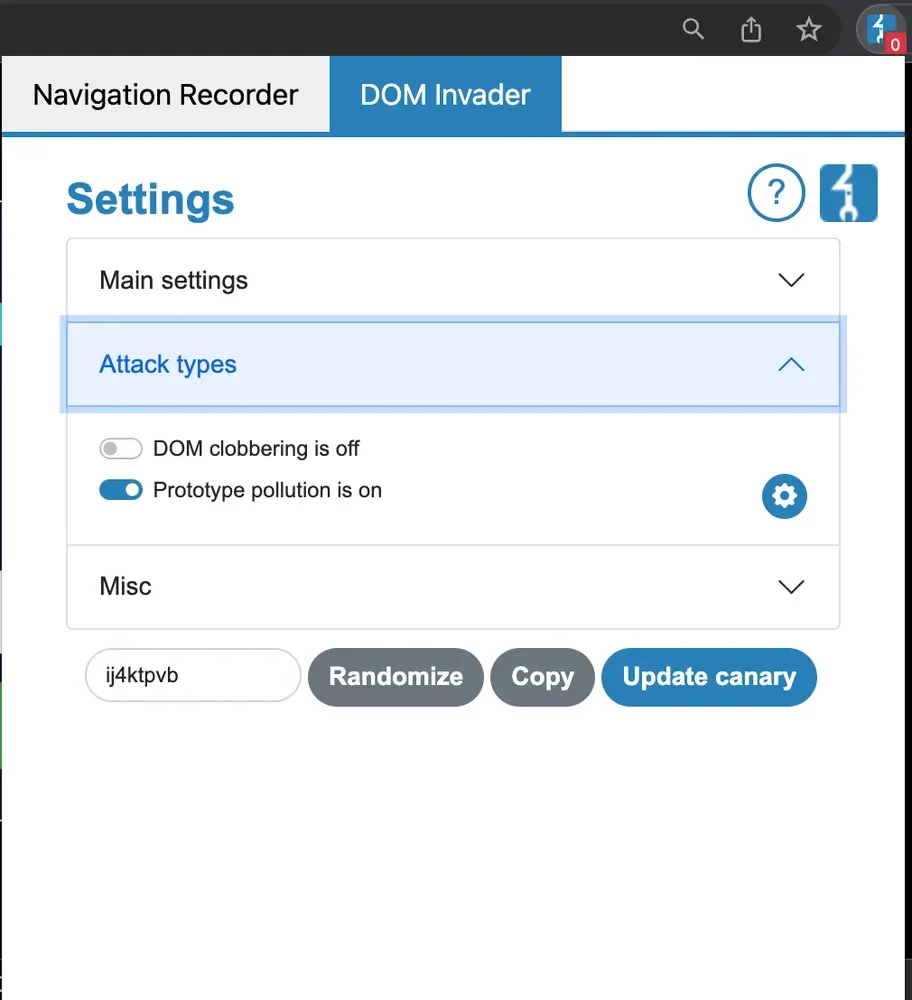
The screenshot shows DOM Invader with prototype pollution enabled.
Finding it
With DOM Invader active, the researcher navigated to several subdomains and kept getting hits. The problem was that on those hits the DOM Invader tab in the developer tools never offered the "Exploit" or "Scan for Gadgets" option, so there was no obvious way to turn the pollution into something exploitable.
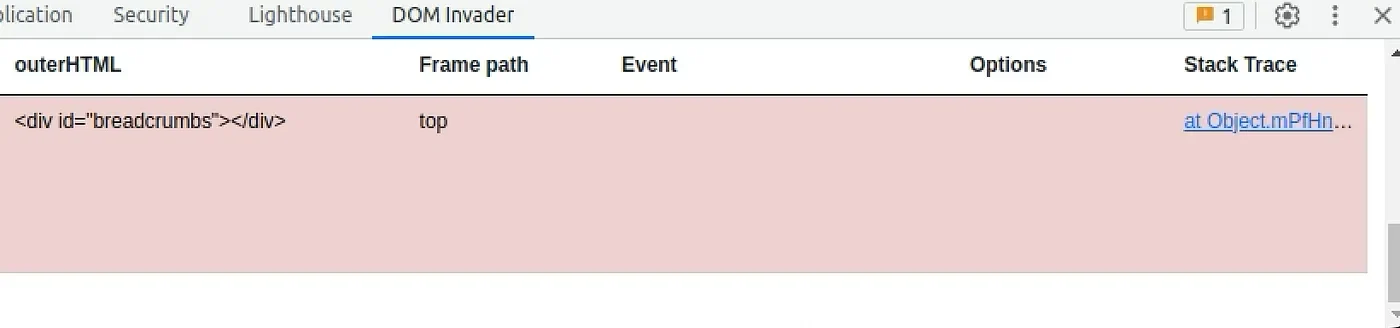
The DOM Invader tab in that state, with no gadgets available.
After about an hour of manually navigating through subdomains, one hit finally produced a DOM Invader tab with the "Scan for Gadgets" option.

The DOM Invader tab showing Scan for Gadgets.
Exploitation
Step 1: let DOM Invader find a gadget
Clicking Scan for Gadgets produced the following payload:
The payload sits in the URL fragment, so it is never sent to the server. Navigating to it produced the alert.
Step 2: confirm the alert
Navigating to the URL produced the alert, confirming DOM XSS via prototype pollution. The report was written and submitted.
Step 3: patch verification
The report was triaged fairly quickly, and within 24 hours the researcher received a patch verification request. On Synack, once a report is submitted the client can request a patch verification after fixing the issue. The researcher accepted and went back to the same subdomain with DOM Invader enabled.
DOM Invader again reported prototype pollution and offered Scan for Gadgets. Scanning for gadgets this time found none.
Step 4: find a second gadget manually
The client appeared to have fixed the sink, the part of the code that was reflecting the XSS, while the pollution itself remained. That meant a different sink was needed, and DOM Invader could not find one. The researcher drew on a HackTheBox Academy module on Client-Side Prototype Pollution in its Whitebox Attacks material, which covers a case where DOM Invader does not work and the gadget has to be found by hand, and which points to a GitHub repository of gadgets:
https://github.com/BlackFan/client-side-prototype-pollution/tree/master/gadgets
Using the same techniques, the researcher searched for a gadget usable on the client's web application. After testing two different gadgets, the following one worked:
This payload sets three properties: preventDefault and handleObj to x, and delegateTarget to the <img/src/onerror=alert(document.domain)> markup. The alert popped again.
The alert popped again. The researcher went back to the client to say the issue was not fixed and to fix the root cause rather than only the sinks.
Root cause
The pollution came through the URL fragment, and the first fix addressed only the sink that reflected the payload. The first fix addressed only the sink that reflected the payload, leaving the pollution in place. Because the pollution is still there, any other gadget in the codebase that reads a polluted property can be used to reach DOM XSS. The report does not show the vulnerable code, so the exact merge function is not identified.
Impact
The result is DOM XSS: script execution in the context of the affected subdomain, demonstrated with alert(document.domain).
Fix
The client's first patch fixed the sink only. The researcher's recommendation was to fix the root cause, not just the sinks.
Variants to test
- Enable DOM Invader with prototype pollution on every subdomain in scope and watch for the Scan for Gadgets option. A positive result is a payload DOM Invader generates that produces an alert when you navigate to it.
- When DOM Invader reports pollution but finds no gadgets, treat that as a lead rather than a dead end. Work through the gadget repository above and test candidates against the application. A positive result is an alert from a gadget you selected manually.
- After a client patches a prototype pollution report, re-run the original payload and then scan for gadgets again. If pollution is still reported but the original gadget is gone, look for a second sink. A positive result is a new gadget that still fires.
- Try polluting several properties at once, as in the working payload (
preventDefault,handleObj,delegateTarget), since a gadget may depend on more than one property being present. A positive result is an alert that the single-property payload did not produce.
What happened, in plain words
A security researcher was hunting on the Synack Red Team platform against a target with a wildcard subdomain scope. The website had many subdomains: addresses like shop.example.com and blog.example.com that all belong to the same main domain. The researcher found a bug called prototype pollution, which is a way of sneaking a value into the shared memory of a web page so that other parts of the page pick it up without meaning to. With the help of an automated tool, DOM Invader, they turned that bug into a script execution, which is the kind of bug that lets an attacker run their own code in a victim's browser.
They reported it, and the company fixed it quickly. But when the researcher checked again, the underlying pollution was still there: the company had only patched the one spot that was turning the pollution into script execution. The automated tool could no longer find a way to exploit it, so the researcher found a second spot by hand, using knowledge from a training course. The lesson is that automated tools are a starting point, not the finish line.
The setup
Before any testing, the researcher needed to know which subdomains existed. A company's main website is often just one of dozens of addresses, and the smaller ones are sometimes less carefully maintained. The researcher used a tool called chaos, which collects lists of subdomains for a given domain. They ran it with this command:
chaos -d REDACTED > subdomains.txt
Line by line:
chaosis the name of the program being run.-d REDACTEDtells it which domain to look up. The actual domain is hidden in the report, shown here asREDACTED.> subdomains.txtmeans "take whatever the program prints and save it into a file calledsubdomains.txt". The>symbol is the shell's way of redirecting output to a file.
So after this step, the researcher had a text file listing subdomains to visit one by one.
Next, they opened Burp Suite, a program used by security testers to watch and change the traffic between a browser and a website. Burp has a built-in browser, so the tester can browse normally while Burp records everything. Inside that browser they turned on a feature called DOM Invader, and specifically its prototype pollution detection.
The screenshot shows DOM Invader with the prototype pollution option switched on.
To understand what DOM Invader does, you need two ideas.
The DOM (Document Object Model) is the browser's in-memory model of a web page. When you load a page, the browser reads the HTML and builds a tree of objects: a heading here, a paragraph there, a form field somewhere else. JavaScript code on the page reads and changes that tree to make the page interactive. "DOM XSS" means an attacker gets their own JavaScript to run because the page took some input and put it into that tree in a dangerous way.
Prototype pollution is a quirk of JavaScript. In JavaScript, objects inherit default properties from a shared parent object called Object.prototype. Think of it like a template that every object is stamped from: if you scribble an extra line on the template, every new object made from it carries that line too, even though nobody wrote it on the individual object. If a page lets an attacker add a property to that shared template, then code elsewhere on the page that reads a property it never set will suddenly find the attacker's value. That is the pollution. On its own it is just a strange value sitting in memory; it becomes dangerous when some piece of code reads that value and uses it to build part of the page. Such a piece of code is called a gadget.
DOM Invader automates the search for both halves: it tries to pollute the shared template through the page's inputs, and then it looks for gadgets that would turn the pollution into something harmful.
Finding it
With DOM Invader running, the researcher visited several subdomains. DOM Invader kept reporting hits, meaning it thought it had managed to pollute something. But when the researcher opened the browser's developer tools and looked at the DOM Invader tab, the buttons labelled "Exploit" and "Scan for Gadgets" were missing.
The screenshot shows the DOM Invader tab in that state, with no gadgets available.
Why does that matter? A pollution hit without a gadget is like finding a key that fits no lock: the flaw exists, but there is no demonstrated way to make the browser run attacker code. "Scan for Gadgets" is the button that asks DOM Invader to search the page's JavaScript for code that would read the polluted value and act on it. Without that button, there was nothing to click and nothing to demonstrate.
After about an hour of manually clicking through subdomains, one hit finally produced a DOM Invader tab that did show the "Scan for Gadgets" option.
The screenshot shows the DOM Invader tab with the Scan for Gadgets option present.
Turning it into an exploit
Step 1: let the tool find a gadget
The researcher clicked Scan for Gadgets, and DOM Invader produced this URL:
What each part means:
https://redacted.com/is the address of the site. The real name is hidden in the report.#starts the fragment, the part of a URL after the hash. Browsers never send the fragment to the server; it stays in the browser and is read by JavaScript on the page. That is why this attack is entirely client-side: the server never sees it, so server logs and server-side filters never notice it.__proto__[div][2]is the path DOM Invader is using to reach into the shared template.__proto__is JavaScript's name for "the parent object I inherit from".[div]says "go into the property calleddiv", and[2]says "and then into position 2 of that". The__proto__path is how the payload reaches the shared template.%3Cimg+src+onerror%3Dalert%28document.domain%29%3Eis the value being written. The%XXsequences are URL encoding: characters that would be awkward in a URL are written as a percent sign and two hex digits. Decoded, this is<img src onerror=alert(document.domain)>.
That decoded value is an HTML image tag with no real image source, plus an onerror attribute. onerror is a standard HTML attribute that runs JavaScript if the image fails to load. Since there is no valid source, it always fails, so the script always runs. alert(document.domain) pops up a box showing the domain of the current page, which is a harmless way to prove that code is running in the context of that site.
Step 2: confirm the alert
The researcher pasted the URL into the browser and the alert appeared. That confirmed DOM XSS: the page's own JavaScript had taken the polluted value and inserted it into the page as HTML, and the browser had executed it. The researcher wrote up the report and submitted it.
Step 3: checking the fix
The report was triaged fairly quickly, meaning the platform's staff reviewed it and passed it to the company. Within 24 hours the researcher received a patch verification request. On Synack, the platform where this testing happened, once a report is submitted the company can ask the researcher to check whether their fix actually works. The researcher accepted and went back to the same subdomain with DOM Invader enabled.
DOM Invader again reported prototype pollution and again offered Scan for Gadgets. But this time, scanning found no gadgets at all.
Step 4: finding a second gadget by hand
The researcher reasoned that the pollution itself was still happening, so the company must have fixed only the sink. A sink is the place in the code where a value finally gets used in a dangerous way, in this case the spot that was inserting the value into the page as HTML. If the sink is closed but the pollution remains, then any other sink that reads the polluted value could still be abused. DOM Invader could not find one, so the question was whether another existed.
The day before, the researcher had been studying a HackTheBox Academy module on client-side prototype pollution, part of its Whitebox Attacks material. That module covered a case where DOM Invader does not work and the gadget has to be found manually, and it pointed to a public collection of known gadgets:
https://github.com/BlackFan/client-side-prototype-pollution/tree/master/gadgets
This is a GitHub repository: a public folder of code and notes. The link points to its gadgets folder, which lists pieces of JavaScript code known to read properties that an attacker might pollute. Using the same techniques from the course, the researcher searched that collection for a gadget that would work on this particular application. After testing two different gadgets, this one worked:
Breaking it down:
- The URL and the
#fragment work the same way as before. __proto__[preventDefault]=xwrites the valuexonto the shared template under the namepreventDefault.&separates one parameter from the next in the fragment.__proto__[handleObj]=xwritesxunder the namehandleObj.__proto__[delegateTarget]=<img/src/onerror%3dalert(document.domain)>writes the image markup under the namedelegateTarget. Here the angle brackets are left as they are, and only the=inside the tag is encoded as%3d.
The payload sets three properties at once: preventDefault and handleObj to x, and delegateTarget to the image markup. The alert popped again.
The alert popped again. The researcher went back to the company to say the issue was not fixed, and to recommend fixing the root cause rather than only the sinks.
Why the bug existed
The pollution came through the URL fragment. The first fix closed the one sink that had been demonstrated, but the pollution could still happen. The first fix closed the one sink that had been demonstrated, but left the merge untouched, so the pollution could still happen. Any other gadget in the code that reads a polluted property could then be used to run script. The report does not show the vulnerable code, so the exact merge function is not identified.
What an attacker could do
The demonstrated result is DOM XSS: the attacker's JavaScript runs in the context of the affected subdomain, proven with alert(document.domain). In a real attack, that means the script runs as if it came from the site itself. The report does not describe what an attacker could reach beyond that.
The fix
The company's first patch fixed the sink only. The researcher's recommendation was to fix the root cause, not just the sinks.
Things worth trying on a similar target
- Turn on DOM Invader with prototype pollution on every subdomain in scope and watch for the Scan for Gadgets option. A positive result is a payload DOM Invader generates that produces an alert when you open it.
- When DOM Invader reports pollution but finds no gadgets, treat that as a lead rather than a dead end. Work through the gadget repository above and test candidates against the application. A positive result is an alert from a gadget you picked yourself.
- After a company patches a prototype pollution report, re-run the original payload and then scan for gadgets again. If pollution is still reported but the original gadget is gone, look for a second sink. A positive result is a new gadget that still fires.
- Try polluting several properties at once, as in the working payload (
preventDefault,handleObj,delegateTarget), because a gadget may need more than one property to be present. A positive result is an alert that the single-property payload did not produce.
Glossary
- Subdomain: an address that sits under a main domain, such as
shop.example.comunderexample.com. - Wildcard subdomain scope: a testing agreement that covers every subdomain of a domain, not just the main one.
- chaos: a tool that collects lists of subdomains for a given domain.
- Burp Suite: a program used by security testers to watch and change traffic between a browser and a website; it includes a built-in browser.
- DOM: the browser's in-memory tree of objects representing a web page, which JavaScript reads and changes.
- DOM Invader: a feature in Burp's browser that looks for client-side injection problems, including prototype pollution, and tries to find gadgets.
- Prototype pollution: a JavaScript flaw where an attacker adds a property to the shared parent object that all objects inherit from, so other code picks up the attacker's value.
Object.prototype: the shared parent object in JavaScript from which other objects inherit default properties.__proto__: JavaScript's name for the parent object an object inherits from; writing to it changes the shared template.- Gadget: a piece of code that reads a polluted property and uses it in a way that lets an attacker run script.
- Sink: the place in code where a value is finally used dangerously, for example inserted into the page as HTML.
- Root cause: the underlying flaw that makes a bug possible, as opposed to the individual places where it shows up.
- DOM XSS: cross-site scripting where the attacker's JavaScript runs because the page's own code put attacker-controlled input into the DOM in a dangerous way.
- Fragment: the part of a URL after the
#; browsers never send it to the server, and page JavaScript can read it. - URL encoding: writing characters as a percent sign plus two hex digits so they fit safely in a URL.
onerror: an HTML attribute that runs JavaScript when an image fails to load.alert(document.domain): a harmless JavaScript call that shows a pop-up with the current page's domain, used to prove script execution.- Triage: the review step where a report is checked and passed on to the company.
- Patch verification: a request from the company asking the researcher to confirm that a fix actually works.
- Synack Red Team: the platform where this testing took place.
- HackTheBox Academy: an online training site with security courses, including one on client-side prototype pollution.
- GitHub repository: a public folder of code and notes hosted on GitHub.