How to find internal subdomains? YQL, Yahoo! and bug bounty.
The author found an internal YQL console and a testing Beaker instance exposed on Yahoo subdomains. The YQL console allowed queries via URL even when the main panel was locked, but Yahoo later said this was intended behaviour.

GPTZero works with the world's top publishers as the trusted standard for authenticity and quality. Learn more here](http://hackernoon.gptzero.me/?utmsource=hackernoon&utmmedium=logo&utmcampaign=hackernoonpartnership)
The full write-up lives on its author's site
It belongs to its author, so we link to it rather than copy it. The other two tabs are our own rewrites, checked against it.
Context
Yahoo! runs a large public bug bounty programme on HackerOne, and at the time of this write-up it sat at the top of the platform's list of resolved reports with 3613 closed submissions. The author picked it as a target partly to test an idea: whether a programme with a high number of resolved reports is easier to find bugs on than one with fewer.
The feature at the centre of the report is YQL, the Yahoo! Query Language, and its internal console. The report gives a public example query at query.yahooapis.com and shows internal consoles that accept queries. The report also touches a testing instance of Beaker, a tool the author had not worked with before.
Setup
The work needed no accounts or special roles. The only preconditions were a list of candidate subdomains and a way to filter it down.
The tools used were:
- Sublist3r, for enumerating subdomains:
https://github.com/aboul3la/Sublist3r - Fierce, for domain scanning:
https://github.com/davidpepper/fierce-domain-scanner - Nmap, for port scanning with XML output
- A short Python script using
xmltreeto prune Nmap results
The author later mentions Aquatone (https://github.com/michenriksen/aquatone) as a tool that bundles the whole approach into one.
Finding it
The starting point was subdomain enumeration. Sublist3r returned over 9000 subdomains for Yahoo! far too many to open by hand. The reasoning was that in a company that size, at least one forgotten, misconfigured or old-software subdomain should exist, so the task became one of reducing the list rather than examining it.
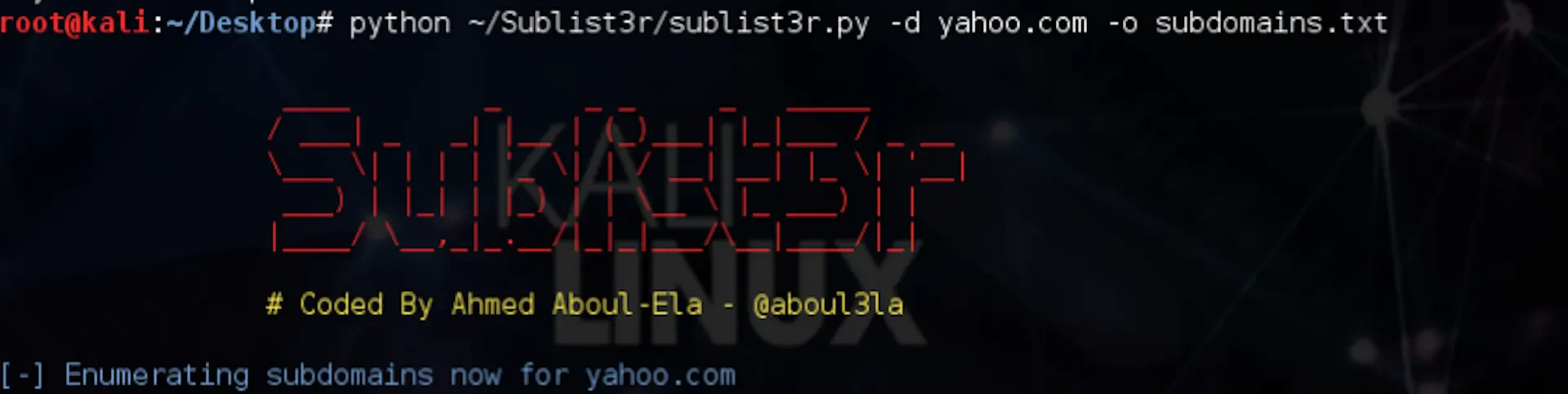

The first pass was manual: the author opened the results and deleted useless and repetitive entries, those that did not resolve and those that did not respond. That still left around 7000 subdomains.
Exploitation
Step 1: port scan the surviving subdomains
To sort the remainder, the author ran Nmap against ports 80 and 443, writing XML because it is easier to parse:
nmap -sS -p80,443 -iL nmap_input.txt -oX nmap_output
A sample of the XML output looks like this:
<hostnames><hostname name=”start.producersdesktop.yahoo.com” type=”user”/><hostname name=”proxy.publish.bf1.yahoo.com” type=”PTR”/></hostnames><ports><port protocol=”tcp” portid=”80"><state state=”closed” reason=”reset” reason_ttl=”42"/><service name=”http” method=”table” conf=”3"/></port></ports><times srtt=”148262" rttvar=”148262" to=”741310"/></host>
The two fields that mattered were state and hostname name. Adding --open to the Nmap command restricts output to hosts with open ports. The hostname name value is the DNS name; in some cases it was the address of the author's ISP, which showed that the name did not resolve. Filtering on that basis removed another few hundred subdomains.
Step 2: prune the XML by hostname
The author wrote a script that deletes an XML entry according to the hostname's name and writes the result to a new file:
import xmltree

def removeHostname():for host in root.iter('host'):for elem in host.iter():if 'name' in elem.attrib and elem.attrib['name'] == 'ISP_redir_site':root.remove(host)

tree.write('output.xml')
This leaves the subdomains that had port 80 open.
Step 3: filter by HTML title
The next pass ran Nmap with --script http-title and removed hosts with similar titles. Yahoo! runs sites in many languages, for example ru.search.yahoo.com, br.search.yahoo.com and de.stars.yahoo.com, so this step rejected a significant number of subdomains. About 700 potentially vulnerable subdomains remained.
Step 4: manual review
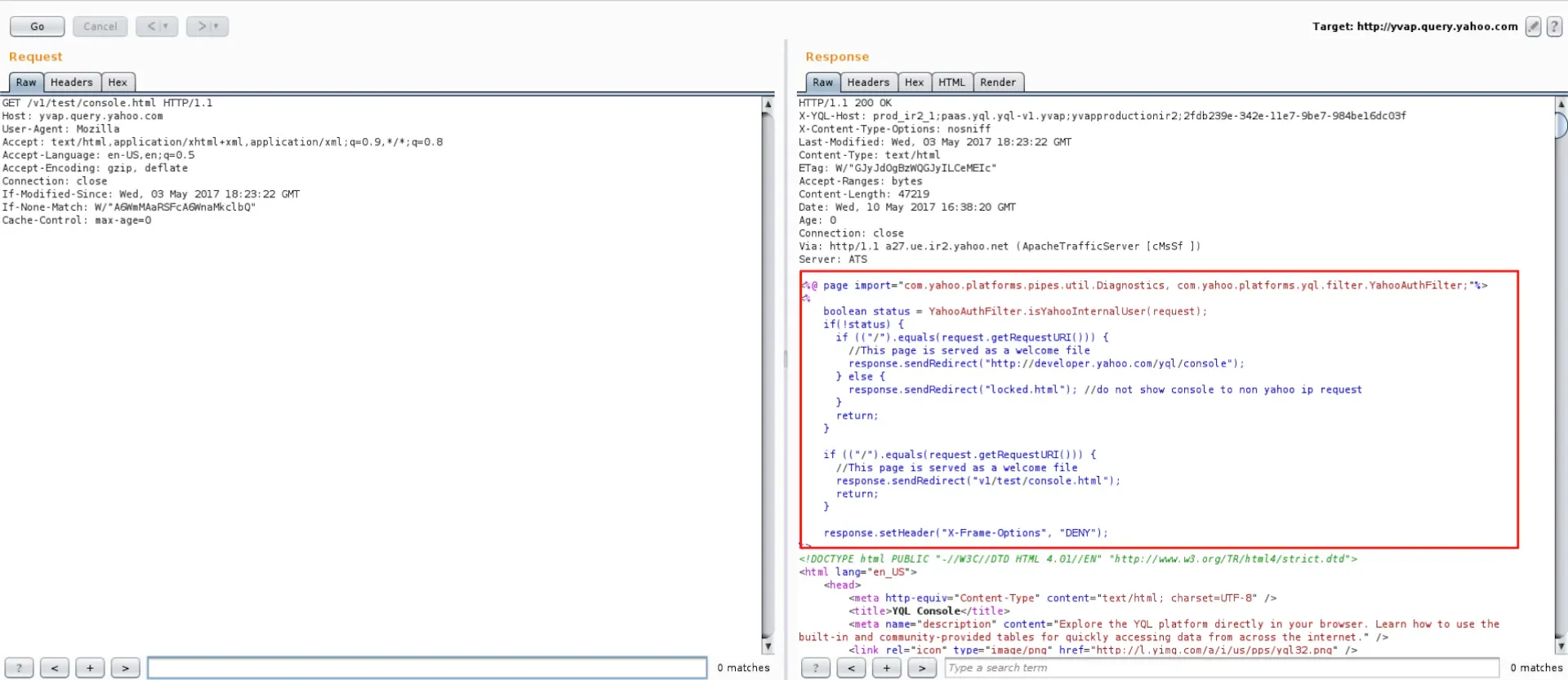
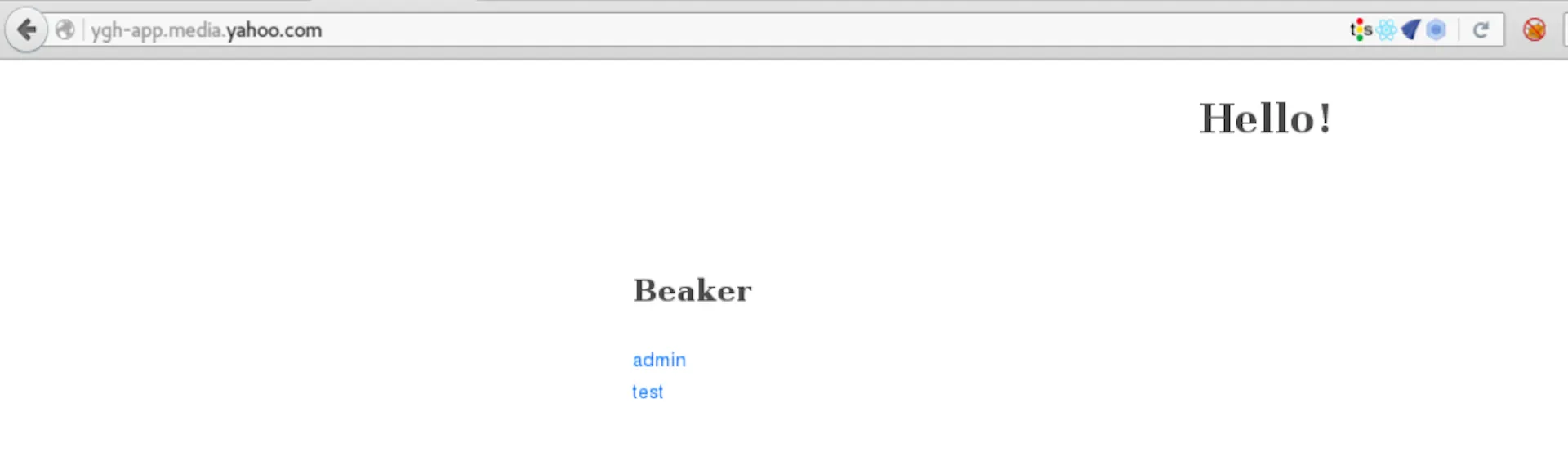
The author could not work out how to find further common points between the remaining subdomains, so reviewed them by hand. Similarity and repeatability between some of them made this faster than expected. This is how the open YQL internal console at http://yvap.query.yahoo.com/ was found, and further exploration revealed a testing Beaker instance at http://ygh-app.media.yahoo.com/.
Step 5: look for something exploitable in the console
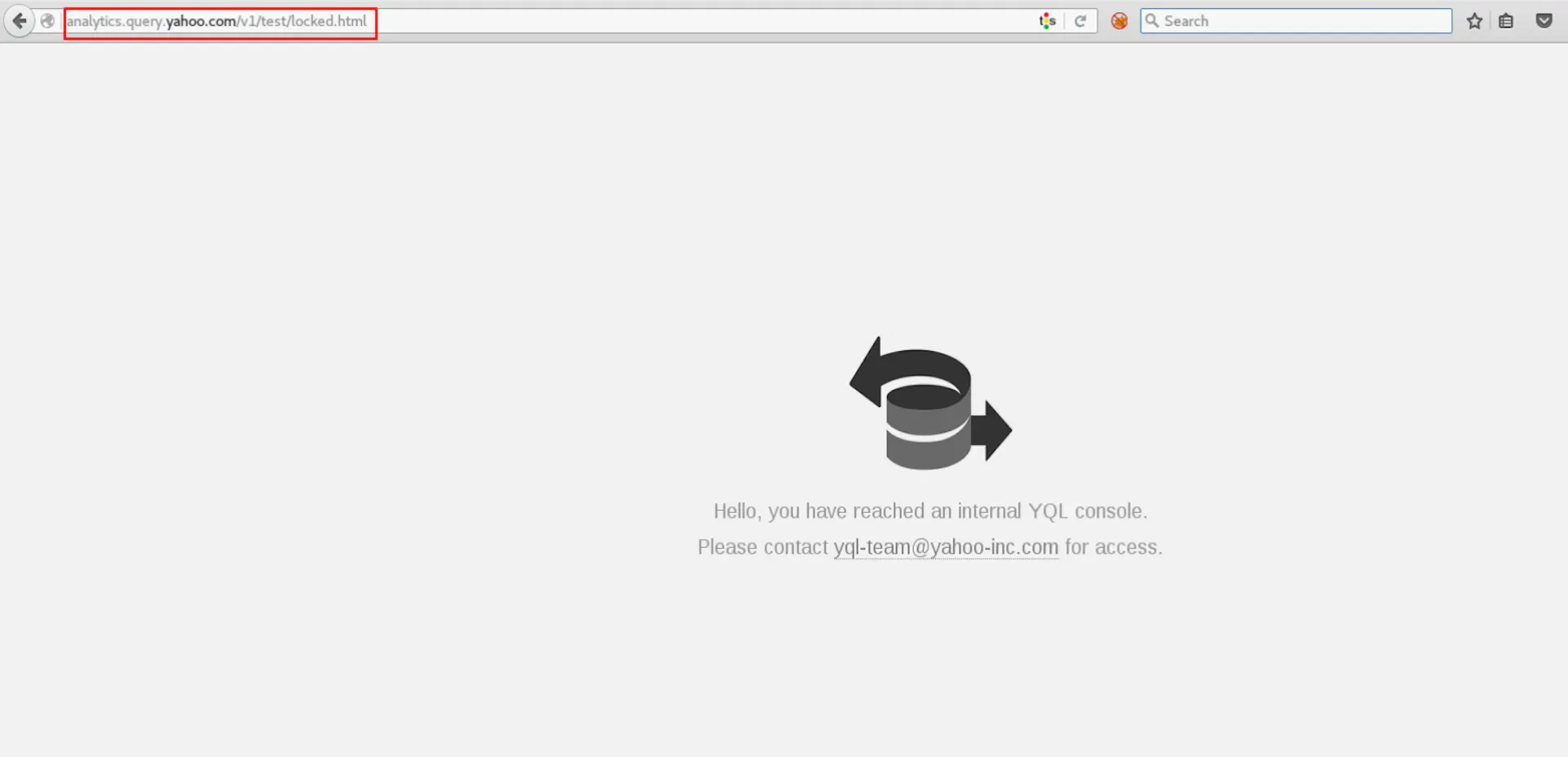
At http://yvap.query.yahoo.com/v1/test/js/console_ajax.js the author found nothing interesting besides JavaScript code. There was more than one internal console, but the others were closed, at least as far as it looked.
The public example query for YQL is:
https://query.yahooapis.com/v1/public/yql?q=show%20tables&diagnostics=true
This suggested a way to reach the locked consoles: the main panel of an internal console may be closed, but queries can still be submitted through the URL. The author enumerated all of the consoles and checked them one by one. The command show tables worked on most of them.
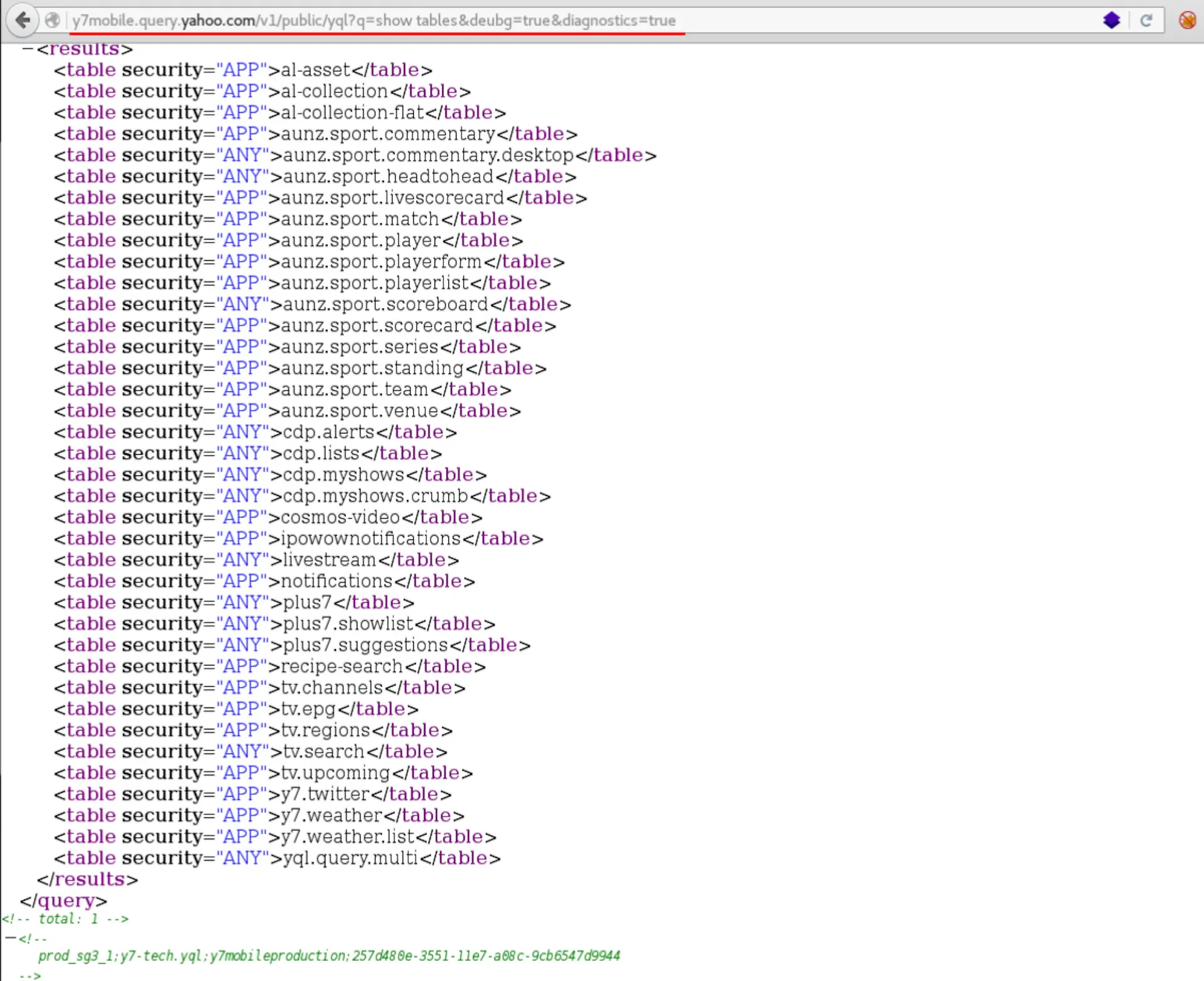
Trying to go deeper did not lead anywhere. After the report was submitted, Yahoo! replied that this behaviour is publicly accessible and even should be.
Step 6: the Beaker instance
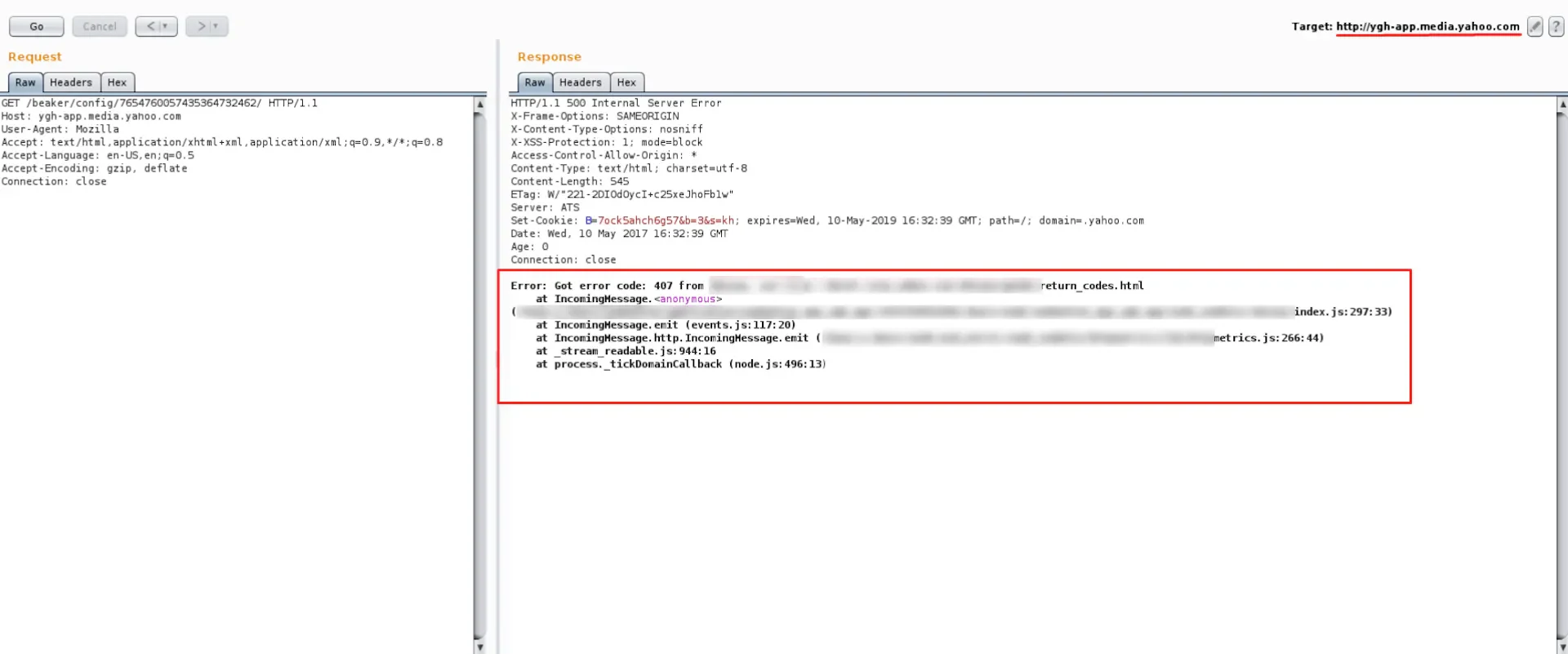
At http://ygh-app.media.yahoo.com/ the author found the testing Beaker website. After a quick reconnaissance of it, another information disclosure turned up.
Root cause
The report does not describe the code or configuration behind either finding. What it does show is that internal consoles and a testing instance of an internal tool were reachable from the public internet on subdomains that enumeration turned up, and that the YQL consoles accepted queries through the URL even when the console panel itself appeared closed. Yahoo! later said the console was publicly accessible and even should be.
Impact
The report does not state what data the Beaker information disclosure exposed or who could reach it. The YQL console queries were judged by Yahoo! to be intended public behaviour, so they carried no impact in the programme's view. The general exposure is that internal tooling was discoverable and reachable from outside.
Fix
The YQL console query behaviour was answered as intended behaviour. For the Beaker disclosure the report gives no remediation detail.
Timeline
| Date | Event |
|---|---|
| May 10th | Report sent to HackerOne |
| May 11th | Yahoo! responds that the YQL console issue had already been reported, but the second one is new |
| May 12th | Author presents the issue of making queries to internal YQL consoles |
| May 18th | Answer that this is intended behaviour |
| Jun 2nd | Bounty awarded |
Variants to test
- Run the same enumeration and filtering pipeline against another large programme: Sublist3r for names, Nmap with
--openfor live hosts,http-titleto group by title, then manual review of what remains. A positive result is a subdomain that resolves, serves a page and looks like internal tooling rather than a public product. - Check whether a console whose front panel is closed still accepts requests through its API path, as the YQL consoles did with a query in the URL. A positive result is a query returning data while the UI itself is inaccessible.
- Look for testing or staging instances of internal tools on subdomains, as with the Beaker instance. A positive result is a page that identifies itself as a test deployment and exposes information not meant for outsiders.
- Try Aquatone, which the author recommends as a single tool covering the whole workflow, and compare its output with the manual pipeline.
What happened, in plain words
A security researcher wanted to test a simple idea: if a company has already received and closed a very large number of bug reports, does that mean bugs are easier to find there, or harder? He picked Yahoo! because at the time it sat at the top of HackerOne's list of resolved reports with 3613 closed submissions. HackerOne is a platform where companies publish bug bounty programmes: they invite people to look for security problems in their systems and pay for valid reports.
To look for bugs you first need to know what exists. A big company like Yahoo! owns thousands of web addresses, called subdomains. A subdomain is a name in front of the main domain: if the main site is yahoo.com, then search.yahoo.com and mail.yahoo.com are subdomains. Some of them are public products, but others are internal tools that were never meant to be seen from outside. Those forgotten corners are where interesting findings often live.
The researcher used a tool to collect over 9000 Yahoo! subdomains, then filtered the list down step by step until only a few hundred were left. Opening those by hand, he found two things: an internal console for YQL (the Yahoo! Query Language, a service that runs queries and returns structured results) and a testing instance of an internal Yahoo! tool called Beaker. He reported both. Yahoo! said the YQL console part had already been reported, and later said that being able to send queries through the URL was intended and public. Yahoo! said the second finding was new, and a bounty was awarded.
This article walks through the same steps in the same order, explaining each tool and idea from scratch.
Context
Yahoo! runs a large public bug bounty programme on HackerOne. At the time of this write-up it was first on the platform's list of resolved reports, with 3613 closed submissions. The author chose it partly to test whether a programme with many resolved reports is easier to find bugs on than one with fewer.
The main feature in the report is YQL, the Yahoo! Query Language, and its internal console. YQL lets a caller submit a query and get structured results back. The public entry point is query.yahooapis.com, and the internal consoles are web front ends for the same query engine. An API (application programming interface) is simply a way for one program to talk to another over the web: you send a request to an address, often with parameters in the URL, and you get data back instead of a web page. A console here is a web page that lets a person type such queries by hand.
The report also touches a testing instance of Beaker, a tool the author had not worked with before. A testing instance is a copy of a system set up for trying things out, separate from the real one.
Setup
The work needed no accounts or special roles. The only preconditions were a list of candidate subdomains and a way to filter it down.
The tools used were:
- Sublist3r, for enumerating subdomains:
https://github.com/aboul3la/Sublist3r - Fierce, for domain scanning:
https://github.com/davidpepper/fierce-domain-scanner - Nmap, for port scanning with XML output
- A short Python script using
xmltreeto prune Nmap results
Enumeration means producing a list of names that might exist. Port scanning means asking a machine which of its numbered network doors are open; a port is like a numbered door on a building, and web servers usually listen on port 80 for plain HTTP and port 443 for HTTPS. XML is a text format for structured data, with tags in angle brackets, which is easy for a program to read.
The author later mentions Aquatone (https://github.com/michenriksen/aquatone) as a tool that bundles the whole approach into one.
Finding it
The starting point was subdomain enumeration. Sublist3r returned over 9000 subdomains for Yahoo! far too many to open by hand. The reasoning was that in a company that size, at least one forgotten, misconfigured or old-software subdomain should exist, so the task became one of reducing the list rather than examining it.
The first pass was manual: the author opened the results and deleted useless and repetitive entries, those that did not resolve and those that did not respond. A name that does not resolve is one the internet's address book (DNS) cannot turn into an address, so there is nothing to visit. That still left around 7000 subdomains.
Exploitation
Step 1: port scan the surviving subdomains
To sort the remainder, the author ran Nmap against ports 80 and 443, writing XML because it is easier to parse:
nmap -sS -p80,443 -iL nmap_input.txt -oX nmap_output
Line by line:
nmapis the program being run.-sStells Nmap to use a particular scanning technique (a half-open TCP scan) to check whether a port is open without completing the full connection.-p80,443restricts the scan to ports 80 and 443, the usual web ports.-iL nmap_input.txtreads the list of targets from a file callednmap_input.txt, one per line, instead of typing them on the command line.-oX nmap_outputwrites the results in XML to a file callednmap_output.
A sample of the XML output looks like this:
<hostnames><hostname name=”start.producersdesktop.yahoo.com” type=”user”/><hostname name=”proxy.publish.bf1.yahoo.com” type=”PTR”/></hostnames><ports><port protocol=”tcp” portid=”80"><state state=”closed” reason=”reset” reason_ttl=”42"/><service name=”http” method=”table” conf=”3"/></port></ports><times srtt=”148262" rttvar=”148262" to=”741310"/><host>
In plain words: the <hostnames> section lists the names associated with the machine, the <ports> section describes port 80 and says its state is closed, and the <times> section records timing figures. The two fields that mattered were state and hostname name. Adding --open to the Nmap command restricts output to hosts with open ports. The hostname name value is the DNS name; in some cases it was the address of the author's ISP, which showed that the name did not resolve. Filtering on that basis removed another few hundred subdomains.
Step 2: prune the XML by hostname
The author wrote a script that deletes an XML entry according to the hostname's name and writes the result to a new file:
import xmltree

def removeHostname():for host in root.iter('host'):for elem in host.iter():if 'name' in elem.attrib and elem.attrib['name'] == 'ISP_redir_site':root.remove(host)

tree.write('output.xml')
Line by line:
import xmltreeloads a library for working with XML data.def removeHostname():starts a function, a named block of steps that can be run.for host in root.iter('host')goes through every host entry in the XML.for elem in host.iter()goes through every element inside that host entry.if 'name' in elem.attrib and elem.attrib['name'] == 'ISP_redir_site'checks whether the element has anameattribute and whether that name equals the placeholderISP_redir_site, which stands for the ISP address seen in the scan.root.remove(host)deletes the whole host entry when the check matches.tree.write('output.xml')saves the edited XML to a new file.
This leaves the subdomains that had port 80 open.
Step 3: filter by HTML title
The next pass ran Nmap with --script http-title and removed hosts with similar titles. The title is the text shown in a browser tab, taken from the page's HTML. Yahoo! runs sites in many languages, for example ru.search.yahoo.com, br.search.yahoo.com and de.stars.yahoo.com, so this step rejected a significant number of subdomains: many of them were just localised copies of the same public site. About 700 potentially vulnerable subdomains remained.
Step 4: manual review
The author could not work out how to find further common points between the remaining subdomains, so reviewed them by hand. Similarity and repeatability between some of them made this faster than expected. This is how the open YQL internal console at http://yvap.query.yahoo.com/ was found, and further exploration revealed a testing Beaker instance at http://ygh-app.media.yahoo.com/.
Step 5: look for something exploitable in the console
At http://yvap.query.yahoo.com/v1/test/js/console_ajax.js the author found nothing interesting besides JavaScript code. JavaScript is the language browsers run to make pages interactive; a .js file is just a script the page loads. There was more than one internal console, but the others were closed, at least as far as it looked.
The public example query for YQL is:
https://query.yahooapis.com/v1/public/yql?q=show%20tables&diagnostics=true
Line by line:
https://query.yahooapis.comis the public server that answers YQL queries./v1/public/yqlis the path of the query endpoint, the address that accepts a query.?starts the parameters, the extra pieces of information sent with the request.q=show%20tablessets the parameterqto the queryshow tables;%20is how a space is written inside a URL, because spaces are not allowed there.&diagnostics=trueadds a second parameter asking for diagnostic information alongside the results.
This suggested a way to reach the locked consoles: the main panel of an internal console may be closed, but queries can still be submitted through the URL. The author enumerated all of the consoles and checked them one by one. The command show tables worked on most of them.
Trying to go deeper did not lead anywhere. After the report was submitted, Yahoo! replied that this behaviour is publicly accessible and even should be.
Step 6: the Beaker instance
At http://ygh-app.media.yahoo.com/ the author found the testing Beaker website. After a quick reconnaissance of it, another information disclosure turned up. Reconnaissance means looking around a target to learn what it is and what it exposes before trying anything. Information disclosure is a class of bug where a system reveals something it should keep to itself, such as internal pages, names or data.
Root cause
The report does not describe the code or configuration behind either finding. What it does show is that internal consoles and a testing instance of an internal tool were reachable from the public internet on subdomains that enumeration turned up, and that the YQL consoles accepted queries through the URL even when the console panel itself appeared closed. Yahoo! later said the console was publicly accessible and even should be.
Impact
The report does not state what data the Beaker information disclosure exposed or who could reach it. The YQL console queries were judged by Yahoo! to be intended public behaviour, so they carried no impact in the programme's view. The general exposure is that internal tooling was discoverable and reachable from outside.
Fix
The YQL console query behaviour was answered as intended behaviour. For the Beaker disclosure the report gives no remediation detail.
Timeline
| Date | Event |
|---|---|
| May 10th | Report sent to HackerOne |
| May 11th | Yahoo! responds that the YQL console issue had already been reported, but the second one is new |
| May 12th | Author presents the issue of making queries to internal YQL consoles |
| May 18th | Answer that this is intended behaviour |
| Jun 2nd | Bounty awarded |
Variants to test
- Run the same enumeration and filtering pipeline against another large programme: Sublist3r for names, Nmap with
--openfor live hosts,http-titleto group by title, then manual review of what remains. A positive result is a subdomain that resolves, serves a page and looks like internal tooling rather than a public product. - Check whether a console whose front panel is closed still accepts requests through its API path, as the YQL consoles did with a query in the URL. A positive result is a query returning data while the UI itself is inaccessible.
- Look for testing or staging instances of internal tools on subdomains, as with the Beaker instance. A positive result is a page that identifies itself as a test deployment and exposes information not meant for outsiders.
- Try Aquatone, which the author recommends as a single tool covering the whole workflow, and compare its output with the manual pipeline.
Glossary
- Subdomain: a name placed in front of a main domain, such as
mail.yahoo.comin front ofyahoo.com. - Bug bounty programme: a scheme where a company invites outsiders to report security problems and pays for valid ones.
- HackerOne: a platform that hosts bug bounty programmes and the reports sent to them.
- Resolved report: a submitted report that the company has closed, whether as fixed, duplicate or intended behaviour.
- Enumeration: producing a list of names or resources that might exist, such as subdomains.
- DNS: the internet's address book, which turns a name into an address.
- Resolve: to turn a name into an address successfully; a name that does not resolve cannot be visited.
- Port: a numbered door on a machine through which a service listens; 80 is the usual plain web port and 443 the secure one.
- Port scan: asking a machine which of its ports are open.
- Nmap: a program that scans machines and reports which ports and services are open.
- XML: a text format for structured data using tags in angle brackets.
- Parse: to read structured text with a program so its parts can be used.
- Python: a programming language often used for small scripts.
- Function: a named block of steps in a program that can be run.
- Attribute: a named value attached to an element in XML, such as
name. - HTML title: the text shown in a browser tab, taken from the page's HTML.
- YQL: the Yahoo! Query Language, a service that runs queries and returns structured results.
- Console: a web page that lets a person type queries by hand.
- API: a way for one program to talk to another over the web, sending a request and getting data back.
- Endpoint: the specific address that accepts a request.
- Parameter: an extra piece of information sent with a request, usually after a
?in the URL. - URL encoding: writing characters that are not allowed in a URL in a safe form, such as
%20for a space. - JavaScript: the language browsers run to make web pages interactive.
- Beaker: an internal Yahoo! tool, found here as a testing instance.
- Testing instance: a copy of a system set up for trying things out, separate from the real one.
- Reconnaissance: looking around a target to learn what it is and what it exposes.
- Information disclosure: a bug where a system reveals something it should keep to itself.
- Intended behaviour: a result the company says is by design, not a defect.
- Bounty: the payment a programme gives for a valid report.
- Aquatone: a tool the author recommends that bundles the whole reconnaissance workflow into one.




