Luminate Store Basics defacement and potential takeover
The Store Basics CMS accepted a base64-encoded parameter and an unsigned base64 cookie that together identified the store being edited, so changing the store identifier let an attacker modify another user's business information. Because the settings endpoint also lacked CSRF protection, a crafted request could change a victim's store details.
 Published on medium.com
This vulnerability was found when testing the Stores Basic service of Luminate. In this service, we can create a store from where we can sell our products.
The full write-up lives on its author's site
It belongs to its author, so we link to it rather than copy it. The other two tabs are our own rewrites, checked against it.
Context
Luminate is a service that lets a business create a store from which it can sell products. The service provides a full CMS for managing that store, and the researcher's testing focused on the Store Basics part of it. The CMS backend is where a store owner manages the site's settings, including business information that Luminate uses to contact the admin, a logo upload and a title for the website.
The write-up covers two bugs together: a CSRF in Luminate that allows updating business information, and a session issue in Luminate that allows modifying another user's data remotely. As the author notes, one has a higher impact than the other.
Setup
The report does not describe any particular accounts, tools or versions. The testing was done against the Store Basics service of Luminate, starting from the Settings section of the CMS, where a user can add business information, upload a logo and set a site title.
Finding it
The researcher first ran some CSRF tests in the Settings section. When business information is modified, the app sends a POST request, and the ysbparams parameter in the URL stood out because it ended in ==. That suggested base64, and decoding it confirmed the guess. The decoded value contained a bizid, which the researcher realised could be grabbed from the source code of the store URL, changed, re-encoded and put back into the URL.
The first CSRF attempt did not work because the server only accepted Content-Type: application/json. The researcher then used AJAX to send the request with that type set.
After the CSRF worked, the researcher dug deeper and noticed a cookie called ysbauth in the POST request. It was also base64 encoded, and decoding it revealed a JSON object containing the same bizid alongside a signature and a timestamp.
Exploitation
Step 1: The settings request
When business information is modified, a POST request is made to:
https://www.luminate.com/ordermgr/_module?ysbparams={ysb_param}&modulename=ysb-mui-apps&action=save_site_settings
The POST request carries a JSON body like this:
{"bizprofile":{"info":{"name":{"titlepage":"sec"},"category":"","tagline":{"text":""},"description":"Stay tuned! We're updating this section to bring you everything you want to know about our business. We can't wait to tell you more!"},"media":{"logo":{"desktop":{"image":"logourl"},"mobile":{"image":""}}},"contact":{"phone":"","email":"adminemail","location":{"street":"","city":"","state":"","country":"United States","zip":""}},"accountcontact":{"firstname":"first_name","lastname":"last_name","phone":"phone_number","email":"email_id","address":{"street":"street_address","city":"admin_city","state":"state","country":"United States","zip":"zip_code"}}},"siteObj":{"favicon":"site_favicon","robots":""}}
This body sets the page title, the tagline and description, the desktop and mobile logo images, the business contact details and the account contact details, plus the site favicon and robots setting.
Step 2: Decoding ysbparams
The ysbparams parameter ended in ==, which the researcher took as a sign of base64. Decoding it gave something like this, edited in the report to hide information:
{"appid":"settings","bizid":"ys-123456789-9","bizurl":"http://storeurl.com","lang":"en-us"}
The decoded value contained a bizid, which the researcher could grab from the source code of the store URL. The researcher found that it could easily be grabbed from the source code of the store URL, so it could be changed, the JSON re-encoded, and the URL edited with the new ysbparams.
Step 3: Getting the CSRF to fire
The initial CSRF test failed because the server only accepted Content-Type: application/json. The researcher used AJAX to send the request with that type set, which made the CSRF work.
Step 4: The ysbauth cookie
Looking further at the POST request, the researcher noticed the ysbauth cookie, also base64 encoded. An example of the encoded value:
[redacted]
Decoded, it is the following JSON:
{"bizid":"ys-123456789-9","ysbparams":"ysb_param_base64,"yid":"email","appid":"settings","bizurl":"http%3A%2F%2Fstoreurl.com","lang":"en-us","timestamp":"1502488467.194","signature":"[redacted]"}
The cookie carries the same bizid, the ysbparams value, a user identifier (yid), the app id, the store URL, the language, a timestamp and a signature.
Step 5: Swapping in the victim's bizid
During testing, the researcher found that changing only the bizid in ysbauth to a victim's value was enough to modify the file successfully. The attack therefore has two parts:
- Change the
ysbparamsby changingbizidandbiz_url, as in the CSRF step. - Change the
ysbauthcookie to carry the victim'sbizid.
Once that is done, the business information of the victim can be modified.
Step 6: Scope of the session issue
After an hour of complete testing, the researcher found that all the modules in Store Basics were vulnerable. The attacker could add their own Google Analytics code to the website, which would allow monitoring of the website; they could view coupons of other sites; they could add products; and they could conduct many other attacks. The conclusion was that when ysbauth was manipulated, it effectively gave access to another user's session, allowing modification of their Store Basics profile.
Root cause
The design trusts the bizid carried in the client-side ysbauth cookie and in the ysbparams URL parameter to decide which store's settings are being written. The cookie is base64 encoded rather than opaque, and the report shows that changing the bizid inside it is enough to act on another store. The presence of a signature field in the cookie suggests the server was intended to verify integrity, but the report does not describe how the signature is checked, so why a modified bizid was accepted is not stated.
The CSRF side shows that a cross-site request could save settings once the JSON content type was set. The only obstacle the researcher hit was the Content-Type: application/json requirement, which a cross-site AJAX request can satisfy.
Impact
An attacker who manipulates the ysbauth cookie can modify another user's Store Basics business information. Because all modules in Store Basics were found vulnerable, the attacker could also inject their own Google Analytics code into the victim's website, monitor the website, view coupons of other sites and add products. The report concludes that manipulating ysbauth gave access to another user's session, allowing modification of their Store Basics profile.
Fix
It thanks the Yahoo security team for being extremely responsive and fast in the fix. What should change, based on the findings: the server should not trust a client-supplied bizid for authorisation, the ysbauth cookie should be integrity-protected so that a modified bizid is rejected, and the settings endpoint should require an anti-CSRF token in addition to the JSON content type.
Variants to test
- Look for URL parameters that end in
==or otherwise look like base64, decode them and check whether they contain identifiers such as a tenant or store id. A positive result is a decoded JSON object with an id you can change and re-encode. - Check cookies that are base64 encoded and contain an id plus a signature or timestamp. Change only the id and replay the request. A positive result is that the server accepts the modified cookie and acts on the other id.
- Try the same request with a different
Content-Type. Ifapplication/jsonis required, send it from a cross-site page with AJAX and see whether the state change still happens. A positive result is a successful write with no anti-CSRF token. - Enumerate the modules of the CMS after a successful id swap (analytics, coupons, products) and check whether each one accepts the manipulated identifier. A positive result is any module that returns or modifies another tenant's data.
What happened, in plain words
Luminate is a service that lets a business build an online store and sell products through it. To manage the store, Luminate gives the owner a CMS, which stands for Content Management System: a private web dashboard where you log in and change things about your site, such as its name, its logo and your contact details. Think of it like the back office of a shop, where the shopkeeper changes the signs and the opening hours rather than the customers seeing them directly.
The researcher was testing the part of Luminate called Store Basics, which is the section of the CMS where a store owner sets up the basics of their shop. The testing started in the Settings area, where a user can add business information that Luminate uses to contact the admin, upload a logo and set a title for the website.
Two problems were found, and the author says one has a higher impact than the other:
- A CSRF, which stands for Cross-Site Request Forgery. In everyday terms: a website can be tricked into sending a request to another website on your behalf, using the login you already have there, without you meaning to do it. It is like someone writing a letter in your name and posting it for you.
- A session issue. A session is the period during which a website remembers that you are logged in, usually by storing a small piece of data in your browser called a cookie. If that data can be tampered with, an attacker may be able to act as another user.
Here is the backend of the CMS as the researcher saw it:
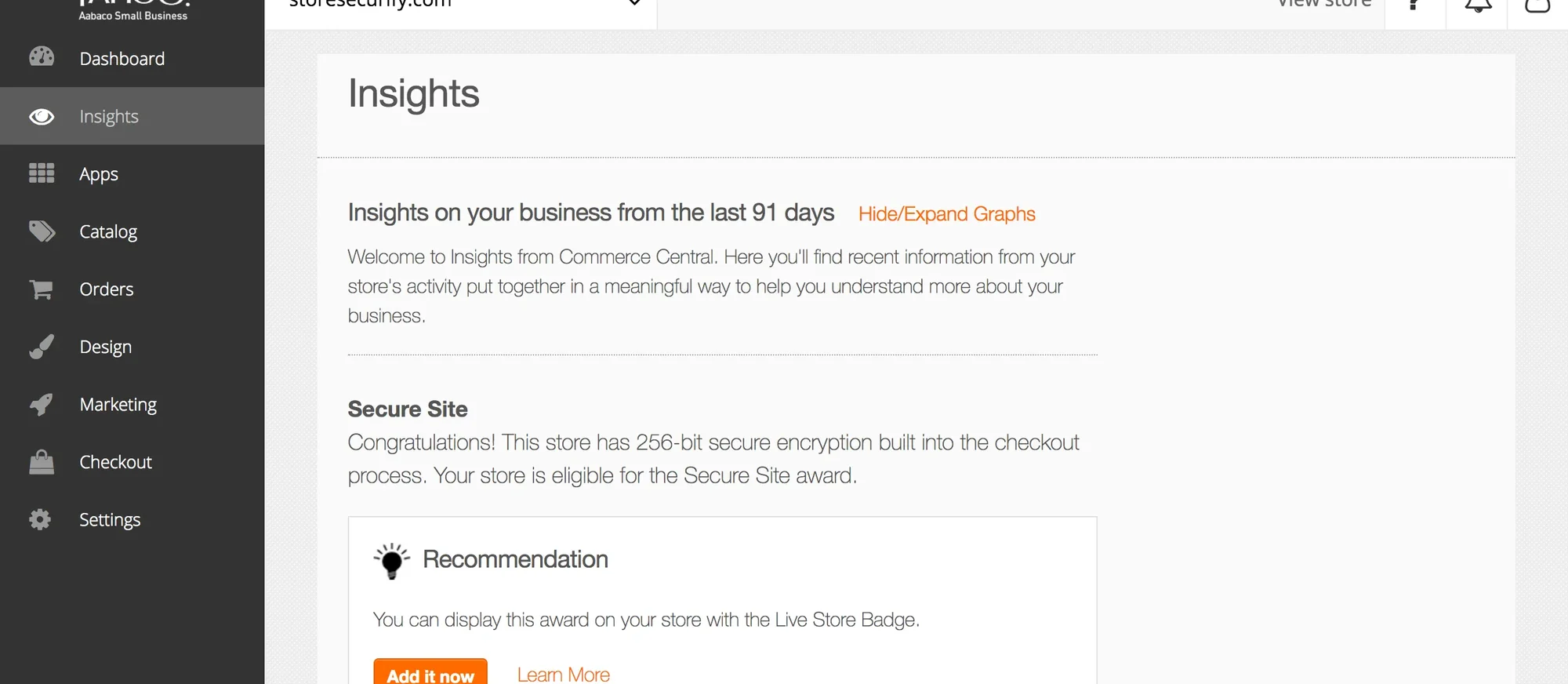
Store Basics' Dashboard
Setup
The report does not describe any particular accounts, tools or versions. The testing was done against the Store Basics service of Luminate, starting from the Settings section of the CMS, where a user can add business information, upload a logo and set a site title.
Finding it
The researcher first ran some CSRF tests in the Settings section. When business information is modified, the app sends a POST request. A POST request is one of the ways a browser talks to a server: it is used when you are sending data to be saved, as opposed to simply asking for a page to be displayed. The request went to a URL containing a parameter called ysbparams, and that parameter stood out because it ended in ==.
Why does == matter? Base64 is a way of turning any data into plain text using only letters, digits and a couple of symbols, so it can travel safely inside a URL or a cookie. Base64 text very often ends in one or two = signs as padding. So == is a strong hint that the value is base64 encoded. Decoding it confirmed the guess: the decoded value contained a bizid, which is an identifier for a particular store. The researcher realised the bizid could be grabbed from the source code of the store URL, changed, re-encoded and put back into the URL.
The first CSRF attempt did not work because the server only accepted Content-Type: application/json. The Content-Type header is a label the browser attaches to a request saying what format the data is in; application/json means the data is JSON, a common text format for structured data. The researcher then used AJAX to send the request with that type set. AJAX is the technique a web page uses to send requests to a server in the background, without reloading the page, and it lets the page control details such as the Content-Type.
After the CSRF worked, the researcher dug deeper and noticed a cookie called ysbauth in the POST request. A cookie is a small piece of data that a website asks your browser to store and send back with later requests; it is how a site remembers who you are between page loads. This cookie was also base64 encoded, and decoding it revealed a JSON object containing the same bizid alongside a signature and a timestamp. A signature is a value computed from the data, meant to let the server check that the data has not been altered; a timestamp records when something was created.
Exploitation
Step 1: The settings request
When business information is modified, a POST request is made to:
https://www.luminate.com/ordermgr/_module?ysbparams={ysb_param}&modulename=ysb-mui-apps&action=save_site_settings
Line by line, in plain words:
https://www.luminate.comis the address of the Luminate website./ordermgr/_moduleis the path on that website that handles this kind of request.?ysbparams={ysb_param}starts the query string, the part of a URL after the question mark that carries extra values. Here it carries a parameter namedysbparams, whose value is a placeholder for the encoded data.&modulename=ysb-mui-appsis another parameter, naming the module being used.&action=save_site_settingsis the action being asked for: save the site settings.
The POST request carries a JSON body like this:
{"bizprofile":{"info":{"name":{"titlepage":"sec"},"category":"","tagline":{"text":""},"description":"Stay tuned! We're updating this section to bring you everything you want to know about our business. We can't wait to tell you more!"},"media":{"logo":{"desktop":{"image":"logourl"},"mobile":{"image":""}}},"contact":{"phone":"","email":"adminemail","location":{"street":"","city":"","state":"","country":"United States","zip":""}},"accountcontact":{"firstname":"first_name","lastname":"last_name","phone":"phone_number","email":"email_id","address":{"street":"street_address","city":"admin_city","state":"state","country":"United States","zip":"zip_code"}}},"siteObj":{"favicon":"site_favicon","robots":""}}
This body sets the page title, the tagline and description, the desktop and mobile logo images, the business contact details and the account contact details, plus the site favicon and robots setting. In plain words:
bizprofileis the outer container for everything about the business profile.infoholds the visible information:namewith atitlepage, acategory, ataglinewith itstext, and adescription.mediaholds the images: alogowith adesktopimage and amobileimage.contactholds the business contact details:phone,emailand alocationwithstreet,city,state,countryandzip.accountcontactholds the details of the person behind the account:firstname,lastname,phone,emailand anaddresswithstreet,city,state,countryandzip.siteObjholds site-level settings: afavicon(the small icon shown in a browser tab) and arobotsvalue.
Step 2: Decoding ysbparams
The ysbparams parameter ended in ==, which the researcher took as a sign of base64. Decoding it gave something like this, edited in the report to hide information:
{"appid":"settings","bizid":"ys-123456789-9","bizurl":"http://storeurl.com","lang":"en-us"}
In plain words:
appidis the name of the app, heresettings.bizidis a value the researcher could grab from the source code of the store URL.bizurlis the address of the store.langis the language, hereen-us.
The researcher found that the bizid could easily be grabbed from the source code of the store URL, so it could be changed, the JSON re-encoded, and the URL edited with the new ysbparams. The reason for doing this is simple: if the server decides which store to save based on a value the browser sends, then whoever controls the browser controls that value.
Step 3: Getting the CSRF to fire
The initial CSRF test failed because the server only accepted Content-Type: application/json. The researcher used AJAX to send the request with that type set, which made the CSRF work.
Step 4: The ysbauth cookie
Looking further at the POST request, the researcher noticed the ysbauth cookie, also base64 encoded. An example of the encoded value:
[redacted]
This is one long string of letters and digits. It looks meaningless, but it is just base64 text, which a browser or a person can decode back into readable data.
Decoded, it is the following JSON:
{"bizid":"ys-123456789-9","ysbparams":"ysb_param_base64,"yid":"email","appid":"settings","bizurl":"http%3A%2F%2Fstoreurl.com","lang":"en-us","timestamp":"1502488467.194","signature":"[redacted]"}
The cookie carries the same bizid, the ysbparams value, a user identifier (yid), the app id, the store URL, the language, a timestamp and a signature. In plain words:
bizidagain names the store.ysbparamsrepeats the encoded parameter from the URL.yididentifies the user, here shown as an email placeholder.appidis the app name.bizurlis the store address, with characters such as:and/written in percent-encoded form (%3Afor a colon,%2Ffor a slash), which is how URLs carry special characters safely.langis the language.timestamprecords when the cookie was made.signatureis the value meant to prove the cookie has not been changed.
Step 5: Swapping in the victim's bizid
During testing, the researcher found that changing only the bizid in ysbauth to a victim's value was enough to modify the file successfully. The attack therefore has two parts:
- Change the
ysbparamsby changingbizidandbiz_url, as in the CSRF step. - Change the
ysbauthcookie to carry the victim'sbizid.
Once that is done, the business information of the victim can be modified. The report shows that changing only the bizid in ysbauth was enough to modify the file.
Step 6: Scope of the session issue
After an hour of complete testing, the researcher found that all the modules in Store Basics were vulnerable. The attacker could add their own Google Analytics code to the website, which would allow monitoring of the website; they could view coupons of other sites; they could add products; and they could conduct many other attacks. Google Analytics is a service that records who visits a website and what they do there, so injecting someone else's tracking code into a store means that person can watch the store's visitors. The conclusion was that when ysbauth was manipulated, it effectively gave access to another user's session, allowing modification of their Store Basics profile.
Root cause
The design trusts the bizid carried in the client-side ysbauth cookie and in the ysbparams URL parameter to decide which store's settings are being written. The cookie is base64 encoded rather than opaque, and the report shows that changing the bizid inside it is enough to act on another store. The presence of a signature field in the cookie suggests the server was intended to verify integrity, but the report does not describe how the signature is checked, so why a modified bizid was accepted is not stated.
The CSRF side shows that a cross-site request could save settings once the JSON content type was set. The only obstacle the researcher hit was the Content-Type: application/json requirement, which a cross-site AJAX request can satisfy.
Impact
An attacker who manipulates the ysbauth cookie can modify another user's Store Basics business information. Because all modules in Store Basics were found vulnerable, the attacker could also inject their own Google Analytics code into the victim's website, monitor the website, view coupons of other sites and add products. The report concludes that manipulating ysbauth gave access to another user's session, allowing modification of their Store Basics profile.
Fix
It thanks the Yahoo security team for being extremely responsive and fast in the fix. What should change, based on the findings: the server should not trust a client-supplied bizid for authorisation, the ysbauth cookie should be integrity-protected so that a modified bizid is rejected, and the settings endpoint should require an anti-CSRF token in addition to the JSON content type.
Variants to test
- Look for URL parameters that end in
==or otherwise look like base64, decode them and check whether they contain identifiers such as a tenant or store id. A positive result is a decoded JSON object with an id you can change and re-encode. - Check cookies that are base64 encoded and contain an id plus a signature or timestamp. Change only the id and replay the request. A positive result is that the server accepts the modified cookie and acts on the other id.
- Try the same request with a different
Content-Type. Ifapplication/jsonis required, send it from a cross-site page with AJAX and see whether the state change still happens. A positive result is a successful write with no anti-CSRF token. - Enumerate the modules of the CMS after a successful id swap (analytics, coupons, products) and check whether each one accepts the manipulated identifier. A positive result is any module that returns or modifies another tenant's data.
Glossary
- AJAX: a way for a web page to send requests to a server in the background, without reloading the page.
- Anti-CSRF token: a secret value added to a form or request so the server can tell a genuine action by the user from a forged one.
- Base64: a way of turning any data into plain text using letters, digits and a few symbols, often ending in
=padding. - bizid: the identifier of a particular store in Luminate.
- CMS (Content Management System): a private web dashboard where a site owner manages their site's content and settings.
- Cookie: a small piece of data a website asks your browser to store and send back with later requests, used to remember who you are.
- CSRF (Cross-Site Request Forgery): tricking a logged-in user's browser into sending a request to another site without the user meaning to.
- Content-Type: a header that says what format the data in a request is in, such as
application/json. - Favicon: the small icon shown in a browser tab.
- Google Analytics: a service that records who visits a website and what they do there.
- Header: extra information attached to a request or response, such as the data format.
- JSON: a common text format for structured data, made of names and values.
- Parameter: a named value carried in a URL, usually after the question mark.
- POST request: a request used to send data to a server to be saved or acted on.
- Query string: the part of a URL after the question mark that carries parameters.
- Robots: a site setting that tells search engines which pages they may crawl.
- Session: the period during which a website remembers that you are logged in.
- Signature: a value computed from data so the server can check the data has not been altered.
- Store Basics: the part of the Luminate CMS where a store owner sets up the basics of their shop.
- Timestamp: a record of when something was created.
- URL: the address of a page or resource on the web.
- ysbauth: the cookie in Luminate that carries the store identifier and related data.
- ysbparams: the URL parameter in Luminate that carries base64 encoded store information.





