admin.8x8.vc: Member users with no permission can integrate email to connect calendar via GET /meet-external/spot-roomkeeper/v1/calendar/auth/init?..
A member-level user without permission to the rooms area could call a calendar authorisation endpoint using their own token and complete an OAuth flow, which added their email to the admin rooms area. This let a low-privileged user perform an action reserved for admins.

- Triaged in 26 hours
- Fixed in 8 days
- Paid in 5 days
- Disclosed after 12 months
Dear Team,
Greetings!!!
I have observed an Improper access control Issue. Member users do not have permission to rooms area of the admin section. But member users can exploit this via GET /meet-external/spot-roomkeeper/v1/calendar/auth/init?successRedirectUrl=https%3A%2F%2Fadmin.8x8.vc%2F%23%2Frooms%2Fadd HTTP/2
Steps to reproduce Step1: Member users do not have access to the room's area. Use
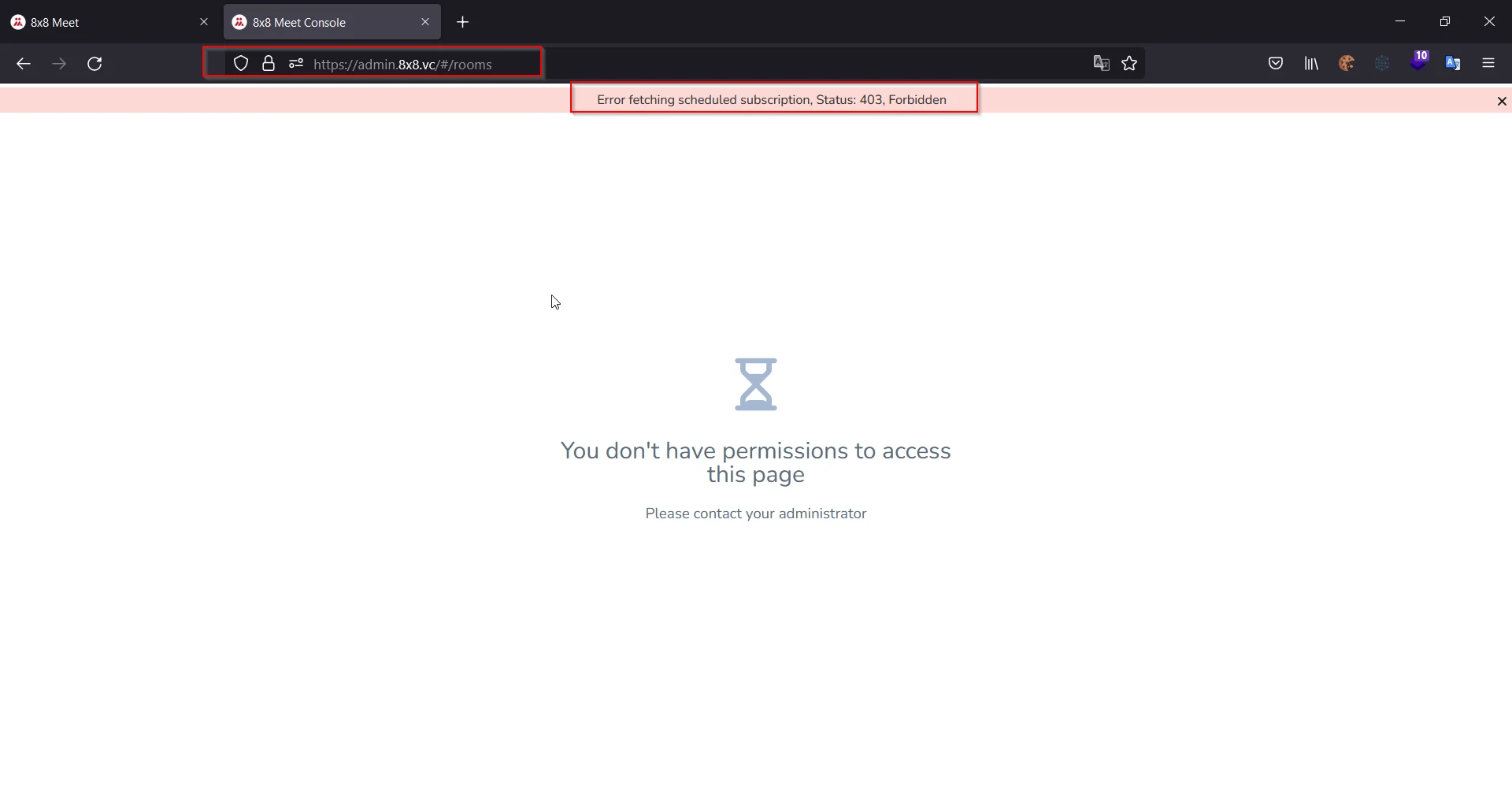
Step2: Admin users can add their email to sync calendars from this area. Use
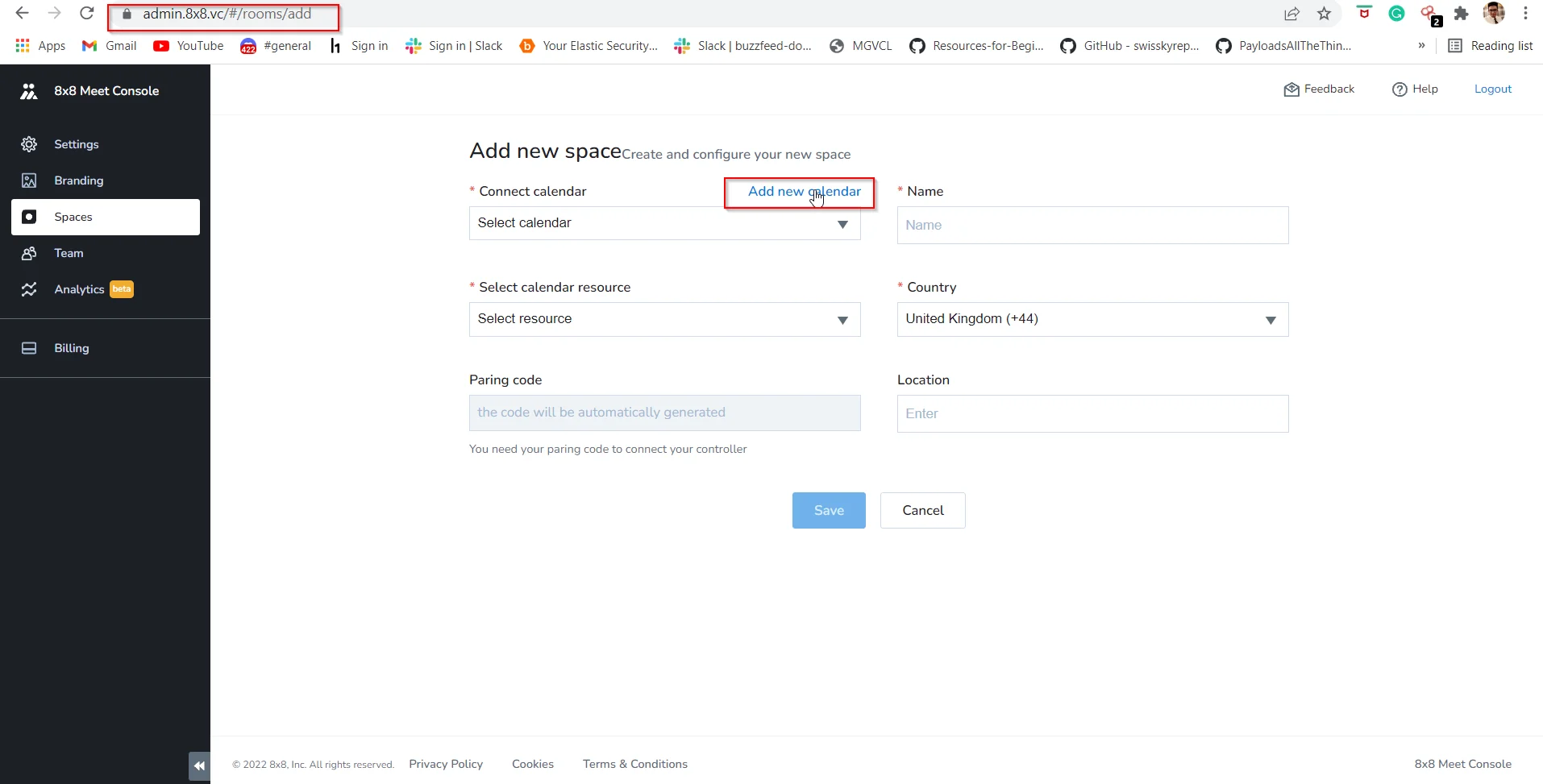
Step3: From member user's JWT send a request to below endpoint Use ██████
GET /meet-external/spot-roomkeeper/v1/calendar/auth/init?successRedirectUrl=https%3A%2F%2Fadmin.8x8.vc%2F%23%2Frooms%2Fadd HTTP/2
Host: admin.8x8.vc
User-Agent: Mozilla/5.0 (Windows NT 10.0; Win64; x64; rv:97.0) Gecko/20100101 Firefox/97.0
Accept: */*
Accept-Language: en-US,en;q=0.5
Accept-Encoding: gzip, deflate
Referer: https://admin.8x8.vc/
Content-Type: application/json
Sec-Fetch-Dest: empty
Sec-Fetch-Mode: cors
Sec-Fetch-Site: same-origin
Te: trailers
Connection: close
Authorization: <Member user's JWT>
Step4: You will receive the Link as below from the above endpoint:
{"url":"https://app.cronofy.com/oauth/authorize?response_type=code&client_id=M0wBDPDXk6EQLaGCqp-pTN_VGt7_AtM9&redirect_uri=https://api-vo.jitsi.net/rosy/sso/cronofy/callback&scope=read_only&delegated_scope=read_only&state=███████&avoid_linking=true"}
Step5: Now use this link and complete the OAuth sign up. (There is no validation and the application will allow you to add your email) Use
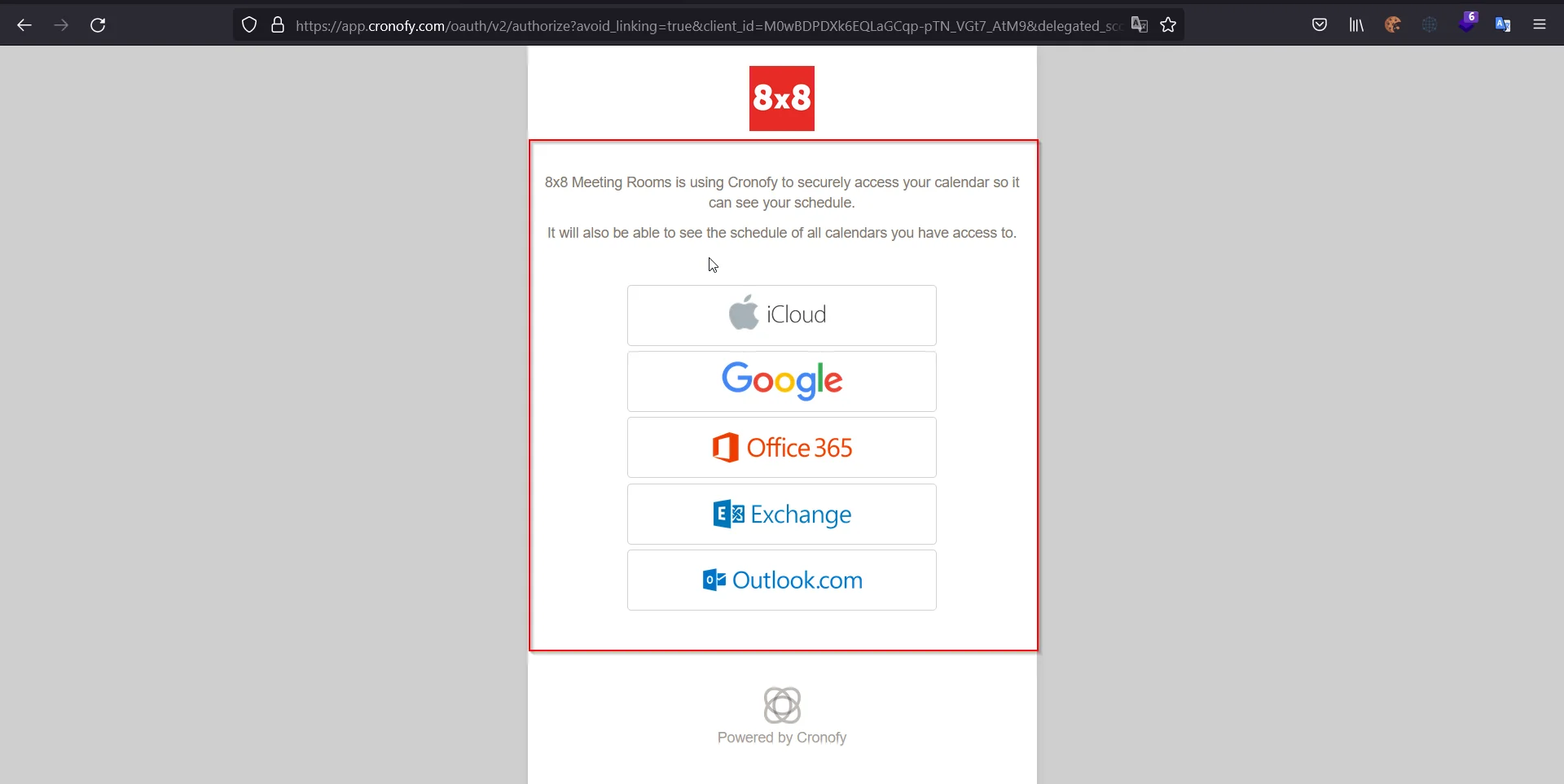
Step6: Member user successfully added his/her email into admin's room area Use ███
Best regards, Emperor
Impact
- Member users with no permission can integrate email to connect calendar
Not written yet. The AI write-up for this report has not been written yet. The Original tab links to the source.
How it worked
Impact
A member user with no permission could integrate their email to connect a calendar in the admin rooms area, an action meant for admins.
What the attacker needed
A member-level account; access to the calendar auth endpoint
How it was found
- Confirm that member users cannot access the rooms area of the admin section.
- Note that admins can add an email to sync calendars from that area.
- Send a request to the calendar auth init endpoint using a member user's token.
- Receive an OAuth authorisation link in the response.
- Open the link and complete the OAuth sign-up, which is accepted without validation.
- Observe that the member's email was added to the admin rooms area.
Explained by bugbounty.wiki with AI from the original and checked against quotes from it; it can still be wrong. Read the original before relying on a detail.
Not written yet. The AI write-up for this report has not been written yet. The Original tab links to the source.
The admin panel has a rooms section that only admins should be able to change. A normal member account found a hidden web address that starts a calendar connection, and the server did not check whether the caller was an admin. By sending that request with their own login token, the member could finish the calendar sign-up and attach their email to the admin rooms area.
What is Access control?
A user can do something their role should not allow: reach an admin function, act on a feature they have not paid for, or skip a permission check. IDOR is the special case where the object belongs to someone else.