[Brave browser] WebTorrent has DNS rebinding vulnerability
Brave's built-in WebTorrent extension serves downloaded files on a local HTTP server that does not validate the Host header, allowing a malicious website to use DNS rebinding to read those files. An attacker could discover what files the user has downloaded.
 Originally disclosed on HackerOne
- Disclosed after 3 months
Summary:
Brave browser has built-in WebTorrent extension. After it finishes downloading a torrent, it serves the downloaded files on a local HTTP server listening on a random port. The problem is that the local HTTP server doesn't check for the hostname of the requesters, so a malicious remote website can discover what files the user has downloaded using DNS rebinding attack.
Products affected:
- OS: Windows 10 x64 Build 10.0.18362.10005
- Brave: Version 0.66.101 Chromium: 75.0.3770.142 (Official Build) (64-bit)
Steps To Reproduce:
An actual attack would do a port scanning and DNS rebinding on server side, but for simplicity, the following steps just simulate such attack locally with a single port.
- Download poc.html
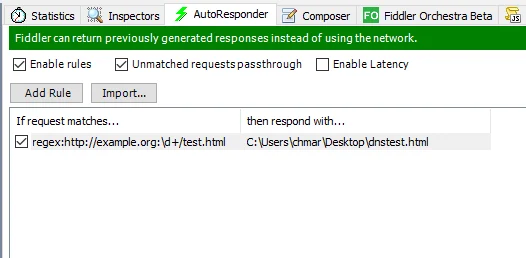
- Open Fiddler. In AutoResponder, enter: If request matches
regex:http://example.org:\d+/test.html, then respond with[path to poc.html] - In your system's hosts file, add
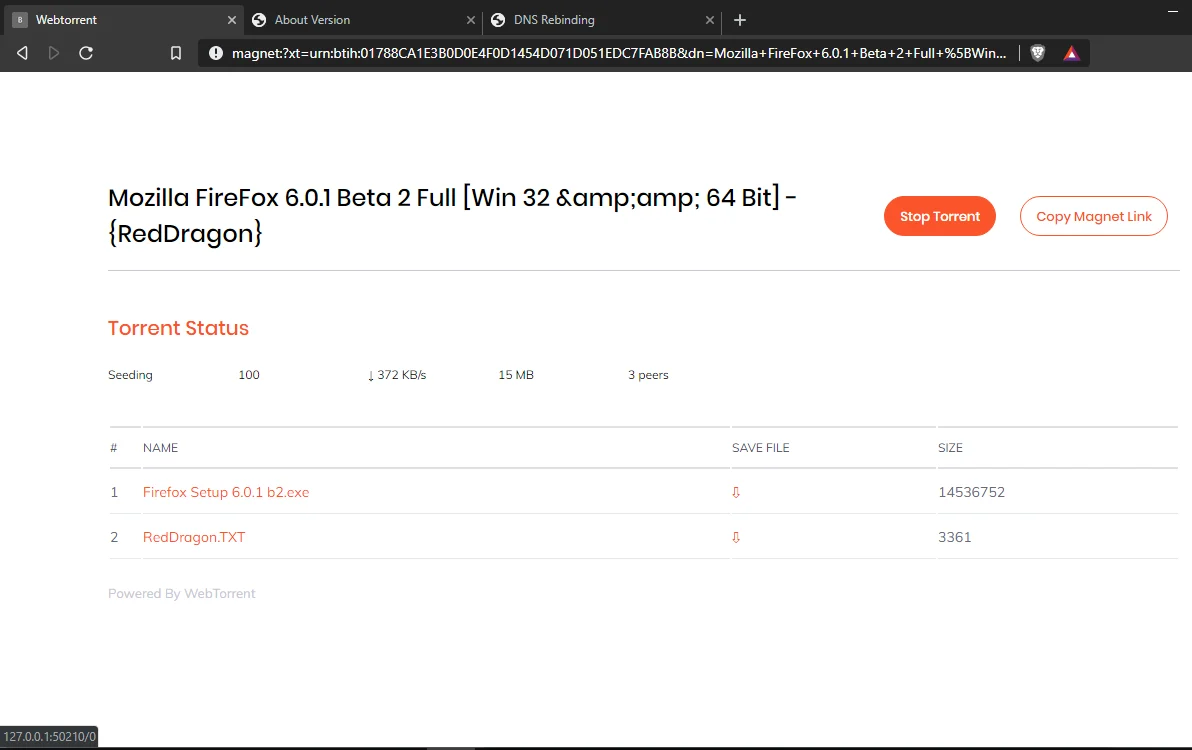
127.0.0.1 example.org - Open Brave browser, navigate to any magnet link. Then start torrent.
- After the torrent is fully downloaded, hover your pointer on the download icon in "Save file" column. The URL should be http://127.0.0.1:50210/0. The port number may be different.
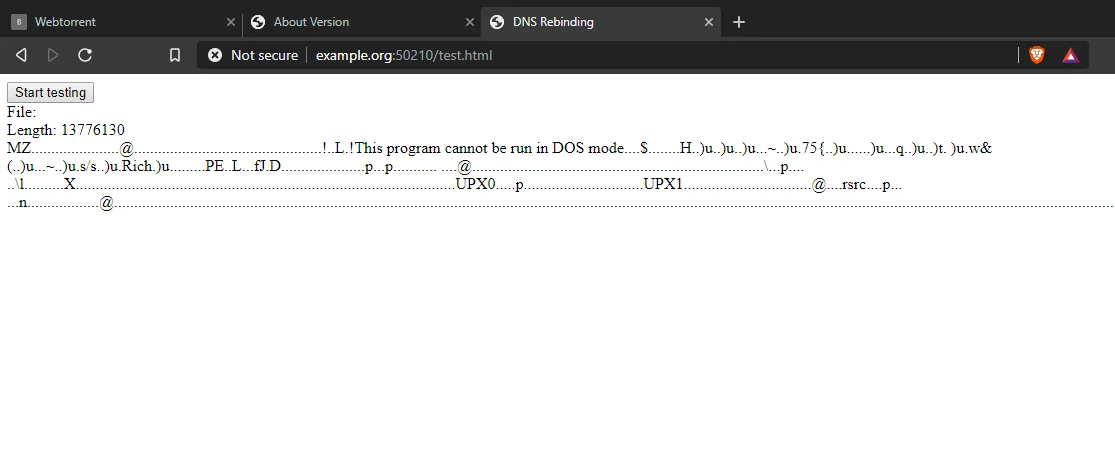
- Open a new tab, navigate to http://example.org:50210/test.html (you may need to change the port number). Click "Start testing" button. You should see the first downloaded file content on the page.
Supporting Material/References:
- poc.html and screenshots
Impact
Malicious websites can discover what files users have downloaded using WebTorrent.
Attachments
Not written yet. The AI write-up for this report has not been written yet. The Original tab links to the source.
How it worked
Root cause
The local HTTP server does not validate the Host header of incoming requests, so it responds to requests addressed to arbitrary hostnames.
Impact
A malicious website could discover what files a user has downloaded via WebTorrent.
What the attacker needed
Brave browser with WebTorrent; victim downloads a torrent; attacker controls a website; DNS rebinding or hosts manipulation
How it was found
- Set up a local proxy to serve a proof-of-concept page for a specific hostname and port.
- Add a hosts file entry mapping that hostname to 127.0.0.1.
- In Brave, open a magnet link and start downloading a torrent.
- After download completes, note the local URL shown for the saved file, including the port.
- In a new tab, navigate to the crafted hostname on that port and run the test page.
- Observe the downloaded file content displayed on the page.
Explained by bugbounty.wiki with AI from the original and checked against quotes from it; it can still be wrong. Read the original before relying on a detail.
Not written yet. The AI write-up for this report has not been written yet. The Original tab links to the source.
When you download a file with BitTorrent in Brave, the browser runs a small web server on your own computer to share that file. That server does not check who is asking for the file, so a bad website can trick your browser into talking to that local server and read the list of files you downloaded. This is done using a technique called DNS rebinding, which lets a website change its address to point at your computer.
What is Info disclosure?
Data the application should keep private (personal data, internal details, other users' records) reaches someone it should not.