Let’s Hack Citizens Bank
A feedback page on a bank subdomain reflected two parameters without proper encoding, one in a JavaScript context and one in an input value. By URL-encoding the whole payload, an attacker could bypass HTML encoding and execute script in the victim's browser.

Hello team, Here again, to review another of my findings but this time on the Citizens Bank, an American bank headquartered in Providence, Rhode Island, which operates in Connecticut, Delaware, etc.
The full write-up lives on its author's site
It belongs to its author, so we link to it rather than copy it. The other two tabs are our own rewrites, checked against it.
Context
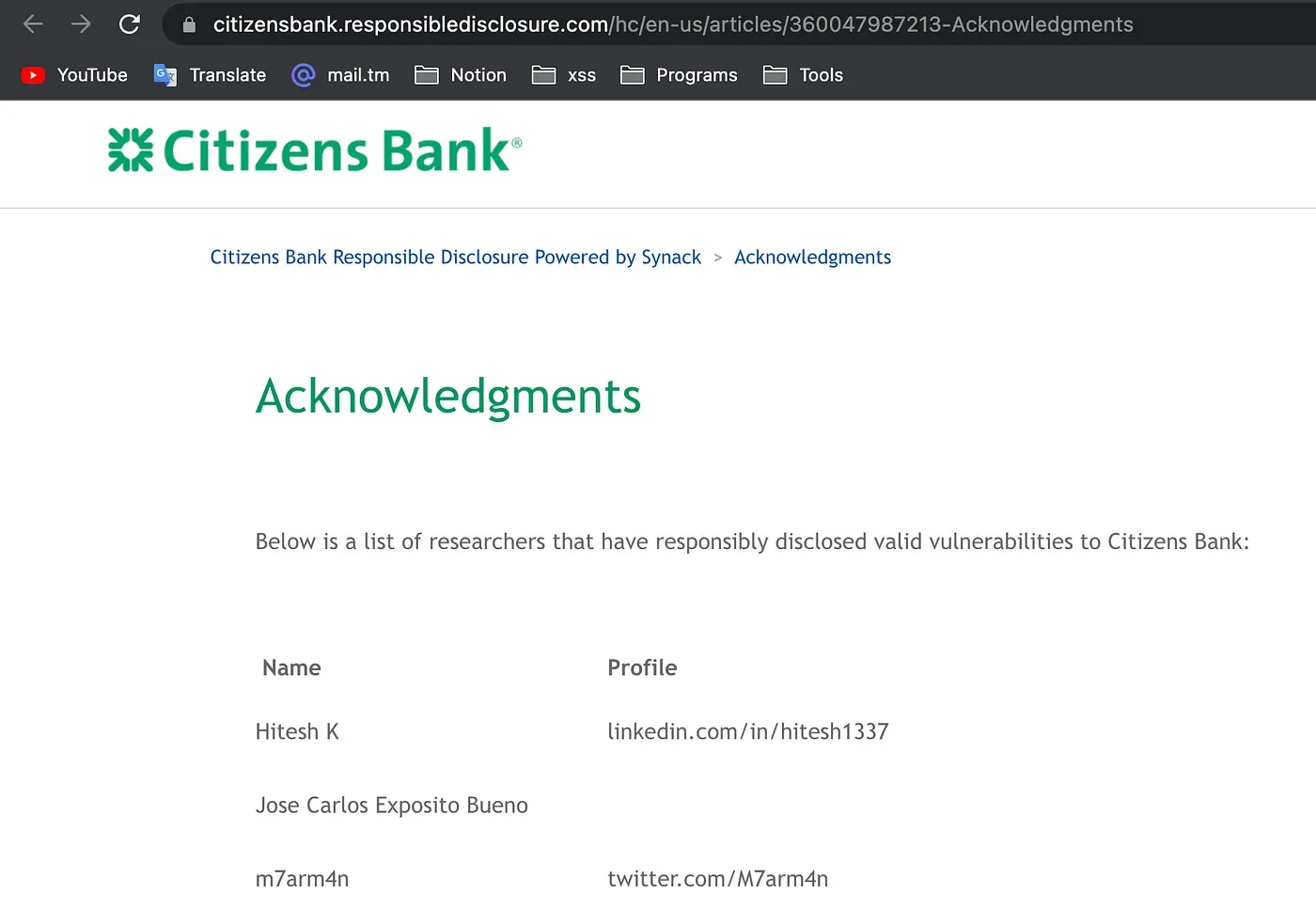
Citizens Bank is an American bank headquartered in Providence, Rhode Island, which operates in Connecticut, Delaware and elsewhere. The researcher approached it through the bank's responsible disclosure programme, and the target of the finding was a subdomain of the bank's estate rather than the main site.
The feature involved is a feedback page. The report does not describe what the page normally does beyond accepting input, but the behaviour that mattered was that two of its parameters were reflected back into the response: one inside a JavaScript context, and one inside an input value tag.


Setup
No accounts, roles or credentials are described. The work was black-box reconnaissance and parameter fuzzing against a public subdomain.
The researcher uses two recon tools on an asset: one that works deep and one that works fast. The fast one is used when the goal is simply to list subdomains, organise popular technologies and so on. It runs multiple public and private tools to gather sources from the public data and then runs server discovery on them with httpx.
On the browser side, the researcher recommends a separate browser used only for hunting, populated with extensions that help bug hunters discover vulnerabilities or reach sources faster. The extensions named in the report are:
- The Shodan plugin, which shows where the website is hosted (country, city), who owns the IP and what other services or ports are open. It automatically checks whether Shodan has any information for the current website, including whether the site is also running FTP, DNS, SSH or some unusual service.
- HackTools, a web extension facilitating web application penetration tests, with cheat sheets and the tools used during a test such as XSS payloads and reverse shells.
- Wappalyzer, a CMS and framework detector that uncovers more than a thousand technologies in dozens of categories such as programming languages, analytics, marketing tools, payment processors, CRM and CDN.
- The Internet Archive Wayback Machine browser extension, which lets you go back in time to see how a website has changed, save websites, view missing 404 pages or read archived books and papers.
- A tool that takes a list of web pages in plain-text format and opens them all in new tabs: paste the list into the text area, one website address per line, select your options and click "Open URLs".




Finding it
Subdomain enumeration with the fast tool produced around 150 results. Filtering by technology, most of them were ASP.NET; filtering by status, most of them were 200 or 40x. The researcher then randomly opened some of the 40x statuses on which httpx had detected ASP.NET.
One of the 404 subdomains stood out. It had some records on the Wayback Machine. Opening some of those records and using Google dorks to reach endpoints eventually led to a feedback page.
Parameter fuzzing on that page turned up two reflective parameters after a while: one reflected in the JavaScript context, and the other reflected in an input value tag.
Exploitation
Step 1: probe the reflection and observe the encoding
The input xss%22 came back as xss&qout;, that is, the payload encoded as HTML. The report writes the entity as xss&qout;; the standard named entity for a double quote is ", so this is presumably a typo in the write-up rather than a different entity. Either way, the quote character was being neutralised by HTML encoding, which is what would normally stop a breakout from the input value attribute.
Step 2: URL-encode the whole payload
The researcher then URL-encoded the entire payload. With that, the output was reflected without any HTML encoding. The payload was injected and fired:
'-alert(origin)-' -> %27%2d%61%6c%65%72%74%28%6f%72%69%67%69%6e%29%2d%27
Reading the encoded form: %27 is the single quote, %2d is the hyphen, %61%6c%65%72%74 spells alert, %28 and %29 are the parentheses, %6f%72%69%67%69%6e spells origin, and the trailing %2d%27 closes with a hyphen and a single quote. The decoded payload is therefore '-alert(origin)-'. alert(origin) fires only if the surrounding script executes, which is what confirmed the injection.
Root cause
The report does not show the server-side code, so the mechanism has to be inferred. The observable behaviour is that a double quote in the input was converted to an HTML entity, while the same payload URL-encoded was reflected with no HTML encoding at all.
Impact
The report demonstrates script execution in the researcher's own browser via alert(origin). In the general case, reflected XSS on a bank's feedback page would let an attacker run script in the origin of that subdomain against anyone who follows a crafted link, but the report itself stops at proving the payload fires.
Fix
The fix implied by the behaviour is to decode the input fully before validating or encoding it, and then apply context-appropriate output encoding: HTML attribute encoding for the input value, and JavaScript string escaping for the parameter reflected into the script context.
Variants to test
- On other ASP.NET estates, repeat the recon pattern: enumerate subdomains, filter by technology and status, and open the 40x hosts that still run the framework.
- For any reflective parameter, send a quote character raw and then percent-encoded, and compare the two responses.
- For parameters reflected inside a
scriptblock, try a single-quoted breakout padded with hyphens, as in the report, and check whether the browser executes it. - Check archived copies of forgotten subdomains on the Wayback Machine and use dorks against them to surface endpoints such as feedback forms.
- Fuzz parameters on any legacy form you find for reflection, and classify each hit by context (HTML attribute, JavaScript string, URL) before choosing a payload.
What happened, in plain words
A security researcher found a bug on a website belonging to Citizens Bank, an American bank headquartered in Providence, Rhode Island, which operates in Connecticut, Delaware and elsewhere. The bug was a type called cross-site scripting, or XSS for short. In plain terms, XSS means that a website takes something a visitor types or sends and puts it back into the page in a way that lets that text act like code. If an attacker can do that, they can make a victim's browser run the attacker's instructions while the victim is on the bank's page.
The researcher did not attack the bank's main website. The target was a subdomain, which is a smaller address under the main one. Think of the main site as a large office building and a subdomain as a side entrance with its own door and its own lock. The side entrance here was a feedback page, a form where visitors can send comments. The report does not describe what the page normally does beyond accepting input, but the important behaviour was that two of the form's fields were echoed back into the page: one inside a piece of JavaScript (the code that makes web pages interactive), and one inside an input tag (a form field).
The researcher approached the bank through its responsible disclosure programme. That is a formal channel a company sets up so that people who find security problems can report them safely instead of being treated as intruders.
Setup
The report describes no accounts, roles or credentials. Everything was done from the outside, against a public subdomain, without logging in anywhere. This style of testing is called black-box testing: you can see what the site shows the public, but not the code behind it.
The researcher uses two reconnaissance tools on an asset. Reconnaissance, or recon, is the first phase of any security test: gathering information about what exists before touching anything. One tool works deep and one works fast. The fast one is used when the goal is simply to list subdomains, organise popular technologies and so on. It runs multiple public and private tools to gather sources from public data and then runs server discovery on them with httpx.
In everyday terms, this is like walking around a neighbourhood with a clipboard before trying any doors: writing down every address, noting what kind of building each one is, and checking which ones actually answer when you knock.
On the browser side, the researcher recommends a separate browser used only for hunting, filled with extensions that help bug hunters discover vulnerabilities or reach sources faster. An extension is a small add-on you install in your browser to give it extra abilities. Keeping a dedicated browser means your everyday browsing, logins and history stay separate from your testing.
The extensions named in the report are:
- The Shodan plugin, which shows where the website is hosted (country, city), who owns the IP and what other services or ports are open. It automatically checks whether Shodan has any information for the current website, including whether the site is also running FTP, DNS, SSH or some unusual service. Shodan is a search engine for internet-connected devices and services, so this plugin tells you what else is visible about the machine behind a site.
- HackTools, a web extension facilitating web application penetration tests, with cheat sheets and the tools used during a test such as XSS payloads and reverse shells. A payload is the piece of text or code you send to test whether a bug exists. A reverse shell is a technique where a compromised machine connects back to the attacker; it is mentioned here only as one of the tools in the extension.
- Wappalyzer, a CMS and framework detector that uncovers more than a thousand technologies in dozens of categories such as programming languages, analytics, marketing tools, payment processors, CRM and CDN. A CMS is a content management system, the software many sites use to publish pages. A framework is a set of pre-built code a developer builds on top of. Knowing which ones a site uses helps you guess how it might behave.
- The Internet Archive Wayback Machine browser extension, which lets you go back in time to see how a website has changed, save websites, view missing 404 pages or read archived books and papers. The Wayback Machine is a public archive that keeps snapshots of web pages from years past, even pages that no longer exist.
- A tool that takes a list of web pages in plain-text format and opens them all in new tabs: paste the list into the text area, one website address per line, select your options and click "Open URLs". This is a simple time-saver when you have dozens of addresses to look at.
Finding it
Subdomain enumeration with the fast tool produced around 150 results. Enumeration simply means making a list of everything that exists. Filtering by technology, most of them were ASP.NET, a Microsoft framework for building web applications. Filtering by status, most of them were 200 or 40x. A status code is the short number a web server sends back with every page: 200 means the page was found and served normally, while 40x codes (such as 404) mean something was wrong with the request, most often that the page was not found.
The researcher then randomly opened some of the 40x statuses on which httpx had detected ASP.NET. The reasoning is that a page returning an error but still running a real framework is often an old or forgotten part of a site, and forgotten parts get less attention from their owners.
One of the 404 subdomains stood out. It had some records on the Wayback Machine, meaning archived snapshots of it existed from earlier times. Opening some of those records and using Google dorks to reach endpoints eventually led to a feedback page. A Google dork is a search query built with special operators to surface pages that normal searching hides. An endpoint is a specific address on a server that does something, such as a form that accepts submissions.
Parameter fuzzing on that page turned up two reflective parameters after a while: one reflected in the JavaScript context, and the other reflected in an input value tag. A parameter is a named value you send to a page, usually visible in the address bar after a question mark, like ?name=value. Fuzzing means sending many variations automatically to see how the page reacts. A reflective parameter is one whose value is copied straight back into the page you receive. The context is where exactly in the page it lands: inside a form field, inside a script, inside a link and so on. The context decides which characters are dangerous.
Exploitation
Step 1: probe the reflection and observe the encoding
The input xss%22 came back as xss&qout;, that is, the payload encoded as HTML. The report writes the entity as xss&qout;; the standard named entity for a double quote is ", so this is presumably a typo in the write-up rather than a different entity. Either way, the quote character was being neutralised by HTML encoding, which is what would normally stop a breakout from the input value attribute.
To unpack that: HTML encoding (also called escaping) replaces characters that have special meaning in a page with safe stand-ins called entities. A double quote inside a form field's value would normally end the value early and let an attacker add new attributes, so turning it into an entity is the correct defensive move. %22 is how a double quote is written when a value is URL-encoded, a separate scheme where special characters are written as a percent sign plus two digits so they can travel safely in an address. The researcher sent the quote in its URL-encoded form and saw it come back as an HTML entity, which showed the page was doing some filtering.
Step 2: URL-encode the whole payload
The researcher then URL-encoded the entire payload. With that, the output was reflected without any HTML encoding. The payload was injected and fired:
'-alert(origin)-' -> %27%2d%61%6c%65%72%74%28%6f%72%69%67%69%6e%29%2d%27
Reading the encoded form character by character: %27 is the single quote, %2d is the hyphen, %61%6c%65%72%74 spells alert, %28 and %29 are the parentheses, %6f%72%69%67%69%6e spells origin, and the trailing %2d%27 closes with a hyphen and a single quote. The decoded payload is therefore '-alert(origin)-'. alert(origin) fires only if the surrounding script executes, which is what confirmed the injection.
In plain words: alert is a browser function that pops up a small dialog box. origin is a built-in value that holds the address of the page you are on. So alert(origin) shows a box containing the site's own address, which proves the code ran inside that site's page rather than being displayed as harmless text. If any of that were wrong, the script would simply fail with an error and nothing would pop up.
Root cause
The report does not show the server-side code, so the mechanism has to be inferred. The observable behaviour is that a double quote in the input was converted to an HTML entity, while the same payload URL-encoded was reflected with no HTML encoding at all.
A useful comparison is a security guard who checks parcels before they are unpacked. If the guard inspects the sealed box, sees nothing dangerous, and only afterwards does someone open the box and find the contents, the check was pointless.
Impact
The report demonstrates script execution in the researcher's own browser via alert(origin). In the general case, reflected XSS on a bank's feedback page would let an attacker run script in the origin of that subdomain against anyone who follows a crafted link, but the report itself stops at proving the payload fires.
Why that matters even without a demonstrated victim: a script running in a site's origin is treated by the browser as part of that site. It can read what the page shows and act as the page.
Fix
The fix implied by the behaviour is to decode the input fully before validating or encoding it, and then apply context-appropriate output encoding: HTML attribute encoding for the input value, and JavaScript string escaping for the parameter reflected into the script context.
In everyday terms: unpack the parcel first, then inspect the contents, and then wrap each item according to where it is going. A value placed inside a form field needs one kind of wrapping; a value placed inside a script needs another. One generic pass over the still-encoded text is not enough.
Variants to test
- On other ASP.NET estates, repeat the recon pattern: enumerate subdomains, filter by technology and status, and open the 40x hosts that still run the framework.
- For any reflective parameter, send a quote character raw and then percent-encoded, and compare the two responses.
- For parameters reflected inside a
scriptblock, try a single-quoted breakout padded with hyphens, as in the report, and check whether the browser executes it. - Check archived copies of forgotten subdomains on the Wayback Machine and use dorks against them to surface endpoints such as feedback forms.
- Fuzz parameters on any legacy form you find for reflection, and classify each hit by context (HTML attribute, JavaScript string, URL) before choosing a payload.
Glossary
- Subdomain: a smaller address under a main domain, such as a side entrance with its own door.
- Responsible disclosure programme: a formal channel a company provides for reporting security problems safely.
- Black-box testing: testing a system only through what is publicly visible, without access to its code or internals.
- Reconnaissance (recon): the information-gathering phase of a security test.
- httpx: a tool named in the report that performs server discovery on a list of hosts.
- Browser extension: a small add-on installed in a browser to add abilities.
- Shodan: a search engine for internet-connected devices and services.
- IP address: the numeric address of a machine on a network.
- Port: a numbered channel on a machine through which a particular service listens.
- FTP, DNS, SSH: standard network services; the report mentions them as examples of other services a host might expose.
- Payload: the piece of text or code sent to test whether a bug exists.
- Reverse shell: a technique where a compromised machine connects back to an attacker.
- CMS (content management system): software used to publish and manage website pages.
- Framework: a set of pre-built code that developers build an application on top of.
- CDN (content delivery network): a network of servers that delivers site content from locations near visitors.
- Wayback Machine: a public archive of snapshots of web pages over time.
- Subdomain enumeration: producing a list of the subdomains that exist for a domain.
- ASP.NET: a Microsoft framework for building web applications.
- Status code: the number a web server returns with a response, such as 200 for success or 404 for not found.
- 40x: the family of status codes indicating a problem with the request, such as 404.
- Google dork: a search query using special operators to surface pages normal searching hides.
- Endpoint: a specific address on a server that performs an action, such as a form handler.
- Parameter: a named value sent to a page, often visible in the address bar after a question mark.
- Fuzzing: automatically sending many variations of input to see how a page reacts.
- Reflective parameter: a parameter whose value is copied straight back into the page you receive.
- Context: the exact place in a page where input lands, such as a form field or a script, which decides which characters are dangerous.
- HTML encoding (escaping): replacing characters with special meaning in a page with safe stand-ins called entities.
- Entity: the safe stand-in used in HTML encoding, such as
"for a double quote. - URL encoding: writing special characters as a percent sign plus two digits so they can travel safely in an address.
- JavaScript: the programming language that makes web pages interactive.
inputtag: the HTML element that creates a form field.- Attribute: a setting on an HTML element, such as the value of a form field.
alert: a browser function that shows a small dialog box.origin: a built-in value holding the address of the current page.- Output encoding: converting data for safe display in a particular place on a page.
- JavaScript string escaping: encoding data so it cannot break out of a quoted string inside a script.
- Root cause: the underlying reason a bug exists, as opposed to its visible symptom.





