suPHP - The vulnerable ghost in your shell🎯Business Logic Flaw in Google Acquisition! (Hall Of Fame)🎯
Uploaded files on a Google-acquired education domain remained publicly accessible even after deletion and when marked private. An attacker could access or download deleted or private documents via their direct links.
 Published on medium.com
I would like to thank all the Bug Hunters for their tedious effort in improving internet security and reaching out to read my little GOOGLE-Bug Huntingstory and my experience on achieving GOOGLE-Hall Of Fame!
The full write-up lives on its author's site
It belongs to its author, so we link to it rather than copy it. The other two tabs are our own rewrites, checked against it.
Context
This is a short account of two related findings on a Google-acquired domain, https://edu.workbencheducation.com/, reported as part of a bug hunting journey that ended with a place in the Google Hall of Fame. The researcher reports three vulnerabilities in total (described as P2 to S2) across Google properties, all accepted.
The product is an education application where students create and upload files and documents, and where an uploaded file or assignment can be marked Private or Public. The feature is meant to do what its name says: a private file should be reachable only by the people entitled to it, and a public one by anyone. The findings are about that promise not being kept, both for files that were deleted and for files that were marked private.
Setup
No tools were used for either finding. The only preconditions are an account on the application and the ability to create and upload a file:
- An account on
https://edu.workbencheducation.com/. - A browser, plus an incognito window to check access without a session.
- The link to the uploaded document, which the application exposes after upload.
The researcher notes that Google is a heavily secured platform and that a few days went into understanding which domains Google manages and what counts as a Google acquisition. The advice given is to check a candidate domain with a whois lookup and confirm that the registrant and administrative contact are Google LLC, and to compare against the public list of Alphabet mergers and acquisitions.
Finding it
After getting familiar with the application, the researcher noticed that uploaded files were stored in an AWS S3 bucket. That raised the question of what happens to a file after the user deletes it. The answer was that the deleted file remained publicly accessible through its link.
Looking further at the same domain, the researcher found a second issue in the same area: the application lets a student mark an assignment or uploaded file as public or private, but the file is reachable by the public either way. The reasoning is stated plainly: if a file marked private is still publicly accessible, the public/private feature has no meaning.
Exploitation
Step 1: create an account and log in
Create and log in to an account on the target:
https://edu.workbencheducation.com/
Step 2: start an upload
Click the create button, select the upload file option, and fill in the necessary information.
Step 3: upload and save
Upload any file or document and click save.
Step 4: take the document link and test it unauthenticated
Copy the uploaded document link, open it in a browser, and validate it by opening the same link in an incognito window.
Step 5: delete the file and try the link again
Delete the uploaded file, then browse to the same uploaded document link again. The file can still be accessed or downloaded. The same link keeps working at any later time, so the file can still be accessed or downloaded.
Step 6: repeat with the private setting
Anyone with the link can fetch it from the internet, so the access setting does not change who can read the object.
Root cause
The report does not describe the server-side implementation, so the following is likely rather than confirmed. Uploaded files live in an AWS S3 bucket, and the application appears to hand out direct links to the objects in that bucket. Deleting a document in the application removes the record the user sees but does not remove the object from the bucket, so the link keeps resolving. Likewise, the public/private choice is recorded in the application but is not enforced on the object itself, so the bucket serves the file regardless of the setting. In both cases the access decision lives in the application layer while the actual object is reachable directly, which is why neither deletion nor the private setting stops a request that goes straight to the stored file.
Impact
Even a user who uploaded personal documents and chose private accessibility had those files publicly accessible. The researcher lists three consequences:
- Privacy: the service keeps all of a person's deleted data, which is supposed to be deleted permanently.
- Trust and integrity: the public/private feature can be relied on but does not work, so the user's expectation of control over their own files is broken.
- Postsecondary researchers: their work can be copied from files they believed were private, and research can lose its uniqueness through plagiarism.
The report does not describe link guessing or enumeration.
Fix
Based on the root cause, the fixes would be to delete the underlying object from the bucket when a document is deleted in the application, and to enforce the public/private choice on the object itself, for example through per-object access control or short-lived signed links issued only after an authorisation check, rather than leaving objects readable by anyone who holds a URL.
Variants to test
- Delete then fetch. Upload a file, note its link, delete it in the UI, and request the link from an unauthenticated session. A positive result is the file still being accessible or downloadable after deletion.
- Private then fetch. Set a file or assignment to private and request its link from an incognito window. A positive result is the file being served to a session with no rights to it.
- Toggle the setting. Switch the same object between public and private and compare the responses. If both return the file, the setting is cosmetic.
- Direct object storage access. Where uploads land in cloud storage, check whether the object URL is reachable without application credentials, and whether the object name is predictable enough to enumerate.
- Old versions after re-upload. Replace a file and request the previous link.
Closing note
The researcher's own suggestion is to know the target domain and its functionality well, keep learning new technologies, and think beyond the obvious. The two findings here came from asking a simple question about a feature everyone else takes for granted: what actually happens to my file when I delete it, and who can really read it when I mark it private.
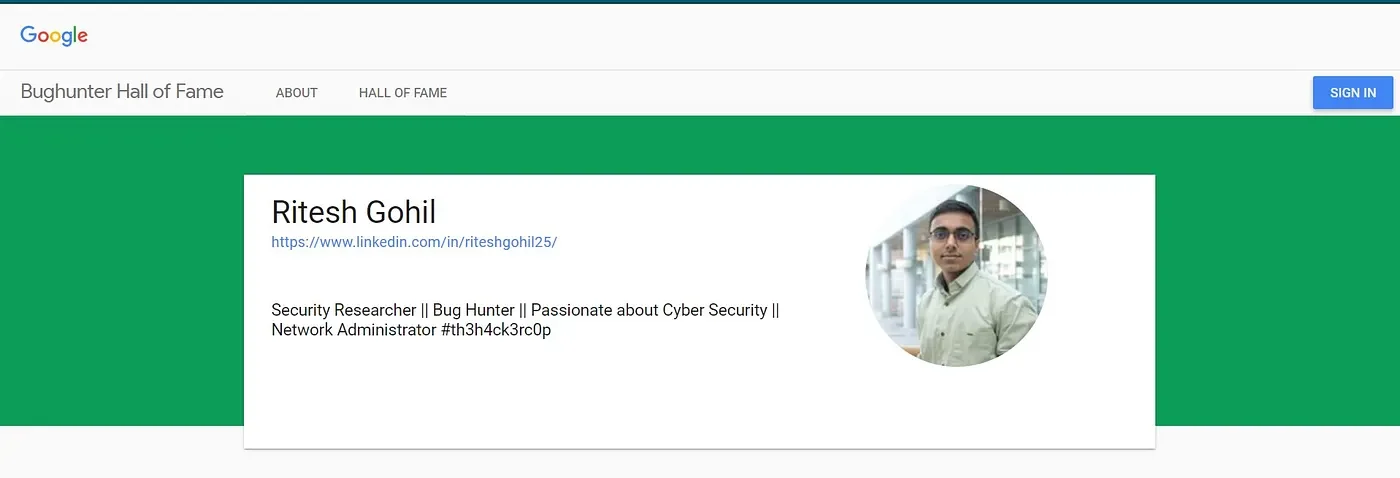
Hall Of Fame!
What happened, in plain words
A security researcher spent a few months learning how to hunt for bugs, mostly on private practice platforms, and then turned to Google. Google is a hard target, so the first few days went into working out which websites Google actually owns. Some of those sites are not obvious: Google grows partly by buying other companies, and the sites of those bought companies count as Google targets too. The researcher reported three vulnerabilities in total across Google properties, all accepted; two of them were found on one education website, https://edu.workbencheducation.com/. The work ended with a place in the Google Hall of Fame, a public list of people who have reported valid bugs.
The website is a learning application. Students create assignments and upload files and documents. When you upload something, the application gives you a link to it, and it also lets you mark the file or assignment as Private or Public. Those two words are a promise: private means only the right people can open it, public means anyone can. Both findings are about that promise being broken. A file you delete stays reachable through its link, and a file you mark private is reachable by anyone who has the link anyway.
No special tools were needed for either finding. A browser, an account and a little curiosity were enough.
Before you start: what you need
- An account on
https://edu.workbencheducation.com/. - A normal browser window, plus an incognito window. Incognito is a private browsing mode that starts with no logged-in session, so it behaves like a stranger visiting the site. That is how you check whether something is reachable without being logged in.
- The link to the uploaded document. The application shows it to you after you upload.
One idea to understand before going further: a link to a file is not the same thing as permission to read it. In a well-built application, the server checks who is asking before it hands over the file. In a badly built one, the link itself is the only key, and anyone holding it gets in. Keep that distinction in mind, because it is the heart of both findings.
How the researcher picked the target
The researcher's advice is to understand two things first: which domains Google manages, and what counts as a Google acquisition. An acquisition is when one company buys another. Google's parent company, Alphabet, has bought many companies over the years, and the public Wikipedia list of Alphabet mergers and acquisitions records them. If you find a domain that is not on that list but looks like it might belong to Google, the report suggests checking it with a whois lookup. Whois is a public directory service that tells you who registered a domain name. The check the report recommends is that the registrant and administrative contact should be Google LLC.
This matters because bug bounty programmes only pay for, and only accept, bugs on assets the company actually owns. Reporting a bug on a site that merely looks like Google's wastes everyone's time.
Finding the first bug
After spending time getting familiar with the application, the researcher noticed that uploaded files were stored in an AWS S3 bucket. AWS is Amazon Web Services, a cloud provider. S3 is its file storage service: think of it as a huge online cupboard where an application puts files, and each file in the cupboard has its own address. A bucket is one such cupboard, a named container holding many files.
That observation led to a simple question: what happens to my file after I delete it? The answer was that the deleted file was still publicly accessible through its link.
Finding the second bug
While studying the same domain further, the researcher found a second issue in the same area. The application lets a student mark an assignment or an uploaded file as public or private. But the file was reachable by the public either way. The reasoning in the report is stated plainly: if a file marked private is still publicly accessible, then offering a public/private switch at all makes no sense. The switch is cosmetic.
Walking through the steps
Step 1: create an account and log in
Go to the target and sign up, then log in:
https://edu.workbencheducation.com/
This is just the address of the application. You need an account because uploading files is a feature for logged-in students. Logging in also gives your browser a session, a short-lived proof that you are you. The server hands your browser a small piece of data, often called a cookie, and the browser sends it back with every request so the server can recognise you. The incognito window you will use later has no such session, which is exactly why it is useful for testing.
Step 2: start an upload
Click the create button, choose the upload file option, and fill in the information the form asks for. This is the normal way a student adds work to the application. Nothing unusual here: you are using the product as intended, so that whatever you observe afterwards is a real behaviour of the product and not something you caused by tampering.
Step 3: upload and save
Upload any file or document and click save. Pick something harmless, such as a text file you wrote yourself. The point is to have a file you control, so you can tell later whether it is still being served.
Step 4: take the document link and test it without logging in
Copy the uploaded document link, open it in your normal browser, and then open the same link in an incognito window. The incognito window is not logged in, so it is asking as a stranger.
Step 5: delete the file and try the link again
Delete the uploaded file in the application, then open the same uploaded document link again. The file can still be accessed or downloaded. The same link keeps working at any later time, so the file can still be accessed or downloaded. This is the first finding: deleted documents are not deleted permanently.
Step 6: repeat with the private setting
The file is still reachable by the public. Anyone with the link can fetch it from the internet, so the setting does not change who can read the object. This is the second finding.
Why this probably happens
The report does not describe how the server is built, so what follows is a likely explanation rather than a confirmed one. Uploaded files live in an AWS S3 bucket, and the application appears to give out direct links to the files in that bucket. When you delete a document, the application removes the record you see in its interface, but it does not remove the file from the bucket, so the link keeps resolving. In the same way, the public/private choice is recorded in the application but is not enforced on the file itself, so the bucket serves the file regardless of the setting.
In both cases the access decision lives in the application, while the actual file can be reached directly. That is why neither deletion nor the private setting stops a request that goes straight to the stored file. A useful comparison: a hotel receptionist can cross your name off the guest list, but if your key card still opens the room door, you can still get in. The list and the door are two different systems, and only one of them was updated.
What the impact is
Even a user who uploaded personal documents and chose private accessibility had those files publicly accessible. The researcher lists three consequences:
- Privacy. The service keeps all of a person's deleted data, which is supposed to be deleted permanently.
- Trust and integrity. The public/private feature can be relied on but does not work, so the user's expectation of control over their own files is broken.
- Postsecondary researchers. Their work can be copied from files they believed were private, and research can lose its uniqueness through plagiarism.
The report does not describe link guessing or enumeration.
What the fix would look like
Based on the likely cause, the fixes would be to delete the underlying file from the bucket when a document is deleted in the application, and to enforce the public/private choice on the file itself. That could be done with per-file access control, or with short-lived signed links issued only after the application has checked that the person asking is allowed to see the file, rather than leaving files readable by anyone who holds a URL.
A signed link is a URL that carries a cryptographic signature and an expiry time. The storage service checks the signature before serving the file, so the link stops working after a short while and cannot be forged. It is like a visitor pass with a date on it: useful for the day, worthless afterwards.
Variants worth testing
These are the same idea applied in slightly different ways. Each one asks: does the application's rule actually reach the stored file?
- Delete then fetch. Upload a file, note its link, delete it in the interface, and request the link from a session that is not logged in. A positive result is the file still being accessible or downloadable after deletion. A 200 is the standard HTTP status code meaning the request succeeded and the content is being returned.
- Private then fetch. Set a file or assignment to private and request its link from an incognito window. A positive result is the file being served to a session with no rights to it.
- Toggle the setting. Switch the same file between public and private and compare the responses. If both return the file, the setting is cosmetic.
- Direct object storage access. Where uploads land in cloud storage, check whether the file's address is reachable without application credentials, and whether the file name is predictable enough to guess others.
- Old versions after re-upload. Replace a file and request the previous link.
Closing note
The researcher's own suggestion is to know the target domain and its functionality well, keep learning new technologies, and think beyond the obvious. Both findings came from asking a simple question about a feature everyone else takes for granted: what actually happens to my file when I delete it, and who can really read it when I mark it private.
Hall Of Fame!
Glossary
- Bug bounty programme: a scheme where a company rewards people for reporting security problems in its systems.
- Hall of Fame: a public list of researchers who have reported valid bugs to a company.
- Acquisition: when one company buys another; the bought company's websites then belong to the buyer.
- Domain: the name of a website, such as
edu.workbencheducation.com. - Whois lookup: a public directory service that shows who registered a domain name.
- Registrant / administrative contact: the person or organisation recorded as owning and managing a domain.
- AWS: Amazon Web Services, a cloud provider that rents out computing and storage.
- S3 bucket: a named container in AWS's file storage service, holding many files, each with its own address.
- Object: one stored file in cloud storage, together with its address.
- Session: the server's short-lived record that you are logged in, usually kept going by a cookie your browser sends back.
- Cookie: a small piece of data a website stores in your browser and receives back on each request.
- Incognito window: a private browsing window that starts with no logged-in session, useful for testing what a stranger can see.
- Public / Private setting: an application option that is supposed to control who can reach a file.
- Access control: the rules that decide who is allowed to read or change something.
- Signed link: a URL carrying a cryptographic signature and an expiry time, checked by the storage service before it serves the file.
- HTTP status code: a number a server returns to say how a request went;
200means success and the content is being returned. - Enumeration: systematically guessing names or addresses to find things that were not meant to be found.
- Plagiarism: presenting someone else's work as your own.
- P2 / S2: severity labels used by some bug bounty programmes to rank how serious a finding is.