The journey from Google Honorable Mention to Hall of Fame.
The password reset link was leaked in the Referer header when a user clicked social media links on the reset page, exposing the full link to third-party sites. An attacker controlling such a site could capture the link and reset the victim's password.
 Published on medium.com
Earlier I found a valid bug in google but that doesn’t meet the bar for reward & I have to satisfy myself to be Enlisted in Honorable Mention only.
The full write-up lives on its author's site
It belongs to its author, so we link to it rather than copy it. The other two tabs are our own rewrites, checked against it.
Context
This write-up covers a password reset token leak found on a Google acquisition site. The researcher had previously reported a valid bug to Google that did not meet the bar for a reward, and was listed only in Google's Honorable Mention. He wanted to move from Honorable Mention to the Hall of Fame, so he started hunting on sites Google had acquired rather than on Google's main domains.
The target he settled on was waze.com. The feature involved is the standard forgot-password flow: a user enters their email address, receives a reset link by email, opens it, and lands on a password reset page. That page contains links to social media sites. When the user clicks one of those links, the browser sends a Referer header to the third party, and in this case that header contained the full password reset URL, including the token.
The weakness class is referer leakage of a sensitive token, leading to information disclosure and, in the worst case, account takeover via password reset.
Setup
The report does not describe any setup beyond the steps below.
- A Waze account associated with an email address the tester controls, so the reset email can be received.
- Burp Suite to intercept the request made when clicking a social media link from the reset page.
- The reset page must contain outbound links to third-party sites, which it did.
The idea for the bug came from a friend, Saugat Pokharel, who described the pattern to the researcher: a password reset link leaked in the Referer header in a request to third-party sites. The researcher then tested that pattern against the domain he was already looking at.
Finding it
The researcher had been searching Google's main domains without success, then moved to Google acquisition sites and picked waze.com. He did not find anything interesting at first and took a break. After the conversation with his friend he returned to the same domain with a specific hypothesis: that the password reset page would link out to social media, and that clicking such a link would send the reset URL, token included, in the Referer header.
That is exactly what he observed. The full password reset link was exposed to the third-party sites.
Exploitation
Step 1: Open the forgot-password page
The researcher started from the Waze forgot-password endpoint:
https://www.waze.com/forgot_password?redirect=%2F&we_episode_id=1618203286605
The URL contains a redirect parameter and a we_episode_id parameter; the report does not explain either.
Step 2: Submit the email address
Enter your email address and click to send the email. Waze sends a password reset message to that address.
Step 3: Open the reset link from the email
Go to the mailbox and click the password reset link in the email. This opens the password reset page for the account.
Step 4: Click a social media link and capture the request
On the password reset page, click one of the social media links shown on the page, with Burp Suite intercepting traffic so the outbound request can be inspected.
Step 5: Read the leaked token
In the captured request you can observe that the full password reset link is exposed to the third-party site. The reset URL, token included, is carried in the Referer header of the request the browser makes to the social media site.
A proof-of-concept video was published alongside the report:
https://www.youtube.com/watch?v=I311-Os8eDs
Root cause
The reset page links out to third-party sites while the browser's default referrer behaviour is in effect. Unless the page sets a restrictive referrer policy (for example a Referrer-Policy that strips the URL down to the origin, or no-referrer), the browser sends the full URL of the current page as the Referer to the destination. Because the reset token is part of that URL, it travels to the third party.
Impact
A third-party site that receives the request can see the full password reset link. The researcher's stated scenario is a social media page that has page analytics enabled: the analytics would show where users are referring from, and from that data the reset link could be read and used to reset the password for the victim.
Exploitation therefore depends on the third party actually logging or surfacing referrer data, and on the reset link still being valid when it is used. The report does not go beyond that scenario.
Fix
The report records that a fix was confirmed on May 21, 2020, but does not describe what was changed. The general remedy for this class of leak is to stop the reset URL from being sent as a referrer on outbound links, for example with a restrictive Referrer-Policy on the reset page or on the outbound links themselves.
Timeline
| Date | Event |
|---|---|
| April 12, 2020 | Initial report sent |
| April 12, 2020 | Report triaged |
| April 23, 2020 | Bounty rewarded |
| May 21, 2020 | Confirmation of fix |
The researcher states that Google triaged the report after 12 days, rewarded a bounty, and enlisted him in the Google Hall of Fame; the timeline lists triage on the same day as the report.
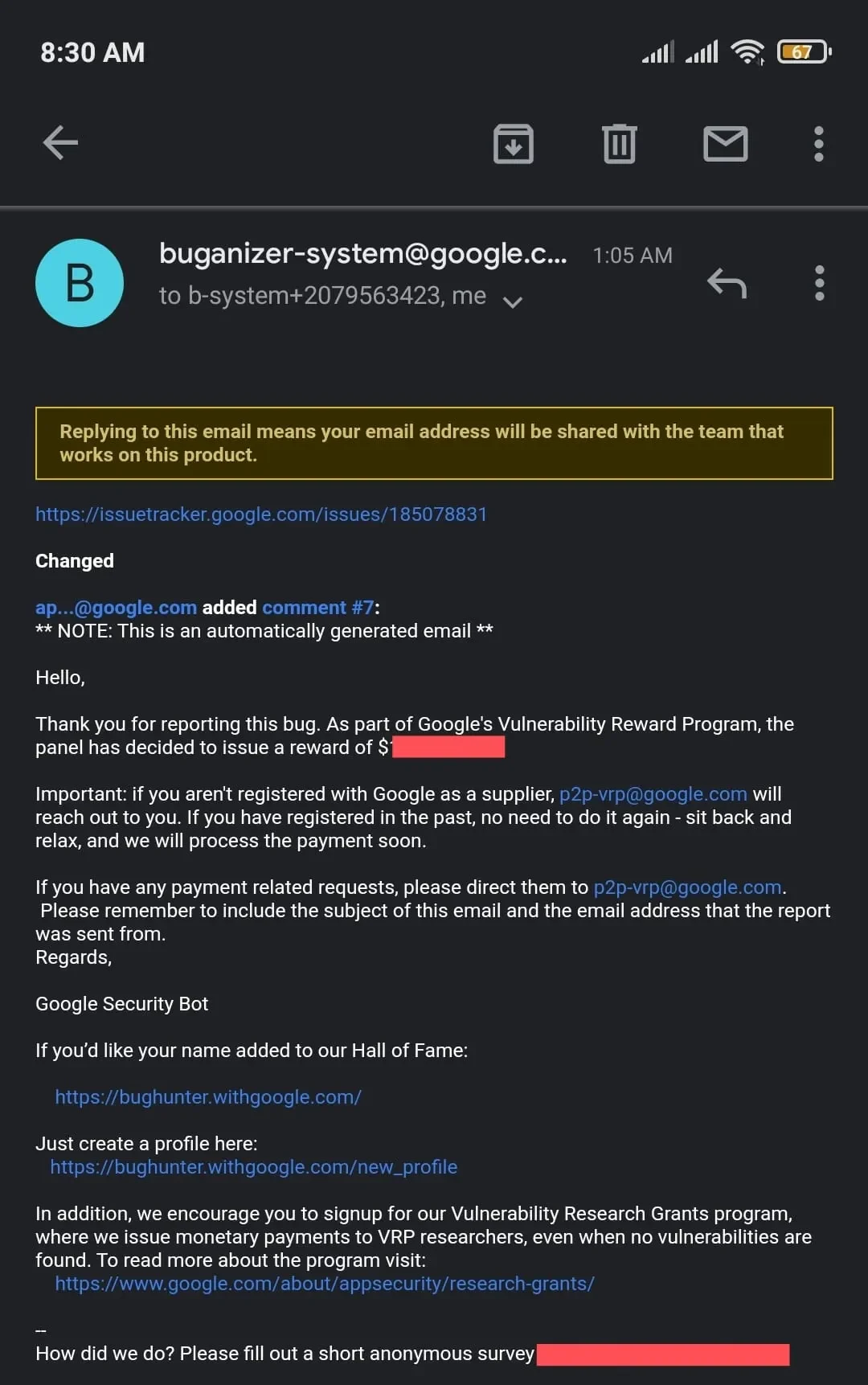
The reward email from Google.
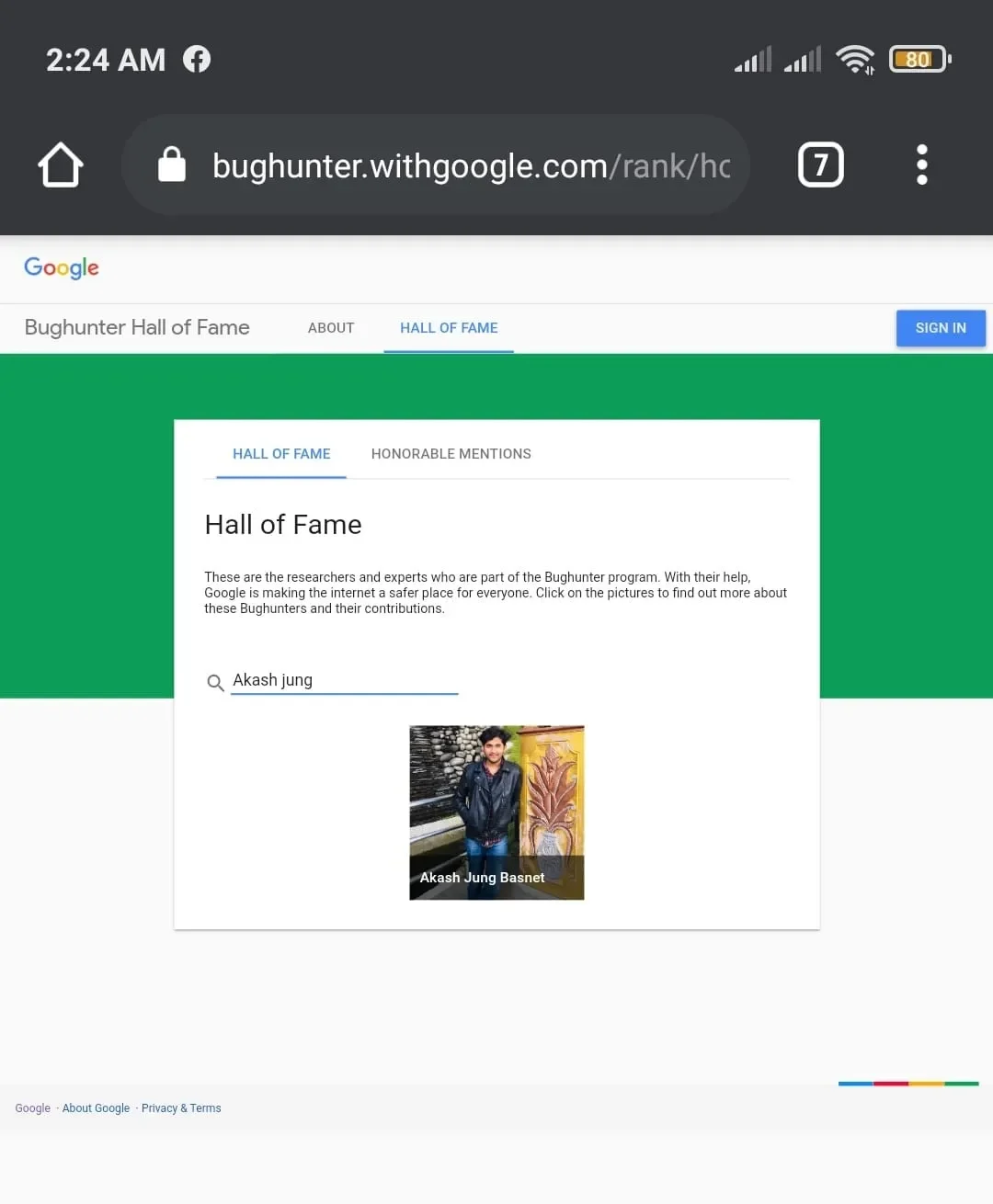
The Hall of Fame listing.
Variants to test
- Other outbound links on authenticated or token-bearing pages. Look for pages whose URL contains a token (password reset, email verification, invitation acceptance, magic login) and which also link to social media, documentation, support portals or partner sites. A positive result is a captured request to the third party whose
Refererheader contains the full URL with the token. - Different referrer policies. Check whether the site sets
Referrer-Policyat the page, header or link level. A positive result is a page with no policy, or a policy such asorigin-when-cross-originthat still leaks the path, combined with a token in the URL. - Redirects after the reset flow. If the reset page redirects to another host, inspect the
Referersent on that hop. A positive result is the token appearing in the header of a request to a host that should not see it. - Analytics and tag managers. Third-party scripts loaded on the reset page may capture the full URL themselves. A positive result is the token visible in requests those scripts make.
- Token reuse window. Test whether the reset token remains valid after the page has been visited and the outbound link clicked. A positive result is a token that still resets the password later, which widens the window for a third party to abuse the leaked value.
Closing
The researcher credits Saugat Pokharel for describing the bug pattern, and links to coverage of the issue in Nepali media.
What happened, in plain words
A security researcher found a password reset link leaked to third-party sites on waze.com, a Google acquisition site. When someone asked Waze to reset their password, Waze emailed them a special link. That link contained a secret code that let whoever held it set a new password. The reset page also had buttons linking to social media sites. When the user clicked one of those buttons, the browser quietly told the social media site the full address of the page the user came from, secret code included. Anyone who could read that information, for example through the social media site's visitor statistics, could take the code and reset the victim's password.
The researcher reported it to Google, was paid a bounty, and was added to Google's Hall of Fame. This article walks through the whole story from the beginning, explaining every technical idea as it appears.
Some background ideas first
Before the story, here are the few concepts you need. Each one is explained from zero.
- A website and a browser. Your browser (Chrome, Firefox, Safari) is a program that asks websites for pages and displays them. A website is a computer somewhere that answers those requests.
- A URL. The address of a page, like
https://www.waze.com/forgot_password. The part after the?is called the query string, and it carries small pieces of information called parameters, written asname=valuepairs joined by&. For example, in?redirect=%2F&we_episode_id=1618203286605there are two parameters:redirectwith the value%2F(which is the encoded form of/, the site's front page) andwe_episode_idwith the value1618203286605. - A password reset flow. When you forget your password, a site emails you a link. That link contains a long random string called a token. A token is like a temporary key: it proves you are the person who owns the email address, so the site lets you set a new password without typing the old one. Anyone who gets the token before it expires can do the same, which is why it must be kept secret.
- The
Refererheader. Every time your browser requests something from a website, it sends along small notes called headers. One of them, spelledReferer(an old misspelling of "referrer" that stuck), tells the destination which page you were on when you clicked the link. Think of it like a visitor saying "I came from room 12" when entering a new room. It is useful for statistics, but it can leak information if the address of the previous page contains something private. - A third-party site. Any website other than the one you are currently on. A social media button on a Waze page points to a social media site, which is a third party from Waze's point of view.
- Burp Suite. A tool used by security testers. It sits between your browser and the internet and lets you pause, look at and change every request your browser sends. Think of it as a transparent post office where you can read every letter before it is delivered.
- Information disclosure. A weakness where a system reveals something it should have kept private. Here the private thing is the reset token.
- Account takeover. The worst outcome of a leak: someone else gains control of your account, in this case by using your reset token to set a new password.
The researcher's starting point
Earlier, the researcher had found a real bug in Google, but it did not meet the bar for a reward. He was listed only in Google's Honorable Mention, a recognition list for reports that are valid but not paid. He wanted to move up to the Hall of Fame, Google's public list of researchers who have found significant issues.
So he changed his hunting ground. Instead of Google's main domains, he started looking at sites Google had acquired.
Choosing a target
He settled on waze.com, the site of the Waze navigation app. The feature at the centre of the story is the ordinary forgot-password flow: you type your email, you receive a reset link, you open it, and you land on a page where you choose a new password. That page also contains links to social media sites.
At first he found nothing interesting and took a break. Then he met a friend, Saugat Pokharel, and they talked about vulnerabilities. Saugat described a specific bug pattern: a password reset link leaked in the Referer header in a request to third-party sites. The researcher decided to test that pattern on the domain he had already been looking at.
The idea in one sentence
If the reset page's address contains the secret token, and the page has a link to another site, then clicking that link makes the browser send the whole address, token included, to the other site in the Referer header. The other site now knows the secret.
Finding it
He tested the pattern and it worked: the full password reset link was exposed to the third-party sites. He reported it to Google through its security bug report form.
The report, step by step
The report's summary was: "Password Reset Link Leaked In Refer Header In Request To Third Party Sites". Here are the reproduction steps, with an explanation of why each one matters.
Step 1: Open the forgot-password page
He started from this address:
https://www.waze.com/forgot_password?redirect=%2F&we_episode_id=1618203286605
Line by line:
https://www.waze.comis the site being tested./forgot_passwordis the page that starts the reset flow.?redirect=%2Fis a parameter telling Waze where to send the user after the flow finishes.%2Fis the encoded form of/, meaning the site's front page.&we_episode_id=1618203286605is a second parameter that was present on the URL as captured in the report. It looks like an identifier for a session or event, but the report does not explain what it does.
Why this step: the whole bug lives in the reset flow, so the tester has to start there.
Step 2: Submit the email address
He entered his own email address and clicked the button to send the email. Waze then sent a password reset message to that address.
Why this step: the tester needs a real reset email, sent to a mailbox he controls, so he can follow the link exactly as a victim would.
Step 3: Open the reset link from the email
He went to his mailbox and clicked the password reset link in the email. This opened the password reset page for the account.
Why this step: this is the page whose address contains the secret token. Everything that follows depends on being on that page.
Step 4: Click a social media link and capture the request
On the password reset page he clicked one of the social media links shown on the page, with Burp Suite intercepting traffic so the outgoing request could be inspected.
Why this step: the social media link is the moment the browser leaves Waze and talks to a third party. That is the request that carries the Referer header, so that is the request to capture.
Step 5: Read the leaked token
In the captured request he could see that the full password reset link was exposed to the third-party site. The reset URL, token included, was carried in the Referer header of the request the browser made to the social media site.
Why this step: seeing the token in the header is the proof. Without it, there is only a suspicion; with it, the leak is demonstrated.
A proof-of-concept video was published alongside the report:
https://www.youtube.com/watch?v=I311-Os8eDs
Why it happens
By default, browsers are chatty. When you click a link from one page to another, the browser sends the address of the page you came from in the Referer header, unless the site tells it not to. A site can control this with a setting called Referrer-Policy, which can say things like "send the full address", "send only the site name without the path", or "send nothing at all" (no-referrer).
On the Waze reset page, the default behaviour was in effect. The page linked out to social media, and the browser sent the full address of the reset page, token included, to those sites. Because the token is part of the URL, it travelled with it.
The report does not describe the server-side or page-level change that would have prevented this. The mechanism above is the general browser behaviour that makes the leak possible.
What an attacker could do with it
The researcher's stated scenario: a social media page can exploit this if it has page analytics enabled. Analytics tools record where visitors are coming from, and that data would include the full referring address, including the reset link. From there, someone with access to that data could read the link and reset the password for the victim.
Two conditions matter. First, the third party has to actually log or display the referrer information. Second, the reset link has to still be valid when it is used. The report does not go beyond that scenario.
The fix
The report records that a fix was confirmed on May 21, 2020, but does not say what was changed. The general remedy for this kind of leak is to stop the reset URL from being sent as a referrer on outbound links, for example with a restrictive Referrer-Policy on the reset page or on the outbound links themselves.
Timeline
| Date | Event |
|---|---|
| April 12, 2020 | Initial report sent |
| April 12, 2020 | Report triaged |
| April 23, 2020 | Bounty rewarded |
| May 21, 2020 | Confirmation of fix |
The researcher states that Google triaged the report after 12 days, rewarded a bounty, and enlisted him in the Google Hall of Fame; the timeline lists triage on the same day as the report.
The reward email from Google.
The Hall of Fame listing.
Other places to look for the same pattern
Once you know the pattern, you can look for it elsewhere. These are the variants worth testing.
- Other outbound links on pages whose address contains a token. Look for pages whose URL carries a secret (password reset, email verification, invitation acceptance, magic login) and which also link to social media, documentation, support portals or partner sites. A positive result is a captured request to the third party whose
Refererheader contains the full URL with the token. - Different referrer policies. Check whether the site sets
Referrer-Policyat the page, header or link level. A positive result is a page with no policy, or a policy such asorigin-when-cross-originthat still leaks the path, combined with a token in the URL. - Redirects after the reset flow. If the reset page redirects to another host, inspect the
Referersent on that hop. A positive result is the token appearing in the header of a request to a host that should not see it. - Analytics and tag managers. Third-party scripts loaded on the reset page may capture the full URL themselves. A positive result is the token visible in requests those scripts make.
- Token reuse window. Test whether the reset token remains valid after the page has been visited and the outbound link clicked. A positive result is a token that still resets the password later, which widens the window for a third party to abuse the leaked value.
Closing
The researcher credits Saugat Pokharel for describing the bug pattern, and links to coverage of the issue in Nepali media.
Glossary
- Account takeover: when someone else gains control of your account, here by using a leaked reset token to set a new password.
- Analytics: software that records how visitors reach and use a website, often including the address of the page they came from.
- Browser: the program you use to view websites, such as Chrome or Firefox.
- Burp Suite: a testing tool that sits between your browser and the internet so you can pause, inspect and change requests.
- Header: a small note sent along with every web request or response, carrying information such as where the request came from.
- Honorable Mention: a Google recognition list for valid bug reports that do not meet the bar for a reward.
- Hall of Fame: Google's public list of researchers credited with significant security findings.
- Information disclosure: a weakness where a system reveals something that should have stayed private.
- Parameter: a
name=valuepair in a URL's query string, after the?. - Password reset flow: the process where a site emails you a link so you can set a new password without knowing the old one.
- Proof of concept (PoC): a demonstration, often a video or script, showing that a vulnerability really works.
- Query string: the part of a URL after the
?, carrying parameters. Refererheader: the header in which the browser tells a site which page you came from. Spelled with one "r" because of a historical misspelling.Referrer-Policy: a setting that controls how much of the current page's address the browser sends as theReferer; it can send everything, only the site name, or nothing (no-referrer).- Referer leakage: a vulnerability where a sensitive value in a page's address is sent to another site through the
Refererheader. - Third party: any website other than the one you are currently on.
- Token: a long random string that acts as a temporary key, here proving you own the email address and may set a new password.
- Triaged: reviewed and confirmed as a valid issue by the security team.
- URL: the address of a page on the web.
- Vulnerability: a weakness in a system that someone could abuse to do something harmful.





