User enumeration in wp-admin
The WordPress login page returned different error messages depending on whether a supplied username existed, so an attacker could tell valid accounts from invalid ones. This lets an attacker build a list of real usernames for later password guessing.
 Originally disclosed on HackerOne
- Disclosed after 14 hours
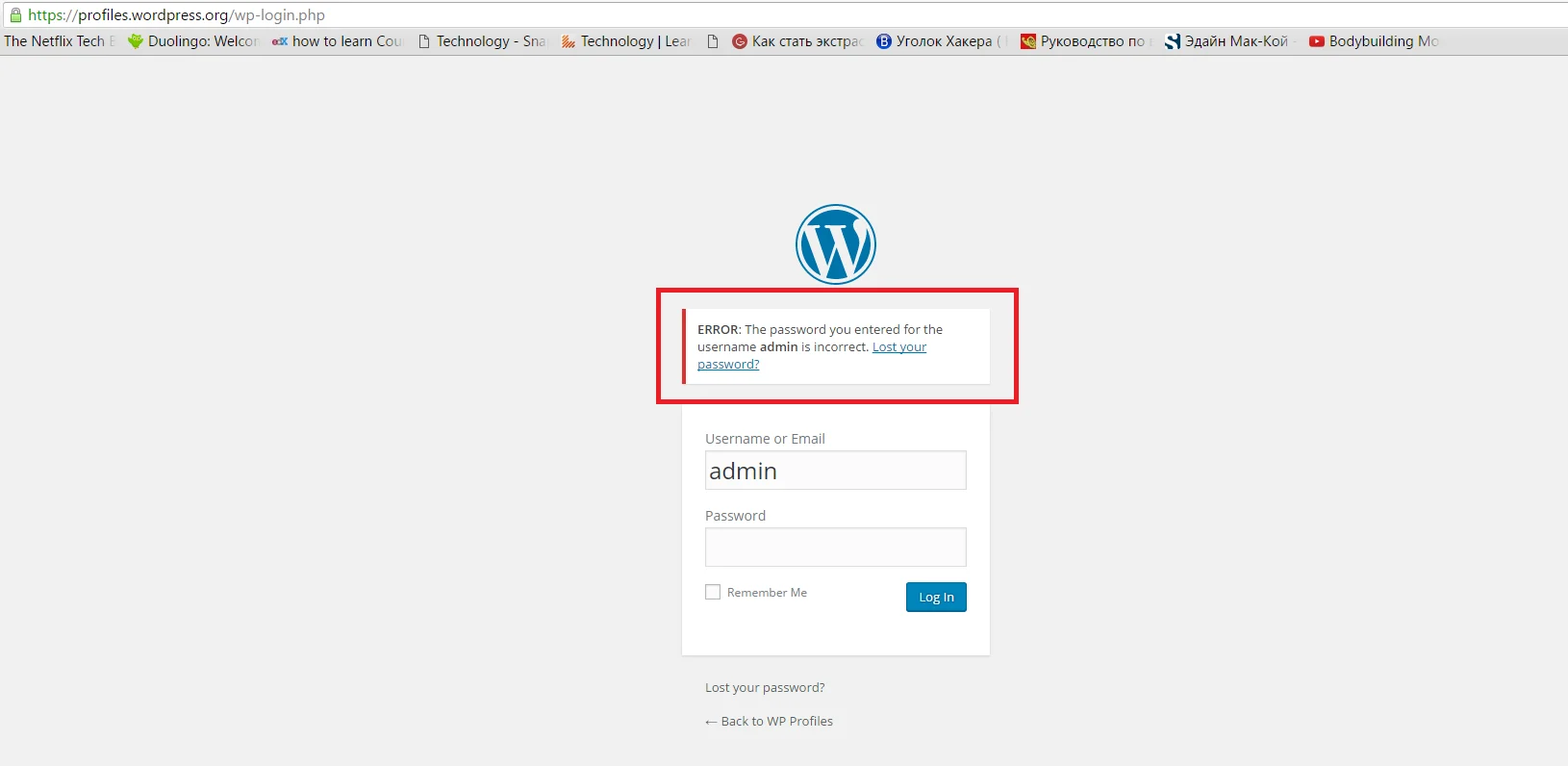
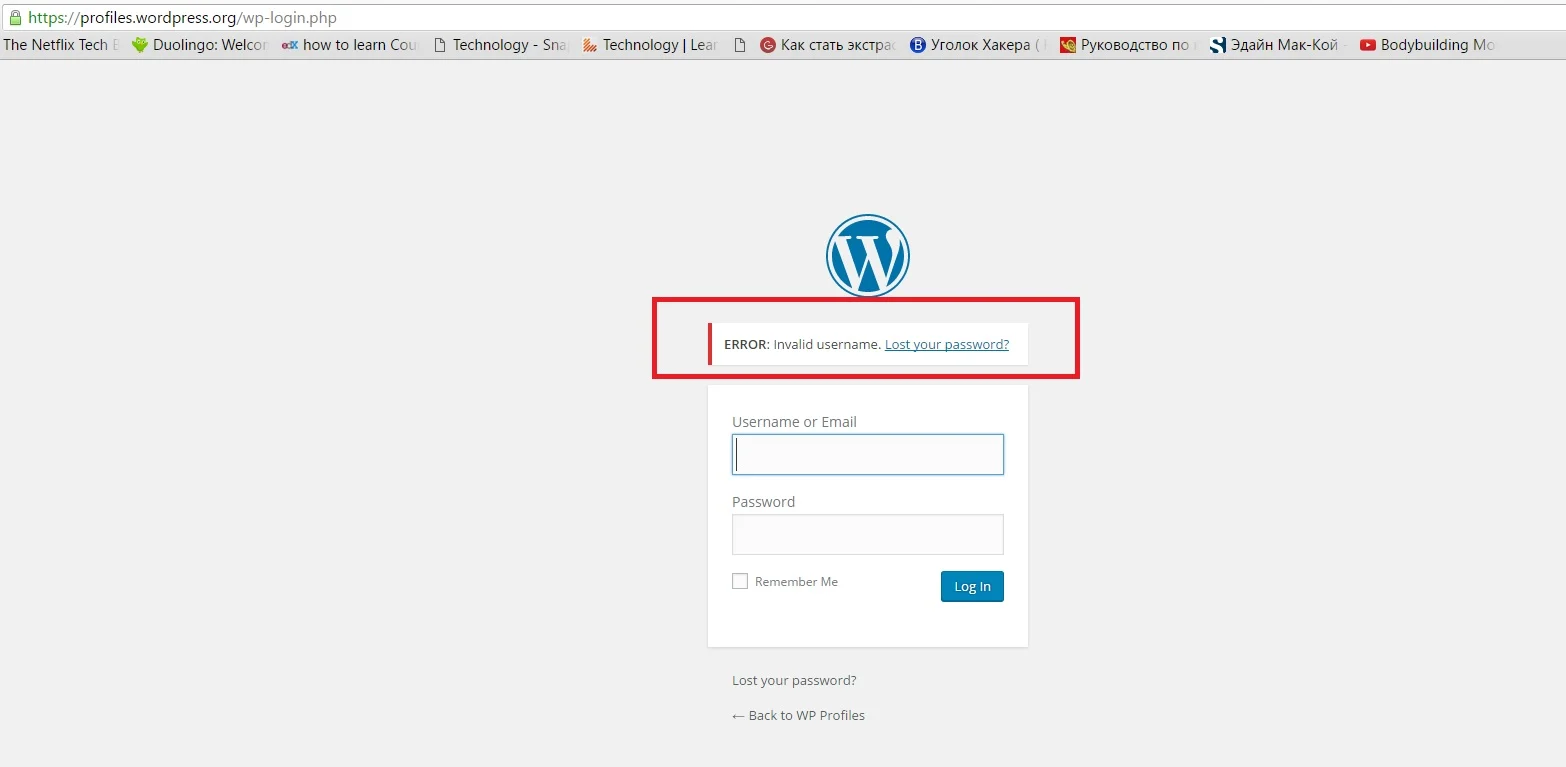
Hi, I have found that in the page wp-admin possible to perform user enumeration though differences in error massages: if user exist the site will return :" ERROR: The password you entered for the username admin is incorrect." if user not exit: Invalid username.
Attachments
Not written yet. The AI write-up for this report has not been written yet. The Original tab links to the source.
How it worked
Root cause
Likely the login form shows a specific error when the username exists and a generic one when it does not, instead of one identical message for both cases.
Impact
An attacker could confirm which usernames are valid on the site.
What the attacker needed
Access to the wp-admin login page
How it was found
- Open the wp-admin login page.
- Submit a username that exists with a wrong password and note the error message.
- Submit a username that does not exist and note the different error message.
Explained by bugbounty.wiki with AI from the original and checked against quotes from it; it can still be wrong. Read the original before relying on a detail.
Not written yet. The AI write-up for this report has not been written yet. The Original tab links to the source.
When you try to log in, the site checks your username and password. Here it gave a different message when the username was real but the password was wrong, compared with when the username did not exist. That difference tells someone which usernames are real, which helps them guess passwords later.
What is Account takeover?
Getting into someone else's account through a flaw in sign-in, password reset, second factor, single sign-on or session handling.



