[marketplace.informatica.com] Persistent XSS through document title
Document titles on the marketplace site were not properly escaped before being inserted into a JavaScript context on the document page. An attacker could create a document with a malicious title that executes script for anyone viewing that document.
 Originally disclosed on HackerOne
- Triaged in 44 hours
- Fixed in 2 months
- Disclosed after 3 months
Document titles are not properly escaped before being printed on https://marketplace.informatica.com/docs/ . By including a payload in a document title, an attacker can create a document with a persistent XSS vector which executes for anyone viewing the document page.
Proof of concept
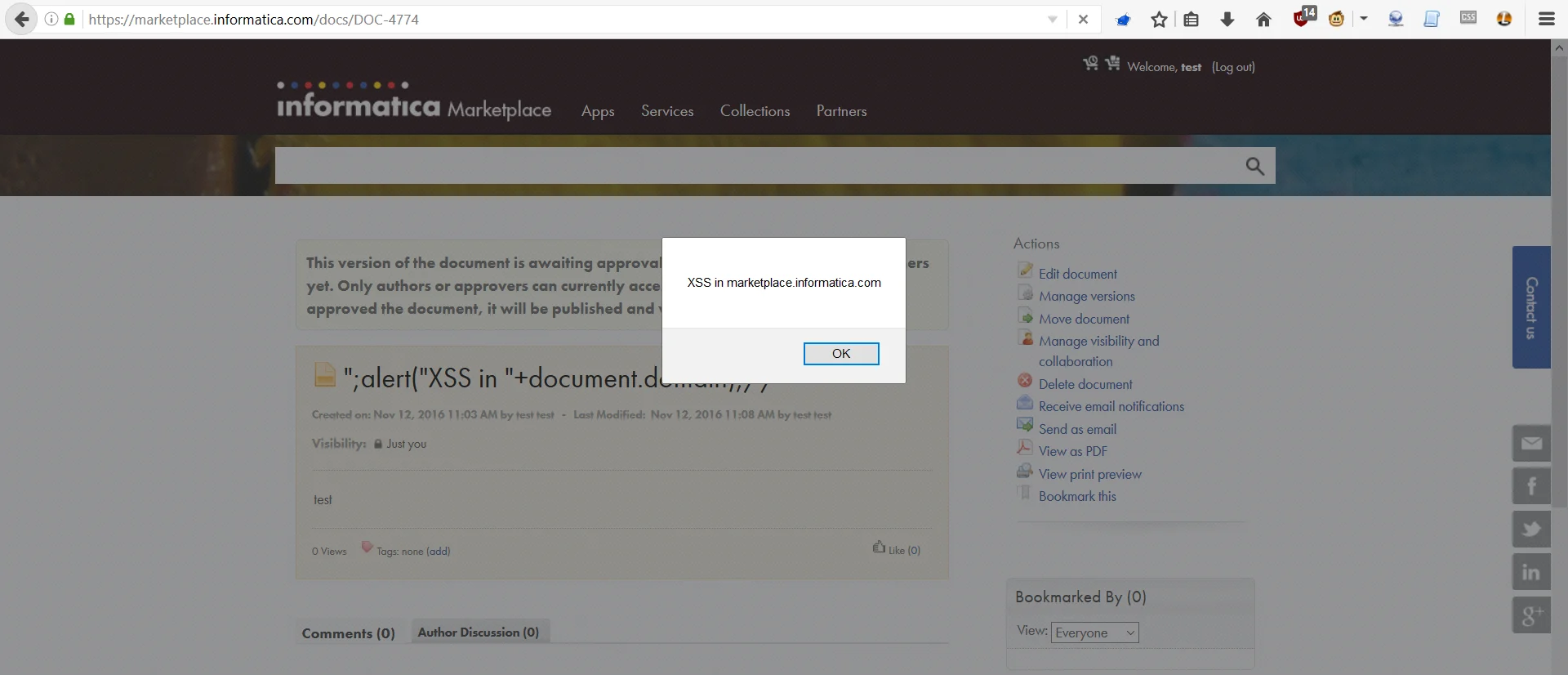
The following steps are accompanied by screenshots attached to this report.
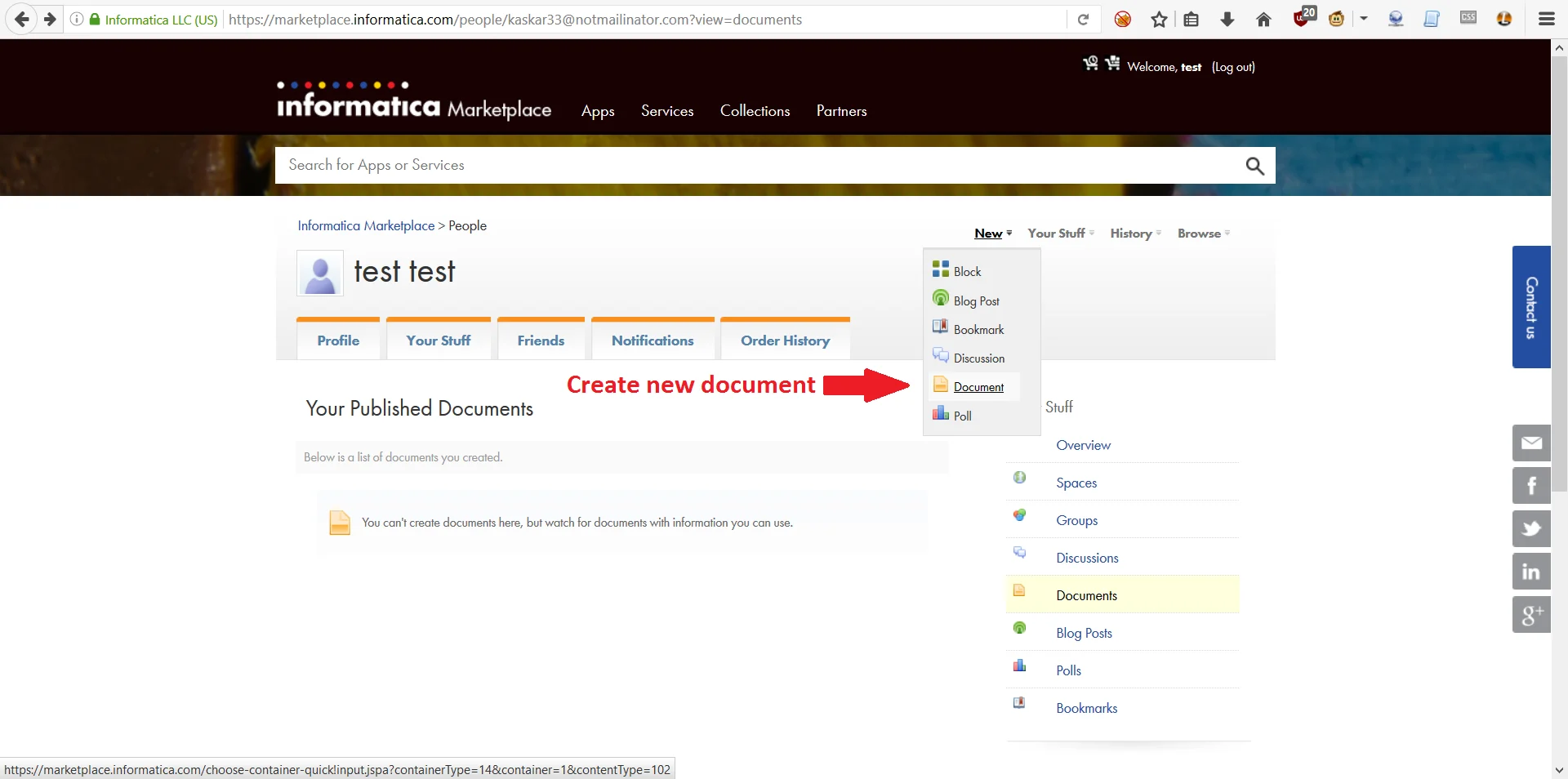
- Log into https://marketplace.informatica.com/ and go to your profile page. Select New -> Document.
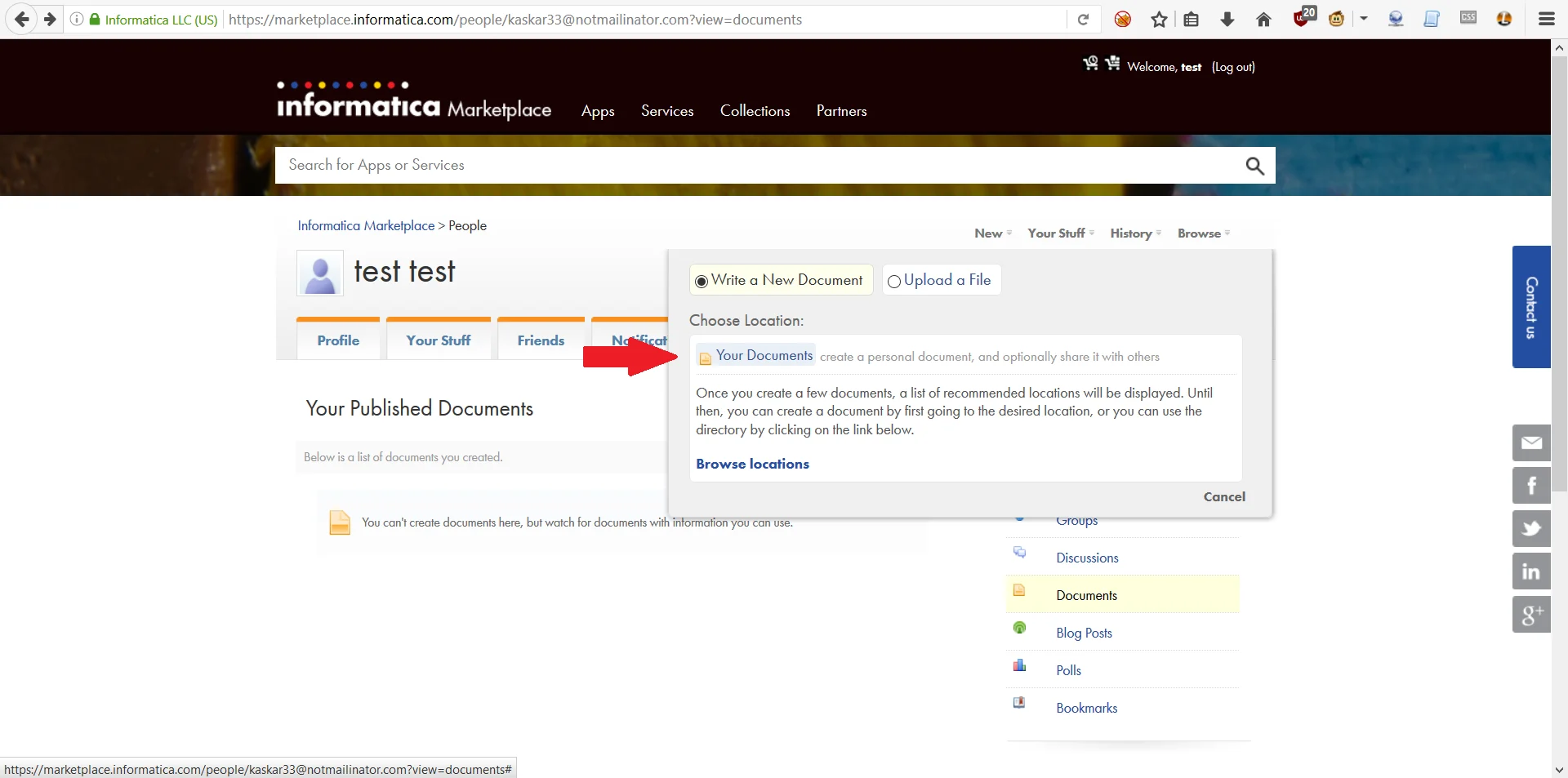
- Choose a location for your new document - "Your Documents" will work just fine.
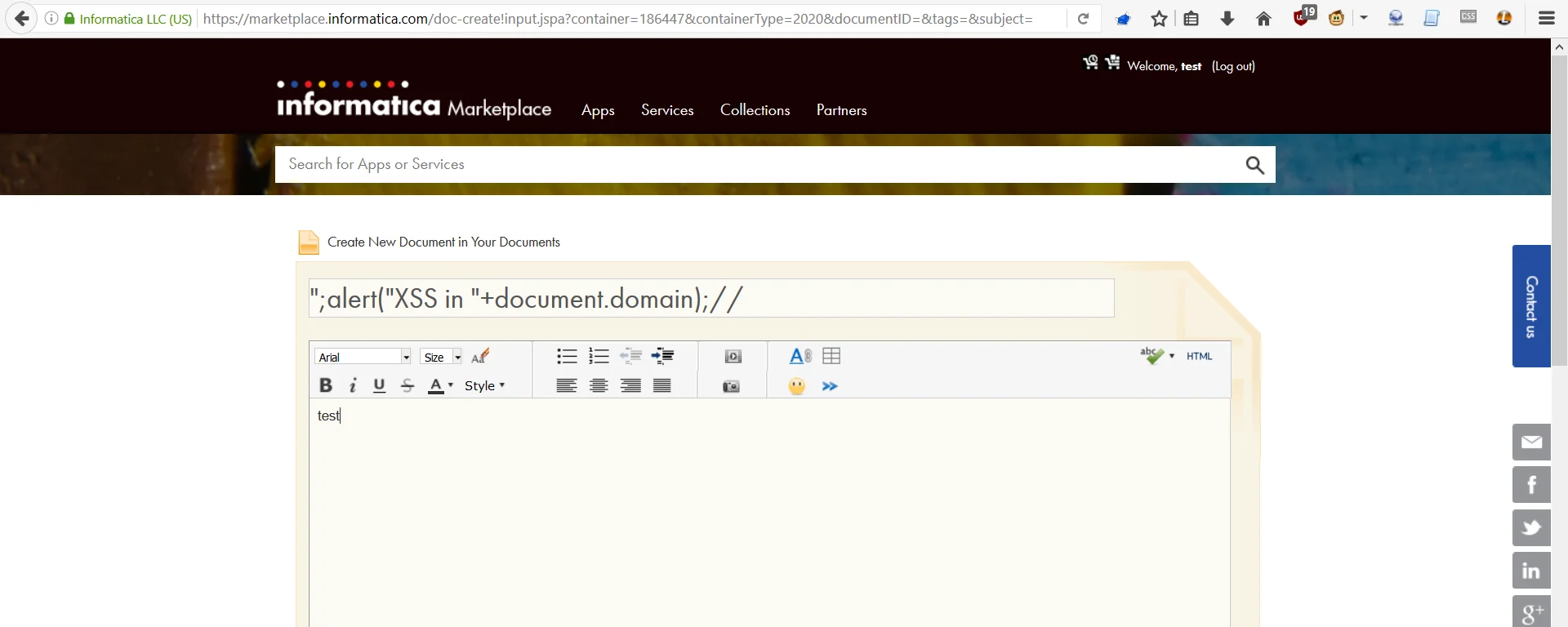
- Enter some text in the document body and insert the following XSS vector in the document title:
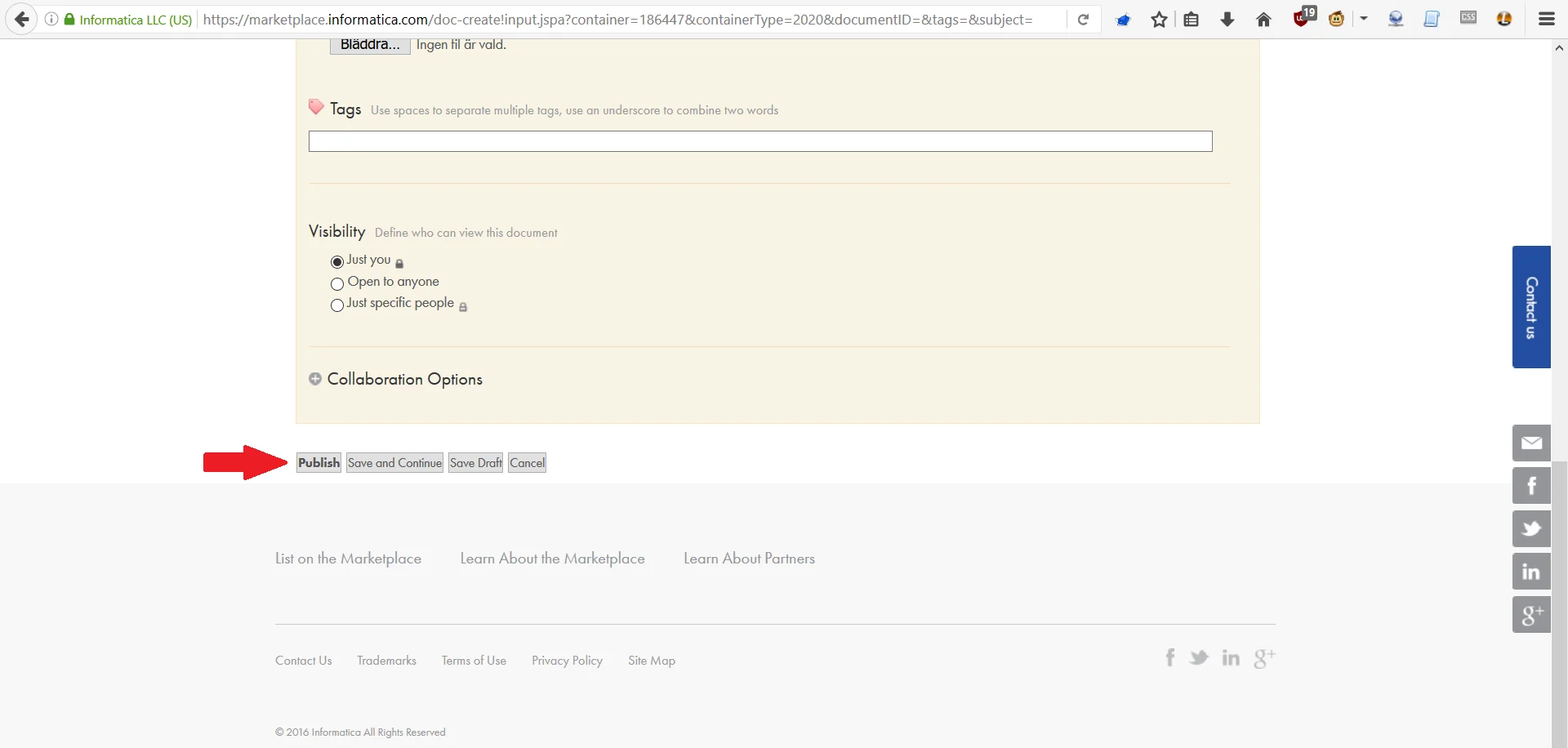
";alert("XSS in "+document.domain);// - Hit "Publish" on the bottom of the page.
- Visiting the document page causes the XSS payload to execute.
This test was performed using Mozilla Firefox 49.0.2 and was also confirmed in Google Chrome 54.0.2840.87. The exploit should work in any browser, as the persistent payload cannot be distinguished from a legitimate script from the server.
Recommended solution
Make sure to correctly output encode the document title before printing it to a javascript scope of the document page.
Attachments
Not written yet. The AI write-up for this report has not been written yet. The Original tab links to the source.
How it worked
Root cause
Likely the document title was inserted into a JavaScript string without output encoding, allowing a crafted title to break out of the string context.
Impact
The persistent payload executes for anyone viewing the document page, and the report states it should work in any browser because it cannot be distinguished from a legitimate script.
What the attacker needed
An account; victim views the document page
How it was found
- Log in and go to the profile page, then select New -> Document.
- Choose a location for the new document.
- Enter text in the body and insert an XSS vector in the document title.
- Click Publish.
- Visit the document page to trigger the payload.
Explained by bugbounty.wiki with AI from the original and checked against quotes from it; it can still be wrong. Read the original before relying on a detail.
Not written yet. The AI write-up for this report has not been written yet. The Original tab links to the source.
When a website shows user-supplied text, it must treat that text as data, not as code. Here, the document title was placed directly into a script on the page without escaping, so a title containing special characters could break out and run attacker-controlled JavaScript. This is called persistent cross-site scripting because the malicious title is saved and runs for every visitor.
What is XSS?
Script an attacker supplies runs in another user's browser, on the target's origin, with that user's session.