Privilege Escalation - "Analyst" Role Can View Email Domains of a Company - [GET /voyager/api/voyagerOrganizationDashEmailDomainMappings]
An endpoint that lists a company's approved email-verification domains did not check the caller's role, so a user with the lower-privileged Analyst role could read the same data as an administrator. The data is not reachable through the normal interface, but the API returned it anyway.

- Triaged in 7 days
- Fixed in 2 months
- Paid in 16 days
- Disclosed after 3 months
Summary:
Hey team,
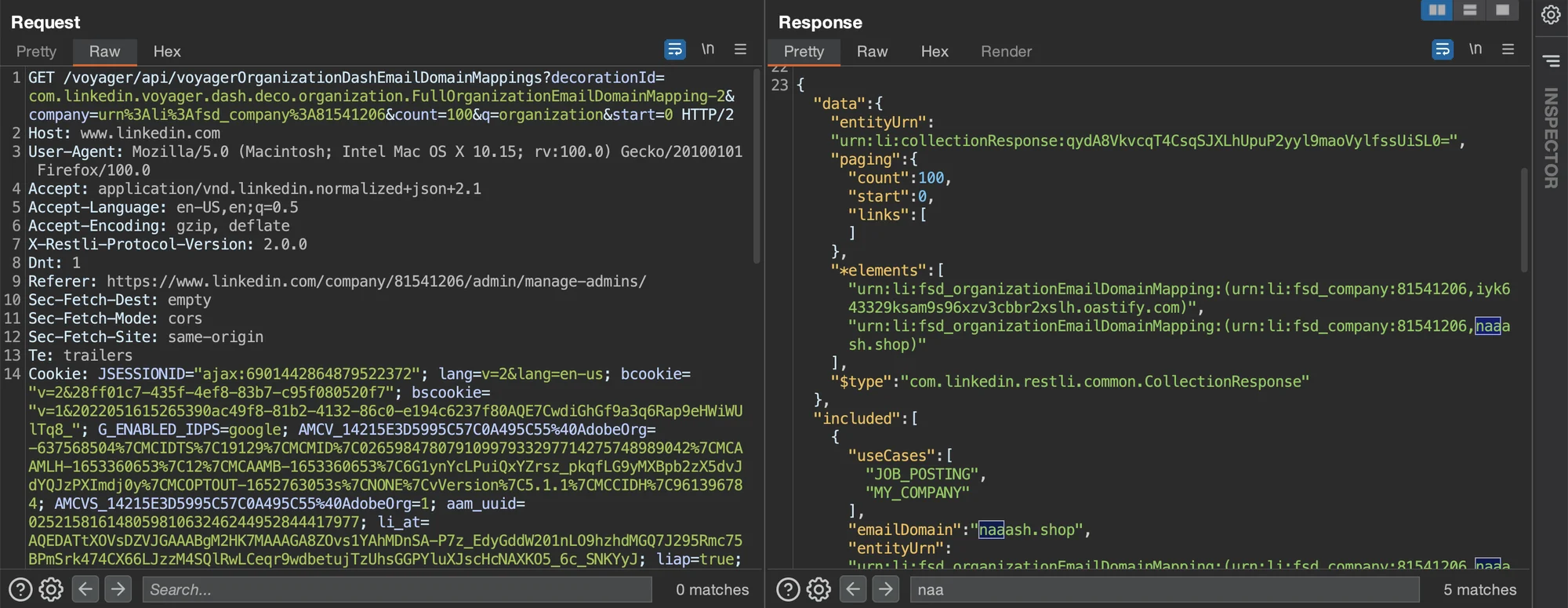
During the security assessment, I came across an endpoint - GET /voyager/api/voyagerOrganizationDashEmailDomainMappings, which is vulnerable to privilege escalation. A lower privileged user can abuse this to view the list of approved domains for email verification even though it can't be accessed directly from the UI.
Vulnerable HTTP Request:
GET /voyager/api/voyagerOrganizationDashEmailDomainMappings?decorationId=com.linkedin.voyager.dash.deco.organization.FullOrganizationEmailDomainMapping-2&company=urn%3Ali%3Afsd_company%3A81541206&count=100&q=organization&start=0 HTTP/2
Host: www.linkedin.com
User-Agent: Mozilla/5.0 (Macintosh; Intel Mac OS X 10.15; rv:100.0) Gecko/20100101 Firefox/100.0
Accept: application/vnd.linkedin.normalized+json+2.1
Accept-Language: en-US,en;q=0.5
Accept-Encoding: gzip, deflate
X-Restli-Protocol-Version: 2.0.0
Dnt: 1
Referer: https://www.linkedin.com/company/81541206/admin/manage-admins/
Sec-Fetch-Dest: empty
Sec-Fetch-Mode: cors
Sec-Fetch-Site: same-origin
Te: trailers
Cookie: REDACTED
Csrf-Token: REDACTED
Steps to Reproduce:
- Go to https://www.linkedin.com/ and log in to your test account.
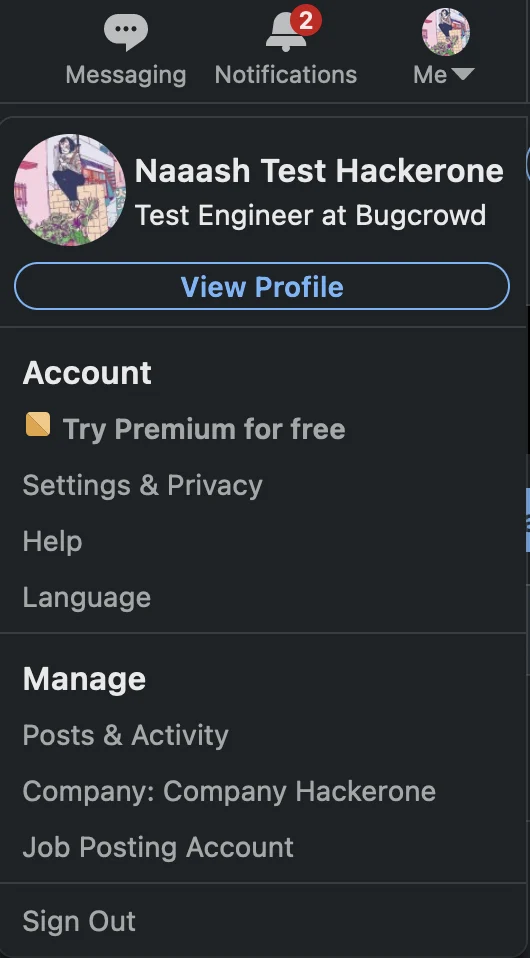
- Go to "Me" and click on your company under the "Manage" section.
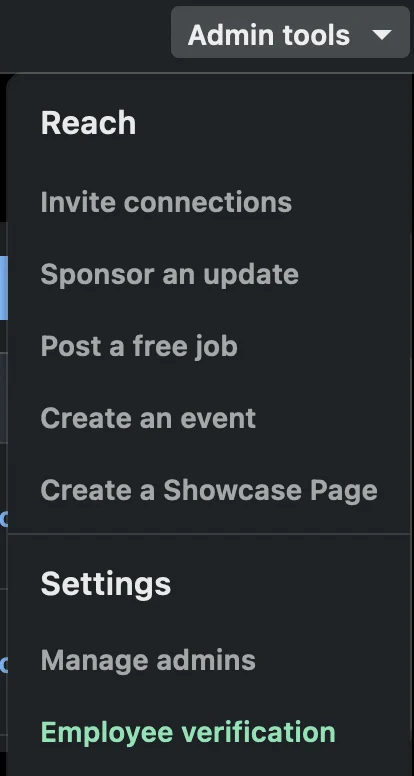
- Go to "Admin Tools" > "Employee Verification"
- Intercept the vulnerable HTTP request.
- Change all the values of the cookie parameters & CSRF token to that of a lower privileged user ("Analyst" role). The response will disclose the approved domain for verification.
PoC:
- Have a look at the video here:
Impact
A lower privileged user can abuse this to view the list of approved domains for email verification even though it can't be accessed directly from the UI.
Not written yet. The AI write-up for this report has not been written yet. The Original tab links to the source.
How it worked
Root cause
Likely the endpoint relied on the UI hiding the feature rather than enforcing a role check on the server for the Analyst role.
Impact
A lower-privileged Analyst could view the company's approved email-verification domains, which the UI does not expose to that role.
What the attacker needed
A company page with an Analyst role; two accounts: admin and Analyst
How it was found
- Log in to a test account and open the company page from the Manage section.
- Open Admin Tools and then Employee Verification.
- Intercept the request that loads the email domain mappings.
- Replace the cookie values and CSRF token with those of a lower-privileged Analyst user and resend.
- Observe that the response discloses the approved verification domain.
Explained by bugbounty.wiki with AI from the original and checked against quotes from it; it can still be wrong. Read the original before relying on a detail.
Not written yet. The AI write-up for this report has not been written yet. The Original tab links to the source.
A company page has different roles, and some data should only be visible to admins. The website hides this data from lower roles, but the server behind the page did not check the role when asked directly. So a user with fewer permissions could still see the list of approved email domains.
What is Access control?
A user can do something their role should not allow: reach an admin function, act on a feature they have not paid for, or skip a permission check. IDOR is the special case where the object belongs to someone else.


