Access to arbitrary file of the Nextcloud Android app from within the Nextcloud Android app
The Nextcloud Android app's file upload feature allowed uploading files from protected directories by bypassing a path check using an alternative path. An attacker could leak sensitive app files by uploading them to a publicly shared folder.

- Triaged in 13 days
- Fixed in 8 months
- Paid in 9 months
- Disclosed after 10 months
Summary by the program
Security advisory at https://github.com/nextcloud/security-advisories/security/advisories/GHSA-vw2w-gpcv-v39f
The report
Summary:
The Android client of nextcloud (com.nextcloud.client) allows arbitrary file including protected/private files to be leaked through the file upload functionality.
Steps To Reproduce:
A report 1142918 has been submitted for the vulnerability of leaking arbitrary protected files. NextCloud added a fix on May 18, 2021, which added a check to the class src/main/java/com/owncloud/android/files/services/FileUploader.java:
        if (file.getStoragePath().startsWith("/data/data/")) {
            Log_OC.d(TAG, "Upload from sensitive path is not allowed");
            return;
        }
The fix checks whether a file to be uploaded has a path starting with "/data/data". However, the check is not sufficient. We can easily bypass this check using the path "/data/user/0/" e.g. "/data/user/0/com.nextcloud.client/". A program to exploit this vulnerability can be:
public class EvilActivity extends AppCompatActivity {
    private static final String LOG_TAG = EvilActivity.class.getName();

    final static String PRIVATE_URI = "file:///data/user/0/com.nextcloud.client/shared_prefs/com.nextcloud.client_preferences.xml";

    @Override
    protected void onCreate(@Nullable Bundle savedInstanceState) {
        super.onCreate(savedInstanceState);
        setContentView(R.layout.activity_main);

        Log.d("heen", "EvilActivity started!");
        setResult(-1, new Intent().setData(Uri.parse(PRIVATE_URI)));
        finish();
    }
}
A working POC is as follows:
1. install and login nextcloud android client e.g. through the provider https://us.cloudamo.com
2. create a directory and set it 'shareable'
3.install the POC app with the program above
4. Navigate to the shareable directory in the step2, click '+', then choose "upload content from other apps"
5. Select "poc" then protected file will be uploaded to the shared folder, which is publicly shared and leaked.
Supporting Material/References:
A sample screenshot with protected files uploaded and their content is:
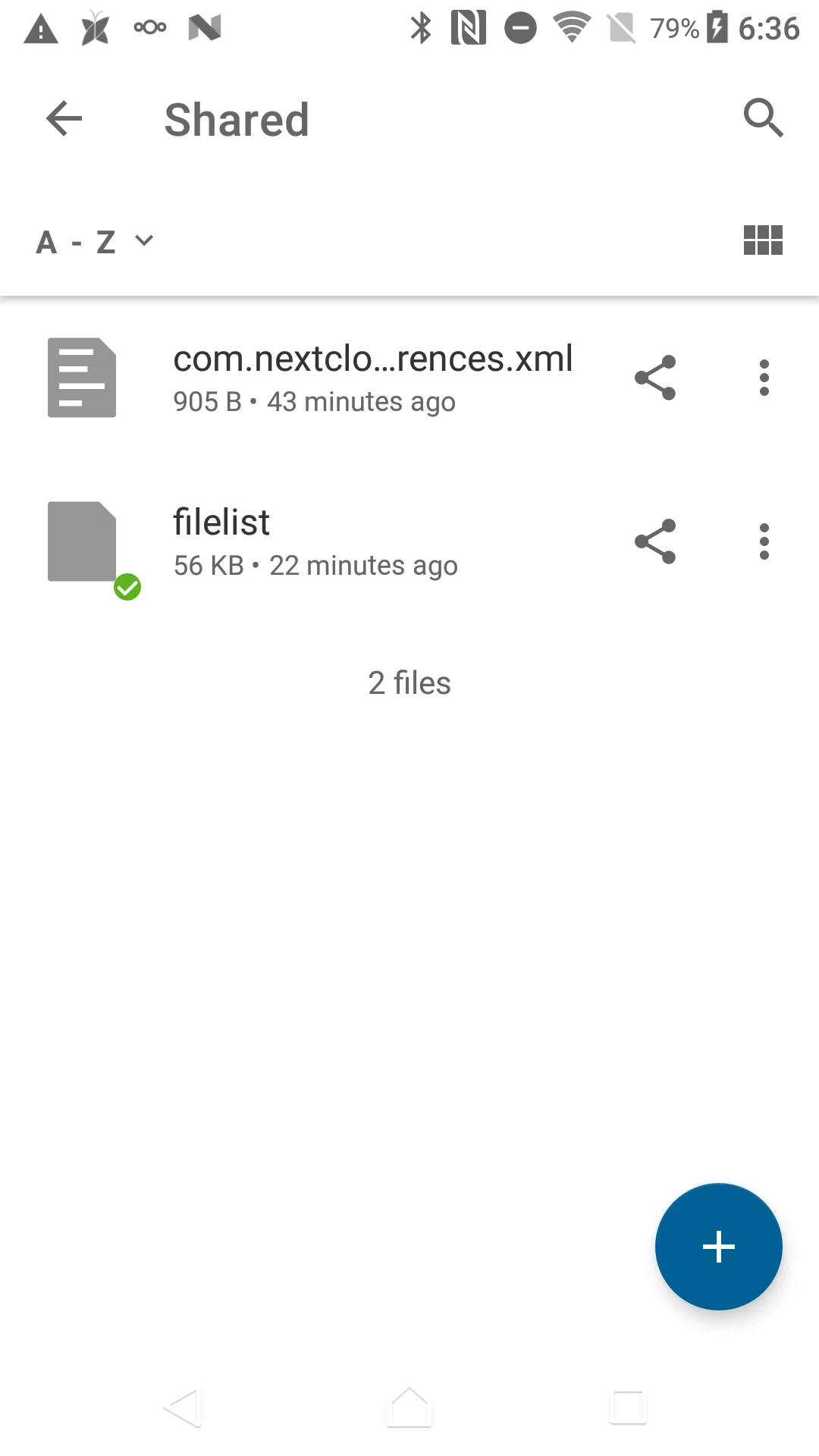
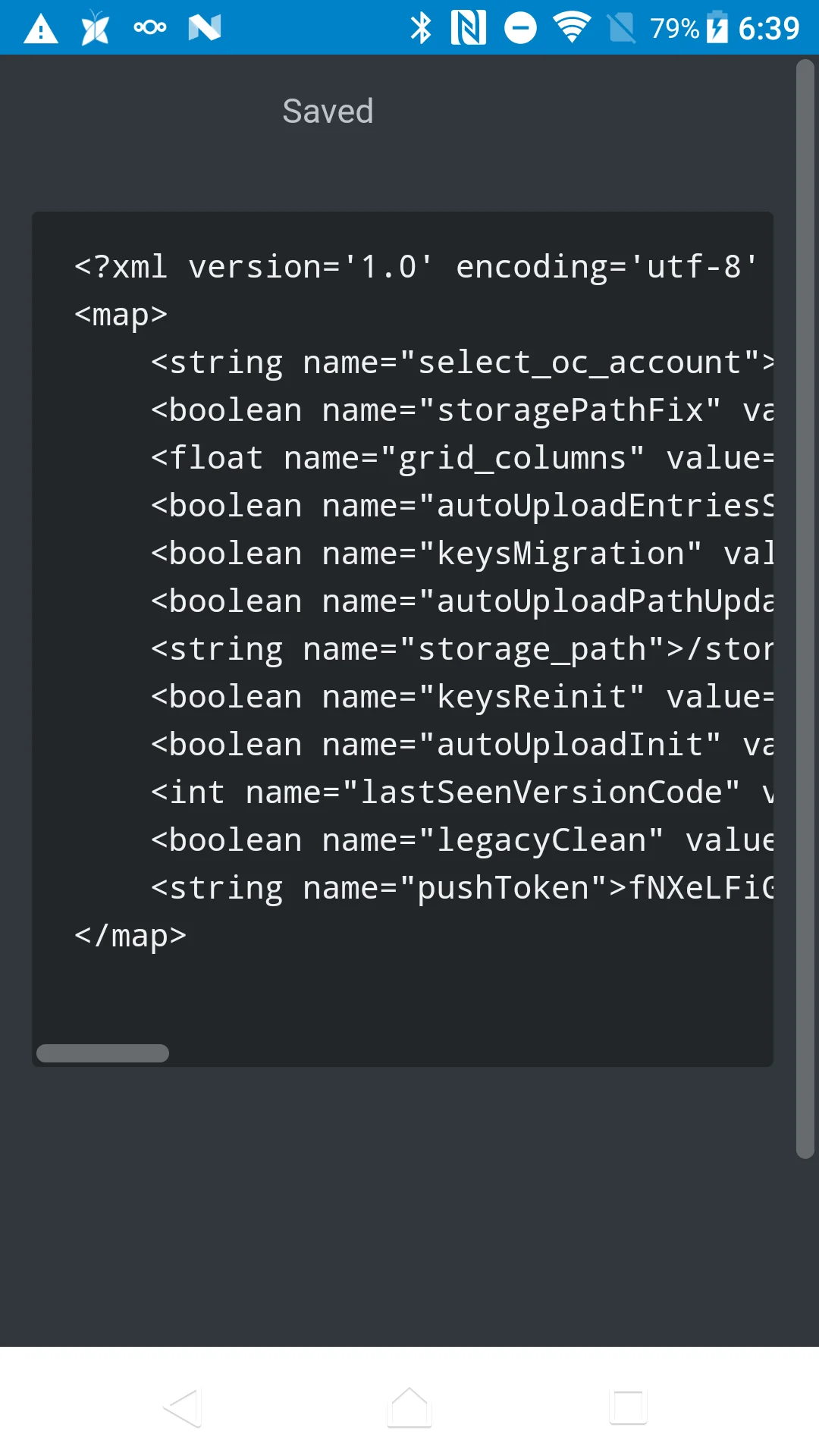
- [attachment / reference]
See attachments above
Impact
Arbitrary sensitive file of the nextcloud android client can be leaked. To address this issue, disallow any file whose path has the package name but isn't in the temp or cache folder of nextcloud.
Please investigate. Thanks.
Not written yet. The AI write-up for this report has not been written yet. The Original tab links to the source.
How it worked
Root cause
The path check only blocked paths starting with "/data/data/" but missed the equivalent path "/data/user/0/".
Impact
Arbitrary sensitive files of the Nextcloud Android client could be leaked.
What the attacker needed
Nextcloud Android app installed and logged in; A shareable directory; Malicious app installed
The fix
The fix should disallow any file whose path contains the package name but is not in the temp or cache folder.
How it was found
- Install and log in to the Nextcloud Android client.
- Create a directory and set it as shareable.
- Install the POC app.
- Navigate to the shareable directory, click '+', and choose 'upload content from other apps'.
- Select 'poc' and the protected file will be uploaded to the shared folder.
Explained by bugbounty.wiki with AI from the original and checked against quotes from it; it can still be wrong. Read the original before relying on a detail.
Not written yet. The AI write-up for this report has not been written yet. The Original tab links to the source.
The app tried to stop people from uploading private files by checking if the file path started with a certain folder. But there is another way to write the same folder path, so the check could be tricked. This let a malicious app send a private file to the Nextcloud app, which then uploaded it to a shared folder where anyone could see it.
What is Path traversal?
Input that builds a file path escapes the intended folder, reading or writing files the application should never touch.



