Login Hints on Admin Panel
The WordPress admin login page reveals whether a username exists by showing different error messages for invalid usernames versus incorrect passwords. An attacker could use this to enumerate valid usernames and then target them with further attacks such as password brute-forcing or spamming password reset emails.
 Originally disclosed on HackerOne
- Disclosed after 23 hours
Hi,
Hope you are doing fine. I wanted to inform you regarding the enabling of the login hints on your wp-admin panel(https://nextcloud.com/wp-login.php).
Vulnerability: The admin panel shows very "specific" hint information if a hacker tries for a bruteforcing attack.
Steps to reproduce:
-
Navigate to: https://nextcloud.com/wp-login.php
-
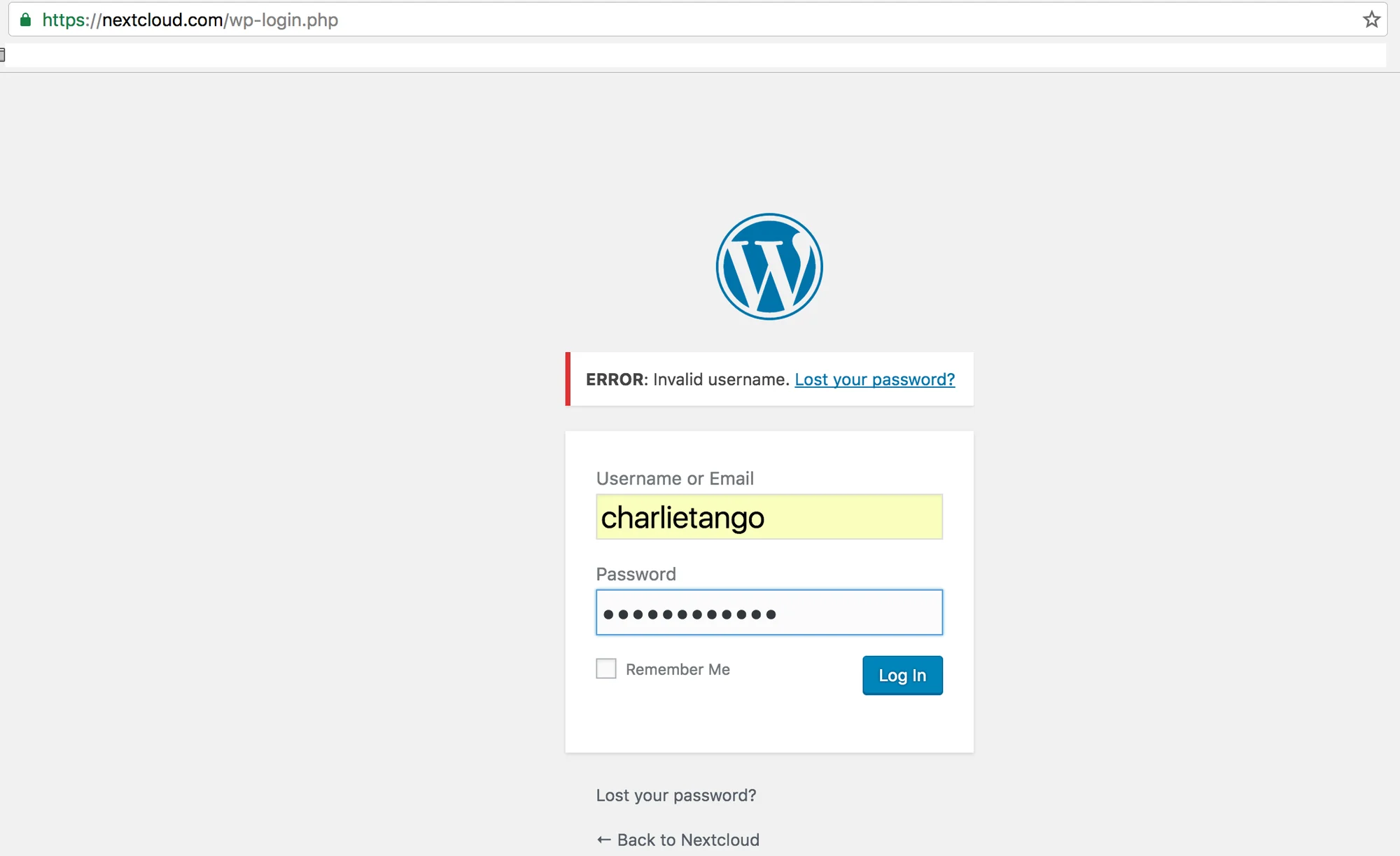
Enter username: "charlietango" Enter password: "charlietango" A specific error message is shown stating "Invalid Username".(See attachment: xnc_user_err.png)
-
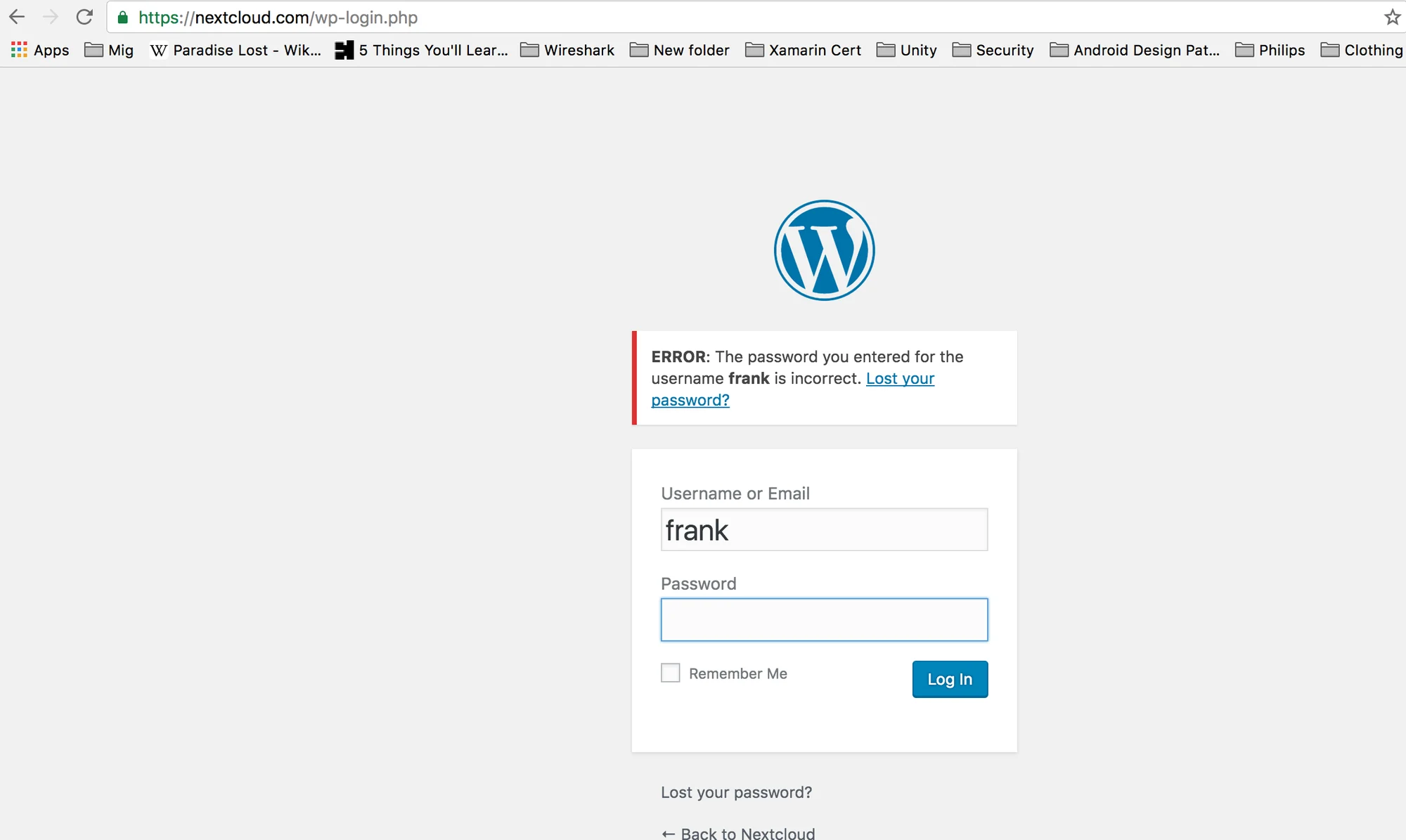
Now enter the following credentials: Enter username: "frank" Enter password: "charlietango" A specific error message is shown stating "The password you entered for username frank is incorrect". (See attachment: xnc_user_exist.png)
Why is this important: As per step 3, Now the attacker knows that "frank" is an existing user in the system and multitude of attacks can be launched. At the very least, the attacker can spam the user's mailbox with several lost password requests. I believe this is not good and should be fixed.
Please do let me know your thoughts on this or if you need any more information.
Thank You, Madhur
Attachments
Not written yet. The AI write-up for this report has not been written yet. The Original tab links to the source.
How it worked
Root cause
The login form returns different error messages depending on whether the username exists, instead of a generic 'invalid username or password' message.
Impact
An attacker could confirm which usernames exist and then launch further attacks such as password brute-forcing or spamming the user's mailbox with password reset requests.
What the attacker needed
Access to the login page
The fix
The login form should not reveal whether a username exists and should be fixed.
How it was found
- Navigate to the WordPress login page.
- Enter a non-existent username and any password, and observe the 'Invalid Username' error.
- Enter a known or guessed username and a wrong password, and observe the 'password you entered for username ... is incorrect' error.
Explained by bugbounty.wiki with AI from the original and checked against quotes from it; it can still be wrong. Read the original before relying on a detail.
Not written yet. The AI write-up for this report has not been written yet. The Original tab links to the source.
When you try to log in with a wrong username, the site says 'Invalid Username'. When you try with a real username but wrong password, it says 'The password you entered for username frank is incorrect'. This difference lets someone find out which usernames actually exist on the site, which is the first step in guessing passwords or sending unwanted password reset emails.
What is Access control?
A user can do something their role should not allow: reach an admin function, act on a feature they have not paid for, or skip a permission check. IDOR is the special case where the object belongs to someone else.

