Stored XSS in Node-Red
Node-RED did not sanitise the name field of nodes and flows, so a stored script payload executed in the browser of any user who opened the editor. An attacker could run JavaScript in a victim's browser after the flow was deployed.
 Originally disclosed on HackerOne
- Triaged in 3 days
- Fixed in 2 months
- Disclosed after 2 months
I would like to report a stored XSS in node-red It allows to execute javascript in the user's browser
Module
module name: node-red
version: v0.18.4
npm page: https://www.npmjs.com/package/node-red
Module Description
A visual tool for wiring the Internet of Things.
Module Stats
1,758 downloads in the last day 10,601 downloads in the last week 40,000+ downloads in the last month
Vulnerability
Steps To Reproduce:
- Install the module
sudo npm install -g --unsafe-perm node-red
- Run it
node-red
then access it in http://localhost:1880
- Exploit
The same payload can be applied in different locations.
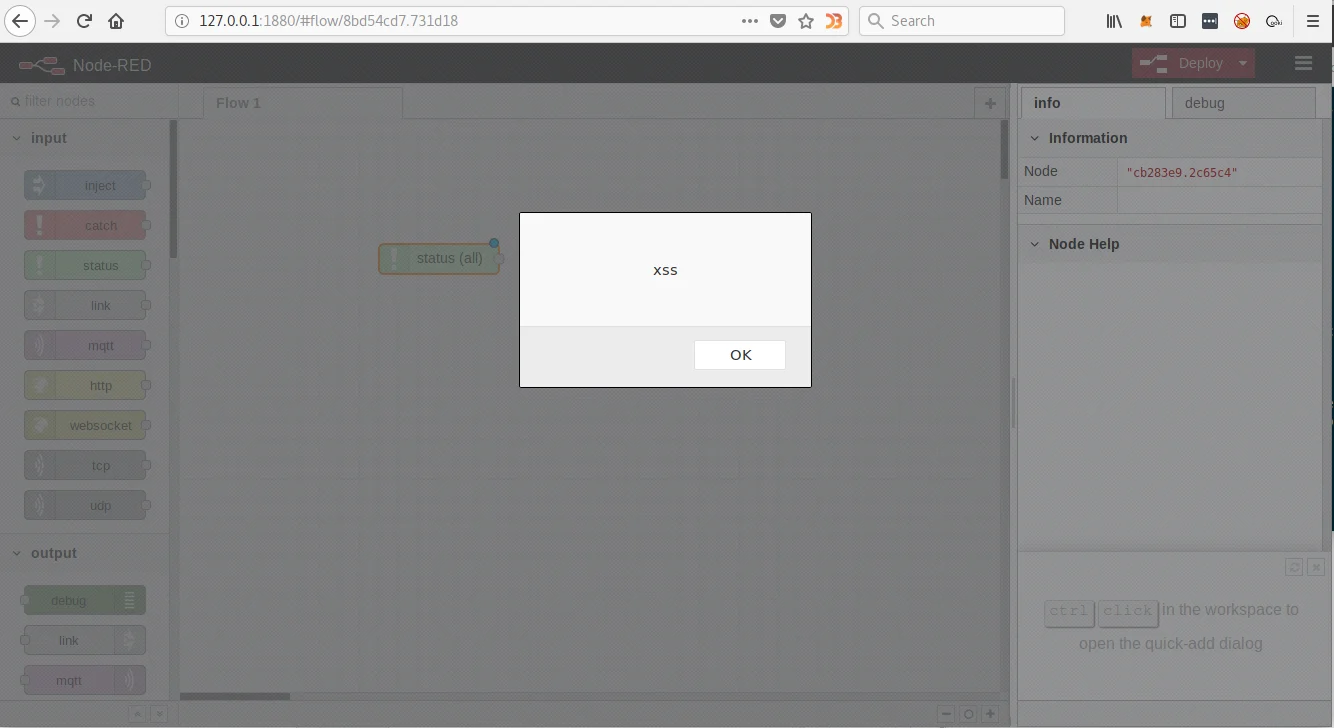
Payload: <script>alert('xss')</script>
Places where you can put the payload:
Drag & drop any item from the left menu to the center then put the payload in the name field. After clicking "done", the xss is triggered. At this point it's only triggered in your browser.
Click the "deploy" button, now any user that will browse to http://localhost:1880 will have the javascript executed.
Second one:
Click the "+" button on the top right to create a new "flaw". Put the payload in the name field. Again you need to press "deploy". After that double clicking on the "flaw" will execute the javascript.
Supporting Material/References:
- Archlinux
- NodeJS 9.4.0
- NPM 5.6.0
- Firefox 57.0.4 & Chromium 64.0.3282.119
- node-red v0.18.4
Wrap up
- I contacted the maintainer to let them know: N
- I opened an issue in the related repository: N
¯_(ツ)_/¯
Impact
It allows executing malicious javascript code in the user's browser
The hacker selected the Cross-site Scripting (XSS) - Stored weakness. This vulnerability type requires contextual information from the hacker. They provided the following answers:
Verified Yes
Attachments
Not written yet. The AI write-up for this report has not been written yet. The Original tab links to the source.
How it worked
Root cause
Likely the node and flow name values were rendered into the editor page without HTML encoding, so a script tag in the name was treated as markup.
Impact
Any user who opened the Node-RED editor after a malicious flow was deployed could have JavaScript executed in their browser.
What the attacker needed
Node-RED installed and running; attacker can create or edit a flow; victim opens the editor
How it was found
- Install Node-RED globally with npm.
- Start Node-RED and open the editor in a browser.
- Drag an item from the left menu to the centre and put a script payload in its name field.
- Click done, then click deploy so the payload is saved.
- Create a new flow with the plus button and put the payload in its name field, then deploy.
- Double-click the flow to trigger the stored script.
Explained by bugbounty.wiki with AI from the original and checked against quotes from it; it can still be wrong. Read the original before relying on a detail.
Not written yet. The AI write-up for this report has not been written yet. The Original tab links to the source.
Node-RED is a visual tool for wiring the Internet of Things. The report says a name field accepted a script tag, and after deploying, the script ran in the browser of anyone who opened the editor. This is called stored cross-site scripting.
What is XSS?
Script an attacker supplies runs in another user's browser, on the target's origin, with that user's session.



