Tarfile: Exploiting the World With a 15-Year-Old Vulnerability
Python's tarfile module trusted filenames inside a TAR archive, so a crafted archive containing '..' sequences could write files outside the intended extraction directory. The researchers showed this file write could be turned into code execution in applications such as Spyder IDE and Polemarch.
 Published on trellix.com
Register Now Learn More
The full write-up lives on its author's site
It belongs to its author, so we link to it rather than copy it. The other two tabs are our own rewrites, checked against it.
Context
Python's tarfile module is the standard-library way to read and write TAR archives. A TAR archive is a collection of files plus metadata, and inside the module that metadata is represented by the TarInfo class, which is generated for every "member" of an archive. Members can describe directories, symbolic links, regular files and more. The two functions that unpack an archive to disk are extract and extractall.
The vulnerability discussed here is CVE-2007-4559: a path traversal in extract and extractall that lets an attacker overwrite arbitrary files by putting the .. sequence into filenames inside a TAR archive. The Trellix Advanced Research Center came across it while investigating an unrelated vulnerability, initially believed it was a new zero-day, and then realised it was this fifteen-year-old issue. The vulnerability was originally only marked as a 6.8, but the researchers confirmed that in most cases an attacker can turn the file write into code execution.
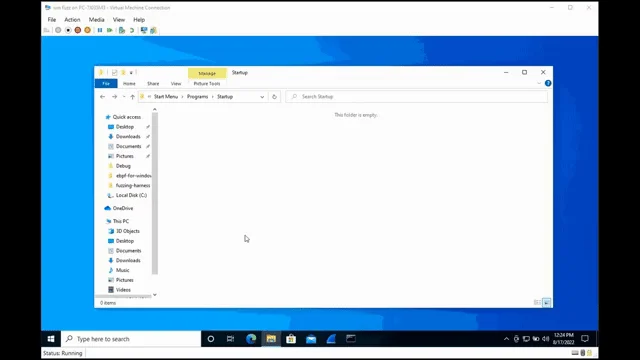
The video above shows code execution obtained by exploiting Universal Radio Hacker. The post has three goals: explain the technical details of the vulnerability, show how easy it is to write an exploit for it, and describe a tool that detects the pattern in source code using Python's AST. It closes with a full exploitation of a popular open-source repository.
Setup
The work is done against Python source code, using the tarfile module and the ast library. The detection tool, Creosote, is a Python script that recursively walks directories looking for .py files. The real-world target used for the end-to-end demonstration is Spyder IDE, a free and open-source scientific environment written for Python that runs on Windows and macOS. The exploitation path described in detail is on Windows, where the temporary directory resolves under C:\Users\<user>\AppData\Local\Temp. A second target, Polemarch, an IT infrastructure management service running on Linux and Docker, is used to show the same technique away from Windows.
No accounts, roles or special versions are described beyond this.
Finding it
The starting point is the code that builds the destination path inside extract. The snippet below is from the extract function in the tarfile module:
The code explicitly trusts the information in the TarInfo object and joins the path passed to extract with the name stored in TarInfo. Because the name is attacker-controlled, that join allows a directory traversal. Since extractall relies on extract, it inherits the same weakness:
Exploitation
Step 1: crafting a malicious archive
To escape the directory the file is supposed to be extracted to, an attacker only needs to add .. followed by the operating system separator (/ or \) into the filename. Python's tarfile module allows exactly this through a filter that parses and modifies a file's metadata before it is added to the archive. The result is an exploit in as little as six lines of code:
Step 2: finding vulnerable code at scale
To measure how widespread the problem was, the team built Creosote, a Python script that recursively scans directories for .py files and analyses them. It prints files that may contain the vulnerability, sorted into three confidence levels: Vulnerable, Probably Vulnerable and Potentially Vulnerable.
Creosote uses the Python ast library rather than crude text parsing, so it traverses real constructs in the source instead of guessing at spacing. Using the NodeVisitor structure, it filters out extract and extractall calls that cannot be relevant by only analysing those that belong to an Attribute node. That distinction works because both are instance methods and always appear alongside the archive object, for example tar.extractall().
After finding an Attribute node, Creosote looks for the two most common patterns the team encountered:
For an extractall attribute, it backtracks to check whether open was also called and whether the second argument, the opening mode, was set to "r". The more criteria are hit, the higher the confidence level assigned to the line.
The second pattern is an extract inside a for loop iterating over the members of the file. This is harder to detect by looking at lines alone, because members can be looped over in many ways. In the snippet below, taken from Universal Radio Hacker, the loop iterates over members produced by enumerate. Working on the AST lets Creosote detect loops through getmembers in any form:
Step 3: a hit in Spyder
Running Creosote against the Spyder repository produced a finding:
Looking through the codebase, the team found that the load_dictionary function is called whenever a user imports a .spydata file in the variable explorer. Spydata files save and transfer variables between projects and scripts and can be shared between people, which makes them a natural delivery vehicle.
Step 4: locating the extraction directory
With the import data button confirmed as an upload path for a malicious file, the next question was where the extraction lands. Before calling extractall, the program calls chdir on a temporary folder it creates; chdir changes the current working directory to the folder passed to it, which indicates Spyder intends to extract into a temporary folder. Investigating mkdtemp showed that on Windows the function creates a temporary file inside C:\Users\<user>\AppData\Local\Temp.
Step 5: escaping the temporary folder
A .spydata file was uploaded that should write to C:\Users\<user>\AppData\Local\Temp\{TEMP_FOLDER}, but thanks to the traversal the file was expected in C:\Users\<user>\AppData\:
After importing the file, a hacked.txt file appeared inside the AppData directory, confirming the attack worked. An error also appeared in Spyder:
Step 6: removing the error and reaching code execution
The error message turned out to be useful. It disclosed the exception and the line of code that caused it, which was the line immediately after the extractall call. Reading that code showed the program expects one .pickle file to have been extracted from the .spydata file. The details also showed that the Python files run by the program reside under AppData\Local, so they can be modified or overwritten without administrator privileges.
Step 7: planting code in mainwindow.py
The team chose mainwindow.py as the place to add code, because it always runs when the application opens, after the application has checked whether it can run but before the main window is created. The file was copied and modified to pop up a message box, and a new .spydata file was created, this time including a valid .pickle file for the variable importer:
After importing the new .spydata file, the IDE loads valid variables and continues without an error. Reopening the program triggers the popup that had been planted at the start of the program:
Step 8: going further
Code execution alone was not the end of the exercise. The next demo shows code added to try to social engineer the attacked user into granting the attacker code execution with administrator privileges:
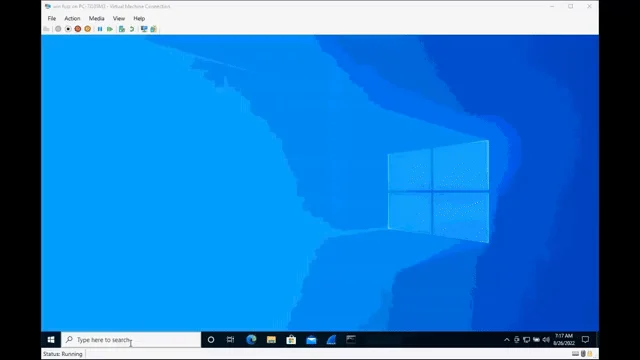
The technique is not limited to Windows. The following video shows Polemarch, an IT infrastructure management service running on Linux and Docker, being exploited the same way:
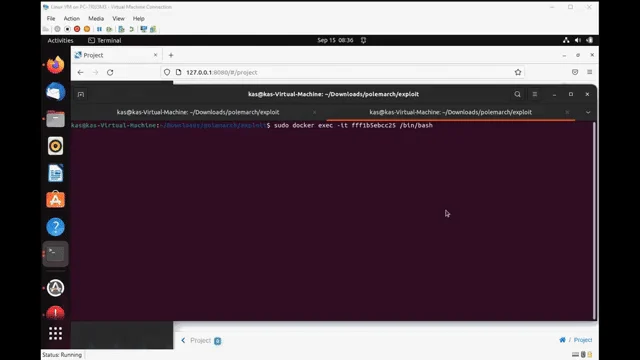
Root cause
The mistake is in extract: the filename is constructed by joining the caller-supplied path with the name from the TarInfo object, and the TarInfo contents are trusted without validation. A member name containing .. and a separator therefore escapes the intended extraction directory. extractall is affected because it delegates to extract. The report does not describe any check that was present and failed; the code simply trusts the archive metadata.
Impact
An attacker who can get a victim to import a crafted archive can overwrite arbitrary files the victim's user can write. In the Spyder case that meant writing outside the temporary extraction folder into AppData, then overwriting application Python files to run code when the IDE starts, without administrator privileges. The researchers confirmed that in most cases the file write can be escalated to code execution, and demonstrated it on Windows with Spyder and on Linux and Docker with Polemarch. Because the vulnerable pattern appears in hundreds of thousands of repositories, the module is described as a supply chain issue: any application that extracts untrusted archives is a potential entry point. The vulnerability was originally only marked as a 6.8, but the researchers confirmed that in most cases the file write can be escalated to code execution.
Fix
The report does not describe a change to the tarfile module itself. What it describes is remediation at scale: the Trellix team is patching as many open-source repositories as possible and provides Creosote so that closed-source repositories can be scanned for the same pattern.
Variants to test
- Any application that imports archives. Look for features that accept
.tar,.tar.gzor application-specific archive formats and extract them. A positive result is a file appearing outside the intended extraction directory after import. - Archive formats wrapped around TAR. Spyder's
.spydatais a container that ends up inextractall. Test other products' project, backup and variable-exchange formats for the same wrapper. A positive result is the same out-of-directory write through the wrapper. - Extraction into a temporary directory followed by
chdir. This pattern, seen in Spyder, means the traversal target is predictable. A positive result is a write into a parent of the temp folder, such as the user profile directory. - Post-extraction file expectations. When code expects a specific file (here a
.pickle) after extraction, supplying a valid one suppresses errors and makes the attack quieter. A positive result is a clean import with no exception shown to the user. - Writable application code paths. Check whether the application's own scripts live in a user-writable location such as
AppData\Local. A positive result is that overwriting one of them executes attacker code on next launch without administrator rights. - Non-Windows targets. The same technique was demonstrated against Linux and Docker services such as Polemarch. A positive result is code execution on the service host through the same file write.
- Source scanning with AST. Run Creosote, or an equivalent AST-based check, over a codebase. A positive result is
extractorextractallcalls onAttributenodes, especially inside loops overgetmembersor after anopenwith mode"r", flagged at the appropriate confidence level.
What happened, in plain words
Imagine a parcel delivery service. A parcel arrives with a label saying where it should be delivered. If the delivery driver blindly trusts the label, someone could write "go up one folder, then up another, then drop it in the system folder" and the driver would do it. That is the essence of the bug described here.
Python is a programming language, and it ships with a built-in toolbox called a module. One of those modules, tarfile, is used to pack many files into a single archive file (a TAR file) and to unpack them again. The unpacking functions are called extract and extractall. The problem is that when they unpack, they trust the file names written inside the archive. If a file name contains the special sequence .., which in file paths means "go up one folder", the unpacking code happily follows it and writes the file outside the folder it was supposed to stay in.
This is not a new bug. It was first recorded in 2007 as CVE-2007-4559, and it was still present when the Trellix Advanced Research Center team looked at it in 2022. They were investigating something else entirely, thought they had found a brand new flaw (a "zero-day"), and then realised it was this fifteen-year-old issue. The vulnerability was originally only marked as a 6.8, but the researchers confirmed that in most cases an attacker can turn the file write into code execution.
The video above shows the team getting code execution by exploiting a program called Universal Radio Hacker. The rest of this article walks through the same journey: what the bug is, how easy it is to build an exploit, how the team wrote a tool to find the bug automatically in source code, and how they used it end to end against a real open-source application.
The tarfile vulnerability
What a TAR archive is
A TAR archive is like a cardboard box containing several files plus a label for each one. The label (called metadata) records things such as the file's name, its size, a checksum (a number used to detect corruption), and who owned the file when it was packed. In Python's tarfile module, each of these labelled entries is represented by a class called TarInfo. A single archive can contain many such entries, called "members", and a member can describe a directory, a symbolic link (a shortcut to another file), a regular file, and more.
Where the trust goes wrong
The two functions that unpack an archive to disk are extract and extractall. The snippet below is from the extract function in the tarfile module:
The code explicitly trusts the information in the TarInfo object and joins the path that is passed to extract with the name stored in TarInfo. In plain words: it takes the folder you asked it to unpack into, glues the file name from the archive onto the end, and writes there. Because the file name comes from whoever built the archive, and nothing checks it, an attacker can put .. in that name and climb out of the intended folder. This is called a directory traversal, or path traversal.
extractall is the convenience function that unpacks every member in one go. It works by calling extract for each member, so it inherits exactly the same weakness:
Why this matters
A path traversal on its own sounds modest: an attacker can write a file somewhere they should not. But writing a file is often the first half of a bigger attack. If the attacker can overwrite a file that a program later runs, the write becomes code execution. That is the leap the researchers made, and it is why the file write matters.
The tarfile exploit
To take advantage of the bug, an attacker needs to put .. followed by the operating system's folder separator (/ on Linux and macOS, \ on Windows) into a file name inside the archive. That makes the unpacking code step up out of the target folder. Python's tarfile module makes this easy, because it lets the person building the archive supply a filter that parses and modifies a file's metadata before the file is added to the archive. The result is an exploit in as little as six lines of code:
The point of the filter is that the attacker controls the name that ends up in the TarInfo object. By setting that name to something containing .. and a separator, the archive is built with a member whose name points outside the extraction folder. When a victim later unpacks it with the vulnerable extract or extractall, the file lands wherever the name says.
Building Creosote
Why a scanner was needed
Finding one vulnerable program is useful; finding out how widespread the problem is needs automation. The team built a tool called Creosote, a Python script that walks through folders recursively, finds every .py file (a Python source file), and analyses each one. It then prints the files that may contain the vulnerability, sorted into three confidence levels: Vulnerable, Probably Vulnerable and Potentially Vulnerable.
Why it uses the AST instead of text matching
A naive scanner would search for the word extractall in the text of a file. That produces lots of false alarms, because the word might appear in a comment, in a string, or in code that has nothing to do with unpacking archives. Creosote instead uses Python's ast library. AST stands for Abstract Syntax Tree: it is a structured representation of the code, the way a grammar diagram represents a sentence rather than just its letters. Working on the AST means the scanner sees real code constructs, not spacing and line breaks.
Using the NodeVisitor structure from the ast library, Creosote can throw away most extract and extractall calls that cannot be relevant, by only analysing those that belong to an Attribute node. An Attribute node is a piece of code of the form something.something, such as tar.extractall(). The distinction works because both functions are instance methods: they are always called on an archive object, so they always appear with a dot in front of them.
The two patterns it looks for
After finding an Attribute node, Creosote checks for the two most common code patterns the team saw while analysing the vulnerability:
If Creosote finds an Attribute node with extractall, it backtracks to see whether open was also called, and whether the second argument to open (the opening mode) was set to "r". The more of these criteria are hit, the higher the confidence level it assigns to that line.
The second common pattern is an extract happening inside a for loop that iterates over all the members of the file. This is harder to spot by looking at lines of text, because members can be looped over in many different ways. In the snippet below, taken from Universal Radio Hacker, the loop iterates over members produced by the enumerate function. Because Creosote works on the AST, it can detect loops through getmembers in whatever form they appear:
Exploiting the tarfile vulnerability in the real world
The target: Spyder IDE
Spyder IDE is a free and open-source scientific environment written for Python that can be run on Windows and macOS. Think of it as a workbench for scientists who write code: it has an editor, a console, and a variable explorer that shows the values currently held in memory.
While running Creosote, the team found that the Spyder repository contained a vulnerability:
How a user reaches the vulnerable code
Looking through the codebase, the team found that the load_dictionary function gets called whenever a user imports a .spydata file inside the variable explorer. Spydata files are used to save and transfer variables between different projects and scripts, and they can be shared between multiple people. That sharing is what makes them a natural delivery vehicle: an attacker can send a .spydata file to a victim, and the victim imports it through a normal menu action.
Finding where the file lands
Now that the import data button was confirmed as a way to upload a malicious file, the next question was where the extraction actually puts files. Before calling extractall, the program calls chdir on a temporary folder it creates. chdir changes the current working directory to the folder passed to it, which tells us Spyder intends to extract into a temporary folder. Looking into what mkdtemp does, the team found that on Windows the function creates a temporary file inside C:\Users\<user>\AppData\Local\Temp.
Escaping the temporary folder
With that understood, the team uploaded a .spydata file that should write to C:\Users\<user>\AppData\Local\Temp\{TEMP_FOLDER}, but thanks to the path traversal they expected the file to appear in C:\Users\<user>\AppData\ instead:
After importing the .spydata file, a hacked.txt file appeared inside the AppData directory, which confirmed the attack worked. An error also appeared in Spyder:
Turning the error into an advantage
The error message turned out to be helpful. It told the team the exception (the type of error) and which line of code caused it, which was the line immediately after the extractall call. Reading that code showed that the program expects one .pickle file to have been extracted from the .spydata file. A pickle file is Python's way of storing an object on disk so it can be loaded later. The error details also showed that the Python files run by the program live under AppData\Local, which means they can be modified or overwritten without administrator privileges.
Planting code in mainwindow.py
The team chose mainwindow.py as the place to add code, because that file always runs when the application opens, after the application has checked whether it can run but before the main window is created. They copied the file, added code to pop up a message box, and built a new .spydata file, this time including a valid .pickle file for the variable importer:
After importing the new .spydata file, the IDE loaded valid variables and continued without an error. Reopening the program triggered the popup that had been planted at the start of the program:
Going further
Code execution on its own can already be devastating, but the team did not stop there. The next demo shows code added to try to social engineer the attacked user into granting the attacker code execution with administrator privileges:
The technique is not limited to Windows. The following video shows Polemarch, an IT infrastructure management service running on Linux and Docker, being exploited the same way:
Root cause
The mistake is in extract: the file name is built by joining the caller-supplied path with the name from the TarInfo object, and the contents of TarInfo are trusted without validation. A member name containing .. and a separator therefore escapes the intended extraction directory. extractall is affected because it delegates to extract. The report does not describe any check that was present and failed; the code simply trusts the archive metadata.
Impact
An attacker who can get a victim to import a crafted archive can overwrite arbitrary files that the victim's user account can write. In the Spyder case that meant writing outside the temporary extraction folder into AppData, then overwriting application Python files so that code runs when the IDE starts, without administrator privileges. The researchers confirmed that in most cases the file write can be escalated to code execution, and demonstrated it on Windows with Spyder and on Linux and Docker with Polemarch. Because the vulnerable pattern appears in hundreds of thousands of repositories, the module is described as a supply chain issue: any application that extracts untrusted archives is a potential entry point. The vulnerability was originally only marked as a 6.8, but the researchers confirmed that in most cases the file write can be escalated to code execution.
Fix
The report does not describe a change to the tarfile module itself. What it describes is remediation at scale: the Trellix team is patching as many open-source repositories as possible and provides Creosote so that closed-source repositories can be scanned for the same pattern.
Variants to test
- Any application that imports archives. Look for features that accept
.tar,.tar.gzor application-specific archive formats and extract them. A positive result is a file appearing outside the intended extraction directory after import. - Archive formats wrapped around TAR. Spyder's
.spydatais a container that ends up inextractall. Test other products' project, backup and variable-exchange formats for the same wrapper. A positive result is the same out-of-directory write through the wrapper. - Extraction into a temporary directory followed by
chdir. This pattern, seen in Spyder, means the traversal target is predictable. A positive result is a write into a parent of the temp folder, such as the user profile directory. - Post-extraction file expectations. When code expects a specific file (here a
.pickle) after extraction, supplying a valid one suppresses errors and makes the attack quieter. A positive result is a clean import with no exception shown to the user. - Writable application code paths. Check whether the application's own scripts live in a user-writable location such as
AppData\Local. A positive result is that overwriting one of them executes attacker code on next launch without administrator rights. - Non-Windows targets. The same technique was demonstrated against Linux and Docker services such as Polemarch. A positive result is code execution on the service host through the same file write.
- Source scanning with AST. Run Creosote, or an equivalent AST-based check, over a codebase. A positive result is
extractorextractallcalls onAttributenodes, especially inside loops overgetmembersor after anopenwith mode"r", flagged at the appropriate confidence level.
Glossary
- Archive: a single file that contains several other files plus information about each one, like a box with labelled items inside.
- AST (Abstract Syntax Tree): a structured representation of source code that shows how the code is built, rather than just the raw text.
- Attribute node: a piece of code written as
object.attribute, such astar.extractall(), where a function is called on an object. - Checksum: a number calculated from a file's contents, used to detect corruption or tampering.
- chdir: a function that changes the current working directory to the folder passed to it.
- Code execution: the ability to make a computer run code of the attacker's choosing.
- Creosote: the Python script built by the team to scan source code for the vulnerable pattern.
- CVE: a public identifier for a known security vulnerability, here CVE-2007-4559.
- Directory traversal (path traversal): a bug where a file name containing
..lets an attacker write or read outside the intended folder. - Docker: a way to package and run applications in isolated containers.
- extract / extractall: the two functions in Python's
tarfilemodule that unpack an archive to disk. - Filter (tarfile): a hook that lets the person building an archive parse and modify a file's metadata before it is added.
- for loop: a programming construct that repeats an action for each item in a collection.
- getmembers: a
tarfilefunction that returns all the members of an archive. - IDE: an Integrated Development Environment, a program that combines an editor, a console and other tools for writing code.
- Instance method: a function that is called on a particular object, written with a dot, such as
tar.extractall(). - Metadata: information about a file, such as its name, size and owner, rather than its contents.
- mkdtemp: a function that creates a temporary directory with a unique name.
- Module: a reusable bundle of code that a program can import, such as Python's
tarfile. - NodeVisitor: a helper in Python's
astlibrary that walks through the nodes of a syntax tree. - open (mode "r"): a Python function that opens a file; the mode
"r"means read-only. - Pickle: Python's format for saving an object to disk and loading it back later.
- Polemarch: an IT infrastructure management service running on Linux and Docker, used as a second target.
- Python: a popular programming language.
- Severity score: a number, here 6.8, that rates how serious a vulnerability is.
- Social engineering: manipulating a person into doing something that helps the attacker, such as granting extra privileges.
- Spyder IDE: a free and open-source scientific environment written for Python, running on Windows and macOS.
- Spydata file: Spyder's format for saving and transferring variables between projects and scripts.
- Supply chain issue: a weakness in a widely used component that spreads risk to every product built on top of it.
- Symbolic link: a shortcut file that points to another file or folder.
- TAR archive: a file format that packs multiple files and their metadata into one file.
- tarfile: Python's built-in module for reading and writing TAR archives.
- TarInfo: the class in
tarfilethat represents the metadata of one member of an archive. - Universal Radio Hacker: an open-source tool used in the first demo to show code execution.
- Variable explorer: the part of Spyder that shows the values currently held in memory.
- Zero-day: a vulnerability that was not previously known to the vendor or the public.



