Reflected XSS in Step 2 of the Installation
The dbName parameter in step 2 of the installation wizard is reflected into an error message without encoding, so a crafted database name runs script in the installer's browser. An attacker could use this to run JavaScript of choice, though the report notes it is effectively self-XSS unless a victim follows a malicious guide.

- Triaged in 27 hours
- Fixed in 10 days
- Disclosed after 10 months
"Cricetinae" :)
Short Description
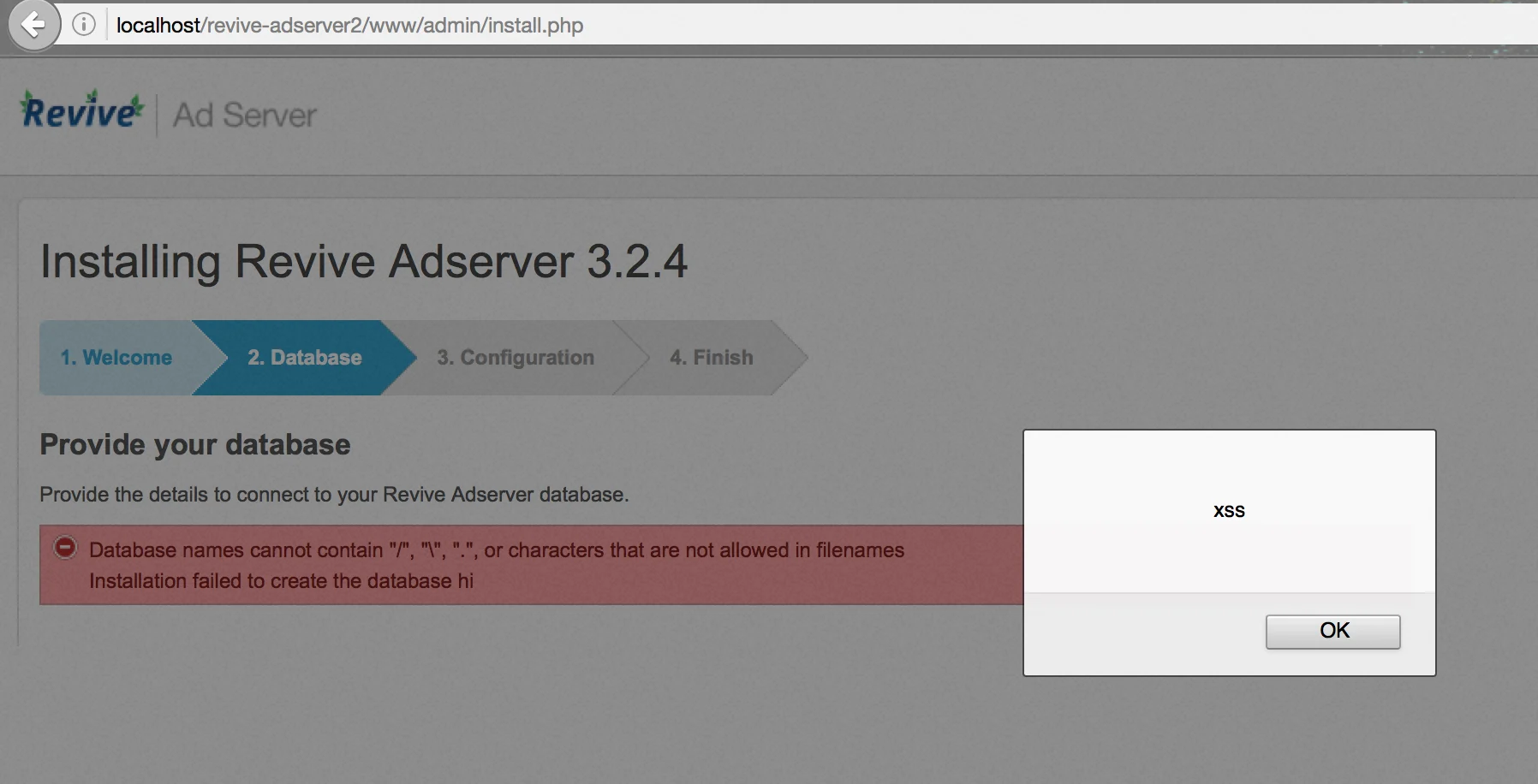
The dbName parameter in Step 2 of Installation Wizard is vulnerable to Cross-Site Scripting vulnerability when the form is returned with error.
Vulnerability Details
Cross-Site Scripting issue let's one to run a javascript of choice. It helps most of the client side risks including but not limited to phishing, temporary deface, browser key-logger and others. Exploitation frameworks like BeEF eases the offensive attack.
Attack Vector
Though this may be treated as a Self-XSS, the place where the issue is affecting is sensitive. If the user who is going to set up the Revive Adserver, follows an untrusted malicious guide which contains specially crafted XSS payload, can help in gaining access to the database by tricking him to enter the credential in attacker's site by redirecting or any other way.
Dependency
- Occurs at the time of installation when the Database Name contains invalid characters.
- Chrome's default XSS Protection blocks simple XSS payloads. Please use firefox for reproduction.
Steps to Reproduce
- Navigate to Installation
- Agree to the terms and condition in the first step
- In the second step, please enter
something<script>alert('xss');</script>for Database Name field - Note the javascript alert box triggered from the above payload entered in dbName parameter
HTTP Request
POST /revive-adserver/www/admin/install.php HTTP/1.1 .. .. Connection: close
_qf__install-db-form=&action=database&moreFieldsShown=&dbName=something<script>alert('xss');</script>&dbUser=root&dbPassword=roots&dbHost=localhost&dbType=mysql&dbLocal=0&dbPort=3306&dbTableType=MYISAM&dbTablePrefix=rv_&save=Continue+%C2%BB
`
###HTTP Response
HTTP/1.1 200 OK
..
<span id='errorMessages'> Database names cannot contain "/", "\", ".", or characters that are not allowed in filenames <br/> Installation failed to create the database something<script>alert('xss');</script></span>
###Test Environment Details Version: Latest as on Sept 17: revive-adserver-3.2.4 downloaded from official website Setup type: local Browser: Firefox 47.0 OS: Mac OS X
Cheers, Pavan
Attachments
Not written yet. The AI write-up for this report has not been written yet. The Original tab links to the source.
How it worked
Impact
An attacker could run JavaScript of choice in the installer's browser, but only if the person setting up the server follows a malicious guide and enters the crafted database name; Chrome's default XSS protection blocks simple payloads, so the report used Firefox.
What the attacker needed
Victim runs the installer; victim enters attacker-supplied dbName; Firefox or XSS filter bypass
How it was found
- Navigate to the installation wizard.
- Agree to the terms and conditions in the first step.
- In the second step, enter a database name containing a script tag.
- Observe the JavaScript alert triggered from the dbName parameter.
Explained by bugbounty.wiki with AI from the original and checked against quotes from it; it can still be wrong. Read the original before relying on a detail.
Not written yet. The AI write-up for this report has not been written yet. The Original tab links to the source.
When you type something into a form and the site shows it back to you, it should treat it as plain text. Here the installer put the database name straight into its error message, so a name containing a script tag was run as code by the browser. The catch is that the victim has to type the malicious name themselves, which is why the report calls it self-XSS.
What is XSS?
Script an attacker supplies runs in another user's browser, on the target's origin, with that user's session.