Invalid username updating
The edit page showed an invalid username in the top-right corner despite an error, temporarily, which could potentially allow harmful code.

- Fixed in 9 days
- Disclosed after 29 days
Summary by the researcher
Humble beginnings.
The report
Hello Rubygems,
This is my first report on Hackerone, so please tell me if you need further information.
This vulnerability/glitch uses the 'Edit Profile' page.
How to do it:
-
Login to any account on Rubygems
-
Go to your profile
-
Go to 'Edit Profile'
-
In Handle, put the invalid username
-
Click 'Update'
-
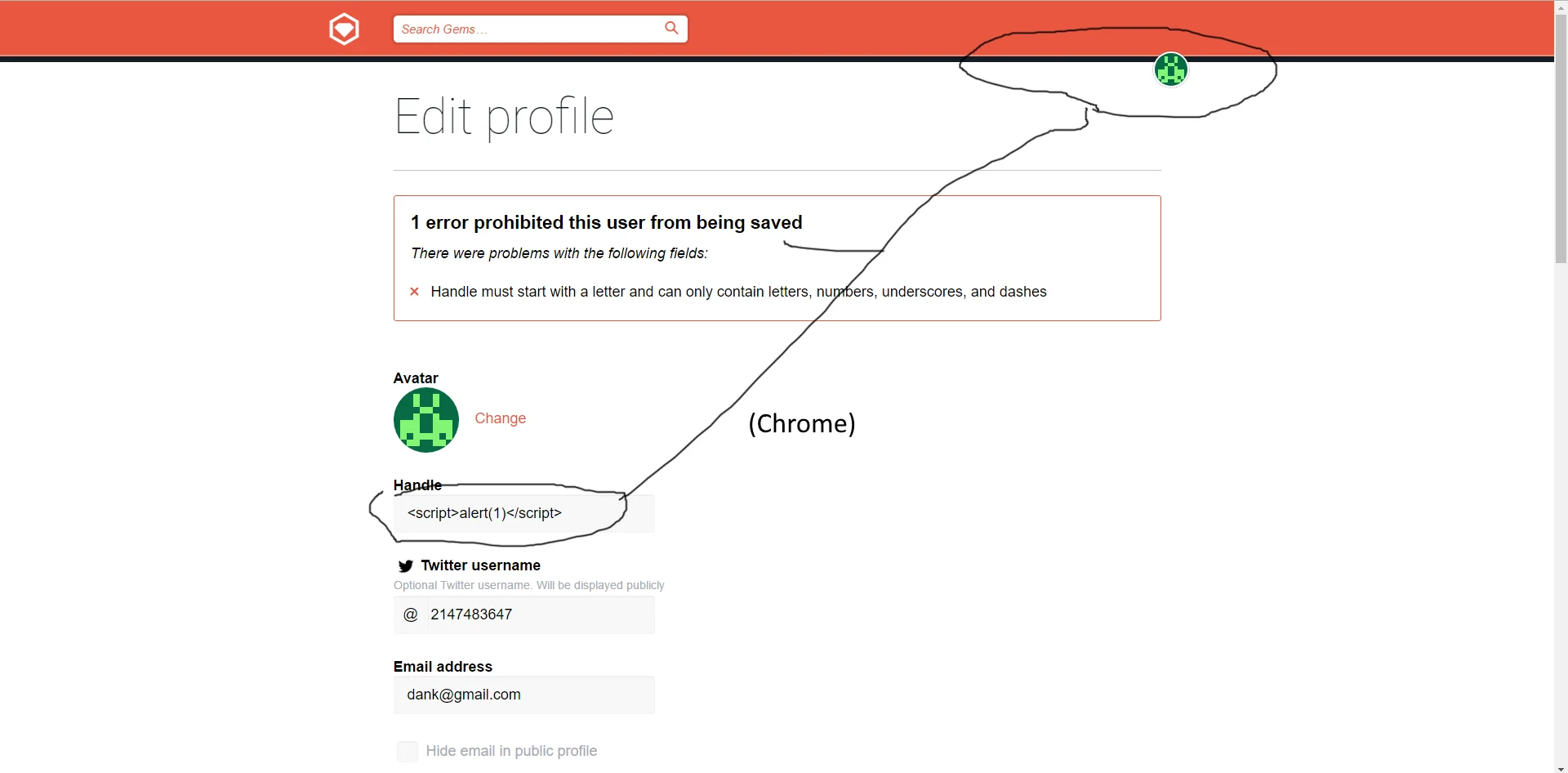
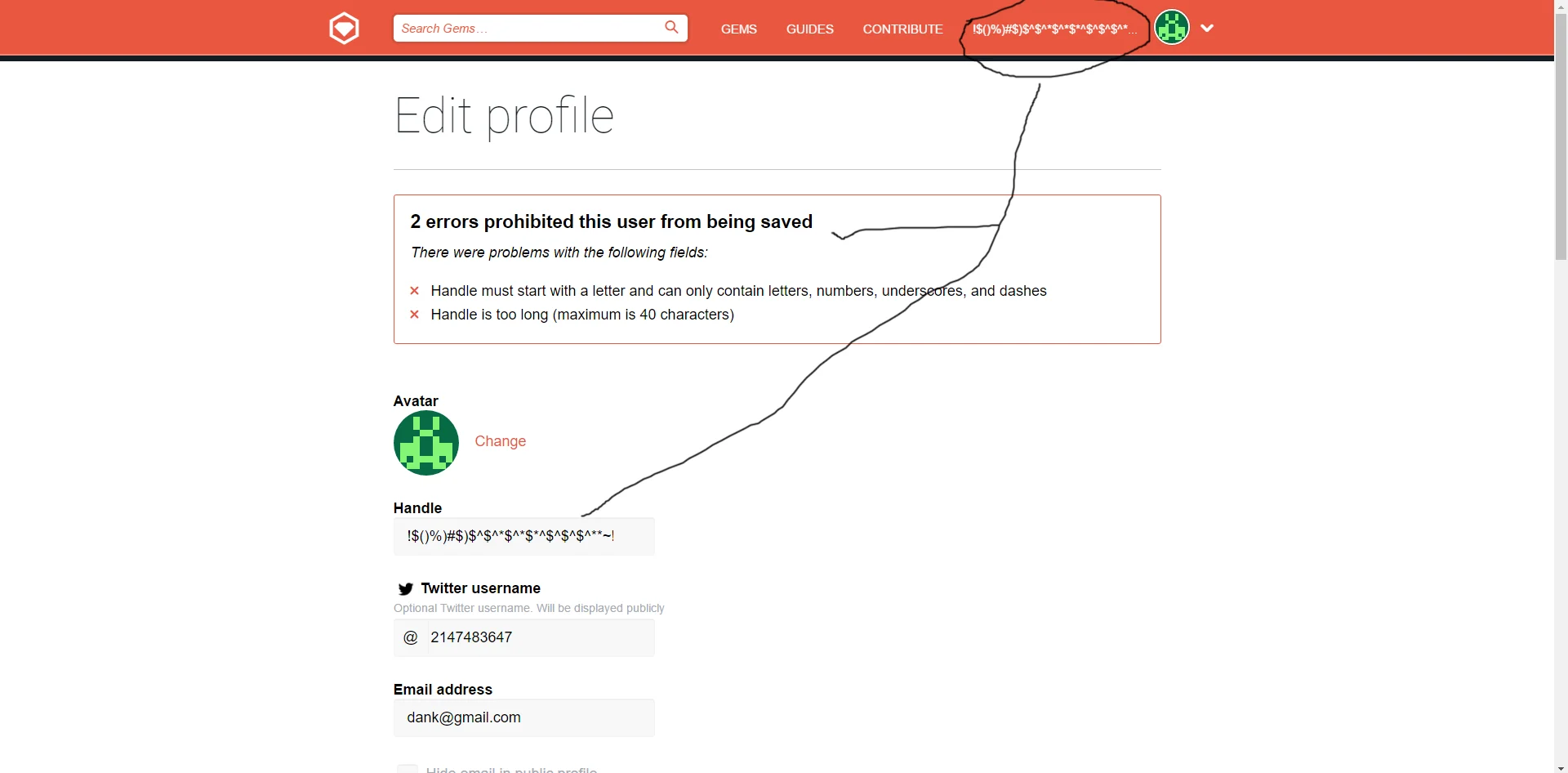
It will show the "invalid username" error message, but in the top right corner, it will change the username to whatever you put it handle, whether it was valid or invalid.
If it was invalid, when you leave that page/reload it, it will return the username to it's previous state, but this allows for any username in that space for a temporary amount of time, which could have potential for harmful code.
Another issue with this, besides the obvious glitch, is that in browsers with XSS blockers (Chrome, IE, etc.), it moves the avatar icon downward and the name section will be blank. (See pictures for an example)
Hopefully this has enough information.
- Jack
Attachments
Not written yet. The AI write-up for this report has not been written yet. The Original tab links to the source.
How it worked
Impact
The temporary display of an invalid username could potentially allow harmful code, though the effect is limited and disappears on reload.
What the attacker needed
A free account
How it was found
- Log in to any account on Rubygems.
- Go to your profile.
- Go to 'Edit Profile'.
- In Handle, put the invalid username.
- Click 'Update'.
- Observe the error message but the username changes in the top right corner.
Explained by bugbounty.wiki with AI from the original and checked against quotes from it; it can still be wrong. Read the original before relying on a detail.
Not written yet. The AI write-up for this report has not been written yet. The Original tab links to the source.
When you edit your profile, the site checks the username. The report says it showed an error but still put the bad name on the page briefly, which could potentially allow harmful code.
What is XSS?
Script an attacker supplies runs in another user's browser, on the target's origin, with that user's session.