Stored XSS in '' Section and WAF Bypass
A stored cross-site scripting flaw existed in the competitor domain field of the position tracking feature, where client-side validation could be bypassed. An attacker could inject a payload that survived the web application firewall and executed when the page was viewed, potentially stealing session cookies and defacing the page.

- Triaged in 3 days
- Fixed in 50 days
- Paid in 10 days
- Disclosed after 5 months
Summary
Stored Cross-site Scripting (XSS) is the most dangerous type of Cross Site Scripting. Web applications that allow users to store data are potentially exposed to this type of attack. stored XSS occurs when a web application gathers input from a user which might be malicious, and then stores that input in a data store for later use.
Description
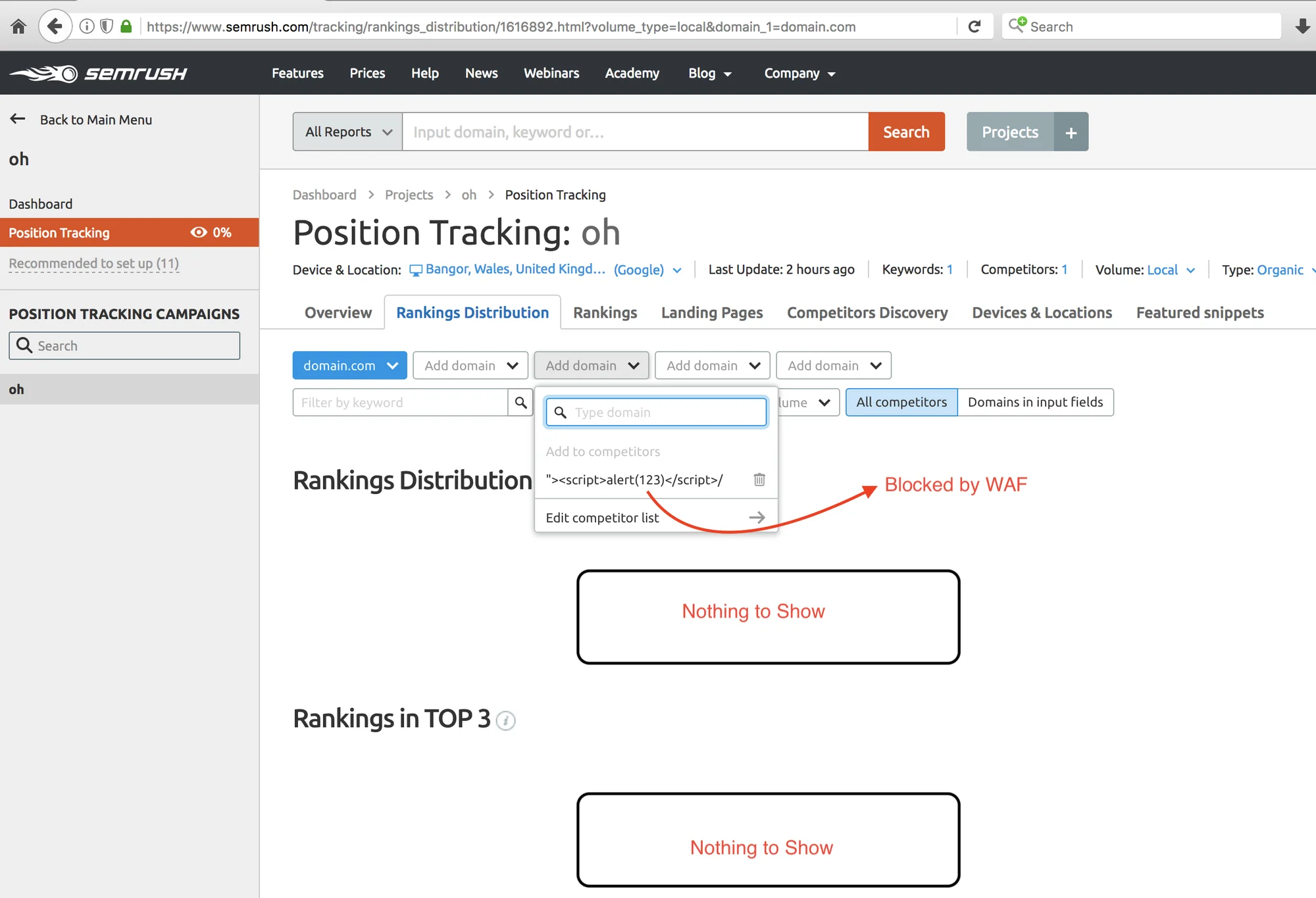
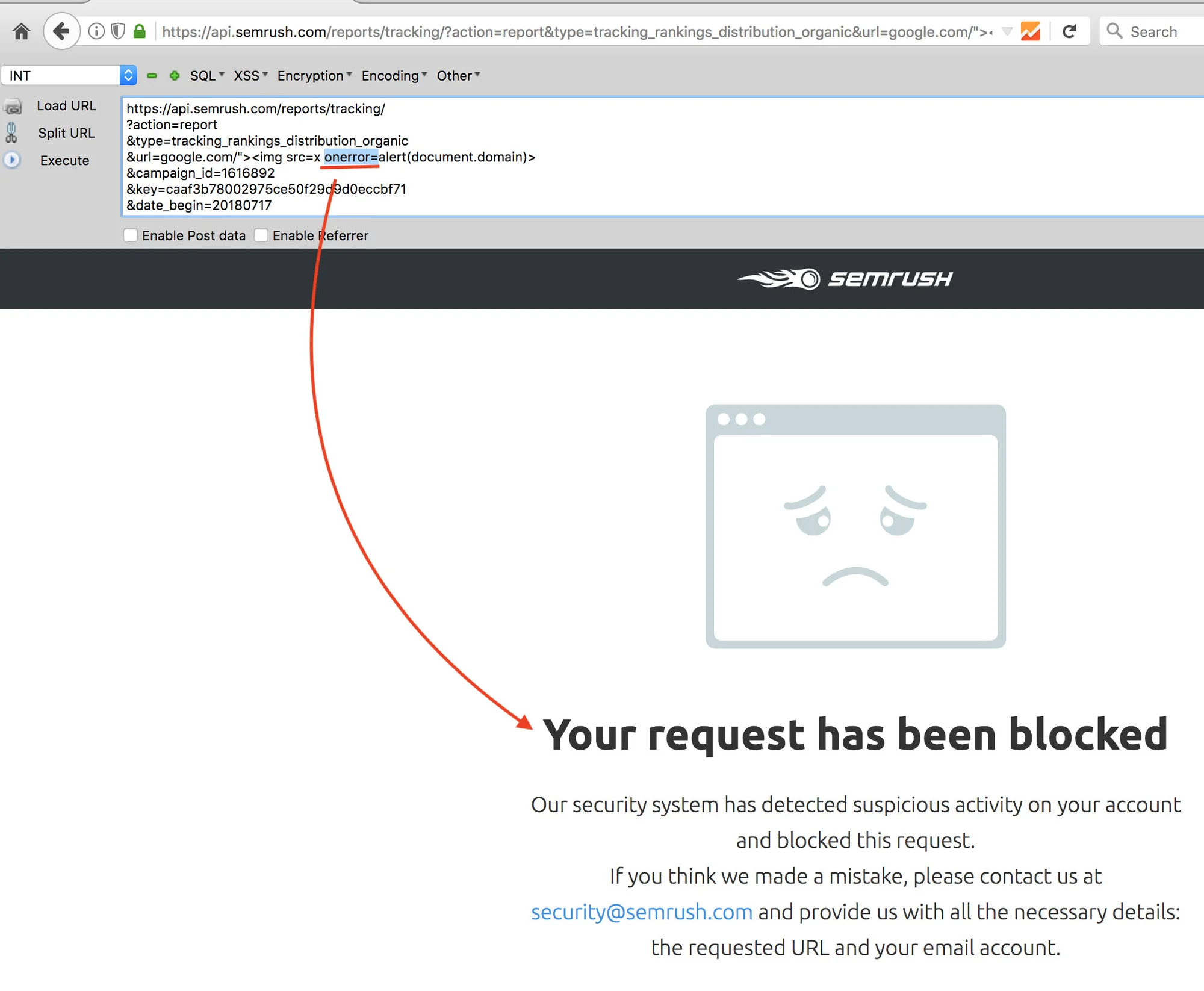
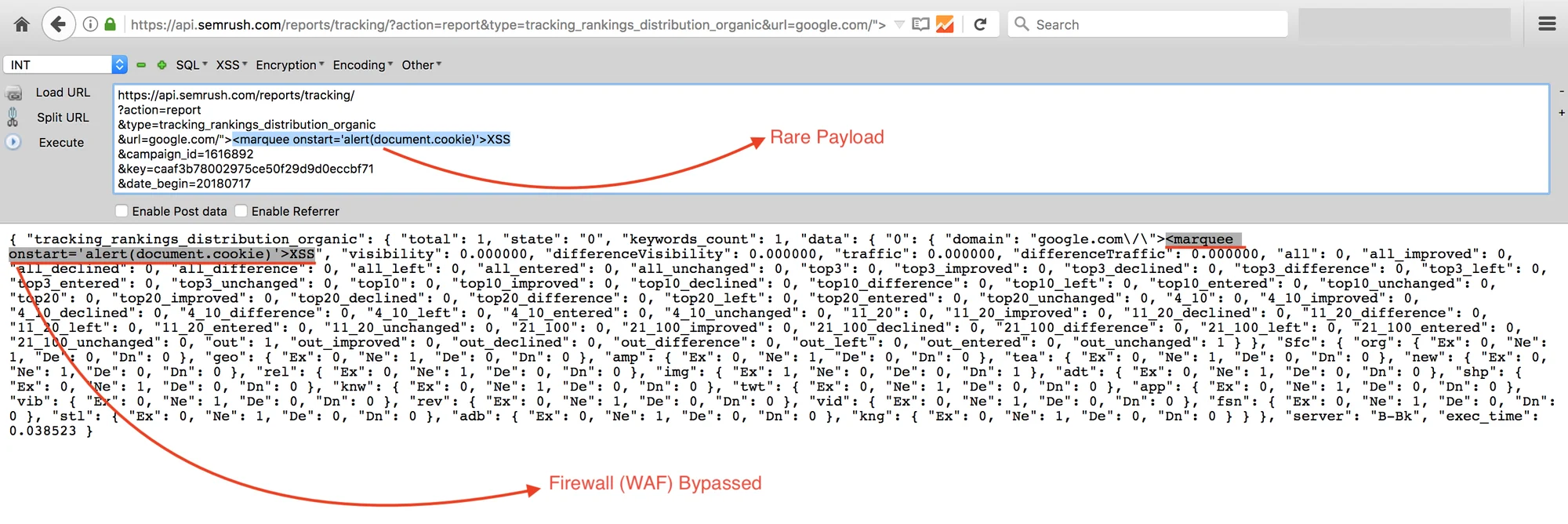
I have found this Stored XSS in 'position tracking' of SEMrush website. first I setup 'position tracking' then in 'Rankings Distribution' tab add a valid domain in competitor's domain field which is check the validation just in client side so I try to hook it via BurpSuit and change the domain parameter to my XSS payload, as I see it saved my payload completely but by the time it wants to show me, my payload must have passed through the website Firewall so there is nothing to show. As I guess the Firewall probably uses blacklist that controls just the HTTP/GET method so Although it blocked lots of HTML tags and attributes but I try hard and bypass it after all as shown in Figures F321488 and F321489. in conclusion, there is a WAF bypass vulnerability besides the XSS that may cause of effects in other vulnerabilities happening.
Browsers Verified In
Mozilla 5.0 Firefox 52.0 ESR
Steps To Reproduce
- Log in to your account.
- Create project.
- Navigate to Dashboard-> Position Tracking ->Rankings Distribution -> select one of add domains -> click on "Edit competitor's list" 4. Fill 'new competitor's domain' field with a valid domain like google.com then open BurpSuit for changing the domain parameter with the payload below then click on "Add to list"
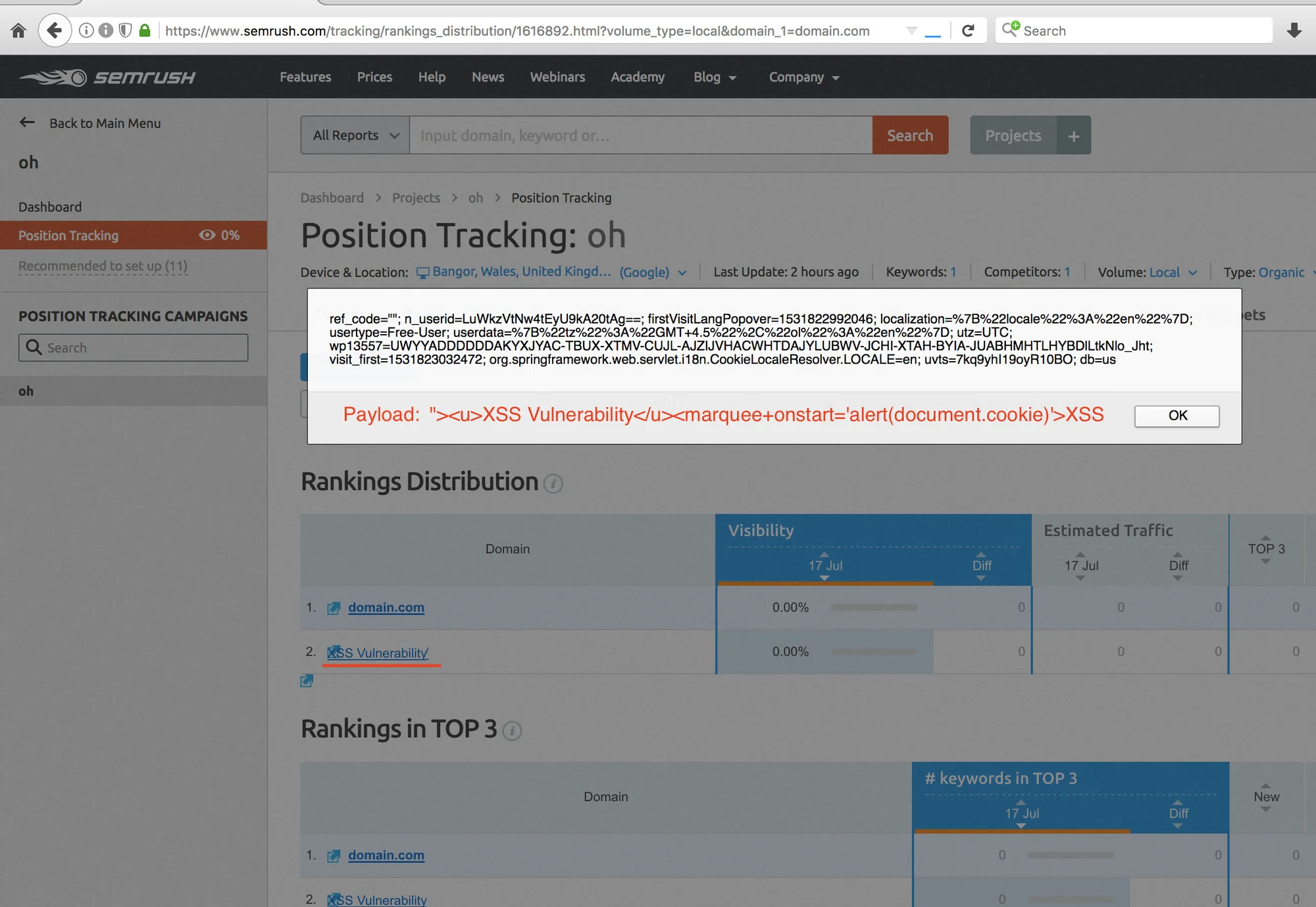
"><u>XSS Vulnerability</u><marquee+onstart='alert(document.cookie)'>XSS
Note: lots of tags and attributes are blocked by the firewall but this rare payload isn't blocked so far and works correctly as shown in Figure F321486. 5. After changing the domain parameter click on 'Update' button then close "Position Tracking Settings" page. 6. And shown in Figure F321490 after closing the "Position Tracking Settings" page the XSS is loaded.
Supporting Material/References:
https://www.owasp.org/index.php/Testing_for_Stored_Cross_site_scripting_(OTG-INPVAL-002)
Impact
The attacker can have the session and cookie of customers and deface that page. The firewall that uses blacklist is bypassed by the special payload.
Not written yet. The AI write-up for this report has not been written yet. The Original tab links to the source.
How it worked
Root cause
Likely the application relied on client-side validation for the competitor domain field and did not properly sanitise or encode the stored value on output, while the firewall used a blacklist that could be bypassed.
Impact
The attacker could obtain the session and cookies of customers and deface the page, and the firewall's blacklist was bypassed by the special payload.
What the attacker needed
An account; ability to intercept HTTP requests; victim views the affected page
How it was found
- Log in to the account and create a project.
- Navigate to Dashboard, then Position Tracking, then Rankings Distribution, and select an add domains option.
- Click on Edit competitor's list.
- Enter a valid domain such as google.com in the new competitor's domain field, then intercept the request with Burp Suite and replace the domain parameter with the XSS payload.
- Click Add to list, then click Update and close the Position Tracking Settings page.
- Observe that the XSS loads after closing the settings page.
Explained by bugbounty.wiki with AI from the original and checked against quotes from it; it can still be wrong. Read the original before relying on a detail.
Not written yet. The AI write-up for this report has not been written yet. The Original tab links to the source.
Stored cross-site scripting (XSS) happens when a website saves harmful code you type in and later shows it to other people, letting that code run in their browsers. Here, the competitor domain field only checked input in the browser, so an attacker could send a crafted domain that included a script. The site's firewall tried to block common script patterns but missed a less common one, so the script ran when the page loaded.
What is XSS?
Script an attacker supplies runs in another user's browser, on the target's origin, with that user's session.



