H1514 Get access to non public information by pivoting with graphql queries
A user with only app access could use GraphQL queries to retrieve store information they should not have access to, such as locations, inventory, marketing activities, and API keys. This allowed disclosure of non-public data across different parts of the store.

- Triaged in 10 days
- Fixed in 3 months
- Paid in 11 days
- Disclosed after 13 months
Hi security team,
Summary: It is possible to pivot with queries to get access to information you shouldn't have access to according to docs located at https://help.shopify.com/en/api/graphql-admin-api/reference/queryroot
Description: I will try to write up all the ones I can find related to information disclosure where a user with only access to Apps can get from other parts of the store using the graphiql app.
- Example 1:
User with no home access can use locations query to find out store locations and address
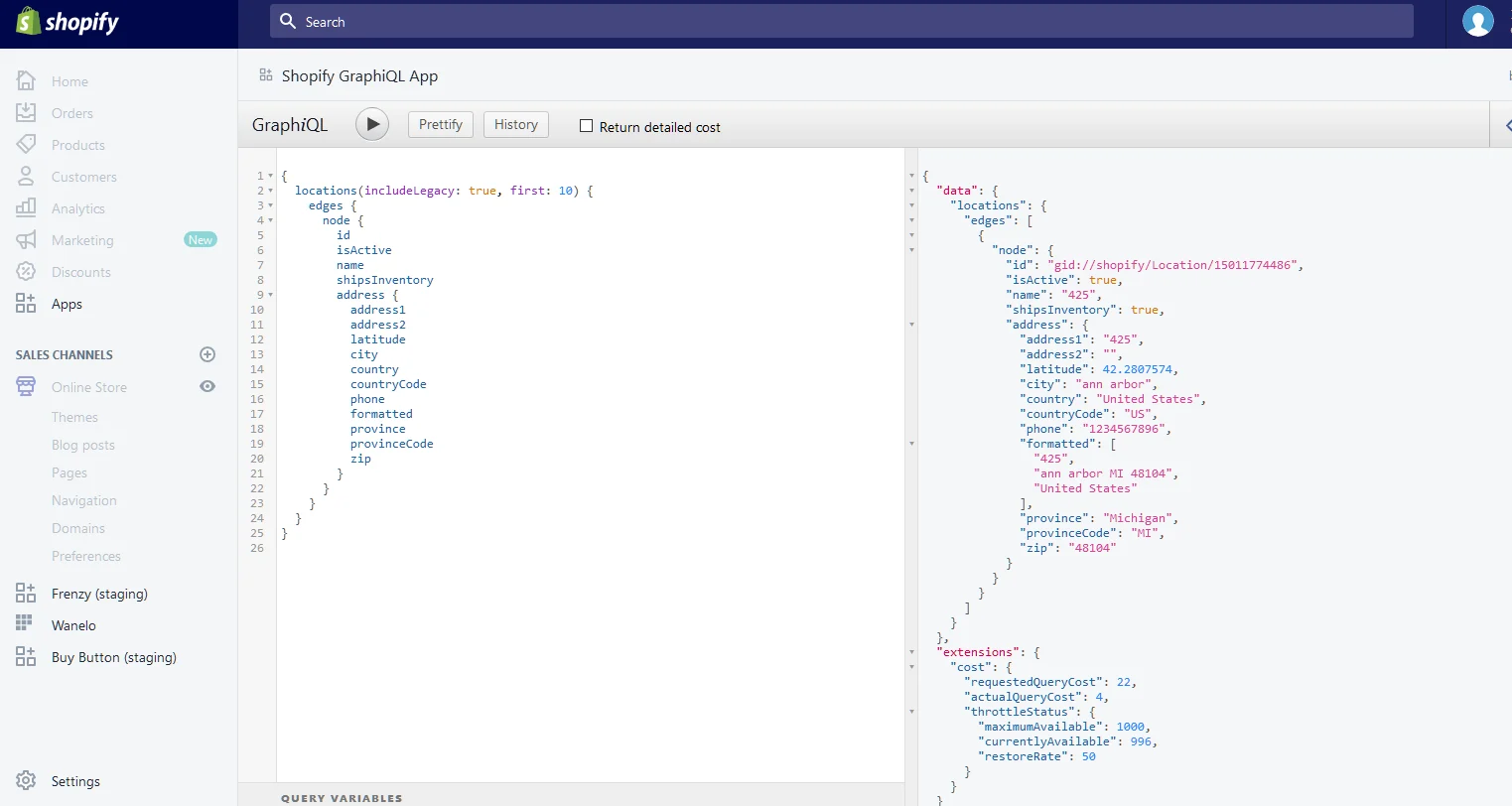
It is also possible to use inventoryLevel(inventoryItemId) to get access to inventory without access
- Example 2:
Marketing activities with no marketing access
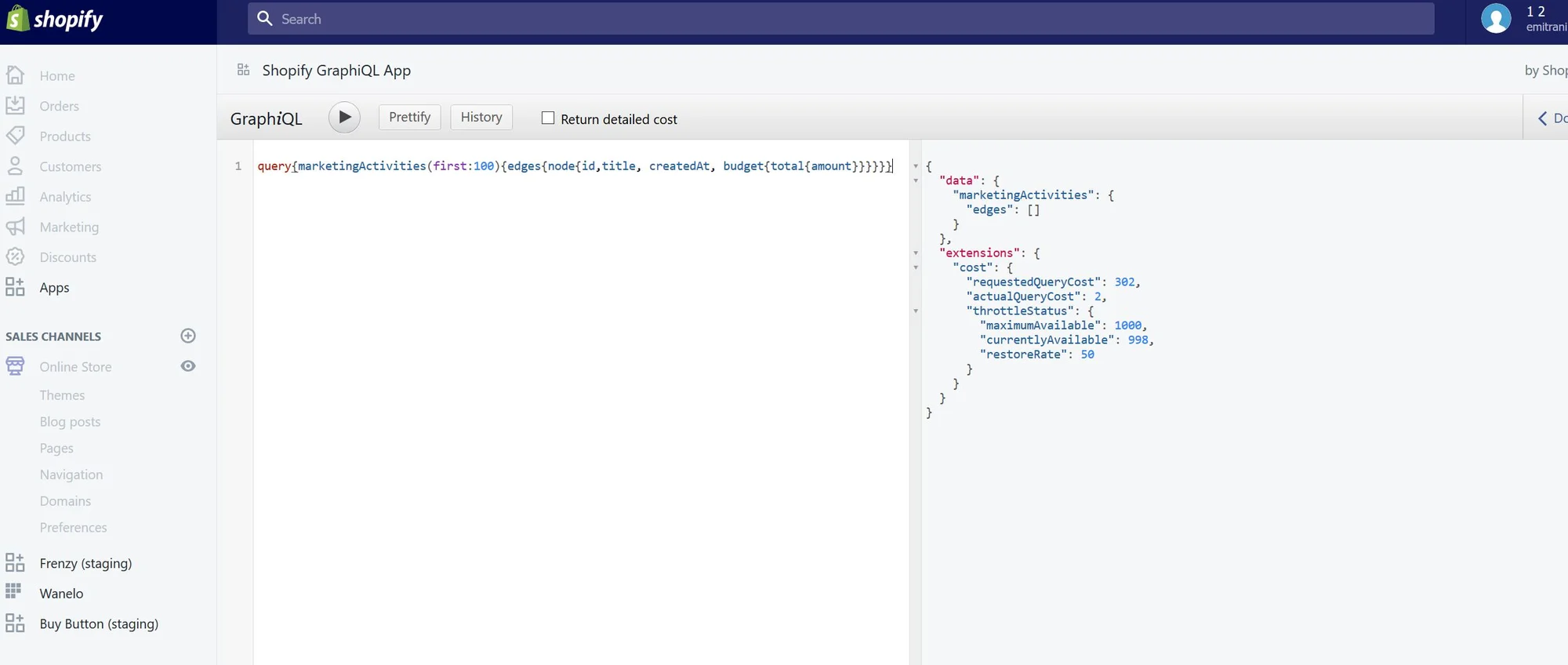
even though it is possible to ask for more this is the basic query I used. Note it doesn't say access denied.
query{marketingActivities(first:100){edges{node{id,title, createdAt, budget{total{amount}}}}}}
- Example 3:
Publications and api keys(I suspect app access makes you see api keys but still)
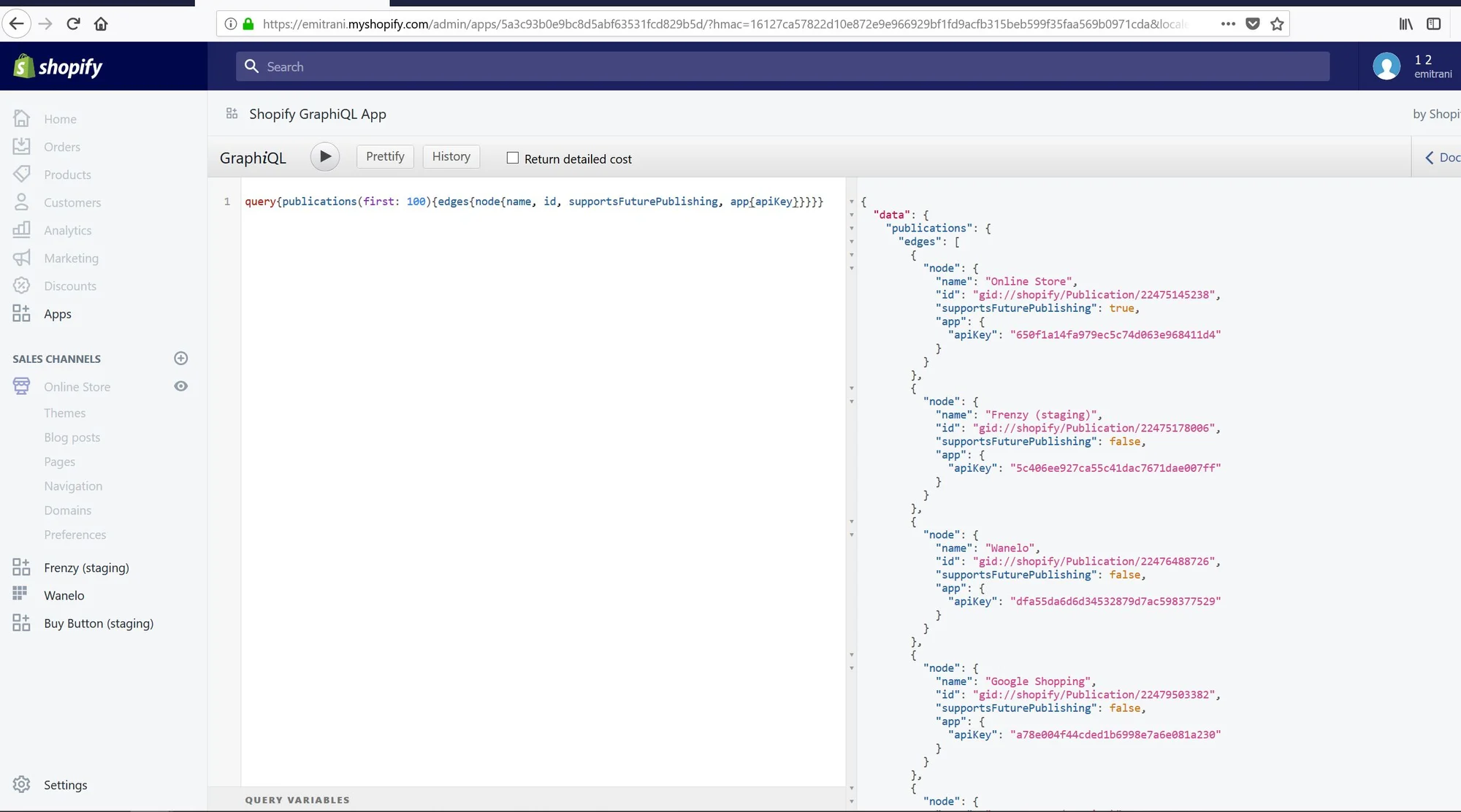
Query I used:
query{publications(first: 100){edges{node{name, id, supportsFuturePublishing, app{apiKey}}}}}
Impact
This means the graphql can be used to disclose information about other parts of the store that a low permissions user shouldn't have access to.
Best, Eray
Not written yet. The AI write-up for this report has not been written yet. The Original tab links to the source.
How it worked
Root cause
Likely missing authorization checks on certain GraphQL query fields, allowing users with only app access to retrieve data from other store sections.
Impact
A low-permission user could disclose non-public information about other parts of the store, including locations, inventory, marketing activities, and API keys.
What the attacker needed
A user account with only app access; access to the GraphiQL app
How it was found
- Log in as a user with only app access.
- Use the GraphiQL app to send a query for store locations.
- Observe that location and address data is returned despite no home access.
- Send a query for marketing activities and receive data without marketing access.
- Send a query for publications and receive API keys.
Explained by bugbounty.wiki with AI from the original and checked against quotes from it; it can still be wrong. Read the original before relying on a detail.
Not written yet. The AI write-up for this report has not been written yet. The Original tab links to the source.
GraphQL is a way for apps to ask a server for specific data. The server should check if the user is allowed to see each piece of data, but here it did not, so a low-privilege user could ask for and receive information from other store areas.
What is Access control?
A user can do something their role should not allow: reach an admin function, act on a feature they have not paid for, or skip a permission check. IDOR is the special case where the object belongs to someone else.