H1514 Stored XSS in Return Magic App portal content
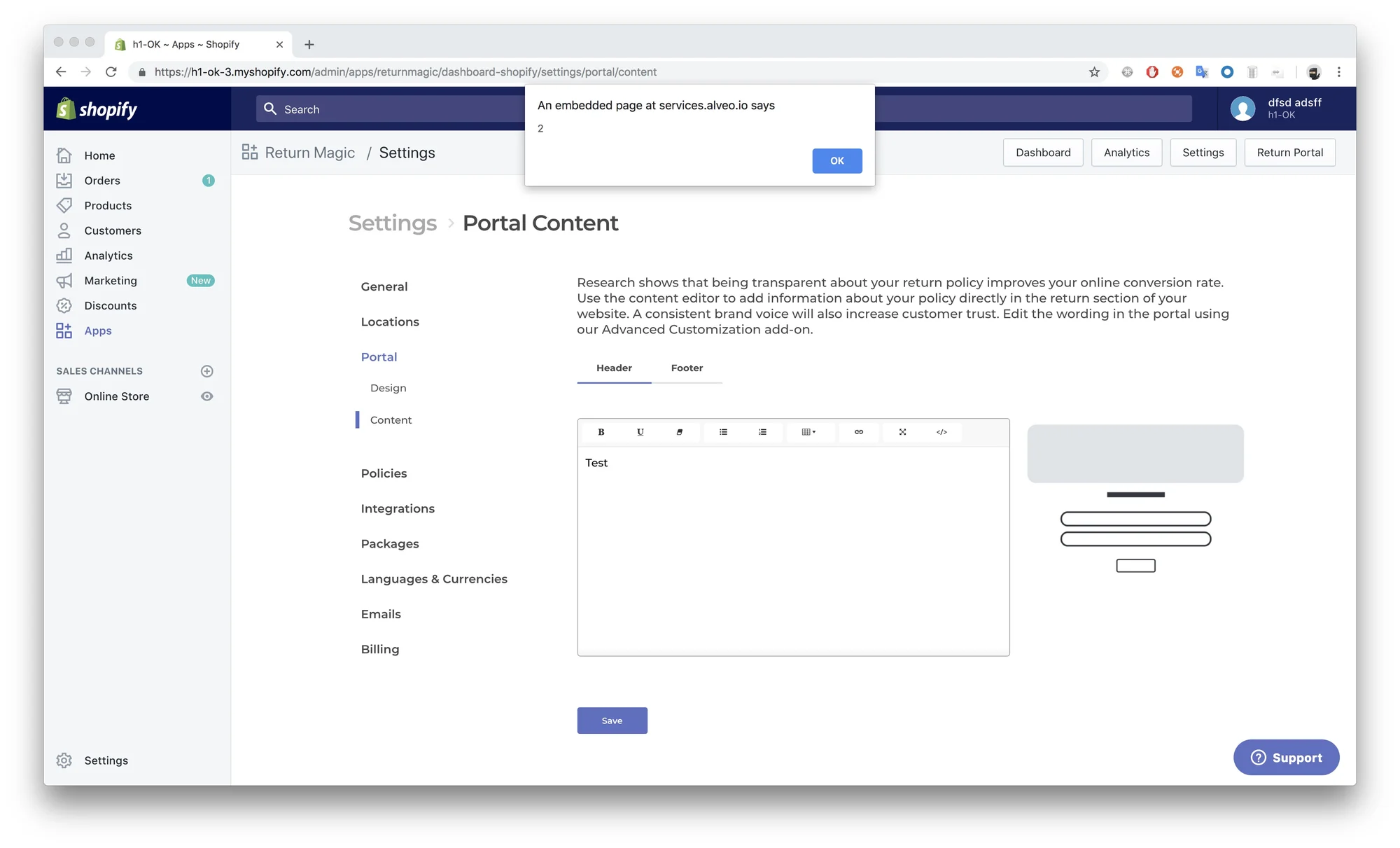
The Return Magic app allowed users to save unsanitised HTML in the portal content settings, so an attacker could inject a script that executed in other users' sessions when they viewed the portal settings page or the public portal search page.
 Originally disclosed on HackerOne
- Triaged in 6 days
- Fixed in 13 months
- Paid in 6 days
- Disclosed after 13 months
Summary by the program
Note: This report was submitted during our H1-514 live hacking event, which had an expanded scope compared to our public bug bounty program. The app mentioned in this report is not currently in scope for our public program.
The report
Summary:
Stored XSS vulnerability was found in return magic app portal content which executes in the application domain in https://services.alveo.io/dashboard-shopify/settings/portal/content
Description: It's been found that Return Magic app allows users to add HTML content to their return portal without sanitizing the HTML which makes it possible to inject malicious tags that can be used to execute arbitrary JavaScript through other users' sessions.
Steps To Reproduce:
- Install Return Magic app
- Navigate to
https://<shop>.myshopify.com/admin/apps/returnmagic - Open Settings tab from the top menu and then open Portal --> Content from the left menu
- For the textarea where you enter your portal content, click the Code icon and enter
Test <img src=x onerror=alert(2)>then click Save - Now each time a user opens the portal settings page,
alert(2)will be executed. - XSS also triggers in
https://services.alveo.io/portal/search?shop=<shop>.myshopify.com
Impact
Through this vulnerability a malicious user will be able to execute JavaScript through other user's sessions' which allows him to do malicious actions such as stealing sensitive information, submitting requests that bypass csrf protection ..etc
Not written yet. The AI write-up for this report has not been written yet. The Original tab links to the source.
How it worked
Root cause
The application stored user-supplied HTML in the portal content setting and rendered it without sanitisation, allowing script execution.
Impact
A malicious user could execute JavaScript in other users' sessions, potentially stealing sensitive information or submitting requests that bypass CSRF protection.
What the attacker needed
A Shopify store with the Return Magic app installed; ability to edit portal content settings; victim views the portal settings or search page
The fix
The report does not state a fix; it notes the HTML was not sanitised.
How it was found
- Install the Return Magic app on a Shopify store.
- Open the app's admin page and go to Settings, then Portal, then Content.
- In the portal content textarea, switch to code view and enter HTML containing an image tag with an error handler that runs JavaScript.
- Save the content.
- Open the portal settings page again and observe the JavaScript executing.
- Also open the public portal search URL for the shop and observe the JavaScript executing there.
Explained by bugbounty.wiki with AI from the original and checked against quotes from it; it can still be wrong. Read the original before relying on a detail.
Not written yet. The AI write-up for this report has not been written yet. The Original tab links to the source.
When a website lets you type HTML that is later shown to other people without cleaning it first, you can sneak in a small script. That script runs in the browser of anyone who views the page, as if the website itself had written it. This is called stored cross-site scripting (XSS) because the harmful content is saved on the server and served to victims later.
What is XSS?
Script an attacker supplies runs in another user's browser, on the target's origin, with that user's session.




