XSS in SHOPIFY: Unsanitized Supplier Name can lead to XSS in Transfers Timeline
The supplier name field in Shopify's transfer timeline was not sanitised, allowing a script to be injected that executes when the timeline is viewed.

- Triaged in 2 hours
- Fixed in 7 hours
- Paid in 10 days
- Disclosed after 10 days
Hello
I would like to report an XSS happening in Transfer Timeline because the Supplier Name input is not sanitized as it should!
POC
Set Supplier Name to "><img src=x onerror=prompt('XSS')>
Create a Transfer with multiple items and cancel on of the items.
Review the timeline
In the timeline you will see You canceled items in a shipment from SUPPLIER NAME which since it is unsanitized it will trigger XSS
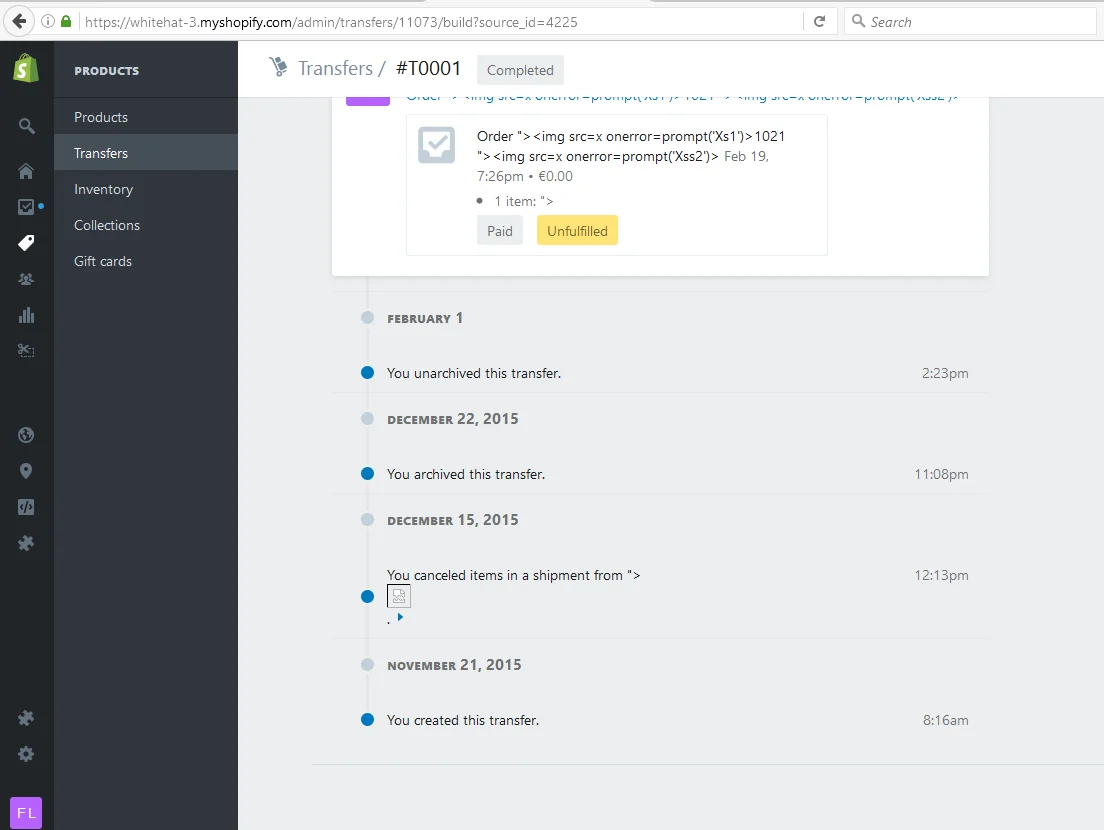
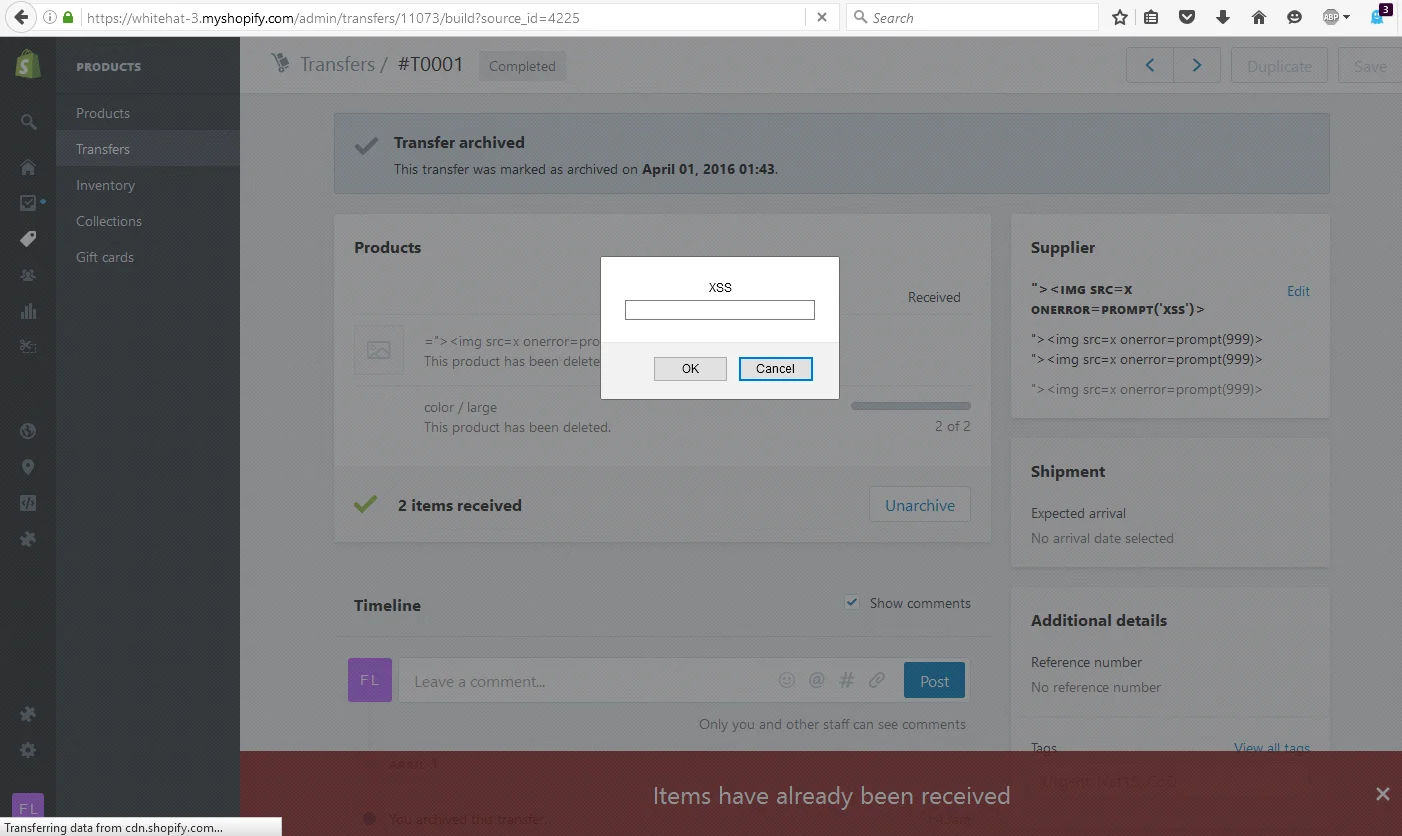
Live XSS is here https://whitehat-3.myshopify.com/admin/transfers/11073
Hope it will be triaged and fixed
Not written yet. The AI write-up for this report has not been written yet. The Original tab links to the source.
How it worked
Impact
An attacker could execute JavaScript in the context of a user viewing the transfer timeline.
What the attacker needed
Access to set supplier name; ability to create transfers; victim views the timeline
How it was found
- Set the supplier name to a value containing an image tag with an onerror handler.
- Create a transfer with multiple items and cancel one of the items.
- Review the timeline for that transfer.
- Observe that the timeline message includes the unsanitised supplier name and triggers the script.
Explained by bugbounty.wiki with AI from the original and checked against quotes from it; it can still be wrong. Read the original before relying on a detail.
Not written yet. The AI write-up for this report has not been written yet. The Original tab links to the source.
When a website displays user-supplied text without cleaning it, an attacker can insert code that runs in the browser of anyone who views that text. Here, the supplier name was shown in a timeline without being made safe, so a malicious name could run a script. This is called cross-site scripting (XSS).
What is XSS?
Script an attacker supplies runs in another user's browser, on the target's origin, with that user's session.