SSRF in api.slack.com, using slash commands and bypassing the protections.
A slash command integration on api.slack.com allowed an attacker to supply a URL that redirected to an internal address, causing Slack's server to make requests to internal services. This enabled port scanning and service version disclosure.

- Triaged in 5 days
- Fixed in 6 months
- Paid in 6 months
- Disclosed after 7 months
Bypassing the reports #61312 and #356765
Tutorial:
Go to api.slack.com and create an application with your own slash command.
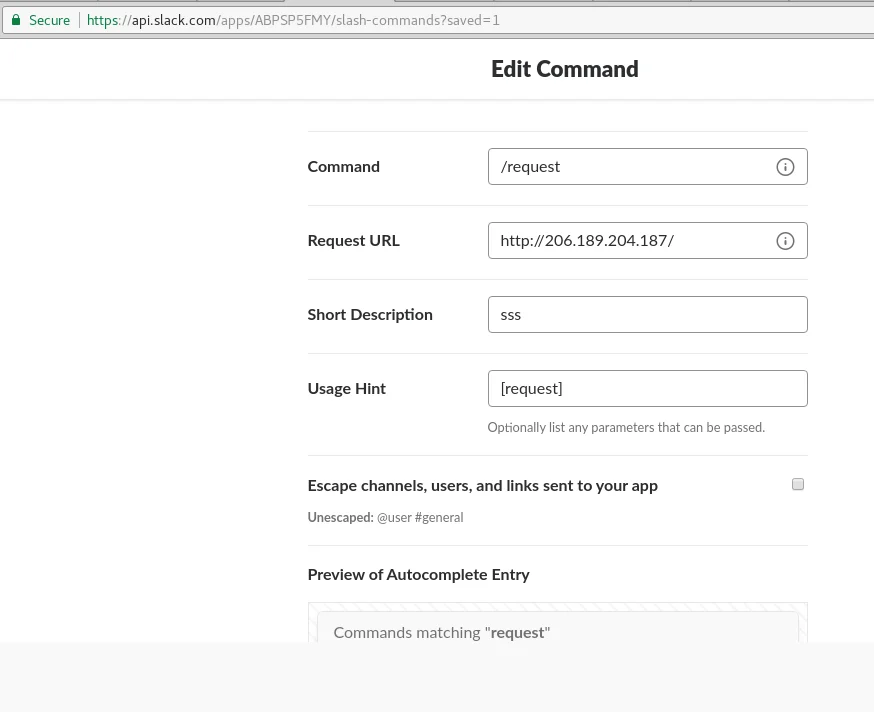
Enter your own domain: in your own domain: index.php
<?php header("location: http://[::]:22/"); ?>
location: http://[::]:22/
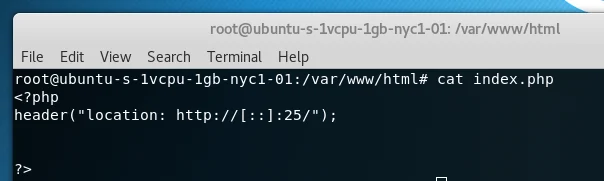
And save.
Go to your Slack and type /youslash
Try with my server http://206.189.204.187/
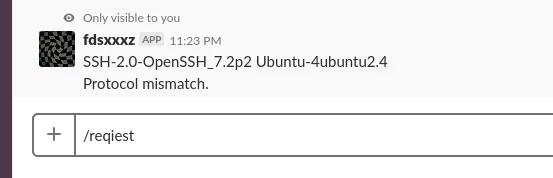
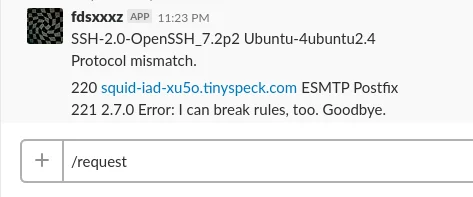
Results:
SSH
SMNTP
Impact
In a Server-Side Request Forgery (SSRF) attack, the attacker can abuse functionality on the server to read or update internal resources, and scan for internal ports and get the versions of the services running on the server.
Referer: https://www.owasp.org/index.php/Server_Side_Request_Forgery https://hackerone.com/reports/61312
Not written yet. The AI write-up for this report has not been written yet. The Original tab links to the source.
How it worked
Root cause
Likely the slash command URL handler followed redirects without validating the final destination, allowing a redirect to an internal address.
Impact
The attacker could scan internal ports and obtain service versions, and in theory read or update internal resources.
What the attacker needed
A Slack account; ability to create a Slack app; a domain you control
How it was found
- Create a Slack application with a slash command.
- Set the slash command URL to a domain you control.
- On your domain, serve a page that redirects to an internal address.
- Save the slash command configuration.
- Trigger the slash command in Slack.
- Observe the server's response to internal services.
Explained by bugbounty.wiki with AI from the original and checked against quotes from it; it can still be wrong. Read the original before relying on a detail.
Not written yet. The AI write-up for this report has not been written yet. The Original tab links to the source.
A slash command is a shortcut like /help that sends a request to a server. Here, the server fetched a URL the attacker controlled, and that URL redirected to an internal address, so the server ended up talking to its own internal network. This let the attacker probe internal ports and see what services were running.
What is SSRF?
The server can be made to fetch an address the attacker chooses, reaching internal services, cloud metadata or other customers' data.





