Stored XSS on this link https://sehacure.slack.com/help/requests/
A stored cross-site scripting vulnerability existed because the user's display name was not properly encoded when shown on the help request ticket page, even though the profile page itself had validation. An attacker could set a malicious name and have it execute script when the victim viewed a ticket.
 Originally disclosed on HackerOne
- Triaged in 2 hours
- Fixed in 7 hours
- Disclosed after 6 months
Hi,
This is a little tricky one.
First of all go to your profile page and change your name to "><img src=x onerror=prompt(12);> Save it. Wait!!! You will not see a javascript pop up there because there is proper input validation on the profile page.
Now to see the prompt box
- Go to this link https://sehacure.slack.com/help/requests/new
- Add a new ticket. Now submit it.
- Now view your ticket.You will now be shown a prompt box.
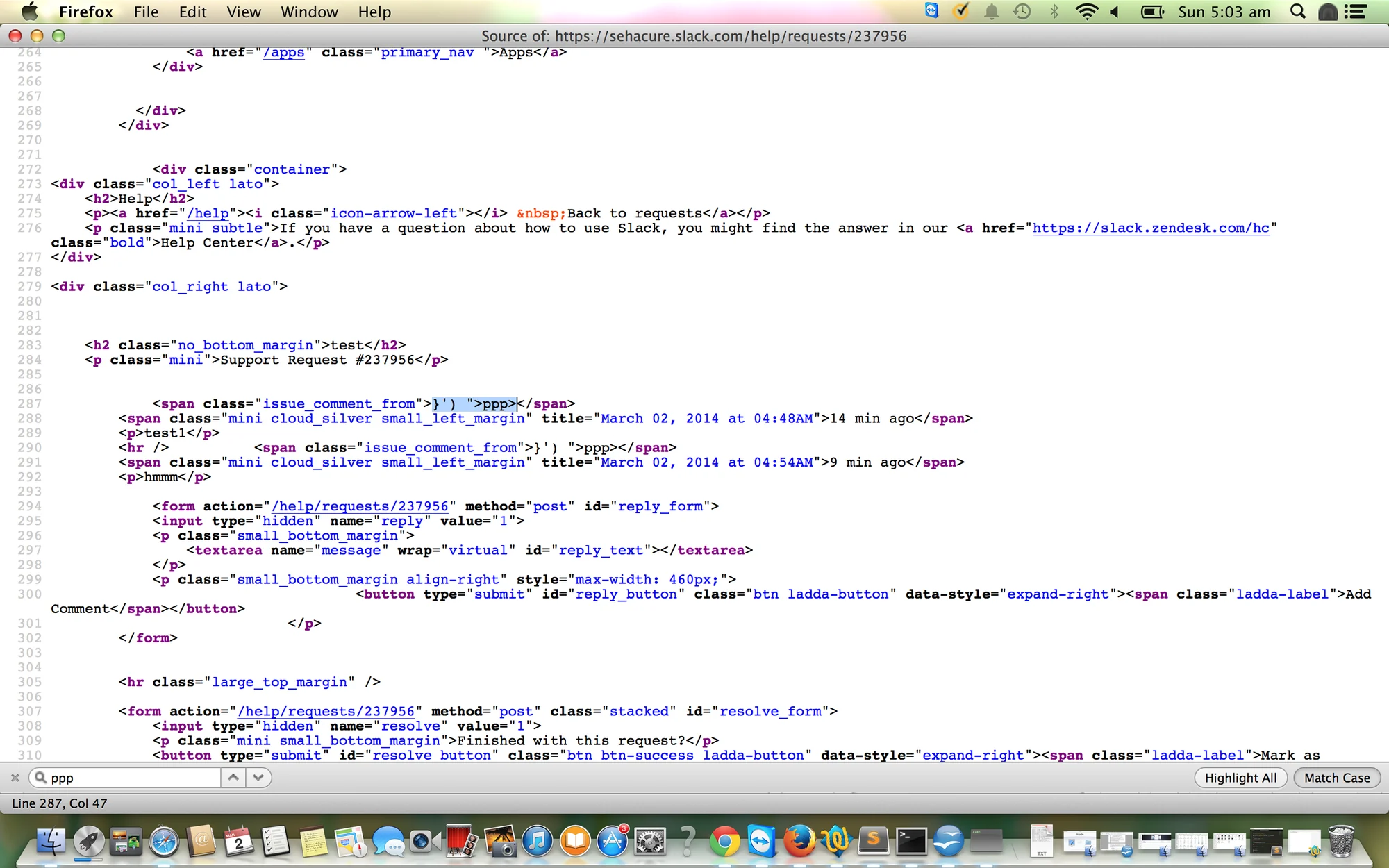
- Please have a look at the attached screenshot the inputs are not validated over there.
I have changed my name to }') ">ppp> and i am attaching the source code view of the same.No, input encoding is done there.
Please have a check.
Best, Anand
Attachments
Not written yet. The AI write-up for this report has not been written yet. The Original tab links to the source.
How it worked
Root cause
Likely the help request ticket page rendered the user's display name without proper output encoding, despite validation on the profile page.
Impact
An attacker could run JavaScript in a victim's browser when the victim viewed a help ticket, as shown by a prompt box.
What the attacker needed
A user account; ability to change display name; victim views the ticket
How it was found
- Change your profile name to a malicious HTML/JavaScript payload.
- Go to the new help request page.
- Create and submit a new ticket.
- View the ticket to trigger the script.
Explained by bugbounty.wiki with AI from the original and checked against quotes from it; it can still be wrong. Read the original before relying on a detail.
Not written yet. The AI write-up for this report has not been written yet. The Original tab links to the source.
When you type something into a website, it should be shown as plain text, not run as code. Here, a user's name was saved and later displayed on a help ticket page without being made safe, so a name containing HTML and JavaScript could run in the browser of anyone who viewed that page. This is called stored cross-site scripting because the malicious code is saved on the server and runs later.
What is XSS?
Script an attacker supplies runs in another user's browser, on the target's origin, with that user's session.






