Config override using non-validated query parameter allows at least reflected XSS by injecting configuration into state
The application accepted a query parameter that was parsed as JSON and merged into the runtime configuration, but the validation schema did not cover all properties actually used. An attacker could inject a javascript: URL into unvalidated config fields such as api.redirect or account.subscription, leading to reflected cross-site scripting when the victim clicked certain links.
 Originally disclosed on HackerOne
- Triaged in 10 hours
- Fixed in 19 days
- Paid in 13 hours
- Disclosed after 40 days
Hi,
First, I just want to say after spending a few days on your assets that I'm really impressed by the high security standard of the apps exposed. It has not been easy to find issues. I really like the way you've structured your API-routes in a way that almost eliminates a bunch of access issues.
I did find an interesting path that resulted in some issues. I did not classify the issue below just as an XSS, since you can also change business logic depending on what parameters you are affecting. I used the XSS as an example of what you can do with this.
The issue is that the code on app.grammarly.com allows a ?config=-parameter to be used:
              , s = function(e, t) {
                const n = u.Monitoring.Logging.getLogger("config.parser");
                return Object(i.pipe)(t, c.h.chain(e=>Object(i.pipe)(c.b.tryCatchError(()=>JSON.parse(e)), c.b.mapLeft(n.handler("Parse error of the provided JSON config", {
                    config: e
                }).info), c.h.fromEither)), c.h.fold(()=>e, t=>Object(i.pipe)(ye.decode(t), c.b.mapLeft(ge.failure), c.b.mapLeft(e=>n.info("Validation error of the provided JSON config", {
                    config: t,
                    error: e
                })), c.b.fold(()=>e, t=>{
                    n.info("Load app with custom config", t);
                    const r = c.k.asks(()=>e);
                    return c.k.createFrom(r)(()=>t)(void 0)
                }
                ))))
            }(Object(d.b)(), a.query.get("config"))
As you see here, the query.get("config") passes through a chain, first JSON-parsing it, and then validating it against a TypeScript-schema. This is a great solution to prevent some issues, since the TypeScript contains a list of config parameters and their corresponding type:
Partial<{
    api: Partial<{
        authUrl: HttpString
        capiApiUrl: HttpString
        capiWsUrl: HttpString
        crashLogUrl: HttpString
        dapiUrl: HttpString
        doxUrl: HttpString
        felogUrl: HttpString
        gnarApi: Partial<{ url: HttpString }>
        institutionAdminUrl: HttpString
        institutionPrivateUrl: HttpString
        institutionUrl: HttpString
        irbisUrl: HttpString
        onlineTestUrl: HttpString
        proofitResultUrl: HttpString
        wsTest: HttpString
    }>
    desktop: Partial<{
        mac: Partial<{
            infoURL: HttpString
            installURL: HttpString
        }>
        windows: Partial<{
            infoURL: HttpString
            installURL: HttpString
        }>
    }>
    edu: Partial<{ adminPanelURL: HttpString }>
    extension: Partial<{
        chrome: Partial<{
            infoURL: HttpString
            installURL: HttpString
        }>
        firefox: Partial<{
            iconURL: HttpString
            infoURL: HttpString
            installURL: HttpString
        }>
        safari: Partial<{
            installURL: HttpString
        }>
    }>
    funnel: Partial<{
        accountDeleted: HttpString
        mainPage: HttpString
        resetPassword: HttpString
        signin: HttpString
        signup: HttpString
        subscribe: HttpString
        upgrade: HttpString
        plans: HttpString
    }>
    officeAddIn: Partial<{
        infoURL: HttpString
        installURL: HttpString
    }>
    support: Partial<{
        connectionTroubleshooting: HttpString
        contact: HttpString
        diagnosticTestPath: HttpString
        documentAcceptTrackedChanges: HttpString
        email: HttpString
        emailExistsKBUrl: HttpString
        login: HttpString
        mainPage: HttpString
        newRequest: HttpString
    }>
}>
The HttpString type is validating that the value is a string and begins with ^https?|wss?. It does allow any URL you want, but since you have a limited list of connect-src in your Content-Security-Policy, unless there's another issue with one of the hosts in there, there's no data getting sent externally by overwriting these values.
However.
There are missing properties in the TypeScript-schema, which are still being used live. Looking at the api-property, the current config being used live contains the following ones as well:
"institutionSuggestionsUrl": "https://institution.grammarly.com/api/institution/settings/suggestions",
"institutionTonesUrl": "https://institution.grammarly.com/api/institution/settings/tones",
"institutionVoxUrl": "https://institution.grammarly.com/api/institution/vox",
"mailApiUrl": "https://g-mail.grammarly.com",
"redirect": "https://redirect.grammarly.com/redirect",
"ssoUrl": "https://sso.grammarly.com"
"subscriptionUrl": "https://subscription.grammarly.com/api/v1",
"sumoUrl": "https://endpoint2.collection.us2.sumologic.com/receiver/v1/http/ZaVnC4dhaV0Bxac28IqT2frgzsjX7HEotu8EZEZr07YE9RWLCzrOMGwzO9aL6c_iSiidkEplFOod2igKIxz_7s2CHlXc2u-XuLpetEBK1fV6xjfN2Sw2gA==",
"tonesUrl": "https://institution.ppgr.io/api/tones",
Since these ones are not in the TypeScript-schema, and the schema is set as Partial<{}>, you can overwrite the additional parameters with whatever content you want.
The interesting one I found for my PoC was the api.redirect. It's being used for navigating between sites, especially when you are linking to upgrading your plan:
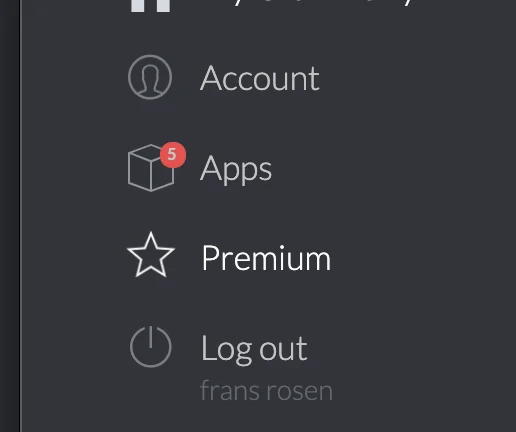
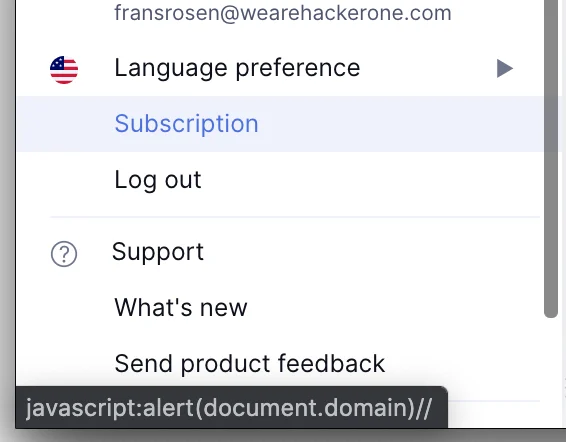
Another one when being upgraded, is the account-property which is completely missing from the TypeScript-schema. The Subscription-link in the menu of the editor uses account.subscription-property which is never validated either:
Also, another thing being interesting is, if you use the https://app.grammarly.com/docs/new, the current URL is rewritten when the new document is created, but the config from our query parameter will still be injected properly, this makes it possible to hide the injection.
PoC
The following PoC will work for both upgraded accounts and free users. Free users will get the payload triggered when they try upgrading to Premium from the editor:
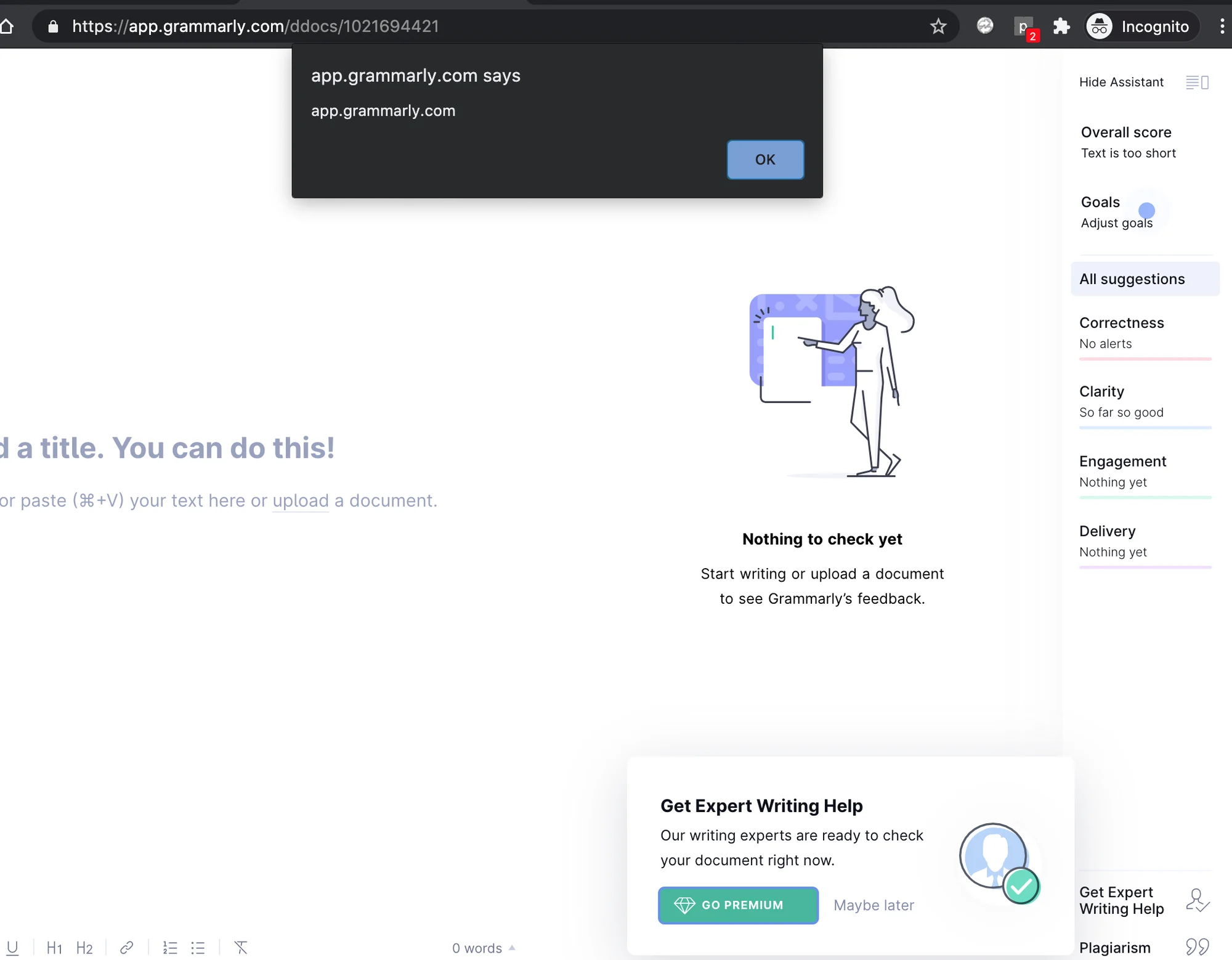
And paying users will get the payload trigger when clicking "Subscription" in the menu:
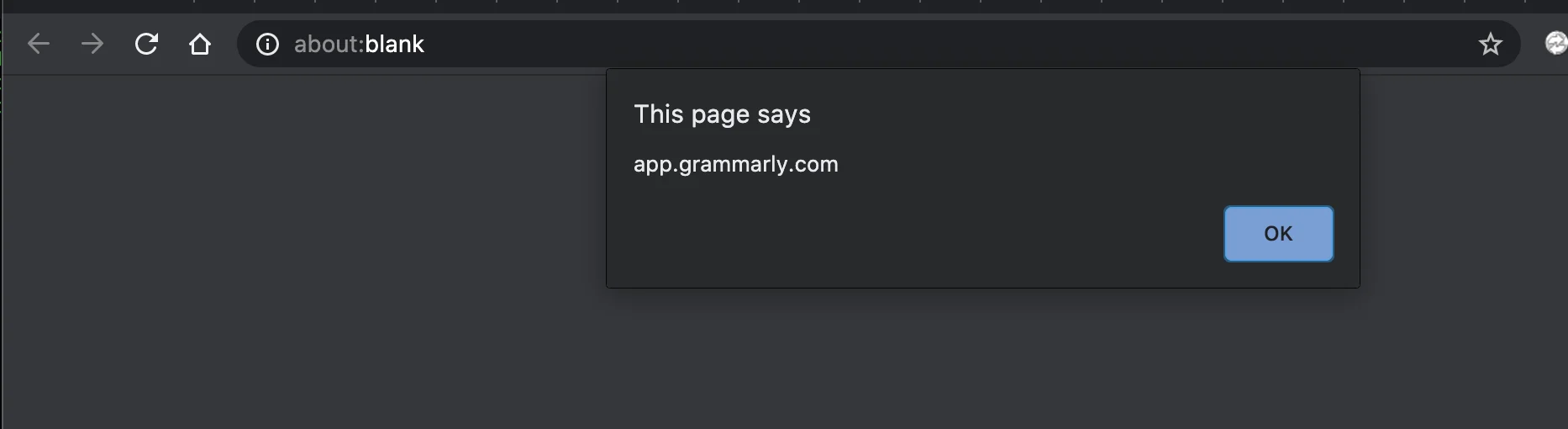
https://app.grammarly.com/docs/new?config={%22account%22:{%22subscription%22:%22javascript:alert(document.domain)//%22},%22api%22:{%22redirect%22:%22javascript:alert(document.domain)//%22}}
Since the config is persistent during the session, going to the main page as a free user and clicking the upgrade to premium will also get it triggered, but you can link to the start page also with the config (this won't hide the payload however):
https://app.grammarly.com/?config={%22api%22:{%22redirect%22:%22javascript:alert(document.domain)//%22}}
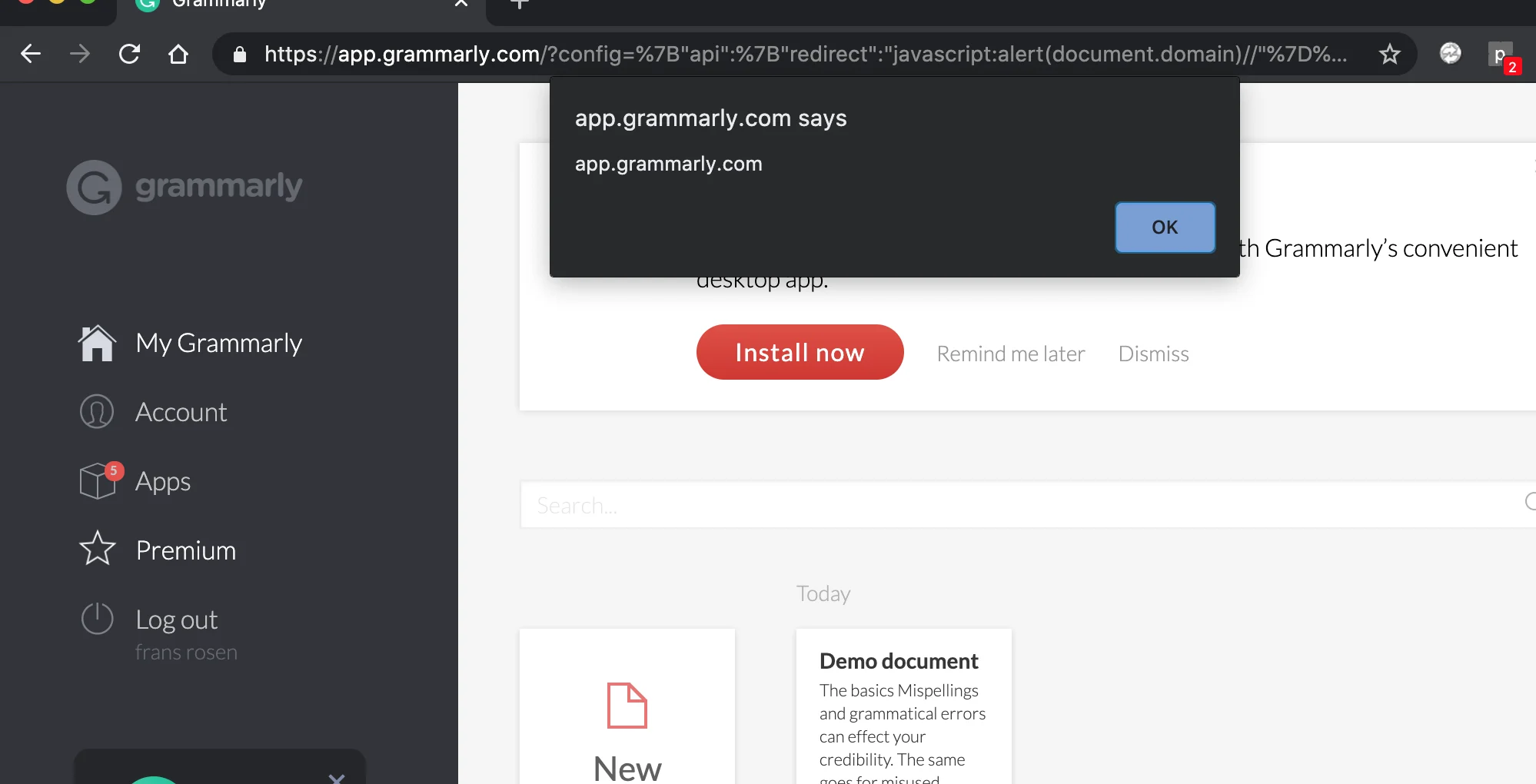
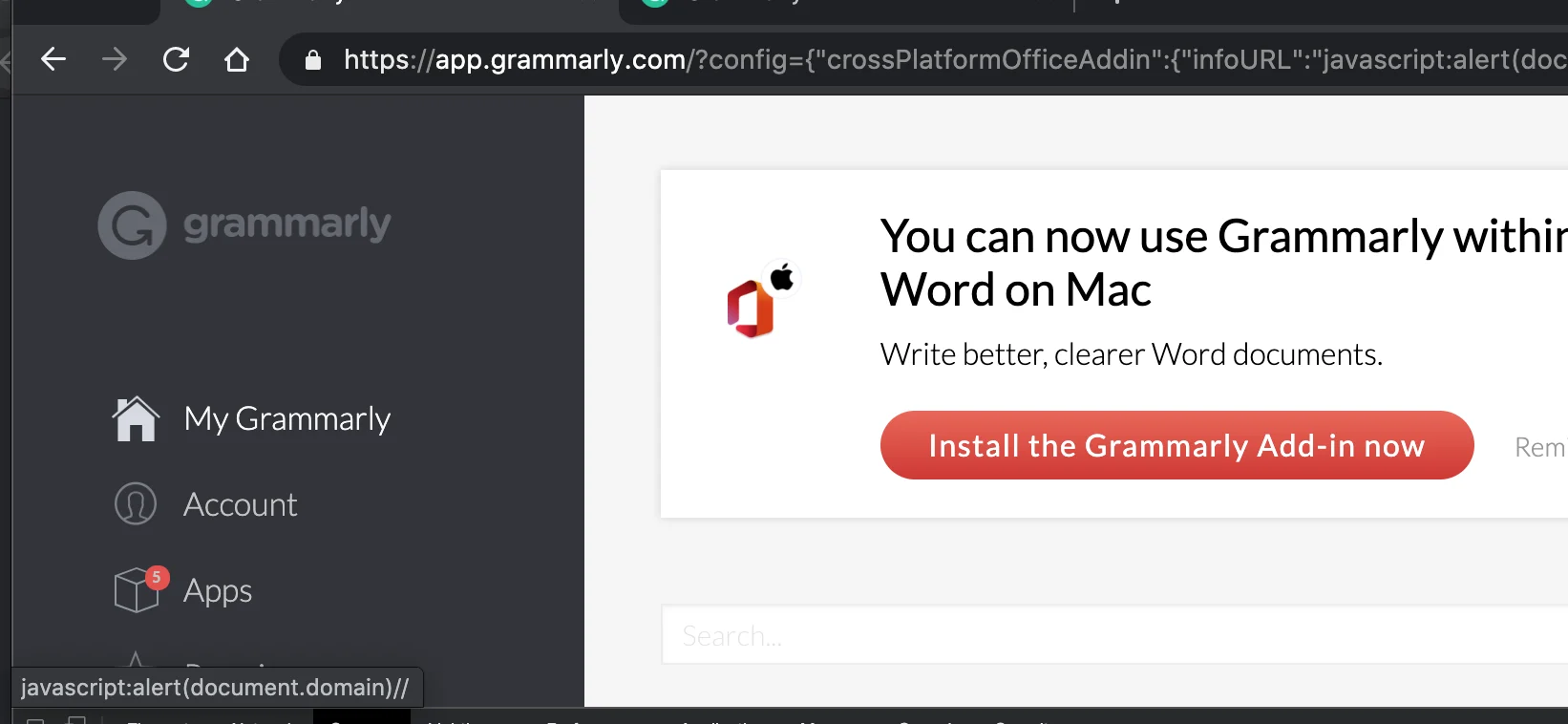
You can also modify the crossPlatformOfficeAddin.infoURL since it's also not a part of the schema:
https://app.grammarly.com/?config={%22crossPlatformOfficeAddin%22:{%22infoURL%22:%22javascript:alert(document.domain)//%22}}
Here's a video showing both scenarios for free and premium:
Mitigation
I would first suggest to remove the config-parameter feature completely. The risk of adding new properties when using a partial TypeScript schema will just introduce this issue again if the schema is not updated. Another solution would be to change the properties in the schema which are critical into being non-partial, which means it can only contain the parts specified in the TypeScript-schema.
Impact
The XSS-issue affects all browsers and is not mitigated by any CSP, since you allow unsafe-inline and unsafe-eval. Any calls can be made as the attacker, since the javascript runs on the proper origin as the code already interacting with your APIs. However, there are more parameters in the config to modify that might change other things as well, not just creating an XSS. For example, desktop.windows.installURL and desktop.mac.installURL would be very interesting to also modify into proper URLs without any XSS needed, since you would then modify the APP-download for the installation files for the affected user, no XSS needed:
https://app.grammarly.com/?config={%22crossPlatformOfficeAddin%22:{%22infoURL%22:%22https://example.com%22},%22officeAddin%22:{%22installURL%22:%22https://example.com%22},%22desktop%22:{%22windows%22:{%22installURL%22:%22https://example.com%22},%22mac%22:{%22installURL%22:%22https://example.com%22}}}
Regards, Frans
Not written yet. The AI write-up for this report has not been written yet. The Original tab links to the source.
How it worked
Root cause
Likely the configuration validation schema was incomplete and marked as partial, so properties not listed in the schema were accepted and merged into the live configuration without validation.
Impact
The XSS affects all browsers and is not mitigated by CSP, allowing an attacker to run JavaScript on the application origin and make API calls as the victim; other unvalidated parameters could also alter business logic such as download URLs without needing XSS.
What the attacker needed
Victim clicks a crafted link; victim interacts with upgrade or subscription link
The fix
The config parameter feature should be removed entirely, or critical properties in the schema should be made non-partial so only specified parts are accepted.
How it was found
- Craft a URL to the application with a config query parameter containing JSON that sets an unvalidated property to a javascript: URL.
- Send the URL to a victim; the config is parsed and merged into the application state.
- The victim clicks a link or menu item that uses the injected property, such as the upgrade or subscription link.
- The javascript: URL executes in the context of the application origin.
Explained by bugbounty.wiki with AI from the original and checked against quotes from it; it can still be wrong. Read the original before relying on a detail.
Not written yet. The AI write-up for this report has not been written yet. The Original tab links to the source.
The website let users change its internal settings by putting a special value in the web address. The code checked some settings but not all of them, so an attacker could sneak in a setting that made a link run harmful JavaScript. When a victim clicked that link, the script ran as if it came from the real website.
What is XSS?
Script an attacker supplies runs in another user's browser, on the target's origin, with that user's session.