Brute-Forcing invite codes in partners.uber.com
The invite code parameter on the partner signup page could be brute-forced because there was no rate limiting or CAPTCHA, and a successful guess revealed the inviter's name and profile photo. An attacker could enumerate valid codes to obtain signup bonuses or free rides and harvest personal information.

- Triaged in 9 days
- Fixed in 14 days
- Paid in 30 days
- Disclosed after 42 days
Summary by the researcher
Brute-Force invite codes with using GET method on partners.uber.com
The report
Hi,
//We are going to use this link : https://partners.uber.com/join/?invite_code=xxxxx with GET method.
There are options to customize codes,
We can do it with only numbers https://partners.uber.com/join/?invite_code=1 to 10000
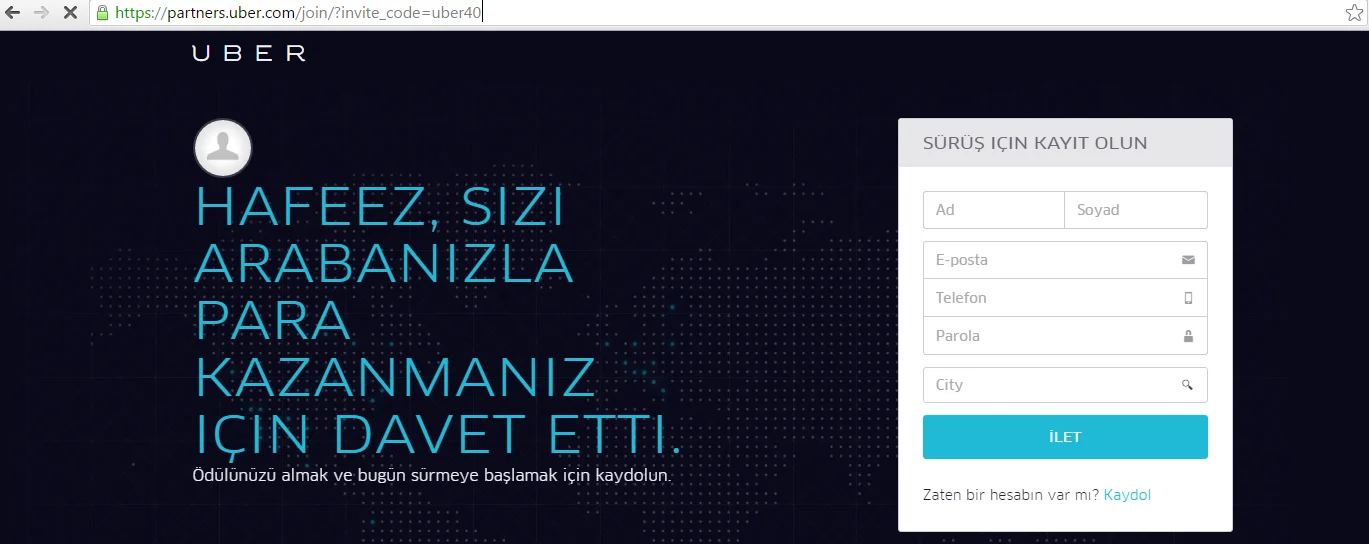
Or we can use some words with numbers https://partners.uber.com/join/?invite_code=uber1 to uber10000
If the source code of page matches with <p class="delta flush"> that means the invite code exists.Or you can use other working matches.I used the <p class="delta flush"> in the examples.
So we can brute-force.There are no limits for tries.No captchas no errors
Example links that includes money :
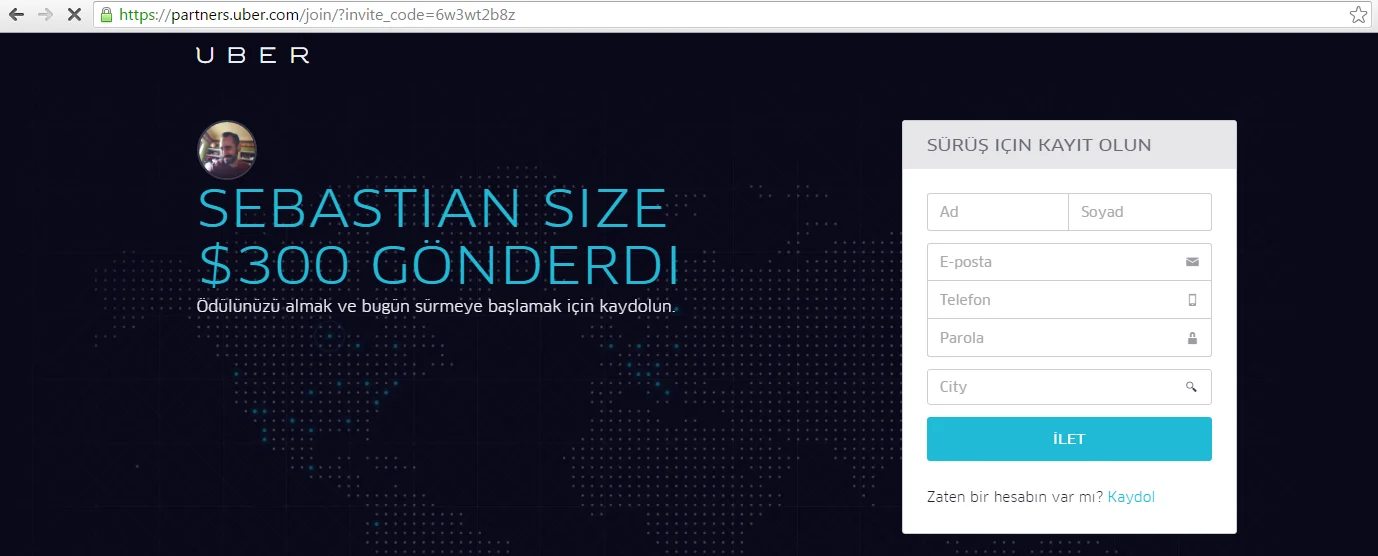
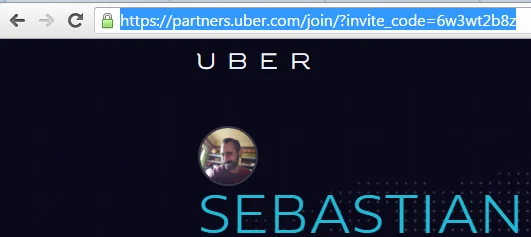
https://partners.uber.com/join/?invite_code=547kkgvcv $500 https://partners.uber.com/join/?invite_code=6w3wt2b8z $300
With no money:
https://partners.uber.com/join/?invite_code=mza5cmjtue https://partners.uber.com/join/?invite_code=9cy316h6ue https://partners.uber.com/join/?invite_code=4u8kyjxtue https://partners.uber.com/join/?invite_code=15xvj
And I will add some examples to attachments.
So an attacker or a hacker could use it for free rides or getting money with uber,can create many accounts with every invite code.
//The other thing about this vulnerability is you are getting some informations about members.
For example Go that page or request a GET method
GET https://partners.uber.com/join/?invite_code=uber3958
You'll see in the source code //in Turkish uber version)
    </div>
      <h1 class="flush--bottom">ignacio alejandro, sizi arabanızla para kazanmanız için davet etti.</h1>
Member Informatins:
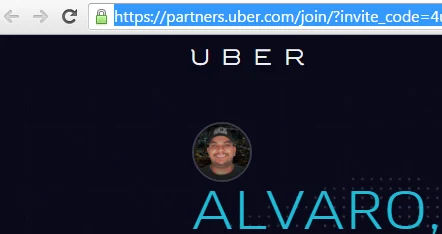
ignacio alejandro > This is the name of user who has the invite code. And you can see the user's image in "<img src =".And probably she or he uploaded his/her photo on "2014/11/27" which is in the image link.
Attachments

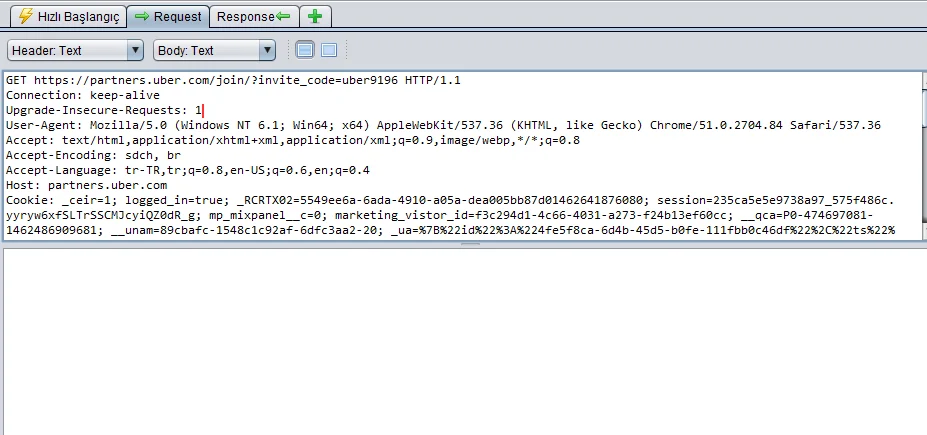

Context
Uber's partner programme lets existing drivers invite new drivers. Each invitation is represented by an invite code, and the sign-up page at partners.uber.com/join/ accepts that code as a query parameter. The page then renders a page for the code, including the inviter's name and photo, and in some cases a monetary reward attached to the code.
The researcher found that the invite code could be guessed by brute force, because the endpoint placed no limit on the number of attempts and returned a distinguishable response for valid and invalid codes.
Setup
No accounts, tools or special roles are described. The only precondition is that the join page is reachable and accepts the invite_code parameter over a plain GET request. The researcher worked entirely with a browser and the page source.
Finding it
The starting point is the join URL, which takes the code as a query string parameter:
https://partners.uber.com/join/?invite_code=xxxxx
The researcher noticed two things. First, the codes follow predictable patterns: they can be purely numeric, or a word followed by a number. Second, the page gives a clear signal when a code is valid. If the source of the response contains the string <p class="delta flush">, the invite code exists. Any other reliable match in the response would work equally well; the researcher used this one in the examples.
Because there was no rate limiting, no CAPTCHA and no error page after repeated attempts, the page could be enumerated at will.
Exploitation
Step 1: Choose a code pattern
The researcher describes two families of codes to try. Numeric codes run from 1 to 10000:
https://partners.uber.com/join/?invite_code=1
and so on up to 10000. Alternatively, a word prefix with a number suffix:
https://partners.uber.com/join/?invite_code=uber1
up to uber10000. The invite_code parameter is the only input; the request is a simple GET, so the whole enumeration can be driven by a script or an intercepting proxy's intruder.
Step 2: Detect valid codes
For each response, the tester checks whether the body contains:
<p class="delta flush">
A match means the code exists. A miss means it does not. This is the oracle that turns the endpoint into a brute-forceable one.
Step 3: Confirm codes that carry money
The researcher gives examples of valid codes that include a monetary reward:
https://partners.uber.com/join/?invite_code=547kkgvcv
which carries $500, and
https://partners.uber.com/join/?invite_code=6w3wt2b8z
which carries $300.
Step 4: Confirm codes without money
Other valid codes were found that carry no reward:
https://partners.uber.com/join/?invite_code=mza5cmjtue
https://partners.uber.com/join/?invite_code=9cy316h6ue
https://partners.uber.com/join/?invite_code=4u8kyjxtue
https://partners.uber.com/join/?invite_code=15xvj
These are further valid codes the researcher found.
Step 5: Read the inviter's details
A valid code does more than confirm existence. Requesting it returns a page that discloses information about the member who owns the code. The researcher's example is:
GET https://partners.uber.com/join/?invite_code=uber3958
The response source, in the Turkish version of the Uber site, contains the inviter's name in a heading:
        </div>
          <h1 class="flush--bottom">ignacio alejandro, sizi arabanızla para kazanmanız için davet etti.</h1>
The name in the heading is the user who owns the invite code. The same page also embeds the inviter's photo in an <img src= tag, and the image URL contains a date, here 2014/11/27, which the researcher reads as the likely upload date of the photo.
Attachments
The report includes screenshots of the examples and of the brute-force run.
Root cause
The join endpoint treats the invite code as a public lookup key with no protection around it. There is no rate limiting, no CAPTCHA and no error handling that would slow down or block repeated guesses, and the response differs visibly between a valid and an invalid code, so the tester has a reliable oracle. The code space is also small and patterned (numbers, or a word plus a number), which makes enumeration practical. The page then renders the inviter's name and photo for any valid code, so a successful guess leaks personal data as well as confirming the code.
Impact
An attacker can enumerate valid invite codes and use them to create accounts, which the researcher says could be used for free rides or for obtaining money through Uber. Because each valid code can be used to register, many accounts can be created. Separately, every valid code discloses the inviter's name and photo, and the photo URL reveals a date that is likely the upload date. The report does not quantify how many codes exist or how quickly they can be found.
Fix
The report does not describe a fix or a change made by the vendor. The measures that follow from the finding are rate limiting and CAPTCHA on the join endpoint, a response that does not distinguish valid from invalid codes, and removal of the inviter's personal details from the pre-sign-up page.
Variants to test
- Other invitation and referral endpoints that take a code as a query parameter. A positive result is a response that differs between a valid and an invalid code, for example a different heading, a different status code or a different body length.
- Endpoints that render the inviter's profile before authentication. A positive result is a name, photo or other personal data appearing in the response for a guessed code.
- Code spaces with obvious patterns, such as sequential numbers or a fixed prefix plus a number. A positive result is a run of guesses that produces a steady stream of valid codes without any block or challenge.
- Endpoints that return a monetary value alongside the code. A positive result is a valid code whose page shows a reward amount, as in the $500 and $300 examples above.
Hunting notes
This kind of bug tends to hide in pre-authentication flows: sign-up, invitation, referral and coupon pages that look up a record by a short identifier supplied in the URL. During recon, look for parameters named after codes, invites or referrals, and check whether the page returns different content for a known-good and a known-bad value. The signal that matters is a stable string in the body that only appears for valid codes, combined with the absence of throttling, CAPTCHA or lockout after repeated attempts. The researcher demonstrated impact by showing that codes could be guessed, that valid codes exposed the inviter's name and photo, and by pointing to codes carrying monetary rewards. The report was disclosed on 26 July 2016 with a bounty of 750 USD.
What happened, in plain words
Uber runs a partner programme for drivers. Existing drivers can invite new drivers to join, and each invitation is represented by a short piece of text called an invite code. When someone opens the sign-up page at partners.uber.com/join/, the invite code is passed to the page in the web address itself. The page then shows the name and photo of the driver who sent the invitation. Some codes also carry a cash reward.
The researcher found that these invite codes could be guessed by trying many possibilities in a row, a technique called brute force. The page put no limit on how many times you could try, asked for no proof that you were a human, and behaved differently depending on whether the code was real or fake. That combination made it possible to discover valid codes, and each valid code revealed the inviter's name and photo.
A quick comparison: an invite code is like a short password written on a party invitation. If the door staff let you try as many passwords as you like, never ask you to prove you are a guest, and say "welcome" or "never heard of you" each time, then you can simply keep guessing until one works.
Context
Uber's partner programme lets existing drivers invite new drivers. Each invitation is represented by an invite code, and the sign-up page at partners.uber.com/join/ accepts that code as a query parameter. A query parameter is the part of a web address that comes after a question mark, in the form name=value. It is how a website receives small pieces of information through the address bar, for example a search term or, here, an invite code.
The page then renders a personalised landing page for the invited person, including the inviter's name and photo, and in some cases a monetary reward attached to the code.
The researcher found that the invite code could be guessed by brute force, because the endpoint placed no limit on the number of attempts and returned a distinguishable response for valid and invalid codes. An endpoint is simply a specific address on a server that does a particular job, like a service counter in a large building: you go to that counter for that service. A response is what the server sends back, which in a browser is the page you see and the underlying text that builds it.
Setup
No accounts, tools or special roles are described. The only precondition is that the join page is reachable and accepts the invite_code parameter over a plain GET request. A GET request is the ordinary kind of request a browser makes when you type an address or click a link: it asks the server to give you something. It is different from a form submission that sends data to be stored, which is a POST request. The researcher worked entirely with a browser and the page source. The page source is the raw text the server sends, which the browser turns into the visible page; you can view it in most browsers with a right-click and an option such as "View page source".
Finding it
The starting point is the join URL, which takes the code as a query string parameter:
https://partners.uber.com/join/?invite_code=xxxxx
Line by line: https:// means the page is fetched over an encrypted connection. partners.uber.com is the server that hosts the partner programme. /join/ is the sign-up page. The ? marks the start of the query string, and invite_code=xxxxx says that the parameter named invite_code has the value xxxxx. The xxxxx is a placeholder for whatever code you want to try.
The researcher noticed two things. First, the codes follow predictable patterns: they can be purely numeric, or a word followed by a number. Second, the page gives a clear signal when a code is valid. If the source of the response contains the string <p class="delta flush">, the invite code exists. Any other reliable match in the response would work equally well; the researcher used this one in the examples.
A string here means a piece of text. The string <p class="delta flush"> is a fragment of HTML, the language used to build web pages. <p> starts a paragraph, and class="delta flush" attaches style labels to it. The point is not what it looks like, but that this exact text appears only when the code is real, which makes it a reliable signal, sometimes called an oracle: something that answers a yes or no question for you.
Because there was no rate limiting, no CAPTCHA and no error page after repeated attempts, the page could be enumerated at will. Rate limiting is a rule that says "only so many requests per minute from one visitor". A CAPTCHA is the puzzle that asks you to tick a box or identify pictures to prove you are human. Enumeration means going through a list of possibilities one by one.
Exploitation
Step 1: Choose a code pattern
The researcher describes two families of codes to try. Numeric codes run from 1 to 10000:
https://partners.uber.com/join/?invite_code=1
and so on up to 10000. Alternatively, a word prefix with a number suffix:
https://partners.uber.com/join/?invite_code=uber1
up to uber10000. The invite_code parameter is the only input; the request is a simple GET, so the whole enumeration can be driven by a script or an intercepting proxy's intruder.
In plain words, the first address asks the page "is there an invite code called 1?". The second asks "is there an invite code called uber1?". The idea is to change only the last part of the address each time and let a program repeat the request for every value in the range. An intercepting proxy is a tool that sits between your browser and the server, letting you see and change requests; its "intruder" feature automates sending the same request many times with one part swapped out. A script is a small program that repeats a task automatically.
Step 2: Detect valid codes
For each response, the tester checks whether the body contains:
<p class="delta flush">
A match means the code exists. A miss means it does not. This is the oracle that turns the endpoint into a brute-forceable one.
The body is the main content of the response, as opposed to the headers, which are the small pieces of information about the response such as its type. The check is a simple text search: does this exact fragment appear in the page I received? If yes, the code is real; if no, it is not. Because the answer is so clear and so repeatable, a program can make the decision automatically for thousands of guesses.
Step 3: Confirm codes that carry money
The researcher gives examples of valid codes that include a monetary reward:
https://partners.uber.com/join/?invite_code=547kkgvcv
which carries $500, and
https://partners.uber.com/join/?invite_code=6w3wt2b8z
which carries $300.
These two addresses are real codes the researcher found, labelled with their reward amounts. The point of this step is to show that guessing is not just a curiosity: some of the codes that can be discovered are worth money.
Step 4: Confirm codes without money
Other valid codes were found that carry no reward:
https://partners.uber.com/join/?invite_code=mza5cmjtue
https://partners.uber.com/join/?invite_code=9cy316h6ue
https://partners.uber.com/join/?invite_code=4u8kyjxtue
https://partners.uber.com/join/?invite_code=15xvj
Each line is the same page with a different value after invite_code=. These are further valid codes the researcher found.
Step 5: Read the inviter's details
A valid code does more than confirm existence. Requesting it returns a page that discloses information about the member who owns the code. The researcher's example is:
GET https://partners.uber.com/join/?invite_code=uber3958
Here GET is written explicitly at the start to name the type of request, followed by the address. The value uber3958 is the code being looked up. The researcher is showing that a guessed code returns a page about a real person.
The response source, in the Turkish version of the Uber site, contains the inviter's name in a heading:
        </div>
          <h1 class="flush--bottom">ignacio alejandro, sizi arabanızla para kazanmanız için davet etti.</h1>
Line by line: </div> closes a container element from earlier in the page. <h1 class="flush--bottom"> starts a top-level heading, with style labels attached. The text inside the heading is a sentence in Turkish that names the person and says they invited you to earn money with your car. </h1> closes the heading. The important part is the name at the start of the sentence: it belongs to the member who owns the invite code.
The name in the heading is the user who owns the invite code. The same page also embeds the inviter's photo in an <img src= tag, and the image URL contains a date, here 2014/11/27, which the researcher reads as the likely upload date of the photo. An <img> tag is the HTML element that places a picture on a page, and src is the attribute that gives the picture's address. A URL is a web address. Because the address of the photo contains a date, the researcher reasons that the date is probably when the photo was uploaded.
Attachments
The report includes screenshots of the examples and of the brute-force run.
Root cause
The join endpoint treats the invite code as a public lookup key with no protection around it. There is no rate limiting, no CAPTCHA and no error handling that would slow down or block repeated guesses, and the response differs visibly between a valid and an invalid code, so the tester has a reliable oracle. The code space is also small and patterned (numbers, or a word plus a number), which makes enumeration practical. The page then renders the inviter's name and photo for any valid code, so a successful guess leaks personal data as well as confirming the code.
"Code space" means the full set of possible codes. If codes are short and follow obvious patterns, that set is small enough to walk through. "Leaks" means reveals information to someone who should not have it.
Impact
An attacker can enumerate valid invite codes and use them to create accounts, which the researcher says could be used for free rides or for obtaining money through Uber. Because each valid code can be used to register, many accounts can be created. Separately, every valid code discloses the inviter's name and photo, and the photo URL reveals a date that is likely the upload date. The report does not quantify how many codes exist or how quickly they can be found.
Fix
The report does not describe a fix or a change made by the vendor. The measures that follow from the finding are rate limiting and CAPTCHA on the join endpoint, a response that does not distinguish valid from invalid codes, and removal of the inviter's personal details from the pre-sign-up page.
In plain words: slow down repeated attempts, ask for proof of humanity, make a wrong guess look the same as a right one, and do not show a person's name and photo before anyone has signed in.
Variants to test
- Other invitation and referral endpoints that take a code as a query parameter. A positive result is a response that differs between a valid and an invalid code, for example a different heading, a different status code or a different body length. A status code is the three-digit number a server sends to say how the request went, such as 200 for success or 404 for not found.
- Endpoints that render the inviter's profile before authentication. A positive result is a name, photo or other personal data appearing in the response for a guessed code. Authentication is the process of proving who you are, usually by logging in.
- Code spaces with obvious patterns, such as sequential numbers or a fixed prefix plus a number. A positive result is a run of guesses that produces a steady stream of valid codes without any block or challenge.
- Endpoints that return a monetary value alongside the code. A positive result is a valid code whose page shows a reward amount, as in the $500 and $300 examples above.
Hunting notes
This kind of bug tends to hide in pre-authentication flows: sign-up, invitation, referral and coupon pages that look up a record by a short identifier supplied in the URL. During recon, look for parameters named after codes, invites or referrals, and check whether the page returns different content for a known-good and a known-bad value. Recon is the early stage of looking around a target to see what it offers. The signal that matters is a stable string in the body that only appears for valid codes, combined with the absence of throttling, CAPTCHA or lockout after repeated attempts. Throttling is the same idea as rate limiting: deliberately slowing down or capping requests. A lockout is when an account or address is temporarily blocked after too many failures. The researcher demonstrated impact by showing that codes could be guessed, that valid codes exposed the inviter's name and photo, and by pointing to codes carrying monetary rewards. The report was disclosed on 26 July 2016 with a bounty of 750 USD. A bounty is a reward a company pays to someone who reports a security problem responsibly.
Glossary
- Brute force: trying many possible values one after another until one works, instead of knowing the right value in advance.
- Invite code: a short piece of text that represents an invitation from one person to another.
- Query parameter: the
name=valuepart of a web address after the?, used to pass small pieces of information to a page. - Endpoint: a specific address on a server that performs a particular job.
- Request: a message a browser sends to a server asking for something.
- Response: what the server sends back, including the page content and information about it.
- GET request: the ordinary request a browser makes when you open an address or click a link, asking the server to give you something.
- Page source: the raw text a server sends, which the browser turns into the visible page.
- HTML: the language used to describe the structure of web pages, using tags such as
<p>and<h1>. - String: a piece of text.
- Oracle: something that reliably answers a yes or no question, here whether a code exists.
- Rate limiting: a rule that caps how many requests a visitor can make in a period of time.
- Throttling: deliberately slowing down or capping requests, the same idea as rate limiting.
- CAPTCHA: a puzzle used to prove a visitor is human rather than a program.
- Enumeration: going through a list of possibilities one by one to find the valid ones.
- Intercepting proxy: a tool that sits between browser and server so you can see and change requests, often with an automated "intruder" feature.
- Script: a small program that repeats a task automatically.
- Body: the main content of a response, as opposed to its headers.
- URL: a web address.
<img>tag: the HTML element that places a picture on a page; itssrcattribute holds the picture's address.- Code space: the full set of possible codes that could exist.
- Authentication: the process of proving who you are, usually by logging in.
- Status code: the three-digit number a server sends to say how a request went, such as 200 for success or 404 for not found.
- Recon: the early stage of exploring a target to see what it offers.
- Lockout: a temporary block applied after too many failed attempts.
- Bounty: a reward a company pays for a responsibly reported security problem.







