DOM XSS – auth.uber.com
A DOM-based cross-site scripting flaw existed on an Uber authentication subdomain, where user input was written into the page in a way that could execute as script. The reporter found that a strict Content Security Policy blocked inline script, so they looked for an allowlisted domain that could serve attacker-controlled JavaScript.

The original lives on web.archive.org
We do not hold its text, so we link to it rather than copy it. The other two tabs are our own rewrites, checked against it.
What the report shows
The researcher, StamOne_, was working on auth.uber.com and trying to get a payload to execute under the page's Content Security Policy.
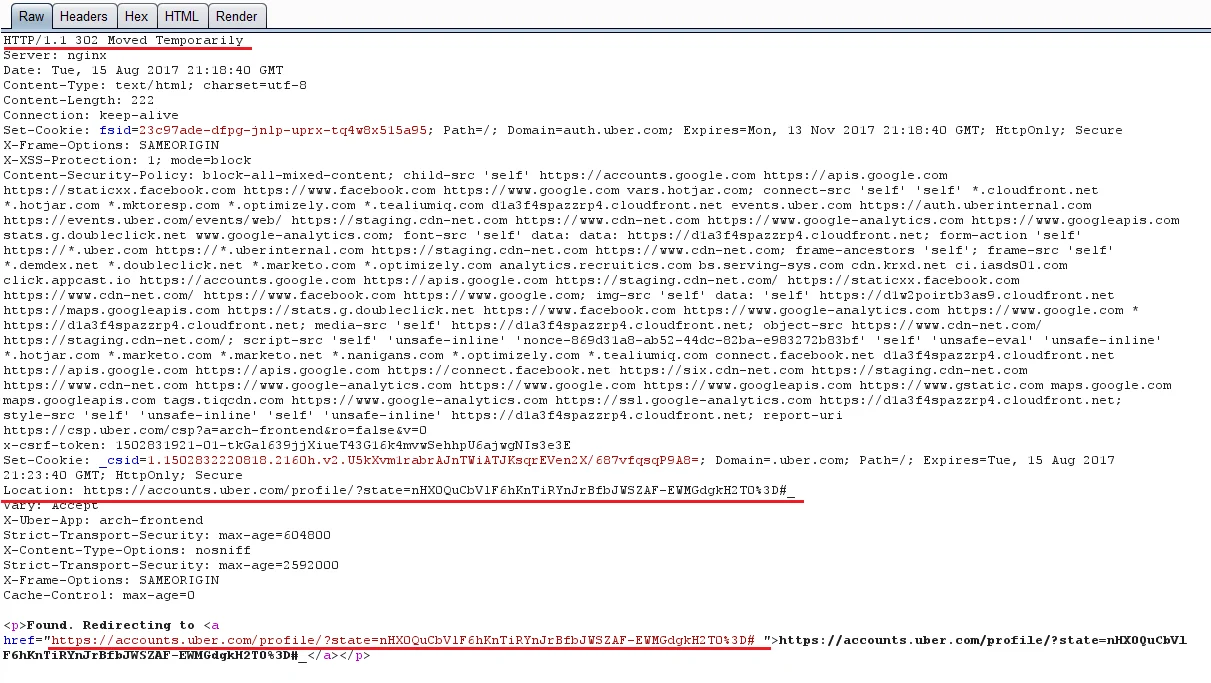
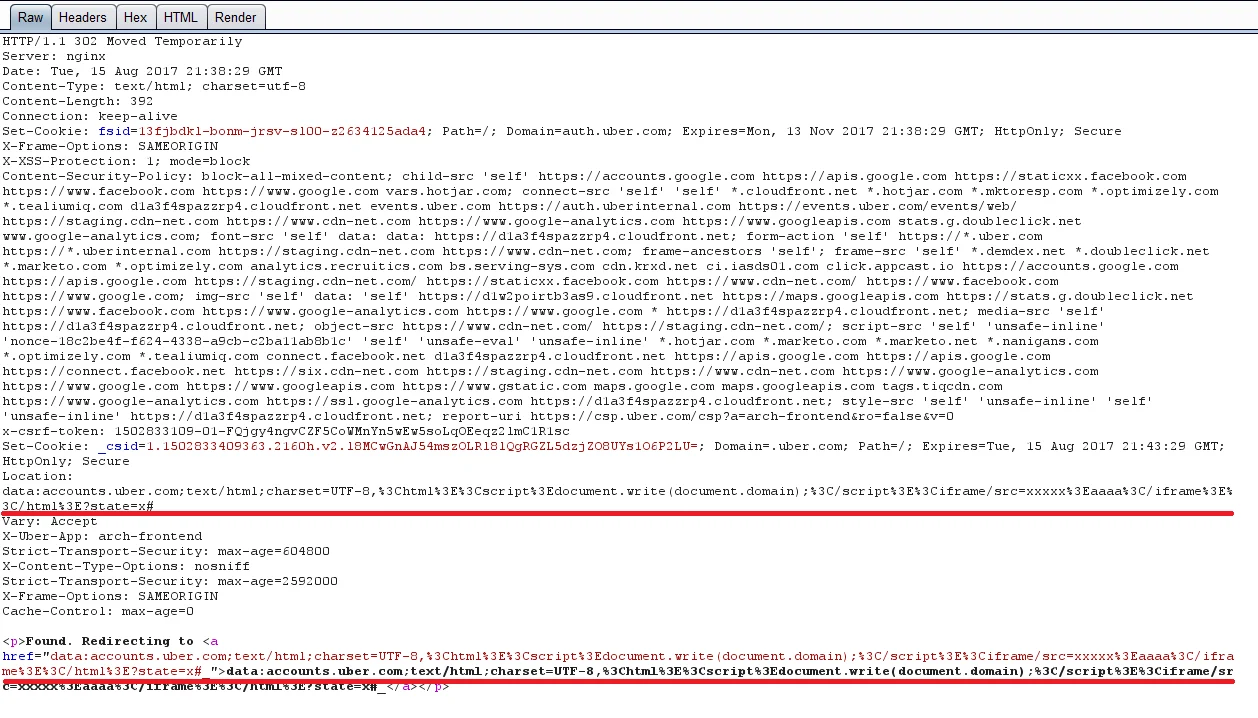
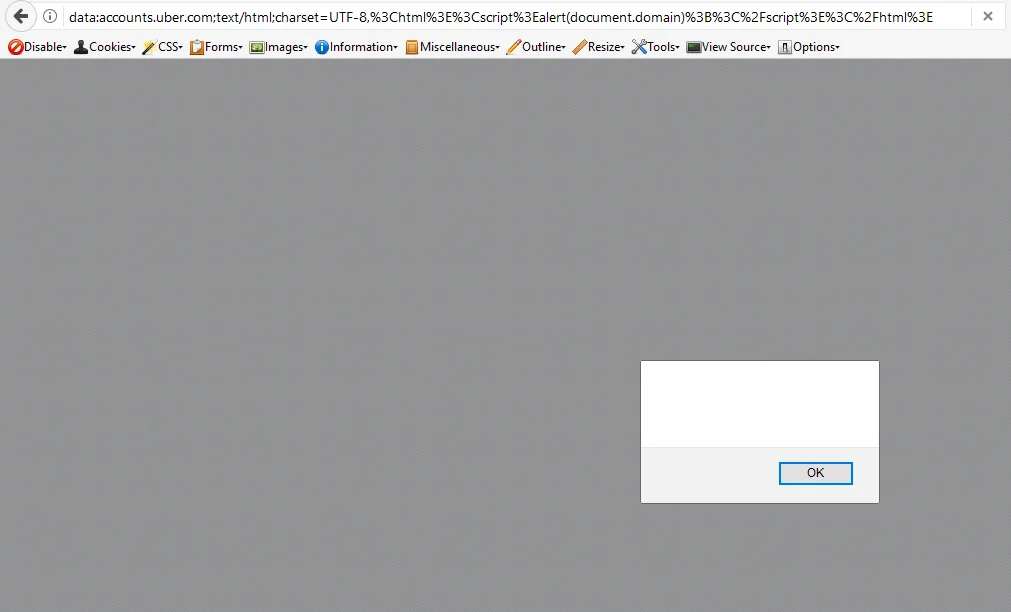
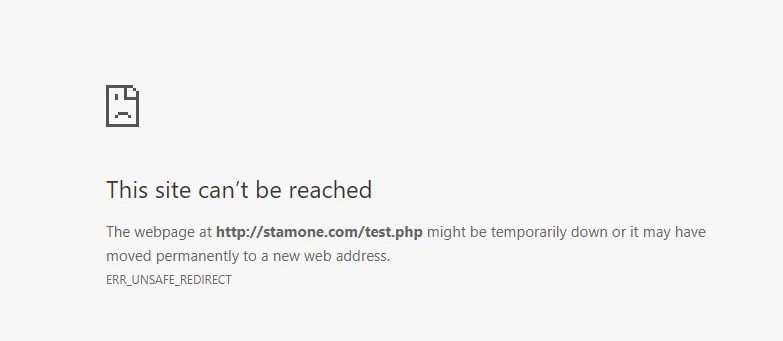

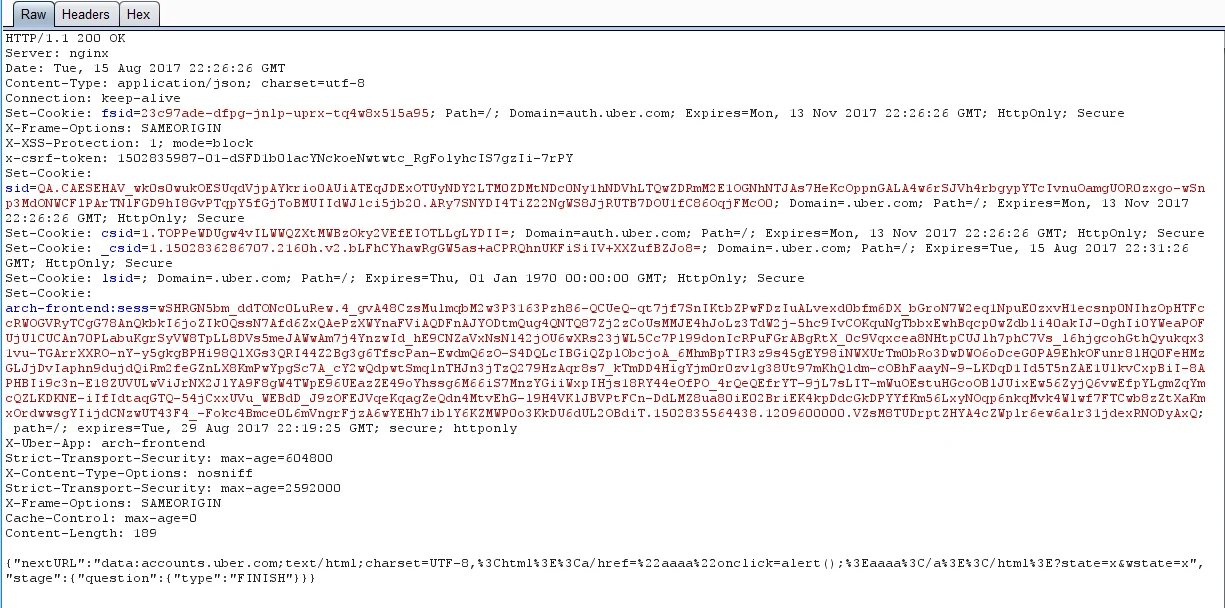
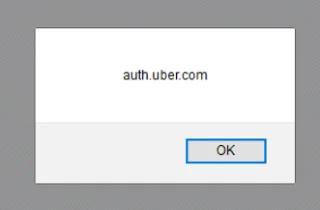
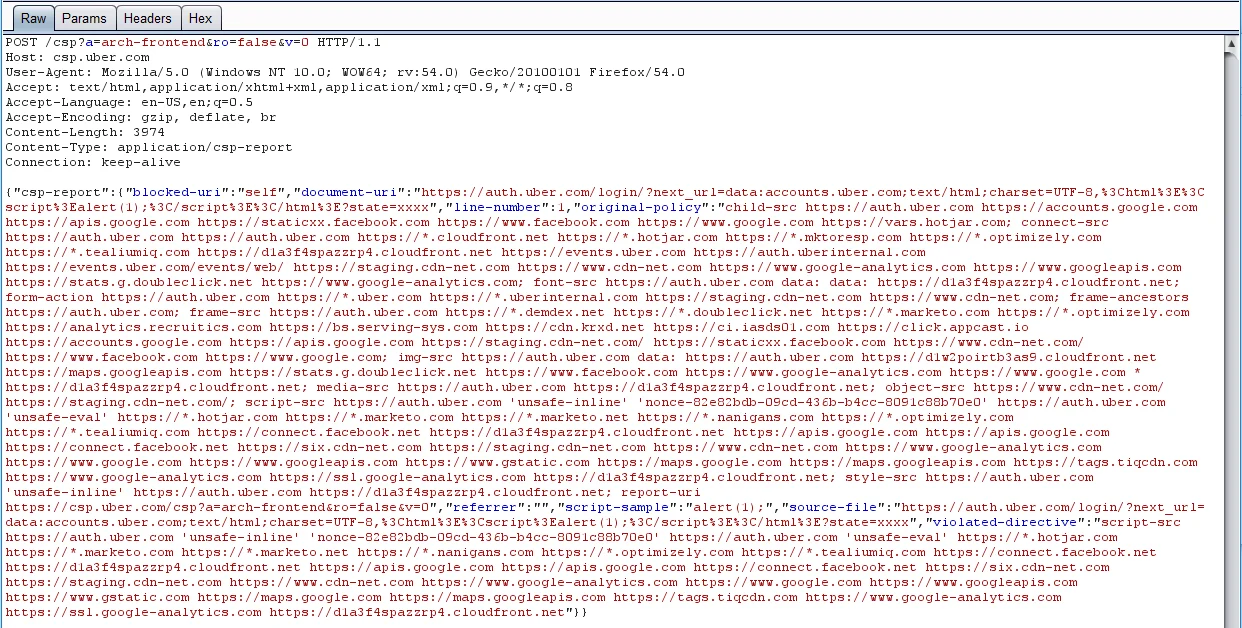
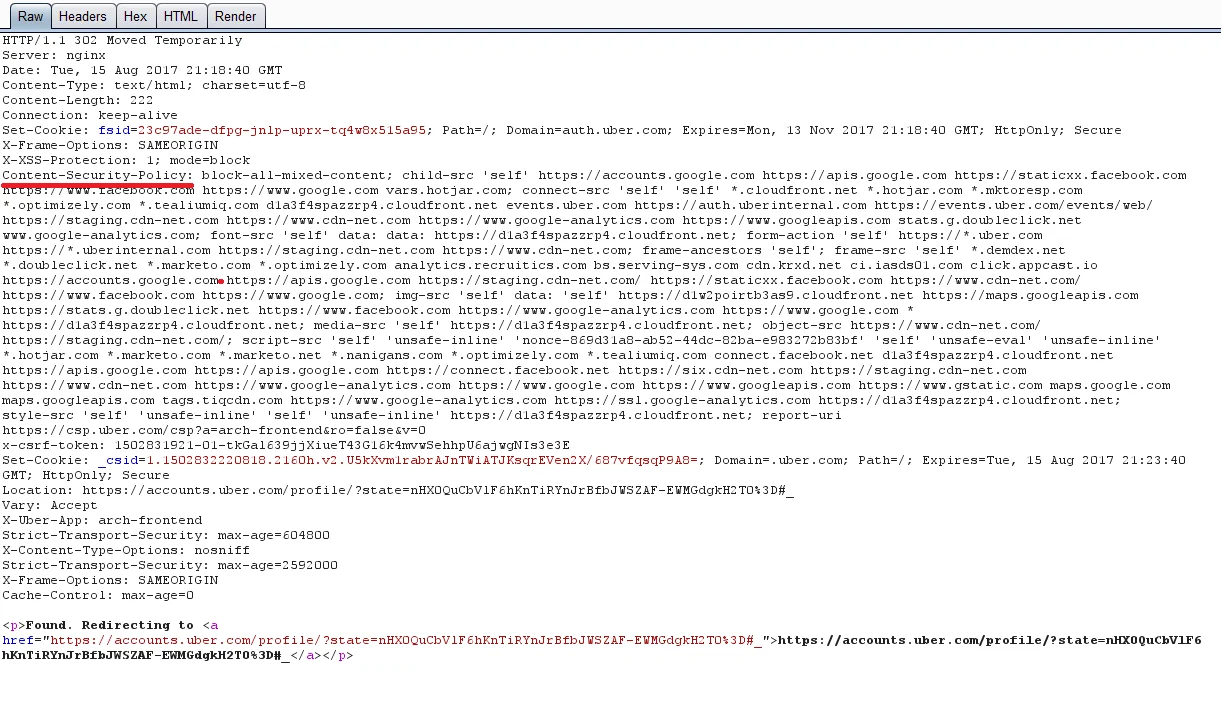
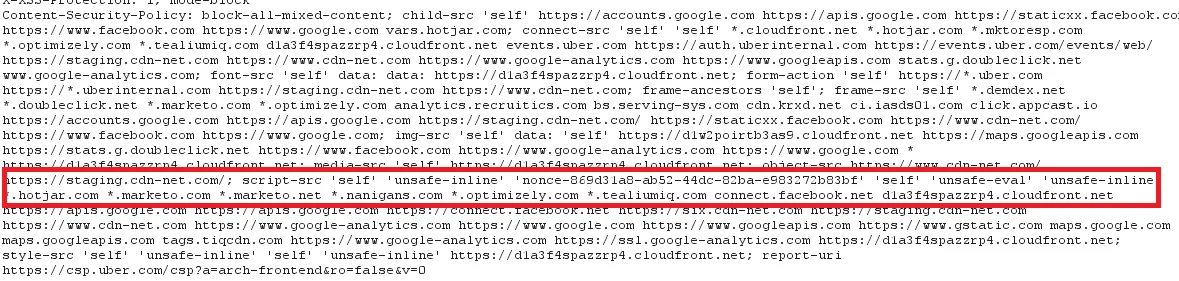
The report is short and the steps are given as two numbered points rather than a full narrative. The first point rules out the obvious payload because the page uses a per-request nonce:
<script>alert(1);<script>
Because the nonce changes on every request, an injected inline script cannot carry the right value and will not run. The second point states the conclusion the researcher drew from that: the only remaining route is to find a domain that the CSP already approves and that will reflect the input back as JavaScript.
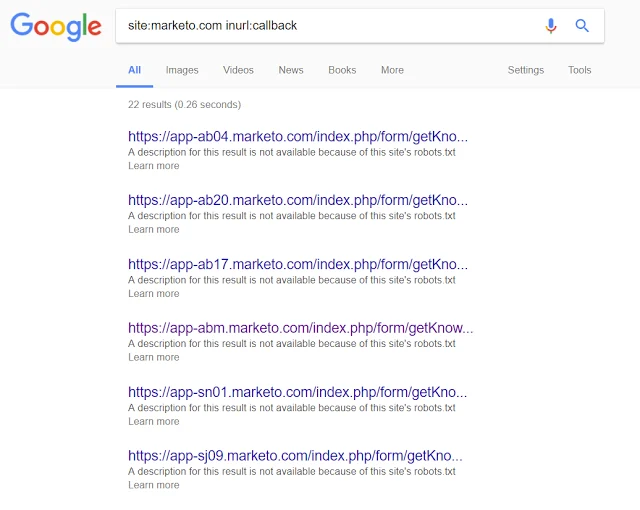

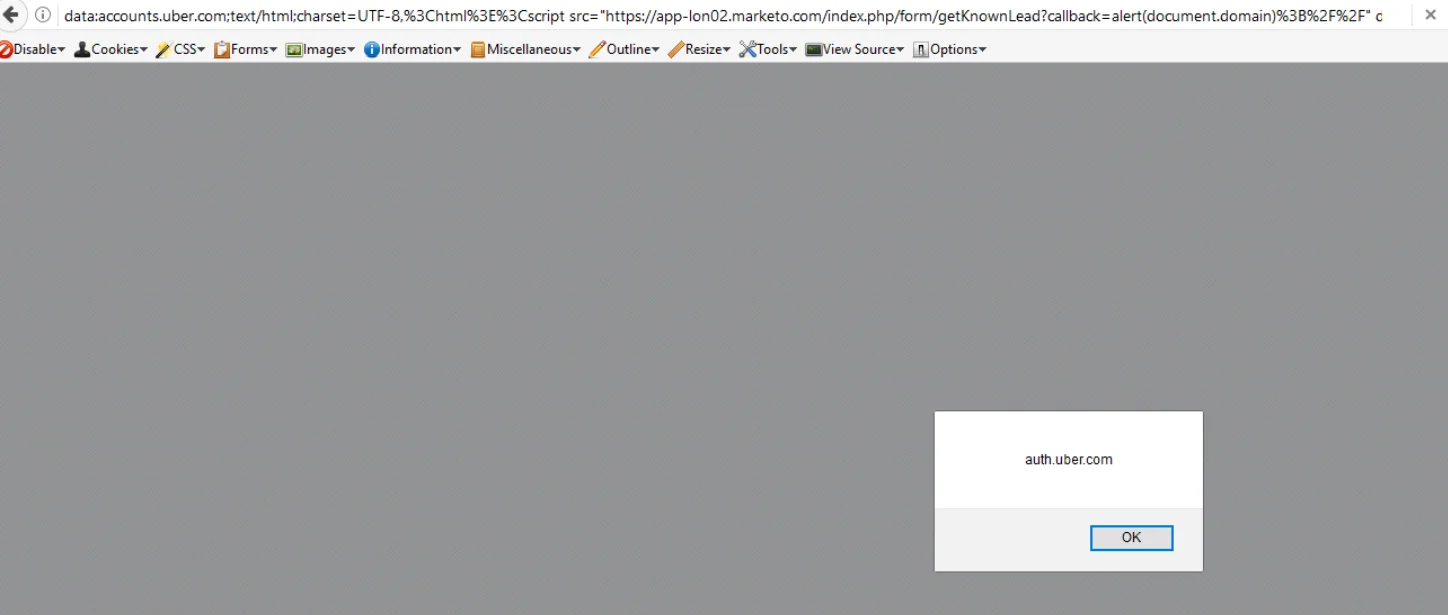
The report closes with four general lessons: try payloads in multiple browsers, watch the whole path of application behaviour, read bug bounty write-ups, and never give up. It does not state a bounty amount, a severity rating, a CVSS score or a fix, and it does not name the approved domain or the final payload that worked.
Root cause
The report is about a DOM XSS attempt on auth.uber.com, but it does not describe the source-to-sink path. The CSP with a random nonce is what makes the bug hard to exploit rather than what causes it. The report does not identify the exact parameter or sink.
Impact
The researcher's remaining route was to find a CSP-approved domain that would return the input as JavaScript.
How this kind of bug works
DOM XSS happens when JavaScript on the page takes a value the attacker controls (from the URL, location.hash, document.referrer, postMessage, storage and so on) and passes it to a sink that interprets it as markup or code: innerHTML, document.write, eval, setTimeout with a string, script element creation, or a framework's raw-HTML binding. The server never sees the payload, so server-side filtering and WAFs do not help.
A strict CSP changes the game. With a nonce-based script-src, inline scripts without the current nonce are refused, and the nonce rotates per response, so an injected <script> tag is dead on arrival. Attackers then look for bypasses: a host allowlisted in script-src that serves user-controlled content, a JSONP endpoint, an open redirect on an allowlisted host, or a sink that does not need a script tag at all (for example an href with javascript: if script-src does not cover it, or a gadget inside an already-loaded library). The defence is correct output encoding at the sink, plus a CSP that avoids broad host allowlists and relies on nonces or hashes.
How to test for it
- Map every place where client-side code reads from the URL or another attacker-reachable source. Use the browser debugger, breakpoints on sinks, and DOM Invader-style tooling to trace sources to sinks.
- Send a benign marker (a unique string) in each candidate parameter and see where it lands in the DOM. If it appears unencoded inside an HTML context, you have a candidate.
- Check the response headers for CSP. Note
script-src, whether it uses a nonce or hash, and which hosts are allowlisted. - If inline script is blocked, look for an allowlisted host that reflects your input with a JavaScript content type, or a JSONP callback, or an open redirect on an allowlisted origin.
- Confirm execution in more than one browser, since parsing and CSP enforcement differ.
A positive result is your marker executing as script in the target origin. Common false positives: the marker appears encoded, it lands in a context that is never executed, the CSP blocks it in the browser you tested but not another, or the reflection is on a different origin that does not share the target's trust.
How it is fixed
Encode output at the sink for the context it lands in, and prefer safe APIs (textContent, attribute setters) over HTML-parsing sinks. Where HTML is genuinely needed, use a vetted sanitiser. Keep a strict CSP with per-response nonces or hashes, avoid broad host allowlists, and audit any allowlisted host for reflection or JSONP. Add object-src 'none' and base-uri 'none' to close side channels.
Hunting notes
DOM XSS hides in client-side routing, search and filter parameters, hash fragments, error pages that echo input, and postMessage handlers. Recon signals: a modern SPA on an authentication or account host, a nonce-based CSP (which tells you the developers thought about XSS), and allowlisted third-party hosts in script-src.
What happened, in plain words
This report is about an attempt to exploit a DOM XSS on auth.uber.com. The researcher, StamOne_, was trying to get a payload to execute, given that the page had a CSP in place.
Let me unpack the terms first, because they carry the whole story.
A request is what your browser sends to a server when you open a page or click something: a small message asking for content. The server answers with the page, plus some extra instructions called headers. A cookie is a small piece of data the server asks the browser to store and send back on later requests, often used to remember who you are. A token here is a short random value the server puts into the page so it can recognise that the page it generated is the one running.
XSS (cross-site scripting) means getting your own JavaScript to run inside someone else's page, so it runs with that page's trust. DOM XSS is a specific flavour: the page's own JavaScript reads a value the attacker controls (often from the URL) and drops it somewhere that treats it as code or markup. The server never sees the payload, so server-side filters cannot help.
A Content Security Policy (CSP) is a header that tells the browser which scripts are allowed to run on the page. It is like a guest list at a door: if your name is not on it, you do not get in, even if you are already inside the building.
The report itself is short: two numbered points and a closing list of lessons. The first point rules out the obvious attack. The first point rules out the obvious payload:
<script>alert(1);<script>
Line by line: <script> opens a script block, alert(1); is the JavaScript that would pop up a box saying 1 (the classic harmless proof that code ran), and the trailing <script> is a second opening tag, a common trick to keep the surrounding page from breaking.
It did not run. The reason is the CSP: the page only allows inline scripts that carry a random nonce, a value that changes on every single request. An injected script tag cannot know the current nonce, so the browser refuses it. This is why the researcher wrote that inline script was off the table.
The second point is the conclusion drawn from that: the only remaining chance is to find a domain that the CSP already approves and that will return the researcher's input back as JavaScript. In other words, if the guest list cannot be forged, find a guest who will carry you in. The report does not name that domain or the final payload that worked.
In general, how this kind of bug works
DOM XSS needs two things: a source (somewhere the attacker can put a value, such as the URL) and a sink (somewhere the page's code treats that value as markup or code, such as innerHTML or document.write). If the value travels from source to sink without being neutralised, the attacker's text becomes live code.
A strict CSP with a per-request nonce blocks the simplest version of this, because an injected <script> tag has no valid nonce. Attackers then look for bypasses: an approved host that reflects input back as JavaScript, a JSONP endpoint (an older technique where a server wraps data in a callback function name you supply), or an open redirect on an approved host. The real fix is to encode output correctly where it lands, and to keep the CSP tight rather than trusting a long list of third-party hosts.
If you want to test for this yourself, the report's closing advice maps onto a simple routine:
- Try your payloads in more than one browser. Browsers parse HTML and enforce CSP slightly differently, so something blocked in one may run in another.
- Watch the whole path of the application's behaviour, not just the first page you land on. Follow redirects, error pages and client-side routing.
- Read bug bounty write-ups. They are a free catalogue of techniques and of what reviewers accept.
- Never give up. A blocked payload is a puzzle, not a dead end.
The report does not give a bounty amount, a severity rating or a fix.
Glossary
- DOM XSS: a cross-site scripting bug where the page's own JavaScript moves attacker-controlled data into a place that executes it, without the server being involved.
- XSS (cross-site scripting): getting attacker JavaScript to run inside another site's page, with that page's trust.
- CSP (Content Security Policy): a response header listing which scripts and resources the browser may run on the page.
- Nonce: a random value generated per response and attached to allowed scripts, so injected scripts without it are refused.
- Request: the message a browser sends to a server asking for a page or resource.
- Header: extra instructions sent alongside a request or response, such as a CSP.
- Cookie: small data the server asks the browser to store and resend, often to identify a session.
- Token: here, a short random value used by the server to recognise its own generated page.
- Source: where attacker-controlled data enters the page's code, such as the URL.
- Sink: where that data is used in a way that can execute it, such as
innerHTML. - JSONP: an older technique where a server returns data wrapped in a function call named by the requester.
- Open redirect: a link on a trusted site that sends the visitor to any address supplied in the URL.
- Payload: the piece of input an attacker sends to try to trigger the bug.
- Reflection: when a server or page echoes your input back in its response.




