Login page password - guessing attack
The login page did not lock an account after many failed password attempts. An attacker could keep guessing passwords against an account without being blocked.

- Disclosed after 23 hours
Summary by the researcher
Brute forcing with no account lockout
The report
No account lock out after a certain number of failed login attempts
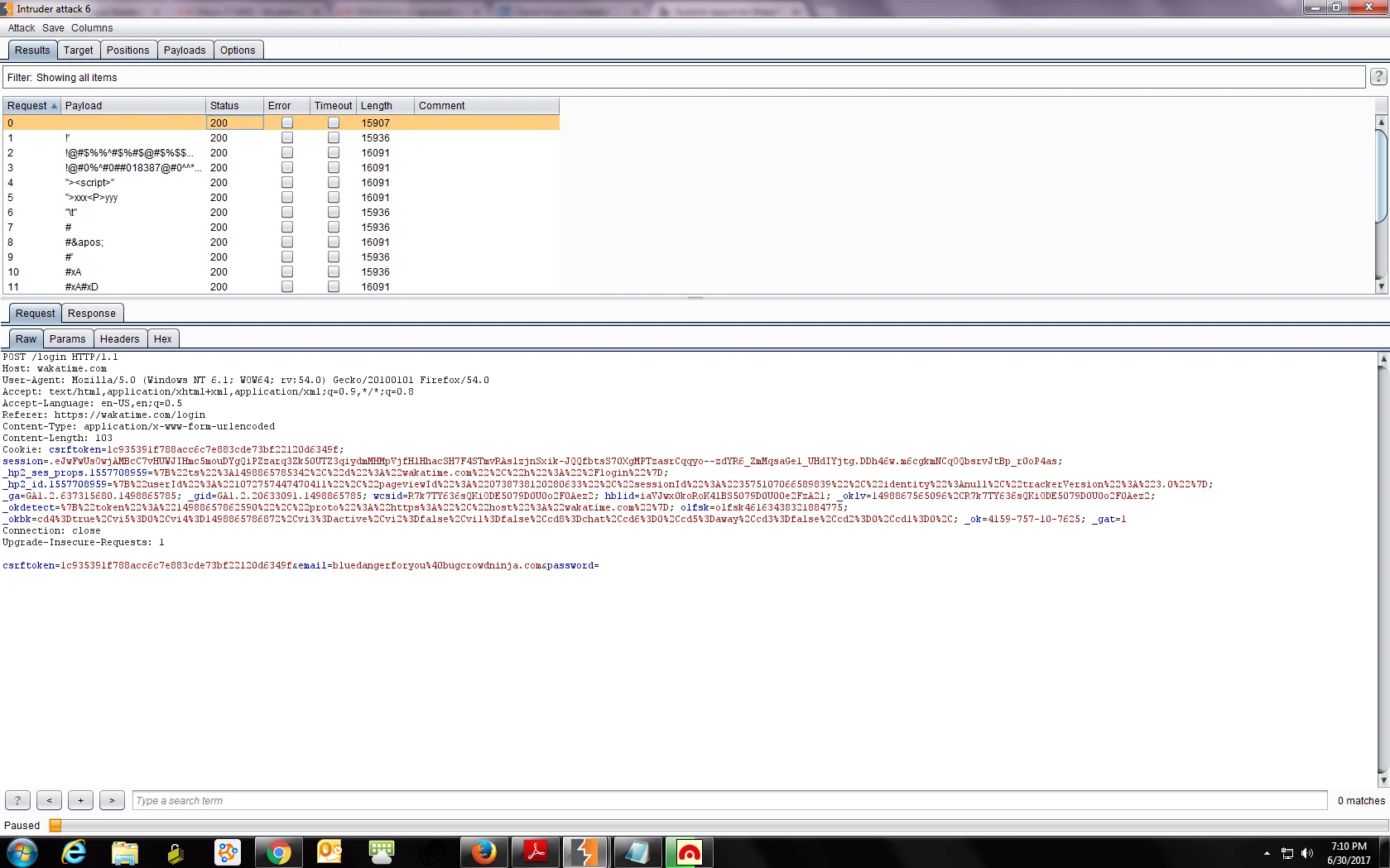
Steps to reproduce: navigate to https://wakatime.com/ and enter email address and false password
make more than attempts and account does not get locked out
After failed attempts, I was still able to login in with my password
Attachments
Not written yet. The AI write-up for this report has not been written yet. The Original tab links to the source.
How it worked
Root cause
Likely the login endpoint had no rate limiting or lockout after repeated failed attempts.
Impact
An attacker could keep guessing passwords for an account without being locked out, though the report does not show a successful takeover.
What the attacker needed
A target account email address; ability to send many login requests
How it was found
- Go to the login page.
- Enter an email address and a wrong password.
- Repeat the failed attempt many times.
- Observe that the account is not locked out.
Explained by bugbounty.wiki with AI from the original and checked against quotes from it; it can still be wrong. Read the original before relying on a detail.
Not written yet. The AI write-up for this report has not been written yet. The Original tab links to the source.
A login page normally stops you after a few wrong passwords, so someone cannot keep guessing forever. Here it did not stop the guesses, which makes it easier for an attacker to try many passwords until one works.
What is Business logic?
The application works as coded but not as intended: a negative price, a skipped payment step, a limit that can be crossed.




