Application allowing old password to be set as new password | hosted.weblate.org
The application allowed a user to set their new password to the same value as the old password, which a secure policy should prevent.

- Fixed in under an hour
- Disclosed after 35 days
Hi Team,
I found an issue that your application is allowing user to set new password same as that of the old password.
Steps to reproduce the defect
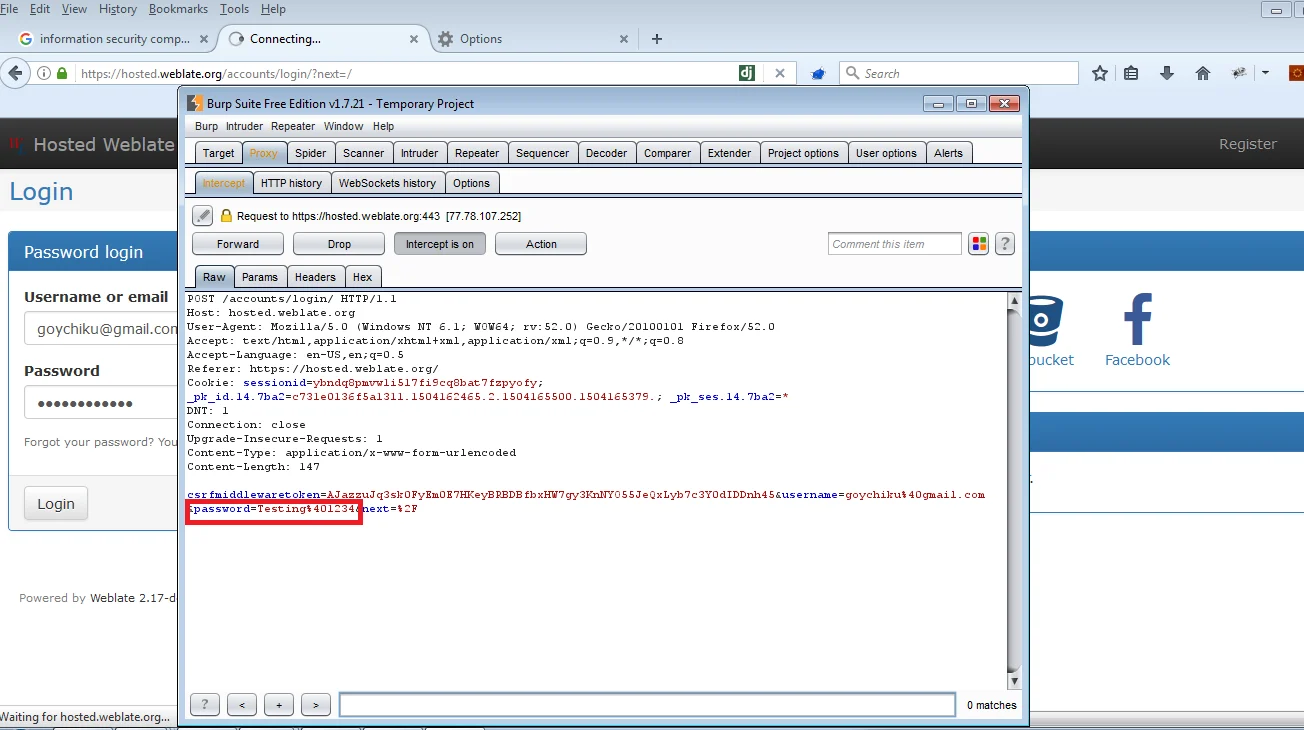
-Firstly logged into the application with existing password (refer screenshot named : Original Password login Request)-Old password highlighted in screenshot
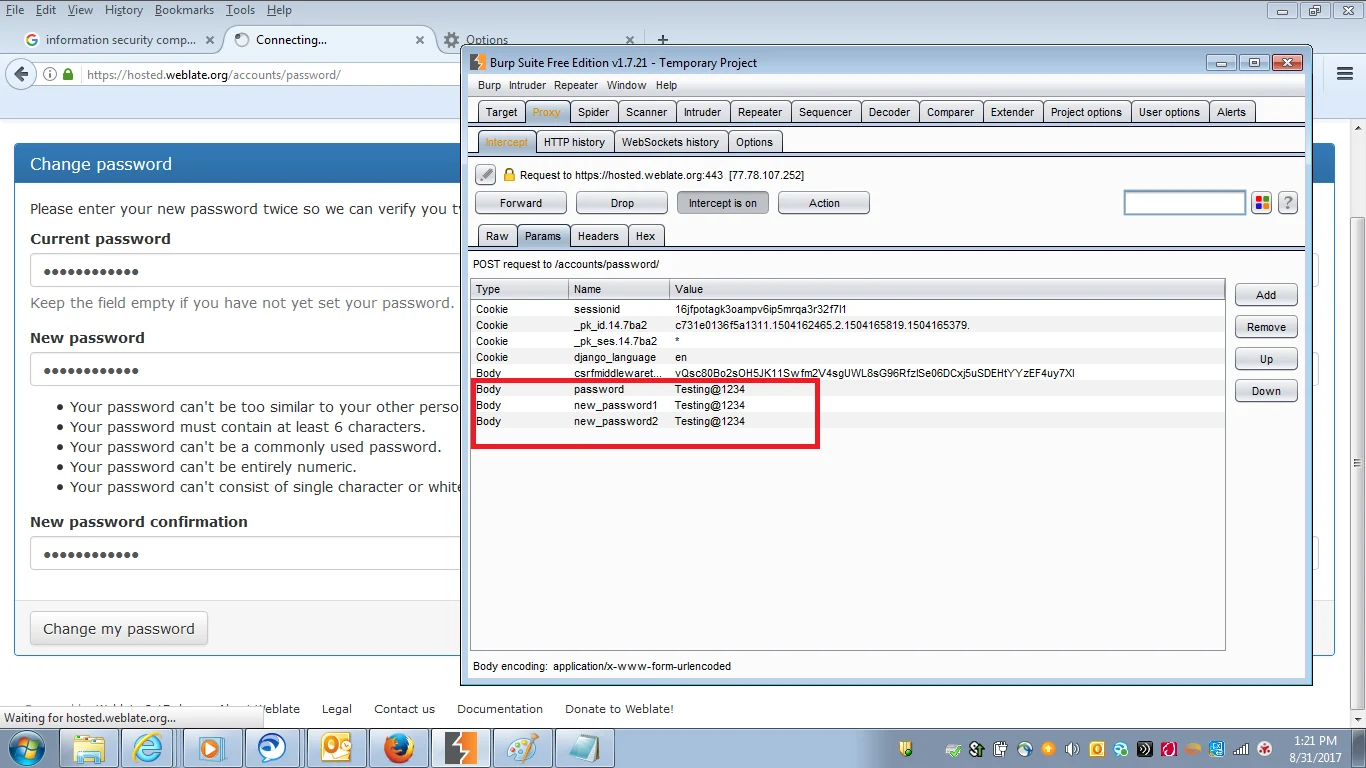
-secondly now go to change password link and tried to set the new password with same value set in old password (refer screenshot named : Change Password Request Old and new password are same )
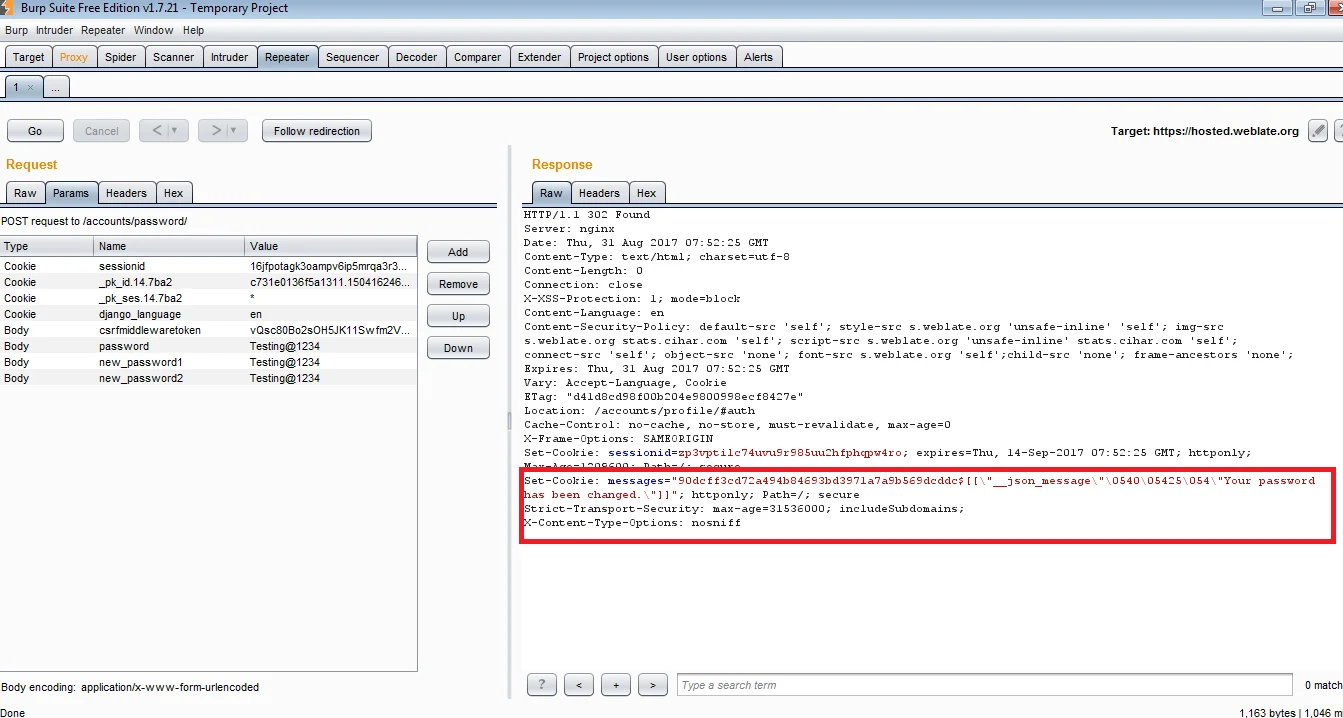
-thirdly now as a result of the above step you can see the new password same as old password (refer screenshot named : Change Password Request and Response- Old and new password are same)
Issue Description
As per secure password policy application should not allow same old password value to be used in setting new password value cos there might be possibility that old password might be exposed or leaked to an adversary so its advisable on application end to enforce strong password policy and should implement check to not to allow user to set old password value in new password value.
See the attached screenshots for issue details.
Please also refer the below mentioned link for reference:
https://www.owasp.org/index.php/Testing_for_Weak_password_policy_(OTG-AUTHN-007)
Attachments
Not written yet. The AI write-up for this report has not been written yet. The Original tab links to the source.
How it worked
Root cause
Likely the password change form did not check the new password against the current password before saving it.
Impact
If an attacker already knows the old password, the user cannot invalidate it by changing the password to the same value, so the attacker may keep access.
What the attacker needed
A valid account; knowledge of the current password
How it was found
- Log in to the application with the existing password.
- Go to the change password link.
- Set the new password to the same value as the old password.
- Observe that the change is accepted and the new password equals the old password.
Explained by bugbounty.wiki with AI from the original and checked against quotes from it; it can still be wrong. Read the original before relying on a detail.
Not written yet. The AI write-up for this report has not been written yet. The Original tab links to the source.
When you change your password, a secure system should stop you from reusing the old one. If it does not, someone who already knows your old password can keep using it even after you try to change it. This report says the site did not block that reuse.
What is Business logic?
The application works as coded but not as intended: a negative price, a skipped payment step, a limit that can be crossed.